Does Microsoft Outlook support BIMI for displaying brand logos in email?

Updated on 24 Oct 2026: We checked Microsoft's BIMI support, corrected authentication requirements, and added practical Outlook branding options.
No. Microsoft Outlook does not support Brand Indicators for Message Identification (BIMI) for displaying brand logos in normal recipient inboxes. That includes Outlook.com, Hotmail, Exchange Online, and Microsoft 365-hosted mailboxes. A valid BIMI record, enforced DMARC, and a VMC or CMC will not make a BIMI logo appear in those Microsoft-hosted Outlook inboxes.
Microsoft documents sender-side BIMI setup for Dynamics 365 Customer Insights - Journeys. Those instructions concern messages sent through that platform to inboxes that support BIMI. They do not establish BIMI logo display for received mail in Outlook or Exchange Online. The Dynamics 365 docs describe that product-specific setup.
BIMI can still display a brand logo in supported environments such as Gmail, Yahoo Mail, and qualifying Apple Mail configurations. For Outlook audiences, the authentication work has value independently: enforced DMARC helps protect the sending domain against unauthorized use.
Microsoft BIMI support by service
Microsoft documents sender-side BIMI setup for Dynamics 365 Customer Insights - Journeys. Outlook and Exchange Online do not provide BIMI logo display for received mail.
|
|
|
|---|---|---|
Outlook.com | No receiving support | No BIMI sender logo in Outlook inboxes |
Hotmail | No receiving support | No BIMI sender logo in Outlook inboxes |
Exchange Online | No receiving support | No BIMI sender logo in Outlook inboxes |
Microsoft 365-hosted email | No receiving support | No BIMI sender logo in Outlook inboxes |
Dynamics 365 Customer Insights - Journeys | Sender-side BIMI use case | Logo display depends on the receiving provider |
Microsoft receiving support and the separate Dynamics 365 sending use case
Do not buy a certificate for Outlook
Microsoft's BIMI documentation covers outbound mail from Dynamics 365 Customer Insights - Journeys. It does not announce BIMI rendering for Outlook or Exchange Online. A May 21, 2026 reply on Microsoft Q&A says no implementation date has been announced. A support-forum reply is not a formal product-roadmap commitment. A VMC or CMC does not enable Outlook BIMI display.
Separate two questions before approving BIMI work: can the domain meet BIMI requirements, and do enough recipients use mailbox providers that actually show BIMI? The first question is about authentication maturity. The second is about audience mix. For a broader support map, compare Outlook against current client support before committing budget.
Outlook app versus Microsoft-hosted mailbox
Outlook is both a family of apps and a name used for Microsoft mailbox services. BIMI display depends on the receiving mailbox provider and the client interface. The clearest no-support case is mail delivered to Outlook.com, Hotmail, Exchange Online, or a Microsoft 365-hosted mailbox and viewed through Outlook.
- Microsoft-hosted mailbox: Do not expect a BIMI logo in Outlook on the web, desktop, or mobile.
- Third-party account in Outlook: Do not assume provider support guarantees logo display in the Outlook interface; test that exact provider and client pairing.
- Dynamics 365 sender: The platform can prepare outbound mail for BIMI, but only a supporting receiving provider can display the logo.
- Native provider interface: Use the provider's own web or mobile inbox when verifying its documented BIMI result.
This distinction prevents a common testing mistake. Adding a Gmail, Yahoo, or another third-party account to an Outlook app does not make Outlook a documented BIMI renderer. Record the mailbox provider, account type, client, and device with every test result.
Where BIMI can still appear
BIMI support is receiver-specific. Gmail, Yahoo Mail, Apple Mail, Fastmail, Zoho Mail, La Poste, and other participating providers support BIMI in qualifying configurations. Gmail requires a Verified Mark Certificate (VMC) or Common Mark Certificate (CMC). Yahoo Mail does not require a VMC, but checks bulk-mail eligibility, sender reputation, and engagement. GMX and Web.de should not be counted as confirmed BIMI coverage.
|
|
|
|
|---|---|---|---|
Supported | VMC or CMC | VMC can add the verified check; CMC does not. | |
Supported | VMC not required | Bulk mail with sufficient reputation and engagement. | |
Supported | VMC or accepted evidence | Both the receiving provider and Apple Mail must meet Apple requirements. | |
Fastmail | Supported | VMC optional | Fastmail specifies an SVG file smaller than 16 KB. |
Supported | Varies | Test before launch. | |
Outlook | Not supported | N/A | Do not base ROI on it. |
BIMI visibility depends on the receiving provider.
The BIMI Group is the baseline reference for how participating mailbox providers make the final display decision. A valid record tells providers where to fetch the logo, but the receiver still controls whether the logo appears.
Why a BIMI record does not show in Outlook
BIMI is not an email header that forces every email app to display a logo. It is a receiver-controlled signal. The sender publishes a BIMI TXT record in DNS, hosts a compliant SVG logo, passes authentication that DMARC accepts, and often provides a certificate. The mailbox provider then decides whether to fetch and render that logo.
BIMI does not authenticate a message by itself or guarantee inbox placement. It requires a DMARC pass, meaning SPF or DKIM must pass with a domain that matches the visible From domain under the DMARC policy. Mark certificates verify rights to the published logo; they do not certify that every message is safe.
Outlook does not take that final receiver step. So when a message reaches a Microsoft-hosted inbox, Outlook ignores the BIMI display path. It can still use initials, contact photos, tenant images, historical brand data, or other Microsoft-controlled identity signals, but those are not BIMI.
Standard BIMI path
- Sender: Publishes a BIMI TXT record under the sending domain.
- Authentication: SPF or DKIM passes in a way DMARC accepts for the From domain.
- Policy: DMARC uses p=quarantine or p=reject for the From domain and organizational domain, without test mode.
- Receiver: The mailbox provider fetches and renders the logo.
Outlook path
- Sender: Can publish a correct BIMI record.
- Authentication: Can pass SPF, DKIM, and DMARC cleanly.
- Policy: Can use full DMARC enforcement.
- Receiver: Outlook still does not render the BIMI logo.
RFC 9989 removed the pct tag from DMARC. Omit it in new records. Where BIMI validators still check a legacy record, a retained pct must be 100. A lower value does not meet full-enforcement requirements. Do not use DMARC test mode (t=y) for BIMI enforcement.

Microsoft Outlook on the web inbox showing sender initials instead of BIMI brand logos.
That distinction matters when stakeholders send screenshots of a logo in Outlook and assume BIMI is live. A logo in a Microsoft inbox can come from a legacy Microsoft brand program, a contact image, tenant data, or organizational directory data. It is not proof that Outlook supports the BIMI DNS record.
What to do if your audience uses Outlook
Do not build your logo plan around Outlook. Build it around authentication first, then decide whether BIMI has enough supported reach to justify the logo and certificate work. If a large share of your recipients use Microsoft 365, your BIMI business case needs to acknowledge that those recipients will not see the BIMI logo.
- Group recipients by receiving mailbox provider, including custom business domains hosted by Microsoft 365. Record the email app separately, because Apple Mail is a client rather than a mailbox host.
- Authenticate: Get SPF and DKIM stable and confirm DMARC alignment before moving policy toward enforcement.
- Use p=quarantine or p=reject with full enforcement on the From domain and organizational domain before expecting BIMI to qualify.
- Validate: Check the DNS record, SVG Tiny PS file, image/svg+xml MIME type, certificate URL, HTTPS hosting, and final inbox result separately.
- Explain: Tell internal teams that Outlook remains unsupported even when other inboxes show the logo.
Example BIMI DNS recorddns
default._bimi.example.com. 300 IN TXT (
  "v=BIMI1; "
  "l=https://brand.example/logo.svg; "
  "a=https://brand.example/vmc.pem"
)
The example shows sender-side publication. Publish the BIMI TXT record under default._bimi for the domain used in the visible From address, including the sending subdomain when applicable. Replace the sample values and test actual rendering at supported receivers. Suped's DMARC checker and record generator help check and prepare the DMARC prerequisite.
?
What's your domain score?
Deep-scan SPF, DKIM & DMARC records for email deliverability and security issues.
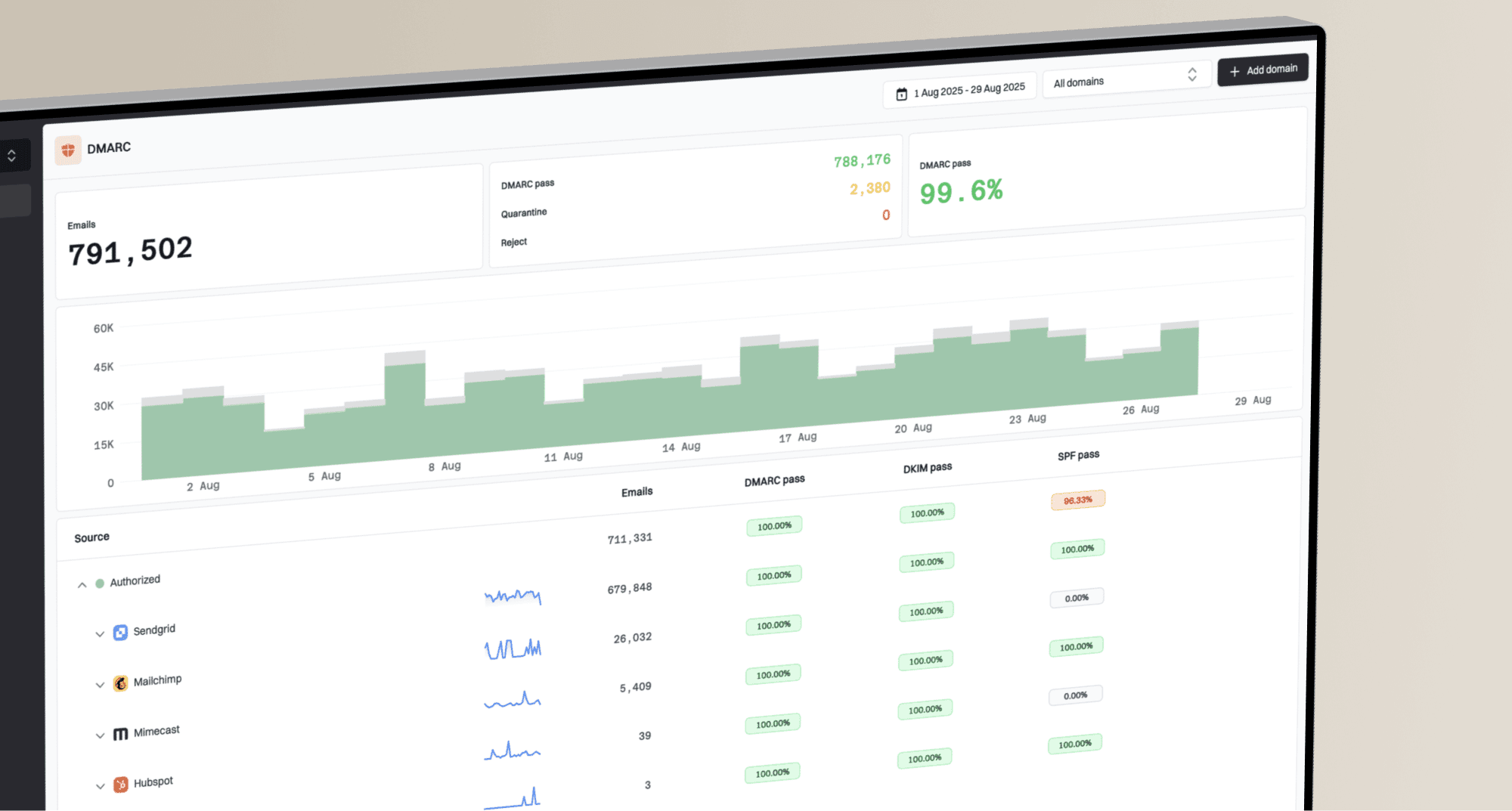
Suped's DMARC reporting and email authentication platform helps identify legitimate sending sources that fail SPF, DKIM, or DMARC checks before enforcement. Suped's Hosted DMARC supports policy management as those sources are corrected.
DMARC record detail view showing SPF, DKIM, DMARC, rDNS diagnostics, and DNS records
After enforcement, use Suped's DMARC monitoring to review authentication changes when a sending service is added or reconfigured. Verify logo display separately in supported recipient inboxes.
How to decide whether BIMI is worth it
BIMI is worth serious consideration when a meaningful share of your recipients use providers that render it. It is less compelling when Microsoft dominates your list, unless the authentication work itself is the main driver. Start with audience share because it prevents the team from treating a visible Gmail win as a universal inbox win.
The decision covers certificate costs and renewals, mark validation, SVG Tiny PS preparation, public HTTPS hosting, DNS publishing, and authentication monitoring. Approve the final logo artwork before applying for a mark certificate, because a later logo change requires certificate revalidation or reissuance. Check each target provider's file-size limit rather than treating 32 KB as universal.
|
|
|
|---|---|---|
DMARC | BIMI gate | Enforce |
SPF | SPF authentication and return-path domain | Reduce failures |
DKIM | DKIM signing domain must match the From domain under DMARC | Configure custom-domain signing |
Logo | SVG Tiny PS rules | Validate |
Certificate | Provider need | Budget |
Outlook | No render | Set scope |
BIMI planning checklist
If the team needs implementation steps, use a current BIMI setup checklist and test where the logo appears. Record the receiving provider and client for each result, along with the certificate type and authentication outcome.
Why some Outlook messages show a logo
Microsoft has used separate logo approaches over time, including Brand Cards and Bing-linked business profile data. Current Outlook images also include contact photos and directory images. Historical brand programs are not a documented BIMI setup path or a reliable enrollment option for new senders.
Do not use Gmail or Yahoo screenshots to infer Outlook support either. Gmail can show Google profile images in selected cases, and Yahoo can gate BIMI display by sender reputation, so each inbox needs its own test.
Read Outlook logos carefully
- Legacy: A logo configured years ago can still confuse current BIMI testing.
- Scope: A consumer Outlook result does not prove Microsoft 365 support.
- Source: A contact photo, tenant image, or directory avatar can override what a tester expects.
- Proof: The only useful test is a real message in a known receiver environment.
Screenshots alone are weak evidence. A screenshot can show that a logo appears, but it does not identify the mechanism. The right test checks the sending domain, authentication results, BIMI DNS record, certificate, receiver, and client. For broader inbox placement details, compare the result with current logo placement guidance.
Document Outlook as unsupported in the launch plan. That avoids post-launch reporting where marketing expects universal logo display and deliverability teams have to explain receiver-side support after the budget has already been spent.
How to add branding in Outlook without BIMI
Choose the branding method for the place where the logo needs to appear. A logo inside an email signature and a sender avatar beside the subject are separate display mechanisms.
- Add your company logo to an Outlook email signature for branding inside the opened message. The signature does not replace the inbox sender avatar.
- Use a Microsoft 365 profile photo for identity within supported Microsoft experiences. It does not guarantee a company logo beside messages in external recipients' inboxes.
- A recipient can add a contact picture for your address. The recipient controls that image; it is not a sender-managed, domain-wide brand logo.
- Keep tenant branding separate from email branding. Changing a Microsoft 365 organization logo does not publish a BIMI sender logo to external Outlook inboxes.
In new Outlook, open Settings > Accounts > Signatures, create or edit the signature, and insert the logo. In classic Outlook for Windows, open a new message and select Signature > Signatures, then use the image button. Save the signature and test an external message, including the result when images are blocked.
BIMI implementation checklist
A good BIMI rollout looks more like an authentication project than a design task. The logo file matters, but the receiver only considers it after the domain proves it is authorized and protected. Use this order because it prevents teams from polishing the logo before the sending sources are trustworthy.
- Inventory: List every platform sending as the domain, including marketing, transactional, support, billing, and internal systems.
- Fix SPF: Remove stale includes, stay within SPF's limit of 10 DNS-triggering terms, and check whether the return-path domain matches the visible From domain under DMARC.
- Fix DKIM: Make sure each major sender signs with a domain that DMARC accepts for the visible From domain.
- Move DMARC: Review reports under p=none, fix legitimate sources, then use p=quarantine or p=reject without t=y. Check forwarding and mailing-list failures before enforcement.
- Prepare the logo: Use a square, script-free SVG Tiny PS file without external resources. Meet each target provider's size limit, serve it as image/svg+xml over HTTPS, and keep the public URL stable.
- Add certificate: Use the VMC or CMC path required by the mailbox providers you care about.
- Test by provider: Record Gmail, Yahoo, Apple, and Outlook results separately so the report tells the truth.
Record Outlook as "not supported" in the test report. For a supported provider, a missing logo is a reason to investigate eligibility and authentication; it does not prove the DNS record is broken. The receiver still controls display.
Views from the trenches
Best practices
Treat Outlook as unsupported for BIMI, then measure Gmail, Yahoo, and Apple impact.
Move DMARC to enforcement before logo work so BIMI is built on authenticated mail.
Keep old Microsoft logo paths out of planning because new sender access is unreliable.
Common pitfalls
Buying a VMC to fix Outlook branding wastes budget because Outlook does not render BIMI.
Mistaking a legacy Outlook logo for BIMI leads teams to debug the wrong DNS records.
Publishing BIMI before SPF and DKIM pass rates are stable creates noisy rollout work.
Expert tips
Segment reports by mailbox provider so Outlook-heavy lists get separate expectations.
Use BIMI as a DMARC enforcement driver, not as the only reason to authenticate mail.
Check Microsoft announcements by exact date because old logo programs still circulate.
Marketer view
Marketer from Email Geeks says a logo appearing in consumer Outlook does not prove BIMI support, because Microsoft has used separate logo programs.
2025-06-18 - Email Geeks
Expert view
Expert from Email Geeks says old Bing Pages or Brand Cards behavior was limited and did not cover Microsoft 365 inboxes.
2025-09-03 - Email Geeks
Frequently asked questions
No. Outlook.com does not render standard BIMI logos for inbound messages. A sender can publish a correct BIMI record and still see no logo in Outlook.com.
No. Exchange Online does not currently support BIMI rendering for received mail. Microsoft documents a Dynamics 365 sender use case, but that is different from Exchange Online showing BIMI logos to recipients.
No. A VMC can be required by providers that support certificate-backed BIMI, but Outlook does not render BIMI logos, so the certificate does not create Outlook logo display.
Yes, for a custom sending domain that meets the receiving provider's requirements. BIMI uses the sending domain's DNS records and message authentication, so the receiving provider decides whether to display the logo. Configure custom-domain DKIM and DMARC, publish BIMI, and meet Gmail's VMC or CMC requirement. This does not enable BIMI display in Outlook inboxes.
Yes, if enough of your audience uses providers that support BIMI and your DMARC posture is ready. Base the project on supported providers, not Outlook logo display.
Outlook can show contact images, directory photos, tenant images, or historical Microsoft brand data. Those visuals are separate from BIMI and do not prove that Outlook supports BIMI.