
DNS history · Beta
Know what changed in your DNS
An email problem starts. Was it a DNS change? Compare old and new records, trace changes over time, and see what Suped observed before the problem began.
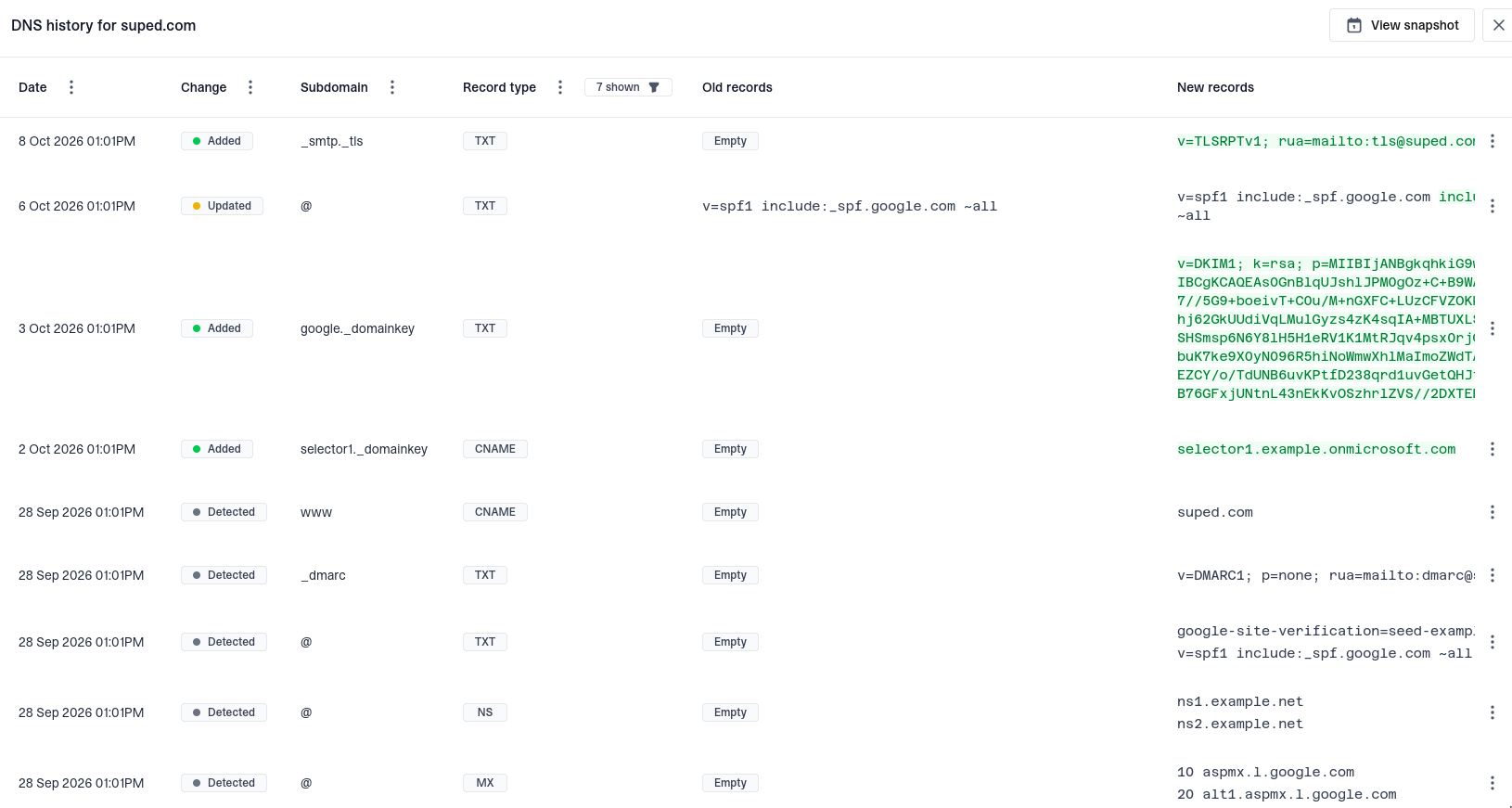
DNS history dialog showing a domain's record changes, detection dates, subdomains, record types, old and new values, and View snapshot button






A timeline for troubleshooting
Compare what was there with what is there now
Review detected, added, deleted, and updated records in one timeline. Old and new values sit side by side, with changed text highlighted when one record replaces another.
Focus your investigation
Find the change that matters
Narrow the history by date, subdomain, record type, or change. Investigate an SPF edit, an MX change, or a missing DMARC record without working through unrelated address updates.
Historical snapshots
Look back at your recorded DNS state
Pick a day or open a snapshot at a specific change to see the monitored records last observed at that point. Bring the previous configuration into your investigation without piecing it together from individual edits.
Snapshots reflect the history Suped has collected. They do not restore records or include changes from before monitoring began.
Start building your domain's DNS timeline
Suped scans monitored records hourly, including key email authentication records. Open DNS history from Domains to explore changes as they are detected.
Get started
DNS history FAQs
What is monitored, how changes are detected, and how to get started.




