
DNS history records changes to monitored DNS records for domains in your organization. Suped scans hourly and saves changes whether they were made through Suped or directly at your DNS provider. The feature is in beta.
Open DNS history
- Open Domains in your organization.
- Click the history button in the DNS history column, or choose View DNS history from the domain's actions menu.
- Review the most recent changes first. Each row shows the detection time, change, subdomain, record type, and old and new record values.
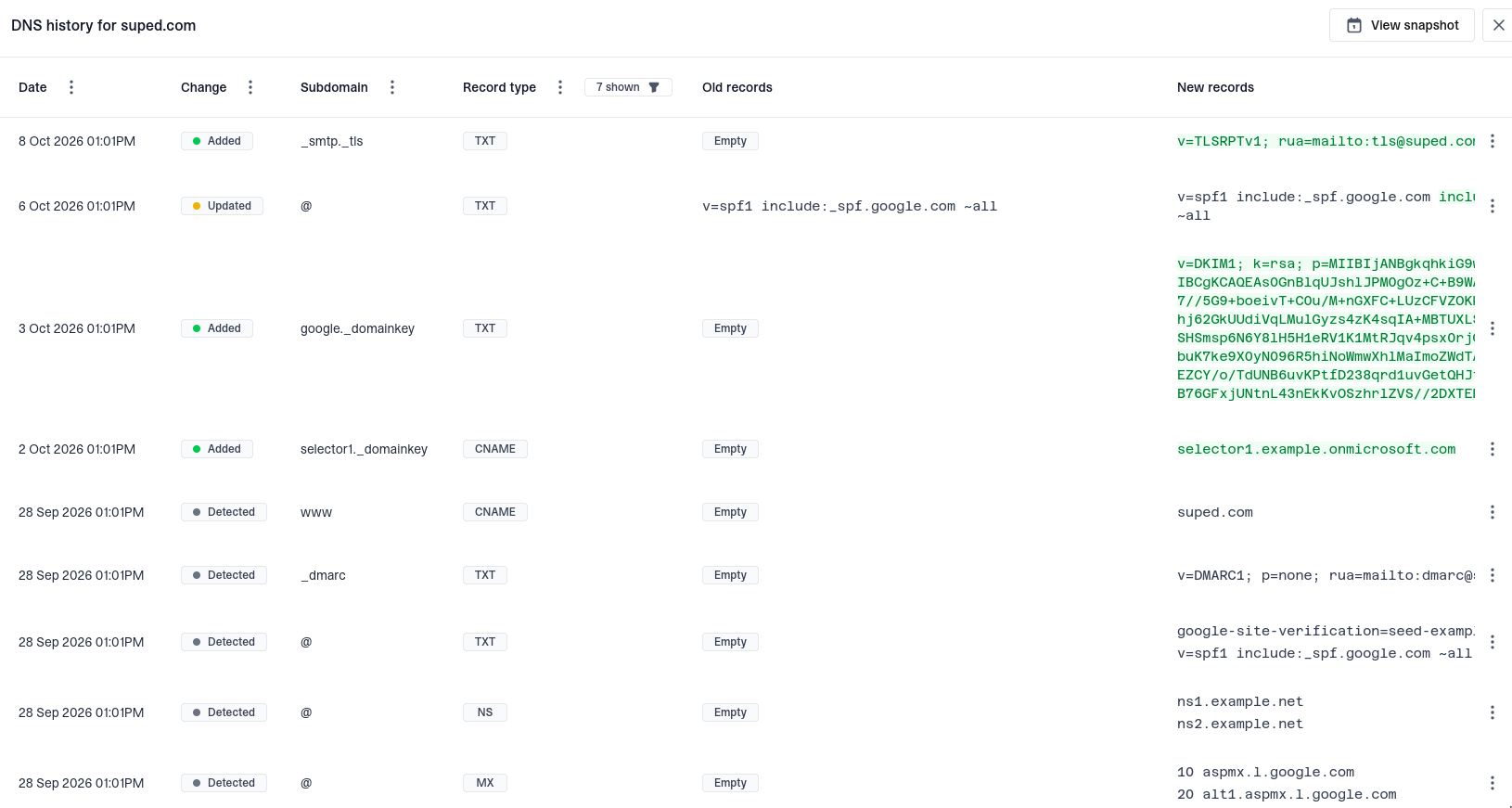
No separate enable step or DNS delegation is needed. History starts with Suped's scans; it does not recover records from before monitoring began. If a newly added domain has no history yet, allow time for its first scan.
Understand record changes
- Detected identifies records found in the initial scan. It can also indicate records returning after a temporary DNS failure.
- Added means the record set contains more values than before.
- Deleted means the record set contains fewer values than before.
- Updated means the values changed while the number of records stayed the same.
Old records shows removed values, and New records shows added values. When one value replaces another, highlights show the changed text. Empty means there are no values on that side of the change. The root domain is shown as @.
An NXDOMAIN label means the DNS name did not exist when queried. SERVFAIL means the DNS lookup failed after retries. These are recorded as empty results, so a deletion entry does not always mean someone intentionally removed a record.
Filter the history
Use the column filters to narrow changes by date range, change type, subdomain, or record type. A and AAAA records are excluded by default; select them in the Record type filter to include address changes. Clear the record type selection to show all types.
View a snapshot
Click View snapshot and choose a date to see the most recently recorded values as of the end of that day. You can also choose View snapshot from a change row's actions menu to see the recorded state at that entry's time. Use the date picker in the snapshot to choose another day.
Snapshots use all recorded history, independently of the history table's filters. They show monitored records, not a complete DNS zone or a live lookup, and do not restore records at your DNS provider.
Which records are monitored
- At the root domain: A, AAAA, NS, CNAME, PTR, MX, TXT, SRV, and CAA.
- At
_dmarc,_mta-sts,_smtp._tls, anddefault._bimi: CNAME, TXT, and NS. - For selectors configured in Hosted DKIM: CNAME, TXT, and NS at each selector's
_domainkeyname. - At
_domainkey: NS. - At
mta-sts: A, AAAA, and CNAME.
Suped continues checking previously recorded, nonempty record sets even if their original scan rule is removed, until their deletion is observed. Other arbitrary subdomains and DKIM selectors are not automatically discovered.
Timing and coverage
Dates show when Suped observed a change, not the exact time it was made. Changes that happen and revert between scans can be missed, and resolver caching can delay visibility. DNS history does not identify who made a change. Use it alongside your DNS provider's audit logs and Suped's DMARC monitoring to investigate authentication or delivery problems.


