SPF record generator
Generate SPF records without hand editing DNS syntax
SPF record builder
Build a valid SPF TXT value from sender includes, IP ranges, and policy choices, or load an existing domain record before adding new senders. After publishing, use the SPF checker to verify live DNS and lookup counts. For ongoing records that change as senders change, use Suped's hosted SPF or keep this SPF generator bookmarked for manual updates.
Get started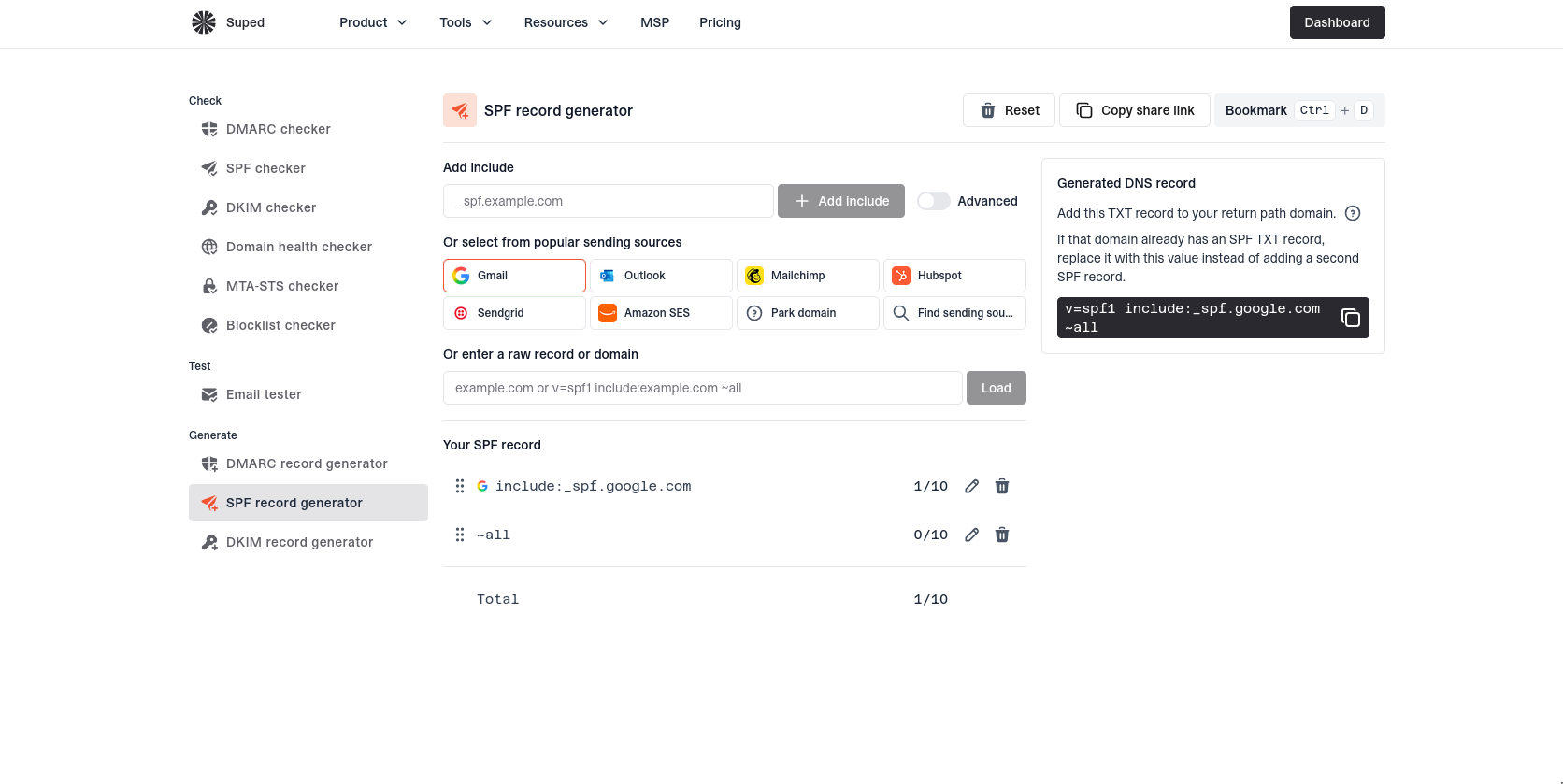


SPF generation that avoids common mistakes
Use the SPF record generator to create one clean TXT record, preserve existing senders, add new email platforms, and copy the exact DNS value to publish. It keeps SPF syntax readable so teams do not accidentally create duplicate records or weak all mechanisms.
SPF record
example.com
TXTv=spf1 include:_spf.google.com ~all
Clean TXT output
Copy one SPF value with includes, IP addresses, optional a or mx, and a clear all mechanism.
include:_spf.google.com
ip4:192.0.2.24
mx
Guided sender additions
Add provider includes and sending IPs as structured entries instead of hand editing one long string.
+all~all-all
Safer rollout choices
Choose ~all while validating senders, then move to -all when your authorized sources are complete.
Record found
Single record
Record valid
Existing record import
Load a domain's current SPF record before extending it so existing authorized senders are preserved.
DNS lookups
7 / 10
Void lookups1 / 2
Lookup limit awareness
Keep DNS lookup pressure visible while adding includes, mx, a, and redirect mechanisms.
No loops
No duplicates
No empty includes
Cleaner SPF structure
Review duplicate and empty sender entries before copying the generated record into DNS.
SPF record generator FAQs
Answers to common questions about creating, extending, and publishing SPF records.
No. It generates a TXT value you can copy. You still publish the record in your DNS provider.
Yes. Enter your domain, load the current SPF record from DNS, then add includes or IP addresses in the form before copying the updated value.
Publish it as a TXT record at the root of the sending domain, usually shown as @ in DNS providers.
No. A domain should have one TXT record that starts with v=spf1. Multiple SPF records cause a permanent error and can make SPF fail.
Use ~all while validating senders if you need a safer rollout. Use -all when you are confident every legitimate sender is included.
Use the exact include domain from your email provider's SPF instructions, such as include:_spf.google.com. Do not invent include domains.
Use them only when your domain's A or MX hosts really send outbound mail. Explicit includes or IP addresses are usually easier to audit.
It validates syntax in the generated record. After publishing, use the SPF checker to run live DNS lookup count checks across nested includes.


How MONEYME proactively strengthens domain security and unlocks higher email engagement with Suped
See how MONEYME uses Suped
How cybersecurity specialist Jam Cyber delivers scalable DMARC protection with Suped
See how Jam Cyber uses Suped

How Vision Australia maintains full DMARC enforcement across a large domain portfolio with Suped
See how Vision Australia uses Suped

How The POP Team turns domain checks and DMARC visibility into client ready delivery work
See how The POP Team uses Suped

How DigiBean simplified DMARC monitoring and improved email security for their MSP clients
See how DigiBean uses Suped

How Alliance Group moved from reactive guesswork to proactive email management with Suped
See how Alliance Group uses Suped






Start monitoring your DMARC reports today

What you'll get with Suped
Real-time DMARC report monitoring and analysis
Automated alerts for authentication failures
Clear recommendations to improve email deliverability
Protection against phishing and domain spoofing