
DMARC record generator
Use this free DMARC record generator tool to choose policy, reporting and alignment settings, then copy the TXT value to publish in DNS.
Choose your DMARC policy
Report recipients (rua)
Subdomain policy (sp)
Non-existent subdomain policy (np)
Public suffix domain (psd)
Testing mode (t)
DKIM alignment (adkim)
SPF alignment (aspf)
Failure reporting (fo)
Percentage (pct)
%
Reporting interval (ri)
seconds
Failure report recipients (ruf)
Generate DMARC records without hand editing DNS syntax
DMARC record builder
Use this DMARC record generator tool to choose policy, reporting and alignment settings, then copy the TXT value to publish in DNS.Need help choosing your settings? Read our complete list of DMARC tags and their meanings for explanations of each tag, its values, and defaults. After publishing, use the DMARC checker to verify live DNS. For ongoing visibility, use Suped's DMARC monitoring to track senders, reports, and authentication failures over time.
Get started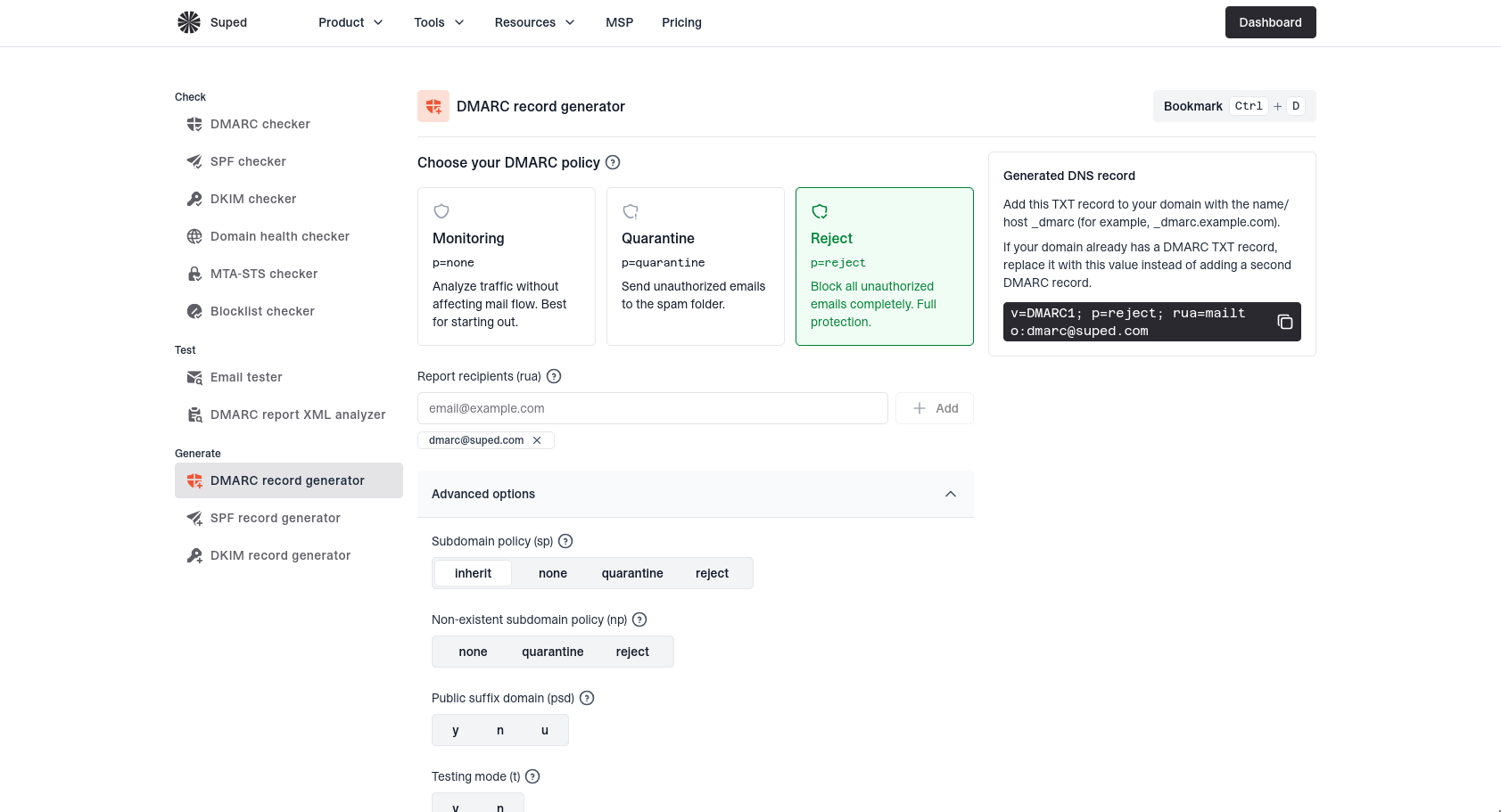


DMARC TXT record example: monitoring with rua
p=none does not request quarantine or rejection for DMARC failures. The rua address receives aggregate XML reports, not message copies, so use a destination that can process them.
Host: _dmarc.example.com
Type: TXT
Value: v=DMARC1; p=none; rua=mailto:dmarc-reports@example.com;
Replace the example domain and reporting address; external destinations may need reporting authorization.
Publish your generated DMARC record
Publish one TXT record at _dmarc on your visible From domain, using the hostname format your DNS provider expects. Replace existing values, then verify DNS; this generator neither publishes nor imports records.
Choose your policy and DMARC record syntax
Confirm legitimate senders pass aligned SPF or DKIM before requesting quarantine or reject; receivers retain control. Review reporting and alignment tags, and heed the form's warnings for the historic pct and ri fields.
DMARC generation that avoids common mistakes
Use the DMARC record generator to create one clean TXT record, choose a rollout policy, add aggregate and forensic reporting addresses, and keep tag syntax readable before publishing.
DNS record
_dmarc.example.com
TXTv=DMARC1; p=reject
Clean TXT output
Copy one DMARC value with policy, reporting, alignment, and failure options in valid syntax.
p=nonequarantinereject
Policy rollout choices
Start with monitoring, then move toward quarantine or reject when legitimate senders align.
DMARC reports
rua=mailto:dmarc@
ruf=mailto:alerts@
Reporting addresses
Add aggregate and forensic report destinations without hand editing mailto tags.
Record found
Single record
Record valid
Record checks
Review generated DNS syntax before copying the DMARC record into DNS.
DMARC
p=quarantineSPF failures protected
SPF and DKIM alignment
Choose alignment settings that match how your senders authenticate real mail.
DNS provider
Managed in Vercel
DNS publishing context
Publish the generated TXT value at _dmarc on the sending domain.
DMARC record generator FAQs
Answers to common questions about creating, publishing, and tightening DMARC records.
No. It generates a TXT value you can copy. You still publish the record in your DNS provider.
Publish one TXT record at _dmarc.yourdomain.com. The generator starts the value with v=DMARC1 and includes your chosen p= policy. Replace an existing DMARC record at that hostname rather than adding a duplicate.
Start with p=none while observing reports if you are not sure all legitimate mail passes authentication. Move toward quarantine or reject after SPF and DKIM alignment are working.
The rua tag is optional, but it is how you request aggregate reports for visibility into senders and alignment failures. Configure a working destination that can process XML reports. A reporting address on another domain may require that destination's external reporting authorization.
Use relaxed alignment unless your requirements call for an exact domain match and your senders support it. Strict alignment narrows the permitted domain match, but can cause legitimate mail to fail DMARC if neither SPF nor DKIM aligns exactly.


How MONEYME proactively strengthens domain security and unlocks higher email engagement with Suped
See how MONEYME uses Suped
How cybersecurity specialist Jam Cyber delivers scalable DMARC protection with Suped
See how Jam Cyber uses Suped

How Vision Australia maintains full DMARC enforcement across a large domain portfolio with Suped
See how Vision Australia uses Suped

How The POP Team turns domain checks and DMARC visibility into client ready delivery work
See how The POP Team uses Suped

How DigiBean simplified DMARC monitoring and improved email security for their MSP clients
See how DigiBean uses Suped

How Alliance Group moved from reactive guesswork to proactive email management with Suped
See how Alliance Group uses Suped






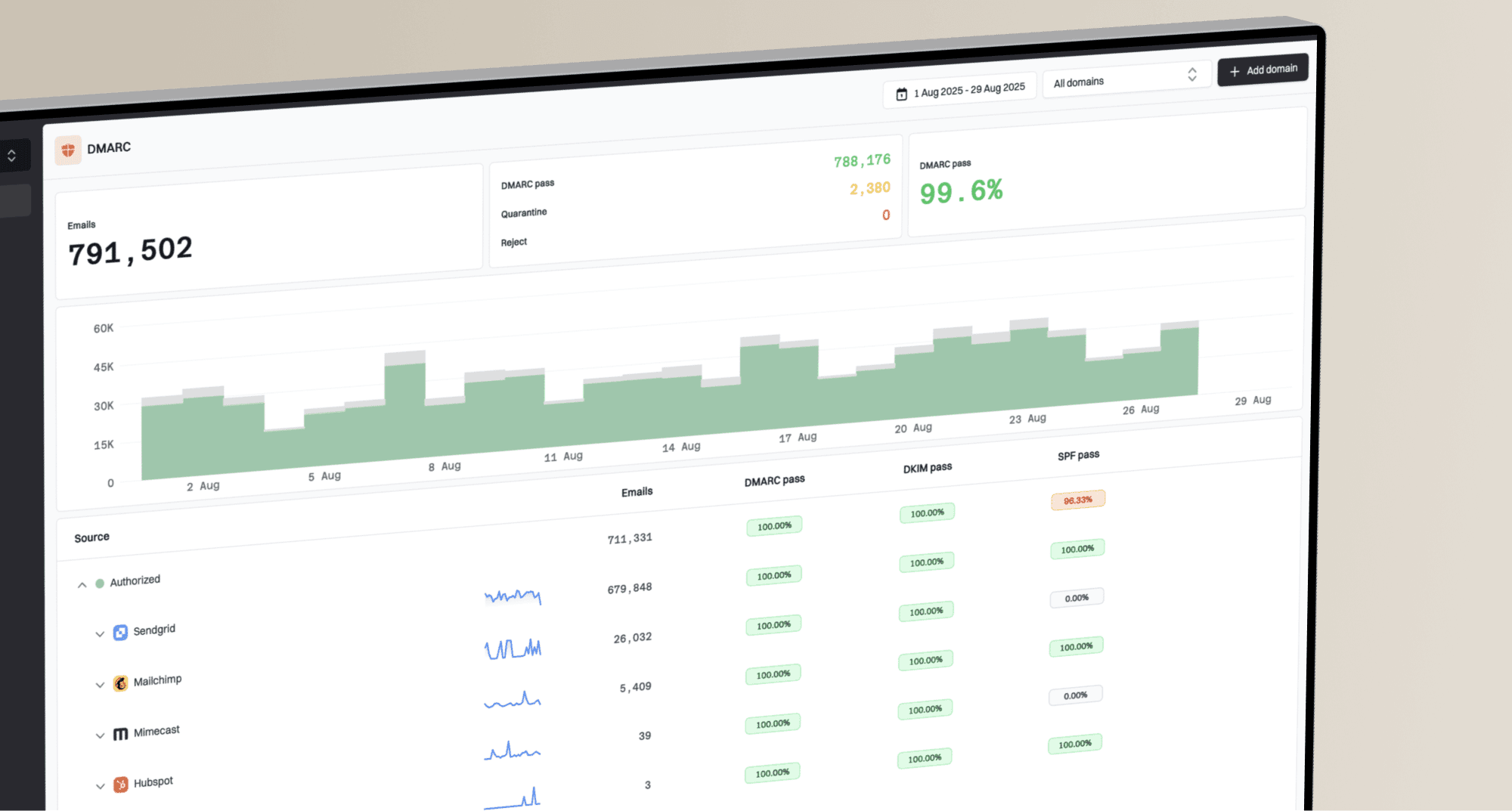
Start monitoring your DMARC reports today
What you'll get with Suped
Real-time DMARC report monitoring and analysis
Automated alerts for authentication failures
Clear recommendations to improve email deliverability
Protection against phishing and domain spoofing