What is the impact of being listed on Spamrl blacklist when using a shared IP pool from MarketingCloud?

Published 15 Apr 2025
Updated 24 Oct 2026
12 min read
Summarize with

Updated on 24 Oct 2026: We clarified Spamrl quarantine recovery, temporary delisting, and the evidence needed to resolve shared-IP delivery blocks with Salesforce.
The direct impact is targeted delivery failure at receivers that use Spamrl or a filtering layer fed by it. On a Salesforce Marketing Cloud shared IP pool, a rejection that explicitly names the connecting IP can affect your campaign even when your own domain authentication is correct, because the listed object is shared infrastructure rather than only your brand domain.
Treat a Spamrl blacklist (blocklist) hit as a reason to investigate delivery at recipients whose filters use it. It does not automatically mean every large mailbox provider or corporate gateway will block the mail.
- Immediate impact: a 5xx Spamrl reply is a permanent SMTP rejection for that attempt, but Marketing Cloud can categorize a reputation rejection as a block bounce. A 4xx reply is temporary and should trigger a retry.
- Possible cause: another sender using the same shared IP can contribute to a listing. Passing authentication does not prove which sender caused it.
- Best next move: collect rejection samples, identify what Spamrl listed, verify your own authentication, then escalate affected shared IPs to Salesforce.
- Where Suped helps: Suped's product connects authentication status, source monitoring, and blocklist monitoring so you can separate your domain problems from shared infrastructure problems.
What the listing means
A Spamrl listing that names a Marketing Cloud shared IP is a shared IP reputation event. The recipient filtering layer is acting on the connecting SMTP IP, often because of abuse or poor-quality traffic previously associated with that infrastructure. The rejection can look like this:
Illustrative SMTP rejection using a documentation IPtext
550 5.7.1 The sending IP 192.0.2.10 is listed on Spamrl
as a source of phishing.
That wording matters. It says the sending IP is listed. It does not prove your client domain has broken authentication or a current phishing problem. Spamrl says the "source of phishing" label can also result from large volumes of authentication failures, so investigate both abuse and authentication evidence for the shared IP.
Do not chase the wrong problem
If SPF and DKIM pass with DMARC alignment for the client domain, a shared IP listing is mainly an infrastructure issue. You still check list quality, consent, complaint handling, and campaign content, but you should not keep editing DNS records hoping that alone removes an IP blacklist hit.
The practical question is whether the affected recipients rely on Spamrl, directly or through a filtering provider. If your bounce logs show the same Spamrl rejection across several small or mid-market B2B domains, it is already affecting revenue-facing delivery for that audience.
Identify what Spamrl listed
Spamrl responses can name the connecting IP or a domain or URL found in the message. A quarantine notice alone does not identify the listed object. Read the full delivery status notification and ask the recipient administrator for the filter reason before assigning ownership.
|
|
|
|---|---|---|
The sending IP is listed | Shared outbound IP | Salesforce checks the pool |
A URL or domain is listed | Message, tracking, or redirect domain | Sender audits every message domain |
Message was suspected or quarantined | Recipient filtering policy | Recipient admin checks filter detail |
Use the rejection wording to identify the listed object and the next owner.
Record the remote server, enhanced status code, diagnostic text, timestamp, and sending IP. A 5xx reply is a permanent failure for that delivery attempt. A 4xx reply is temporary and should be retried. Salesforce distinguishes reputation-related block bounces from hard bounces caused by invalid recipients. Do not treat a Spamrl block as proof that the address is invalid. Quarantine is also possible without a bounce, so confirm the recipient-side result.
Why shared Marketing Cloud pools change the answer
In a shared Marketing Cloud pool, many senders use the same outbound IPs. Salesforce controls the infrastructure, pool membership, and remediation path. The Salesforce help article is the right place to confirm the shared versus dedicated IP model for Marketing Cloud Engagement accounts.
This is why a client can pass authentication checks and still hit the same bounce. The receiving server sees the connecting IP before it sees your campaign history. If that IP has enough bad reputation, the receiver can reject during SMTP and never evaluate your message in detail.
Shared IP pool
- Control: Salesforce controls pool health and IP rotation.
- Risk: other senders can damage the shared IP reputation.
- Fix path: you escalate evidence and request pool action.
- Fit: works for lower or variable volume when the pool is healthy.
Dedicated IP
- Control: your sending behavior carries more of the reputation outcome.
- Risk: poor warmup or weak consent damages the IP quickly.
- Fix path: you own more of the remediation work.
- Fit: works when volume is stable and sending practices are mature.

Salesforce Marketing Cloud Email Studio showing shared IP pool sending settings.
Measure Spamrl delivery impact
A Spamrl blacklist entry alone does not quantify delivery impact. Measure the percentage of attempted deliveries returning matching Spamrl errors, grouped by recipient domain and sending IP. Prioritize affected customer domains even when the overall campaign bounce rate looks low.
Recipient overlap and filtering policy determine severity. The same blocklist entry can affect one campaign heavily and leave another largely unaffected. A broader blocklists review helps you see whether Spamrl is isolated or part of a wider IP reputation problem.
Spamrl impact levels
Use these qualitative triage levels with bounce logs and recipient confirmation.
No bounce evidence
Unconfirmed
The listing is reported, but matching rejects or quarantine reports have not been confirmed.
Isolated recipients
Watch
A few domains reject or quarantine mail; most other deliveries are accepted, without confirming inbox placement.
Repeated B2B rejects
Act
Several business domains reject with the same Spamrl wording.
Pool-wide pattern
Escalate
Multiple IPs in the shared pool show the same listing and bounce type.
Checks to run before escalating
Before blaming the shared pool, separate your domain authentication, your sending behavior, the object named by Spamrl, and the shared IP reputation. If those are mixed together, the support case becomes weak and the fix takes longer.
Send a real message through the same Marketing Cloud path and inspect headers with an email test. Confirm the authenticated domain, the visible From domain, the return-path domain, and the DKIM signing domain all make sense for the campaign.
- Authentication: check SPF for the return-path domain and DKIM for the signing domain. A DMARC pass requires at least one to pass with domain alignment to the visible From domain; configure both for the sending stream.
- Bounce pattern: group rejections by recipient domain, timestamp, IP, status code, and exact SMTP message.
- Listed object: separate an IP listing from a message URL or domain listing.
- Pool spread: check the actual sending IP for each campaign because shared Marketing Cloud IPs can rotate.
- List quality: verify consent for recent imports, suppress hard bounces and complaints, and review inactive contacts.
- Message risk: review every linked domain, tracking redirect, sender name, and sudden content change.
Pause traffic without documented consent, especially purchased or rented lists and unverified partner imports. Shared IP listings are often outside your control, but weak audience acquisition still raises complaints, hard bounces, spam trap risk, and sender reputation damage. Use confirmed opt-in for new subscribers and a sunset policy for persistently inactive contacts.
Email tester
Send a real email to this address. Suped shows a results button when the test is ready.
?/43tests passed
A passing test confirms authentication for that sample; it does not rule out audience or content problems across the campaign. That evidence matters when you ask Salesforce to investigate the shared pool or explain why the same rejection appears across multiple IPs.
What to ask Salesforce to do
For a shared Marketing Cloud IP pool, the IP remediation sits with Salesforce. Your case should include exact IPs, full SMTP rejections, timestamps, affected recipient domains, the Marketing Cloud product in use, and SPF, DKIM, and DMARC results for the same sending stream.
If the pool reputation is already hurting campaigns, use the same evidence you would gather for SFMC pool reputation troubleshooting: show the pattern, not only a screenshot of one blacklist page.
- Collect: use a Tracking Extract or query the _Bounce data view for the affected JobID. Keep SMTPBounceReason, SMTPMessage, SMTPCode, and BounceCategoryID, and ask Salesforce to confirm the sending IP if it is absent from the rejection.
- Map: list every sending IP observed for the campaign and pool.
- Prove: attach authentication results for real campaign samples.
- Ask: request investigation and remediation of the listed IPs, confirm the current route and transition state, and ask whether a pool move is available.
- Confirm: after remediation, rerun controlled sends to affected domains and verify both SMTP acceptance and recipient delivery.
What the support case should say
Keep the wording simple: authenticated customer mail sent through shared Marketing Cloud IPs is being rejected because those IPs are listed on Spamrl. Name the Marketing Cloud product and ask Salesforce to confirm the current pool, whether the pool is under remediation, whether the sender can be moved, and whether the listed IPs will remain in rotation.
How Spamrl delisting and quarantine release work
Spamrl's published guidance says its filtering integrations retain a quarantined copy even when the sender receives a 5xx rejection. Contact the recipient through another channel and ask their administrator to locate the message, release it, and train the filter to recognize it as legitimate.
- Confirm whether the listing concerns the shared sending IP or a domain in the message.
- Investigate the underlying cause before requesting removal. Salesforce should coordinate shared-IP delisting; domain owners should handle their listed domains.
- Spamrl provides temporary safelisting for seven days. This does not remove an underlying third-party blocklist entry or resolve the cause.
- Retest with affected recipients and monitor for recurrence after the temporary safelisting expires.
Recipient allowlisting (whitelisting) is separate from Spamrl delisting. A mailbox safe-sender entry cannot override an upstream SMTP rejection. If a recipient administrator approves a temporary exception, restrict it to the verified sending stream rather than trusting the entire shared IP pool.
Resolve the cause before requesting removal
Spamrl warns that requesting delisting while problems remain unresolved can lead to a permanent block that its temporary safelisting cannot remove.
Separate Engagement from Marketing Cloud Next
Do not apply Marketing Cloud Next routing rules to Marketing Cloud Engagement. Engagement shared stacks have at least four active IPs, and Salesforce does not guarantee that an account will use one specific shared IP consistently.
Marketing Cloud Next has a separate managed dedicated IP model. In Setup, the Sending IP Addresses screen shows General, Transition, or Dedicated management and the assigned pool. During a transition, Salesforce gradually shifts traffic away from the shared pool, so both old and new route evidence can matter.
- Product: confirm Marketing Cloud Engagement or Marketing Cloud Next before quoting any threshold.
- Engagement route: extract every campaign IP because the active shared IP can vary.
- Next route: check Setup, Unified Messaging, Email, Settings, then Sending IP Addresses.
- Transition state: compare IPs used before and after the first Spamrl response.
When to move pools or use a dedicated IP
Moving pools is reasonable when you have repeated Spamrl bounces across valuable recipients and Salesforce confirms the listed IPs are part of the current shared route. A dedicated IP is a bigger decision because it moves more reputation responsibility onto the sender.
For Marketing Cloud Engagement, Salesforce recommends dedicated IP use above 100,000 messages per month and requires it above 250,000. Its dedicated IP guidance specifies at least 100,000 messages per month per IP to keep it warm. Use shared pool guidance to weigh volume consistency, warmup capacity, suppression quality, and operational ownership.
Stay on shared pool
Stay shared when volume is low, sporadic, or seasonal, and when Salesforce can move the sender to a healthier pool without changing your operating model.
- Good fit: smaller programs with inconsistent volume.
- Main risk: you inherit problems caused by neighbors.
Move or dedicate
Move pools when the current route causes repeat bounces. Consider dedicated infrastructure only when the sender meets the product's volume model and has strong list governance.
- Good fit: predictable volume with disciplined sending.
- Main risk: your own mistakes damage the route.

Flowchart for handling a Spamrl shared IP listing and routing decision.
How Suped fits into the workflow
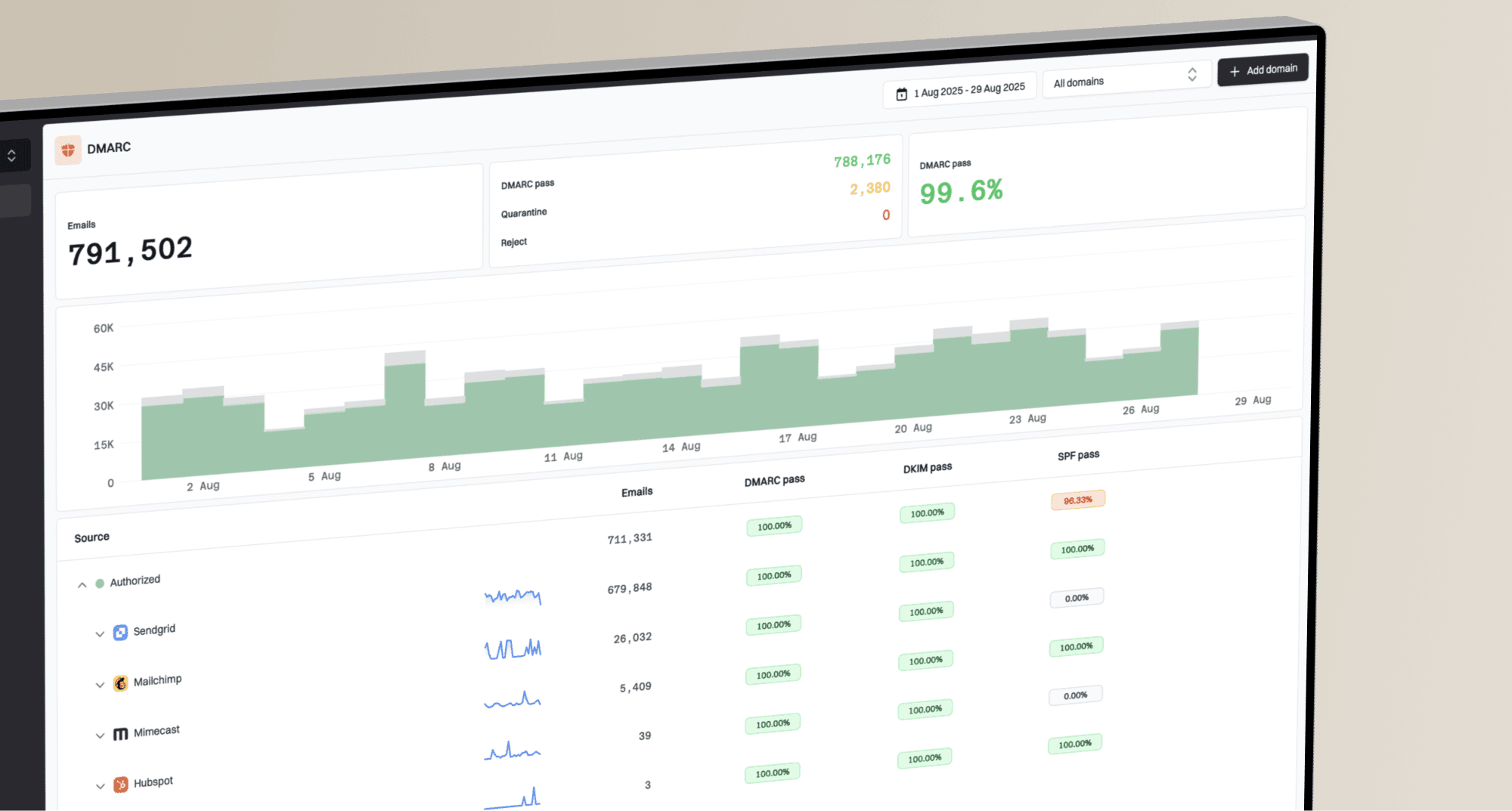
Suped is our DMARC reporting and email authentication platform. Its reports help you review Marketing Cloud sending sources and authentication results alongside your bounce evidence.
Suped combines DMARC reporting, SPF and DKIM visibility, sending source monitoring, and blocklist alerts in one workflow. A quick domain health check is a practical first step before building the support case.
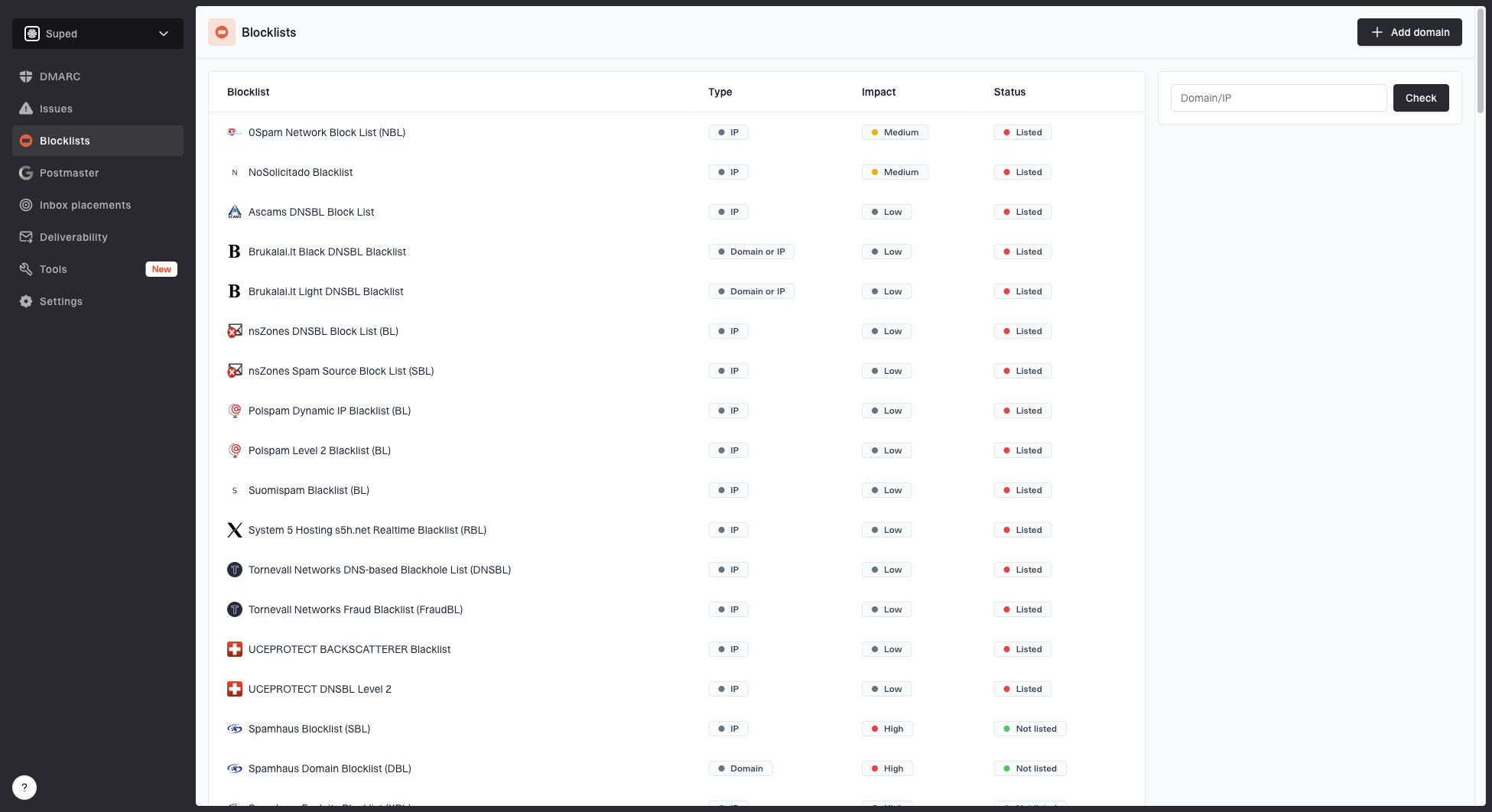
Blocklist monitoring page showing domain and IP checks across blocklists with importance and status
In Suped's product, the workflow is to track the affected domain, confirm the expected sending sources, watch authentication health over time, and monitor the listed IPs or domains. For MSPs and agencies, the multi-tenant dashboard also helps spot whether the same provider route is affecting more than one client. DMARC reports do not confirm inbox placement or replace SMTP logs for messages blocked before authentication is evaluated.
- Detection: compare authentication changes with the time the Spamrl rejections began.
- Fix steps: use authentication findings to resolve sender configuration issues and provide separate bounce evidence for Salesforce routing investigations.
- Alerts: investigate monitored blocklist changes alongside campaign delivery data and confirm the Spamrl status with Salesforce.
- Scale: MSP and multi-tenancy views keep multiple domains, clients, and reports in one place.
Views from the trenches
Best practices
Keep full SMTP rejection text with IP, recipient domain, timestamp, and campaign ID.
Check SPF and DKIM results plus DMARC alignment before requesting a shared pool change.
Compare all pool IPs, because one listed address can hide a wider pool problem fast.
Common pitfalls
Do not assume a Spamrl listing means your domain authentication has failed; verify first.
Do not change DNS repeatedly when the rejection names a shared sending IP in the bounce.
Do not ignore smaller B2B receivers; their filters can create real revenue loss.
Expert tips
Treat repeated recipient bounces as stronger evidence than a single listing screen.
Ask for pool remediation or route change when authenticated mail is still rejected.
Keep monitoring after the move, because a new route can inherit different issues.
Marketer view
Marketer from Email Geeks says the exact rejection text matters because it shows whether the IP or domain is blamed.
2025-01-24 - Email Geeks
Marketer view
Marketer from Email Geeks says a shared pool listing leaves the sender with limited direct remediation options.
2025-01-24 - Email Geeks
Frequently asked questions
No. An IP-based rejection identifies the shared sending IP, not a failure of the From domain's authentication. Check both SPF and DKIM and the DMARC result on actual campaign samples.
Spamrl offers temporary IP or domain safelisting, but Salesforce should coordinate shared-IP remediation because the address is used by other senders. Temporary removal does not resolve the underlying reputation problem.
Only when the sender meets the Marketing Cloud product's volume requirements, has good consent practices, and can maintain steady sending with a proper IP warmup plan. A dedicated IP does not fix a listed tracking or redirect domain.
No. The impact depends on whether each recipient system uses Spamrl or a filter that includes its data, and whether that system rejects or quarantines the message. Bounce logs and recipient reports show the affected audience.
Send the affected IPs, full SMTP rejection text, status codes, timestamps, recipient domains, campaign identifiers, authentication results for the same sending stream, and the exact Marketing Cloud product and route state.