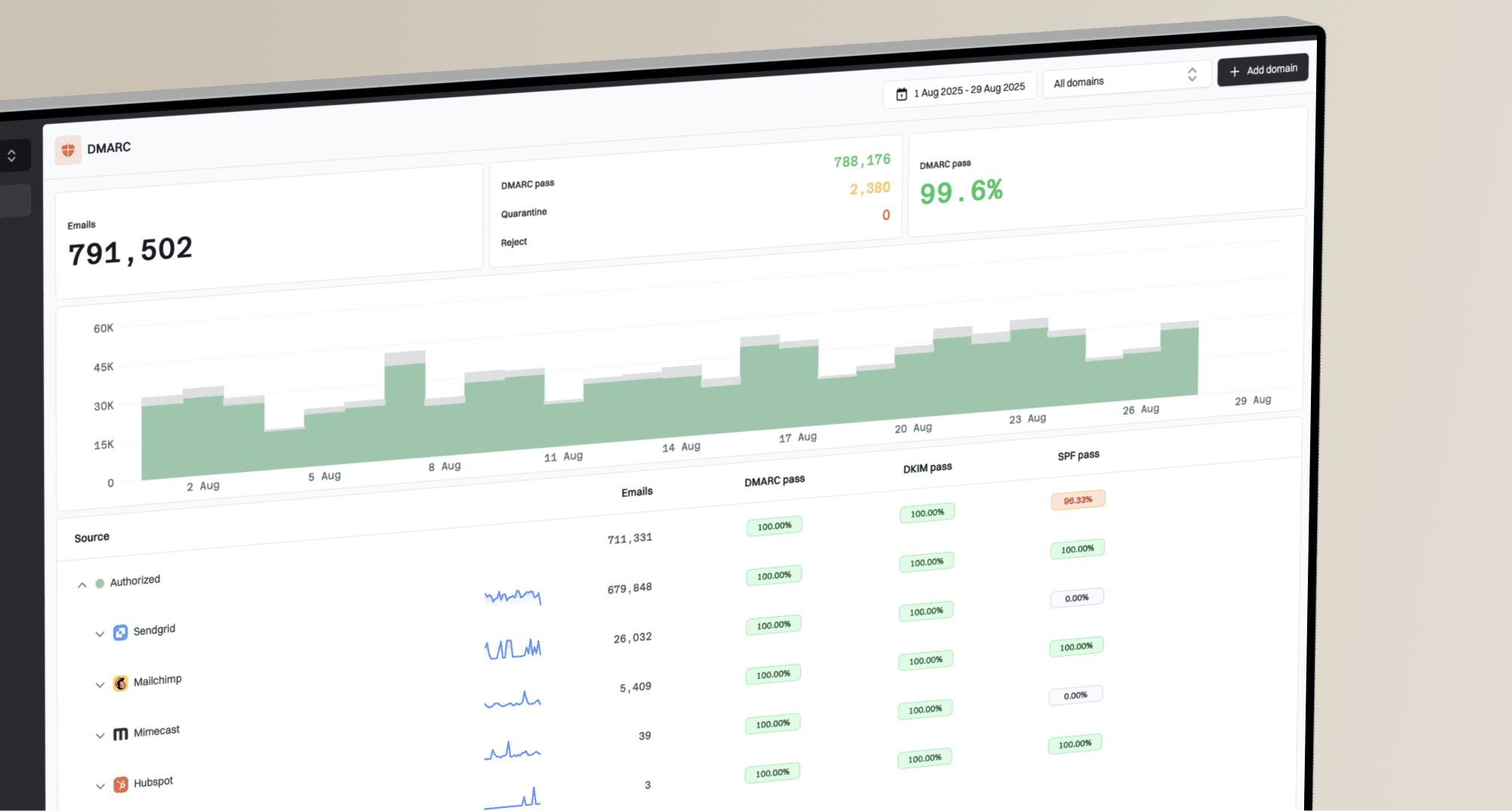
When email delivery changes, you need to know what changed in DNS and how recipients are responding. DNS history and Deliverability bring both views into Suped, so you can investigate configuration changes alongside Google's sender feedback.
DNS history
Suped checks monitored DNS records hourly and records observed changes, including edits at your DNS provider. Open Domains and choose View DNS history from a domain's actions menu, or click its history button. Compare highlighted old and new values, then filter by date, change, subdomain or record type.

DNS history highlights added content when a monitored record changes.
Choose View snapshot and select a date to review the monitored records Suped had recorded by then, or open a snapshot from an individual change to see the recorded state at that entry's time.
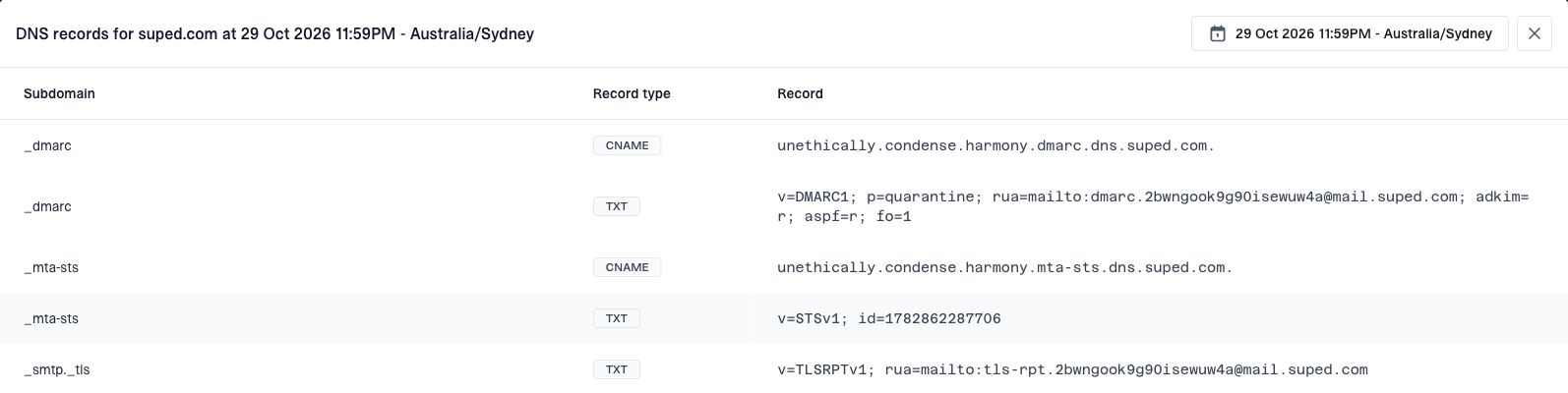
Choose a date to review the monitored DNS records Suped had recorded by then.
No separate enable step or DNS delegation is needed. History begins with Suped's scans; earlier records cannot be recovered. Times show when changes were observed. Snapshots cover monitored records and do not restore DNS. Read the DNS history guide or explore DNS history.
Deliverability monitoring
Deliverability brings Google's compliance checks, spam complaints and delivery errors for personal Gmail accounts into non-MSP organizations. Enable it for a domain from Domains, add the displayed CNAME at your DNS provider, then click Verify. Reporting can take a few days and depends on sufficient Gmail sending volume and feedback.
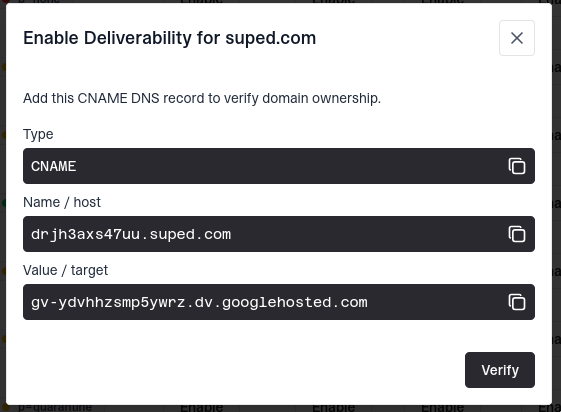
Add the CNAME shown by Suped to verify domain ownership for Deliverability.
The overview brings together Google's deliverability assessment, sender compliance, spam report rate and delivery error rate for the last 30 days. Rates are averages of the daily rates Google provides. No data means Google has not provided that metric, rather than zero.

Review Gmail deliverability assessments, compliance and daily-average rates across the last 30 days.
Choose View data to inspect a domain's compliance checks and daily spam and delivery error trends. Change the date range or turn on Show history to follow compliance over time. For rejected and temporarily failed deliveries, the error table shows Google's reported reasons with How to fix guidance.
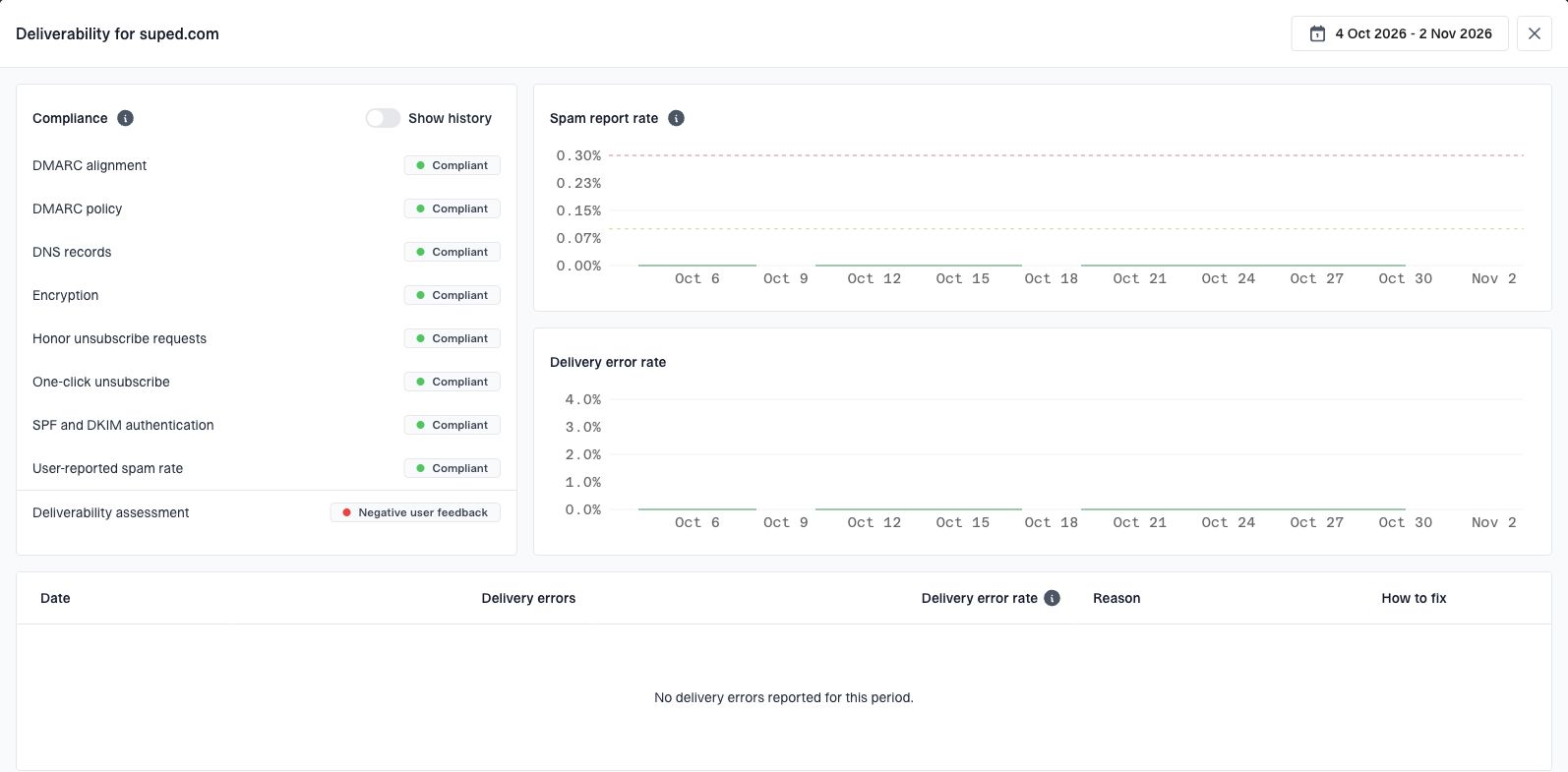
The domain view shows compliance checks and daily trends; no delivery errors were reported for this period.
Use these Gmail signals alongside your sending provider's logs; they do not measure inbox placement. Follow the Deliverability guide to get started, or explore Deliverability monitoring.