Why did my domains disappear from Yahoo Sender Hub?

Published 8 Aug 2026
Updated 16 Oct 2026
10 min read
Summarize with
Updated on 16 Oct 2026: We clarified account-specific access and added DNS verification checks for missing Yahoo Sender Hub domains.
If every domain disappeared from Yahoo Sender Hub at once, check the signed-in account and browser session first. A temporary display or account-data fault is one explanation, but the empty list alone does not establish the cause. It does not mean Yahoo removed your DNS records, blocked your mail, or erased the reputation attached to each domain. Refresh the page, sign out and back in, and compare the result with another account that previously verified the same domains. If the domains return after a refresh or Yahoo confirms a fix, there is usually nothing to reconfigure.
A different diagnosis applies when only one domain disappears or the list stays empty. Check the original account, domain verification, and the DKIM signing domain used by live messages. Sender Hub associates its services and Insights data with the DKIM domain in the d= tag, which can differ from the visible From domain.
A blank dashboard alone does not prove a delivery incident. Keep sending checks separate until message headers, SMTP responses, bounce logs, or complaint data show a real change.
What missing Sender Hub domains mean
Check account and display dependencies first
When unrelated domains vanish together, check shared account and dashboard dependencies before assuming simultaneous DNS failures. Avoid deleting domains, changing DNS, or adding duplicate entries during the first few checks. Those actions can create a second problem before the original cause has been identified.
The pattern helps prioritize checks. Several domains disappearing in one session suggests investigating cached account state or a shared account problem. One missing domain warrants checking its verification state and whether it was added under a different account. Email Geeks reports dated July 31, 2026 describe a resolved account-specific incident; they do not confirm a current Yahoo outage.
- All domains vanished: Check the selected account and session, then investigate a dashboard or Yahoo service issue.
- One domain vanished: Check verification in the selected account and match the exact DKIM signing domain.
- Insights is empty: Select the verified domain under Dashboard, click Activate if offered, and check processing time and sending volume.
- CFL enrollment is absent: Open Manage Services and check the Complaint Feedback Loop status separately.
- Mail is bouncing: Use the full SMTP response and authentication results for the delivery diagnosis.
Yahoo says Insights displays aggregated statistics only for DKIM domains added and verified in that account. After activation, data can take 24 to 48 hours to appear, and the domain must meet a minimum daily volume threshold. Yahoo's Insights announcement does not publish a numeric threshold. A visible domain with an empty graph is a different condition from a domain missing from the account list. Check the selected date range too: Insights timestamps use UTC.
Separate a display fault from a domain problem
|
|
|
|---|---|---|
Every domain gone | Account or UI | Refresh session |
One domain gone | Domain access | Check verification |
Domain, no graph | Insights data | Check activation |
CFL status gone | Service enrollment | Open CFL page |
Bounces increased | Mail delivery | Read SMTP code |
Fast diagnostic signals for a missing Sender Hub domain
Avoid treating domain visibility as a reputation signal. Sender Hub can fail to render account data while Yahoo continues accepting and evaluating mail normally. The reverse is also true: a domain can remain visible while mail develops authentication, complaint, or reputation problems.
The fastest evidence comes from a recent delivered or bounced message. Inspect the DKIM signing domain and compare it with the visible From domain, then check Authentication-Results and the receiving response. If those values have not changed and Yahoo delivery metrics remain stable, the missing dashboard entry has not proved a sending failure.
Dashboard-only problem
- Scope: Several unrelated domains disappear together.
- Mail flow: Tests and production traffic remain normal.
- Recovery: Domains return after a refresh or service fix.
- Response: Preserve evidence and avoid DNS edits.
Domain or sending problem
- Scope: One domain or one signing stream is affected.
- Mail flow: Headers, deferrals, or bounces show changes.
- Recovery: Refreshes alone do not resolve verification problems.
- Response: Verify access, DNS, and live authentication.
This separation prevents a common mistake: changing a working DKIM or DMARC setup because a reporting interface looks wrong. DNS changes should follow evidence that the record itself is missing, invalid, or no longer matches the mail stream.
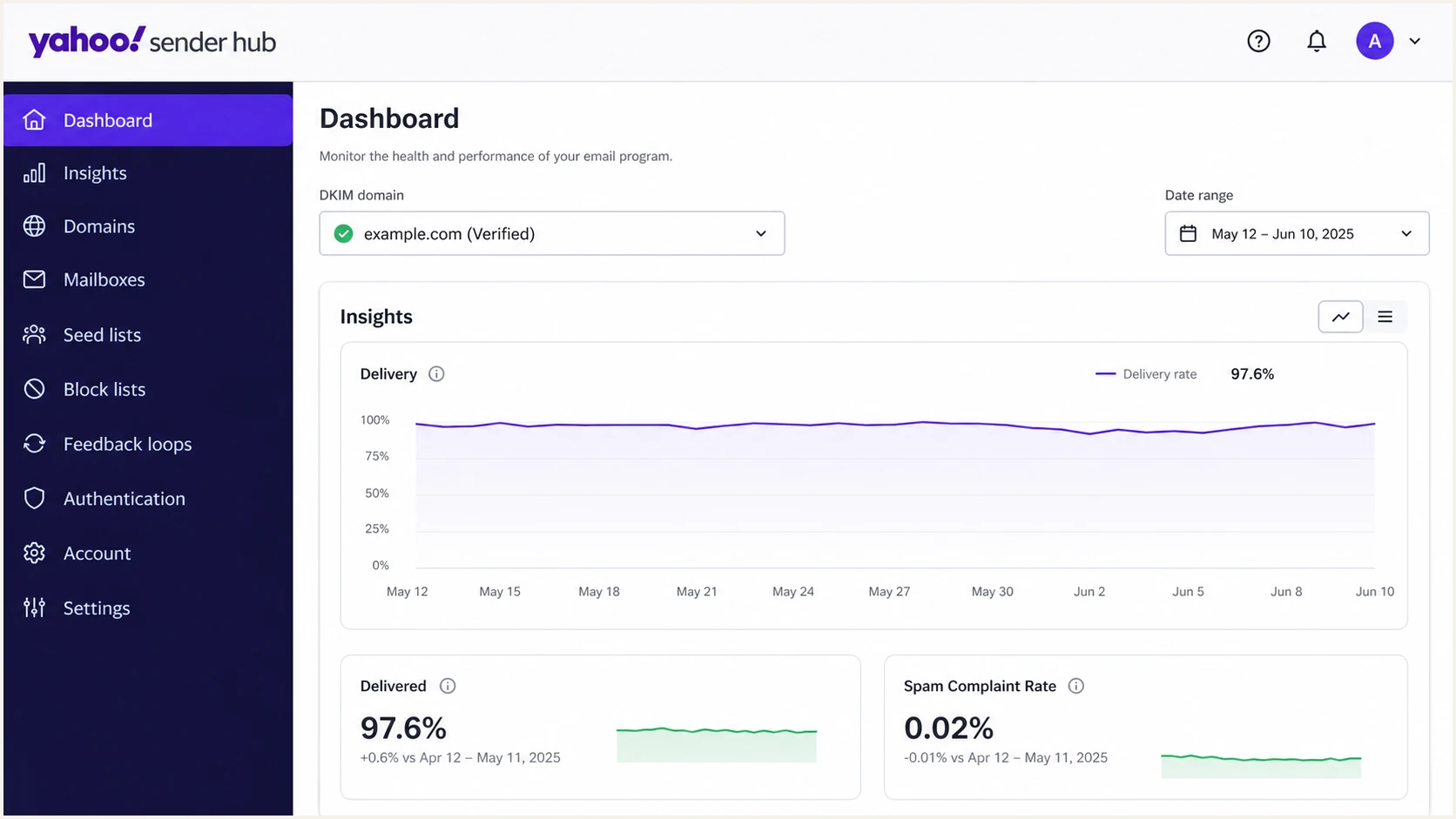
Yahoo Sender Hub Dashboard with a verified DKIM domain selected
Checks for missing Sender Hub domains
Start with reversible checks. Capture a screenshot and timestamp before refreshing so there is evidence if the fault disappears. Then reload without cache, sign out, close the session, and sign back in through the expected account. A private browser window helps expose a stale session without altering any sender configuration.
If the account uses a team alias, confirm that everyone is using the intended login. An individual account can legitimately show no domains even though another account has verified them. Yahoo limits Insights visibility to domains verified within each account, so compare a second login only if it previously verified the same domains. Separate accounts with different domain lists do not establish a display fault.
- Record the state: Save the time, account identifier, domain list, and a screenshot.
- Reset the session: Refresh, sign in again, and test a private browser window.
- Confirm ownership: Confirm the account that originally added the domain and check its verification state.
- Identify the signer: Read the DKIM d= value in a recent message and match that exact domain or subdomain in Sender Hub.
- Check Insights: Check Dashboard activation, the selected date range, processing time, and minimum volume.
- Check CFL status: Under Manage Services > Complaint Feedback Loop, confirm enrollment and reporting-address verification.
- Test live mail: Send a current sample through Suped's email tester and inspect authentication results.
- Escalate persistent faults: Use the captured details when you contact Yahoo support.
Do not remove and re-add every domain as the first response. Re-enrollment can obscure what happened, force fresh verification work, and complicate Complaint Feedback Loop status. If Yahoo restores the account data, the original entries can reappear without any sender-side change.
Domain verification and CFL enrollment are separate steps. If a verified domain is absent under Manage Services > Complaint Feedback Loop, check its enrollment and the reporting address. Yahoo requires a one-time code sent to that address, as explained in the Sender Hub FAQ. An Insights graph does not establish that CFL enrollment is complete.
A live message test answers the operational question that the dashboard cannot: whether the current production path signs with the expected domain and passes authentication. Use a message generated by the normal sending system, not a hand-built substitute, because routing and signing often differ between test and production streams.
Email tester
Send a real email to this address. Suped shows a results button when the test is ready.
?/43tests passed
If live mail passes DMARC and Yahoo accepts it, continue monitoring while the Sender Hub problem is investigated. Bulk senders must also authenticate with both SPF and DKIM under Yahoo's sender requirements. If the test exposes a changed signing domain, confirm the change was intentional before adding and verifying that exact domain in Sender Hub.
For delivery errors, keep the exact SMTP status and diagnostic text. A 4xx deferral, a 5xx rejection, and an empty Sender Hub screen require different responses. If Yahoo mail is delayed or missing, work through the evidence in the Yahoo delay guide instead of using dashboard visibility as the diagnosis.
Escalate when the correct account remains empty across browsers or authorized users, especially when domain management and CFL enrollment are both inaccessible. Provide timestamps with timezone, affected DKIM domains, account email, screenshots, and the last time the entries were visible. Include whether the same account works in another browser and whether another account had previously verified the affected domains. Never include DKIM private keys or mailbox passwords.
Verify the domain's DNS TXT record
For a domain that appears as unverified, compare its DNS with the verification instructions shown in the intended Sender Hub account. This ownership check is separate from the DKIM public key used to authenticate messages.
- Copy the exact hostname and TXT value shown by Yahoo for that domain. Check the final hostname if your DNS provider automatically appends the domain name.
- Check the authoritative DNS zone currently used by the domain. After a DNS host or nameserver change, confirm the Yahoo verification record was carried across.
- Match the exact signing domain or subdomain. A DKIM public key at a selector's _domainkey hostname does not replace Yahoo's ownership-verification TXT record.
- Preserve existing TXT records, including verification values used by other accounts. After the required record is published and DNS caches refresh, return to Sender Hub and click Verify.
If Sender Hub reports a verification failure, fix any missing or incorrect verification record and retry. A missing TXT record alone does not establish why a previously visible entry disappeared; an absent entry still needs the account and support checks above.
Protect monitoring outside Sender Hub
Sender Hub gives Yahoo-specific domain and delivery information, but it should not be the only place where a team watches authentication. Keep an independent inventory of sending domains, DKIM signers, selectors, SPF sources, DMARC policy, reporting destinations, account owners, and CFL enrollment. That inventory remains available when one provider dashboard has a fault.
Run a domain health check when the dashboard state conflicts with expectations. Use the selector in a production message when checking its DKIM public key. A DNS lookup checks whether records resolve; use live message headers to establish whether the sending path passes authentication.
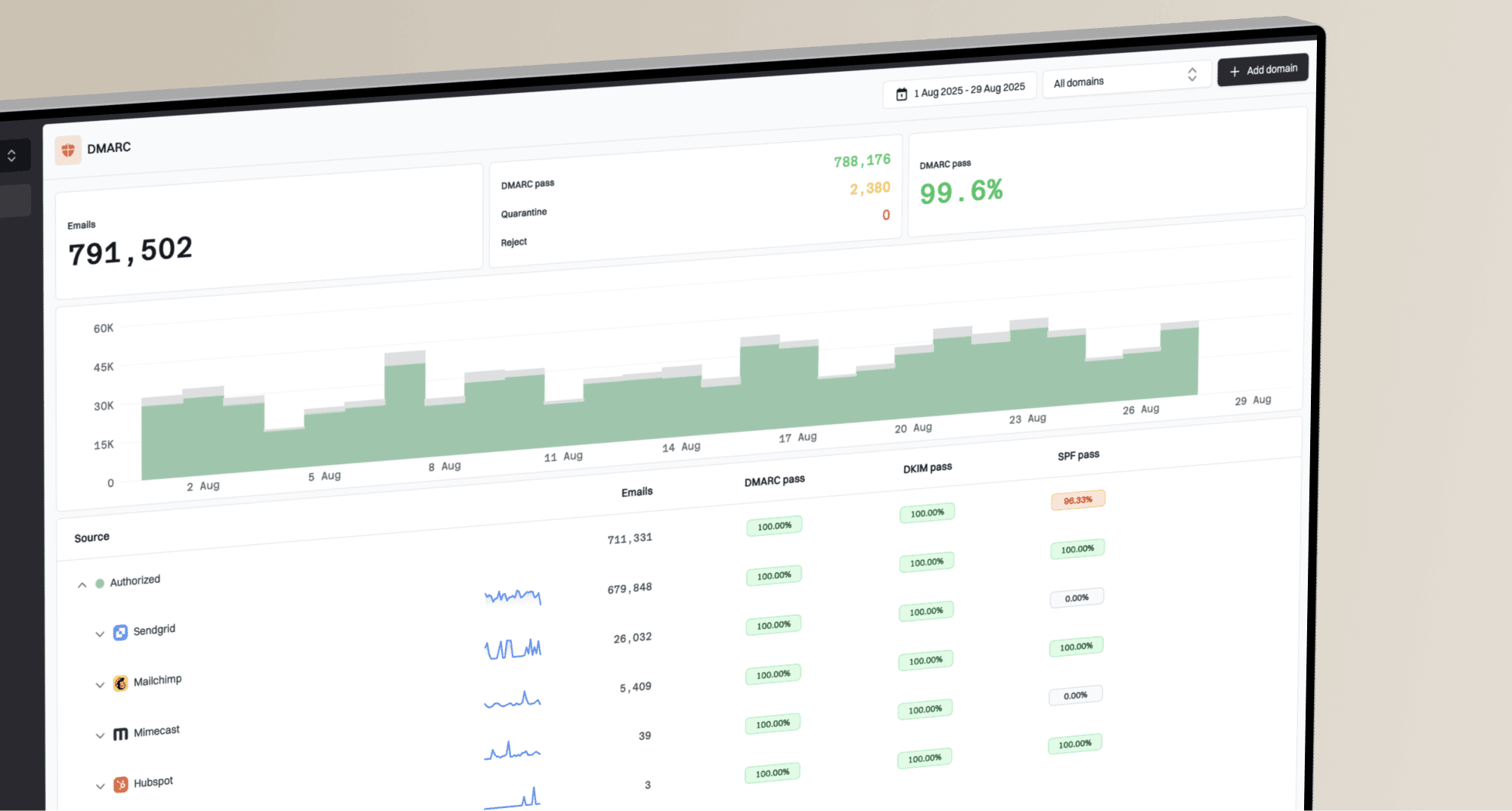
Suped is our DMARC and email authentication platform. Use its DMARC monitoring workflow to compare reported sending sources and authentication results with the period before the domains disappeared. DMARC reports arrive after receivers process mail, so they do not provide an immediate delivery test or establish inbox placement.
Suped DMARC dashboard showing email volume, authentication health, and source breakdown
Keep both views available. Sender Hub remains the place for Yahoo Insights and Yahoo Complaint Feedback Loop management. Suped's DMARC reports help check whether authentication changed while Yahoo investigates domain visibility.
Use independent evidence before changing DNS
If DMARC reports, DNS checks, live headers, and SMTP logs remain normal, monitor the Sender Hub incident without altering authentication. Make DNS changes only when those independent signals identify a specific broken record, unauthorized source, or alignment failure.
Views from the trenches
Best practices
Capture the account, missing domains, timestamp, and screenshot before refreshing the page.
Compare a login that verified the same domains before treating an empty list as DNS failure.
Verify live DKIM signing and SMTP results before changing any authentication records.
Common pitfalls
Re-adding every domain immediately can create duplicate work and hide a temporary fault.
An empty Insights graph can be mistaken for domain removal or lost sending reputation.
Using a login that never verified the domains can make a working setup appear empty.
Expert tips
Keep Yahoo-specific reporting separate from independent authentication monitoring data.
Match the Sender Hub entry to the DKIM signing domain shown in production headers.
Send support precise timestamps and affected domains, but never private keys or passwords.
Marketer view
Marketer from Email Geeks says an account-specific domain display issue was acknowledged and investigated as a platform problem.
2026-07-31 - Email Geeks
Marketer view
Marketer from Email Geeks says a separate Sender Hub account still showed its domains, which narrowed the fault's scope.
2026-07-31 - Email Geeks
Frequently asked questions
No. Domain visibility in Sender Hub is separate from Yahoo's mail acceptance and reputation systems. Check current SMTP responses, message headers, and delivery results before diagnosing a block.
Not immediately. Save evidence, refresh, sign in again, and confirm the original account. Re-add an individual domain after confirming it is absent from that account, then verify ownership. If several previously verified domains vanished together, contact Yahoo before rebuilding the list.
Insights requires a verified DKIM domain and activation under Dashboard. Allow 24 to 48 hours for initial data and check the selected date range in UTC. The domain must meet Yahoo's unpublished minimum daily volume threshold; an empty graph does not establish domain removal.
Use the DKIM signing domain shown in the message's d= tag. It can differ from the visible From domain, especially when an email service provider applies its own signature. Use the exact signing subdomain too: if d=mail.example.com, do not assume verifying example.com covers it.
No. Refreshing the page or starting a new browser session does not edit DNS or intentionally change Complaint Feedback Loop enrollment. Avoid deleting domain entries while testing the session.