Why are my emails delayed or not delivering to Yahoo and AOL?

Published 31 Jul 2025
Updated 27 Jul 2026
11 min read
Summarize with
Updated on 27 Jul 2026: We updated this guide with Yahoo's current sender requirements and TSS04 complaint handling.
Emails to Yahoo and AOL are usually delayed or not delivered because the mailbox provider is throttling your mail, your sending platform is retrying after temporary failures, your sender reputation is weak for that audience, or your authentication and DNS setup is adding risk. A missing bounce is not proof of delivery. It often means the message is still sitting in a retry queue.
The fastest useful answer is this: check the SMTP response, the send platform queue, the final message headers, and provider-specific reporting. If Yahoo or AOL returned a 4xx temporary failure, the mail has not hard bounced yet. The sending platform will retry for a period set by its own queue policy, commonly 24 to 72 hours. That is why seed accounts can receive a campaign 12, 24, or 28 hours late, and why a bounce can appear only after the retry window expires.
If one recipient cannot see a message but other Yahoo or AOL recipients can, check the spam folder, mailbox rules, blocked senders, storage state, and the same account in webmail. A message visible in webmail but missing from a phone or desktop app points to IMAP sync or client settings, not sender throttling.
The key point
A Yahoo or AOL delay is often a delivery control signal, not a random outage. Start with rate, reputation, authentication, and list quality before assuming the recipient mailbox is broken.
What is actually happening
Yahoo and AOL can slow mail by temporarily deferring SMTP connections or messages. A temporary deferral tells the sender to come back later. Your sending platform then queues the message and retries. To the marketer, the symptoms look strange: no seed delivery, no bounce, no immediate error in the campaign report, and very low opens for Yahoo and AOL recipients.
That pattern matters because it separates a delay from a hard rejection. With a hard bounce, the receiving system has refused the message and the platform should report it. With a deferral, the receiving system has not made a final decision. It has told the sender to slow down or retry later.
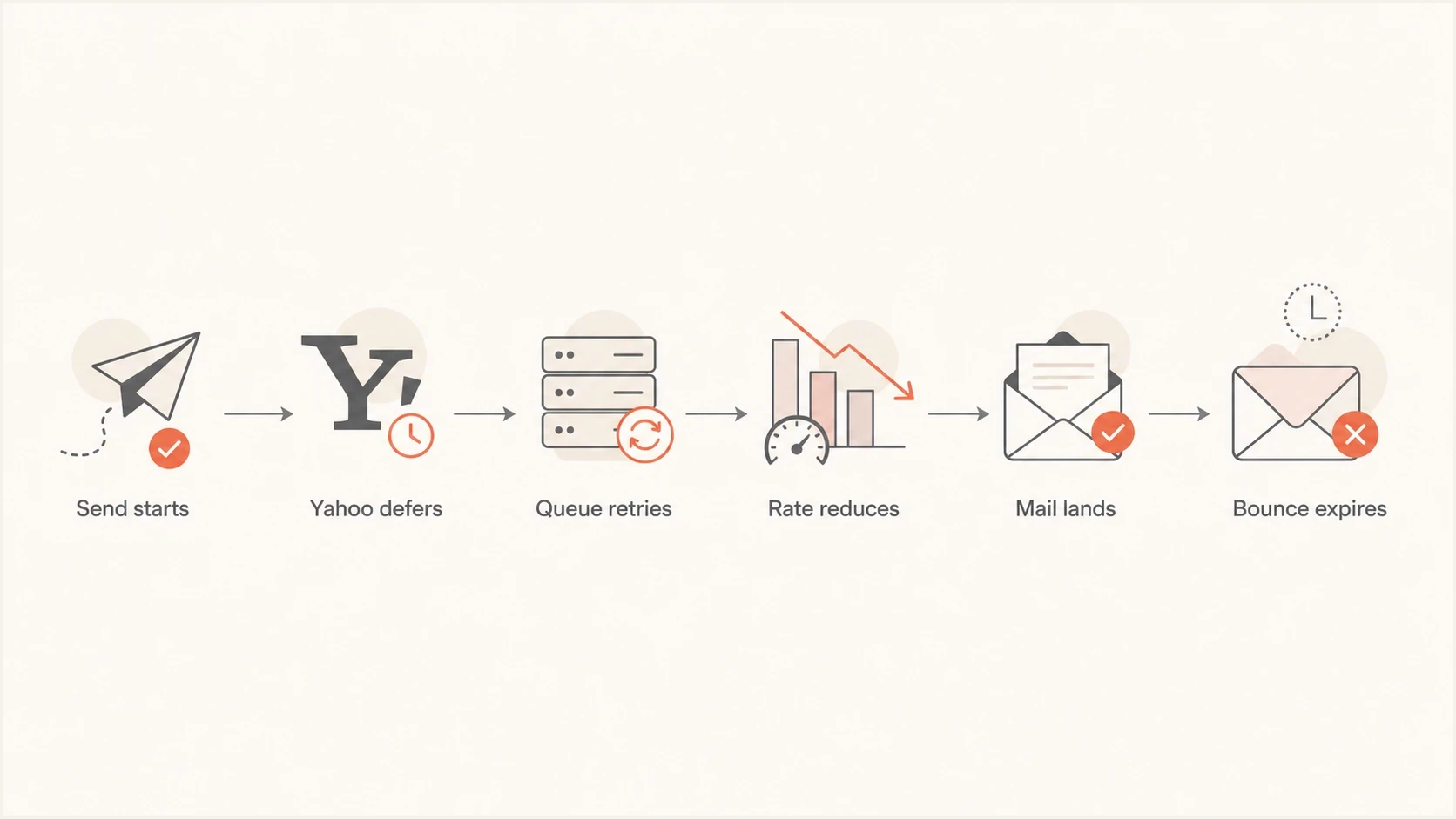
Flowchart showing Yahoo deferral, sender queue retries, and final delivery or bounce.
Example of a Yahoo temporary deferraltext
421 4.7.0 [TSS04] Messages from 192.0.2.10 temporarily deferred due to unexpected volume or user complaints - 4.16.55.1
421 4.7.0 Temporarily deferred. Please try again later.
The exact text and diagnostic tag vary. A 4xx response tells the sender to retry according to its queue policy. A 5xx response is a permanent failure for that delivery attempt and should not be retried as though it were temporary. If the sending platform hides SMTP detail, ask for the raw response, diagnostic tag, queue age, and retry history for Yahoo-hosted recipient domains, including AOL.
The most common causes
When Yahoo and AOL are slow while other mailbox providers look normal, work through the causes in order of probability. The problem is usually not one bad DNS record. It is the combination of traffic shape, reputation, recipient engagement, and authentication quality.
- Rate pressure: Large sends, seasonal campaigns, and crowded send times can make Yahoo and AOL accept mail more slowly.
- Borderline reputation: Complaint history, low engagement, old subscribers, and prior deferrals can push a sender into throttling.
- Shared infrastructure: On shared sending pools, other senders can add queue pressure even when your own campaign is modest.
- Authentication gaps: SPF, DKIM, DMARC, reverse DNS, and domain matching problems reduce trust at high-volume receivers.
- List fatigue: Sending to inactive Yahoo and AOL addresses during a high-volume period makes throttling more likely.
- Reputation listing: A blocklist or blacklist issue can add risk, even when it is not the only reason mail is delayed.
|
|
|
|---|---|---|
No bounce | Queued retry | SMTP logs |
24 hour lag | Throttling | Queue age |
Low opens | Late inboxing | Headers |
Soft bounces | Retry expired | Bounce text |
Spam placement | Filtering | Seed headers |
Use this table to separate delay symptoms from likely causes.
If the symptom is mainly delay, start with the throttling path. If the symptom is a final rejection, compare it with AOL and Yahoo bounces. If messages arrive but go to junk, use the separate Yahoo spam guide because the fixes are related but not identical.
Yahoo requirements that affect delivery
Yahoo's sender requirements apply to Yahoo Mail and the other consumer email brands it hosts, including AOL. Yahoo describes a bulk sender as one sending significant volume but does not publish a numeric threshold, so a sender should not assume it is exempt based on a daily message count.
- All senders: Authenticate with SPF or DKIM at minimum, keep the spam complaint rate below 0.3%, publish valid forward and reverse DNS, and comply with RFC 5321 and RFC 5322.
- Bulk senders: Use both SPF and DKIM, publish a valid DMARC policy of at least p=none, and make sure DMARC passes through the SPF domain or a DKIM signing domain that matches the visible From domain.
- Marketing mail: Provide a working one-click List-Unsubscribe header, include a visible unsubscribe option in the message, and honour requests within two days.
- Complaint handling: Use Yahoo's domain-based Complaint Feedback Loop for DKIM-signed mail and suppress recipients who report messages as spam.
- Traffic control: Avoid sudden volume spikes, separate promotional mail from transactional streams, and respect connection limits.
Authentication is necessary but not sufficient
Passing DMARC through SPF or DKIM does not cancel a TSS04 deferral caused by complaints or unusual traffic. Authentication removes one source of risk, while complaint suppression and stable delivery to people who want the mail repair the reputation signals behind repeated throttling.
How to diagnose it
Diagnose Yahoo and AOL delays by proving where time was lost. A message can wait in the sending application, the sender's outbound queue, Yahoo's acceptance path, or the recipient mailbox. Headers, SMTP logs, and complaint data tell the difference.
- Check queue age: Ask when the message first entered the outbound queue and when Yahoo or AOL finally accepted it.
- Read SMTP responses: Separate temporary deferrals from permanent failures and content filtering.
- Inspect headers: Compare the Received timestamps to identify the hop that added hours of delay.
- Segment reports: View Yahoo-hosted recipient domains as their own segment and break out AOL when volume warrants.
- Review complaints: Check complaint feedback by DKIM domain and confirm that reported recipients are suppressed before the next send.
- Test a real message: Send through the same platform and inspect the result with an email tester before changing multiple variables.
Header evidence
If the Received lines show a long gap before Yahoo accepted the message, the evidence points to sender queueing or receiver throttling. If Yahoo accepted it quickly but the user saw it much later, inspect mailbox placement and filtering.
?
What's your domain score?
Deep-scan SPF, DKIM & DMARC records for email deliverability and security issues.
A broad domain health check is useful here because Yahoo and AOL delays often combine authentication, reputation, and DNS quality issues. A quick view of DMARC, SPF, DKIM, and related checks helps determine whether the fix is rate reduction, DNS cleanup, complaint suppression, or broader list pruning.
Delay versus blocking
A delay, a block, and spam placement are different problems. They can share causes, but they need different proof. Seed results alone are insufficient because seed accounts can show the symptom without exposing the SMTP reason.
Delayed mail
- SMTP pattern: Temporary 4xx responses and repeated retries.
- Report pattern: No immediate bounce, then late delivery or a later soft bounce.
- First action: Reduce rate and stagger campaign batches.
Blocked mail
- SMTP pattern: Permanent 5xx rejection or policy text.
- Report pattern: Hard bounce, policy bounce, or repeated deferrals that expire.
- First action: Fix the stated policy issue, then restart with engaged recipients.
If Yahoo is returning rate-related temporary failures, use the Yahoo throttling guide for a deeper rate-control plan. If you also see a blocklist or blacklist signal, add blocklist monitoring to the evidence set instead of treating one listing as the whole explanation.
Delay severity guide
Use these practical thresholds to decide how urgently to act.
Normal queueing
0-15 min
Brief delay during routine processing.
Watch closely
15 min-2 hr
Check queue and provider-specific results.
Active throttling
2-24 hr
Reduce rate and isolate Yahoo and AOL traffic.
Severe issue
24 hr+
Pause broad sends and restart with engaged recipients.
What to fix first
The fix is not to keep pushing the same volume and hope the queue clears. When Yahoo and AOL are slowing mail, reduce pressure first, then repair the signals that made throttling more likely.
- Stagger campaign batches: Spread a large launch over time instead of releasing the full Yahoo and AOL volume at once. Scheduling can reduce queue contention, but it does not repair complaints or weak reputation.
- Throttle Yahoo traffic: Ask your sender platform to slow Yahoo and AOL delivery separately from the rest of the campaign.
- Send to engaged people: Restart with recent openers, clickers, purchasers, or account-active users before widening the audience.
- Suppress risky cohorts: Pause unengaged Yahoo and AOL addresses, complaint reporters, and invalid recipients until delivery time and complaint data recover.
- Protect important mail: Keep transactional and account mail separate from promotional streams when volume pressure is high.
- Fix authentication: Use DMARC monitoring to confirm SPF and DKIM are passing with sending domains that satisfy DMARC.
Authentication records to verifyDNS
_dmarc.example.com TXT "v=DMARC1; p=none; rua=mailto:dmarc@example.com"
example.com TXT "v=spf1 include:send.example.net -all"
selector1._domainkey.example.com TXT "v=DKIM1; k=rsa; p=PUBLICKEY"
Do not jump straight to p=reject while Yahoo and AOL delivery is unstable. First confirm that legitimate mail streams authenticate cleanly, then stage policy changes when the reporting data is clear.
Where Suped fits
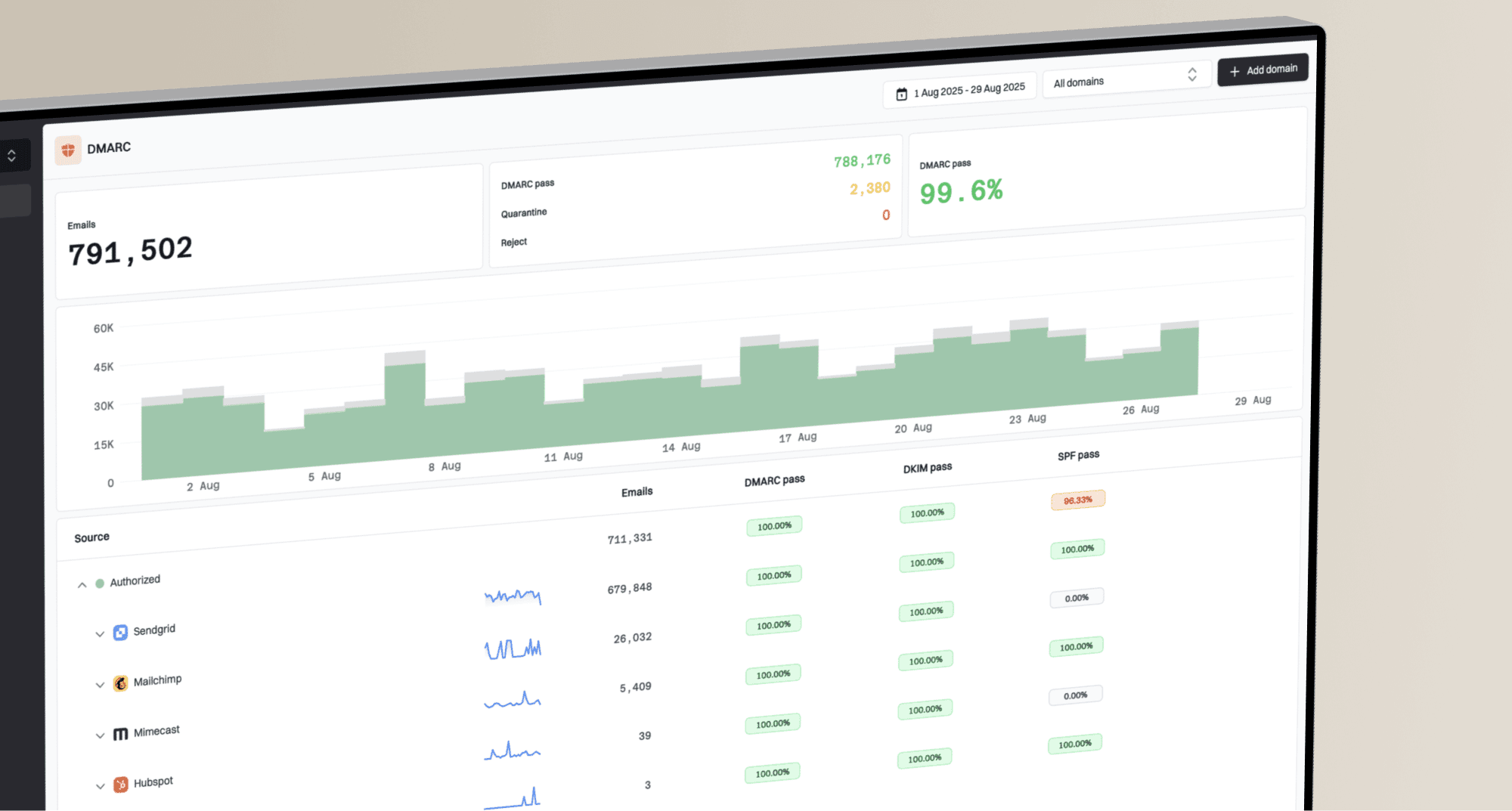
Suped is our DMARC reporting and email authentication platform. For this workflow, the product brings DMARC results, SPF and DKIM status, issue detection, blocklist (blacklist) monitoring, and authentication alerts into one operational view.

Issue steps to fix dialog showing the issue overview, tailored fix steps, and verification action
Add the domain, monitor reports, review unverified sources, and use the issue steps to fix a sender whose SPF or DKIM failure breaks DMARC. If the issue is SPF lookup pressure, Suped's hosted SPF and SPF flattening can keep the record manageable. If the issue is transport security, hosted MTA-STS can enforce TLS with two CNAME records and no separate web hosting.
Why a unified view helps
Yahoo and AOL problems rarely fit one neat box. A unified view reduces blind spots because rate, authentication, reputation, and domain health all affect the final delivery decision.
When to pause Yahoo and AOL sends
Pausing is often the cleanest way to stop a temporary throttling problem from becoming a worse reputation problem. Pause or sharply reduce Yahoo and AOL traffic when delays pass 24 hours, when opens are near zero for those domains, or when soft bounces start appearing after long retry periods.
Keep sending
- Small delay: Messages are late by minutes, not hours.
- Clean logs: No repeated Yahoo or AOL deferral pattern appears.
- Engaged audience: The send is limited to people with recent activity.
Pause or reduce
- Long delay: Seeds or real recipients are delayed 12 to 24 hours.
- Repeated deferrals: SMTP logs show the same temporary response across attempts.
- Weak engagement: The campaign includes old, inactive, or seasonal-only addresses.
When you restart, do it in stages. Start with a small engaged Yahoo and AOL group, watch delivery time, then increase volume only after acceptance improves. If delivery worsens again, reduce the step size. This takes longer than sending the whole list, but it gives Yahoo and AOL better signals and produces cleaner evidence.
Views from the trenches
Best practices
Stagger Yahoo and AOL campaign batches; timing alone will not repair sender reputation.
Reduce volume to recently engaged recipients before retrying broader Yahoo and AOL sends.
Inspect Received timestamps to separate mailbox delay from ESP queue or app scheduling delay.
Track Yahoo-hosted recipient domains separately when campaign volume rises sharply.
Common pitfalls
Treating no bounce as success hides queued mail that has not reached the inbox yet for hours.
Changing send time without reducing volume leaves the underlying complaint problem in place.
Waiting for soft bounces before reducing volume costs opens and campaign revenue quickly.
Fixing DNS while ignoring list quality leaves the reputation problem mostly unchanged.
Expert tips
Ask the sender platform for SMTP deferral logs before guessing which filter rejected mail.
Stage recovery with small engaged segments, then expand only after Yahoo delivery improves.
Monitor blocklist and blacklist signals, but treat them as one part of the evidence.
Keep transactional streams separate so promo throttling does not delay account mail too.
Marketer from Email Geeks says moving scheduled campaigns away from common clock times can reduce queue pressure at both the sender and mailbox provider.
2022-11-23 - Email Geeks
Expert from Email Geeks says Yahoo can use temporary failures to slow mail from senders with borderline reputation, so SMTP logs matter.
2022-11-24 - Email Geeks
The practical answer
If your emails are delayed or not delivering to Yahoo and AOL, assume throttling and queue retries until the logs prove otherwise. Pull SMTP responses, inspect headers, segment Yahoo and AOL reporting, reduce rate, stagger batches, and restart with recently engaged recipients.
At the same time, clean up the trust signals. SPF, DKIM, DMARC, reverse DNS, blocklist or blacklist status, and list engagement all affect how much volume Yahoo and AOL are willing to accept. Suped turns those checks into an operational workflow instead of a scattered set of one-off checks.
Waiting several days for a final bounce while continuing broad campaigns gives the underlying problem more time to worsen. Reduce the pressure first, then widen volume only when the data shows Yahoo and AOL are accepting mail on time again.