How do I contact Yahoo Sender Support?

Updated on 25 Jul 2026: We updated this guide with Yahoo's current sender requirements, SMTP retry guidance, Sender Hub Insights, and support expectations.
Contact Yahoo Sender Support through the Yahoo contact page. For delivery problems to Yahoo or AOL mailboxes, choose Open Ticket. For complaint feedback loop setup, domain management, or report delivery, choose Complaint Feedback Loop and use Set Up and Manage. For API or product access questions, choose Developer Questions. For broad sender documentation, start at Yahoo Sender Hub and use the contact option that matches the issue.
Do not rely on guessed Yahoo addresses or send the same request to unrelated mailboxes. If a direct email address rejects with a group posting or permission error, move back to the Sender Hub ticket route and verify that your own outbound mail system is not blocking the send. Keep Yahoo requests narrow: one affected sending setup, one issue, clear timestamps, complete SMTP replies, and proof that authentication and list quality have already been checked.
- Best path: Use Open Ticket for deferrals, blocks, reputation problems, and delivery failures to Yahoo or AOL recipients.
- FBL path: Use Complaint Feedback Loop when the issue is enrollment, domain verification, management, or report delivery.
- Wrong path: Consumer account support is not sender support. Password, login, and mailbox UI issues need Yahoo customer support.
Choose the right Yahoo contact route
Yahoo Sender Support is routed by issue type. A deliverability ticket, an abuse report, an FBL setup request, and a developer access question need different evidence. The fastest route is the one that gives Yahoo the exact context its team needs to triage the case.
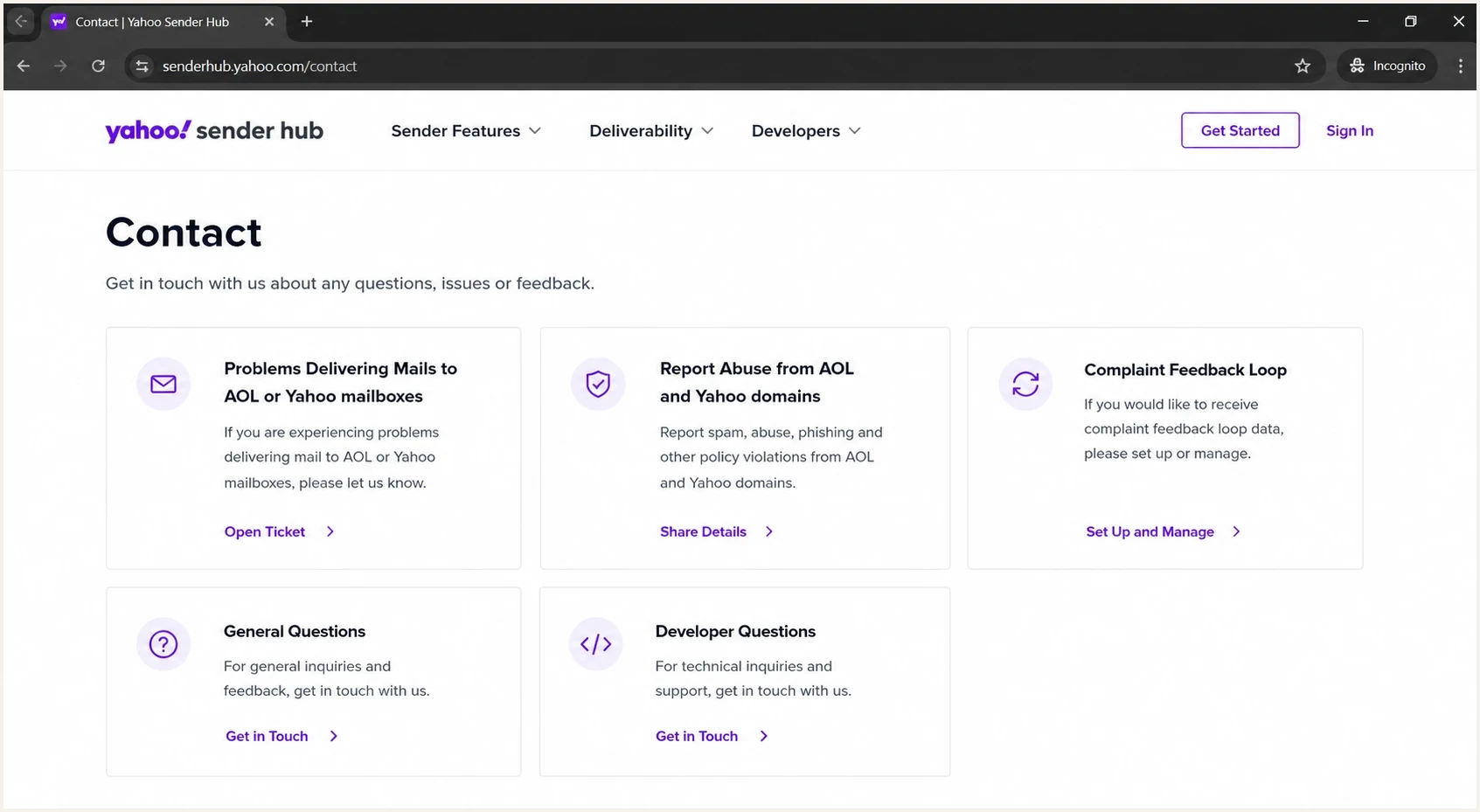
Yahoo Sender Hub contact page with sender support options.
|
|
|
|---|---|---|
Deferrals | Open Ticket | SMTP replies, IPs, dates |
Blocks | Open Ticket | Error code, samples |
FBL | Set Up and Manage | DKIM domain, contacts |
API | Developer Questions | Use case, domain |
General | General Questions | Short summary |
Yahoo Sender Hub route selection
For a Yahoo deferral or block, start with the complete SMTP transcript. A vague line like "Yahoo is blocking us" forces support to ask basic follow-up questions. A ticket that includes the full response, diagnostic code, affected IPs, recipient domain, timestamp, and authentication status gives the support team something concrete to investigate.
Handle the SMTP class correctly before escalating. A 421 or 451 response is temporary, so keep the mail server's normal retry schedule while investigating the cause. A 553 or 554 response is permanent and should not be retried as though it were a deferral. If a TS* deferral continues after traffic, complaints, authentication, and list quality have been checked, open a Sender Support Request with the complete error and diagnostic codes.
If the issue involves a Yahoo TSS04 deferral, include the first time it appeared, whether it affects one IP or a pool, and what changed before the errors started. If the issue is FBL enrollment or report delivery, document the verified DKIM domain, complaint processing address, and any recent DNS change. A separate guide on FBL access issues is useful when the problem is setup or access rather than delivery.
Check Yahoo's sender requirements first
A support request does not bypass Yahoo's sender requirements. Confirm the requirements that apply to the affected stream and include the results in the ticket. Yahoo does not publish a fixed volume threshold for classifying a bulk sender, so senders with significant volume should follow the bulk requirements.
- All senders: Use SPF or DKIM, keep the spam complaint rate below 0.3%, publish valid forward and reverse DNS, and comply with RFC 5321 and RFC 5322.
- Bulk authentication: Use both SPF and DKIM, publish DMARC with at least p=none, and make sure DMARC passes through SPF or DKIM alignment.
- Marketing mail: Provide a functioning one-click List-Unsubscribe method, show a visible unsubscribe link, and honor requests within two days.
- Complaint handling: Enroll each DKIM domain in the Yahoo Complaint Feedback Loop and suppress recipients who report the mail as spam.
The Yahoo Complaint Feedback Loop is domain-based and requires DKIM-signed mail. Yahoo no longer provides IP or CIDR-based complaint reporting. These requirements apply to consumer email brands managed by Yahoo Mail, including AOL, but Yahoo Japan is a separate entity.
What to include in the ticket
A good Yahoo Sender Support ticket reads like a compact incident report. It should show that basic hygiene checks are complete, that the issue is reproducible, and that the request is tied to mail Yahoo can identify in its logs. The support team does not need a long company background. It needs precise mail evidence.
Weak request
- Broad claim: The ticket says delivery is bad without naming the Yahoo error or affected stream.
- Missing samples: No message IDs, timestamps, sending IPs, or recipient domain examples are supplied.
- No diagnosis: The sender has not checked authentication, complaints, bounce causes, or blocklist status.
Strong request
- Exact error: The ticket includes the full SMTP reply, diagnostic code, and the time the pattern began.
- Clear scope: The sender lists each affected IP, domain, mail stream, and Yahoo or AOL recipient type.
- Proof attached: The sender shows SPF, DKIM, DMARC, complaint, bounce, and reputation checks.
Yahoo Sender Support ticket templatetext
Subject: Yahoo delivery issue for example.com

Sender domain: example.com
DKIM signing domain: example.com
Return-Path domain: bounce.example.com
Sending IPs: 203.0.113.10, 203.0.113.11
Mail stream: transactional password reset
Affected recipients: Yahoo and AOL mailbox users
First observed: 2026-05-20 14:20 UTC
Current volume affected: 18,400 attempted messages
SMTP reply: 421 4.7.0 [TSS04] <paste the complete Yahoo reply verbatim>
Sample message IDs:
- abc123@example.com
- def456@example.com
Recent changes:
- New IP added on 2026-05-18
- DKIM selector changed on 2026-05-19
Checks completed:
- SPF passes and is under lookup limit
- DKIM passes with matching d= domain
- DMARC passes and aggregate reports are reviewed
- Complaint rate and bounce rate checked
- Blocklist and blacklist status checked
Requested help:
Please review the current deferral pattern for these IPs.
Do not skip the evidence
Yahoo support can see more than the sender can see, but the initial ticket still has to identify the traffic. A ticket without IPs, message IDs, timestamps, and SMTP replies often becomes a slow back-and-forth instead of a focused review.
- Use UTC: Avoid local time confusion by giving timestamps in UTC.
- Include samples: Provide recent message IDs and the SMTP replies returned by Yahoo.
- State fixes: Name the changes already made, such as removing a bad segment or pausing a stream.
If the email address rejects your message
Some senders have seen a direct Yahoo contact address reject mail with a group posting or permission message. Treat that as a routing failure, not proof that Yahoo Sender Support is unavailable. The practical fix is to use the contact form or ticket option on Sender Hub, then check whether your own business mail system blocked or rewrote the outbound message.
- Use Sender Hub: Open the contact page and select the route that matches the issue instead of retrying random addresses.
- Check outbound logs: Ask your mail admin to inspect routing, compliance, and group posting restrictions for the failed send.
- Send cleanly: Use a normal business mailbox on the sending domain and avoid forwarded or rewritten mail paths.
- Attach context: If the form allows attachments, include the rejection text and the sender domain involved.
Use the right support boundary
Yahoo Sender Support is for senders trying to deliver mail to Yahoo and AOL users. It is not the route for a personal Yahoo mailbox problem, a hacked consumer account, or a password reset. Mixing those cases slows the ticket because the wrong team receives it.
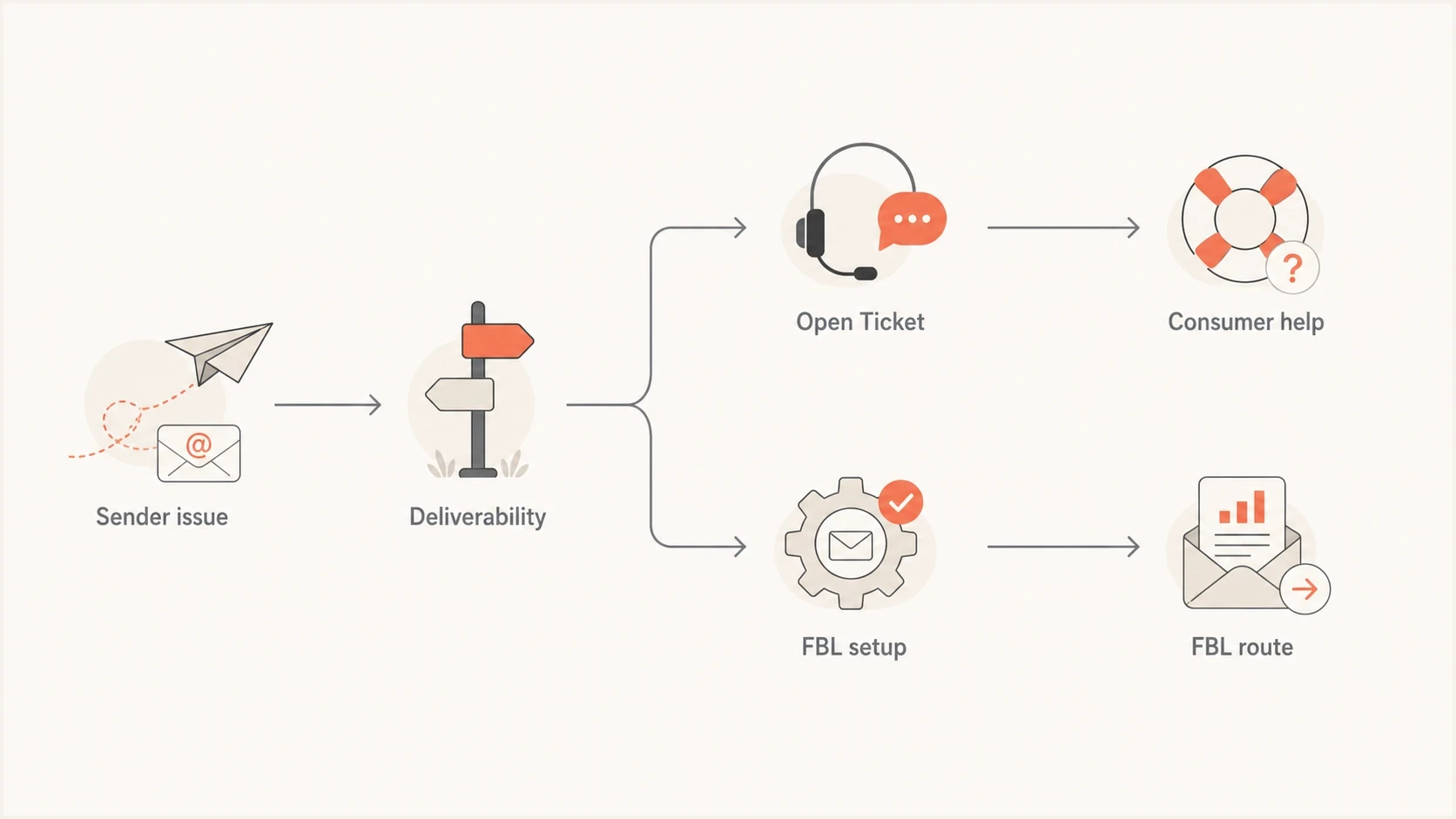
Flowchart showing which Yahoo support route to use.
How to diagnose before contacting Yahoo
A Yahoo ticket is stronger when the sender has already separated authentication problems from reputation problems. Before contacting Yahoo, check a fresh message, the sending domain, the Return-Path domain, the DKIM signing domain, and the sending IP. That usually shows whether the issue sits in DNS, list quality, mail routing, or recipient-side throttling.
Send a current sample through Suped's email tester so you can inspect authentication, content signals, and headers before opening the ticket. Then run the sending domain through the domain health checker to confirm DMARC, SPF, and DKIM are not broken at the DNS layer.
Email tester
Send a real email to this address. Suped shows a results button when the test is ready.
?/43tests passed
If the DKIM domain is verified in Yahoo Sender Hub, open Dashboard and check Insights before submitting the ticket. Insights reports aggregate delivered volume and spam complaint rate for the selected DKIM domain across Yahoo-managed domains. Save the selected timeframe and note any change that matches the start of the incident. Newly activated domains can take 24 to 48 hours to show data and must meet Yahoo's minimum daily volume threshold.
For recurring issues, spot checks are not enough. Suped's DMARC monitoring keeps a record of which sources pass or fail authentication over time, while blocklist monitoring helps identify IP or domain reputation listings across blocklists (blacklists). Those checks do not replace a Yahoo ticket, but they help separate a Yahoo-specific issue from a problem in the sending setup.

Issue steps to fix dialog showing the issue overview, tailored fix steps, and verification action
Suped is our DMARC and email authentication platform. For this workflow, use its authentication history, alert timeline, and blocklist (blacklist) checks to assemble evidence for the affected domain and sending period. MSPs and agencies can keep client domains separate in the multi-tenant dashboard while tracking the evidence attached to each Yahoo support request.
What to check before opening a Yahoo ticket
- Authentication: SPF passes, DKIM passes, and DMARC passes for the affected stream.
- Reputation: Complaint rate, bounce rate, engagement drop, and blacklist status are reviewed.
- Scope: The issue is tied to a domain, IP, mail stream, and start time.
- Remediation: The sender has paused bad segments, fixed DNS, or slowed traffic where needed.
How to follow up on a Yahoo ticket
After a ticket is opened, the best follow-up is an update with new facts, not a new thread with the same facts. Duplicate tickets split the history. Keep one ticket per issue and update it only when there is a material change: a new error code, a fixed authentication fault, a paused campaign, a new IP scope, or a sustained change in rejection rate.
- Wait with context: Give the initial ticket enough time before sending a follow-up that adds no evidence.
- Update facts: Add new samples, new timestamps, or a clear remediation step that changed the situation.
- Avoid bypassing: Do not contact unrelated Yahoo addresses because one route feels slow.
- Keep records: Track all ticket IDs, replies, fixes, and delivery metrics in one internal incident note.
The same rule applies to warm-up and new IP issues. If volume was ramped too quickly, say so and include the corrected plan. If a bad acquisition source caused complaints, state what was removed. A support request that documents the sending-side fix is easier to evaluate than one that treats Yahoo as the only variable.
Views from the trenches
Best practices
Use Yahoo Sender Hub contact routes first, then keep one support thread per issue.
Include exact SMTP replies, timestamps, sending IPs, and affected Yahoo domains.
Check your own outbound mail controls when direct contact mail is rejected by the group.
Common pitfalls
Sending the same request to unrelated addresses creates duplicate context and delays.
Tickets without message samples force support to request basic delivery evidence.
Assuming a rejected contact email means Yahoo support is unavailable wastes time.
Expert tips
Use a fresh authenticated sample so support sees the current sender configuration.
Document DNS, complaint, bounce, and blacklist checks before you ask for review.
For FBL setup, separate access problems from live delivery and reputation issues.
Marketer from Email Geeks says the Sender Hub contact page is the right place to start, even when a direct address appears on the site.
2022-02-15 - Email Geeks
Marketer from Email Geeks says the listed contact address can be correct, but senders should use the ticket option for postmaster support.
2022-02-15 - Email Geeks
Submit one complete Yahoo support request
Use Yahoo Sender Hub, choose Open Ticket for sender delivery problems, and choose the FBL or developer route only when it matches the issue. If a direct email address rejects your message, use the Sender Hub contact page and check your own outbound mail logs.
Before submitting the ticket, gather the SMTP replies, diagnostic codes, message IDs, timestamps, IPs, domains, authentication status, complaint rate, bounce rate, and remediation steps. Suped can keep DMARC authentication history, alerts, and blocklist (blacklist) signals together while the support request is prepared and followed through.




