
Why are we getting DNS resolution failures with outlook.com when sending email?

Published 31 May 2025
Updated 3 Oct 2026
11 min read
Summarize with

Updated on 3 Oct 2026: We added a UDP-only DNS test and a queue check so you can trace Outlook.com delivery failures without missing TCP fallback.
The error means the sending MTA did not get a usable DNS answer for outlook.com or its MX target. A large or truncated response is one cause. UDP timeouts, SERVFAIL responses, EDNS errors, blocked TCP/53, and faults in the recursive or authoritative DNS path can produce the same "no mail hosts" result.
An MX target for outlook.com has been outlook-com.olc.protection.outlook.com. Resolve the MX first and use the hostname returned for your test; Microsoft can change the target. The sender then queries A or AAAA records for that hostname. If a UDP response has the TC flag, the DNS client should retry over TCP. A timeout without TC needs a different investigation because no valid truncated response reached the client.
This is separate from DMARC, SPF, and DKIM, but it often appears during the same deliverability investigation. Authentication and reputation still need parallel checks because Microsoft can reject or throttle mail after DNS resolution succeeds. Suped is our product for monitoring DMARC, SPF, DKIM, blocklist (blacklist), and deliverability signals while the mail team tests the resolver path.
What the failure chain means
The logs determine the failure chain. In a truncation case, the MX lookup succeeds, the MX hostname lookup returns more data than the advertised UDP size permits, the response has TC set, and the MTA or resolver fails to complete the TCP retry. In a timeout case, the query can fail before any DNS response or truncation flag reaches the sender.
- MX succeeds: The sender receives a valid MX for outlook.com, so the recipient domain has a mail route.
- Address lookup fails: The sender then looks up the MX hostname and receives no usable A or AAAA answer.
- Truncation appears: A response with TC set tells the client to retry the same query over TCP.
- Timeout appears: No response points to the resolver, network path, or an authoritative server rather than a missing record alone.
- Location changes results: Anycast and distributed resolver paths can make one host or network fail while another succeeds.
Do not conclude that outlook.com has no MX just because +short returns nothing during a delegation test. That view hides the authority section, where referral records can appear.
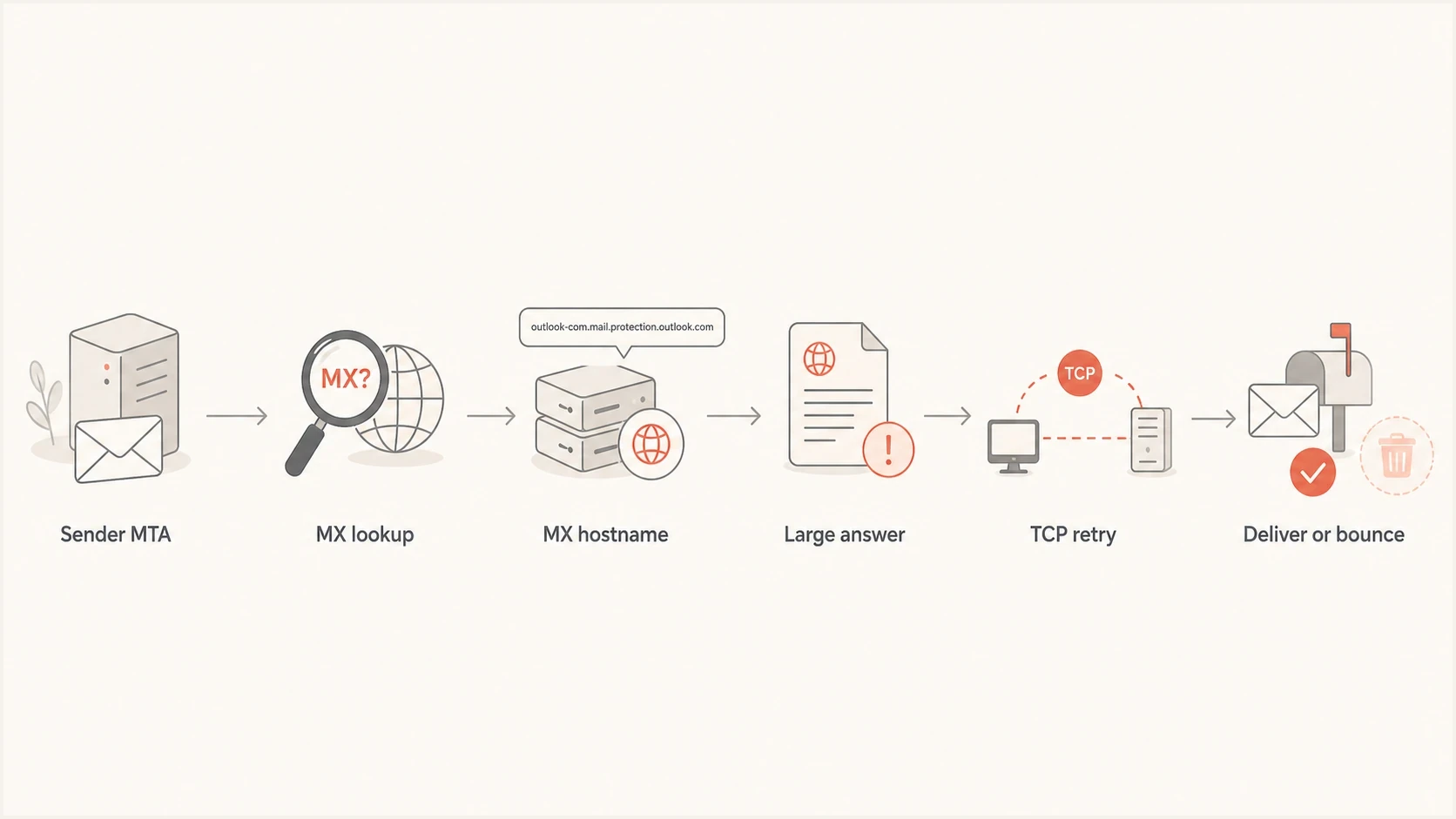
Outlook.com MX lookup flow showing truncation, TCP retry, and delivery.
Classify the DNS response first
Capture the exact status, flags, server, transport, response size, and query time before changing the MTA. Record the full bounce or non-delivery report and whether the MTA deferred the message. The phrase "DNS resolution failure" describes an outcome, not one root cause.
|
|
|
|---|---|---|
NOERROR with TC | UDP answer truncated | Repeat over TCP |
UDP timeout | No response reached client | Compare TCP and another resolver |
TCP timeout | TCP query did not complete | Check firewall, resolver, and upstream |
FORMERR with EDNS | Possible EDNS compatibility problem | Compare +noedns |
SERVFAIL | Resolver could not complete lookup | Trace delegation and DNSSEC |
NXDOMAIN | Queried name does not exist | Verify the exact MX target |
DNS results and the next test to run.
Compare UDP, TCP, and EDNS behaviorbash
dig outlook.com MX +comments +stats

dig outlook-com.olc.protection.outlook.com A +ignore +comments +stats

dig outlook-com.olc.protection.outlook.com AAAA +ignore +comments +stats

dig outlook-com.olc.protection.outlook.com A +tcp +comments +stats

dig outlook-com.olc.protection.outlook.com A +noedns +ignore +comments +stats

dig outlook-com.olc.protection.outlook.com A +bufsize=1232 +ignore +comments +stats
Replace the example MX hostname with the one returned by the first command. dig +ignore shows the UDP response without its normal automatic TCP retry, which makes a TC flag visible. Compare it with +tcp against the same resolver. These shell tests still do not prove that the MTA uses the same DNS path.
Scope matters. If only outlook.com or Microsoft 365 destinations fail, compare their authoritative path and A or AAAA responses with a working domain. If every remote domain fails, test the recursive DNS service used by the MTA. Microsoft's Exchange DNS guidance uses the same specific-domain versus all-domain split.
Do not hard-code a current Microsoft MX IP address as a permanent fix. Microsoft can change addresses, and an IP bypass removes DNS failover. Use a smart-host or IP bypass only as a controlled, temporary test with an owner and removal plan.
Why dig can mislead you
The first trap is using +short. That view only shows the answer section. DNS delegation often appears in the authority section, so an empty answer section is not the same as a failed lookup.
The second trap is trusting a successful command-line lookup too much. dig normally advertises EDNS support and retries a truncated UDP answer over TCP. The MTA can use a different resolver, source address, interface, UDP size, or internal DNS client.
What dig shows
- EDNS behavior in the shell can differ from the MTA path.
- The test uses the shell environment, not necessarily the MTA DNS code.
- Complete output shows answers, authority data, status, flags, and size.
- A successful shell lookup proves one query path worked at that moment.
What the MTA can see
- A smaller UDP size can produce a truncated reply that needs TCP fallback.
- The client can mishandle truncation or fail to reach TCP/53.
- The MTA can use another resolver, source IP, or interface than the shell.
- The mail log records the DNS result that affected the queue.
How to prove the failure
Run the test on the sending host, ideally on the exact MTA instance that generated the bounce. Capture the failing query while the problem is active. For an intermittent fault, sample every few seconds and retain complete timestamped output.
Sampler to run near the MTAbash
while true; do
  date -Is
  dig outlook.com MX +comments +stats
  dig outlook-com.olc.protection.outlook.com A +ignore +comments +stats
  dig outlook-com.olc.protection.outlook.com A +tcp +comments +stats
  sleep 10
done
Replace the example hostname with the current MX target. Read the status and flags before interpreting an empty answer. A TC flag means the UDP response was truncated; a timeout means no complete response arrived. If the MTA fails while these commands succeed, capture its resolver address and DNS traffic to find where the paths diverge.
After capturing the DNS evidence, send a controlled message and inspect the resulting headers and authentication output. Suped's email tester lets the mail team check delivery-facing message details while the DNS team works on resolver behavior.
Email tester
Send a real email to this address. Suped shows a results button when the test is ready.
?/43tests passed
Keep mail queued during a temporary DNS failure
A temporary DNS error should defer delivery and leave the message in the retry queue. Check the MTA's exact status code, next retry time, and queue expiry setting before treating a "no mail hosts" event as a permanent address failure. A later bounce can mean the retry window expired while DNS remained unavailable.
- For a 4xx DNS error, confirm the message remains queued and that retry attempts continue after the resolver recovers.
- For a 5xx bounce, inspect the MTA log and DNS response before resending; the displayed text alone does not establish a permanent DNS absence.
- After the DNS path works, verify queued messages advance to an SMTP connection and avoid duplicate manual resends.
Test the PowerMTA EDNS setting
In the reported PowerMTA case behind this failure pattern, configuring a larger EDNS UDP length stopped the bad-domain bounces. Treat this as a version-specific test. It changes the UDP size PowerMTA advertises, and a larger value does not repair an authoritative timeout or blocked TCP path.
PowerMTA setting to testtext
edns-udp-length 2048
Confirm that the directive is supported by the deployed PowerMTA version, apply it through the normal change process, and compare the same query before and after the change. Watch for fragmented UDP loss as well as successful TCP retry.
For non-PowerMTA systems, apply the principle rather than the directive. Verify EDNS0 support, allow DNS over TCP in both directions on port 53, and make sure the DNS client retries truncated responses.
Resolver option to verify where applicabletext
options edns0
A successful DNS fix changes the queue result. If the same test stops producing "no mail hosts" and reaches the SMTP connection step, the resolution fault is gone even if a later relay, policy, or authentication check fails.
DNS transport checkpoints
Response size alone does not diagnose a failure. These values show where EDNS and TCP behavior need attention.
Legacy UDP limit
512 bytes
Without EDNS, a larger response should be truncated and retried over TCP.
Common EDNS baseline
1232 bytes
Often used to reduce fragmentation, but it does not guarantee a successful path.
Larger UDP payload
Over 1232 bytes
Validate path MTU, fragmentation, and TCP fallback before increasing the value.
What to check outside the MTA
The MTA setting is only one layer. Check the recursive resolver and network path because the same symptom can come from cached resolution failures, packet filtering, middleboxes, an unreachable authoritative server, or a DNS client that does not retry correctly.
- Confirm which recursive resolver the MTA uses and whether EDNS0 is active on that path.
- Confirm DNS over TCP works to the configured resolver on port 53.
- Inspect host and network firewall behavior for UDP fragments and TCP/53 traffic.
- Capture the cached status and TTL before flushing so the evidence is not lost.
- Enable resolution logging long enough to capture a working lookup and a failed lookup.
- Escalate with timestamps, queried names, resolver IPs, raw flags, packet captures, and bounce logs.
A Microsoft Q&A incident report documented intermittent authoritative timeouts and EDNS or TCP failures in 2024. Treat that thread as historical evidence of a failure mode, not current service status.
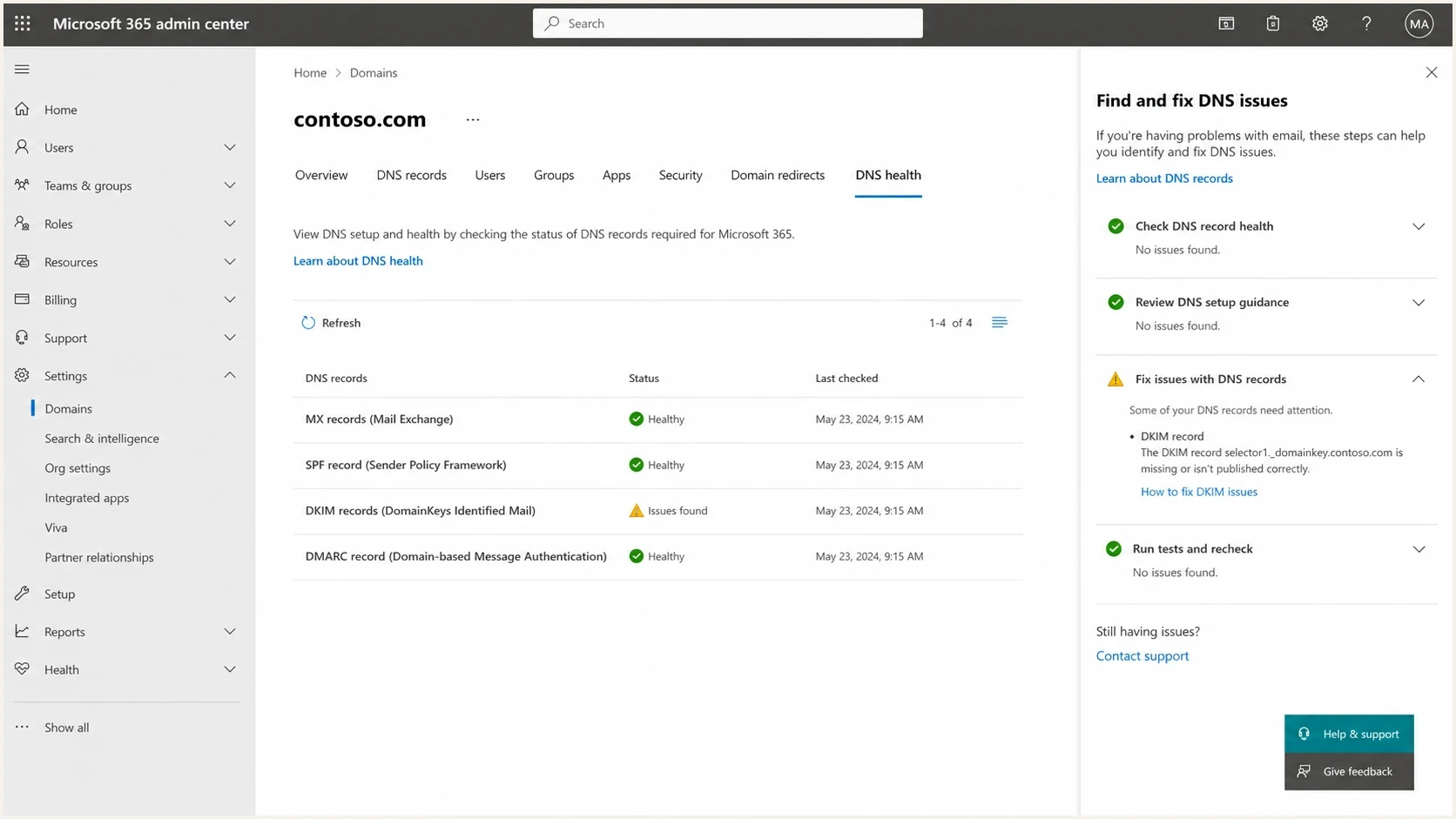
Microsoft 365 admin center showing DNS record status for a domain.
Where authentication monitoring fits
Changing DMARC policy, SPF includes, or DKIM keys does not fix DNS transport. Keep authentication monitoring active during the incident because mail can pass DNS resolution and still fail a later Microsoft policy check. Microsoft's Outlook.com sender requirements apply to domains sending more than 5,000 messages per day to consumer Outlook.com addresses, including Hotmail and Live. Since May 5, 2025, those senders have needed SPF, DKIM, and DMARC, with DMARC alignment through SPF or DKIM.
Suped is our product for DMARC reporting, SPF and DKIM issue detection, policy monitoring, alerts, and blocklist (blacklist) monitoring. Use those signals to confirm authentication and reputation before and after the DNS change. Packet captures and resolver logs handle the transport diagnosis.
DMARC record detail view showing SPF, DKIM, DMARC, rDNS diagnostics, and DNS records
For a broad check before or after the MTA change, use Suped's domain health checker to validate DMARC, SPF, DKIM, and related DNS signals. For ongoing reporting, DMARC monitoring shows which sources pass authentication and which ones need fixes. This helps keep authentication issues visible during a resolver incident.
When it is not this issue
Not every Outlook or Hotmail bounce with DNS-looking wording comes from EDNS0 truncation. If repeated UDP and TCP tests return complete answers through the MTA's resolver, shift attention to Microsoft reputation, recipient validity, throttling, and authentication. A 550 5.7.515 rejection, for example, points to Outlook.com sender authentication requirements rather than an MX lookup failure.
- Check whether Microsoft blocks or rate limits the sending IP or domain.
- Separate DNS errors from invalid mailbox, disabled account, and policy rejection responses.
- Confirm SPF, DKIM, and DMARC domain matching before treating the issue as routing only.
- Look for throttling patterns if bounces cluster around traffic spikes or new sending sources.
If the logs mention no mail hosts, compare the evidence with 544 no mail hosts. If the symptom is broader than DNS resolution, use the guide to Microsoft addresses bouncing to separate routing failures from policy failures.
Views from the trenches
Best practices
Capture DNS failures on the exact MTA host before changing resolver or MTA settings.
Keep full dig output because the authority section can explain apparent empty answers.
Compare UDP, TCP, and no-EDNS queries so each transport failure stays identifiable.
Check EDNS0 and TCP fallback together because either gap can create no-host errors.
Common pitfalls
Using +short hides authority data and can make a referral look like a missing answer.
Trusting shell dig alone misses cases where the MTA uses different DNS client behavior.
Raising the UDP size without testing fragmentation can replace one DNS failure with another.
Treating authentication fixes as routing fixes leaves the DNS transport fault untouched.
Expert tips
Use dig +ignore to expose a UDP TC flag, then confirm the same query completes over TCP.
Compare small and large DNS answers to test whether response size correlates with failure.
Enable MTA resolution logging briefly, then pair each bounce with its DNS transaction.
After changing EDNS size, retest the DNS path and send a controlled outbound message.
Expert view
Expert from Email Geeks says full DNS output matters because +short hides the authority section that shows delegation.
2023-07-31 - Email Geeks
Expert view
Expert from Email Geeks says transient DNS faults need evidence from the same network while the failure is happening.
2023-07-31 - Email Geeks




