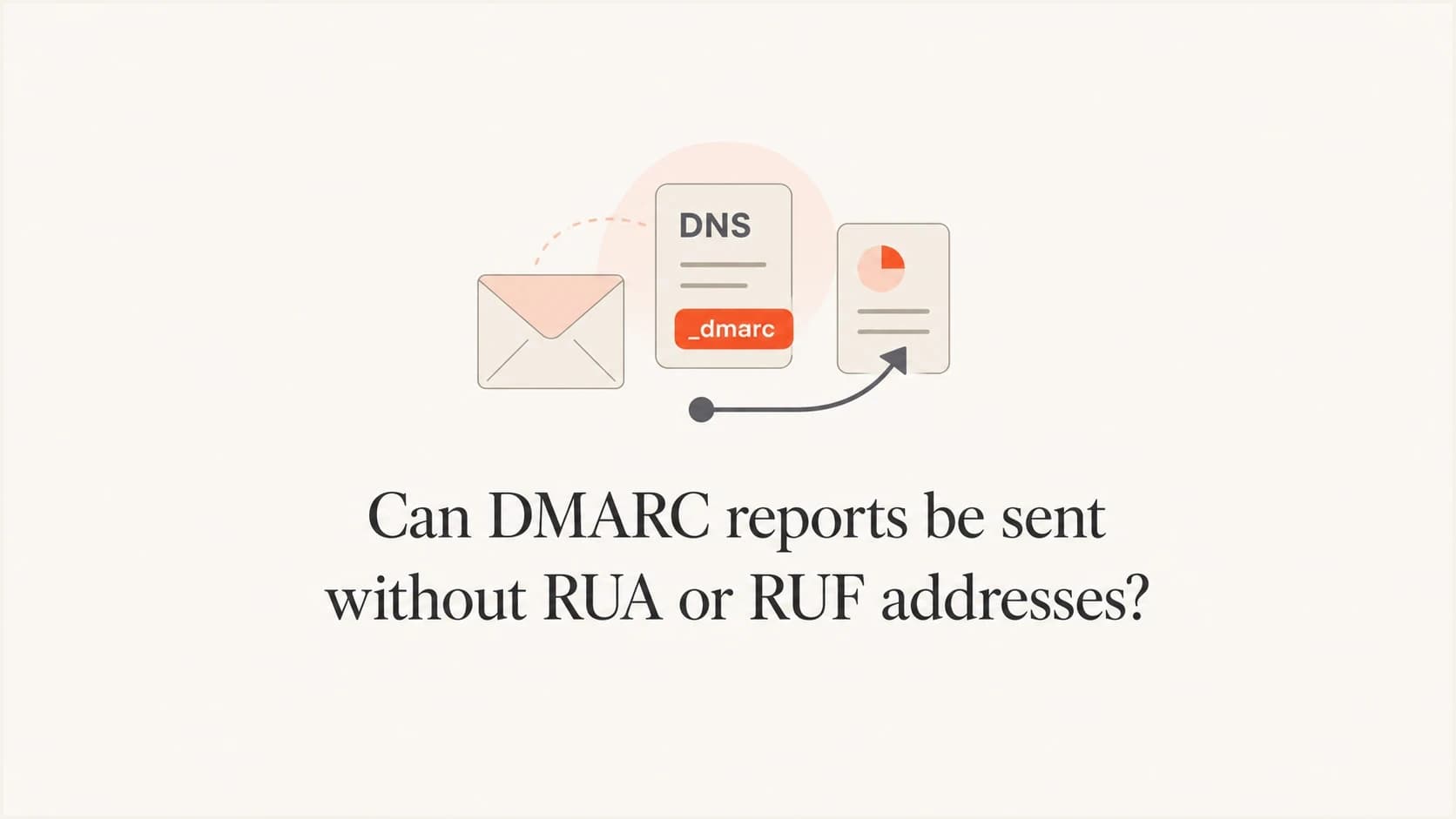
Can DMARC reports be sent without RUA or RUF addresses?

Published 25 Jun 2025
Updated 22 Oct 2026
11 min read
Summarize with
Updated on 22 Oct 2026: We clarified how RUA and RUF work independently, how to stop report requests, and how to investigate delayed or missing reports.
No, not through standards-based DMARC reporting when the applicable policy has neither tag. An aggregate report is requested through the rua tag, and a message-specific DMARC failure report is requested through the ruf tag. RFC 9989 says receivers must not generate the corresponding report type when its tag is absent. If the applicable record is only v=DMARC1; p=none, there is no reporting URI for either report type.
A report can still arrive for reasons outside the current record. Common explanations include cached DNS, a report generated before the record changed, a subdomain using a parent policy, mailbox forwarding, or a message that only looks like a DMARC report. Check the report period and the policy the receiver used.
A DMARC record without rua or ruf is valid, but it gives up the main operational benefit of DMARC at p=none: visibility. Without reports, you know less about who is using your domain and which legitimate senders still fail SPF or DKIM domain matching.
How RUA and RUF control DMARC reporting
DMARC reporting is opt-in. The policy tag tells receivers what policy you request, but the reporting tags contain the URIs to which reports should go. With no rua or ruf, the record asks receivers to evaluate DMARC, but it does not ask them to send reports.
Valid DMARC policy with no report destinationdns
v=DMARC1; p=none
That record has a none policy, but no reporting instruction. Receivers can still evaluate DMARC. This record will not produce aggregate XML reports or message-specific failure reports through the DMARC report mechanism.
Optional example requesting both DMARC report typesdns
v=DMARC1; p=none; rua=mailto:dmarc-aggregate@example.com; ruf=mailto:dmarc-forensic@example.com; fo=1
- The rua tag requests aggregate XML reports at one or more comma-separated reporting URIs, commonly once a day. These reports summarize passing and failing messages, rather than only failures.
- The ruf tag requests message-specific failure reports, also called forensic reports. These use an authentication failure reporting format rather than aggregate XML. Many receivers do not send them because they can contain sensitive message details.
- With neither tag in the applicable record, a standards-based receiver must not generate either DMARC report type for the domain.
The tags work independently: RUA alone requests aggregate reports, and RUF alone requests failure reports. The fo=1 option in the example requests failure reporting when either SPF or DKIM does not produce a passing result with DMARC domain matching. Receivers must ignore fo when ruf is absent.
Aggregate reporting is the usual operational starting point. The difference between RUA and RUF includes report content and privacy considerations. RFC 9991 recommends limiting failure reporting to targeted diagnostics with controlled destinations and secure transport.
DMARC checker
Look up a domain's DMARC record and catch policy issues.
?/7tests passed
How to stop reports without disabling DMARC
To stop requesting reports, remove the reporting tag for the report type you no longer want. Keep your existing policy value and other tags. For an existing record containing only v=DMARC1; p=reject plus RUA and RUF, removing both reporting tags leaves this record:
Existing reject policy with reporting removeddns
v=DMARC1; p=reject
- Remove rua to stop requesting aggregate reports. A remaining ruf tag still requests failure reports.
- Remove ruf to stop requesting failure reports. A remaining rua tag still requests aggregate reports.
Removing reporting tags leaves SPF and DKIM checks in place and preserves the DMARC policy request. Receivers can still keep internal authentication logs. Previously delivered reports remain with their recipients, and cached records or queued reports explain deliveries after removal. Keeping RUA enabled after enforcement helps reveal later sender configuration changes.
Why a report can appear anyway
When someone receives a DMARC report after publishing only v=DMARC1; p=none, compare the current authoritative DNS record with the policy the receiver used during the report period. A live lookup does not reveal an earlier cached value.
|
|
|
|---|---|---|
Old DNS | A cached record had rua or ruf | Compare authoritative and cached answers with the previous DNS TTL. |
Prior record | The report covers earlier mail or waited in a delivery queue. | Compare the XML date range and email delivery headers with DNS change times. |
Parent policy | The author subdomain had no valid record, so Tree Walk found a parent policy with reporting tags | Compare header_from with policy_published/domain in the XML. |
Forwarding | An old reporting mailbox forwards mail | Trace mailbox |
Fake report | The message imitates a DMARC report | Review headers |
Common explanations for reports that seem to arrive without RUA or RUF.
DNS timing matters because aggregate reports describe a period in the past. A receiver can generate today's report based on messages it processed yesterday. RFC 9990 explains that a policy change can be noticed during a reporting period or later. The published policy shown in a report does not necessarily describe every message in that period.
What live DNS shows
- The authoritative TXT record shows the current published policy. A receiver can still use an unexpired cached copy.
- If the applicable record has no RUA or RUF, it contains no reporting request.
What an authenticated report shows
- Past evaluation: The report reflects what the receiver saw during the report window.
- Message path: The email headers show whether the message came through an expected route.
A valid record at _dmarc.mail.example.com takes precedence for mail using mail.example.com in the visible From address. If that record omits rua and ruf, reporting addresses in the parent record are not inherited separately.
How to verify the report source
Do not verify a DMARC report by looking at the subject line or the display name. Save the raw message, inspect the full headers, then open the compressed XML only after the message source checks out. A real aggregate report normally has a structured XML attachment with report metadata, policy data, and per-source authentication results.
Illustrative report email headers, not proof of origintext
From: DMARC reports <report@receiver.example>
Return-Path: <report@receiver.example>
Authentication-Results: mx.example.org;
 dkim=pass header.d=receiver.example;
 spf=pass smtp.mailfrom=receiver.example;
 dmarc=pass header.from=receiver.example
Received: from reporting-mta.receiver.example by mx.example.org
Subject: Report Domain: example.com Submitter: receiver.example
Use Authentication-Results added by your own receiving mail system. An SPF or DKIM pass authenticates a domain used by the message; verify that the authenticated domain belongs to the expected reporting organization. A plausible display name or a copied authentication header is insufficient.
- Raw message: Export the report email with full headers and all Received lines intact.
- Compare the XML date_range/begin and date_range/end values, which are Unix timestamps in UTC, with the DNS change time. Allow for cached data and delayed report delivery.
- Recipient path: Check whether the mailbox is forwarded from an older reporting address.
- Record history: Look for a previous DMARC TXT record that included reporting destinations.
- Compare the visible From domain with policy_published/domain. If supplied, discovery_method identifies treewalk or the older psl discovery method used by the receiver.
The report contents include the policy domain, source IPs and message counts. Check policy_evaluated for SPF and DKIM results after DMARC domain matching; auth_results contains the underlying authentication results. A raw SPF or DKIM pass alone does not establish a DMARC pass.
Treat unexpected reports carefully
A message that looks exactly like a DMARC report still deserves header review. Attackers can copy report formats, use plausible filenames, and rely on the recipient trusting the DMARC wording. Do not open attachments or follow links until the sending path and attachment type make sense.
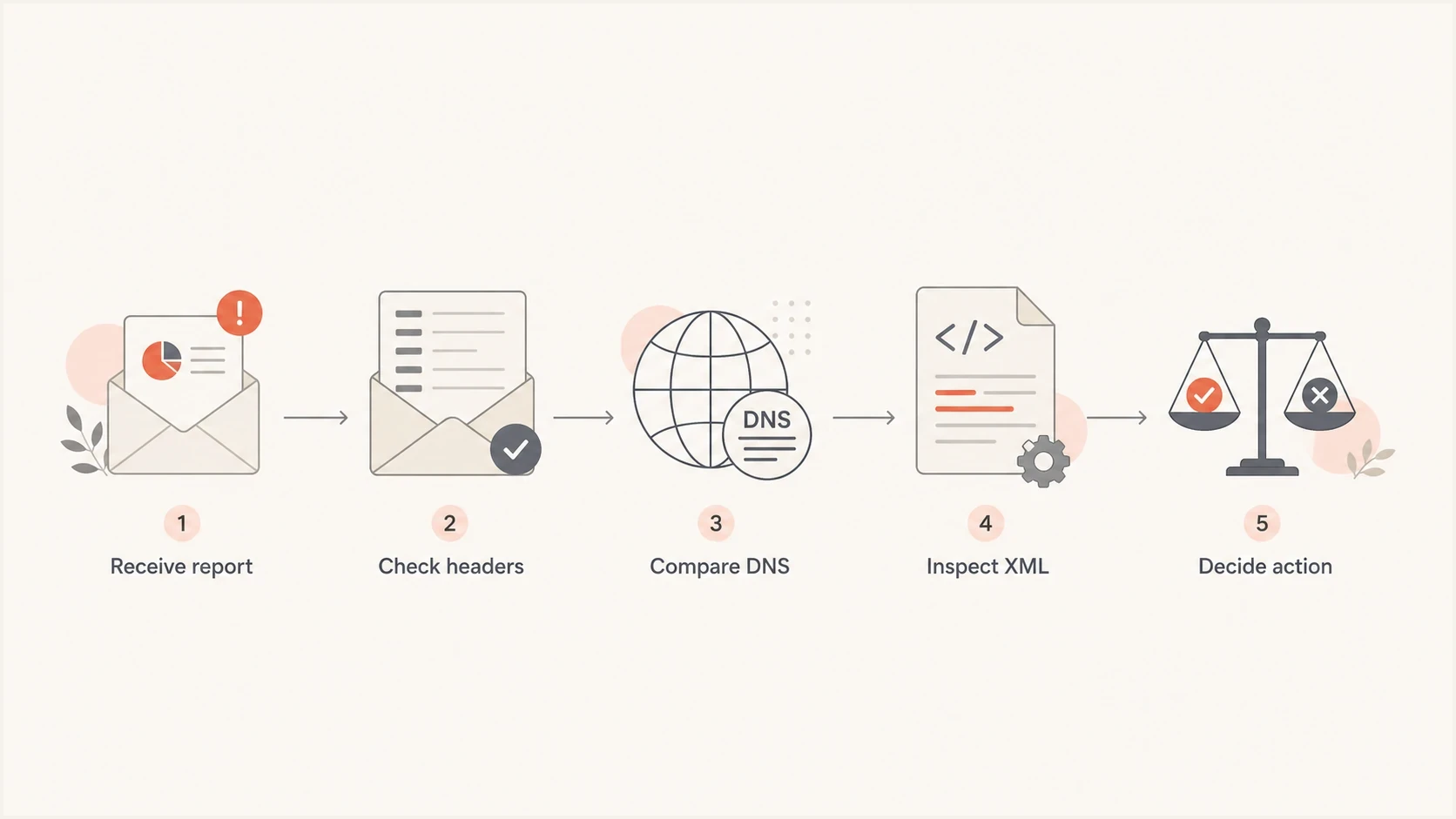
Verify an unexpected DMARC report by checking headers, comparing DNS records and inspecting the XML attachment.
How to configure a RUA address for aggregate reports
If the goal is to learn who sends mail for the domain, add a RUA address. Start with aggregate reports before thinking about RUF. RUA gives enough data for most DMARC projects: source IPs, SPF and DKIM pass or fail results, policy disposition, and message counts.
Publish one DMARC policy TXT record at _dmarc.example.com for example.com. Edit the existing record rather than creating a second DMARC record at the same name. For email delivery, use mailto: before each reporting mailbox.
Recommended starter recorddns
v=DMARC1; p=none; rua=mailto:dmarc-aggregate@example.com
That starter record asks for aggregate reports while leaving enforcement off. Keep the policy value already in use if you are only adding RUA to an enforced record. A reporting URI is a request, not a guarantee that every receiver will participate. Reports depend on mail reaching a receiver that sends them, and aggregate reporting usually follows a daily cycle.
Practical DMARC rollout stages
Use reporting data before each policy increase.
Observe
p=none
Collect RUA data and identify senders.
Quarantine
p=quarantine
Request quarantine after fixing legitimate senders.
Enforce
p=reject
Request rejection of DMARC failures, subject to receiver handling.
The t=y test flag requests one level less enforcement: p=quarantine; t=y requests none, and p=reject; t=y requests quarantine. It does not enable reporting. Before increasing enforcement, confirm legitimate senders pass DMARC and test forwarding paths.
If you need to create a clean record, use the Suped record generator to choose a policy, add reporting addresses, and copy the TXT value into DNS. If you already have a record, the Suped DMARC checker helps confirm that the syntax and tags are parsed correctly.
Keep v=DMARC1 as the first tag. The DMARC1 value is case-sensitive, and a receiver must ignore the record if the version tag is missing, appears later, or uses another value.
If no aggregate reports arrive after the next reporting cycle, check that the receiver processed mail using the domain. Then verify the RUA syntax and external authorization, and check the reporting mailbox for rejected messages, attachment limits or spam filtering. RUF availability is limited, so silence from a RUF address does not establish that authentication passed.
Why an external RUA or RUF address needs authorization
A reporting tag is not enough when its destination is outside the organizational domain where the DMARC policy was found. Before sending, a receiver must verify that the external destination has authorized the relationship. RFC 9990 defines this check for RUA, and RFC 9991 applies the same procedure to RUF.
Policy using an external RUA destinationdns
v=DMARC1; p=none; rua=mailto:dmarc@reports.example.net
For a policy retrieved at _dmarc.example.com and a destination host of reports.example.net, the receiver queries this authorization name in the destination domain's DNS:
External reporting authorizationdns
example.com._report._dmarc.reports.example.net. IN TXT "v=DMARC1"
- Missing authorization: A compliant receiver must ignore that external reporting URI, even though rua or ruf is present.
- Same-domain destination: No external authorization lookup is needed when the organizational domains match.
External authorization only gives the receiver permission to use the published destination. It does not create a reporting request by itself, so the DMARC policy still needs the applicable rua or ruf tag.
Reading aggregate reports in Suped
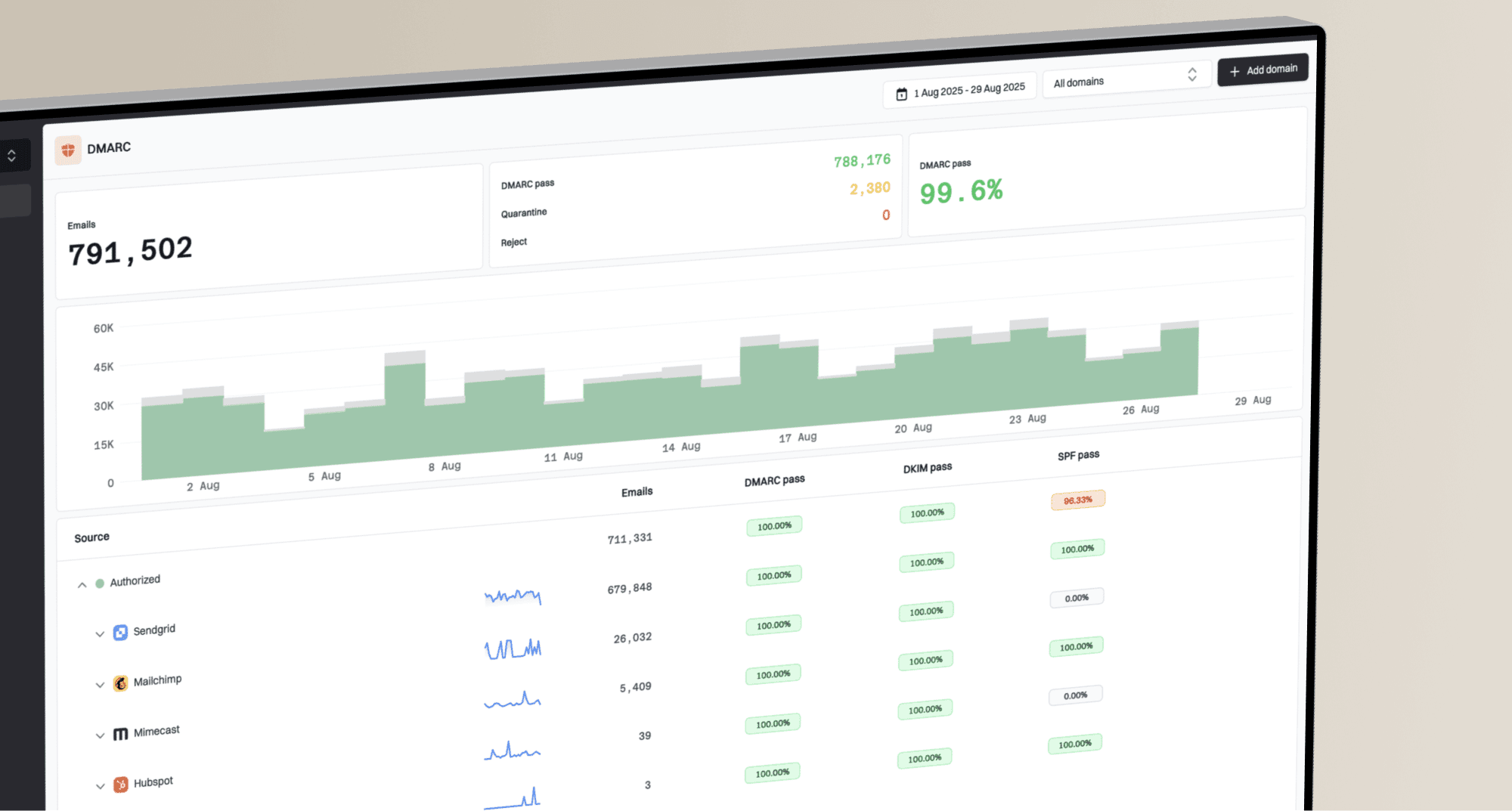
Aggregate reports arrive as XML, usually compressed, and comparing many files by hand is time-consuming. Suped's DMARC reporting product turns those reports into a sending-source inventory and authentication results that help identify configuration problems.
Suped DMARC dashboard showing email volume, authentication health, and source breakdown
To use Suped DMARC monitoring, publish the aggregate reporting address provided during setup in your rua tag. Suped needs incoming reports to populate reporting data; adding a domain to the platform does not replace the DNS reporting request.
- Review sending sources and message counts to separate expected traffic from unrecognized domain use.
- Check SPF and DKIM results for legitimate senders before changing the DMARC policy.
- Use report-based alerts to investigate new failures as fresh aggregate data arrives.
- Keep RUA configured after enforcement so future authentication changes remain visible.
Common DMARC reporting misconceptions
One unexpected report does not establish a new reporting request. Verify the applicable policy, the report period and the route to the mailbox before changing DNS.
Safe assumptions
- No destination: A record with no RUA or RUF does not request DMARC reports.
- RUA first: Aggregate reporting is the normal starting point for domain owners.
- Verify source: Raw headers and XML metadata matter more than the visible sender name.
Risky assumptions
- Sender name: A familiar display name does not prove the message came from that receiver.
- Current DNS: A live lookup does not prove what DNS said during the report window.
- RUF coverage: Adding RUF does not mean every receiver will send failure reports.
Use the report ID to identify duplicates and compare the date range with DNS history. If the record never had RUA or RUF, the mailbox was never used for reporting, and the headers do not match a known receiver path, treat the message as suspicious and handle it through normal security review.
Frequently asked questions
Yes. A DMARC record without RUA or RUF is valid, but it will not request aggregate or failure reports. A quarantine or reject policy can still request enforcement, while p=none without reporting provides little operational visibility.
No. p=none requests no DMARC-based change to message handling. Aggregate reports require rua; failure reports require ruf. The policy value itself supplies no report destination.
Check for cached DNS, delayed delivery, forwarding from an older mailbox, or a parent policy used for a subdomain without its own valid record. Verify the raw headers and XML date range. A valid subdomain record without RUA does not inherit RUA separately from its parent.
Use RUA first. Add RUF only when you have a clear privacy and retention process, because failure reports can contain sensitive message-level information and many receivers do not send them.
Yes, but when the destination and policy domains have different organizational domains, the destination domain must publish the external reporting authorization required by RFC 9990 or RFC 9991. Without valid authorization, a compliant receiver must ignore the external URI.