How to handle false positive reports from Netcraft and typo-squatting spam traps?


Updated on 25 Oct 2026: We clarified Netcraft appeals and the safeguards for investigating spam-trap reports.
Handle a Netcraft false positive as an abuse escalation and investigate whether it also exposes a list-quality problem. Preserve the evidence, identify the exact message and flagged URLs, suppress any known affected recipient, reply to the sending provider with a concise audit trail, then ask Netcraft to review the classification and correct any reports it sent. Check whether the incident involves a downstream provider, blocklist (blacklist), or URL reputation feed. A Netcraft report alone does not establish that a spam trap received your email.
A report that calls a normal opt-in newsletter fraudulent can look wrong on the facts, but the fastest path out is not an argument about intent. It is a clear packet of evidence: consent source, confirmation event, message ID, timestamps, unsubscribe proof, bounce history, complaint handling, and immediate mitigation.
- Pause mail to the reported address when it is known. Hold related acquisition sources for review when the evidence indicates a wider problem.
- Collect the message ID, recipient, opt-in record, confirmation timestamp, unsubscribe header, delivery logs, originating IP, and abuse case ID.
- Check the root cause: typo domains, stale subscribers, bot-clicked confirmation links, abandoned mailboxes, and weak signup validation.
- Build a signup domain policy, improve confirmation telemetry, and monitor blocklist exposure.
What to do first
Start by assuming the report has enough operational weight to matter, even when the classification is wrong. Enforcement depends on the provider's policies, incident severity, and account history; there is no universal safe number of reports. Investigate promptly and follow the response deadline in the provider ticket.

AWS Support Center case screen for an abuse report requiring sender response.
First-hour checklist
- Save the provider ticket, Netcraft report, full message headers, original campaign content, any report identifiers, and an internal incident record.
- Map the complaint to a message ID, recipient, send time, campaign, sending domain, and sending IP.
- Suppress the known affected recipient before debating whether the complaint is fair, including in imports and automated campaigns.
- Tell the provider what happened, what was checked, and what changed.
Do not re-subscribe the address just because a reporter says the classification was wrong. If an address reached a typo-squatting domain or a trap network, the risk profile has changed. The report can be false as a fraud allegation and still be a valid signal that the address should not stay on the active list.
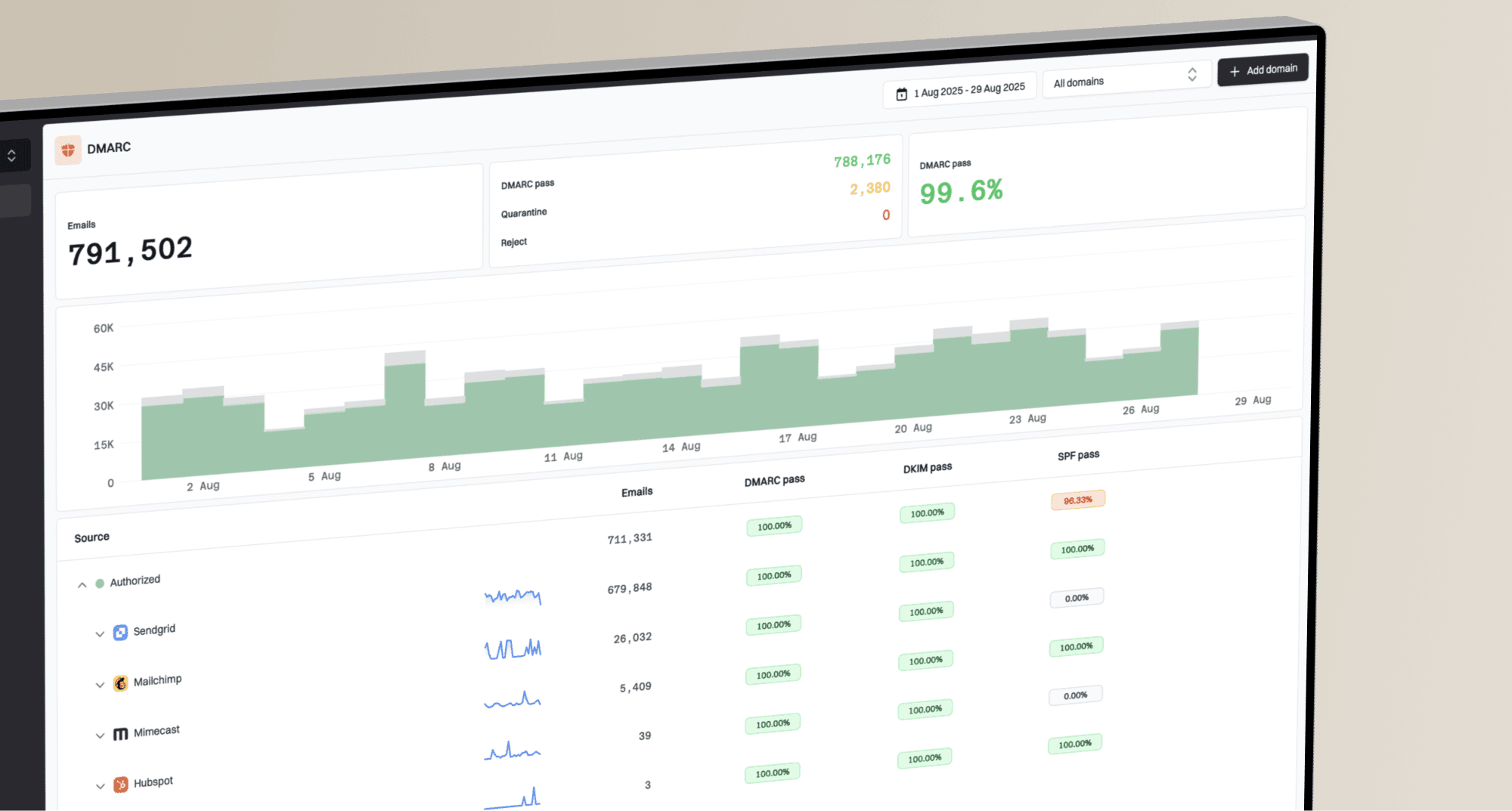
If you need to understand whether the incident has spread into a blocklist or blacklist problem, use Suped's blocklist monitoring workflow to watch the sending domain and IPs while the provider ticket is open.
Blocklist checker
Check your domain or IP against 144 blocklists.







Why typo traps cause confusing complaints
A typo-domain spam trap receives mail addressed to a misspelled domain, often after a signup error. Typosquatting is the deliberate registration of a lookalike domain based on a common typing mistake, swapped letter, added character, or alternative spelling. A trap can use the same kind of misspelling without being part of a brand-impersonation campaign, so confirm what the domain actually does before assigning motive.
A real person can type the wrong address, fail to receive the confirmation email, then sign up again with the correct address. The wrong address remains in your system if your signup flow or cleanup process does not remove it.
Double opt-in helps, but it does not prove a human confirmed the address. Security scanners, mailbox filters, and trap systems can fetch URLs inside email. If your confirmation logic accepts the first URL visit as consent, an automated visit can create a misleading consent record. That is how a list can look compliant internally and still mail a trap.
Typo traps are only one trap class. Pristine traps usually point to acquisition problems, while recycled traps point to stale data or missed bounce suppression. A role address is not inherently a trap, and a parked website does not prove that its domain is a trap. Use confirmed evidence to decide whether to investigate the signup source or the age and sending history of the contact first.

How a typo-squatting email address can become a confirmed subscriber through link scanning.
What the report says
- The email was marked as fraud, extortion, phishing, or abuse.
- The report identifies a message, URL, or file; its source is not always disclosed.
- Your sending provider asks you to investigate and respond.
What you must prove
- Show how the address entered the list and how it was confirmed.
- Show the consent evidence and separately address the flagged content or redirect.
- Show that the address is suppressed and the collection path is under review.
The most useful framing is this: the complaint can be a false positive about your intent and a valid signal about your data hygiene at the same time. Treat the incident as a chance to reduce exposure to addresses that no business should keep mailing.
Evidence to send your provider
Your provider wants to know whether you understand the report and whether the unwanted mail will continue. Keep the reply short enough for an abuse desk to assess without guessing. Include the exact flagged URL or file and your findings about it: an opt-in record or unsubscribe link does not prove that linked content is safe. State what your records establish and what remains unverified.
|
|
|
|---|---|---|
Report ID | Ties the response to the provider case. | Yes |
Message ID | Matches the complaint to one send. | Yes |
Sender and recipient | Confirms the exact mailbox path. | Yes |
Originating IP | Shows the source used for the send. | Yes |
Headers and metadata | Confirms route, authentication, and timing. | Yes |
Opt-in and confirmation telemetry | Helps assess whether a confirmation event was automated. | Yes |
Flagged URL or file | Connects the classification to the content and redirect chain reviewed. | Yes |
Compact evidence map for a provider abuse response.
Provider response templatetext
We investigated the reported message and matched it to:

Provider case ID: <case-id>
Netcraft report ID: <report-id>
Message ID: <message-id>
Flagged URL or file: <exact item in the report>
Sender domain: <domain>
Recipient: <address if known, otherwise not disclosed>
Originating IP: <ip-address>
Send time: <UTC time>
Campaign: <campaign name>
Signup source: <form, import, or other source>
Consent evidence: <records actually retained>
Confirmation event: <UTC time and method, if retained>

Content and redirect review: <findings for the flagged item>
Unsubscribe checks: <results actually verified>
Suppression completed: <affected address or cohort and UTC time>
Signup and confirmation changes: <completed changes>
Remaining investigation: <unknowns, owner, and next update time>

We have asked Netcraft to review <classification and report reference>.
We will forward any correction and update this ticket with the outcome.
If you retain confirmation IP addresses, user agents, and timestamps, include only what is necessary. Privacy laws and internal retention policies matter. You do not need to keep personal data forever to defend one future complaint, but you do need enough operational telemetry to prove that your consent process works.
For broader domain authentication checks, Suped's domain health checker helps identify SPF, DKIM, and DMARC configuration problems while you handle the complaint. Authentication results do not establish subscriber consent or the safety of a linked page.
?
What's your domain score?
Deep-scan SPF, DKIM & DMARC records for email deliverability and security issues.
How to appeal a Netcraft false positive
Ask Netcraft to review the exact classification, correct an erroneous report, and notify any parties it contacted. Include the report reference, flagged content, and evidence supporting your appeal. A classification review concerns the reported URL or file as well as the email that contained it.
When you have access to the original submission page, select the affected URLs or files and choose "Submit Issue", then explain the classification error. Netcraft documents this route in its Report FAQs. If the submission page is unavailable, reply through the verified report correspondence or ask the sending provider to forward your evidence. Preserve the report and classification log promptly; submissions are archived after 30 days by default.
Retraction request
Ask Netcraft to confirm the review outcome, withdraw any incorrect report with the sending provider, and identify downstream recipients where it can disclose them. Ask whether the source was a spam trap or user submission, but do not depend on receiving confidential trap details.
A Netcraft retraction does not automatically clear every downstream queue. Keep the Netcraft case ID, provider case ID, dashboard report IDs, and timestamps together so each trust and safety team can connect the correction to the open flag.
AJ Nash's Netcraft guest article on the false positive tax recommends feeding confirmed false positives back into detection rules.
Track each false positive like a production incident. Record the source, classifier label, affected domain, reporter outcome, downstream recipients, and the policy change that followed. That feedback loop makes future abuse responses faster and gives your provider evidence that the same signal will not keep creating the same ticket.
Netcraft response templatetext
Please review the classification of <exact URL or file> in
Netcraft report <report-id>.

The classification appears incorrect because <specific evidence>.
Content and redirect checks: <findings>
Signup and consent records: <facts retained, if relevant>
Suppression and remediation: <completed actions>

Please confirm:

1. The review outcome for each flagged URL or file.
2. Whether any takedown or abuse report has been withdrawn or corrected.
3. Which providers or feeds received it, where disclosure is possible.
4. Whether those recipients have received the correction.
5. Any source category you can disclose without identifying a trap.
6. The correction reference for our sending provider's case.

Provider case ID: <case-id>
Supporting evidence: <attachments or verified case references>
If Netcraft confirms a spam trap source, suppress the address if it is disclosed and investigate the acquisition cohort as well as that contact. Trap addresses are often withheld. Use available campaign, timing, and signup-source evidence to review related imports or forms. Do not send test messages to identify a trap or reconfirm a known trap address. Correct the collection problem even when the precise address remains unknown.
Appeal downstream warnings separately
A Netcraft correction does not automatically remove a warning held by another reputation system. A downstream provider can use its own URL reputation, page content, TLS configuration, redirect behavior, file behavior, and user-report signals. Treat each remaining warning as a separate case rather than waiting for the Netcraft decision to propagate.
Check the exact URL, hostname, path, and redirect chain named in the original report. A cleared root domain does not prove that every URL has been reclassified, and a warning can persist for one path after the main domain looks clean.
- Capture the warning, classification, affected URL, timestamp, and downstream case reference.
- Submit a separate false-positive appeal through the review channel shown by the affected provider and attach the Netcraft correction reference.
- Review the flagged page for deceptive forms, unsafe redirects, expired certificates, unexpected downloads, compromised scripts, or abandoned domains.
- Retest the exact URL after the provider responds, then record the result beside the original Netcraft case.
Do not close the incident too early
Close the incident after the provider has accepted the response, any confirmed classification error has been corrected, and known downstream warnings have been resolved or assigned to an open follow-up case. A retraction email alone does not establish that all warnings are gone.
If the affected provider gives you a confirmation email or case number, reply within that thread when you need follow-up. Keeping one evidence packet and separate case references avoids conflicting explanations while each provider completes its own review.
Set a signup domain policy
A signup domain policy separates domains to block from domains that need review. Block confirmed unsafe destinations under a documented rule. Review likely typos or unusual mail routing before sending, but do not treat an unfamiliar MX host, a parked website, or a disposable address as proof of a spam trap. Review holds should target the affected marketing stream rather than automatically stopping essential account email.
- Suggest corrections for common mailbox-provider typos before confirmation mail is sent; require the user to accept a change.
- Use parked websites and unusual MX patterns as review signals, not automatic reasons to block an entire domain.
- Watch for several signups at the same typo domain that never confirm.
- Review domains tied to repeated abuse reports or verified blacklist listings before applying domain-wide suppression.
This does not mean silently changing a person's email address. If someone enters a likely typo, show a suggestion such as did you mean the common mailbox provider, then let the user accept or reject it. Keep the local part untouched, because aliases and plus-addressing are valid.
At submit time, run server-side syntax checks and check mail routing through MX records. With no MX record, SMTP supports an A or AAAA fallback; a null MX record explicitly states that the domain accepts no mail. Distinguish temporary DNS failures from permanent failures before rejecting a signup. DNS routing does not prove that an individual mailbox exists or is safe. Feed permanent recipient failures back into suppression rules so the same typo does not keep returning.
Signup guardrail logictext
IF domain exactly matches a documented block rule:
  hold marketing signup and ask for a corrected address

IF domain is a likely typo of a major mailbox provider:
  show a suggestion and require user approval of any correction

IF domain publishes null MX or has no mail route after a permanent DNS result:
  reject before adding it to the marketing list

IF DNS lookup fails temporarily:
  retry validation rather than declaring the domain invalid

FOR every confirmation:
  keep GET requests read-only and require an explicit form submission

IF confirmation signals suggest automation:
  hold activation for additional verification

IF inactivity exceeds the documented threshold for this sending program:
  reduce frequency or sunset the subscriber
The typo correction step is where many programs fall short. They validate syntax, but they do not validate plausibility. A syntactically valid address can still be a bad destination, especially when it belongs to a typo-squatting spam trap with valid mail routing.
Fix confirmation links and scanner clicks
The most important technical fix is to stop treating a bare GET request to a confirmation URL as final consent. Email security products fetch links. Some systems fetch every link in a message. Some fetch links from cloud infrastructure rather than a normal residential connection. That behavior has existed for years, so confirmation flows need to account for it.
Weak confirmation
- The subscription activates on the first URL visit.
- The system stores no user agent, timing, or IP signal.
- The flow cannot separate scanner visits from user intent.
Stronger confirmation
- A confirmation page requires an explicit form submission using POST.
- Minimal, time-bound telemetry is retained for abuse review.
- Risk rules combine timing and network signals with signup-domain history.
A two-step confirmation page does add friction. An explicit POST action reduces accidental activation by simple link prefetchers, but scanners that execute page actions still require additional checks. Use expiring, single-use confirmation tokens and apply an accessible challenge or review when risk signals warrant it. Keep the page plain and accessible. The subscriber should understand that pressing the button activates the subscription.
Confirmation risk bands
Illustrative signup review rules, not provider thresholds or proof of human consent.
Low risk
Activate
Known domain, normal timing, user completes page action.
Review
Hold
Likely typo domain, instant click, or unusual network.
High risk
Suppress
Confirmed trap address or documented domain block rule.
Click and open tracking can mislead you. Repeated opens or clicks do not always mean a human likes the email. Filters and anti-abuse systems can create artificial engagement. If the address sits on a suspicious domain, weigh domain risk above engagement metrics.
Monitor delivery after the report
After a false positive, watch provider ticket status, blocklist (blacklist) status, domain authentication, and campaign metrics. Track SMTP rejection codes and bounce rates for the affected sending stream. A new listing does not prove that Netcraft caused it, and a clean public blocklist check does not clear private provider reputation or browser URL warnings. Authentication checks identify separate configuration problems.
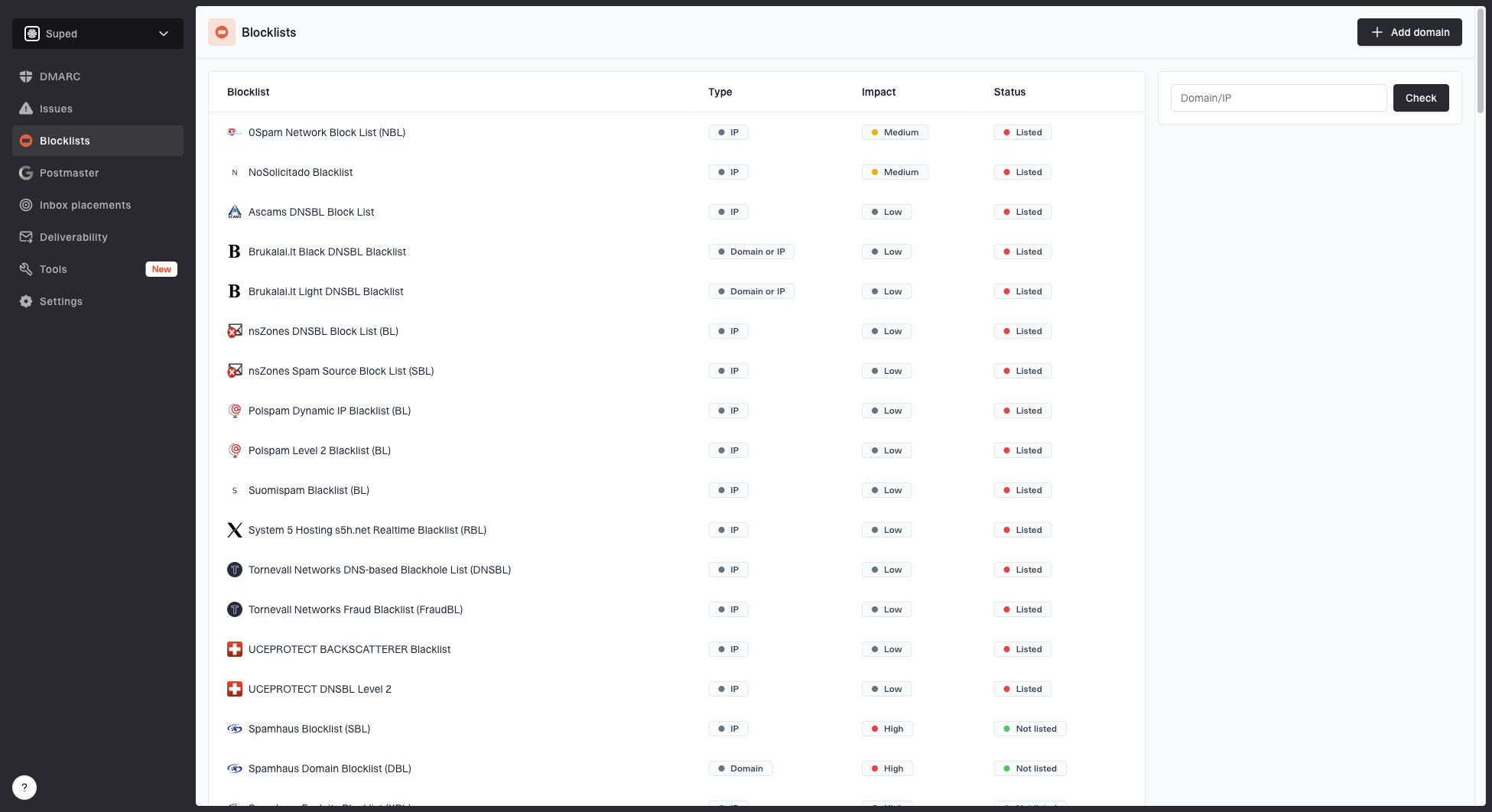
Blocklist monitoring page showing domain and IP checks across blocklists with importance and status
Suped's blocklist monitoring shows the affected sending IP or domain and the list reporting it. Use those alerts beside Suped's DMARC reports to separate a listed sender from an authentication problem, then attach the relevant findings to your provider case. Keep URL classification appeals with the provider responsible for each warning.
Use a blocklist checker for a spot check, then keep ongoing monitoring in the same place as authentication reporting if email is important to revenue or operations.
|
|
|
|---|---|---|
Provider | Ticket open | Reply |
Reporter | Retraction issued | Forward reference |
Domain | DMARC fail | Fix auth |
IP | Listing | Delist |
List | Typo hits | Suppress |
What to monitor after a false positive.
When it is not really a false positive
A false fraud label does not clear every possible problem. Check for compromised sending credentials, unauthorized campaigns, unexpected templates, abnormal bounce spikes, and old imports that never had clear permission. A provider will take your response more seriously if you say what you ruled out.
- Review API keys, sending credentials, IAM changes, and unexpected send volume.
- Check whether legacy contacts were added before your current consent rules existed.
- Treat high bounces as a provider scrutiny risk even without direct complaints.
- Review redirects, short links, user-generated links, and expired domains in templates.
Also check for lookalike-domain abuse outside your owned domains. DMARC evaluates authentication for the domain in the visible From address; it does not detect brand similarity or assess linked content. An attacker-owned typo domain can pass authentication for itself. If the report contains a URL or sender domain that resembles your brand but is not yours, investigate brand impersonation separately from your own newsletter sending.
This is also a good time to refresh how your team handles trap hits generally. The related issue is covered in spam trap effects, especially when the address has been dormant or was never owned by the person who typed it.
The decision to remove an address should not depend on whether the address has opened emails before. Scanner-created engagement exists, so treat engagement as supporting evidence only. Consent and address quality matter more.
Assign incident ownership by sender size
For a small sender, the operating model can be simple: suppress the reported address, add the domain to a review list, reply to the provider, and fix the confirmation flow. For a larger sender or MSP, it needs a queue, a repeatable evidence packet, and monitoring across every customer domain.
Small sender
- One owner handles tickets and list cleanup.
- Use a documented domain review policy, confirmed opt-in, and sunset rules.
- Run weekly checks and alerts for urgent reputation changes.
MSP or platform
- Use an abuse queue with client-level evidence tracking.
- Set a central domain policy, sender review, and per-client thresholds.
- Use a multi-domain dashboard with DMARC and blocklist alerts.
For an MSP, Suped's multi-tenant dashboard keeps client domains and their authentication reports together. Use blocklist alerts to identify the affected client, then assign the abuse ticket and correction evidence to that client's incident owner.
Views from the trenches
Best practices
Keep opt-in evidence, message IDs, and suppression actions ready for every abuse ticket.
Treat typo domains as risky destinations even when a confirmation event exists in logs.
Use a second confirmation action when scanner clicks can activate subscriptions silently.
Common pitfalls
Do not assume double opt-in proves human consent when security tools fetch email links.
Do not re-add trap-linked addresses after a retraction without a new reliable signup path.
Do not rely on opens and clicks alone when suspicious domains show repeated engagement.
Expert tips
Review typo domains and mail routing before sending, without assuming every typo is a trap.
Sunset inactive subscribers sooner to reduce exposure to abandoned and recycled addresses.
Ask reporters who received the false alert so downstream reputation impact can be checked.
Expert view
Expert from Email Geeks says the first step is to identify the exact sent message, verify the confirmation process, and suppress the address while the investigation runs.
2022-04-23 - Email Geeks
Expert view
Expert from Email Geeks says typo domains tied to major mailbox providers are often used as trap destinations, so a confirmed subscription still deserves deeper review.
2022-04-23 - Email Geeks
Frequently asked questions
Yes. A typo-domain trap can receive confirmation mail, and automated link scanning can trigger weak confirmation flows. Double opt-in reduces risk, but it is not absolute proof of human consent.
A retraction alone is not a reason to resume sending. Keep a confirmed trap address suppressed. For an ordinary subscriber, require a fresh request and a reliable signup process that complies with the provider's suppression policy.
Ask for the classification review outcome, correction of any erroneous report, notification to downstream recipients, and a correction reference. Request the source category where it can be disclosed, without expecting confidential trap addresses.
There is no universal rule. Enforcement depends on the provider, severity, and account history. Respond within the ticket deadline with your findings, completed remediation, and any remaining investigation.
Do not activate subscriptions from a bare confirmation URL visit. Require an explicit form submission and apply additional checks for risky signup events. A second button alone does not guarantee human consent.
No. DMARC evaluates authentication for the visible From domain, not its similarity to your brand. An attacker-owned lookalike domain can pass SPF, DKIM, and DMARC for itself.