How many addresses are on the Validity seed list?

Published 16 Jun 2026
Updated 16 Aug 2026
10 min read
Summarize with

Updated on 16 Aug 2026: We clarified the reported Validity seed count, added an exact account-level check, and separated the 500-address planning allowance from any product limit.
Peer reports put a typical Validity seed list at roughly 370 addresses. Validity does not publish one fixed, account-independent count, and the active total changes with the regions selected for monitoring. For system limits, imports, QA plans, or campaign test sizing, 500 is a practical initial planning allowance.
That higher figure is an internal planning value, not a documented Validity limit. It covers the peer-reported range, leaves room for regional changes, and reduces failures when the active inbox set changes. A seed list is a controlled set of inboxes used to check where a message lands, but the count alone does not show whether real subscribers receive mail in the inbox.
Direct answer
Use these numbers as planning guidance, then confirm the current seed count inside the relevant Validity account.
- Peer-reported estimate: About 370 seed addresses.
- Reported range: Roughly 300-450 addresses.
- Planning allowance: Start at 500 and keep the limit configurable.
- Exact count: Read the current list for the account and selected regions.
The short answer
For a provisional design constraint, start with 500 and make the value configurable. For an estimate of a typical Validity seed-list export, use about 370. For an exact operational count, read the active list from the account. These numbers answer different questions, and mixing them creates brittle systems.
The lower figure helps estimate test volume and reporting rows. The higher figure gives initial headroom for database constraints, CSV imports, interface validation, or automated campaign QA. Keep that allowance configurable because seed inventory and regional selections can change.
Seed list planning bands
Use the band that matches the decision you are making.
Small test
Under 300
A partial or narrow regional seed setup.
Peer-reported range
300-450
The range reported for common seed-list coverage.
Initial allowance
500
A configurable starting value for engineering limits and imports.
Confirm and adjust
Over 500
A larger active list needs account-level confirmation and a higher limit.
|
|
|
|---|---|---|
Typical view | Peer estimate | About 370 |
Reported range | Planning | 300-450 |
Initial allowance | Configurable | 500 |
Exact account | Count current list | Account or API |
Compact planning guide for Validity seed list counts.
To get the exact count, export the current seed list in Everest or request /api/2.0/inbox/seeds with the account API key, then count the returned unique addresses. The endpoint is account-scoped, so its result reflects the regions enabled for that account.
Why the number changes
Seed lists are not static address books. A provider changes them when mailbox coverage changes, when a region is added, when an address stops behaving like a normal mailbox, or when a customer chooses a different monitoring footprint. Validity's account configuration lets customers select monitoring regions, which changes the active address set.
That regional setting matters more than it first appears. A brand sending only to the United States does not need the same seed mix as a global sender testing North America, Europe, Australia, and Asia-Pacific. A broader footprint usually adds seed addresses and placement rows to interpret.
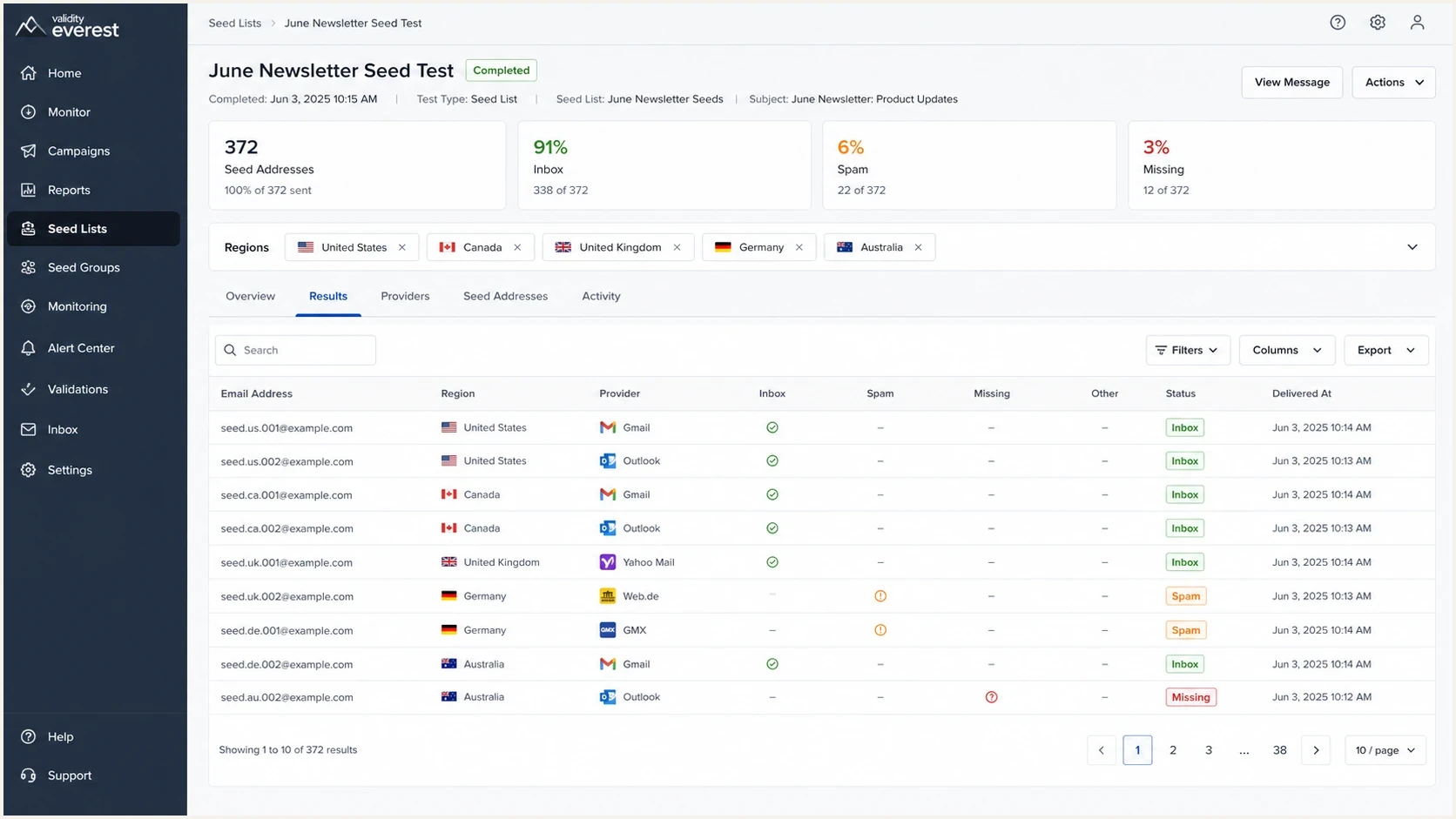
A Validity Everest seed list test screen with regional filters and seed inbox results.
Fixed-count thinking
- Assumption: Every account has the same seed count.
- Risk: Imports fail when a customer has more addresses.
- Problem: Hard-coded logic hides regional variation.
- Result: Seed tests become noisy when counts change.
Regional-count thinking
- Assumption: The active count depends on monitored regions.
- Planning: A configurable 500-address allowance leaves initial headroom.
- Data: Store the actual imported count per test.
- Result: Reports handle provider changes cleanly.
Separate the maximum allowed seed count from the observed seed count. The maximum is a configurable product control. The observed count is a test-level attribute that belongs in reporting and QA notes.
How to use the number in planning
For most planning tasks, start with the provisional allowance, keep it configurable, and record the active count for each test. This catches malformed uploads without treating an estimate as a permanent product limit.
Do not use the seed-list count as a quality signal. A 370-address list is not automatically better or worse than a 300-address list. The useful question is whether the seed mix covers the mailbox providers and regions that match the real audience.
Seed-list import settingstext
seed_address_initial_allowance=500
seed_address_limit_configurable=true
store_actual_seed_count=true
store_region_set=true
reject_duplicate_addresses=true
require_test_id=true
For a single diagnostic message rather than a full seed-list campaign, an email tester is usually the faster check. It does not replace a seed-list campaign, but it can catch authentication, header, content, and DNS issues before a send to hundreds of seed inboxes.
Email tester
Send a real email to this address. Suped shows a results button when the test is ready.
?/43tests passed
Use a simple sequence for campaign QA. Send one diagnostic message, check authentication and domain health, run the seed-list test, then compare the placement result with prior tests that used the same region set.
- Validate: Confirm email authentication passes before seed testing.
- Segment: Track the region set used in each seed campaign.
- Compare: Compare tests only when the seed mix and content are similar.
- Investigate: Treat sudden provider-specific drops as a reason to inspect authentication and reputation.
What seed lists can and cannot tell you
Seed lists are controlled tests. They show how a specific message performed at monitored mailbox providers at a specific time. They do not measure subscriber engagement, personal inbox history, user-level filtering, or every local rule inside a mailbox provider.
Treat seed results as one signal among several. If a seed test shows spam-folder placement at one provider, check authentication, recent volume changes, complaint indicators, and blocklist or blacklist status before changing the sending strategy.
Avoid seed-heavy warm-up sends
Seed inboxes do not produce normal subscriber engagement. During IP or domain warm-up, build reputation with opted-in, engaged recipients and avoid a full seed panel when those inactive test addresses would form a material share of the send.
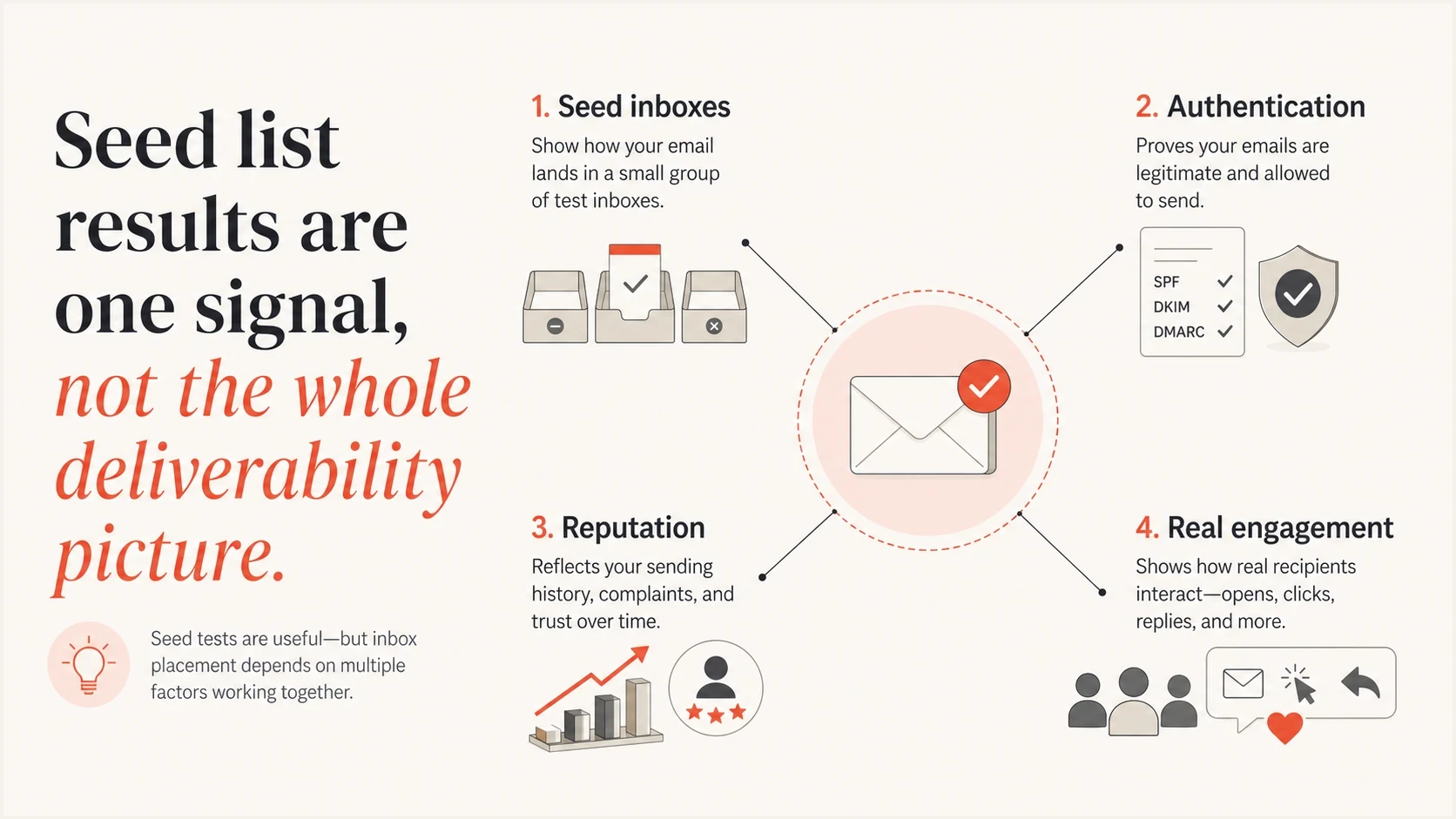
Seed inboxes, authentication, reputation, and real engagement shown as separate deliverability signals.
Good for
- Placement: Checking whether test mail lands in inbox or spam.
- Provider view: Spotting differences across major mailbox providers.
- Pre-send QA: Catching problems before a campaign reaches subscribers.
- Regression checks: Comparing a campaign against a similar prior send.
Weak for
- Subscriber truth: Predicting every real inbox for every recipient.
- Engagement: Measuring opens, replies, clicks, complaints, and deletes.
- Root cause: Explaining why filtering happened without other data.
- Long trends: Showing reputation movement without stable test inputs.
For reputation checks, seed results should sit beside blocklist monitoring, DMARC reporting, and real engagement signals. A spam-folder result plus a fresh blocklist or blacklist hit tells a different story than a spam-folder result with clean authentication and stable reputation.
To decide which lists matter, start with a practical overview of blocklists and then prioritize the important blocklists that affect the sending environment.
How seed list count relates to authentication
Seed-list size does not fix authentication. A larger seed list gives more placement observations, but it will not repair an SPF authorization error, broken DKIM signing, or mail that fails DMARC while the policy remains at p=none. A larger seed run only produces more observations of the same problem.
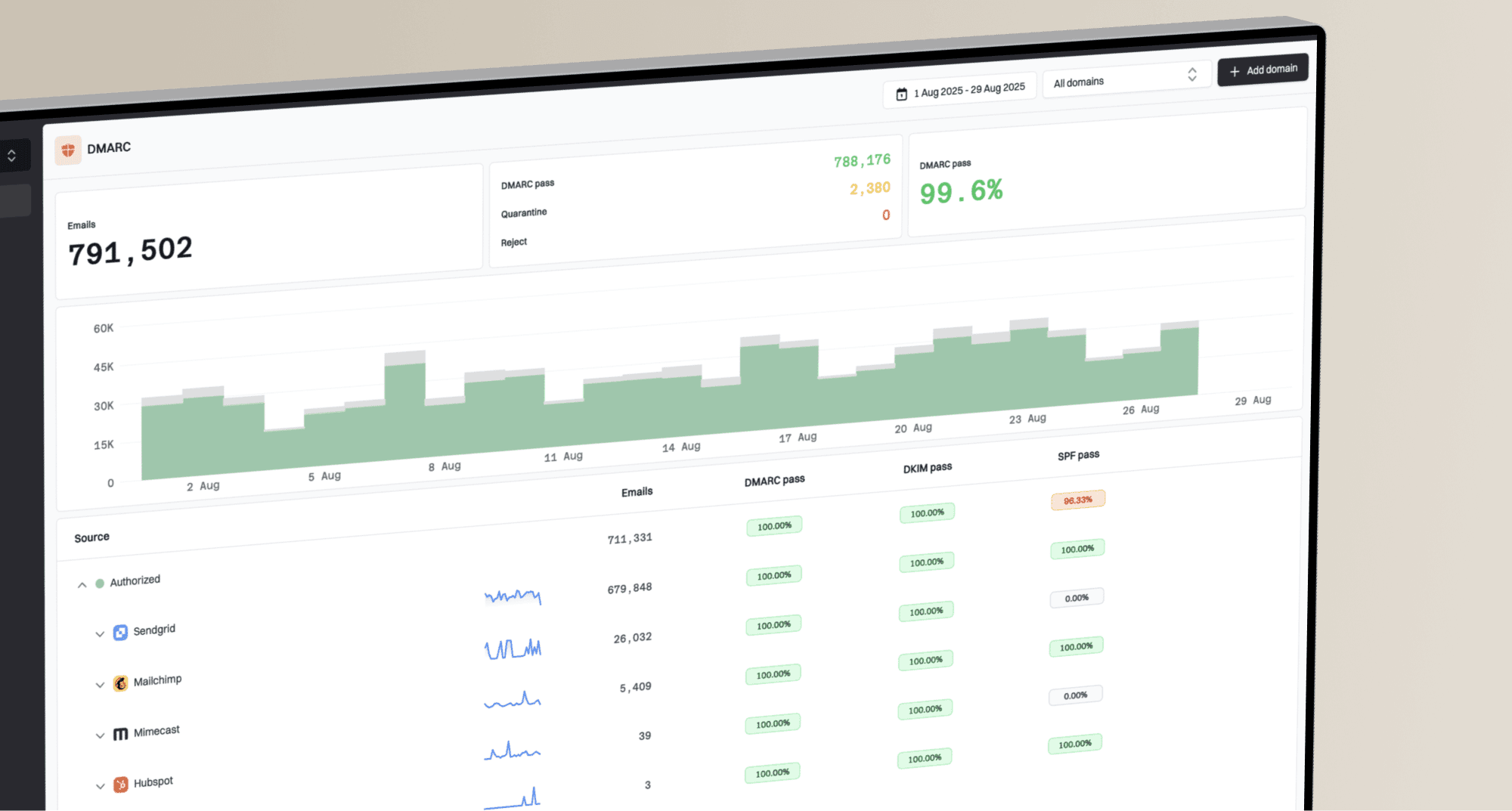
Suped is our DMARC reporting and email authentication platform. Use Suped to review aggregate report sources, find SPF or DKIM domain-matching failures, and monitor authentication changes before interpreting a seed placement result. That separates an authentication fault from a provider-specific placement change.
Suped DMARC dashboard showing email volume, authentication health, and source breakdown
Before a full seed-list test, check the sending domain with a domain health check. Fix authentication failures first. Otherwise, the seed test measures a preventable configuration problem instead of isolating inbox placement.
Basic DMARC monitoring recorddns
v=DMARC1; p=none; rua=mailto:dmarc@example.com
Do this before seed testing
- SPF: Confirm SPF passes and the authenticated return-path domain matches the From domain under DMARC.
- DKIM: Confirm DKIM passes and the signing domain matches the From domain under DMARC.
- DMARC: Confirm a record is published and aggregate reports are being reviewed.
- Reputation: Check domain and IP status before blaming seed placement.
Handling regional and provider coverage
The count matters less than the coverage. A seed list with 370 addresses can be enough when those addresses match the domains and countries that matter. A larger list can still be weak if it adds irrelevant regions or misses mailbox providers that carry meaningful subscriber volume.
Separate volume questions from coverage questions when reviewing a seed-list plan. Volume asks how many seed messages will be sent. Coverage asks whether the seed list tests the places where the real audience receives mail.
|
|
|
|---|---|---|
Regions | Where? | Match audience |
Providers | Which? | Prioritize volume |
Cadence | When? | Keep stable |
Count | How many? | Verify current list |
Use compact labels to plan seed-list coverage.
A region change also changes trend interpretation. If last week's test used 320 seeds and this week's test used 372, part of any placement-rate change can come from the different list. Store both the count and selected regions next to every result.
Practical rule
Use the provisional allowance as a configurable starting point, but make reporting depend on the actual seed list used in each test. This gives the workflow room to change without hiding the data needed to interpret each result.
Views from the trenches
Best practices
Start with a configurable 500-address allowance, then verify each account's active list.
Treat the provider count as regional, because selected inbox countries change the active list.
Separate seed placement data from authentication data before making deliverability fixes.
Keep seed testing cadence stable so count changes do not look like performance swings.
Common pitfalls
Assuming every customer has the same seed count leads to bad batching and list logic.
Using seed placement alone misses DMARC failures, blocklist hits, and real engagement.
Treating 500 as a fixed Validity limit can cause failures when account coverage changes.
Sending seeds with different content than campaigns produces clean but weak signals.
Expert tips
Set 500 as the initial allowance, then raise it when the account's active list requires.
Track region choices beside each test so a count change has a clear operational cause.
Pair seed testing with inbox authentication checks before changing sending patterns.
Review blocklist and blacklist status when seeds show sudden provider-specific drops.
Marketer from Email Geeks says a typical Validity seed list has been around 370 addresses, with the count increasing during the year.
2026-02-12 - Email Geeks
Marketer from Email Geeks says many seed lists they have seen sit around 300-450 addresses, so that range is useful for planning.
2026-02-13 - Email Geeks
The practical takeaway
Public evidence supports an estimate of about 370 addresses for a typical Validity seed list. Use 500 as a configurable planning allowance, not as a documented Validity limit. The exact count depends on the current account list and selected monitoring regions.
For product work, count the account's current seed list and store the real total per test. For deliverability work, treat seed-list results as one controlled signal, then check authentication, domain health, reputation, and real audience behavior before changing a sending plan.