Why is the wrong logo showing up in Yahoo with BIMI and how to fix it?

Published 12 May 2025
Updated 5 Aug 2026
14 min read
Summarize with

Updated on 3 Sep 2026: We updated this guide for current BIMI discovery, DMARC alignment, selector handling, and Yahoo cache troubleshooting.
The wrong logo shows up in Yahoo with BIMI when Yahoo cannot use your current BIMI record and falls back to older brand data, or when Yahoo has cached an older logo mapping. Start by assuming the BIMI path is failing before treating it as only a cache problem. The usual causes are an invalid SVG Tiny PS file, a BIMI record at the wrong DNS host, a delivered message that fails DMARC alignment, DMARC not at enforcement, an incorrect selector, or a stale Yahoo-side brand mapping.
The fix is to repair the SVG, publish BIMI and DMARC where Yahoo evaluates the visible From domain, verify that a delivered message passes DMARC, keep the organizational-domain policy consistent, send authenticated bulk mail, wait for DNS and Yahoo caches to refresh, then contact Yahoo if the old image remains. A VMC is not the first fix for Yahoo because Yahoo's BIMI page says Yahoo currently does not require VMCs for BIMI logos, although Yahoo uses a certificate to inform eligibility when one is present.
The direct answer
If Yahoo shows an old logo after you publish BIMI, the visible logo is usually not coming from your current BIMI SVG. Yahoo is either rejecting the BIMI path and using older brand data, or it still has an older mapping for that sender domain. The fastest path is to prove that Yahoo has a valid BIMI path for the delivered message, then ask Yahoo to refresh or remove the old mapping only after the technical setup passes.
- Most common cause: The SVG fails BIMI SVG Tiny PS validation, so Yahoo ignores it and uses older brand data.
- Message-level cause: The delivered campaign does not pass DMARC through aligned SPF or DKIM for the visible From domain.
- Domain cause: The author domain or organizational domain has missing or inconsistent DMARC enforcement.
- Cache cause: Yahoo has older brand data and needs time or sender support to refresh it after the records are corrected.
- Not the first fix: A VMC helps in some BIMI programs, but Yahoo does not currently require one to display a BIMI logo.
Do not start with cache clearing
A cache refresh is useful only after the BIMI record, SVG, DMARC policy, and delivered-message authentication are correct. If Yahoo refreshes the domain while the SVG is still invalid or the message fails DMARC, Yahoo still has no eligible BIMI logo to use.
Why Yahoo picks the old image
Yahoo supported sender logos before BIMI became the standard path for brand-controlled logos. That history matters because a domain with weak or broken BIMI can still have older brand data associated with it. In a rebrand, merger, venue rename, or domain migration, that older image can be the logo Yahoo shows while the current BIMI setup is unusable.
The practical order is to prove the BIMI assertion record, delivered-message authentication, logo file, and DMARC policy first. Once those pieces are correct, Yahoo has a valid basis for replacing the old image with the logo you publish.
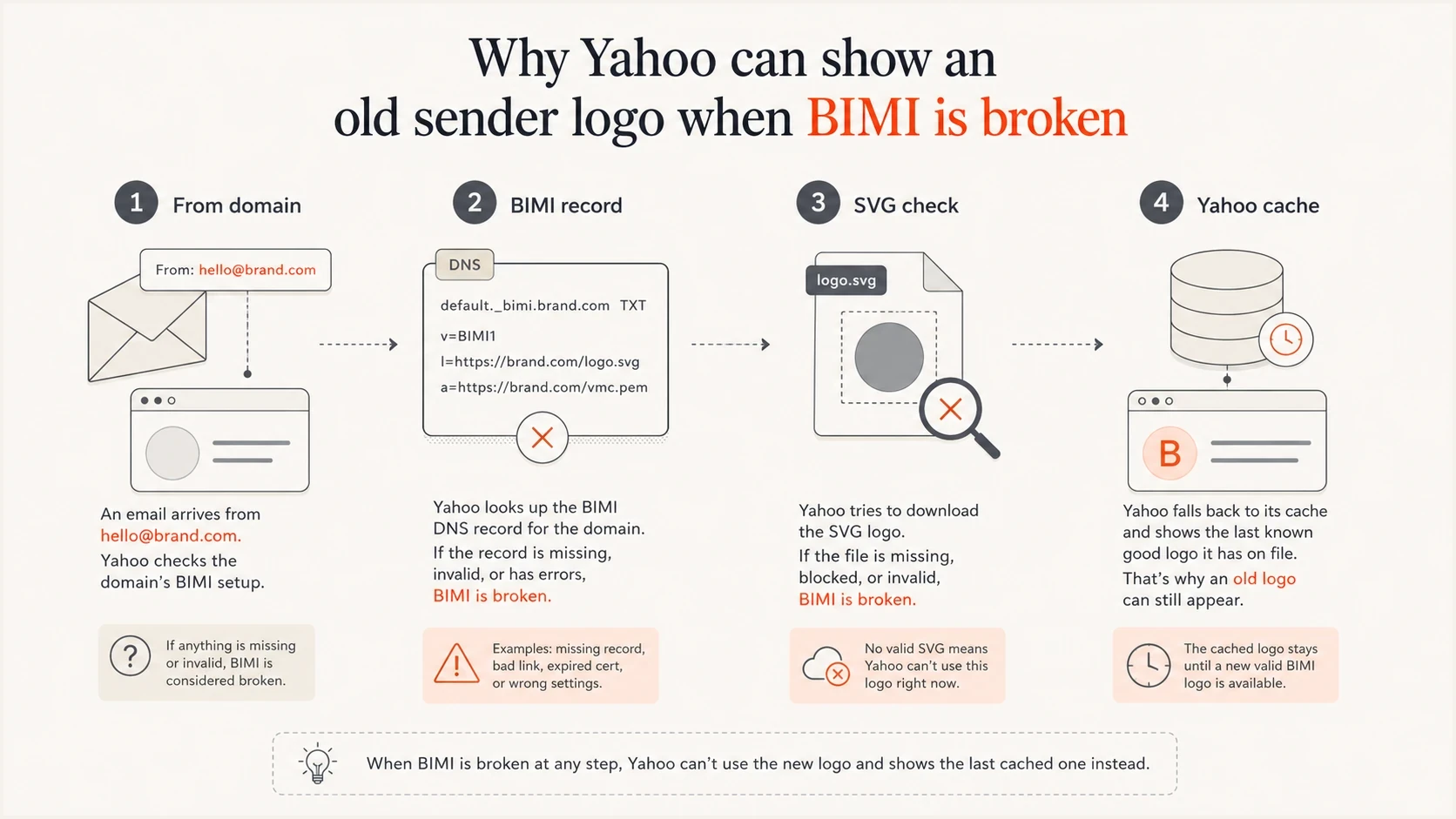
Four-part flow showing From domain, BIMI record, SVG check, and Yahoo cache.
|
|
|
|---|---|---|
BIMI SVG | Invalid asset | Rebuild SVG |
DMARC | No enforcement | Use enforcement |
Message | DMARC fails | Fix alignment |
Selector | Wrong DNS host | Match selector |
Cache | Old mapping | Wait, then ask |
Volume | Too little mail | Send steadily |
Common Yahoo BIMI wrong-logo causes and fixes.
Fix the BIMI SVG first
The SVG is the first asset to check because BIMI is strict about the image format. A normal web SVG often fails. The logo needs the SVG Tiny PS profile, a square aspect ratio, a title element, and fully vector content. It must not contain scripts, animation, external references, or x and y attributes on the root SVG element. An SVG 1.1 export can fail even when the BIMI record points to the right URL.
Keep the file at or below the recommended 32-kilobyte limit, center the artwork because Yahoo can crop it, and use a solid background because transparency can render unpredictably. The logo URL must load over HTTPS with a trusted certificate, return a clean success response, and use the SVG content type. Keep the URL stable while testing so Yahoo can retrieve the corrected asset instead of another changing target.
Required SVG opening patternxml
<svg version="1.2" baseProfile="tiny-ps"
     xmlns="http://www.w3.org/2000/svg"
     viewBox="0 0 1200 1200">
  <title>Brand name</title>
  <!-- Vector logo paths go here. -->
</svg>
SVG failures that trigger fallback
- Version mismatch: An SVG 1.1 export needs conversion to SVG 1.2 with the Tiny PS base profile.
- Missing title: A BIMI SVG needs a title element near the top of the file.
- Root attributes: Remove x and y attributes from the root SVG element.
- Raster content: A pasted PNG or JPEG inside the SVG is not a valid BIMI logo.
- Remote assets: Fonts, linked images, scripts, and external styles should be removed.
- Oversized file: A file above 32 kilobytes can be rejected under receiver limits.
After the logo passes, test the BIMI record itself. If you need a deeper checklist for record syntax and image problems, the related guide on how to validate BIMI records covers the common failure patterns.
Check the DNS that Yahoo evaluates
Yahoo starts BIMI discovery with the domain in the visible From address. It queries the selected BIMI host at that author domain and, when no valid assertion exists there, falls back to the organizational domain. Yahoo says it honors subdomain BIMI but prefers BIMI and DMARC at the organizational-domain level.
The default BIMI TXT record sits at default._bimi under the From domain. If a delivered message contains a BIMI-Selector header, Yahoo can query that named selector instead. Publish exactly one BIMI TXT record at each selector host because multiple valid records stop assertion discovery. DMARC needs p=quarantine or p=reject for both the author domain and organizational domain, and sp=none blocks BIMI when it applies to the subdomain.
Example BIMI and DMARC recordsdns
Host: default._bimi.example.com
Type: TXT
Value: v=BIMI1; l=https://assets.example.com/bimi.svg; a=;

Host: _dmarc.example.com
Type: TXT
Value: v=DMARC1; p=quarantine; rua=mailto:dmarc@example.com
RFC 9989 removed pct from DMARC, so omit pct from a new DMARC record. If a legacy record still contains pct, a value below 100 fails current BIMI participation rules. Before testing Yahoo again, confirm that the DMARC record parses cleanly and covers every visible From domain used by the campaign. Suped's DMARC checker supports this focused DNS check by showing parsed tags and policy gaps that can block BIMI.
DMARC checker
Look up a domain's DMARC record and catch policy issues.
?/7tests passed
Verify the delivered message, not only DNS
A correct BIMI record does not make every message eligible. Open the original headers of a campaign delivered to Yahoo and confirm that Authentication-Results shows dmarc=pass for the visible From domain. DMARC passes when either SPF or DKIM passes and aligns with that domain. BIMI does not require both methods to pass, although running both correctly gives the mail stream more resilience.
A message that requests a non-default logo also needs the expected BIMI-Selector header. Include that header in the h= list of the DMARC-aligned DKIM signature. A receiver can ignore an unsigned selector and query the default selector instead, which can make a valid but older logo appear.
Delivered header checkstext
From: offers@news.example.com
Authentication-Results: mx.example; dmarc=pass header.from=news.example.com
BIMI-Selector: v=BIMI1; s=campaign;
DKIM-Signature: v=1; d=news.example.com; h=from:subject:bimi-selector; ...
What to prove in the message
- Visible From domain: Use the exact domain Yahoo displays to the recipient.
- DMARC result: Confirm dmarc=pass in Yahoo's received copy, not only in a sending platform.
- Identifier alignment: At least one passing SPF or DKIM identity must align with the visible From domain.
- Selector protection: A non-default BIMI-Selector header should be covered by the aligned DKIM signature.
Root domain versus subdomain
A valid organizational-domain BIMI record can act as the fallback when the visible From domain is a subdomain and no valid assertion exists at that subdomain. If a valid BIMI record exists at the author subdomain, it takes precedence. DMARC enforcement must still cover both the author domain and organizational domain, so a root BIMI fallback does not repair p=none or sp=none.
Use a subdomain-specific record when that exact From domain needs its own logo. Otherwise, an organizational-domain record gives related sending subdomains a shared fallback and reduces duplicate DNS maintenance. Check both levels before changing the SVG because an old subdomain assertion can override the newer organizational-domain logo.
Subdomain-specific setup
- Exact scope: The visible From subdomain has its own BIMI record.
- Lookup priority: A valid author-domain assertion wins over the root fallback.
- Maintenance cost: Each sending subdomain and selector needs change control.
Organizational-domain fallback
- Shared logo: Subdomains without an assertion can use the organizational-domain record.
- Fewer records: One stable default reduces duplicate asset changes.
- Policy condition: DMARC enforcement still has to cover the author domain and root.
If the old logo belongs to a former brand name, update the published SVG URL only when the replacement file is valid and final. For image dimensions and change control, use the related guide to update a Yahoo BIMI logo before asking Yahoo to refresh the old mapping.
What to do about Yahoo caching
Yahoo does not publish a precise cache purge timeline for every BIMI correction. Allow the DNS TTL to expire, then plan for several days and up to two weeks before escalating. Older sender logo mappings can last longer when the domain has had a rename or Yahoo already has brand data attached to that sender.
Check the same delivered message in a supported surface before calling it a cache failure. Yahoo documents BIMI logos in mobile message lists and read views, plus desktop webmail read views. A missing logo in the desktop message list is different from the wrong logo appearing in the desktop read view.
Save the exact visible From domain, selector, BIMI host, SVG URL, DMARC policy, delivered Authentication-Results, a screenshot of the wrong logo, and a fresh DNS check. Then use Yahoo's sender support path and ask Yahoo to remove or refresh the old logo mapping for that sender domain.
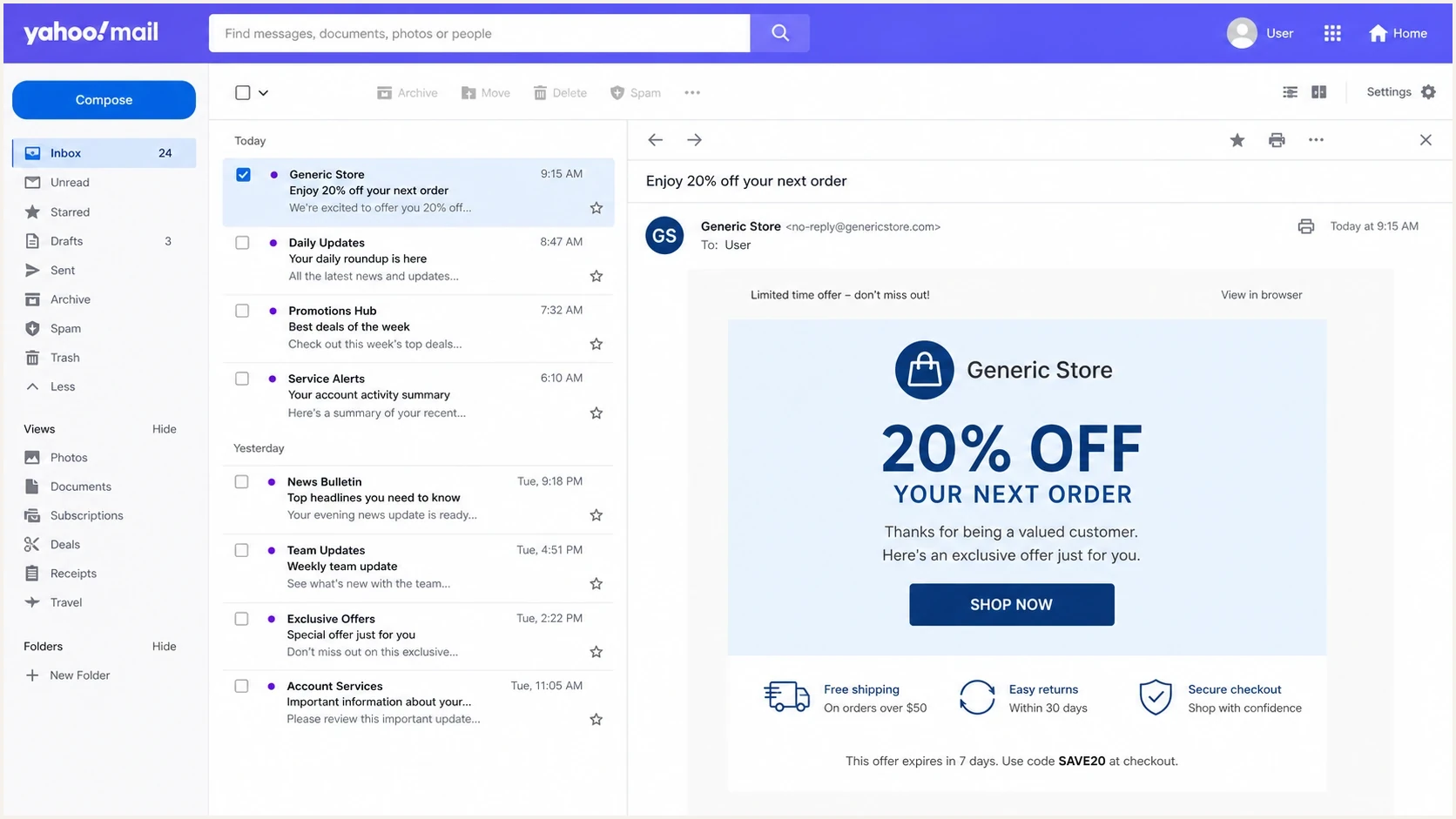
Yahoo Mail showing an outdated sender logo beside an open marketing email.
Yahoo support evidence
- Wait window: Allow several days and up to two weeks after the final record passes.
- Support note: Include the From domain, BIMI host, selector, old logo shown, and current SVG URL.
- Stable asset: Keep the final SVG URL unchanged while Yahoo investigates.
- Clear request: Ask Yahoo to refresh or remove the stale logo mapping for the domain.
Yahoo support note templatetext
Subject: Wrong BIMI logo for example.com

We publish BIMI at default._bimi.example.com.
The logo URL is https://assets.example.com/bimi.svg.
The delivered message passes DMARC for example.com.
DMARC is at p=quarantine or reject.
Yahoo Mail is still showing an older logo.
Please refresh or remove the old mapping for this sender domain.
How Suped helps with the fix
Suped's product supports the DMARC work behind a Yahoo wrong-logo investigation. Add the organizational domain and visible From subdomains, use DMARC monitoring to confirm which sending sources pass through aligned SPF or DKIM, fix enforcement gaps, and keep alerts on while Yahoo reevaluates the sender.
For this workflow, compare the root domain and sending subdomain, confirm the policy applied to each source, then preserve the final BIMI selector and SVG URL during the cache window. If policy ownership is spread across teams, Hosted DMARC keeps policy changes in one managed workflow without repeated manual DNS edits.
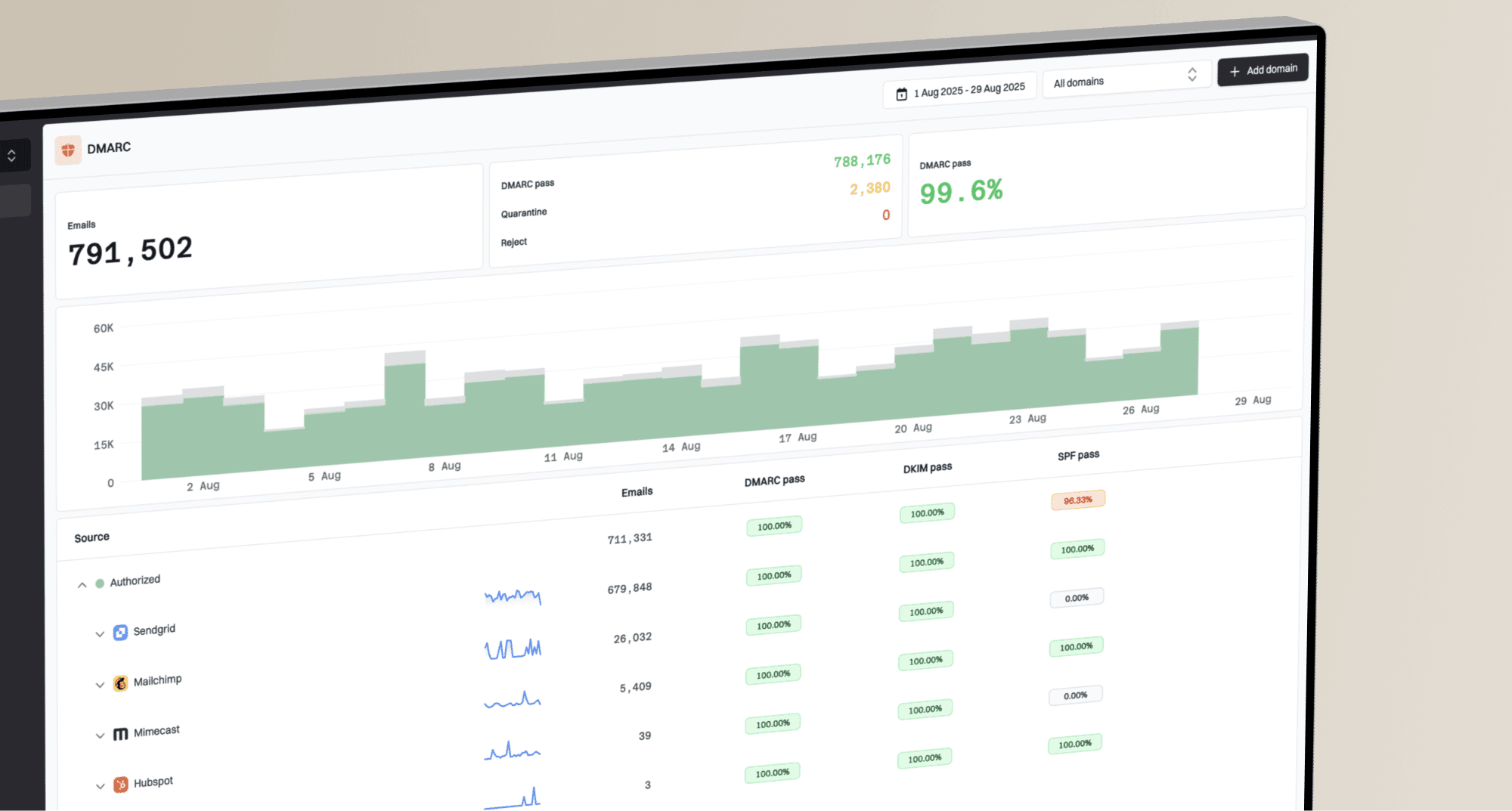
DMARC record detail view showing SPF, DKIM, DMARC, rDNS diagnostics, and DNS records
- Policy checks: Suped identifies missing or weak DMARC policies that make a sender ineligible for BIMI.
- Message evidence: Aggregate data shows whether real sources pass DMARC through aligned SPF or DKIM.
- Domain coverage: Root domains and visible From subdomains can be reviewed in the same investigation.
- Change alerts: Teams can respond when authentication changes during the Yahoo cache window.
A practical troubleshooting sequence
This order removes false explanations quickly. First prove which logo and Yahoo surface are affected. Then verify the delivered message, domain policy, selector record, and SVG. Once those checks are clean, DNS propagation and Yahoo's cache become the remaining explanations.
Yahoo BIMI readiness
Use this quick status map before deciding whether to contact Yahoo.
Ready
Test Yahoo
DMARC passes, policy is enforced, the SVG is valid, and the sender is steady.
Review
Check evidence
The record exists, but the message, selector, or domain scope is uncertain.
Waiting
Allow cache
The setup is correct, but Yahoo still shows older data.
Blocked
Do not escalate
The SVG fails, the message fails DMARC, or policy is not enforced.
- Capture the symptom: Save the wrong-logo screenshot and note the Yahoo device and view.
- Confirm the From domain: Use the domain in the visible From address, not a tracking or return-path domain.
- Inspect the delivered headers: Confirm dmarc=pass and identify the aligned SPF or DKIM domain.
- Validate DMARC policy: Check p=quarantine or p=reject for the author domain and organizational domain, without sp=none.
- Match the selector: Query the selector named in the message, or default when no BIMI-Selector header exists.
- Validate the SVG: Fix the profile, title, root attributes, vector content, file size, and external references.
- Send normal bulk mail: Use an authenticated production stream, not only a one-off internal test.
- Wait for caches: Allow DNS TTLs to expire and give Yahoo several days, up to two weeks.
- Escalate with proof: Ask Yahoo to refresh the stale logo mapping only after every technical check passes.
Mistakes that keep the wrong logo alive
Most prolonged Yahoo BIMI logo problems come from fixing the visible symptom while leaving the cause intact. A new logo URL will not help if the SVG profile is wrong. A VMC will not make a message eligible if DMARC fails or policy remains at none. A Yahoo support request will not settle the result if the sender keeps changing the selector or asset during review.
Avoid these loops
- Changing too much: Do not rotate selectors, domains, and asset URLs at the same time.
- Skipping message checks: A correct DNS record cannot compensate for dmarc=fail in Yahoo's received copy.
- Trusting previews: A local preview can render a logo that BIMI validation rejects.
- Publishing duplicates: Multiple BIMI TXT records at one selector host stop record discovery.
- Ignoring volume: Yahoo limits BIMI display to bulk mail with sufficient reputation and engagement.
The clean fix uses one valid SVG, one stable logo URL, one BIMI TXT record per selector host, enforced DMARC, a passing delivered message, and enough real Yahoo mail for Yahoo to evaluate the sender. The resulting support request has evidence instead of guesses.
Views from the trenches
Best practices
Validate the SVG Tiny PS profile before asking Yahoo to refresh a stale logo cache.
Publish BIMI and enforced DMARC at the From domain and organizational domain level.
Keep the logo URL stable during testing so cache behavior can be diagnosed clearly.
Common pitfalls
Treating Yahoo as a cache issue before checking whether the SVG actually passes.
Assuming a VMC fixes Yahoo display when DMARC policy and SVG validity still fail.
Changing selectors, logo URLs, and sender domains together during one investigation.
Expert tips
Save the wrong-logo screenshot and DNS evidence before opening a Yahoo support case.
Use normal authenticated bulk mail for testing, not a single low-volume seed message.
Check for stale brand mappings after rebrands, venue renames, or domain migrations.
Marketer from Email Geeks says invalid SVG Tiny PS details can make Yahoo ignore the published BIMI logo and fall back to another image.
2025-02-25 - Email Geeks
Marketer from Email Geeks says Yahoo can remove the wrong image mapping after the sender proves the corrected BIMI setup is valid.
2025-02-25 - Email Geeks
The fix that usually works
When Yahoo shows the wrong logo with BIMI, fix the technical path first: a delivered DMARC pass, valid SVG Tiny PS, the correct BIMI selector host, enforcement for the author and organizational domains, and steady authenticated bulk mail. Then allow DNS and Yahoo caches to refresh. If the old logo remains after up to two weeks, contact Yahoo with the evidence and ask for the stale mapping to be refreshed or removed.
A VMC is not the main Yahoo fix. It matters where a mailbox provider requires certificate evidence, but Yahoo's stated requirements focus on a valid BIMI record, a valid SVG, DMARC enforcement, bulk sending, and sufficient reputation and engagement. Suped keeps the DMARC policy and authentication evidence visible so the Yahoo support step happens after the domain and message are ready.