How do I update or change a BIMI logo for Yahoo and what are the size recommendations?

Published 4 Jul 2025
Updated 22 Sep 2026
14 min read
Summarize with
Updated on 22 Sep 2026: We updated this guide for RFC 9989 and added a safer workflow for certificate changes and Yahoo testing.
To update or change a BIMI logo for Yahoo, publish the replacement SVG at a new HTTPS URL and change the l= value in the BIMI record. If the record has a VMC or CMC in its a= tag, obtain a new certificate for the changed logo and update both URLs together. Yahoo needs time to process DNS and asset changes, so check fresh mail in a new Yahoo Mail web session with a clear cache before treating an old logo as a failed update.
There is no universal BIMI pixel dimension because SVG is vector. A 400 by 400 square artboard is a useful design and crop-review canvas, not a minimum resolution. The technical targets matter more: use a 1:1 viewBox, SVG Tiny P/S, a solid background, true vector paths, and an uncompressed file no larger than 32 KB.
Yahoo does not show a BIMI logo just because the DNS record exists. Yahoo BIMI guidance requires a valid SVG BIMI record, DMARC at quarantine or reject, bulk mail, and sufficient reputation and engagement. Under RFC 9989, the pct tag is historic. Omit it and do not use t=y when BIMI depends on active enforcement. If a legacy validator still evaluates pct, only pct=100 meets older BIMI guidance. If your domain is still at p=none, the visible logo is not Yahoo using your BIMI record.
The direct update path
Treat a Yahoo BIMI logo change as a coordinated asset, certificate, and DNS change. Inventory the current record first, prepare the new SVG at a fresh URL, arrange a replacement VMC or CMC if the record uses one, and then update DNS. Keep the old SVG and certificate available during the rollout so cached fetches do not break.
- Inventory the record: Look up default._bimi for the visible From domain and note the current l= and a= values.
- Host the SVG: Put the compliant replacement logo at a new stable HTTPS URL with no login, IP restriction, or forced download header.
- Replace the certificate: If the record uses a VMC or CMC, get a new certificate that contains the replacement logo before cutover.
- Update DNS: Change the l= URL and, when present, the a= URL in the same planned release.
- Check DMARC: Confirm the applicable policy is p=quarantine or p=reject, remove t=y, and omit the historic pct tag. A legacy record that retains it should use pct=100.
- Send fresh mail: Test new bulk mail in a clear Yahoo Mail web session because old messages and cached sessions are poor rollout signals.
Example BIMI TXT recordDNS
Host: default._bimi
Type: TXT
Value: v=BIMI1;
       l=https://brand.example/bimi/logo-2026.svg;
       a=https://brand.example/bimi/logo-2026.pem
Do not remove the old SVG or certificate the minute you publish the new record. DNS resolvers and provider systems can retain earlier data. Keeping both old assets reachable prevents broken fetches during the transition.
- Cache control: A new URL gives Yahoo a distinct asset path to fetch.
- DNS timing: Lower the TTL before a planned change when your DNS host allows it.
- Rollback: Retain the previous record values and assets until the new logo is verified.
- Browser check: Use fresh mail in a new Yahoo Mail web session with a clear cache.
When the logo has a VMC or CMC
A VMC or CMC contains evidence tied to a specific logo. If the artwork changes, the existing certificate does not validate the replacement SVG. Request a new certificate, host its PEM file at a public HTTPS URL, and update the BIMI a= value when the new SVG goes live.
Yahoo currently does not require a VMC for a BIMI logo to appear, but Yahoo says it uses a published VMC when evaluating overall eligibility. A self-asserted Yahoo deployment can omit the a= value. If the same BIMI record supports mailbox providers that require a certificate, coordinate the certificate and logo cutover instead of updating only the l= value.
Certificate-aware rollout
- Finalize and validate the new SVG Tiny P/S file.
- Complete the VMC or CMC issuance process for that exact logo.
- Confirm that both the SVG and PEM URLs return successful public HTTPS responses.
- Publish the matching l= and a= values together.
Plan certificate timing and selector testing
Start certificate work before the public logo cutover. A VMC issuer needs trademark evidence that covers the updated logo. A CMC issuer can assess documented prior use, such as dated marketing material or product packaging. Issuance time varies, and a new trademark application can extend the schedule, so keep the current production setup live until the replacement certificate is ready.
- Collect the current certificate issuer, account details, expiry date, and the evidence used for the previous issuance.
- Freeze the new artwork before submission because the certificate is bound to that exact logo.
- Publish a named test record such as test._bimi.example.com with the new SVG and certificate URLs.
- Send controlled mail with BIMI-Selector: v=BIMI1; s=test; and include that header in a passing DKIM signature.
- Validate DNS resolution, public HTTPS access, SVG compliance, and certificate pairing before changing the default record.
A named selector is a technical staging path, not a promise that Yahoo will display the logo. Yahoo still applies its bulk-mail, reputation, engagement, and processing criteria. Keep the existing default selector in production until the staged assets validate and the cutover window begins.
What Yahoo checks before it shows the new logo
Yahoo checks more than the logo file. The message needs to pass DMARC using SPF or DKIM, the applicable policy must be actively enforced, and the traffic must be bulk mail with sufficient sender reputation and engagement. A technically valid BIMI record does not guarantee display.
Suped fits this workflow because BIMI failures often begin with incomplete sender discovery or failed DMARC validation. Suped's DMARC monitoring shows which sources pass, which fail, and whether policy coverage is ready for BIMI. Its DNS diagnostics and alerts also help catch authentication regressions during a logo rollout.
|
|
|
|---|---|---|
DMARC policy | Quarantine or reject | Yahoo prerequisite |
Policy state | No t=y; pct omitted | Active RFC 9989 enforcement |
Message authentication | SPF or DKIM path passes | DMARC must pass |
Logo | Valid SVG Tiny P/S | Required asset |
Mail and reputation | Bulk, reputable, engaged | Yahoo display decision |
Checks to confirm before troubleshooting Yahoo display.
DMARC policy readiness for BIMI
BIMI requires an active enforcement policy on the relevant domain.
Not ready
p=none
Monitoring-only policy.
Not ready
t=y
RFC 9989 test mode lowers enforcement.
Ready
Enforced
Quarantine or reject, with pct omitted.
If you are unsure whether the DNS side is clean, run the domain through a domain health check first. Then use a focused DMARC checker to verify the exact policy Yahoo will see.
?
What's your domain score?
Deep-scan SPF, DKIM & DMARC records for email deliverability and security issues.
Logo size and SVG recommendations
Use a square SVG Tiny P/S file with a 1:1 viewBox. A 400 by 400 artboard is a practical design canvas, but BIMI does not require that pixel dimension. SVG scales without losing resolution, so file structure, crop safety, and small-size recognition matter more than the artboard number.
Keep the uncompressed SVG at or below 32 KB, set version="1.2" and baseProfile="tiny-ps", include a company-name <title> element, and add <desc> for accessibility. Remove scripts, animation, external references, embedded raster images, and root-level x= or y= attributes.
The logo should look balanced in a square, survive a circle or rounded-square crop, and remain recognizable at inbox size. Use a solid background so light mode and dark mode do not change the result. For more detail on the SVG file itself, compare your design against the BIMI SVG size guidance.
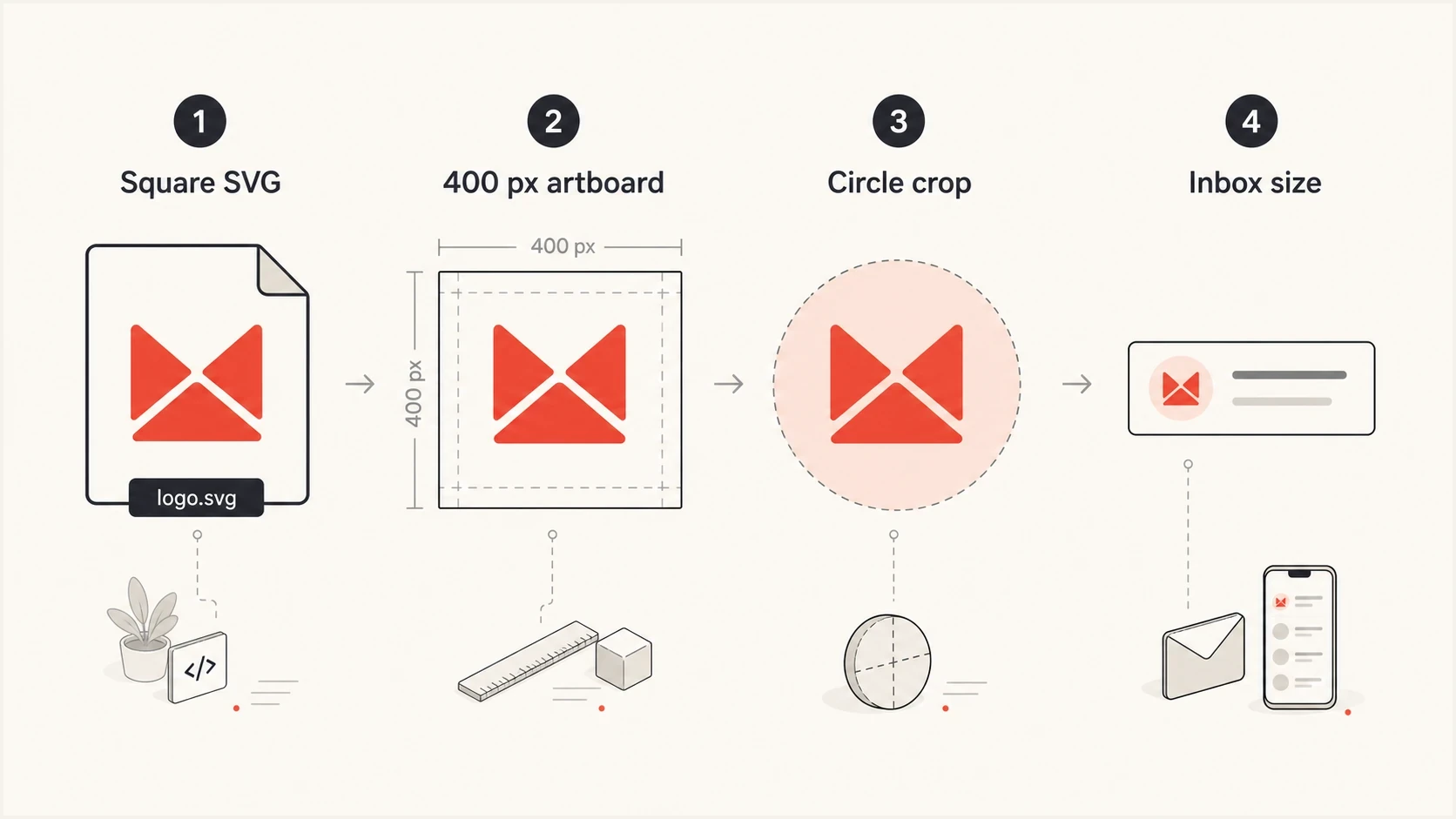
BIMI logo sizing shown as a square SVG, 400 pixel artboard, circular crop, and small inbox avatar.
Good BIMI logo file
- Format: A true vector SVG Tiny P/S file.
- Shape: A square viewBox with safe padding around the mark.
- Weight: An uncompressed file no larger than 32 KB.
- Crop: A simple mark that works in circular and rounded-square frames.
Logo file that causes trouble
- Wrapper: A PNG or JPG placed inside an SVG container.
- Profile: A standard SVG that was not converted to Tiny P/S.
- Background: Transparency that changes the mark in light or dark mode.
- Hosting: A URL blocked by redirects, bot rules, or the wrong MIME type.
The most common design error is treating BIMI like a normal web logo. The mark needs a square canvas, safe padding, a solid background, and enough visual weight to remain recognizable when small. The BIMI Group FAQ also explains provider-specific display criteria.
When the wrong Yahoo logo keeps showing
If Yahoo shows an old logo but your domain has no qualifying BIMI record, or its DMARC policy is still p=none, the image is not coming from BIMI. Yahoo can use proprietary brand data, cached data, or an older profile source. Changing a non-qualifying BIMI record will not reliably replace that image.
Get BIMI working first, then test a fresh message in Yahoo Mail on the web with a clear cache. If the previous image remains, contact Yahoo sender support with the From domain, BIMI record, SVG URL, certificate URL when used, message headers, send time, and a screenshot. The deeper troubleshooting path is covered in wrong Yahoo logo guidance.
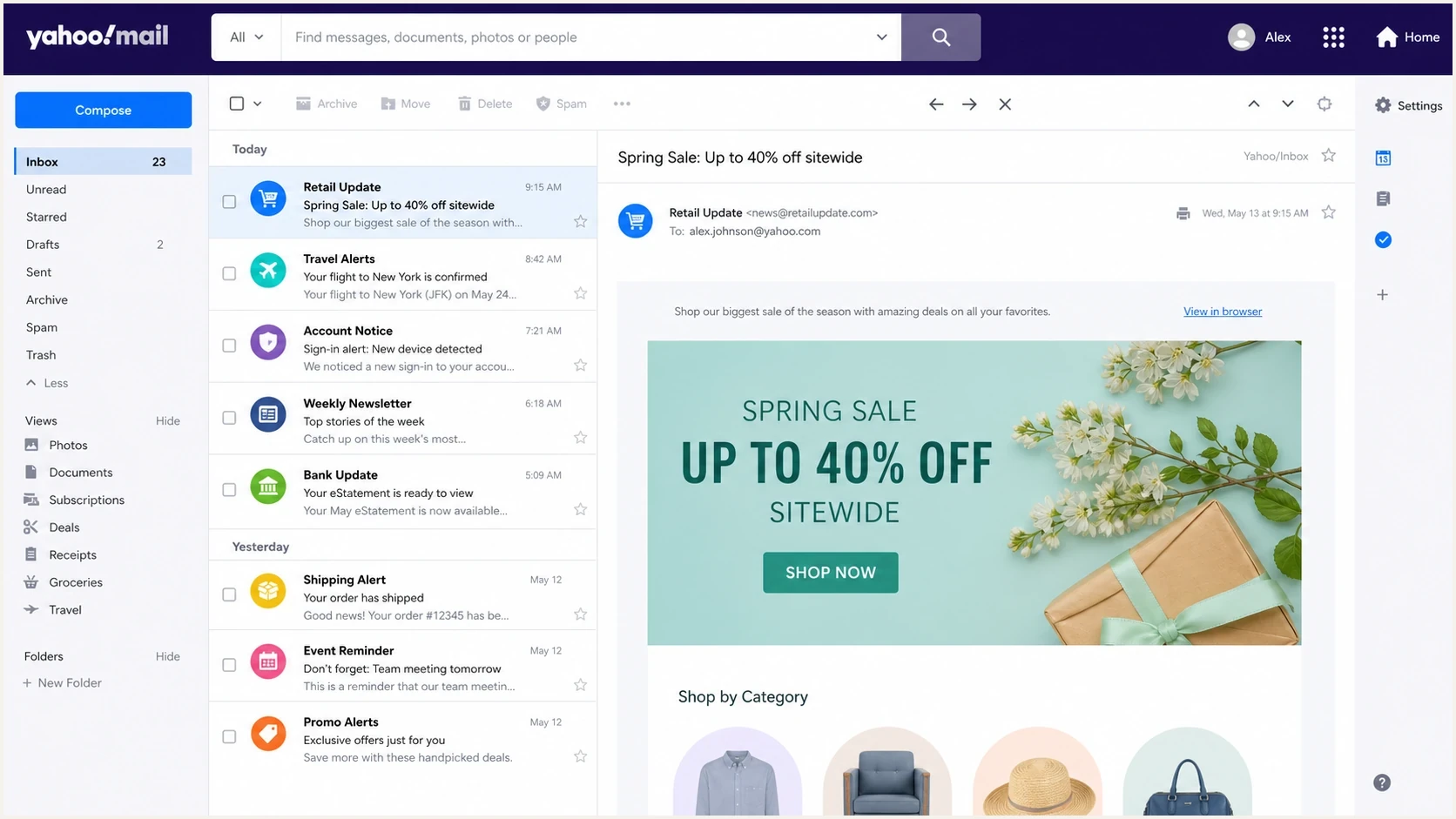
Yahoo Mail inbox view showing circular sender logos beside messages.
BIMI-controlled logo
The visible image comes from the SVG URL in your BIMI DNS record. Change the l= value, replace the certificate when used, and wait for Yahoo to process the new asset.
- Evidence: A valid BIMI TXT record and enforced DMARC policy exist.
- Control: You own the hosted SVG and DNS record.
Yahoo-sourced legacy image
The visible image comes from Yahoo's proprietary brand data, cached data, or an older profile source. Publishing qualifying BIMI gives Yahoo a standard logo source.
- Evidence: No qualifying BIMI record exists, or DMARC is not fully enforced.
- Control: Yahoo support can review evidence after BIMI is live.
Operational checks before and after the change
Before changing the logo, record the current DNS values, fetch the current SVG and certificate headers, publish the new assets, update DNS, and then fetch both old and new URLs. These checks catch common failures such as the wrong host, an incorrect content type, a redirect chain, blocked mailbox-provider traffic, or incomplete DMARC enforcement.
Fetch checks for BIMI assetsBASH
dig TXT default._bimi.example.com
curl -I https://brand.example/bimi/logo-2026.svg
curl -L -I https://brand.example/bimi/logo-2026.svg
curl -I https://brand.example/bimi/logo-2026.pem
The SVG should return a successful HTTPS response and use image/svg+xml. Avoid authentication prompts, geo restrictions, bot blocks, hotlink protection, forced downloads, and redirect chains that end on the wrong file or host. When an a= value is present, its PEM file also needs to be publicly retrievable.
DMARC record detail view showing SPF, DKIM, DMARC, rDNS diagnostics, and DNS records
Suped keeps the BIMI dependency chain visible by showing DMARC, SPF, DKIM, reverse DNS, and DNS record diagnostics together. Use the DMARC reports to find unauthenticated sources before moving to active enforcement, then use alerts to catch regressions after the logo change. If you are creating a new policy during the rollout, a DMARC record generator can provide a valid starting record before monitoring and enforcement.
A clean BIMI logo change has one completion test: authentication data, DNS, hosted assets, and a fresh Yahoo inbox check must agree.
- Authentication: DMARC passes through SPF or DKIM for the visible From domain.
- Policy: DMARC is at quarantine or reject without RFC 9989 test mode.
- Record: The BIMI TXT record points to matching, retrievable assets.
- Display: Fresh Yahoo bulk mail shows the new logo after processing and caches settle.
If you are implementing BIMI for the first time
If there is no BIMI record today, start with DMARC reporting, sender discovery, and policy staging rather than the logo file. BIMI requires legitimate mail to pass DMARC using SPF or DKIM and the applicable DMARC policy to reach quarantine or reject without t=y. Under RFC 9989, omit the historic pct tag. Confirm the organizational-domain and subdomain policies before publishing BIMI.
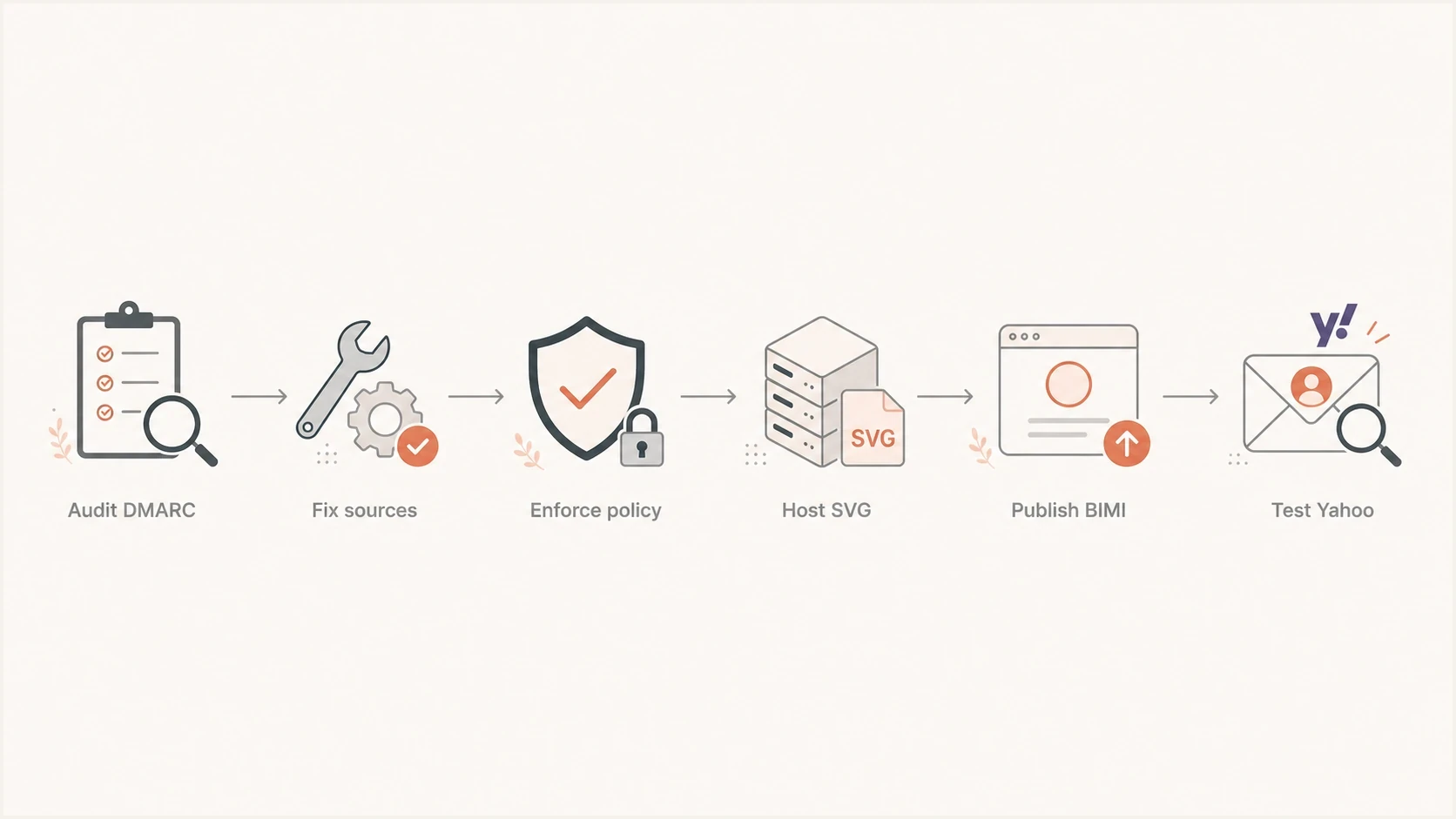
Yahoo BIMI workflow moving through DMARC audit, enforcement, SVG hosting, BIMI publishing, and inbox testing.
For a first rollout, publish BIMI on the organizational domain unless a subdomain needs a separate logo. Yahoo honors BIMI records on subdomains but prefers BIMI and DMARC at the organizational-domain level. Named selectors can support different logos, but each selector adds asset, certificate, DNS, sender-header, and testing work.
The full implementation path is broader than a logo swap. If you are starting at zero, follow the Gmail and Yahoo setup process so DMARC, SVG preparation, certificate decisions, and provider testing happen in the right order.
Views from the trenches
Best practices
Publish the new SVG at a fresh HTTPS URL so Yahoo can fetch a distinct asset path.
Use DMARC quarantine or reject without t=y before troubleshooting Yahoo display.
Test the mark in circle and rounded-square crops, then review it at small inbox size.
Keep old SVG and certificate URLs live until the new logo is confirmed in Yahoo.
Common pitfalls
A PNG placed inside an SVG wrapper passes a glance check but fails BIMI validation.
A p=none or t=y policy prevents a domain from reaching active DMARC enforcement.
Changing an SVG without replacing its VMC or CMC leaves the BIMI assets mismatched.
Thin wordmarks and fine lines disappear when Yahoo renders the logo at inbox size.
Expert tips
Keep the uncompressed SVG at 32 KB or less and use the required Tiny P/S profile.
Send fresh bulk mail and check Yahoo Mail on the web in a clear browser session.
Check content type, redirects, TLS, and PEM access before blaming provider cache.
Save the old record values so the logo and certificate change can be rolled back.
Marketer from Email Geeks says if the logo is truly BIMI, update the SVG file or the l= URL and Yahoo usually picks up the change after provider caching clears.
2020-03-26 - Email Geeks
Marketer from Email Geeks says a domain at p=none does not qualify for BIMI in Yahoo, so an old logo is usually a legacy Yahoo image or another profile source.
2020-03-26 - Email Geeks
The practical path
Host a new square SVG Tiny P/S logo at a fresh HTTPS URL, replace the VMC or CMC when one is in use, update the BIMI l= and a= values together, and keep the old assets available during rollout. Use a square artboard for design review, keep the file at or below 32 KB, and test circular and small-size rendering.
If Yahoo keeps showing an old logo, verify that DMARC is at quarantine or reject without t=y, the message passes DMARC, and the mail stream has sufficient reputation and engagement. Omit the historic pct tag under RFC 9989. Test fresh bulk mail in a clear Yahoo Mail web session, then contact Yahoo with specific evidence if a legacy image remains.
Suped keeps the operational dependencies together: DMARC policy, sending-source authentication, DNS diagnostics, hosted SPF, hosted DMARC, and regression alerts. That makes it easier to verify the authentication state before and after the logo change.