What are the recommended SVG dimensions for BIMI and how should I create the SVG?

Updated on 22 Sep 2026: We added clearer SVG export and filename guidance and brought the DMARC advice in line with RFC 9989.
The practical answer is: create a square BIMI SVG, keep the logo centered, use a true vector source, and export it as SVG Tiny 1.2 before editing it to the BIMI SVG P/S profile. A 520 by 520 pixel canvas is a useful working target, and 400 by 400 is also common. Gmail requires a minimum height and width of 96 pixels. A 520 by 520 target gives design and DevOps a clear review size without turning that size into a BIMI rule.
The pixel dimensions are not what makes an SVG sharp. A proper SVG contains vector instructions, so it should scale cleanly. If the file looks blurry when enlarged, the usual cause is a PNG or JPG embedded inside an SVG container, a poor automatic trace, or a preview app that rasterized the file for display.
Do not wrap a PNG
A file can end in .svg and still fail the BIMI intent. If the SVG contains an embedded bitmap, the logo can blur when scaled and can fail BIMI validation. Ask design for the original vector logo, usually an Adobe Illustrator file, EPS, or vector PDF, then export from that source.
Treat 520 by 520 as a production handoff size, not a hard BIMI requirement. The required and compatibility-sensitive parts are the SVG profile, square canvas, centered mark, solid background, small file size, two rendered colors, and DMARC enforcement behind the sending domain.
Recommended dimensions
Use a square artboard and set both the SVG width and height as absolute pixel values. A practical default is 520 by 520 because it is large enough for brand review, easy to discuss, and still compact when the artwork is true vector. The BIMI SVG guide focuses on square layout, centering, SVG P/S structure, and a 32 KB maximum file size rather than one universal pixel dimension.
|
|
|
|---|---|---|
Canvas | 520x520 | Good review size |
Minimum | 96x96 | Gmail minimum |
Aspect | Square | Predictable crop |
File | 32 KB max | Compatibility target |
Profile | Tiny P/S | BIMI format |
BIMI SVG size recommendations
Google's Google BIMI steps add Gmail-specific details: use absolute pixels, avoid percentage sizing, keep the logo centered in a square, use a solid background, keep the file at 32 KB or smaller, include a description element for accessibility, and avoid bitmaps, linked files, live text, and grouped objects. Save an uncompressed .svg file rather than .svgz, and use a filename made from lowercase letters and dashes without special characters.
BIMI SVG dimension targets
A practical way to classify the square canvas size before export.
Good working target
520x520
Clear for brand review and simple for DevOps handoff.
Acceptable common target
400x400
Often enough when the source artwork is true vector.
Too small for source raster work
60x60
Avoid converting tiny bitmap logos into SVG files.
Canvas size matters only when the starting artwork is not already vector. A true vector logo can render sharply with a 96, 400, 520, or 6000 unit SVG because the shapes are mathematical paths. Starting with a 60 by 60 PNG and enlarging the SVG canvas to 520 by 520 only creates a larger container for the same low-detail raster image.
Why a BIMI SVG gets blurry
A clean BIMI SVG should not be blurry at normal display sizes. When blur appears, check for raster content first. Open the SVG in a text editor and search for image, base64, .png, or .jpg. Those strings can indicate that the file contains or references bitmap artwork.
Good source
- Vector paths: The logo is built from paths and filled shapes rather than pixels.
- Sharp scaling: The mark stays clean when viewed larger than the inbox display size.
- Small output: The file stays under 32 KB without heavy embedded data.
Bad source
- Wrapped bitmap: The SVG file contains a PNG or JPG inside the file.
- Messy trace: Automatic tracing creates rough edges and too many points.
- Wrong preview: A viewer renders a low-quality preview even though the file is usable.
BIMI does not reward a huge pixel canvas, but brand teams need enough working space to review the logo. That is why 520 by 520 is a sensible internal target. It gives design a concrete canvas while keeping DevOps focused on compliance, file size, hosting, DNS, and authentication.
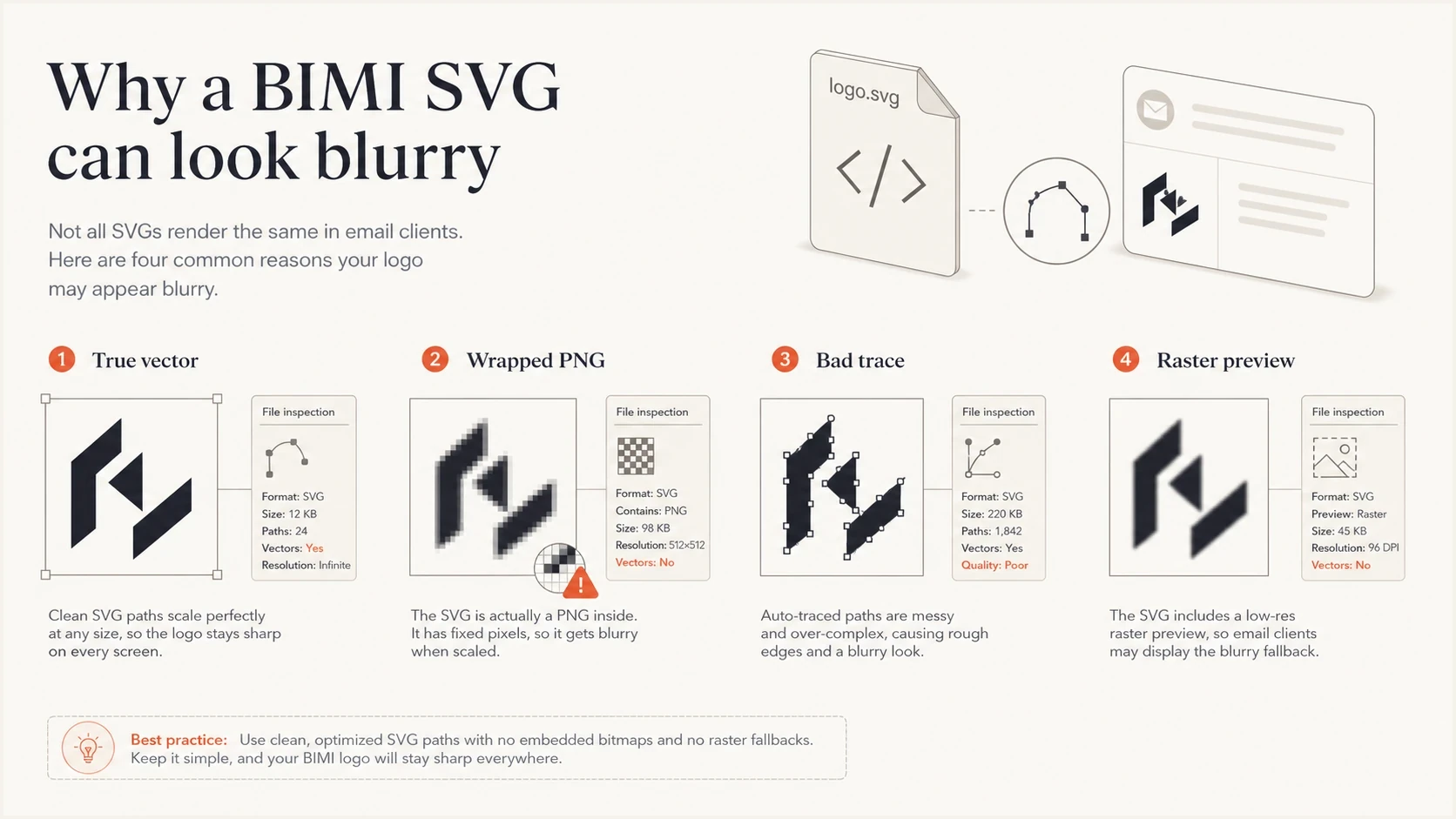
A BIMI SVG blur checklist comparing vector paths with wrapped bitmap artwork.
The SVG structure to create
For BIMI, the file needs to be SVG Tiny Portable/Secure, often written as SVG P/S. Many teams export SVG Tiny 1.2 from a design app, then manually edit the root attributes and metadata because general design tools do not normally export a complete BIMI-ready profile.
- Root profile: Use version set to 1.2 and baseProfile set to tiny-ps.
- Square viewBox: Use a square viewBox such as 0 0 520 520.
- Absolute size: Use pixel values for width and height, not percentages.
- Metadata: Include one non-empty title element, preferably no more than 64 characters, and add a non-empty desc element for accessibility.
- Rendered colors: Make sure the completed SVG renders at least two colors.
- No extras: Remove scripts, animation, filters, effects, external references, bitmaps, and root x or y attributes.
Minimal BIMI SVG shapexml
<?xml version='1.0' encoding='UTF-8'?>
<svg version='1.2' baseProfile='tiny-ps'
     xmlns='http://www.w3.org/2000/svg'
     viewBox='0 0 520 520'
     width='520px' height='520px'
     overflow='visible'>
  <title>Example Brand</title>
  <desc>Example Brand BIMI logo.</desc>
  <rect width='520' height='520' fill='#ffffff'/>
  <path d='M140 140h240v240H140z' fill='#111111'/>
</svg>
Keep the structure minimal even when real brand artwork has more path data. A small, self-contained file is easier to validate and less likely to include content a mailbox provider rejects.
Validate the final file against the current SVG Tiny P/S schema before touching DNS. A successful browser preview does not prove that the file meets the restricted BIMI profile.
A practical creation workflow
The smoothest path is to keep design responsible for the logo geometry and DevOps responsible for hosting, DNS, and monitoring. When those roles blur, teams end up with screenshots pasted into SVG files, overfilled artboards, and DNS records pointing at files that later fail validation.
- Start with source: Use the original vector logo, not an image pulled from a website header.
- Set the canvas: Create a 520 by 520 square artboard with a solid background.
- Center the mark: Leave enough padding for circular and rounded-square inbox treatments.
- Outline and ungroup: Convert word marks to paths so the file does not depend on fonts. For Gmail compatibility, ungroup artwork before export.
- Export Tiny 1.2: Save an uncompressed .svg file, not .svgz, choose SVG Tiny 1.2, then edit the root profile to tiny-ps.
- Clean the file: Remove unsupported attributes, embedded images, scripts, and linked assets. Use lowercase letters and dashes in the filename.
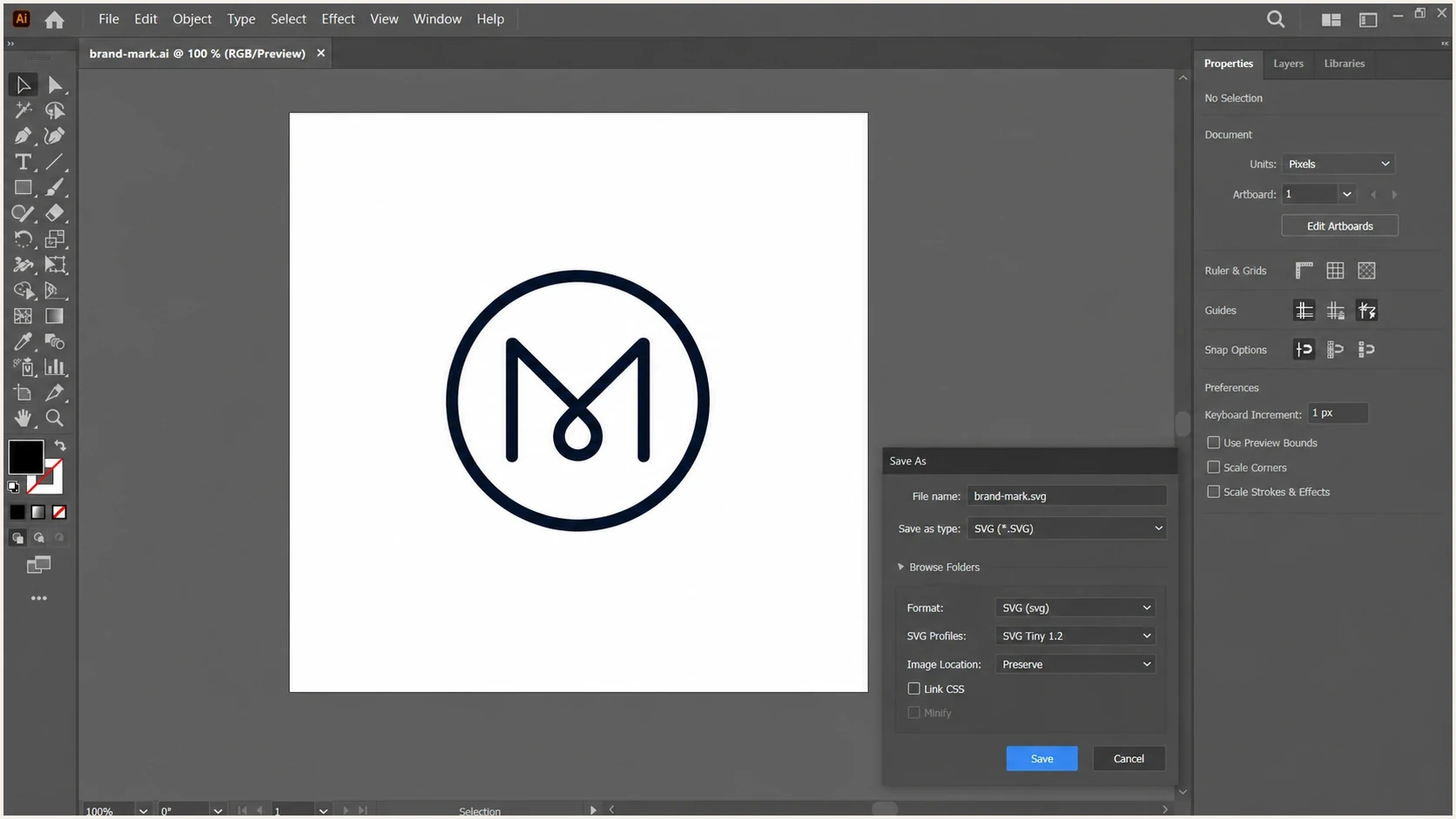
Adobe Illustrator SVG export settings for a square BIMI logo.
A mark occupying about 70 to 80 percent of the square's width is a useful starting point, not a BIMI rule. Leave enough space for provider-specific crops, then test the result at about 20 to 40 pixels. Thin letters and long horizontal marks often need a separate BIMI treatment, even when the trademark team prefers the full corporate lockup.
When the only source is a PDF
If your company has a clean vector logo inside a brand PDF, design can often open that PDF in a vector editor, extract the logo, and export a proper SVG. That is a rescue path, not a shortcut for DevOps to convert any PDF screenshot into BIMI.
DMARC and BIMI readiness
A perfect SVG does not make BIMI work by itself. The sending domain also needs DMARC enforcement through p=quarantine or p=reject, with t unset or set to n. RFC 9989 made pct historic and introduced t=y for test mode, which requests handling one policy level below the published policy. RFC 9989 advises general-purpose domains against p=reject because of interoperability concerns, so p=quarantine is the practical BIMI target for many senders. Review aggregate reports so legitimate sources pass SPF or DKIM with a domain aligned to the visible From address before enforcement.
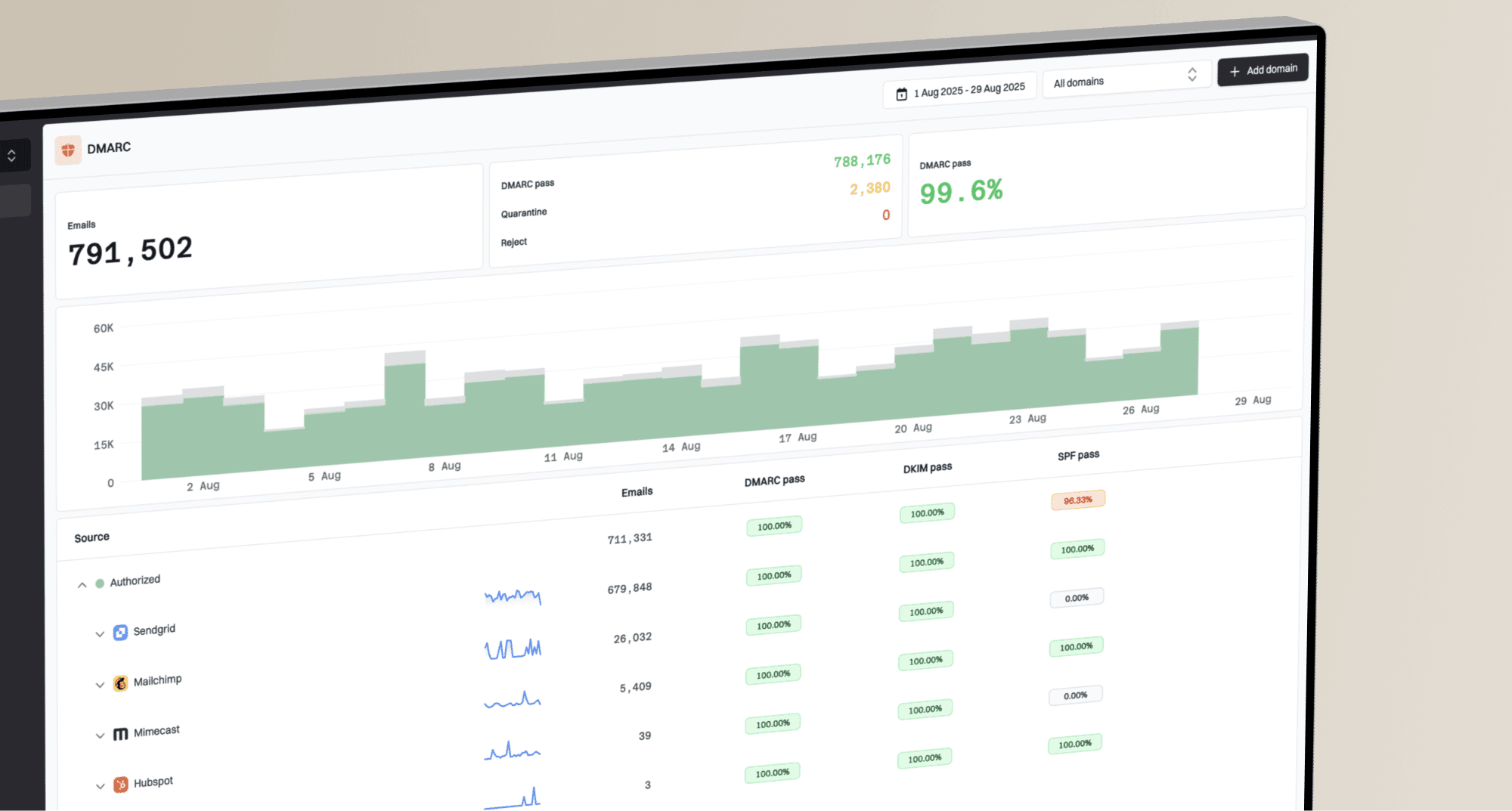
Suped's DMARC monitoring supports the authentication work behind BIMI by turning aggregate reports into source attribution, alignment checks, alerts, and staged policy changes. This workflow helps find the authentication gaps that often delay a BIMI rollout.
Suped DMARC dashboard showing email volume, authentication health, and source breakdown
Before publishing the BIMI DNS record, check the domain's authentication posture. A domain health check is useful for a broad review of DMARC plus the supporting SPF and DKIM records. If you only need to verify the DMARC TXT record and policy tags, use a DMARC checker before moving to BIMI.
?
What's your domain score?
Deep-scan SPF, DKIM & DMARC records for email deliverability and security issues.
Keep two workstreams separate: marketing owns the logo and certificate conversation, while the authentication owner manages DMARC alignment and enforcement. Both workstreams are required, but they fail in different ways. The logo can look correct and remain invalid, while the DNS can be correct and still fail because DMARC has no enforcement or is in test mode.
Validation before publishing
Validate the SVG before publishing the BIMI record. A failed SVG is faster to fix during design handoff than after teams have cached a BIMI TXT record and started checking inboxes.
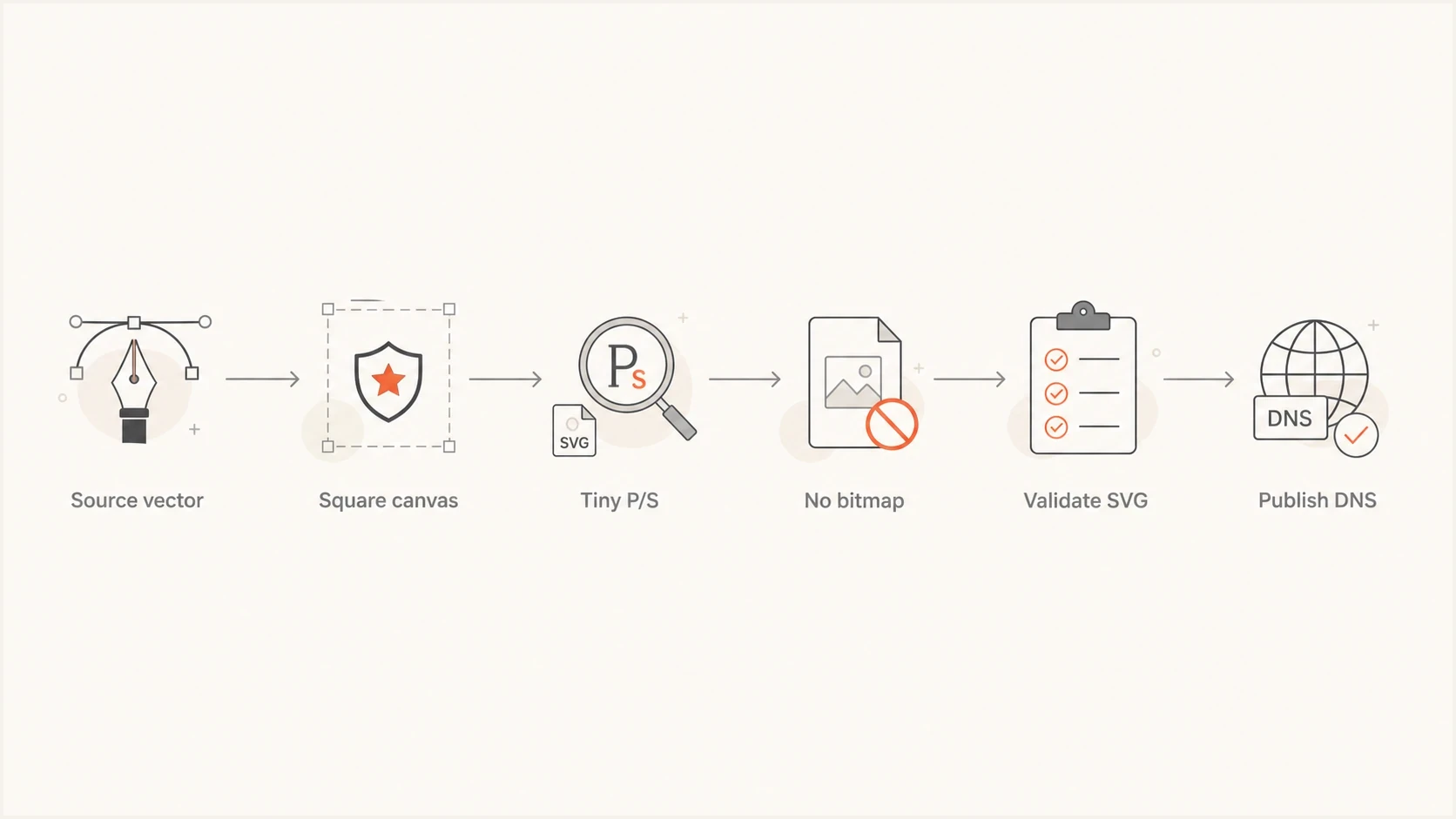
BIMI SVG validation flow from source vector to DNS publishing.
The validation checklist is short: inspect the file in a text editor, confirm the root profile and square canvas, search for embedded image content, verify the title and description metadata, check the uncompressed file size, and validate against the current SVG Tiny P/S schema. For a horizontal logo, also review the BIMI word mark requirements before final approval.
What good looks like
- Sharp preview: The logo stays crisp when zoomed because it is built from paths.
- Small file: The SVG is under 32 KB without embedded image data.
- Stable crop: The mark remains readable inside a circle or rounded square.
- Clean root: The SVG has the right BIMI profile and no unsupported root attributes.
File validation is only one part of the handoff. Validate delivery over HTTPS and the certificate path before publishing the BIMI record.
Hosting and certificate handoff
A valid SVG still fails when a mailbox provider cannot fetch it correctly. If the BIMI record references the SVG through its l= location, host the final asset at a stable public HTTPS URL and test the response outside your authenticated browser session. The server should return the file directly instead of a login page, access-denied response, HTML error, or download wrapper.
- Public access: Allow unauthenticated mailbox-provider fetches without geo-fences, IP allowlists, hotlink protection, or authentication gates.
- HTTP response: Return a successful response with Content-Type: image/svg+xml.
- Stable delivery: Avoid redirect chains and keep the URL stable because mailbox providers cache BIMI assets.
- Certificate match: Make sure the logo embedded in the VMC or CMC matches the approved artwork; changing the logo requires a new certificate.
Gmail needs a mark certificate
For Gmail, plan on a VMC or CMC and a publicly accessible PEM certificate file. A standalone SVG URL in the BIMI record is not enough for Gmail display. Provider display also depends on authentication and reputation, so successful file retrieval does not guarantee that every message shows a logo.
Views from the trenches
Best practices
Start with the source vector file, then export a square SVG Tiny 1.2 file for BIMI.
Use a 520 by 520 artboard so design and DevOps review the same square canvas together.
Keep the logo centered with padding because mailbox providers crop logos differently.
Common pitfalls
Wrapping a PNG inside an SVG passes a filename check but fails the real BIMI goal.
Oversized marks look fine in one inbox, then lose edges when shown inside a circle.
Transparent backgrounds create inconsistent logo tiles across mailbox provider apps.
Expert tips
Check the root SVG attributes manually before asking DNS or DevOps teams to publish.
Treat blur as a warning that the logo was rasterized or exported from the wrong file.
Confirm DMARC enforcement and full policy coverage before tuning the BIMI artwork.
Marketer from Email Geeks says a true SVG should not blur when scaled, so blur usually means the file contains raster artwork or was exported from the wrong source.
2020-03-20 - Email Geeks
Marketer from Email Geeks says 520 by 520 is a practical working size because it gives brand teams a clear canvas without pretending pixels make vectors sharper.
2020-03-20 - Email Geeks
What to ship
Ship an uncompressed 520 by 520 SVG Tiny P/S file made from the original vector logo, with a lowercase-and-dashes filename, centered mark, solid background, absolute pixel dimensions, square viewBox, title and description metadata, at least two rendered colors, no embedded bitmap, no scripts, no external references, and a file size under 32 KB.
Make the design team own the visual source file and the email authentication owner validate DMARC before publishing BIMI. That split keeps the logo quality conversation separate from domain authentication, which is where many BIMI launches slow down.
SVG dimensions are a review and compatibility choice, not the cure for blur. Blur means the source or export process needs fixing. Start with a true vector, use 520 by 520 for the working canvas, test at small display sizes, and validate the BIMI-specific structure before DNS goes live.