How do I validate BIMI records and fix common errors?

Updated on 22 Sep 2026: We clarified subdomain fallback, certificate-backed records, SVG limits, hosting checks, and post-change testing.
Validate BIMI by checking each dependency in order: enforced DMARC, the BIMI TXT record at the correct selector and domain, publicly reachable BIMI assets over HTTPS, a compliant SVG, and a matching VMC or CMC when the mailbox provider requires a certificate. Email headers are not the source of truth. Headers can show a receiver's BIMI result after delivery, but DNS, hosting, the SVG file, and the certificate should be validated first.
The shortest practical answer is this: if the visible From address is news@example.com, test the BIMI record for example.com. If the visible From address is offers@mail.example.com, start with mail.example.com. Receivers query default._bimi.mail.example.com first and, when no valid record exists there, fall back to default._bimi.example.com at the organizational domain. The default selector applies unless the message selects another published BIMI record.
BIMI depends on authentication quality, so start in Suped's product with DMARC monitoring before changing the logo. Suped shows whether legitimate sources pass DMARC through SPF or DKIM, then turns failures into concrete fix steps. A perfect BIMI TXT record still will not display a logo if DMARC is weak or legitimate mail fails authentication.
Validate in the right order
Treat BIMI validation as a dependency chain. Each layer must pass before the next layer tells you anything useful. A certificate error, for example, is easy to misread when the real issue is that the asset URL redirects, the server sends the wrong content type, or DMARC is still set to monitoring only.
- DMARC: Confirm that the policy applying to the visible From domain and its organizational domain uses p=quarantine or p=reject, with pct=100 and no applicable sp=none policy.
- Domain: Start with the domain in the visible From address, then account for organizational-domain fallback when the From domain is a subdomain.
- Record: Look up the selected record, usually default._bimi, and confirm that only one BIMI TXT record remains after filtering for the BIMI version.
- Hosting: Fetch each referenced asset directly over HTTPS without authentication, access restrictions, an invalid TLS chain, or a redirect that ends on the wrong resource.
- Logo: Validate the image as BIMI SVG Tiny Portable/Secure.
- Certificate: If the record has an a= tag, confirm the VMC or CMC is reachable, valid, complete, and tied to the domain and logo.
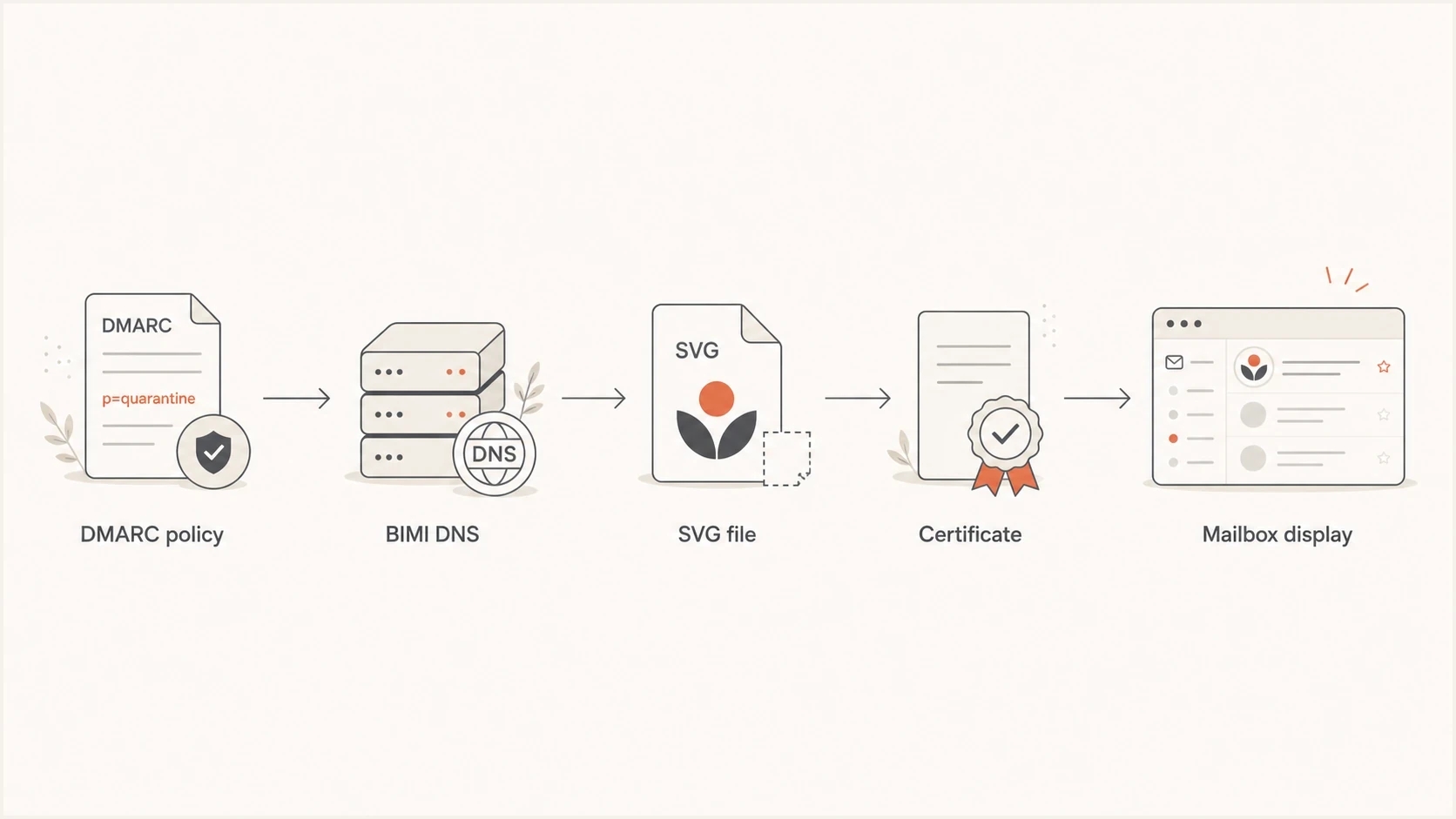
BIMI validation flow showing DMARC, DNS, SVG, certificate, and mailbox display checks.
For a quick authentication scan, use Suped's domain health checker to catch DMARC problems involving SPF or DKIM before spending time on the BIMI file itself.
Where the BIMI record lives
The BIMI TXT record lives at a selector under the domain used in the message's visible From header. Most senders use the default selector, so the DNS name is default._bimi.example.com for mail sent from example.com. For a subdomain From address, receivers check that subdomain first. If no valid record exists there, they check the same selector at the organizational domain. Do not enter the BIMI hostname as the domain unless the validator explicitly asks for the full DNS name.
The input that validators expect
Most validators ask for the sending domain, then construct the default._bimi lookup themselves. If mail is sent from a client subdomain, enter that subdomain and inspect any reported organizational-domain fallback. If mail is sent from the root domain, enter the root domain.
A custom selector such as brand._bimi.example.com also needs the outgoing message to select it with BIMI-Selector: v=BIMI1; s=brand;. Without a valid selector header, receivers query the default record. The selector header should be covered by the DMARC-aligned DKIM signature because receivers can ignore an unsigned selector.
BIMI TXT exampledns
default._bimi.example.com. 3600 IN TXT (
  "v=BIMI1; l=https://example.com/bimi.svg; "
  "a=https://example.com/vmc.pem"
)
|
|
|
|---|---|---|
Root From | example.com | default |
Subdomain From | mail.example.com, then example.com | default |
Custom selector | example.com | brand |
Use the domain in the visible From address when deciding what to validate.
Fixing DNS record errors
A valid BIMI record starts with the exactly capitalized v=BIMI1 tag and includes an l= tag. The logo value can be empty in a certificate-backed record accepted by Gmail because the VMC or CMC contains the mark. The optional a= tag points to the public VMC or CMC PEM file. Keep the DNS record simple: one TXT record, HTTPS URLs only, and no tracking or login redirects in the asset path.
A DNS provider can split one TXT record into several quoted character strings, which resolvers concatenate before BIMI parsing. That is valid. Publishing two separate BIMI TXT records at the same selector is not valid and stops BIMI processing.
Minimal BIMI recorddns
default._bimi.example.com. 3600 IN TXT (
  "v=BIMI1; l=https://example.com/bimi.svg"
)
Certificate-backed record accepted by Gmaildns
default._bimi.example.com. 3600 IN TXT (
  "v=BIMI1; l=; "
  "a=https://example.com/vmc.pem"
)
Valid record
- Version: It starts with a single, exactly capitalized v=BIMI1 value.
- Logo: The l= tag is present. It contains a direct HTTPS SVG URL or is empty when the accepted certificate-backed pattern supplies the mark.
- Certificate: The a= URL points to the final public PEM file when a VMC or CMC is used.
Broken record
- Duplicates: Two BIMI TXT records exist at the same DNS name.
- Redirects: An asset URL points through tracking, login, or unstable redirects.
- Syntax: The TXT value has copied punctuation, hidden characters, malformed tags, missing separators, or incorrect version capitalization.
If DMARC itself is failing or unclear, check the From domain with the Suped DMARC checker before changing the BIMI record. BIMI troubleshooting goes faster when the authentication baseline is already clean.
Fixing DMARC policy blockers
BIMI requires the DMARC policies that apply to the author domain and organizational domain to be at enforcement. A domain at p=none is useful for reporting, but it is not enough for BIMI display. Use p=quarantine or p=reject with pct=100. For subdomain mail, also confirm that an applicable sp=none policy is not weakening enforcement.
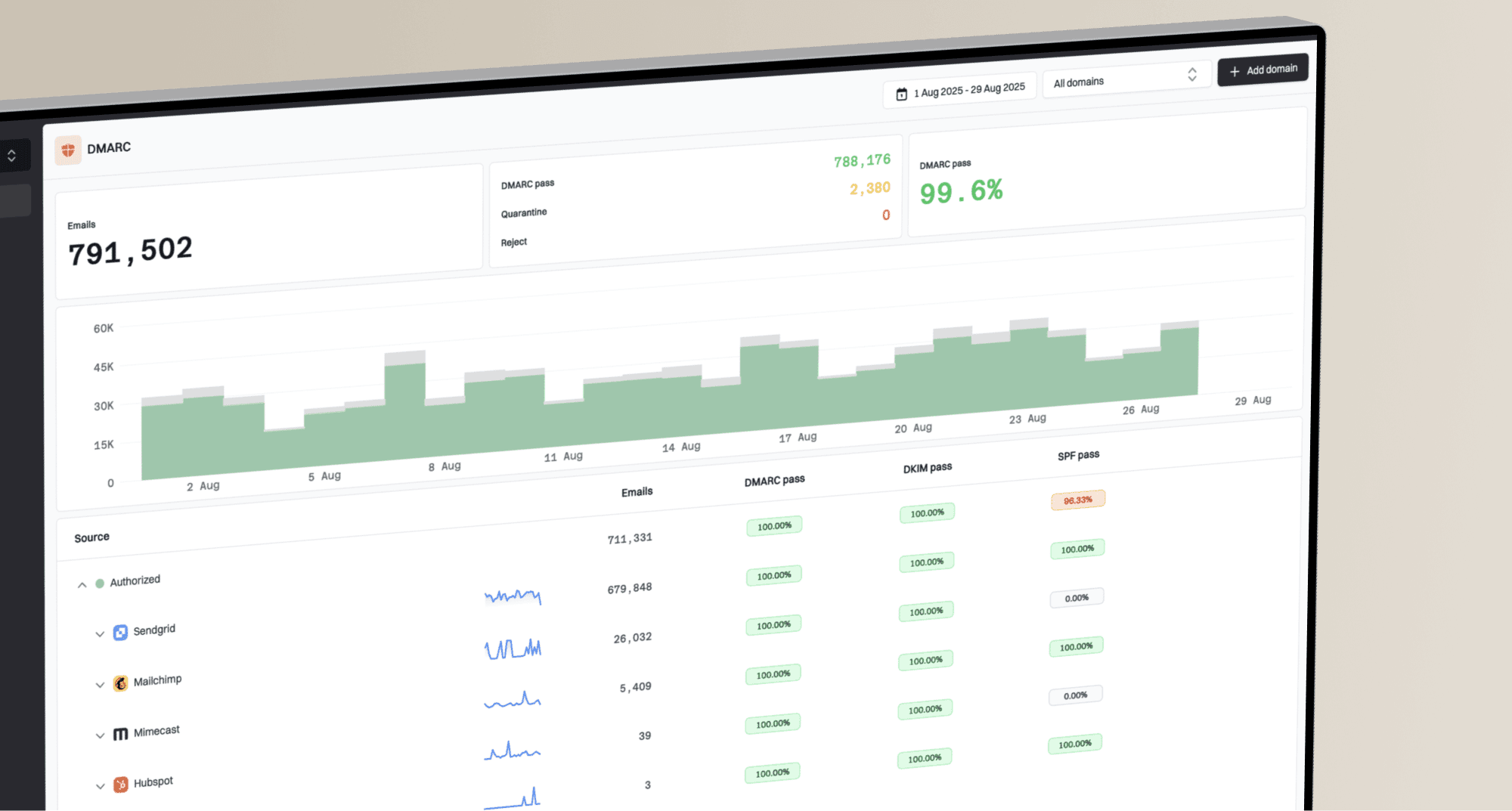
DMARC record detail view showing SPF, DKIM, DMARC, rDNS diagnostics, and DNS records
Do not force DMARC too early
Move to enforcement after identifying which services send mail for the domain and confirming that SPF or DKIM matches the visible From domain. Suped's product groups legitimate senders, flags unverified sources, and shows the next fix instead of leaving the team with raw aggregate XML.
For teams that want BIMI without repeated DNS edits, Hosted DMARC in Suped can simplify policy staging. It keeps the DMARC rollout controlled while the BIMI project waits for the authentication layer to become eligible.
DMARC checker
Look up a domain's DMARC record and catch policy issues.
?/7tests passed
Once the DMARC record validates, compare the checker result with real aggregate data in Suped. A syntactically valid record is only the starting point; BIMI readiness also depends on legitimate mail passing after the policy is enforced.
Fixing SVG validation errors
The most common BIMI logo mistake is taking a PNG, placing it inside an SVG wrapper, and expecting it to pass. BIMI needs a true SVG file, not an embedded bitmap wearing an SVG extension. The file also needs the right profile, a square viewBox, a title element, no scripts, and no external references.
For a deeper logo checklist, compare the file against the BIMI SVG requirements before requesting or renewing a certificate. Fixing the logo after the certificate is issued often creates mismatch errors.
- Profile: Use SVG Tiny Portable/Secure requirements for BIMI, including version="1.2" and baseProfile="tiny-ps".
- Shape: Use a square canvas and square viewBox so receivers can fit the mark cleanly.
- Dimensions: For Gmail, specify absolute pixel width and height of at least 96 by 96 pixels.
- File size: Keep the SVG at 32 KB or less for broad compatibility.
- Accessibility: Include a concise desc element as recommended, in addition to the required title element.
- Vectors: Convert artwork to vector paths and remove embedded raster image data.
- Safety: Remove JavaScript, animation, remote fonts, external images, and unsupported elements.
Simple SVG starting pointxml
<svg xmlns="http://www.w3.org/2000/svg"
     version="1.2"
     baseProfile="tiny-ps"
     width="512"
     height="512"
     viewBox="0 0 512 512">
  <title>Example brand</title>
  <desc>A square example brand mark</desc>
  <rect width="512" height="512" fill="#ffffff"/>
  <path d="M128 128h256v256H128z" fill="#222222"/>
</svg>
The PNG wrapper failure
If a validator says the SVG did not pass the BIMI SVG specification, inspect the file source. A base64 image inside an SVG file is still a bitmap. Recreate the logo as vector art, then export a clean BIMI-specific SVG.
Fixing HTTPS hosting and fetch errors
A valid DNS record still fails when a mailbox provider cannot retrieve the referenced file. Test the exact l= and a= URLs as an unauthenticated visitor. Each URL should open over HTTPS with a trusted TLS certificate and return the intended file, not an HTML error page, login screen, or access challenge.
- Access: Remove authentication, bot challenges, hotlink protection, and geographic or IP restrictions.
- Response: Return a successful HTTP response and the file itself at the published URL. Avoid redirects because receivers can limit or refuse them.
- Type: Send the SVG as image/svg+xml and serve the PEM chain with a certificate content type such as application/pem-certificate-chain, rather than an HTML download page.
- TLS: Use a valid server certificate with a trusted chain and TLS 1.2 or later.
- Cache: When replacing a certificate, publish it at a new HTTPS URL and update a= so receivers do not keep an expired cached file.
Browser access does not prove receiver access
A file can load in a signed-in browser while failing for a mailbox provider. Retest without cookies and review server or CDN logs for blocked fetches after each BIMI validation attempt.
Fixing certificate errors
Certificate errors usually mean the PEM file is unreachable, the certificate is expired or revoked, the issuance chain is incomplete, the covered domain or selector does not match the BIMI record, or the certificate's embedded logo does not match the SVG referenced by l= when both are supplied. A small logo edit after certificate issuance can cause the last failure.
Gmail accepts a Verified Mark Certificate (VMC) or Common Mark Certificate (CMC) for BIMI logo display. A VMC covers an eligible registered trademark or government mark and can produce Gmail's verification checkmark. A CMC provides a certificate path for an eligible logo without that trademark basis, but Gmail does not show the checkmark for CMC-backed mail. Gmail also accepts a certificate-backed record with an empty l= value because the mark is embedded in the PEM. For the Google-specific path, read the VMC for Gmail guidance before assuming a self-asserted DNS record is enough.
Publish one PEM bundle in this order: the entity VMC or CMC first, followed by each intermediate certificate, with the root certificate optional. A PEM that omits an intermediate certificate can fail even when the entity certificate itself is current.
|
|
|
|---|---|---|
Invalid chain | Missing or misordered intermediate | Publish complete PEM chain |
Expired or revoked | Certificate no longer valid | Renew and use a new URL |
Logo mismatch | Referenced SVG differs from embedded mark | Restore the certified SVG |
Domain mismatch | Domain or selector not covered | Check certificate evidence |
Fetch failure | HTTPS or access blocked | Fix public hosting |
Certificate errors are easiest to fix when each message is mapped to one failing layer.
Logo lock rule
Treat the certified SVG as locked. If the logo changes, validate the new SVG first, then update the certificate and BIMI TXT record together. Do not swap the hosted logo file behind the same URL after certification.
Validate with a real email
After DNS, DMARC, hosting, SVG, and certificate checks pass, send a real message to the mailbox provider you care about. BIMI is receiver-enforced, so a generic DNS pass does not guarantee logo display everywhere. Receivers cache results, apply their own trust checks, and decide whether the sender's reputation is good enough to show the logo. BIMI controls eligible logo display, not inbox placement.
Headers can help, but they are not consistent across providers. A receiver can report bimi=pass, none, fail, temperror, declined, or skipped in Authentication-Results, sometimes with a reason. Other providers omit BIMI details even when the DNS record exists. Use a reported status as a clue, but return to the validation chain when the header says nothing.
Live test checklist
- Recipient: Test with the mailbox provider where the logo needs to appear.
- Message: Send normal production-style mail, not a stripped-down test message.
- Headers: Inspect authentication results, DMARC pass status, the evaluated From domain, and any BIMI selector.
- Cache: Allow up to 48 hours for Gmail after a BIMI TXT change. Other providers use their own DNS and asset caches.
Common errors and fixes
When BIMI fails, the error message usually points at the layer, not the exact repair. Map the message to DNS, DMARC, SVG, hosting, or certificate evidence, then fix only that layer and retest. Changing several things at once makes it harder to know which fix worked.
|
|
|
|---|---|---|
No record | DNS | Check domain, selector, and fallback |
Multiple records | DNS | Keep one BIMI TXT record |
Fetch failed | Hosting | Fix HTTPS access |
Bad SVG | Logo | Export clean SVG |
Not square | Logo | Fix dimensions and viewBox |
Logo mismatch | Certificate | Match the certified file |
DMARC weak | Policy | Enforce at 100 percent |
Valid but not displayed | Provider | Check support, cache, and reputation |
Use this table to map each validator message to a likely repair.
How Suped fits into a BIMI rollout
Suped is our DMARC reporting and email authentication platform. It handles the authentication work that BIMI depends on. BIMI itself is a DNS, SVG, hosting, and certificate project, but the project succeeds only when the domain has reliable email authentication and a controlled path to enforcement.
What BIMI needs
- Policy: Enforced DMARC on the visible From domain.
- Sources: Legitimate senders passing DMARC through SPF or DKIM.
- Stability: Fewer surprise authentication failures after enforcement.
What Suped adds
- Detection: Automated authentication issue detection with fix steps.
- Alerts: Notifications when authentication failures cross a threshold.
- Scale: Multi-tenant views for agencies and managed service providers.
For a BIMI rollout, Suped can verify DMARC, monitor authentication changes, manage policy staging, keep SPF within lookup limits, and flag reputation issues that can affect mailbox display. That gives the logo work a stable base and helps separate authentication failures from DNS, hosting, or receiver-side evaluation.
Views from the trenches
Best practices
Validate the exact From domain before testing selectors, logos, or certificate evidence.
Keep the BIMI SVG as clean vector art with a square viewBox and no embedded bitmap.
Move DMARC to quarantine or reject only after reports show legitimate mail passing.
Common pitfalls
Uploading a PNG inside an SVG wrapper fails because BIMI needs real SVG vector content.
Testing the root domain while sending from a subdomain hides the record lookup problem.
Buying a certificate before the logo file is final creates certificate logo mismatch errors.
Expert tips
Test DNS, hosting, SVG, certificate, and mailbox rendering so the failing layer is clear.
Use a short TTL during launch, then increase it after the receiver logo checks pass.
Treat mailbox display as the final check because receivers cache BIMI results aggressively.
Marketer from Email Geeks says BIMI validation should use the domain in the visible From address, then resolve the default selector under that domain.
2020-08-04 - Email Geeks
Marketer from Email Geeks says the common SVG failure is a PNG placed inside an SVG container instead of true vector artwork.
2020-08-04 - Email Geeks
A practical validation path
The cleanest way to validate BIMI is to stop treating it as one record. It is a chain. Check DMARC enforcement, then the selector lookup and any organizational-domain fallback, public HTTPS hosting, the SVG, the VMC or CMC, and a real mailbox display test. If one layer fails, fix that layer and retest before moving on.
The errors in this area sound more mysterious than they are. An invalid certificate usually means a fetch, chain, evidence, expiry, revocation, or logo mismatch problem. An SVG specification failure usually means the file is not a true BIMI-safe vector SVG. A missing logo in the inbox usually means DMARC, provider support, cache timing, or sender reputation still needs attention.
Suped's product gives the BIMI rollout an authentication base through DMARC monitoring, hosted policy controls, SPF and DKIM visibility, alerts, and clear fix steps. Once those pieces are in good shape, BIMI validation becomes a focused DNS, hosting, SVG, and certificate task instead of a guessing exercise.