See whether sending providers can establish encrypted connections to your mail servers. TLS reporting adds visibility into successful and failed delivery sessions alongside your Hosted MTA-STS setup.
Delivery reports in one place
The TLS-RPT page shows the policy domain, reporting provider, report date, and successful and failed session counts. Open a report to inspect its JSON and the failure details supplied by the reporter.
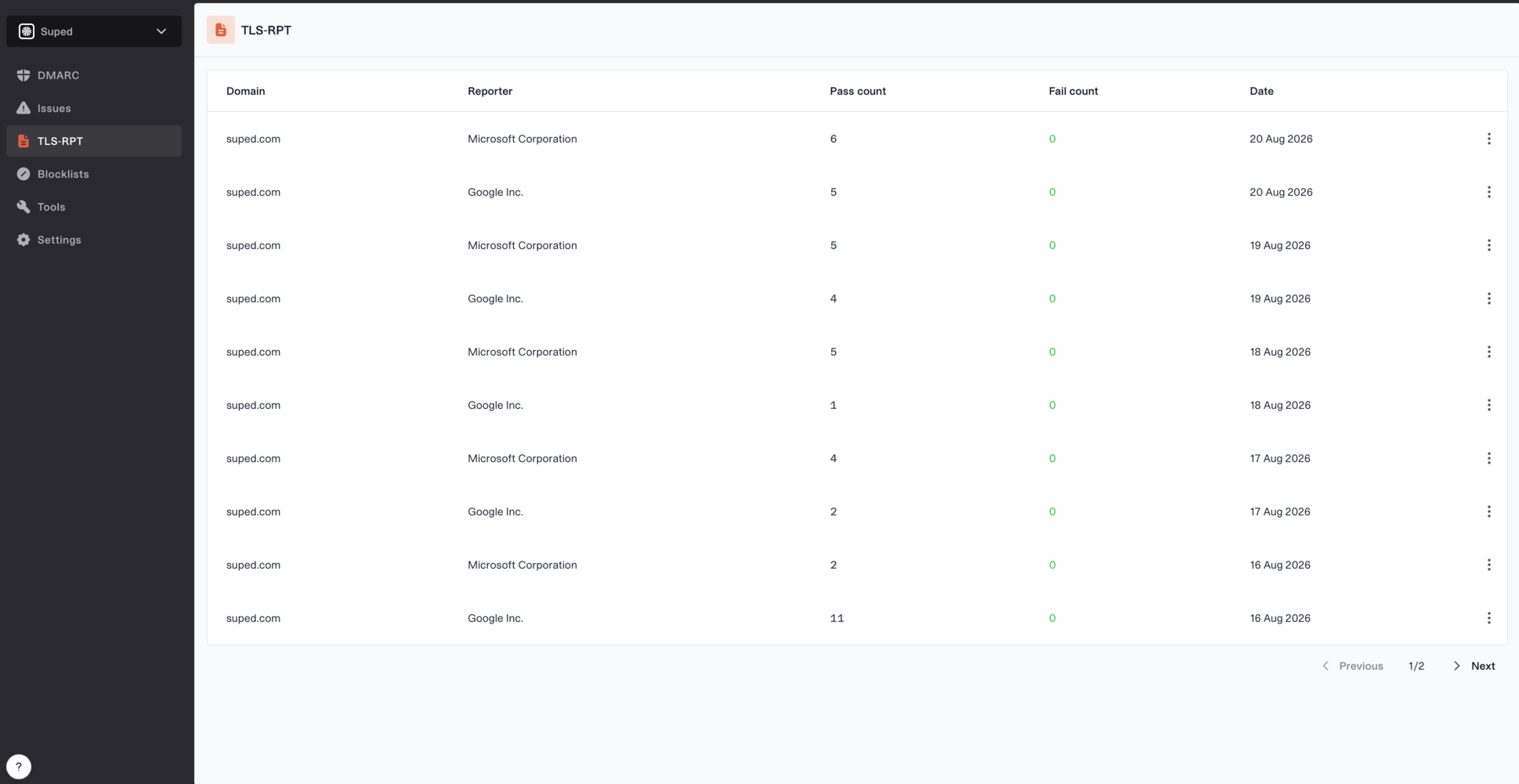
TLS-RPT reports showing reporting providers, dates and successful and failed session counts.
Use these reports to investigate TLS problems while testing your MTA-STS policy and after switching to enforcement. TLS-RPT provides reporting; your MTA-STS policy controls the requested delivery behavior.
Get started
Open your domain's MTA-STS configuration and publish the TLS-RPT CNAME shown at
_smtp._tls.yourdomain.com. Suped hosts the TXT response and reporting destination. Existing TXT records that include your Suped reporting address continue to work.Reports from supporting providers appear under TLS-RPT in the sidebar and can take a few days to arrive.
Check your reporting DNS
The free TLS-RPT checker follows CNAMEs and checks that your reporting record is present, unique, and valid, including the syntax of its reporting destinations. Use it to verify your DNS after setup; it does not confirm that a destination accepts reports.
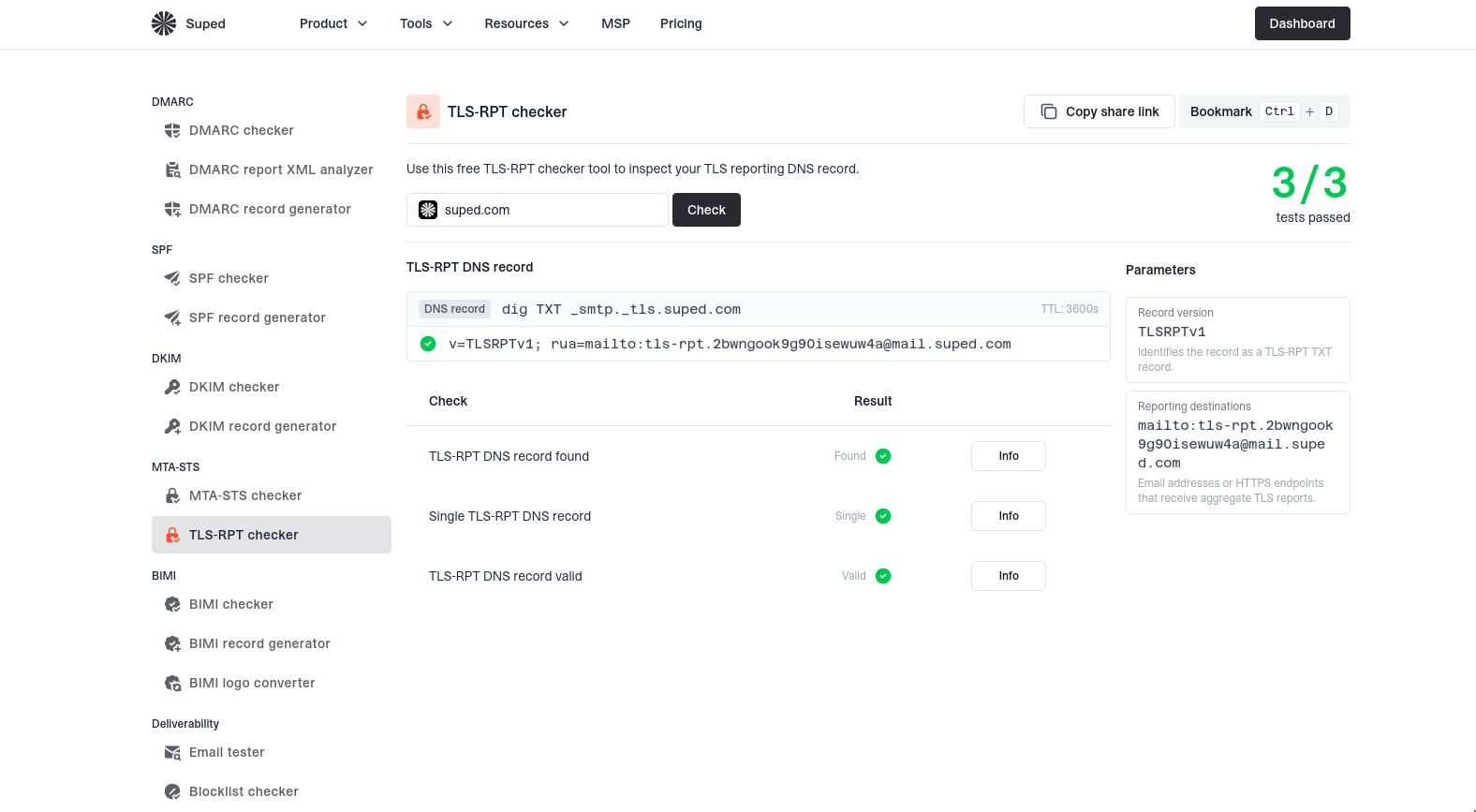
The TLS-RPT checker shows record presence, uniqueness, validity, and the configured reporting destination.