How to resolve SPF alignment issues with Google Workspace alias domains?

Published 16 Jul 2025
Updated 21 Oct 2026
10 min read
Summarize with

Updated on 21 Oct 2026: We clarified alias-domain SPF alignment, corrected the DNS examples, and added DKIM troubleshooting checks.
For a Google Workspace alias domain with a different organizational domain, SPF DNS changes cannot resolve SPF alignment in the normal Gmail sending path. Google Workspace normally uses the user's primary account domain in MAIL FROM, which is recorded in Return-Path. SPF can pass for that domain, but SPF alignment fails because the visible From header uses the alias domain.
The practical control is DKIM alignment for the alias domain. Google must sign with the alias domain, DMARC must cover the alias domain, and aggregate reports must be monitored so you can separate this known Google Workspace behavior from a real authentication problem.
Short answer
- Root cause: Google normally keeps the envelope sender tied to the user's primary account domain for alias-domain sends.
- Practical fix: Use DKIM alignment for the alias domain and monitor DMARC results closely.
- Architecture fix: Use accounts whose primary address is on a secondary domain, or a sending path that supports an alias-domain bounce address.
Why SPF passes but alignment fails
SPF alignment is not about whether the alias domain has a valid SPF TXT record. It is about whether the domain authenticated by SPF matches the domain in the visible From header under DMARC rules. With Google Workspace alias domains, those domains normally differ.
A common setup looks like this: the primary Google Workspace domain is primary.example, the alias domain is alias.example, and the user sends as user@alias.example through Gmail. The recipient sees user@alias.example in the From header, but the bounce identity in the Return-Path is still tied to primary.example. SPF authenticates primary.example, not alias.example.
Typical Google Workspace alias resulttext
Header From: user@alias.example
Return-Path: user@primary.example
SPF domain: primary.example
DKIM d=: alias.example
DMARC SPF alignment: fail
DMARC DKIM alignment: pass
That result is confusing because the alias domain can have correct email-authentication DNS records. The missing piece is the envelope sender domain. A user alias domain adds alternate addresses to existing accounts without creating independent mailboxes; publishing SPF there cannot change Google's envelope sender choice.

Google Admin console domain list showing primary, alias, and secondary domains.
Alias domain
- Identity: Users send as the alias domain, but accounts live under the primary domain.
- Return-Path: Google normally uses the user's primary account domain for the bounce address.
- Best use: Simple alternate addresses where DKIM alignment is enough for DMARC.
Secondary domain
- Identity: Users can have a primary account address and mailbox under the secondary domain.
- Return-Path: Mail sent by those users can use their secondary domain as the account and envelope identity.
- Best use: Separate brands or teams that need their own users and domain-specific authentication.
Why relaxed SPF alignment fails for separate domains
DMARC's relaxed SPF mode, aspf=r, compares organizational domains. It does not treat domains as aligned because the same company owns them or because they belong to the same Google Workspace account. primary.example and alias.example are separate organizational domains, so they fail both relaxed and strict SPF alignment. Setting aspf=s makes the comparison stricter and cannot fix the mismatch.
Relaxed alignment helps when the MAIL FROM domain and visible From domain share one organizational domain, such as bounce.example.com and example.com. That subdomain case is different from a Google Workspace alias domain that has its own registered domain name.
What the DMARC setting changes
- Relaxed mode: Allows a parent domain and its subdomains to match when they share an organizational domain.
- Strict mode: Requires an exact match between the SPF-authenticated MAIL FROM domain and the visible From domain.
- Alias result: Two separate registered domains remain unaligned under either setting.
How to pass DMARC without SPF alignment
If the goal is a DMARC pass, one passing DKIM signature with alignment is enough. If the goal specifically requires SPF alignment between separate organizational domains, the normal Google Workspace alias-domain setup does not provide it. You need a different account model or sending path.
Gmail's bulk sender authentication requirements require both SPF and DKIM, plus DMARC, for senders reaching 5,000 or more messages per day to personal Gmail accounts. Only SPF or DKIM needs domain alignment. A passing alias-domain DKIM signature can meet the alignment rule while SPF authenticates the primary account domain.
- Keep DKIM aligned: In the Google Admin console, go to Apps, Google Workspace, Gmail, then Authenticate email. Select the alias domain and generate its own 2048-bit DKIM record if your DNS provider supports it. Publish the key, click Start authentication, and confirm that a passing DKIM signature's d= domain matches the From domain under the configured adkim mode.
- Publish DMARC: Publish a DMARC TXT record at _dmarc.alias.example and configure rua to receive aggregate reports. A record on primary.example does not cover a separately registered alias domain.
- Publish SPF where it applies: Keep one valid SPF record on every domain that an authorized service actually uses in MAIL FROM. An SPF record on the alias domain does not change Google's primary-domain Return-Path for normal Gmail alias sends.
- Change architecture: Use Google Workspace accounts whose primary addresses are on a secondary domain, a separate tenant, or a sending path that can use the required domain in MAIL FROM when SPF alignment is mandatory.
- Watch reports: Use DMARC aggregate data to confirm that Google mail passes through aligned DKIM and that other sources are not failing silently.
|
|
|
|
|---|---|---|---|
Keep alias | Fails across separate domains | Passes with aligned DKIM | Lowest change |
Secondary-domain user | Verify on actual sends | Passes with aligned SPF or DKIM | Primary address change; licences for added users |
Separate tenant | Verify envelope domain | Depends on authentication setup | Separate administration and cost |
External sender | Depends on MAIL FROM | Depends on setup | More routing |
Practical options for Google Workspace alias-domain mail
DNS records for the primary and alias domainsdns
; Google-only SPF for the observed MAIL FROM domain
primary.example. TXT "v=spf1 include:_spf.google.com ~all"

; Use the selector and full public key from Google Admin console
google._domainkey.alias.example. TXT "v=DKIM1; k=rsa; p=REPLACE_WITH_PUBLIC_KEY"

; Monitoring policy and an example aggregate reporting address
_dmarc.alias.example. TXT "v=DMARC1; p=none; rua=mailto:dmarc@alias.example"
This Google-only SPF example authorizes primary.example, the observed MAIL FROM domain. Add a separate SPF record for alias.example if a sending path uses it in MAIL FROM, and keep all authorized senders in one SPF record per domain. Neither ~all nor -all changes alignment. Replace the example domains, public key and reporting address before publishing. Check syntax and the 10-lookup limit with Suped's SPF checker before testing real messages.
SPF checker
Find SPF syntax issues, lookup limits, and weak records.
?/16tests passed
After DNS is correct, the real proof comes from a sent message. Open the raw message and inspect Authentication-Results, Return-Path, DKIM-Signature, and the visible From header. DNS checks show that records are valid, while those headers show which domains Google used for authentication and alignment.
How to roll out DMARC safely
Do not chase SPF alignment for a Google Workspace alias domain by repeatedly editing SPF. That consumes time and leaves the real control, DKIM alignment, under-tested. Start with a known DNS baseline, confirm actual message results, then stage DMARC policy.
DMARC policy rollout
Use policy staging after DKIM alignment is stable for the alias domain.
Monitor
p=none
Collect reports and verify all legitimate sending sources.
Quarantine
p=quarantine
Request spam treatment for failures after sources are verified.
Reject
p=reject
Request rejection of failures after checking legitimate and indirect mail.
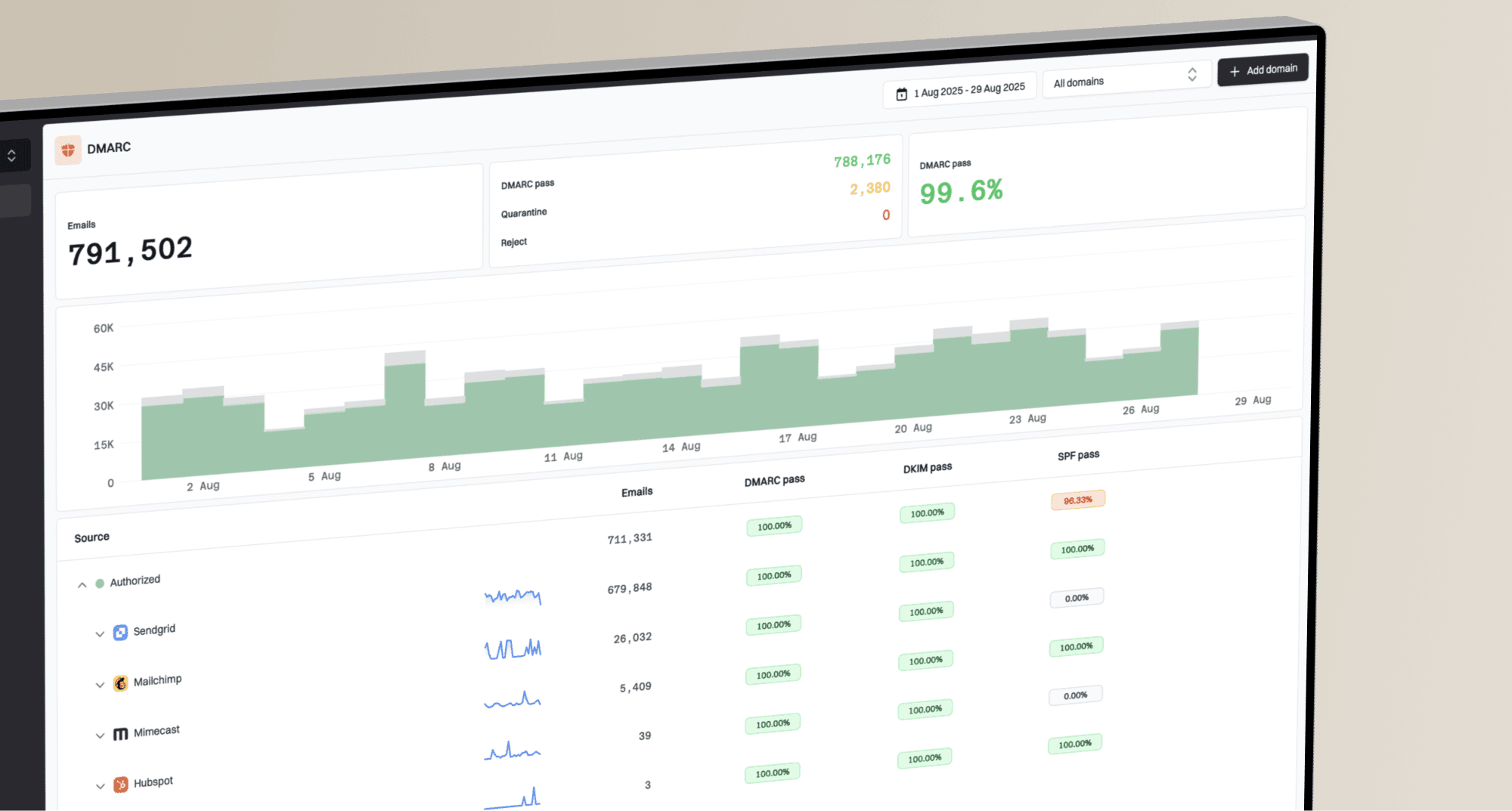
Suped, our DMARC reporting platform, turns aggregate reports into results grouped by sending source for this workflow. Add the primary domain and each alias domain, and use the reporting address Suped supplies in each domain's rua tag. Isolate Google Workspace traffic and confirm that alias sends pass through an aligned DKIM signature even when SPF alignment fails. Investigate new sources or falling DKIM pass rates before policy changes.
DMARC record detail view showing SPF, DKIM, DMARC, rDNS diagnostics, and DNS records
The workflow is simple: prove DNS is valid, prove real mail passes DKIM alignment, then move policy. Before tightening DMARC, run a broader check with Suped's domain health checker so related email-authentication DNS issues are handled in the same change window.
Practical Suped workflow
- Add domains: Monitor both the primary Google Workspace domain and each alias domain.
- Review sources: Separate Google Workspace mail from other authorized sending systems.
- Check alignment: Confirm that the alias-domain DKIM signature passes whenever SPF alignment fails.
- Set alerts: Flag new sources and DKIM failures before moving to a stricter DMARC policy.
How to test the fix
Send a new message from the alias address through Gmail's From selector to a separate external mailbox. In the recipient's Gmail, open More, then Show original, and inspect Authentication-Results. The expected result is SPF pass for the primary account domain, DKIM pass for the alias domain, and DMARC pass because the passing DKIM signature matches the From domain.
Header result to expecttext
spf=pass smtp.mailfrom=primary.example
dkim=pass header.d=alias.example
dmarc=pass header.from=alias.example
- Passing state: DMARC passes because DKIM is aligned to the alias domain, even though SPF alignment fails.
- Broken state: With SPF alignment unavailable, DMARC fails if no passing DKIM signature matches the From domain under the configured adkim mode.
- Decision point: If a receiver or compliance process requires SPF alignment, move away from the alias-domain pattern.
Do not mistake this for SPF failure
A Google Workspace alias send can show SPF pass and DMARC SPF alignment fail at the same time. That is expected when the Return-Path domain is the primary account domain and the From header domain is the alias domain.
If DMARC passes but delivery still fails, read the SMTP rejection text and recipient headers before changing authentication. A DMARC pass does not guarantee inbox placement; reputation and recipient filtering still affect delivery.
Do not use Google Calendar invitations to test an alias-domain send. Google's domain documentation states that Calendar invitations and sharing invitations are sent only from the user's primary email address. Test a message sent through Gmail's From selector instead.
Troubleshoot alias-domain DKIM failures
When alias mail still fails DMARC, check DKIM before changing SPF. Google's DKIM troubleshooting steps cover missing keys and signatures broken by message changes in transit.
- dkim=none: Select the alias domain in Authenticate email and click Start authentication after publishing its key.
- dkim=pass with the wrong d= domain: Confirm DKIM is enabled for the alias domain. With adkim=s, d= must exactly match the visible From domain.
- Missing key or selector error: Look up TXT at <s>._domainkey.<d> using the actual DKIM-Signature values. Check for the wrong DNS zone, an automatically duplicated domain suffix, or a truncated public key.
- Body hash error: Compare a direct Gmail send with routed or forwarded mail. A footer added after signing changes signed content and breaks DKIM.
Google's DKIM setup documentation allows up to 48 hours for DKIM authentication to start working after adding the key. Retest with a new message after DNS is visible. For a new Gmail activation, wait 24-72 hours before generating the key.
Views from the trenches
Best practices
Keep DKIM passing on every alias domain before moving DMARC beyond monitoring mode in production.
Treat SPF alignment failure as expected when passing DKIM matches the alias-domain From header.
Verify message headers after moving users to a secondary domain when SPF alignment is required.
Common pitfalls
Adding Google SPF to an alias domain does not change Google's primary Return-Path choice.
Pushing DMARC to reject before DKIM is verified can block valid alias-domain mail.
Using Calendar as an alias test gives the wrong result because invites use the primary address.
Expert tips
Check headers after a real send, not just DNS, because alignment depends on MAIL FROM.
Create users on the secondary domain when that domain must be their primary mail identity.
Keep DMARC reports for each alias domain under review during every policy increase.
Marketer view
Marketer from Email Geeks says Google Workspace uses the primary domain in the Return-Path for alias-domain mail, so SPF can pass without SPF alignment.
2024-10-09 - Email Geeks
Marketer view
Marketer from Email Geeks says this behavior is a Google Workspace limitation rather than a missing SPF include on the alias domain.
2024-10-09 - Email Geeks
When to change the domain model
If the business only needs a DMARC pass, keep the alias domain and make DKIM reliable. If it needs a specific envelope sender domain or separate user accounts, use accounts whose primary addresses are on a secondary domain, a separate tenant, or a sending path that supports the required MAIL FROM domain. Verify the new MAIL FROM and DKIM domains in real messages and in Suped's DMARC reports before tightening policy.
Frequently asked questions
No. An SPF record on the alias domain cannot change the MAIL FROM and Return-Path domain Google uses for normal alias-domain sends. Ensure the actual MAIL FROM domain has SPF authorization for Google; publish SPF on the alias when a sending path uses it as the envelope sender domain.
Yes, when at least one DKIM signature passes and its d= domain matches the visible From domain under the configured adkim mode. DMARC requires a passing result with alignment through either SPF or DKIM.
Use a secondary domain when users need primary account addresses and mailboxes under that domain. Adding the domain is not enough by itself. The relevant users must use it as their primary Google Workspace identity. Keep an alias domain when alternate addresses and DKIM-based DMARC pass are enough.
No, when the primary and alias domains are separate organizational domains. Relaxed alignment permits related subdomains under one organizational domain to match. It does not match two registered domains simply because one organization owns both.
Monitor Google Workspace DKIM pass and alignment rates, the SPF-authenticated MAIL FROM domain, unknown sending sources, forwarded mail, and new DMARC failures on each alias domain.