
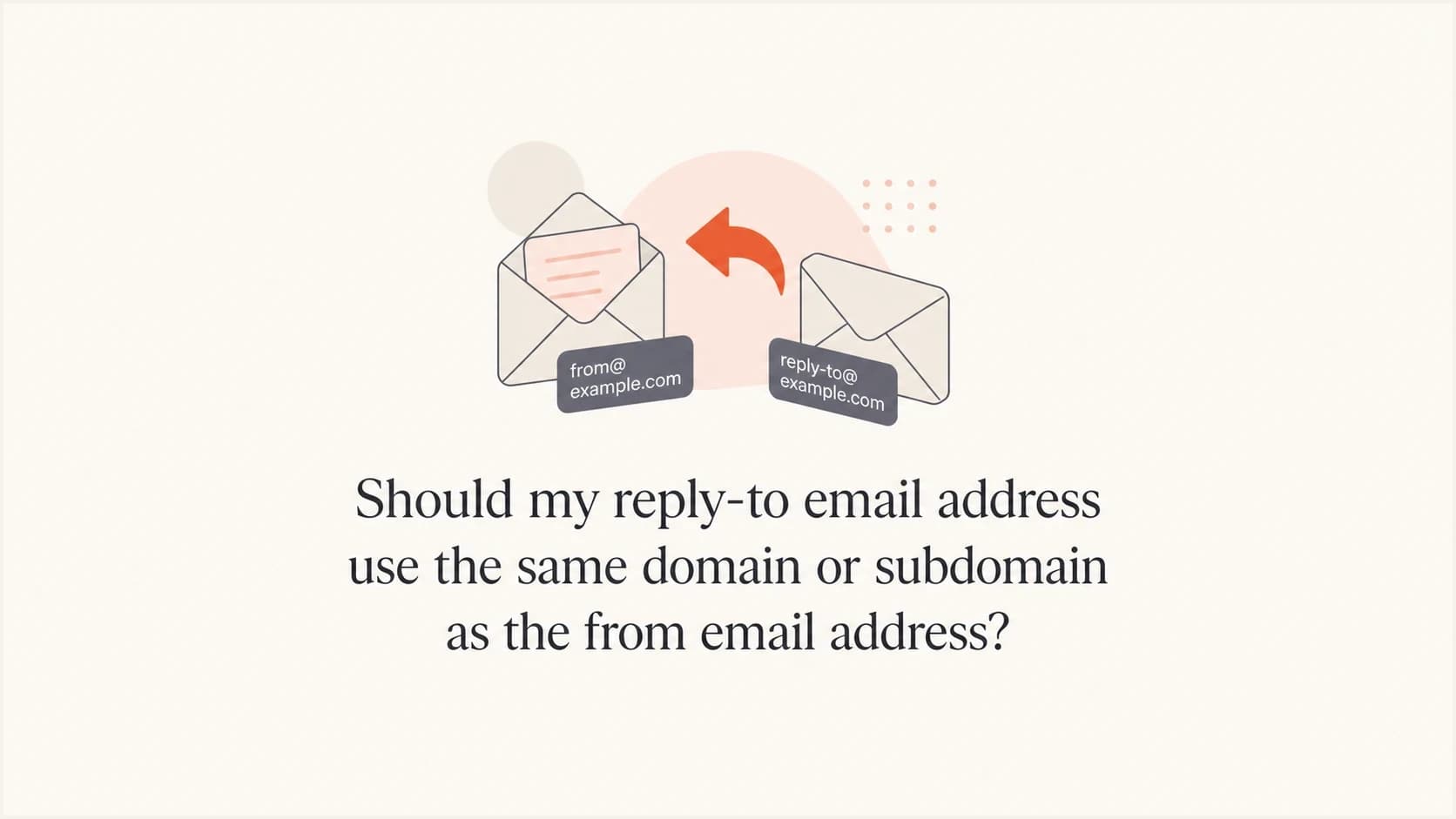
Should my reply-to email address use the same domain or subdomain as the from email address?

Updated on 27 Sep 2026: We updated this guide for RFC 9989 and added practical guidance for Reply-To addresses on a different organizational domain.
Short answer: use the same subdomain for the Reply-To address when replies need separate routing and that choice is practical. If the visible From address is mail@list.domain.com, replies@list.domain.com is the cleanest separate reply address. replies@domain.com is also acceptable when it shares the same organizational domain, routes to a real inbox, and does not confuse recipients. If replies should go directly to mail@list.domain.com, omit Reply-To.
An exact domain match is not a DMARC requirement. Keep the customer-facing identity consistent, then verify the authentication identity separately. Reply-To decides where human responses go, while DMARC evaluates the visible From domain against aligned SPF or DKIM results.
The bigger deliverability checks are whether the visible From domain is authenticated, whether SPF or DKIM passes with identifier alignment, whether DMARC has a valid policy, and whether people can reply without hitting a dead route. After changing either From or Reply-To, send a real message through an email tester and inspect the final headers.
Fast answer
For mail sent as mail@list.domain.com, normally set Reply-To to replies@list.domain.com when a separate inbox handles responses. If replies@domain.com is your central shared inbox, use it when recipients will recognize the relationship. If the From mailbox itself handles replies, leave Reply-To out and let mail clients reply to From.
Should Reply-To match the From domain?
The same subdomain is usually the clearest choice for consistency, not because inbox providers or DMARC require it. A matching Reply-To subdomain gives recipients and internal teams one clear sending identity. It also makes troubleshooting easier because the sending stream, reply handling, and authentication records use a predictable domain structure.
A parent-domain Reply-To address is normal and safe in many setups. The exact answer depends on the job of the email, the inbox that handles replies, and whether the sender identity still looks coherent to the recipient.
- Simplest default: Omit Reply-To when replies should go to the visible From mailbox.
- Best separate route: Use replies@list.domain.com when mail is sent as mail@list.domain.com and the same program or team handles replies.
- Acceptable fallback: Use replies@domain.com when replies go into a central inbox and the recipient still recognizes the organization.
- Avoid: Do not use a consumer mailbox or a Reply-To domain that has no clear relationship to the From domain for bulk mail.
- Recommended: Keep customer-facing From addresses routable through a mailbox, alias, or queue when practical.
For a broader policy around sender identity, reply handling, and bulk mail conventions, see From and Reply-To practices.
How authentication treats Reply-To
Email authentication does not treat every header equally. DMARC uses the domain in the visible From header as the Author Domain, then checks whether SPF or DKIM produces an aligned authenticated domain. The Reply-To header is not part of that DMARC pass or fail decision.
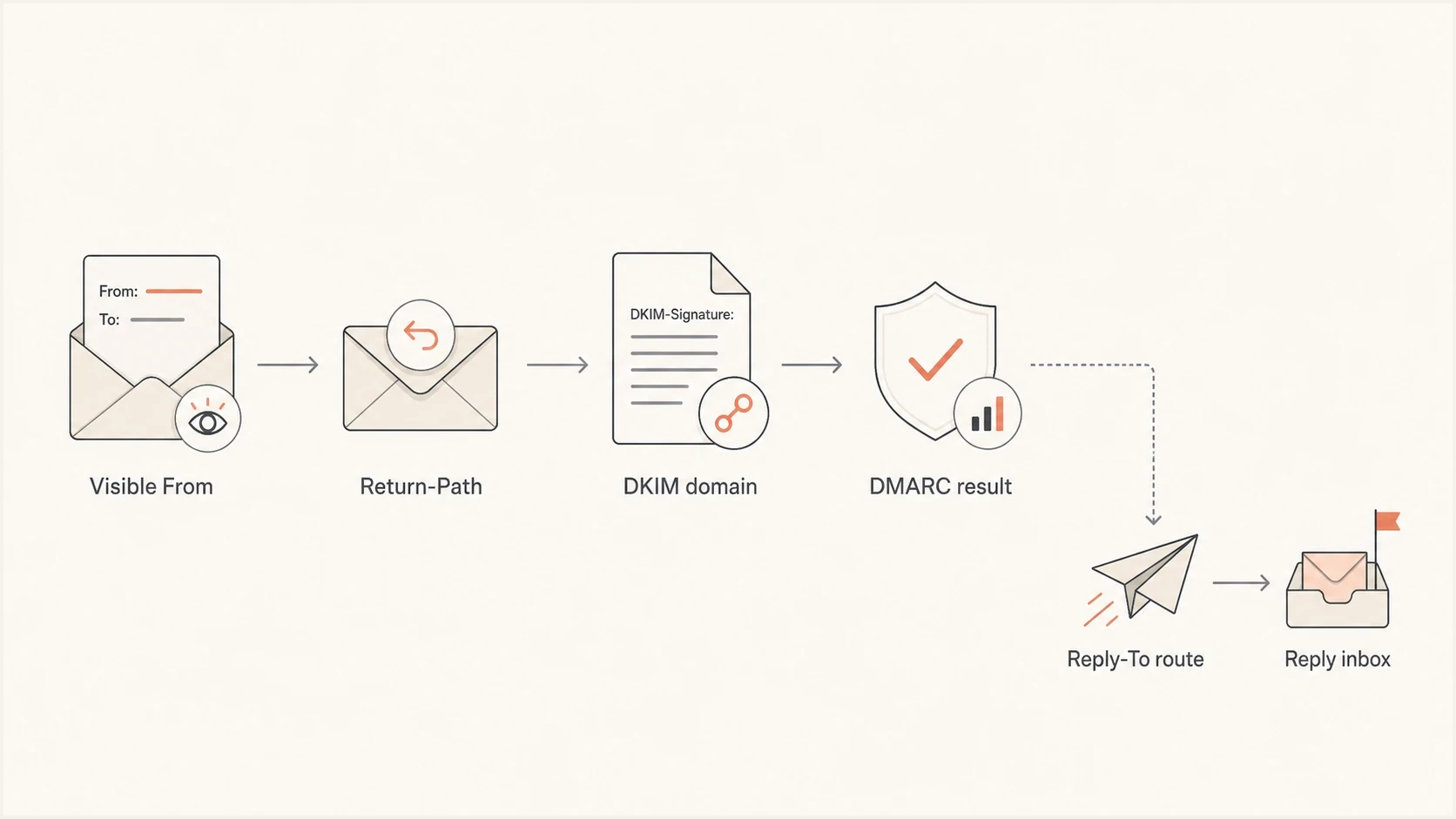
Email identity flow separating Reply-To routing from SPF, DKIM, and DMARC alignment.
Header relationship exampletext
From: Updates <mail@list.domain.com>
Reply-To: Replies <replies@list.domain.com>
Return-Path: <bounces@bounce.list.domain.com>
DKIM-Signature: ... d=list.domain.com; s=s1; ...
In this example, DMARC cares about the domain in the visible From header and whether SPF or DKIM produces a matching domain. Under RFC 5322, the Reply-To header tells a mail client where to address a reply when it is present.
A DKIM signature can cover Reply-To when the field appears in the signature's h= list. That protects the signed header value against later modification, but it does not authenticate the Reply-To domain. DKIM authenticates the signing domain in the d= value.
Under relaxed DMARC alignment, authenticated subdomains can match when they share the same organizational domain. Under strict alignment, the authenticated domain must match the Author Domain exactly. Neither mode compares Reply-To with From.
Do not optimize the wrong field
- DMARC focus: The visible From domain must authenticate through SPF or DKIM with identifier alignment.
- Reply focus: The Reply-To address must route responses to a mailbox your team actually monitors.
- Trust focus: The recipient should see a domain relationship that makes sense without inspecting headers.
- Header focus: Inspect the delivered message because a sending platform can rewrite Reply-To, Return-Path, or DKIM values.
Suped's DMARC monitoring workflow shows which systems send as each subdomain, whether they sign with the intended DKIM domain, and whether they pass consistently before policy enforcement.
Same subdomain or parent domain
Split the decision into two questions. What will make the recipient trust the message? What will make the reply workflow reliable for the business? If both answers point to the sending subdomain, use it. If a central inbox on the parent domain handles replies better, use the parent domain.
Same subdomain
- Best for: Campaigns, product updates, newsletters, and lifecycle mail sent from a dedicated stream.
- Main benefit: It gives the sending stream a clear identity for users and internal support teams.
- Tradeoff: You need mailbox routing for that subdomain in addition to DNS authentication.
Parent domain
- Best for: Small teams, support inboxes, sales replies, and cases where one shared mailbox owns responses.
- Main benefit: It keeps replies in a mailbox that people already use and monitor.
- Tradeoff: Some recipients will notice the domain change, so the address should look related.
|
|
|
|---|---|---|
Newsletter | Same subdomain | Clear identity |
Sales | Parent domain | Shared inbox |
Transactional | Same subdomain | Cleaner routing |
Support | Parent domain | Human response |
New brand | Avoid mismatch | Trust risk |
Practical Reply-To choices by email stream.
A real reply address is a trust signal. The address does not need to be a personal mailbox, but it should accept mail and route to a process that handles replies.
Using a different organizational domain
A Reply-To on a different organizational domain can be legitimate when a separate business unit, agency, or ticketing system owns responses. DMARC still evaluates the visible From domain, so the mismatch does not create a DMARC failure. Filtering systems and recipients can still treat an unexplained mismatch as a suspicious signal.
- Control the domain: Use a custom domain that your organization owns or has formally authorized for reply handling.
- Make the relationship clear: Use a recognizable From name and message copy that makes the reply destination expected.
- Verify and monitor it: Complete any address verification required by the sending platform and check the inbox regularly.
- Test the reply path: Click reply in delivered seed messages and confirm manual replies reach the responsible team.
Avoid unexplained or lookalike domains
A consumer webmail address, newly registered domain, or lookalike domain in Reply-To can resemble impersonation even when DMARC passes. Use a related brand-owned domain unless a different destination has a clear operational purpose.
If there is no operational need for a different organizational domain, stay within the From domain's organizational domain. A dedicated subdomain provides routing separation without introducing a second customer-facing identity.
When to omit Reply-To
Reply-To is optional. When it is absent, standard email clients normally direct a reply to the address in From. If replies should return to the same mailbox shown to the recipient, omitting Reply-To creates the simplest header and removes one place where a platform setting can drift.
Omit Reply-To when From owns repliestext
From: Product team <mail@list.domain.com>

# No Reply-To header
# Replies default to mail@list.domain.com
Add Reply-To only when the preferred response destination differs from From, such as a shared support inbox, a ticket queue, or a monitored campaign alias. Use one clear address unless there is a tested reason to provide more than one.
- Omit it: Replies should go to the visible From mailbox.
- Include it: A different monitored inbox owns the conversation.
- Inspect it: Confirm the delivered message contains one expected Reply-To header and address.
- Test it: Click reply in major mail clients and verify that the response reaches the owning team.
Should the From address accept replies?
The visible From address does not have to receive replies for DMARC to pass. For customer-facing mail, keeping it routable is still a strong operational practice. It can receive inbound mail, forward to a monitored inbox, or route into a queue while Reply-To sends normal responses elsewhere.
Dead From mailboxes create avoidable operational risk
Some verification flows send codes to the From address. Some users ignore Reply-To and manually write to From. Automated responses can also go to Reply-To or From depending on the recipient system. A rejecting From mailbox can therefore lose valid responses and make sender-ownership checks harder, even though reachability is not part of DMARC.
Mailbox routing exampletext
From address:
mail@list.domain.com -> alias to marketing-ops@domain.com

Reply-To address:
replies@list.domain.com -> shared inbox replies@domain.com
- Accept inbound: Make mail@list.domain.com deliver to an alias, group, ticket queue, or mailbox when practical.
- Monitor replies: Route replies@list.domain.com to the team that owns the email stream.
- Handle requests: Make sure abuse, unsubscribe, and support responses reach the correct queue.
- Save ownership: Keep a record of which teams own each From and Reply-To address.
Once the mailbox routing is in place, test a real sent message. Look for the final From, Reply-To, Return-Path, DKIM domain, SPF result, and DMARC result. A seed test is more useful than checking the campaign settings screen alone.
Email tester
Send a real email to this address. Suped shows a results button when the test is ready.
?/43tests passed
If the test message shows a different Return-Path domain than expected, that is normal for many sending platforms. Focus on whether SPF or DKIM gives DMARC a valid domain match with the visible From domain.
Setup checklist
For mail sent from a subdomain, use this order: decide the visible identity, configure authentication, create reply routing, then send a live test. That keeps the decision tied to observable mail behavior.
- Pick the From: Use mail@list.domain.com only if list.domain.com is the identity you want recipients and reports to see.
- Pick Reply-To: Omit it when From owns replies, use replies@list.domain.com for a separate subdomain inbox, or use replies@domain.com when the parent inbox owns response handling.
- Configure DKIM: Sign with a domain that matches the visible From domain under the selected relaxed or strict DMARC mode.
- Configure SPF: Publish only the senders you use and stay under DNS lookup limits.
- Publish DMARC: Start with reporting, study legitimate traffic, then move toward quarantine or reject when authorized mail passes.
- Review reputation: Watch complaint rate, bounces, engagement, and blocklist (blacklist) listings after changes.
- Test replies: Reply to delivered seed messages and confirm each response reaches the intended mailbox or queue.
Optional DMARC record for separate subdomain policydns
_dmarc.list.domain.com TXT "v=DMARC1; p=none; rua=mailto:dmarc@domain.com"
RFC 9989 uses a DNS Tree Walk to discover an applicable DMARC policy. An explicit record at _dmarc.list.domain.com is useful when the subdomain needs its own policy or reporting destination, but it is not required solely because mail uses that subdomain. If no record is found there, a discovered policy higher in the DNS tree can apply. New policy plans should also avoid the historic pct tag.
Use a domain health checker to confirm the domain has valid DMARC, SPF, and DKIM records before you decide the Reply-To choice caused a deliverability change.
?
What's your domain score?
Deep-scan SPF, DKIM & DMARC records for email deliverability and security issues.
If the domain passes authentication but inbox placement still changes, look at sender behavior: list quality, bounce handling, complaint rate, content, sending volume, and whether the domain or IP appears on a blocklist or blacklist.
Where Suped fits
Suped is our DMARC reporting and email authentication platform. Suped's product shows which sources send as each domain, whether SPF and DKIM pass with identifier alignment, which issues need action, and what to change in DNS or sender settings.

Issue steps to fix dialog showing the issue overview, tailored fix steps, and verification action
This is useful when several teams use the same parent domain with separate subdomains for marketing, product, billing, and support. Suped brings DMARC reports, SPF and DKIM checks, hosted policy controls, real-time alerts, and blocklist monitoring into one workflow, so a Reply-To discussion does not hide an authentication or reputation problem.
Recommended workflow
- Map senders: Group every platform that sends as each parent domain and subdomain.
- Fix authentication: Resolve SPF, DKIM, and DMARC issues before changing Reply-To strategy.
- Stage policy: Move DMARC enforcement gradually once legitimate mail is passing.
- Watch changes: Use alerts to catch failures, new sources, and reputation issues after a sender change.
Views from the trenches
Best practices
Use a Reply-To on the same subdomain when campaign identity and inbox routing allow it.
Keep the visible From mailbox able to receive mail, verification codes, and user replies.
Treat Reply-To as routing, then verify SPF, DKIM, DMARC, and sender reputation daily.
Common pitfalls
Treating Reply-To as a DMARC identifier often leads teams to fix the wrong field first.
Using a dead From mailbox creates avoidable bounces and missed brand verification messages.
Changing Reply-To to an unrelated domain makes normal mail look like outsourced mail.
Expert tips
Match the Reply-To subdomain when it improves clarity, not because DMARC requires it.
Route replies through aliases so people can answer without exposing personal mailboxes.
Document which domain owns each stream before changing sender or reply addresses.
Marketer view
Marketer from Email Geeks says Reply-To does not usually drive DMARC results; MAIL FROM, visible From, and DKIM carry the authentication identity.
2022-04-22 - Email Geeks
Marketer view
Marketer from Email Geeks says sharing the same organizational domain is generally acceptable, even when the exact subdomain differs.
2022-04-22 - Email Geeks
Recommended Reply-To setup
Send from mail@list.domain.com and omit Reply-To if that mailbox owns replies. If a different inbox owns them, use replies@list.domain.com unless the business has a clear reason to centralize responses at replies@domain.com. Both separate Reply-To choices are technically valid, but the matching subdomain is cleaner for identity and troubleshooting.
Keep the visible From address routable when practical. It can forward, alias, or route into a queue. That detail helps prevent missed verification codes, missed user replies, and avoidable operational failures.
After that, verify the real authentication path. If SPF or DKIM passes with DMARC alignment, the Reply-To choice becomes a routing and trust decision rather than an authentication fix.




