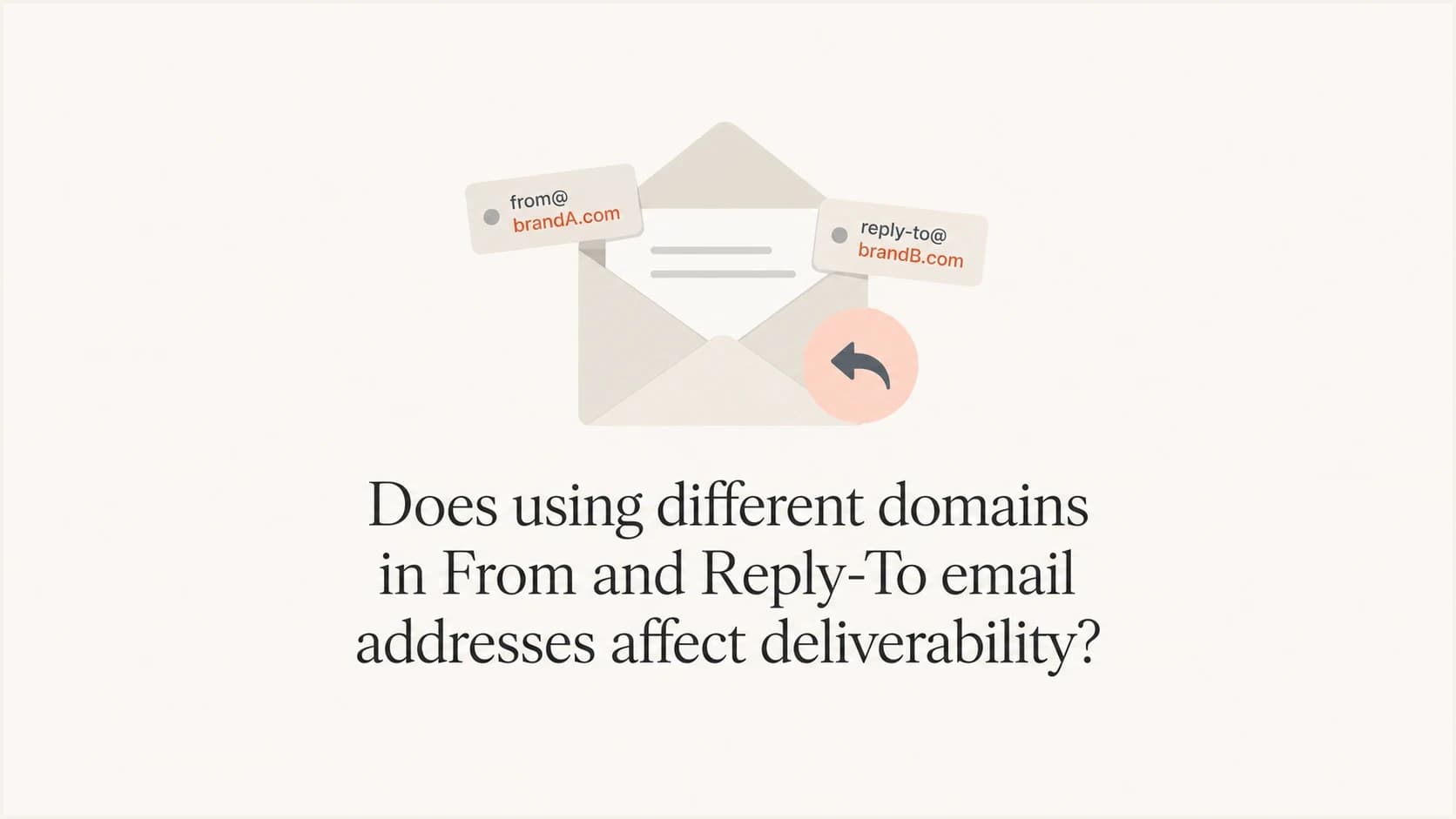
Does using different domains in From and Reply-To email addresses affect deliverability?

Published 6 Aug 2025
Updated 26 Jul 2026
9 min read
Summarize with
Updated on 26 Jul 2026: We updated the DMARC guidance for RFC 9989 and added a practical check for From-address routability.
No, using one domain in the visible From address and a different domain in the Reply-To address does not automatically hurt deliverability. Mailbox providers do not use the Reply-To domain as the main authentication identity. DMARC checks the visible From domain. For DMARC alignment, SPF checks the MAIL FROM domain, while DKIM validates the signing domain. Reply-To tells the mailbox where a human reply should go.
The caveats matter. A different Reply-To domain can hurt inbox placement when it looks suspicious, uses a consumer mailbox domain for commercial mail, has a history of abuse, or creates a mismatch that users complain about. Reply-To is a trust and routing signal, not a DMARC pass or fail signal.
A clean setup has an authenticated visible From domain, a Reply-To domain that belongs to the same business or a clearly related brand, monitored replies, and healthy domains. A risky setup uses a throwaway or free mailbox Reply-To, hides who receives replies, or sends mail for one brand while collecting replies at a domain users do not recognize.
The short answer
Reply-To domain mismatch is allowed. Senders often separate reply handling from their visible sending address. The mistake is assuming every different domain has the same risk. Mailbox providers can evaluate the full message, sender history, recipient engagement, complaints, authentication results, content, and domain reputation.
Direct answer
- A different Reply-To domain is not a direct deliverability penalty by itself.
- DMARC uses the visible From domain, not the Reply-To domain.
- A Reply-To domain tied to abuse or impersonation can add risk even though it is not a DMARC identity.
- A strange Reply-To domain can confuse recipients and increase spam complaints.
Use different domains only when the second domain has a clear operational reason and is owned, routable, monitored, and recognizable. If replies should return to the From mailbox, omit Reply-To. If a user checks the reply address and thinks it belongs to another company, the setup needs work.
Which header matters to filters
Confusion often comes from mixing up the visible From address, the MAIL FROM identity, and Reply-To. These fields can contain different domains, and each one has a different job. Under RFC 9989, DMARC treats the domain in RFC5322.From as the Author Domain. SPF validates the MAIL FROM identity used for alignment, DKIM validates a signing domain, and Reply-To handles replies.
|
|
|
|---|---|---|
From | Yes | DMARC Author Domain |
Reply-To | Sometimes | Reply routing |
MAIL FROM / Return-Path | Usually no | Bounces and SPF |
DKIM d= | No | Signature domain |
Email header roles.
Header exampletext
From: Acme Updates <news@example.com>
Reply-To: Support Team <support@example-help.com>
Return-Path: bounces@bounce.examplemail.net
DKIM-Signature: d=example.com; s=s1; ...
In that example, the Reply-To domain is different. That does not break DMARC. The important question is whether example.com passes DMARC through aligned SPF or DKIM, and whether example-help.com is routable, healthy, and recognizable to the recipient.
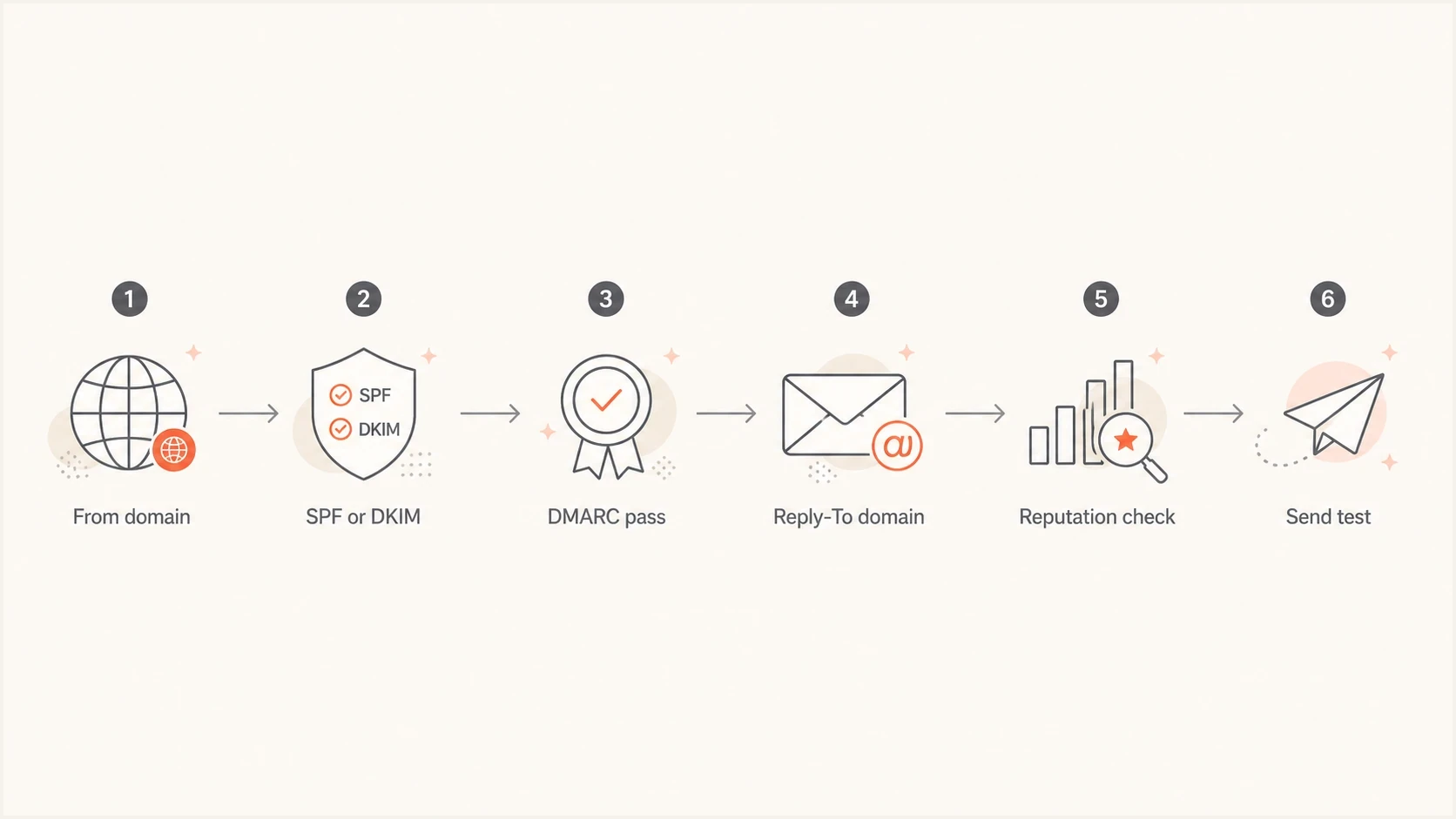
Flowchart showing From authentication before Reply-To reputation checks.
When the mismatch becomes risky
A Reply-To mismatch becomes risky when it weakens trust or points to an unhealthy domain. Mailbox filtering uses signals beyond DMARC. A sender can pass authentication and still land in spam if recipients complain, ignore the mail, or see a reply address that feels unrelated.
- A Reply-To at a free consumer domain, such as gmail.com or outlook.com, can make bulk or business mail look less controlled.
- A From or Reply-To domain with blocklist (blacklist) history can trigger stricter filtering or security checks.
- A From address for one brand and a Reply-To for an unrelated domain can cause user distrust even when authentication passes.
- If replies disappear into an inbox nobody owns, recipients get ignored and support issues can turn into complaints.
- RFC 5322 allows more than one Reply-To address, but campaign mail should route internally through one mailbox or alias instead.
Risk by Reply-To pattern
Use this as a practical screen before changing a campaign template.
Same brand domain
Low
Authenticated From and monitored business Reply-To.
Different owned domain
Low to medium
Fine when both domains are healthy and recognizable.
Freemail Reply-To
Warning
Consumer mailbox used on business or bulk mail.
Poor reputation domain
High
A domain has blocklist or blacklist history.
Better and worse patterns
The Reply-To domain does not need to be identical in every case. What matters is whether the reason is clear, replies are handled, and the domains are under the sender's control. For close domain choices, separate the same-domain question from the distinct-domain case. Read about same-domain Reply-To choices when the options are a root domain and subdomain.
Good pattern
- Both domains belong to the same organization or a clearly connected brand.
- The From domain passes DMARC through aligned SPF or DKIM.
- The Reply-To mailbox routes to support or a managed response queue.
- Authentication failures and reputation changes trigger review.
Risky pattern
- The Reply-To uses a personal mailbox or a domain users do not know.
- The visible From domain has broken SPF or DKIM alignment, which causes DMARC failure.
- Multiple Reply-To recipients are placed in the header for internal routing.
- Nobody checks replies, authentication reports, or blacklist status.
For bulk email, use a Reply-To mailbox that reflects the actual response path. Marketing mail can use replies@example.com, while support-driven campaigns can reply into a monitored queue on a related domain. The best pattern is the one a recipient understands without inspecting headers.
Keep the From address routable
Reply-To does not make the visible From address irrelevant. Some recipients copy the From address, select a saved contact, or use a mail client that handles replies differently. Messages can still arrive at the From mailbox, so mail that invites a conversation should use a routable and monitored From address.
When no-reply can work
A no-reply From address can work for notices that cannot accept responses, but the message should state where help is available and the Reply-To path must be tested. For account or support messages, a monitored From address reduces missed responses.
Authentication checks before changing Reply-To
Check the sending domain before changing a Reply-To domain. If the visible From domain fails DMARC, the Reply-To choice is a distraction. Verify SPF and DKIM alignment on the From domain, confirm the DMARC result, then inspect the Reply-To domain for reputation and mailbox readiness. A quick domain health check is a practical first pass.
Basic DNS baselinetext
_dmarc.example.com TXT "v=DMARC1; p=none; rua=mailto:dmarc-reports@example.com"
example.com TXT "v=spf1 include:_spf.sender.example ~all"
s1._domainkey.example.com TXT "v=DKIM1; k=rsa; p=BASE64KEY"
What to verify
- The From domain passes DMARC consistently for the sending source.
- The Reply-To domain has working MX records and a monitored mailbox or alias.
- A recipient can understand why replies go to that address.
- DMARC aggregate reports are reviewed after every sending change.
This is where DMARC monitoring matters. A single test message only shows one moment. Ongoing reporting shows which sources are sending, which ones pass, and whether a domain change causes failures across real traffic.
Testing the change
Test a Reply-To change before using it in a production campaign. Send the exact template with the planned From address, Reply-To address, DKIM signature, sending IP, links, and images. Then inspect authentication results and reply behavior. Suped's email tester is useful here because the test is tied to the actual message, not only its DNS records.
Email tester
Send a real email to this address. Suped shows a results button when the test is ready.
?/43tests passed
After the test, send replies from more than one mailbox environment and confirm where they land. Reply-To is not a complete guarantee that every response goes there. Users can edit recipients, forwards can change context, and automated responses can follow a different path.
Do not use Reply-To for internal fan-out
A message can contain more than one Reply-To address under RFC 5322, but campaign mail should use one. If replies need to reach several people or systems, route them behind one mailbox, alias, group, or helpdesk workflow.
Avoid this in campaignstext
Reply-To: Alice <alice@example.com>, Ops <ops@example.net>
Where Suped fits
Suped's product is relevant when this question moves beyond one template and becomes an operational workflow. Suped brings DMARC reporting, SPF and DKIM visibility, hosted authentication controls, alerts, and guided fixes into one place.
Suped DMARC dashboard showing email volume, authentication health, and source breakdown
For this From and Reply-To workflow, monitor the From domain in Suped, confirm that each sending source passes DMARC, verify reply routing, and watch for new failures after the change. Suped also includes blocklist monitoring so a domain or IP listing is visible before it becomes a larger blacklist problem.
- Suped surfaces authentication problems and gives steps to fix them.
- Hosted SPF supports sender changes without repeated DNS edits.
- Alerts notify teams when failure rates or domain health need attention.
- A multi-domain view helps agencies and MSPs review client domains in one dashboard.
Views from the trenches
Best practices
Keep the visible From domain authenticated and reserve Reply-To for managed reply handling.
Use a business Reply-To domain, not a free mailbox, for campaign and product mail.
Test replies in major mailbox environments before launch, then confirm routing works.
Common pitfalls
Using a freemail Reply-To address can make otherwise clean commercial mail look weaker.
Adding multiple Reply-To recipients is legal but creates messy mailbox client behavior.
Assuming every reply follows Reply-To causes missed messages and support delays.
Expert tips
Route multiple internal recipients behind one mailbox or alias, not stacked Reply-To.
Watch both domains for reputation issues because filtering uses more than DMARC.
Treat Reply-To changes as low risk, then verify inbox placement and reply routing.
Marketer from Email Geeks says different From and Reply-To domains are common and do not hurt delivery by themselves; the risk starts when either domain has poor reputation.
2022-08-02 - Email Geeks
Marketer from Email Geeks says freemail domains in Reply-To can affect delivery because commercial mail with consumer mailbox reply handling looks less trustworthy.
2022-08-03 - Email Geeks
Recommended setup
Approve a different Reply-To domain when both domains are owned or clearly connected, the From domain passes DMARC, the Reply-To mailbox works, and the reply path makes sense to recipients. Reject the setup when Reply-To uses a free consumer mailbox or an unrelated domain that nobody monitors.
Authenticate the From domain, keep Reply-To recognizable, test real replies before sending, and monitor the domains after the change. The header mismatch itself is not the problem. Authentication failures and confusing reply routing are the real problems.




