
Is implementing a list-unsubscribe header mandatory for Gmail and Yahoo and what are the impacts?

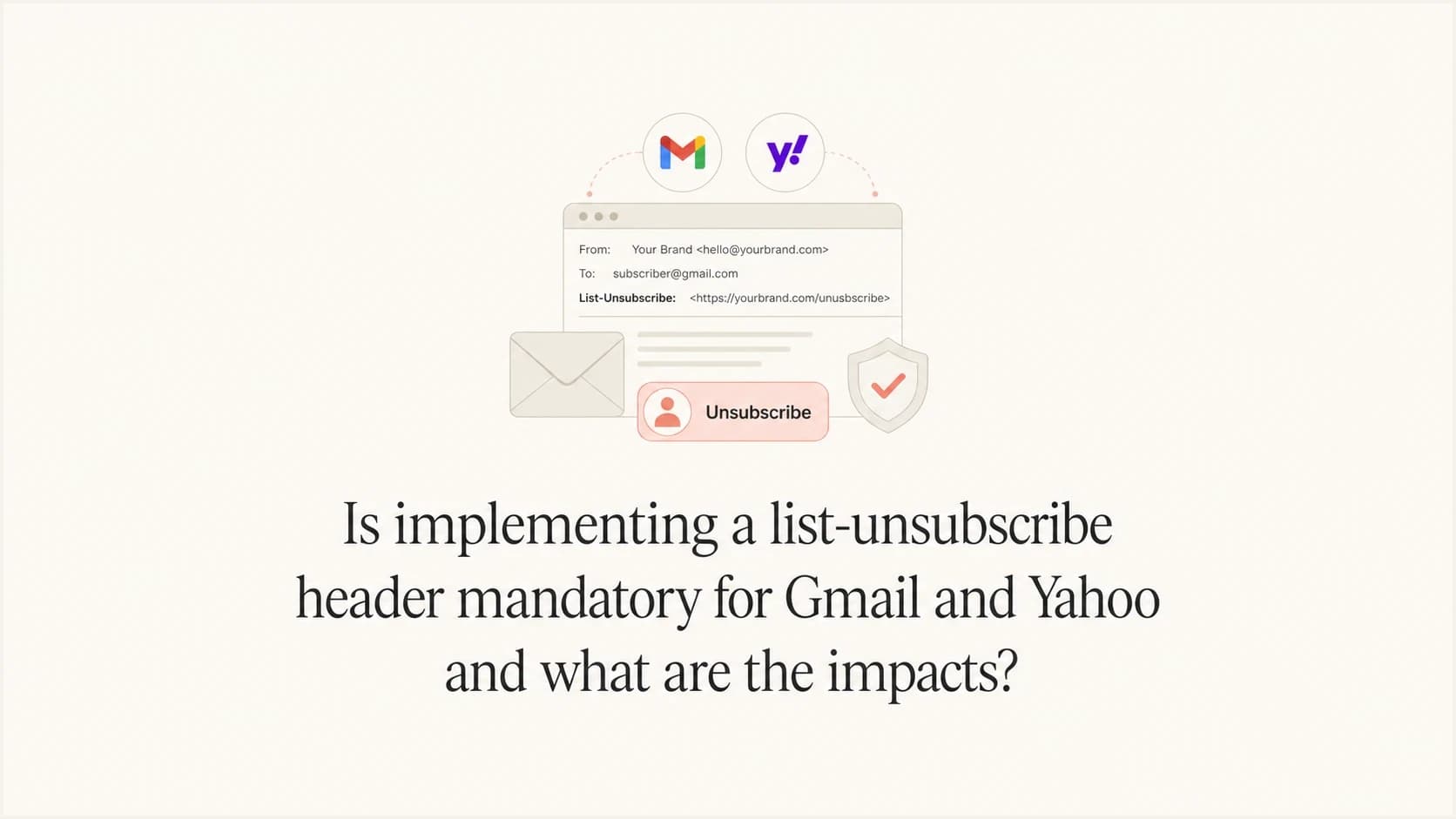
Updated on 3 Oct 2026: We clarified the body-link requirement, Yahoo's mailto allowance, and how to keep link scanners from triggering an unsubscribe.
Yes, a list-unsubscribe header is mandatory for Gmail and Yahoo bulk senders on marketing, promotional, and subscribed email. Gmail treats a sender as bulk when the same primary domain sends roughly 5,000 or more messages to personal Gmail accounts within 24 hours. Once Gmail classifies a sender as bulk, that status does not expire. Yahoo does not publish a fixed volume threshold and applies the requirement to bulk senders sending marketing and subscribed messages. The practical answer is simple: if you send commercial email at meaningful volume, implement it.
The impact is usually positive, even when the unsubscribe rate rises. A higher unsubscribe rate is not the same as worse deliverability. A subscriber leaving through the unsubscribe path is preferable to a spam complaint because complaints damage reputation more directly. Gmail and Yahoo evaluate authentication, user complaints, sending patterns, compliance, and reputation signals. IP reputation still matters, but the header problem is mainly a compliance and complaint-rate problem, not a simple IP quality switch.
- Implement list-unsubscribe and one-click unsubscribe for bulk marketing and subscribed mail.
- Missing it makes spam complaints more likely and weakens your position when delivery problems appear.
- Unsubscribes can increase because the opt-out path is easier; compare them with complaint trends.
- Track unsubscribes, complaint rate, inbox placement, authentication pass rates, and repeat sends to opted-out users.
The direct answer
Treat list-unsubscribe as mandatory unless the message is truly transactional. Password resets, receipts, account security notices, and legal notices do not need a promotional unsubscribe path when they are strictly service messages. Newsletters, product announcements, promotional lifecycle campaigns, abandoned cart emails, sale messages, win-back campaigns, and content subscriptions do need it.
Mandatory here means required by Gmail and Yahoo sender policy. The header itself is not a universal legal format, although applicable laws can separately require commercial messages to provide a working opt-out and honor the request within a defined period.
The header is not the same as the unsubscribe link in the footer. The body link is visible to the reader and is also required for bulk marketing and subscribed mail by Gmail and Yahoo. The list-unsubscribe header is visible to mailbox providers and email clients, which can use it to show their own unsubscribe control near the top of the message or in subscription controls.
A footer unsubscribe link alone does not satisfy Gmail's one-click requirement. The header-based mechanism must work without sending the person to a preference page, login screen, confirmation page, survey, or second click.
A preference center still has value. Use it in the email body for people who want to reduce frequency or choose topics. Do not use it as the only path for the header-based one-click unsubscribe. A provider-initiated one-click request should remove the recipient from the list tied to that message.
|
|
|
|---|---|---|
Newsletter | Yes | Subscribed mail |
Promotion | Yes | Marketing mail |
Promotional lifecycle | Yes | Commercial intent |
Receipt | No | Transactional |
Password reset | No | Security |
Compact decision table for when to include list-unsubscribe.
What Gmail and Yahoo require
Gmail expects bulk senders to support one-click unsubscribe for marketing and subscribed messages. That means the message needs the List-Unsubscribe header with one HTTPS URL and the List-Unsubscribe-Post header with the one-click value. Yahoo requires a functioning list-unsubscribe header for bulk senders, with the POST method highly recommended and mailto accepted. Both providers require a clearly visible unsubscribe link in the message body. For a shared implementation, use RFC 8058 POST and keep the body link.
Gmail says a missing one-click mechanism does not automatically reject the message or place it in spam by itself. It does make a bulk sender ineligible for delivery mitigation, while the harder opt-out path can produce more complaints. Yahoo says non-compliant bulk mail can be filtered to spam or rejected.
This is part of a wider sender requirement set that also includes SPF, DKIM, DMARC, low spam complaint rates, valid reverse DNS, and message formatting. Suped's DMARC monitoring workflow is useful here because the same compliance review should cover authentication and reporting, not only the unsubscribe header.
Gmail
Threshold: Roughly 5,000 or more messages within 24 hours to personal Gmail accounts, counted across the same primary domain.
- Once Gmail classifies the primary domain as a bulk sender, the classification does not expire.
- Marketing, promotional, and subscribed messages need one-click unsubscribe and a visible body link.
- RFC 8058 header-based one-click unsubscribe needs an HTTPS endpoint.
Yahoo
Threshold: Yahoo does not publish a fixed bulk-sender volume threshold.
- Marketing and subscribed messages need a functioning header and a visible body link.
- POST one-click is highly recommended, while mailto remains acceptable under Yahoo's stated policy.
- Honor the unsubscribe within two days.
For a deeper checklist on the header itself, compare your implementation with these header requirements. For Gmail-compliant one-click, the mailbox provider must be able to send a POST request and get a real unsubscribe outcome.
The technical headers that satisfy one click
A compliant one-click setup uses two headers. The first tells the receiving mailbox where unsubscribe requests go. The second tells the mailbox provider that it can send a POST request using the one-click protocol. Include a mailto option only as a fallback when implementing the Gmail-compatible one-click method.
Example list-unsubscribe headerstext
List-Unsubscribe-Post: List-Unsubscribe=One-Click
List-Unsubscribe: <https://u.example.com/u/a1b2c3>,
 <mailto:unsubscribe@example.com>
RFC 8058 also requires a valid DKIM signature that covers both List-Unsubscribe and List-Unsubscribe-Post in the DKIM h= tag. A receiver should not offer one-click unsubscribe when that signature is missing or invalid.
The HTTPS URL should contain an opaque, per-recipient token. Do not put raw email addresses in the URL. Do not require cookies, HTTP authorization, or a browser session. Do not return an HTTPS redirect. Do not send the recipient to a login page or make the person confirm again.
A security scanner can visit the URL with GET before a recipient acts. A GET must not unsubscribe anyone. Record the opt-out only after the RFC 8058 POST request, so link scanning does not remove subscribers by accident.
Expected one-click POST bodytext
POST /u/a1b2c3 HTTP/1.1
Host: u.example.com
Content-Type: application/x-www-form-urlencoded

List-Unsubscribe=One-Click
The unsubscribe endpoint should be idempotent. If the same POST arrives twice, return success and keep the recipient unsubscribed. This avoids double-processing problems and makes automated retries harmless.
- Use an unguessable token tied to the list, recipient, and send stream.
- Return a successful HTTP response after recording the opt-out.
- Process the unsubscribe quickly, within 48 hours.
- Remove the person from the list associated with that message, not unrelated service notices.
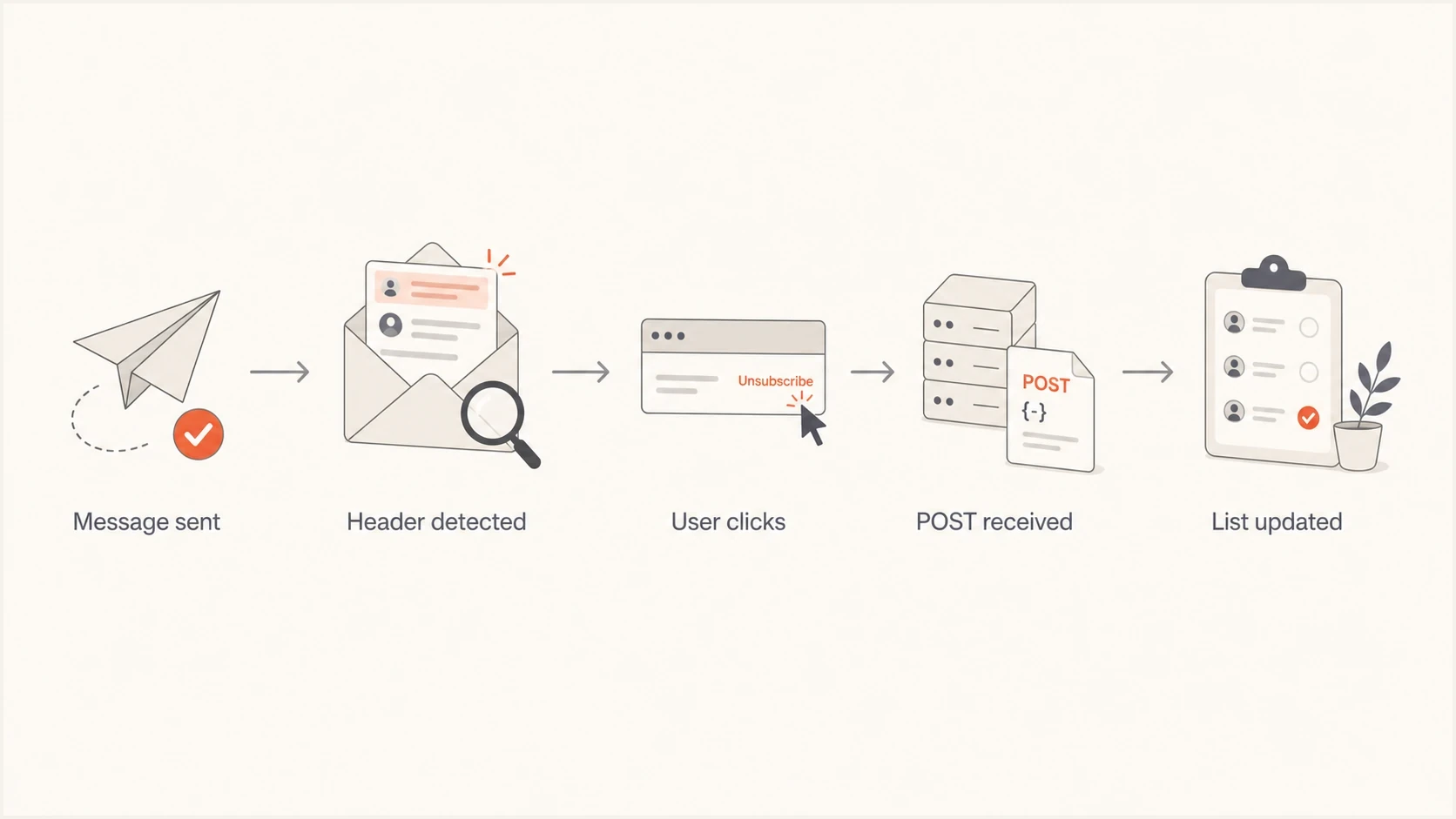
Flowchart showing message sent, header detected, user click, POST received, and list updated.
Separate subscription and transactional streams
Header compliance works best when every subscription has a clear identity. Gmail advises sending subscription and non-subscription messages from different email addresses. It also advises identifying each subscription list with a human-readable List-ID header or a unique From address. Yahoo recommends separating bulk marketing mail from transactional and user mail by IP or DKIM domain.
Example subscription identitytext
From: Weekly offers <offers@example.com>
List-ID: Weekly offers <weekly-offers.example.com>
List-Unsubscribe-Post: List-Unsubscribe=One-Click
List-Unsubscribe: <https://u.example.com/u/a1b2c3>
The one-click token must map to both the recipient and the list represented by that message. A click on a weekly offers email should stop weekly offers without suppressing password resets, receipts, or a separate subscription the person chose to keep.
- Use a stable, distinct From address for subscription mail instead of sharing a transactional sender.
- Add a readable List-ID when one sending address carries more than one subscription.
- Apply the opt-out to the subscription named by the token, then protect service messages from accidental suppression.
- Keep marketing complaints from directly sharing the same IP or DKIM reputation path as critical transactional mail.
What changes after you enable it
The obvious change is that more people can unsubscribe without hunting for a footer link. That can raise the unsubscribe rate. Do not treat that as a negative by itself. A clean unsubscribe is a user choosing not to receive a specific stream. A spam complaint is a user telling the mailbox provider that the sender is sending unwanted mail.
The less obvious change is that list-unsubscribe can protect the rest of your program. If the people who no longer want a campaign leave cleanly, later sends go to a more interested list. That can reduce complaint pressure and keep poor campaign segments from damaging the reputation of the sending domain or IP pool.
How to read post-launch metrics
Track these changes together. One metric on its own gives a weak signal.
Healthy
Good
Unsubscribes rise, complaints fall, and repeat sends to opted-out users stop.
Watch
Check
Unsubscribes rise while complaints stay flat and response weakens.
Critical
Fix now
Complaints rise, opt-outs are delayed, or unsubscribed users keep receiving mail.
Neutral
Normal
No visible UI appears, but headers and endpoint tests pass.
There is one caveat that causes confusion: Gmail does not always display the unsubscribe button, even when the headers are technically present. Display depends on automated eligibility checks, sender trust, message type, and provider-side UI decisions. If the button is missing, inspect the raw headers and test the endpoint before assuming the setup failed. The same idea applies to Gmail display behavior across different accounts and campaigns.
What improves
- People get a clear exit path before they reach for report spam.
- Uninterested subscribers leave, which improves future campaign quality signals.
- Bulk sender requirements are easier to prove during a delivery review.
What can feel worse
- The unsubscribe count can rise because the action is easier.
- Stakeholders can mistake higher opt-outs for poorer campaign performance.
- Broken suppression logic becomes visible because provider clicks happen fast.
How to verify implementation
Do not verify this only inside your email platform settings. Send a real campaign-like message to a mailbox you control, then inspect the delivered headers. Use the same From domain, DKIM signing domain, sending IP pool, template type, and unsubscribe logic that production campaigns use.
- Deliver a real marketing test to Gmail and Yahoo seed accounts.
- Open the raw message and confirm both RFC 8058 headers are present and covered by a passing DKIM signature.
- Trigger the HTTPS endpoint with POST, confirm the recipient is suppressed without a redirect or second action, then verify GET leaves the subscription unchanged.
- Send the next campaign test and confirm the opted-out address is excluded.
- Track complaints, unsubscribes, authentication failures, and blocklist or blacklist signals.
Email tester
Send a real email to this address. Suped shows a results button when the test is ready.
?/43tests passed
A practical shortcut is to send the message to Suped's email tester and inspect the received message, authentication result, and issue summary. That does not replace endpoint testing, but it catches common mistakes such as missing or malformed headers, SPF or DKIM failures, and message-level issues that platform previews hide.

Email tester sample report showing total score, email preview, issue summary, and per-section results
Check domain-level health at the same time. If unsubscribe compliance is good but DMARC is missing, SPF has too many DNS lookups, DKIM is unsigned on one stream, or the sending IP appears on a blocklist (blacklist), the overall program still has delivery risk. Suped's domain health checker gives a fast pass over the surrounding authentication pieces.
Where Suped fits
List-unsubscribe is one requirement, but it is rarely the only issue found during a Gmail and Yahoo readiness review. Teams often find authentication gaps, old sending sources, weak suppression handling, DNS mistakes, or reputation signals at the same time. Suped is our DMARC and email authentication platform, and its workflow turns DMARC data into specific investigation and remediation steps.
The relevant Suped workflow is to monitor DMARC reports, identify every sender using the domain, fix SPF and DKIM gaps, stage DMARC policy changes, and watch blocklist monitoring for domains and IPs. Keep one-click endpoint tests and suppression audits in the same readiness checklist so authentication and unsubscribe handling are reviewed together.
For a sender preparing for Gmail and Yahoo enforcement, the useful workflow is to authenticate every source, publish DMARC, monitor failures, add list-unsubscribe, confirm suppression, and keep complaint rates low.
For MSPs and agencies, each client has different sending tools, DNS access, and campaign habits. Suped's multi-tenant dashboard groups the work by client and domain so teams can see which domains still need authentication or reporting fixes before investigating provider filtering.
Views from the trenches
Best practices
Treat one-click unsubscribe as required for bulk promotional mail, then verify live sends.
Measure complaints beside unsubscribes so cleaner opt-outs are not misread as campaign loss.
Keep preference centers for human choice, but let header one-click remove the recipient.
Common pitfalls
Do not assume a footer unsubscribe link satisfies Gmail's header-based one-click rule.
Do not judge success only by whether Gmail displays the unsubscribe button in the UI.
Do not let one-click requests wait behind manual exports, batch jobs, or CRM delays.
Expert tips
Make unsubscribe endpoints idempotent so repeated POST requests keep the same outcome.
Use per-recipient tokens and avoid placing raw email addresses inside unsubscribe URLs.
Separate transactional streams so service notices are not removed with marketing lists.
Expert view
Expert from Email Geeks says Yahoo and Google call this a requirement, so ignoring it creates avoidable delivery consequences.
2023-11-27 - Email Geeks
Expert view
Expert from Email Geeks says Gmail and Yahoo use complex filtering signals, so the header should be viewed through complaints and authentication, not only IP quality.
2023-11-27 - Email Geeks
Implementation priorities
Implement list-unsubscribe now for all bulk promotional, marketing, and subscribed streams. Do not wait for a visible delivery penalty. Adding the headers and validating the endpoint requires less work than recovering from elevated complaints or an unsuccessful sender review.
Reset stakeholder expectations before launch. If unsubscribes rise, that is not automatically bad news. The better questions are whether complaint rate falls, whether wanted campaigns keep producing responses, whether opted-out users stop receiving mail, and whether authentication remains clean across every sending source.
- Add RFC 8058 one-click headers and a visible body link to commercial bulk streams.
- Confirm the POST endpoint suppresses the right recipient and list; GET must leave the subscription intact.
- Verify DKIM covers both unsubscribe headers, then review DMARC, SPF, reverse DNS, and complaint trends.
- Use Suped to keep authentication and reputation work visible after the header is live.
Frequently asked questions
No. It is required for bulk marketing, promotional, and subscribed messages sent to Gmail and Yahoo users. Strictly transactional messages such as password resets and receipts are outside the one-click requirement.
No. Gmail counts messages sent to personal Gmail accounts across the same primary domain. Once that domain meets Gmail's bulk-sender criteria, lowering later volume does not remove the classification.
Adding the header does not itself hurt IP reputation. Easier opt-outs can reduce complaints, but measure both rates after launch. Gmail and Yahoo also consider authentication, reputation, and sending behavior.
No. A preference center is useful in the email body, but header-based one-click unsubscribe must remove the recipient without a second step, login, survey, or confirmation page.
Gmail display depends on automated eligibility checks. Correct headers are necessary, but the visible button is not guaranteed for every sender, message, or test account.
Not by itself. More unsubscribes can mean fewer complaints and a cleaner list. Compare unsubscribe rate with complaint rate, campaign response, and whether suppressed recipients stop receiving future campaigns.