What is the cause of the unexpected banner appearing in Gmail desktop and is it resolved?


Updated on 19 Oct 2026: We added Google's confirmed configuration-error cause and separated the resolved 2022 banner bug from the January 2026 spam-checking incident.
The unexpected banner that appeared in Gmail desktop was caused by a Gmail configuration change released more broadly than intended. Google reported that it affected messages delivered from 20:36 PDT on July 6, 2022, through 00:08 PDT on July 7, and resolved the incident on July 9. For that specific incident, senders did not need to change DNS records, rewrite templates, pause campaigns, or rotate sending domains.
A similar-looking Gmail banner today should be checked as a new event. Gmail has several warning and preference banners. Some are sender warnings, some are user-preference prompts, and some are provider-side defects. Use scope as an initial clue: a banner across unrelated senders warrants a Gmail status and browser check. A banner limited to one sender warrants a message-header review, but that pattern alone does not establish the cause.
- Root cause: A Gmail configuration change triggered excessive sender-feedback banners.
- Resolution: Google marked the incident resolved on July 9, 2022.
- Sender action: No emergency DNS or deliverability fix was needed for the known incident.
- Current checks: Treat any new banner as a fresh signal and compare its wording, timing, and message headers.
Short answer
If you are asking about the July 2022 Gmail desktop sender-feedback banner, yes, it was resolved on July 9. If you are seeing a banner now, verify its exact wording and whether it affects unrelated senders before making changes.
What caused the Gmail desktop banner
The reported Gmail desktop banner appeared above opened emails in the web interface. The common pattern was not one sender, one subject line, or one mail stream. People saw it on ordinary inbox messages, including transactional email, newsletters, triggered notifications, automated reports, and marketing email. That breadth is a useful clue, but it does not by itself establish that authentication passed or that every affected message was safe.
The banner was a sender-feedback prompt asking, "Do you want to continue receiving messages from this sender?" Google's incident report confirmed that the affected messages continued to be delivered and were not marked as spam or phishing because of this bug.

Gmail desktop sender-feedback banner associated with the July 2022 bug.
That pattern should not be read as a DMARC failure by default. Check the affected message's headers and, where available, DMARC aggregate reports. A Gmail interface bug can appear even when authentication passes, but passing authentication alone does not establish a bug.
|
|
|
|---|---|---|
Many unrelated senders | Gmail incident or local browser issue | Compare wording and timing with status reports |
One sender or domain | Authentication, content, reputation, or recipient settings | Check the affected message headers |
Sender-feedback prompt | Recipient preference request or excessive prompting | Match exact wording and incident dates |
One browser only | Extension, cache, or browser issue | Retest with extensions disabled |
Initial clues for investigating Gmail banners, not confirmed diagnoses.
The confirmed incident timeline
Google described the notice as a redundant banner on delivered messages. Use the delivery timestamp, not the time the recipient opened the message, to connect an old screenshot or report to this incident.
- Delivery window: Messages delivered from 20:36 PDT on July 6, 2022, through 00:08 PDT on July 7 were in the reported window.
- Banner wording: Gmail asked whether the recipient wanted to continue receiving messages from the sender.
- Account scope: Google initially reported consumer-only impact, then confirmed that both personal Gmail and Google Workspace accounts were affected.
- Rollback: Google reverted the configuration at 00:08 PDT on July 7, stopping the banner from being added to new messages.
- Resolution: Google finished removing the banners from affected messages by 13:31 PDT on July 9, 2022, and marked the incident resolved that day.
Match the exact wording
A "similar to spam" notice, a dangerous-message warning, or an images-hidden banner is not the 2022 sender-preference bug. Record the exact wording, folder placement, and message headers before choosing a fix. Google's image-display guidance explains that hidden images can result from recipient settings or a message Gmail considers suspicious. Hidden images alone do not establish a tracking-pixel or authentication problem.
A different Gmail warning appeared in January 2026
On January 24, 2026, Gmail displayed a different warning: "Be careful with this message. Gmail hasn't scanned this message for spam, unverified senders, or harmful software." Google's January incident report traces that incident to a backend failure followed by excessive retries that overloaded spam-checking systems. It was a separate incident, not a recurrence of the July 2022 sender-feedback bug.
Google recorded the disruption between 05:02 and 09:55 PST on January 24 and reported recovery for most users by 09:55. Some messages also had incorrect category labels or delivery delays. Google warned that warnings on messages received before recovery can persist after the incident is resolved.
A missing-spam-checks warning means the message did not receive the usual scanning. Passing SPF, DKIM, or DMARC does not replace that scanning. Verify unexpected requests through a known contact channel before opening links or attachments.
Why it was not a sender problem
The strongest evidence was Google's confirmed configuration error and subsequent cleanup. The same banner across unrelated senders was an early clue, rather than proof that every sender's authentication or reputation was healthy.
That does not mean senders should ignore Gmail warnings. The first question is scope. Treat a broad, multi-sender banner as an incident check first and a sender audit second. Treat a one-sender warning as a sender audit first. If the message passes SPF, DKIM, and DMARC, investigate sender reputation, user engagement, message similarity, recipient settings, or Gmail behavior. A deeper explanation of a Gmail warning despite DMARC is useful when the warning follows one sender.
Gmail-side incident
- Scope: Can appear across unrelated senders and message categories.
- Headers: Authentication can pass while the banner still appears.
- Fix owner: Gmail needs to correct its configuration or affected processing systems.
Possible sender-side problem
- Scope: Often follows one domain, one brand, or one mail stream.
- Headers: Review authentication results and forwarding or ARC evidence alongside the exact warning.
- Fix owner: The sender fixes confirmed record, routing, consent, or content issues.
Passing authentication exampletext
Authentication-Results: mx.google.com;
       spf=pass smtp.mailfrom=example.com;
       dkim=pass header.d=example.com;
       dmarc=pass (p=reject) header.from=example.com
Read the Authentication-Results header added by Gmail for the affected message. Results like these show that authentication passed for that message; they do not establish that its content is safe or guarantee inbox placement. Google's authentication guidance explains that authenticated mail can still be spam. If authentication passes and the banner is broad, collect evidence before changing sender configuration.
How to verify a similar banner today
If Gmail desktop shows an unexpected banner now, do not assume it is the July 2022 bug. That incident was resolved. A new banner needs a fresh check because Gmail warning text, browser extensions, user-preference prompts, and real authentication failures can look similar to a recipient.
Start by recording the exact banner wording and collecting evidence from more than one mailbox and message. Suped's DMARC monitoring helps compare reported authentication results across senders. Suped's domain health checker checks published DNS configuration; it does not verify the authentication of an individual message. A DKIM scan of common selectors can miss a valid key, so check the selector in the message header if needed.
- Scope: Test unrelated senders, personal Gmail and Workspace accounts, plus mobile and desktop clients.
- Headers: Open the affected message in Gmail desktop, click More beside Reply, then Show original. Review Gmail's SPF, DKIM, and DMARC results and compare the authenticated domains with the visible From domain.
- Status: Follow Google's troubleshooting guidance to check the Google Workspace Status Dashboard. Match the warning text and timing; the absence of a listed incident does not rule out a limited issue.
- Browser: Update the browser, then retest in a private window and another browser with extensions disabled. If the problem stays confined to one browser, clear Gmail site data after saving any unsent work, then sign in again.
- Reports: Compare Google-reported authentication rates before and after the banner appeared. Aggregate reports arrive after their reporting interval and do not show Gmail banners or inbox placement.
Change DNS only when the evidence supports it
A broad Gmail incident is not a reason to change SPF, DKIM, or DMARC. Keep the configuration stable while investigating, but fix an independently confirmed authentication problem even if a Gmail incident is also underway.
- Keep records: Do not rotate selectors or flatten SPF merely to dismiss a banner.
- Keep samples: Save full headers from affected and unaffected messages.
- Keep timing: Record first seen, last seen, account type, and browser version.
?
What's your domain score?
Deep-scan SPF, DKIM & DMARC records for email deliverability and security issues.
Use the DNS check alongside a real-message header review. If both show no authentication problem and the banner appears across unrelated senders, investigate Gmail status and the browser. If the check finds a missing DMARC record or SPF lookup issue, verify and fix it separately rather than assuming it caused the banner.
What to do after confirming the cause
Once you know the cause, the right action is usually simple. If it is a Gmail incident, document the evidence, tell support and marketing teams not to change sender setup solely because of the banner, and monitor until Gmail resolves it. If it is limited to one sender, inspect authentication, sender reputation, unsubscribe handling, complaint rate, and recent message changes.
Choose the next action
Use the confirmed evidence to choose the next step; scope alone does not identify the cause.
Investigate before editing
Broad scope
Many unrelated senders show the same banner and the sampled messages pass authentication.
Monitor closely
Mixed scope
The banner appears in one mailbox cohort, but headers pass.
Fix confirmed failures
Verified fault
Header and configuration checks identify a fault in legitimate mail; an individual SPF or DKIM failure does not always mean DMARC fails.
Escalate
Provider issue
An official incident report matches the warning text, timing, and affected account type.
For sender-side checks, compare the domain in the visible From header with the authentication domains in the original message. DMARC passes when SPF or at least one DKIM signature passes and its authenticated domain meets the DMARC record's domain-matching rules. Relaxed mode permits the same organizational domain; strict mode requires an exact domain match. If DMARC is missing or malformed, use a DMARC checker before editing the record.
Monitor before enforcing a new policy
A basic DMARC record publishes a receiver policy, while the rua tag requests aggregate reports. Start with p=none when mapping legitimate senders, then move toward quarantine or reject after verifying them. A monitoring policy does not itself request that failing mail be quarantined or rejected. Publish the example at _dmarc.yourdomain.com as a TXT record and replace the address with a reporting mailbox you control.
Starter DMARC recordtext
v=DMARC1; p=none; rua=mailto:dmarc@yourdomain.com
Do not confuse a resolved Gmail bug with permission to ignore authentication. Gmail can show warnings for many reasons, and authentication is still the baseline evidence that lets you investigate your sender setup when a user-facing warning appears.
How Suped helps investigate Gmail banners
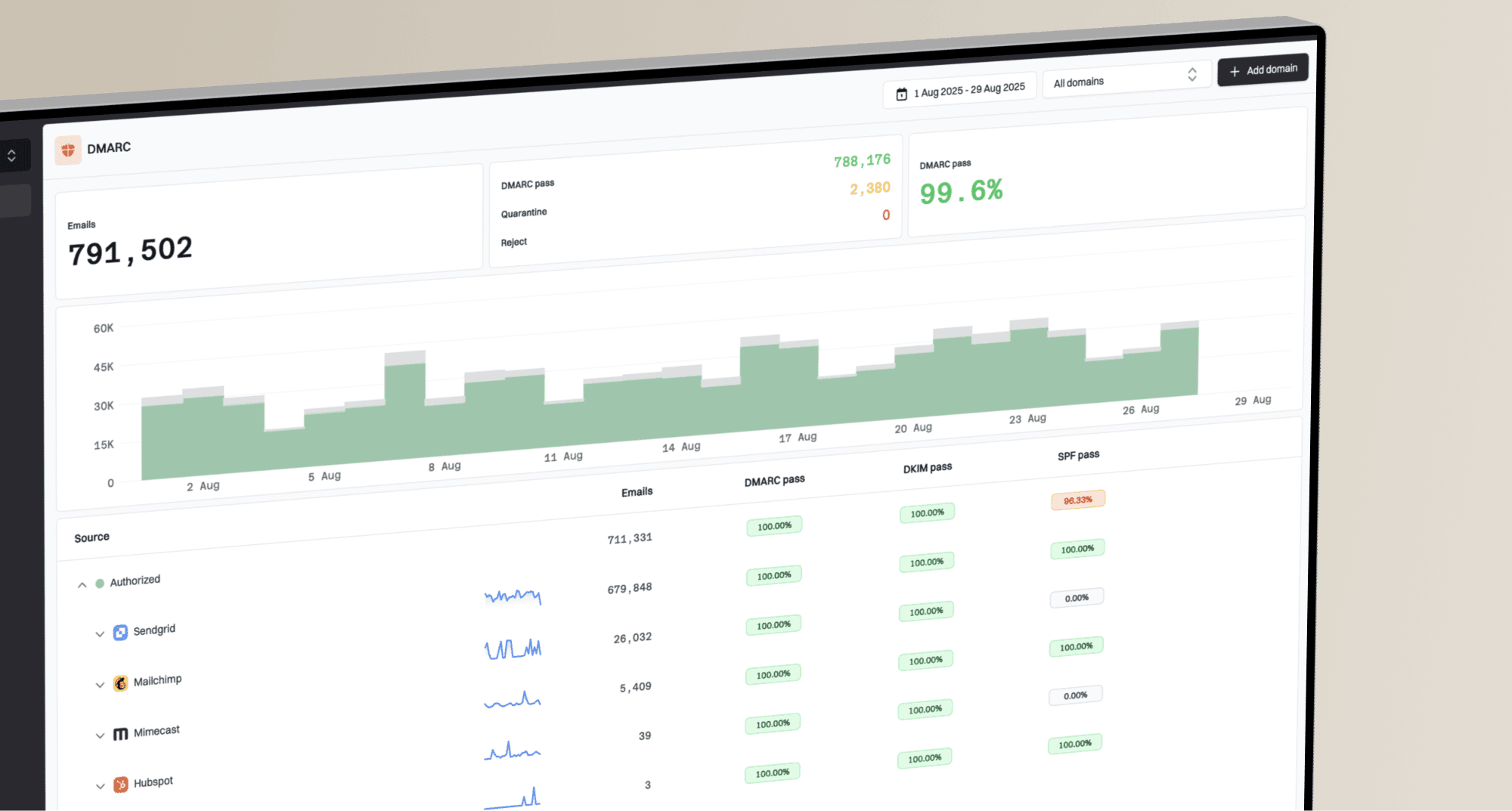
Suped's DMARC reporting and email authentication platform helps compare reported authentication results with the affected message's headers. Use that evidence to identify sender configuration problems while investigating Gmail status or browser behavior.
DMARC record detail view showing SPF, DKIM, DMARC, rDNS diagnostics, and DNS records
The workflow in Suped is to open the affected domain, review the DMARC record, check SPF and DKIM diagnostics, inspect Google-reported authentication trends, and compare verified and unverified sources. Reports cover a reporting interval and arrive later; they do not record which Gmail banners recipients saw. If both reports and affected-message headers show passing authentication, compare the warning with official incident reports before editing DNS.
- Evidence: DMARC aggregate reports show authentication outcomes reported by Google, not whether messages reached the inbox or displayed a banner.
- Alerts: Suped alerts flag authentication changes as report data arrives; they do not detect a Gmail interface incident in real time.
- Hosted controls: Hosted DMARC helps stage policy changes without repeated manual DNS edits.
- Reputation: Blocklist (blacklist) monitoring helps investigate separate listing events, but a listing does not establish the cause of a Gmail warning.
- Scale: MSP and multi-tenant views make the same checks repeatable across many domains.
Views from the trenches
Best practices
Check whether unrelated senders show the same banner before editing DNS or message content.
Check status pages and recent public reports before treating a Gmail banner as sender failure.
Save one affected message with full headers so authentication evidence remains available.
Common pitfalls
Changing SPF or DKIM during a Gmail incident creates noise and hides the original signal.
Assuming every banner means spoofing causes teams to miss browser or Gmail interface defects.
Testing only one mailbox gives a weak signal when Gmail cohorts receive different UI changes.
Expert tips
Compare personal Gmail, Workspace Gmail, mobile, and desktop before naming the cause.
Compare affected message headers with aggregate DMARC data before opening a sender ticket.
Keep alert thresholds separate for inbox UI warnings and real authentication failures.
Marketer view
Marketer from Email Geeks says the banner appeared in Gmail desktop across normal inbox messages, including transactional, newsletter, triggered, and marketing email, which pointed away from one sender.
2022-07-07 - Email Geeks
Expert view
Expert from Email Geeks says the issue matched a Google-side bug once a public incident appeared, so senders should avoid emergency DNS changes.
2022-07-08 - Email Geeks
Frequently asked questions
No. The known July 2022 Gmail desktop sender-feedback banner was caused by a Gmail configuration error. Check authentication if a current warning follows one sender or domain.
Yes, the July 2022 sender-feedback incident was resolved on July 9, 2022. The separate January 24, 2026 missing-spam-checks incident was resolved for most users by 09:55 PST that day, although warnings on older affected messages can persist. Treat a new banner as a separate event until its wording, timing, and headers are checked.
Do not change records solely because a broad Gmail banner appears. Change records when message headers, DNS checks, or DMARC reports identify a specific configuration problem.
The 2022 notice applied to messages delivered within a specific window and affected both personal Gmail and Google Workspace accounts. Google corrected its initial consumer-only assessment. Comparing delivery timestamps and account types helps distinguish that incident from a current warning.
Gmail controls its own banners. Suped's product helps investigate authentication using domain diagnostics and DMARC reports; it does not remove Gmail warnings or report which banners individual recipients saw.