Why is Gmail showing a warning message despite passing DMARC?

Updated on 13 Aug 2026: We clarified how Gmail warning types, ARC history, and sender requirements change the diagnosis after a DMARC pass.
A DMARC pass means Gmail found at least one SPF or DKIM result that passed and matched the visible From domain under DMARC rules. It does not authenticate every part of the message or guarantee delivery without a warning. Gmail still evaluates the message content, sender history, DNS consistency, routing path, and other safety signals.
When the warning is intermittent, treat it as a difference between message copies rather than a simple DMARC policy problem. The warned copy differs in a measurable way, such as Authentication-Results, ARC history, Return-Path, DKIM selector, sending IP, Received chain, links, display name, or a gateway hop.
Google's current Google guidance says receiving organizations can still quarantine, reject, or filter mail even when authentication passes. It recommends checking the headers of the affected message, SPF and DKIM setup, DMARC reports, and sending practices.
Direct answer
- DMARC verifies domain-level identity through a matching SPF or DKIM result. Gmail warnings also consider routing, content, sender reputation, and user-facing identity signals.
- An intermittent warning usually means messages do not all follow the same route or use the same DKIM signature, SPF identity, links, or envelope domain.
- For direct mail, make SPF and DKIM pass consistently, keep at least one result matched to the From domain, verify DNS answers, and compare warned headers with clean headers.
- Source-level authentication monitoring can identify the sender, selector, route, or DNS record that differs.
What DMARC proves
DMARC answers one narrow question: did SPF or DKIM pass with a domain that matches the domain shown in the From header? Relaxed matching accepts the same organizational domain, while strict matching requires an exact domain. A pass is important, but it is neither a delivery guarantee nor a promise that Gmail will avoid every warning banner.
DMARC pass
- The visible From domain has a valid SPF or DKIM authentication path under DMARC matching rules.
- The published policy tells receivers how the domain owner wants failed messages handled.
- Aggregate data groups authenticated sources and sources that need investigation.
- The result does not evaluate message intent, landing-page risk, or recipient behavior.
Gmail warning
- Gmail adds a user-facing warning when it distrusts the message, identity, or path.
- The decision can use authentication, routing, sender history, content, links, and user reports.
- One campaign copy can warn while another copy from the same domain does not.
- The useful fix is the message attribute or sender path that differs.
How to read the signal
A DMARC pass is a strong domain identity signal, but Gmail makes a separate warning decision.
DMARC pass
Identity
SPF or DKIM passed and matched the visible From domain.
Both paths pass
Stronger
SPF and DKIM both pass, with at least one domain match.
DNS varies
Warning
Resolvers or authoritative nameservers return different answers.
Route changes
Investigate
Forwarding, gateways, or rewrites change what Gmail receives.
A common trap is reading 100% DMARC success in aggregate reports and assuming every Gmail-recipient copy had the same authentication path. Aggregate reports group many messages by source and result. For this issue, the headers of the exact warned message carry more diagnostic value than the overall pass rate.
Match the warning to the signal
Record the exact Gmail wording before changing DNS. A question-mark sender icon, a scam banner, spam placement, and an SMTP rejection are different outcomes. A DMARC pass can coexist with the last three because each uses signals beyond DMARC.
|
|
|
|---|---|---|
Question-mark sender icon | Gmail treats the received copy as unauthenticated | Show original, Mailed by, Signed by, and ARC |
Scam or dangerous-message banner | Gmail detected suspicious content, identity, or account behavior | Links, requests, display name, Reply-To, and account access |
Spam placement | Gmail classified the message as unwanted | User reports, sending pattern, consent, links, and authentication |
SMTP rejection or deferral | Gmail refused or delayed delivery | Enhanced status code, including the full 4xx or 5xx text |
Gmail outcomes and the first evidence to inspect.
Use Gmail's verdict
Open the affected copy in Gmail and use Show original. Read the Authentication-Results field added by mx.google.com and the summary Gmail displays. Do not treat an earlier Authentication-Results field copied by the sender or another hop as Gmail's result.
Why the warning is intermittent
Intermittent Gmail warnings usually come from inconsistency. A domain owner sees a passing result in one place, but Gmail evaluates a different message copy, hop, or cached DNS answer. Start with a comparison instead of changing policy by guesswork.
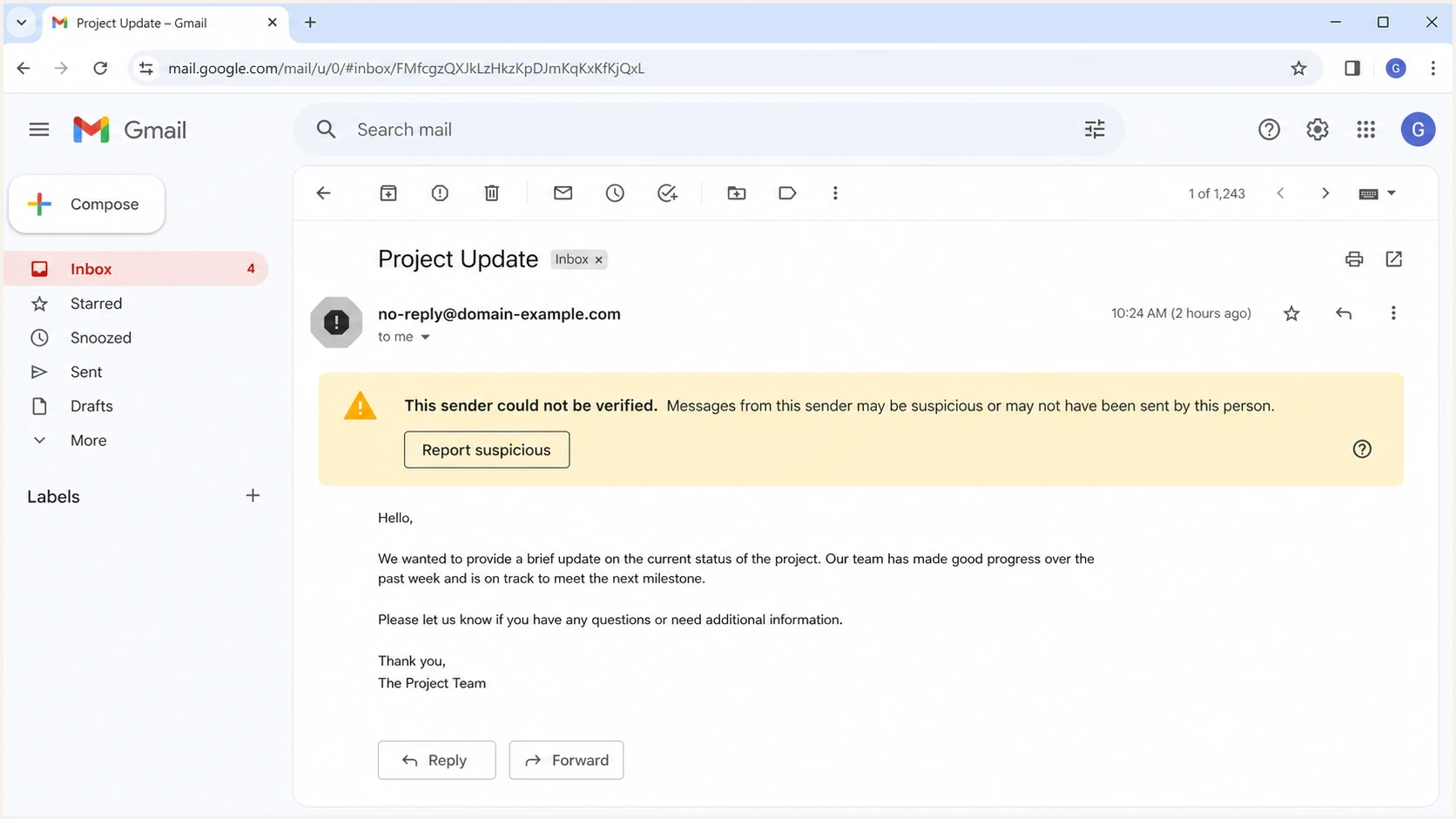
Gmail message view showing a sender verification warning after authentication checks.
- One authoritative nameserver can return the current DKIM or DMARC record while another returns old, missing, or malformed data. Resolver caching can extend the difference until the TTL expires.
- DMARC can pass through DKIM while SPF uses a vendor Return-Path that does not match the visible From domain. This leaves one matched authentication path.
- One stream can sign with a healthy DKIM selector while another uses a selector with a missing key, stale key, or DNS error.
- Forwarding usually breaks SPF. Gmail also checks ARC history, and can treat a forwarded copy as unauthenticated when ARC records an earlier failure even if SPF or DKIM passes on the final hop.
- A security gateway, footer injector, link rewriter, or routing rule can change the copy Gmail evaluates after DKIM signing.
- Brand-like display names, unusual links, a different Reply-To, or requests for sensitive action can trigger Gmail's safety checks even when DMARC passes.
- Different IPs, domains, subdomains, or URL hosts can carry different sending histories and recipient-feedback signals.
The DKIM-only case deserves extra attention. DMARC allows a message to pass when DKIM passes and matches the visible From domain, even if SPF fails or uses an unrelated vendor envelope domain. That is standards-correct, but it leaves one matched path. A gateway, MIME change, signer difference, or broken selector can remove it on some copies.
Read the Gmail headers first
Do not start by changing the DMARC policy. Collect two Gmail message headers from the same stream: one message that showed the warning and one that did not. If only aggregate reporting is available, validate the live DNS record with a DMARC checker, then return to message-level evidence.
Header fields to comparetext
Authentication-Results: mx.google.com;
  dkim=pass header.d=example.com;
  spf=pass smtp.mailfrom=bounce.example.com;
  dmarc=pass header.from=example.com;
  arc=pass (i=1)
Return-Path: <bounce@example.com>
From: Sender <news@example.com>
Received: from mail.sender.example by mx.google.com
- Put the warned and clean headers side by side and compare the results added by mx.google.com.
- Record each DKIM domain, selector, pass result, and additional DKIM signature.
- Compare the SPF smtp.mailfrom domain with the visible From domain and note pass, fail, softfail, or none.
- Read ARC-Seal and ARC-Authentication-Results when a forwarder, mailing list, or gateway handled the message.
- Trace Received hops for an inbound gateway, relaying service, unexpected mail host, or route used only by warned copies.
- Compare links, display name, Reply-To, footer injection, attachments, MIME structure, and body changes.
- Match the received time against DNS changes, selector rotations, new IPs, volume changes, and routing updates.
Avoid this false fix
Moving DMARC straight to a stricter policy does not remove a Gmail warning caused by route changes, DNS inconsistency, weak sender reputation, ARC history, or content risk. Enforcement protects the domain from unauthenticated abuse, but it does not repair a broken sending path.
DMARC checker
Look up a domain's DMARC record and catch policy issues.
?/7tests passed
Fix multiple DMARC records, malformed tags, and DNS lookup failures first. A missing rua address does not invalidate DMARC or cause a Gmail warning, but it removes aggregate-report visibility that can reveal intermittent sources. If the record is valid, continue with the affected message headers and route.
Fix the authentication path
For direct mail, the most durable setup has SPF and DKIM passing consistently, with at least one authenticated domain matching the visible From domain. DMARC needs one matching pass, but two working methods reduce dependence on DKIM surviving every change and make Gmail warning cases easier to diagnose. Forwarded mail still needs DKIM to survive or a trustworthy ARC chain because SPF normally evaluates the forwarder's IP.
Simple DNS baselinedns
_dmarc.example.com TXT "v=DMARC1; p=none; rua=mailto:d@example.com"
example.com TXT "v=spf1 include:_spf.sender.example -all"
Before
- DKIM passes and matches the visible From domain.
- SPF passes for an unrelated vendor envelope domain or fails after forwarding.
- One DKIM break removes the only matching domain proof.
- Warnings are harder to trace because SPF adds no matching identity result.
After
- DKIM passes for the same organizational domain used in From.
- Return-Path uses the organizational domain or a subdomain under its control.
- Direct messages have two working authentication methods and at least one matching result.
- Header differences become clearer when one method or route changes.
- Set a custom Return-Path under your organizational domain for each sender that supports it.
- Publish every active DKIM selector on all authoritative nameservers and rotate keys without removing the old selector too early. Use 2048-bit keys where supported; Gmail treats keys shorter than 1024 bits as unsigned.
- Confirm each sending IP has matching forward and reverse DNS and that the sending path uses TLS.
- Stop gateways, list systems, and other routing components from changing signed headers or body content after DKIM signing.
- Use subdomains so marketing, product, transactional, and human mail can develop separate sending histories.
- Move p=none to quarantine or reject only after every legitimate sender is visible and stable.
For domains sending more than 5,000 messages in one day to personal Gmail accounts, a DMARC pass covers only part of Google's requirements. Google also requires SPF, DKIM, DMARC, valid forward and reverse DNS, TLS, low user-reported spam rates, and From-domain matching through SPF or DKIM for direct mail. Marketing and subscribed messages must support one-click unsubscribe and include a visible unsubscribe link.
How Suped finds the cause
Suped's product supports a source-level workflow for this problem: group mail by sending source, compare authenticated and failing streams, and turn repeated issues into specific configuration steps. DMARC monitoring, SPF and DKIM results, blocklist monitoring, blacklist context, and deliverability signals appear in the same workflow, which helps trace short-lived Gmail warning patterns.

Issue steps to fix dialog showing the issue overview, tailored fix steps, and verification action
The useful path runs from symptom to source: identify which provider sent the mail, which authentication method passed, which selector or sender failed, and which DNS or configuration change addresses it. Suped's issue detection and alerts can capture intermittent failures that are gone by the time someone checks DNS manually.
For domains with many senders, Hosted DMARC can stage policy changes without repeated TXT edits. Hosted SPF and SPF flattening can keep larger sender inventories within SPF lookup limits. For a DNS and authentication overview before inspecting a message header, the domain health checker checks DMARC, SPF, and DKIM together.
Use a decision path
A warning banner feels vague, but the investigation can be mechanical. Follow the path until the warned message differs from the clean message. Once the difference is concrete, the fix is usually a sender configuration, DNS correction, route change, ARC issue, or content adjustment.
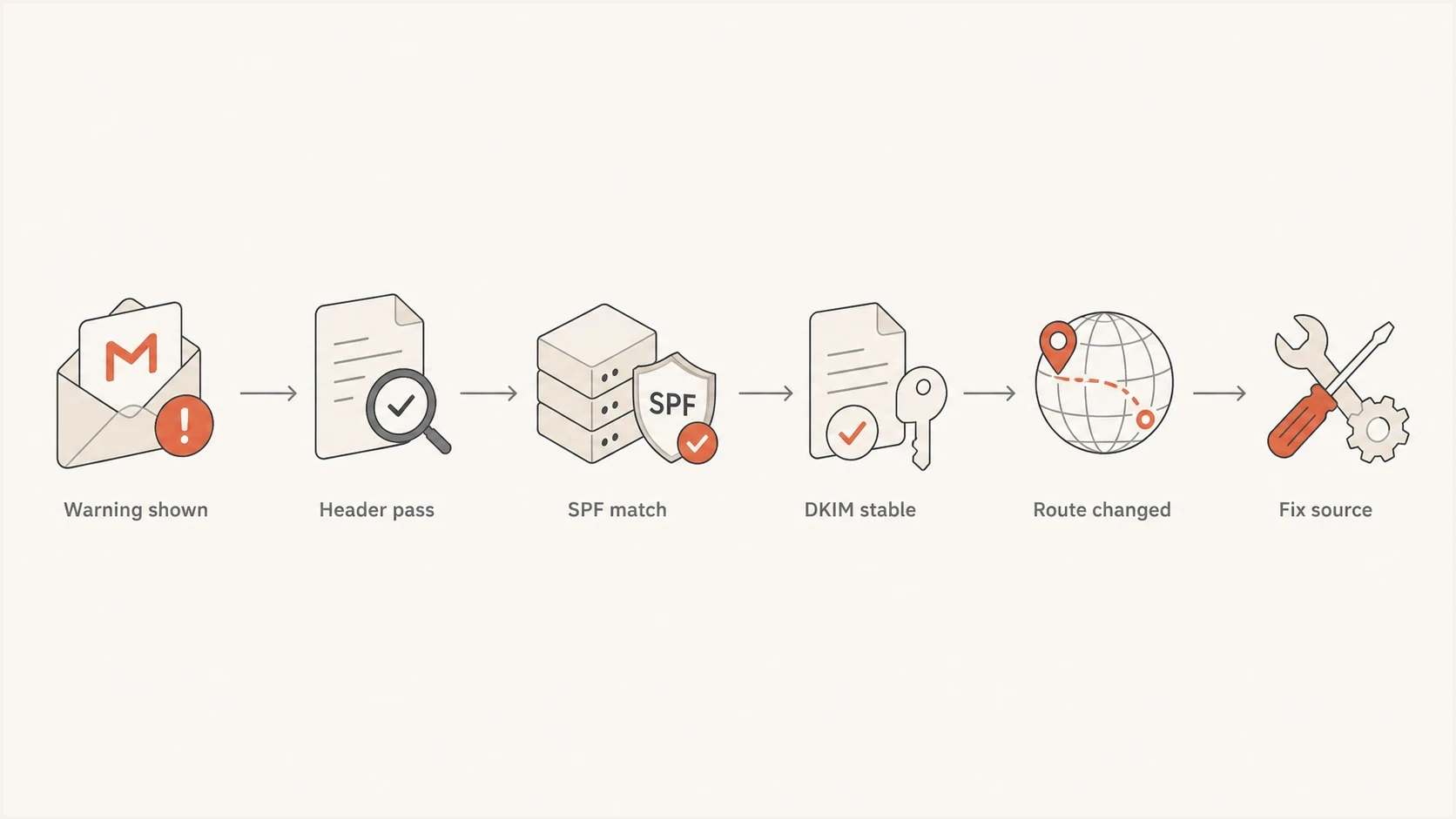
Troubleshooting flow for Gmail warnings after a passing DMARC result.
|
|
|
|---|---|---|
DKIM pass only | SPF domain mismatch | Return-Path |
DKIM varies | Selector issue | DNS answers |
ARC conflicts | Earlier hop failed | ARC chain |
SPF fails | Forwarding | Received hops |
Authentication passes | Content risk | Links and Reply-To |
Only some IPs | Reputation split | Source history |
Compact troubleshooting map for Gmail warnings after DMARC passes.
If Gmail's own authentication result, ARC history, and route are clean and consistent, focus on message content and reputation. Check whether the warned copy uses a new link host, URL shortener, misleading display name, mismatch between From and Reply-To, unexpected attachment, or sudden volume increase. Those issues sit outside DMARC but still change how Gmail presents the message.
Views from the trenches
Best practices
Compare warned and clean Gmail headers before changing DMARC policy or sender DNS.
Keep SPF and DKIM passing for the same From domain whenever the sender supports it.
Track selectors, Return-Path domains, and routes per sender, not just aggregate pass rates.
Test after gateway, footer, and link rewrite changes because they change Gmail's copy.
Common pitfalls
Treating a 100% aggregate DMARC pass rate as proof every Gmail copy was identical.
Relying on DKIM-only DMARC pass when SPF uses a vendor domain or fails after forwarding.
Checking DNS once, then missing inconsistent answers across authoritative nameservers.
Ignoring content and link risk after authentication headers show clean pass results.
Expert tips
Save the raw Gmail header for every warning, then group incidents by sender and selector.
Use a custom Return-Path for each major sender so SPF adds a second domain proof path.
Watch for intermittent DNS SERVFAIL or stale DKIM records during selector rotations.
Separate mail streams by subdomain so reputation issues do not affect every message type.
Marketer from Email Geeks says intermittent Gmail warnings often come from DNS failures, inconsistent DNS answers, or forwarding paths.
2024-05-17 - Email Geeks
Marketer from Email Geeks says DKIM-only DMARC pass still leaves a sender exposed when SPF exists but does not match the visible From domain.
2024-05-18 - Email Geeks
What to do next
If Gmail shows a warning despite DMARC passing, start with the exact Gmail outcome and affected message. Pull the warned header, compare it with a clean copy, and identify the difference. Useful fixes usually involve a matching SPF domain, stable DKIM signing, consistent DNS, trustworthy ARC handling, or removal of route and content changes after signing.
- Record the exact warning text and confirm the warned copy has the same Gmail Authentication-Results as a clean message.
- For direct mail, make SPF pass with a Return-Path under your organizational domain wherever the sender supports it.
- Monitor DKIM selector health and DNS consistency across every authoritative nameserver.
- Review ARC history, forwarding, gateways, link rewriting, footers, and content differences.
For cases where Gmail's wording points to suspicious content, use the Gmail phishing warnings guide. For the broader sender-verification banner, compare the Gmail authentication alert case.




