Why is my BIMI logo failing in iCloud/Apple Mail with 'invalid evidence'?

Published 15 Nov 2025
Updated 21 Oct 2026
12 min read
Summarize with
Updated on 21 Oct 2026: We clarified Apple's BIMI evidence requirements and added selector and certificate validation checks.
A BIMI invalid evidence result means iCloud found a BIMI path for the message, but Apple did not accept the BIMI Evidence Document tied to the logo. That evidence is usually the certificate referenced by the a= tag in the BIMI record. Treat it as a certificate evidence problem first, then a fetch, parse, or receiver-side validation problem.
It is usually not caused by DKIM canonicalization or DNS history alone. If the message passes DMARC, the domain is at enforcement, and the BIMI record exists, the next checks are the evidence document, the SVG, and the recipient-provider headers.
Header that points to the problemtext
Authentication-Results: bimi.icloud.com;
  bimi=fail reason="invalid evidence"
Read the error literally
Apple is telling you the proof for the logo failed. The message can still pass SPF, DKIM, and DMARC, while BIMI fails at the evidence step.
- Check that Apple can fetch, parse, and trust the certificate evidence.
- Use a VMC trusted by the receiving provider. A Common Mark Certificate (CMC) working elsewhere does not establish iCloud acceptance.
- Debug the full Authentication-Results header, not only the visible logo.
What 'invalid evidence' means
A BIMI record can point to two public assets: the SVG logo in the l= tag and the evidence document in the a= tag. For Apple and iCloud, the evidence document has to prove that the sender controls the logo and that the logo belongs to the sending domain. When the header says invalid evidence, the receiver has not accepted that proof.
The failure can happen even when the BIMI TXT record looks clean by eye. The certificate URL can return a file, but that file can still fail because of the certificate type, the chain, the embedded logo data, the domain binding, the format, or a receiver-side trust decision.
BIMI record shapedns
default._bimi.example.com TXT
v=BIMI1; l=https://assets.example.com/bimi/logo.svg;
a=https://assets.example.com/bimi/vmc.pem

Apple Mail BIMI validation path ending with evidence verification before logo display.
Why Apple and Gmail can show different results
A BIMI logo showing in Gmail or Fastmail does not prove that the same logo will show in iCloud or Apple Mail. Apple Mail depends on server-side validation by the receiving mail provider. Apple also requires that provider to be verified by Apple, validate the evidence document, and add the required headers. See Apple's BIMI server requirements.
This is why the test surface matters. A message sent to an iCloud mailbox and viewed in iCloud webmail or Apple Mail is a valid Apple-side test. A message sent to a Gmail mailbox and opened in Apple Mail is a different path. In that case, Gmail controls the receiver-side headers, and Apple Mail does not automatically redo BIMI validation for the message.
Looks fine elsewhere
- Gmail can show the logo under its own BIMI and certificate rules.
- Fastmail can stamp BIMI headers that Apple Mail can consume.
- Yahoo display behavior can differ because the receiver controls validation.
Fails in Apple
- Use a trusted Verified Mark Certificate when targeting Apple.
- Apple Mail relies on the provider adding the required BIMI results.
- Apple Business Branded Mail logos can be mistaken for BIMI logos.

Apple Mail message headers with bimi=fail reason="invalid evidence".
Common causes of invalid BIMI evidence
Work through the causes in this order. Confirm which step fails before changing DNS, replacing the SVG, or reissuing certificates.
|
|
|
|---|---|---|
Certificate type or trust | Logo works in Gmail, but iCloud rejects evidence | Confirm the certificate type and issuing chain are accepted by iCloud |
Asset retrieval | HTTP 403, redirects, or an HTML response | Serve the SVG and PEM publicly over HTTPS without a browser challenge |
PEM format or chain | File cannot be parsed, or an intermediate certificate is missing | Publish the issuer-supplied PEM chain in the correct order |
SVG mismatch | Hosted logo differs from the certificate logo | Publish the exact SVG approved for the certificate |
Receiving provider | Results differ between mailbox providers in Apple Mail | Test a fresh message delivered directly to an iCloud mailbox |
Receiver cache or policy | iCloud still fails after local checks pass | Retest after DNS changes take effect, then escalate with headers and timestamps |
Compact map of common Apple BIMI evidence failures.
Start with the evidence document itself. Apple can reject a certificate that another provider accepts. A CMC that works in Gmail does not establish iCloud acceptance. Apple can also reject a VMC when the chain is incomplete, the certificate is expired or revoked, the covered domain is wrong, or the SVG in the l= location differs from the SVG embedded in the certificate.
For retrieval failures, the BIMI SVG and evidence URL must be public over HTTPS, return stable 200 responses, avoid authentication, and be reachable by receiver infrastructure. Check CDN and firewall rules for blocked automated requests or browser challenges. A browser test from your laptop does not prove iCloud can fetch the same asset. Download the response body to confirm it is an SVG or PEM file rather than an HTML error page.
Do not start with DKIM canonicalization
A DKIM header using relaxed/relaxed is not the reason for an Apple BIMI invalid evidence result when DKIM passes and DMARC passes. Keep DKIM in scope only if authentication itself fails.
How to troubleshoot iCloud BIMI failures
Start by confirming that you are testing the right destination. Send to a real iCloud mailbox, then compare iCloud webmail and Apple Mail on iOS or macOS. If the message was delivered to a Gmail mailbox and opened in Apple Mail, that is not the same test.
Next, validate DMARC before touching BIMI. The visible From domain and its organizational domain must be at enforcement, meaning p=quarantine or p=reject. An applicable subdomain policy must not be sp=none. RFC 9989 removed the legacy pct tag from DMARC. Do not rely on partial enforcement for BIMI, and check the receiving provider's implementation requirements. A DMARC checker is enough for the first pass, but the headers from a real message tell you whether that specific send passed.
- Send a fresh message directly to an iCloud mailbox and compare iCloud webmail with Apple Mail.
- Save the full original message headers before making changes, including Authentication-Results.
- Confirm enforcement for the visible From domain and organizational domain, plus a DMARC pass for the real message.
- Download the SVG and certificate over HTTPS without authentication or automatic redirect following.
- Verify the certificate type, chain, validity dates, revocation status, domain coverage, and logo data.
Useful local checksbash
dig TXT default._bimi.example.com
curl --fail --silent --show-error --dump-header logo.headers --output logo.svg https://assets.example.com/bimi/logo.svg
curl --fail --silent --show-error --dump-header vmc.headers --output vmc.pem https://assets.example.com/bimi/vmc.pem
openssl x509 -in vmc.pem -text -noout
Replace the example domain and URLs with the values used by your message. Check the saved response headers for HTTP 200 and the SVG content type image/svg+xml. These curl commands download the actual files without following redirects. The OpenSSL command displays the first certificate; successful parsing does not validate the full chain, revocation status, or iCloud trust.
A broad domain health check is useful at this point because it catches the base SPF, DKIM, and DMARC problems that block BIMI before the evidence document gets evaluated.
?
What's your domain score?
Deep-scan SPF, DKIM & DMARC records for email deliverability and security issues.
After the baseline is clean, isolate the BIMI-specific pieces. If local checks pass but iCloud still rejects evidence, preserve the original message headers, UTC test time, and the exact SVG and certificate URLs. Include downloaded copies of both assets and any server fetch logs when escalating to the certificate issuer or recipient provider.
Check the BIMI selector and sending domain
Confirm that you validated the record selected by the actual message. BIMI starts with the visible From domain. A BIMI-Selector header selects a custom record; without one, the selector is default. The BIMI Group selector guidance explains this lookup.
Example custom selector and lookuptext
From: billing@news.example.com
BIMI-Selector: v=BIMI1; s=receipts;

First lookup: receipts._bimi.news.example.com
If absent: receipts._bimi.example.com
A subdomain record overrides the organizational-domain fallback, so an old record can select a different certificate. Compare header.d and header.selector in the receiver's BIMI result when those fields are present. The BIMI draft lookup rules describe this behavior.
- Check the l= and a= URLs in the selected record, including records on sending subdomains.
- Include a custom BIMI-Selector header in the passing DKIM signature used for DMARC; receivers can ignore an unsigned selector.
Validate the VMC chain and SVG logo
For Apple-specific BIMI failures, the evidence document must survive strict validation. For a VMC, publish the leaf certificate first, followed by its intermediate certificates; the root is optional. Check validity dates, revocation, BIMI extended key usage, and Subject Alternative Name (SAN) domain coverage for the selected BIMI record. An ordinary HTTPS certificate for the asset host is not a VMC. See the work-in-progress VMC validation draft.
The SVG still matters. A BIMI SVG must use the SVG Tiny PS profile, set baseProfile="tiny-ps" and version="1.2", include a title element, and avoid scripts, animation, and remote resources. Use a square viewBox and aim for 32 KB or less for compatibility. If the BIMI record publishes both l= and a=, keep the hosted SVG byte-for-byte identical to the SVG embedded in the evidence document. Matching appearance alone is insufficient; use the issuer-approved file without re-exporting it. Use a dedicated BIMI SVG and certificate validation pass before assuming Apple has a caching issue.
BIMI troubleshooting outcomes
Choose the next action using the observed authentication, asset, and receiver results.
BIMI passes
Check display
DMARC passes and the receiving provider reports BIMI pass.
Asset or certificate failure
Fix assets
DMARC passes, but SVG, VMC, or evidence URL checks fail.
Authentication failure
Fix DMARC
The domain is not at enforcement or the message does not pass DMARC.
Provider review
Escalate
Local checks pass, but iCloud still returns invalid evidence.
An unexpired VMC still needs a trusted chain
Apple applies certificate authority trust restrictions that affect BIMI certificates. Check the issuing root and issuance date against Apple's certificate trust changes before treating an unexpired VMC as accepted.
Separate BIMI from Apple Business Branded Mail
Apple Business Branded Mail is a separate Apple-managed branding path. Apple documents display on supported iPhones and in iCloud Mail on the web, with language restrictions on iPhone. It does not repair a BIMI invalid evidence result. BIMI evidence also does not complete Branded Mail enrollment.
- Apple Business Connect was replaced by Apple Business, and existing brand management moved to the new platform.
- Apple documents BIMI support in iOS 16, iPadOS 16, macOS Ventura 13 or later, and iCloud.com. See Apple's BIMI support details.
- Branded Mail requires Apple approval, domain verification, DMARC, and DKIM authentication for every message. SPF-only authentication is not supported. See Apple's Branded Mail requirements.
- A bimi=fail result with invalid evidence still points to the BIMI evidence path, even if Apple displays a logo through Branded Mail.
Keep the two workflows separate during testing. Use the Authentication-Results header to diagnose BIMI, and use the Apple Business verification status to diagnose Branded Mail.
Use Suped to verify DMARC before BIMI
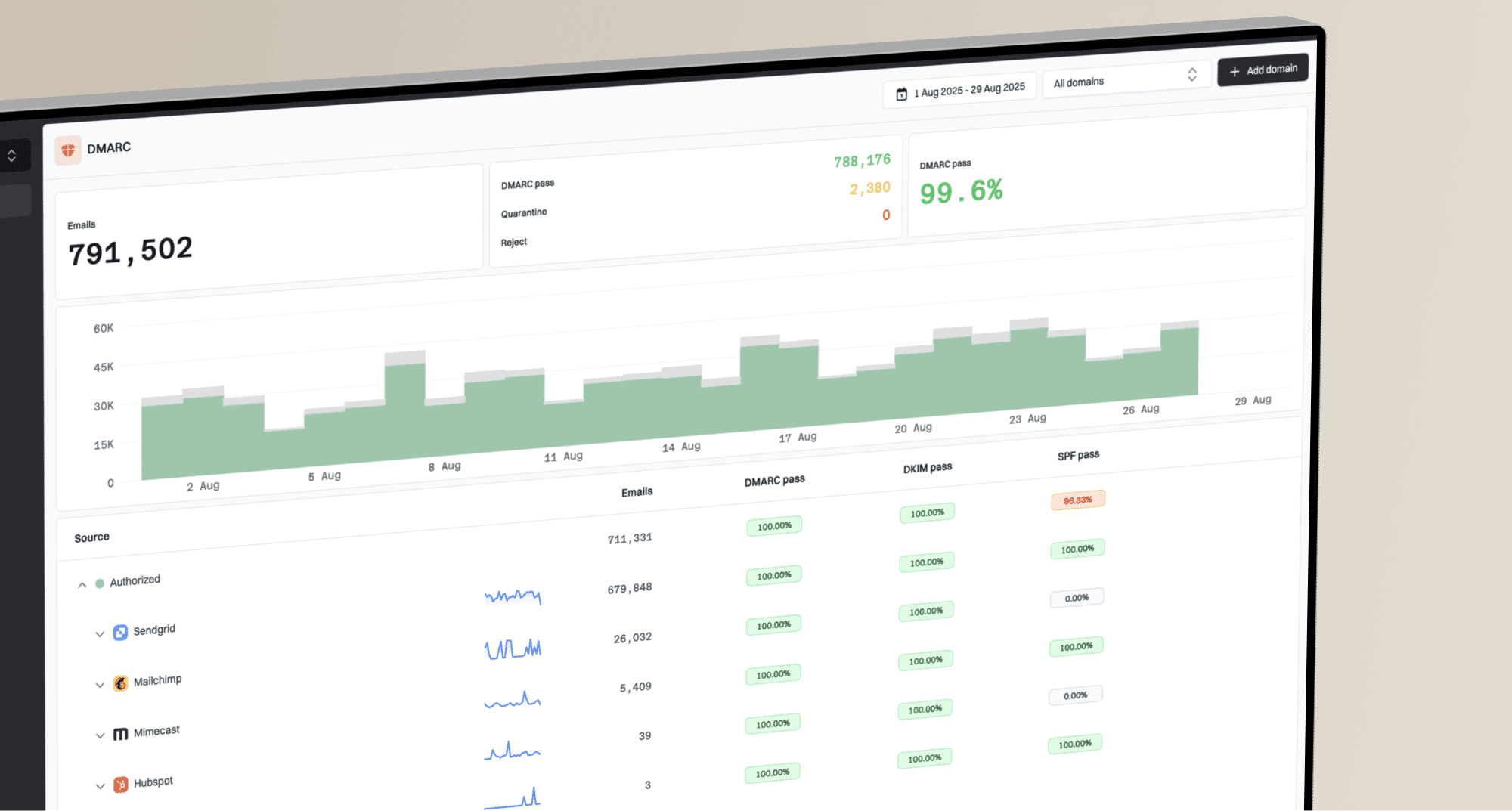
Suped's product is a DMARC reporting and email authentication platform. Use it to review sending sources and authentication failures before moving the domain to enforcement for BIMI.
Suped's DMARC monitoring turns aggregate reports into source-level authentication issues and fix steps. That matters for BIMI because the evidence document is only worth chasing after legitimate sending sources are authenticated and the domain has moved to enforcement.
DMARC record detail view showing SPF, DKIM, DMARC, rDNS diagnostics, and DNS records
Use Suped to review sending sources, confirm which are legitimate, fix failed authentication, and move to enforcement after checking for affected legitimate mail. Keep alerts on while BIMI is being tested. If DNS access slows you down, Hosted DMARC keeps policy changes controlled without repeatedly editing TXT records.
Manual workflow
- Collect every sender and check each header by hand.
- Change DMARC slowly and watch for missed sources.
- Debug BIMI evidence after base authentication is proven.
Suped workflow
- See failed sources and suggested fix steps in one place.
- Catch authentication changes while BIMI tests are running.
- Manage multiple domains for internal teams or MSP clients.
What the header does not mean
The phrase invalid evidence is easy to overread. It narrows the investigation, but it does not identify one exact failed field inside the certificate.
- Relaxed DKIM canonicalization is fine when DKIM and DMARC pass.
- A prior bad record can be cached, but evidence still needs validation.
- A logo in Gmail does not guarantee the same result in iCloud.
- Apple Business Branded Mail can display brand images outside BIMI.

Apple Mail logo paths through BIMI records, VMC evidence, receiver headers, and Apple Business Connect (now Apple Business).
Views from the trenches
Best practices
Test with a real iCloud mailbox before judging Apple Mail rendering for other accounts.
Keep the BIMI SVG, VMC, and DNS record under one repeatable change process with owners.
Capture full Authentication-Results headers before changing DNS or certificate hosting.
Common pitfalls
Assuming Gmail success proves Apple success hides evidence and provider header gaps.
Treating Apple Business Branded Mail logos as BIMI leads teams to wrong conclusions.
Changing the SVG, DNS, and VMC together makes the failed evidence step harder to isolate.
Expert tips
When evidence fails, validate certificate type, chain, hosted file, and logo binding first.
Use iCloud webmail and Apple Mail side by side to separate receiver and app behavior.
If every check passes, preserve headers and timestamps before escalating the Apple case.
Marketer view
Marketer from Email Geeks says invalid evidence usually means the assertion document was not fetched, was not parsed, or failed validation.
2025-07-02 - Email Geeks
Marketer view
Marketer from Email Geeks says Apple Mail display depends on the receiving provider adding the required BIMI headers.
2025-07-02 - Email Geeks
Frequently asked questions
No. It means the BIMI proof step failed. Still verify DMARC enforcement and message-level DMARC pass before debugging the certificate evidence.
A VMC trusted by the receiving provider is a documented route. Apple also refers to other BIMI Evidence Documents, so confirm support for your certificate type and chain with the receiving provider. Gmail displaying a CMC does not establish iCloud acceptance.
No, not by itself. If DKIM passes and the message passes DMARC, relaxed canonicalization is not the reason for an invalid evidence result.
Gmail and Apple apply different receiver-side checks. A logo displayed with a CMC in Gmail does not establish iCloud acceptance. Apple Mail also requires a verified participating mail provider to validate the evidence and add the required headers.
Retest with a new message after the DNS TTL expires. Receiver evidence caches have their own refresh schedules. For a renewed certificate, a new HTTPS URL in a= can avoid a cached copy; keep the old URL available during the DNS transition. See the work-in-progress VMC retrieval draft.