Why am I seeing a sudden increase in bot click activity in my email campaigns?

Published 23 May 2025
Updated 26 Nov 2026
14 min read
Summarize with
Updated on 26 Nov 2026: We clarified bot-click filtering, corrected the SQL example, and added safeguards for real clicks and campaign automations.
A sudden increase in bot click activity usually means a security scanner, mailbox provider, enterprise filter, link preview generator, or tracking system has started fetching links before a human gets to the email. Treat the campaign's click rate as unreliable until automated checks can be separated from likely human clicks. Start with raw click logs from the affected campaign. An email tester supports a separate authentication check; it cannot reproduce the security policy of every recipient.
A click spike alone does not establish increased reader interest. Rapid all-link sweeps become stronger evidence of automation when they also share a technical fingerprint and lack matching website activity. Some scanners delay requests or inspect only selected links, so a slower or single-link event can still be automated. Confirm the pattern by recipient domain, IP owner, timing, link position, and whether email clicks produce matching website sessions or conversions.
Why email bot clicks suddenly increase
The hard part is that the change often happens outside your sending platform. A receiving organization can turn on a new secure email gateway, a mailbox provider can adjust link inspection, or a corporate filter can scan more aggressively after a policy update. Your campaign looks different because the receiving side now handles links differently.
- Security scanning: Enterprise filters fetch links to detect unsafe redirects, malware pages, credential forms, and suspicious tracking chains.
- Provider rollout: A mailbox client or hosted filtering layer can change behavior for many domains at once, so the spike does not map cleanly to one recipient domain.
- Recipient mix: A larger share of B2B recipients can expose a campaign to more automated link checks. Confirm each organization's security policy rather than inferring scan behavior from its industry.
- Reporting shift: Changes to bot filtering or event ingestion can expose existing automated clicks. Changes to the tracking domain, TLS certificate, or redirect chain can also change how receivers inspect links.
- Content reuse: Someone can forward, scrape, preview, or reuse tracked links outside the original send, which creates clicks that do not match the campaign audience.
Fast answer
Clicks that happen immediately after delivery and sweep through every visible link are strong scanner signals. Human readers do not usually open every link in a newsletter within the same few seconds, but timing alone is not enough to filter an event.
Apple Mail Privacy Protection and mailbox image proxies mainly affect open tracking by downloading remote images in the background. They do not, by themselves, create a request to each tracked link. Do not attribute a click spike to image privacy or caching without click-event evidence. Link security scanners, safe-link checks, and preview generators are the more direct sources of automated clicks.
Illustrative anatomy of a scanner-driven spike
Example values showing how normal engagement can be displaced by automated traffic. These percentages are not an industry benchmark.
Human
Automated
Unknown
How to confirm bot clicks
Start with the event pattern. Scanners can inflate click-through rate (CTR), total clicks, and unique clickers: one request per recipient is enough to inflate the unique count. Compare time to first click, link coverage, repeated technical fingerprints, and landing-page activity before deciding which events to exclude.
Likely bot
- Timing: Clicks arrive seconds after delivery, often before a normal open or read window.
- Pattern: One recipient appears to click every link, including footer and preference links.
- Fingerprint: Many events share the same browser string, IP owner, or cloud-hosted filtering network.
Likely human
- Timing: Clicks appear over minutes or hours and follow plausible reading behavior.
- Pattern: A recipient clicks one or two relevant links, then spends time on the destination page.
- Fingerprint: Events show varied devices, browsers, locations, and normal session activity after the click.
The most useful diagnostic fields are recipient, domain, user_agent, ip, link_id, request method, response status, redirect hop, cookie presence, delivery time, click time, landing-page event, and campaign ID. If your sending platform only gives aggregated reporting, export raw events before changing campaign reporting or suppressing any contacts.
No single field proves automation. Combine timing, all-link coverage, network ownership, repeated fingerprints, and the absence of a real browser session or conversion. The absence of an all-link sweep does not prove a human click because scanners can sample links or retry them later. Scanners can also execute JavaScript, so a page view alone is not proof of human activity. Classify individual events and preserve a later legitimate click from the same recipient.
Find rapid link-sweep candidates for reviewSQL
SELECT
  message_id,
  recipient_hash,
  COUNT(DISTINCT link_id) AS links_clicked,
  MIN(seconds_after_send) AS first_click_secs,
  MAX(seconds_after_send) AS last_click_secs,
  COUNT(DISTINCT user_agent) AS user_agents
FROM click_events
WHERE campaign_id = 'campaign_123'
  AND seconds_after_send BETWEEN 0 AND 60
GROUP BY message_id, recipient_hash
HAVING COUNT(DISTINCT link_id) >= 5;
This SQL example flags at least five distinct links requested for the same message and recipient within the first minute after sending. The threshold is illustrative, not a confirmed bot classification. It misses delayed scans and messages with fewer than five links. Compare candidates with total links, network ownership, and later activity; use delivery timestamps when available because send time is a different reference point.
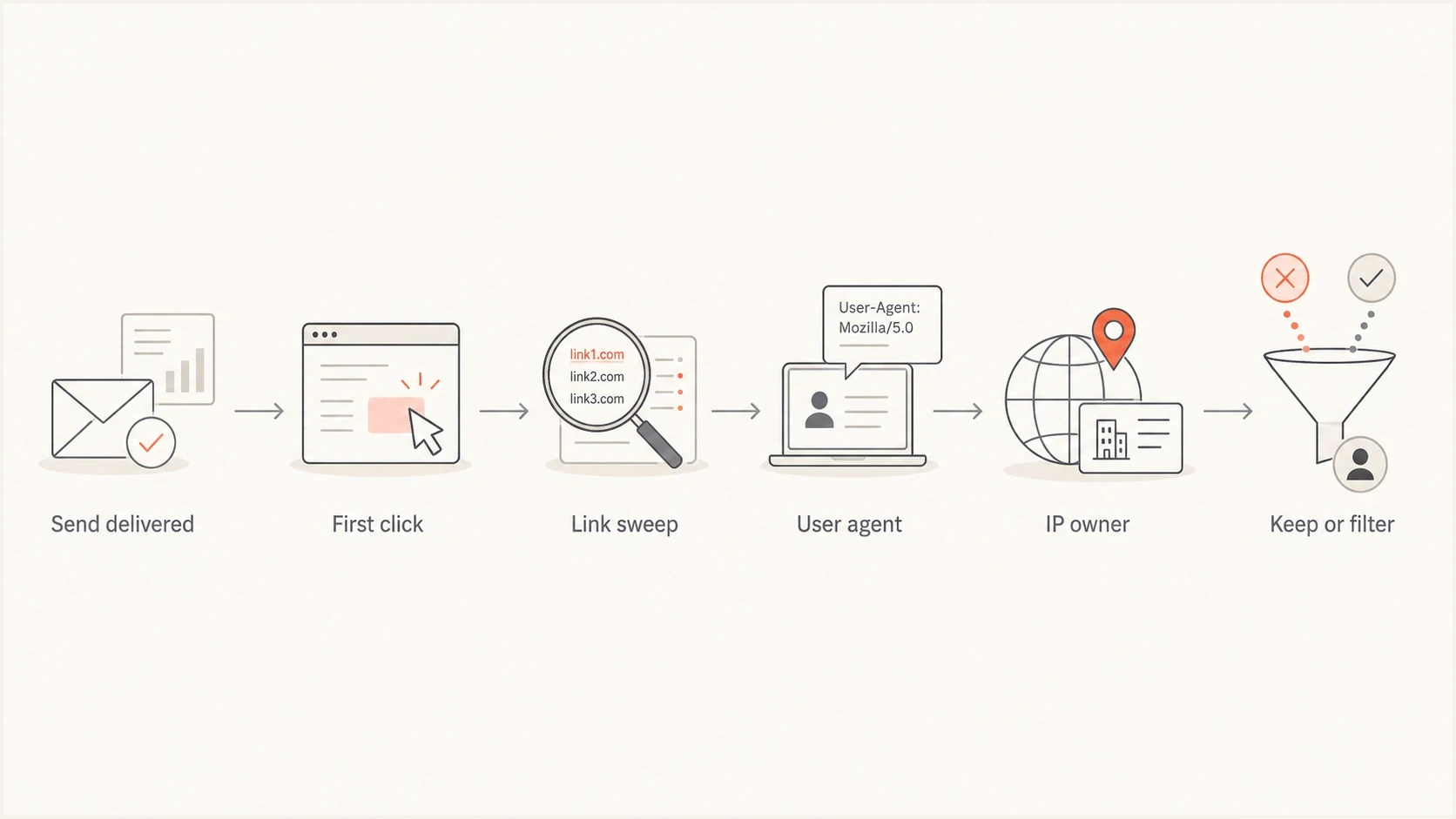
Email bot-click diagnosis using click timing, link sweeps, user agents, and IP ownership.
Why email and website analytics disagree
Email click tracking usually records the request at a redirect before sending the visitor to the destination page. Website analytics often waits for the page to load JavaScript, set a cookie, pass consent, or send a session event. A security scanner can therefore create a recorded email click without creating a website session.
- Click with no session: The scanner requests the tracking URL but stops before the destination page or does not run its analytics code.
- Click with a shallow session: The scanner follows the redirect and loads the page, but produces no scroll, navigation, form completion, or meaningful dwell time.
- Click with later activity: A later browser session or conversion is stronger evidence of human interest, especially when it has normal navigation and first-party session data.
- Attribution gap: Consent choices, script blocking, page errors, and cross-domain redirects can also remove website sessions, so a missing session is evidence rather than proof.
Reconcile the systems with a pseudonymous click or message identifier, request timestamp, landing-page request, session start, and conversion event. Keep unmatched clicks in the raw audit view and exclude only high-confidence automation from performance reporting. Keep email addresses and login tokens out of analytics URLs, restrict access to identifiers, and retain event data only as long as the investigation requires.
Pause click-to-open comparisons
Click-to-open rate becomes unreliable when image proxies inflate opens or link scanners inflate clicks. Use filtered unique clickers, confirmed sessions, and conversions until both the numerator and denominator are clean.
The root causes to test first
Test root causes in a fixed order to keep the investigation grounded. A single recipient domain is easy to blame, but it is often only one slice of the problem. If the top domains explain a small share of total clicks, look for a shared security layer, common mail client behavior, a link-preview service, or a tracking change.
|
|
|
|---|---|---|
All links | Scanner sweep | Link count |
Fast clicks | Prefetch | Click delay |
Same UA | Possible automation | User agent |
Many domains | Shared filter | IP owner |
Report-only jump | Filter change | Raw vs filtered |
Odd sources | Link reuse | Link history and referrer, if present |
Common spike patterns and the first check to run.
A shared user agent is useful when it accompanies synchronized requests or link sweeps. Common browser strings also appear in real traffic, and scanners can copy them. Compare user agents with IP ownership and timing, then review bot user agents in the raw logs.
Do not chase one domain too early
If the top 10 or 15 recipient domains only explain a small part of the spike, the cause is probably a shared filtering system or client behavior. Segment by recipient domain, then by IP owner, then by user agent.
Also check whether the spike is isolated to total clicks or visible in unique clickers. If total clicks increase much faster, inspect repeated requests and link sweeps; a smaller unique-clicker increase alone does not establish automation. If unique clickers also spike, check for a shared receiving organization or recent list import. Compare both views with website sessions and verified conversions. Treat unexpected IP locations or off-hours clicks as supporting clues because security gateways, VPNs, and time zones can explain them.
Where authentication and reputation fit
SPF, DKIM, and DMARC do not cause bot clicks, and a click spike does not prove an authentication or reputation problem. Authentication failures and a blocklist (blacklist) listing can affect placement or filtering, so check them as a parallel deliverability investigation. Only connect the issues when the timing and affected sending sources match.
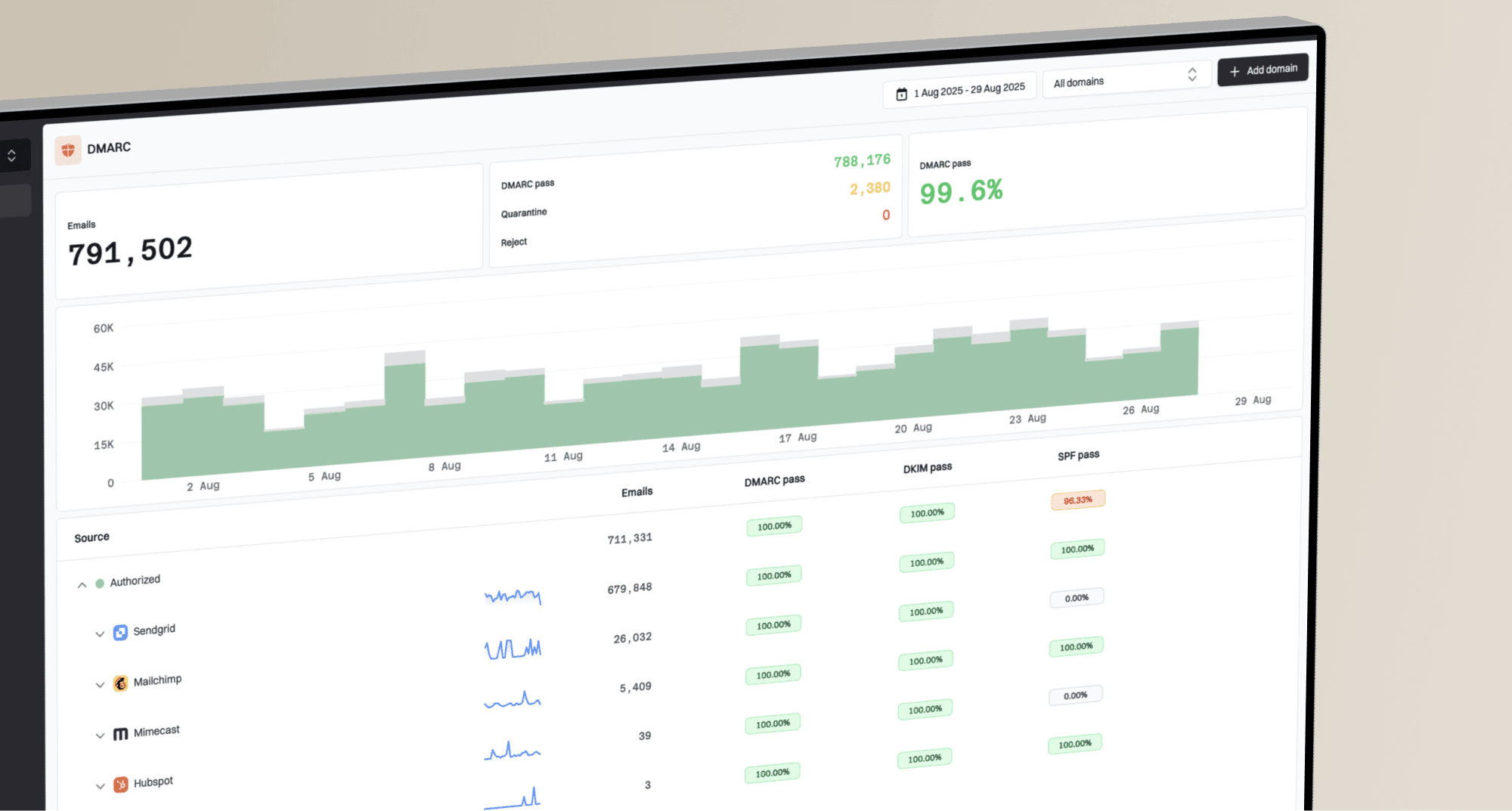
Suped's DMARC and email authentication platform supports that parallel check with DMARC monitoring, SPF and DKIM visibility, sending-source discovery, authentication alerts, and blocklist monitoring. Use the timeline to see whether a new sender, pass-rate change, or blacklist event overlaps the affected campaign.
Suped DMARC dashboard showing email volume, authentication health, and source breakdown
A domain health checker review identifies obvious DNS problems. A clean DNS result does not verify every message: compare campaign headers with DMARC reports for the affected sending sources. DMARC aggregate reports contain authentication results, not click events.
What Suped helps separate
- Authentication: Did SPF, DKIM, or DMARC checks fail at the same time as the click spike?
- Source changes: Did a new platform, IP range, or sender start using the domain?
- Reputation: Did a blocklist or blacklist event line up with the campaign?
- Separation: Is the click anomaly present even when authentication and reputation remain stable?
How to filter bot clicks without blocking real readers
Receiver-side security scans cannot be stopped entirely. These automated visits are non-human interactions (NHI), described in M3AAWG's guidance on email metrics. Filter their effect on reporting and automation while keeping links accessible to readers.
- Enable the sending platform's bot-click filter if available. Check its coverage separately for campaign reports, attribution, exported events, and automation triggers; a cleaner dashboard does not guarantee filtered webhooks or journeys.
- Run a controlled test with designated recipients. Record automated requests while the message remains unopened, then have each tester click one agreed link. Confirm the filter excludes the scanner events and preserves the deliberate click.
- Keep tracking links and destinations on HTTPS, remove unnecessary redirect hops, and avoid link shorteners. These changes make link inspection simpler, but do not guarantee fewer security scans.
- Do not block an entire cloud network or ask recipients to disable security scanning. Shared infrastructure also carries legitimate traffic; broad blocking can break landing pages or prevent safety checks.
Record the filter setting and effective date before comparing campaigns. Check whether historical reports are recalculated and whether live A/B tests use the changed setting. Disabling click tracking removes your redirect-level click record, but scanners can still fetch the destination URL.
Protect state-changing links and automations
A scanner should not be able to approve a request, confirm an account, change a subscription, or trigger a sales workflow just by fetching a URL. Treat an email-link GET request as navigation. For sensitive actions, show a confirmation page and require an explicit user action, such as a form POST or code entry, with authentication where needed. Do not consume a single-use token on GET or HEAD; an existing authenticated session alone does not establish user intent.
- Keep GET passive: Do not change account or campaign state when a link is fetched, rendered, or previewed.
- Require a second signal: Use a button POST, login, form completion, reply, or conversion before scoring high-intent engagement.
- Make actions idempotent: Repeated requests should not duplicate approvals, purchases, registrations, or other changes.
- Quarantine suspect events: Hold scanner-like clicks out of lead scoring and journeys until later human activity confirms them.
Avoid invisible bait links as the sole detector. Hidden content can create filtering risk, and a scanner can miss the marker while still fetching visible links. If a diagnostic marker is used, document it, review privacy obligations, and require other signals before filtering a recipient's activity.
Keep one-click unsubscribe compliant
Do not add a confirmation step, login requirement, or browser-cookie requirement to a valid RFC 8058 one-click unsubscribe POST. Receiving systems issue that POST after user consent, and the request must complete without another action. A visible unsubscribe link in the message body can use its own confirmation flow, but it should remain easy to complete.
A practical cleanup workflow
Preserve the raw data, classify obvious automation, then adjust reporting without changing the subscriber list. A bot click is not a complaint, purchase signal, or proof that the recipient wanted every page in the message.
- Export events: Pull raw clicks with timestamp, recipient, link, IP, user agent, campaign, and message ID.
- Bucket timing: Group clicks by seconds after delivery, then flag the earliest cluster for review.
- Count links: Mark recipients who clicked a high share of all links in one short window.
- Cluster fingerprints: Group by user agent, IP owner, ASN, recipient domain, and mail client label.
- Check authentication: Confirm SPF, DKIM, DMARC, and approved sending-source status around the send.
- Match site activity: Compare email events with browser sessions, form submissions, purchases, or other conversions.
- Filter reports: Exclude high-confidence scanner events from engagement reporting, but keep them in a separate audit view.
- Protect decisions: Do not trigger sales scoring, suppression, segmentation, or automation from suspected bot clicks.
Send the same template to seed addresses across your own domains, common consumer mailbox providers, and approved B2B addresses, then run the controlled click test described above. Use the email tester below for the separate authentication check; it does not classify the live campaign's bot clicks.
Email tester
Send a real email to this address. Suped shows a results button when the test is ready.
?/43tests passed
If the controlled test produces link sweeps before any tester clicks, investigate the receiving security layer and any sender-side template validation. Fix authentication failures as a separate deliverability problem. A clean test does not establish how other recipients inspect links, and scanners still inspect authenticated mail.
Fields to keep in a click audit exporttext
campaign_id
message_id
recipient_hash
recipient_domain
link_id
sent_at
delivered_at
clicked_at
seconds_after_send
seconds_after_delivery
request_method
response_status
ip_address
asn
user_agent
mail_client_label
session_id
conversion_id
bot_classification
filter_version
How to report campaign results during a spike
When a spike is active, split reporting into raw clicks, suspected automated clicks, filtered unique clickers, and confirmed human sessions. This keeps marketing dashboards usable without hiding operational evidence. Raw volume shows what receivers did with the message, but it should not select an A/B test winner or drive creative, audience, or revenue decisions.
Bot clicks can take attribution credit for a later purchase without creating an extra purchase. Reconcile filtered attribution with the underlying conversion records before explaining a revenue change. Do not use suspected bot clicks to reset a subscriber's last-engaged date or keep an otherwise inactive contact in a re-engagement segment.
Illustrative bot-review score bands
Hypothetical review bands only, not measured probabilities or a validated scoring model. Define and test the scoring rules against labeled events before using them to exclude traffic.
Low
0-30
Delayed click, one link, normal session activity
Review
31-70
Fast click or repeated technical fingerprint
High
71-100
All-link sweep, same fingerprint, no session depth
- Primary metric: Use confirmed human sessions, conversions, or filtered unique clickers for performance comparisons.
- Audit metric: Keep raw and suspected automated click volume so delivery and security changes stay visible.
- Automation rule: Block suspected bot clicks from sales alerts, lead scoring, retargeting, and reactivation logic.
- Experiment rule: Recalculate A/B test outcomes with filtered clicks or downstream conversions before declaring a winner.
- Campaign note: Mark the reporting period as scanner-affected so future comparisons do not treat it as normal.
Do not delete the spike from history. Label it. Future deliverability work depends on knowing when a receiver or security filter behaved differently. If the same pattern appears again, the old labeled spike provides a baseline for comparison.
Views from the trenches
Best practices
Split clicks by domain, user agent, IP owner, timing, and link depth before changing reports.
Flag rapid all-link sweeps for review, then confirm automation with timing and session data.
Keep raw event exports because ESP summaries often hide the fields needed for diagnosis.
Common pitfalls
Do not assume one recipient domain caused the spike when top domains explain little volume.
Do not treat unique clickers as bot-free; one scanner visit per recipient inflates them.
Do not remove subscribers solely because a security filter clicked every visible link once.
Expert tips
Use several signals for classification; one fast click or shared IP can still belong to a person.
Save full user agents, not only device labels, because labels flatten useful evidence quickly.
Pair click filtering with authentication checks so reputation issues are not missed during spikes.
Marketer view
Marketer from Email Geeks says a sudden spike should be checked by recipient domain first, but the domain view is not enough when the largest domains explain only a small share of total clicks.
2021-11-02 - Email Geeks
Marketer view
Marketer from Email Geeks says all-link sweeps are a strong sign of generated clicks, especially when every available URL is visited by the same recipient pattern.
2021-11-03 - Email Geeks
Start the click-spike investigation
Freeze campaign conclusions, export raw click events, and classify the spike before changing any list, audience, or revenue reporting. If the evidence shows seconds-after-delivery clicks, all-link sweeps, repeated user agents, a shared cloud filtering pattern, and no matching site activity, filter those events out of engagement metrics while keeping them in an audit view.
Frequency asked questions
Usually no. If the spike has fast clicks, all-link sweeps, repeated technical fingerprints, or little session depth, it is probably scanner activity and should be filtered from engagement reporting after a multi-signal review.
The scanner requests themselves do not establish a deliverability problem. Indirect harm comes when false engagement keeps inactive contacts on mailing lists or triggers unwanted follow-ups, increasing complaints. Investigate authentication failures, suspicious redirects, and blocklist (blacklist) events separately, then correlate their timing with the click spike.
No. A bot click often comes from the recipient's security system, not the recipient. Filter the event from engagement metrics instead of penalising the subscriber.
Security systems inspect links to decide whether a message is safe. Some systems fetch every visible URL, including preference links, social links, and footer links.
Start with time to first click, then confirm it with link coverage, IP ownership, user agent, and website-session data. A first-minute cluster is a useful clue, but it is not proof by itself.
No direct connection should be assumed. Their sender requirements cover authentication, low complaint rates, easy unsubscribe for applicable mail, and basic message-format requirements. Recipient-side security systems can change link inspection separately, so compare the spike with raw request data and any receiver policy changes.