What TLDs should be avoided for email domains due to spam or reputation issues?

Published 6 Aug 2025
Updated 25 Oct 2026
18 min read
Summarize with
Updated on 25 Oct 2026: We clarified TLD abuse evidence and added checks for deciding whether an email domain needs replacing.
For a new business email domain, avoid choosing an extension solely because it is cheap. .top, .cfd, .icu, and .cyou warrant particular caution because of elevated phishing-domain scores in Interisle's May 2025 through April 2026 measurements. .vip and .click also had higher scores than .com in that dataset. These are reasons to investigate, not proof that a legitimate sender will land in spam. The former free-domain group .tk, .ml, .ga, .cf, and .gq needs a current registry and domain-history check rather than a permanent ban based on its Freenom history. For most companies, .com, .net, an appropriate .org, or a country-code domain that matches the audience is a practical starting point. Interisle's TLD measurements measure reported phishing domains, not email inbox placement.
In an email address, the top-level domain (TLD) is the final label in the domain after the @ sign, such as .com in name@example.com. In example.co.uk, the TLD is .uk and co.uk is a public suffix beneath it. A TLD does not automatically decide SMTP acceptance or inbox placement. A message can be accepted by the mailbox provider and still land in spam. Promotions is an inbox category, not a spam verdict. Mailbox providers assess authentication, complaints, sending history, content, infrastructure, and recipient behavior. TLD filtering also exists in some receiving systems, but its use and weight vary. Linked URLs, redirect chains, and sending IPs need review alongside the sending domain.
- Prefer a familiar brand domain for commercial, support, account, or security email.
- Treat low registration prices and historical abuse as prompts for investigation, not automatic spam verdicts.
- Test unfamiliar domain extensions with the intended recipients and receiving networks before increasing volume.
- Check the exact sending domain, linked domains, and sending IP for authentication problems and blocklist (blacklist) listings.
Which domain extensions deserve caution?
For customer email, lifecycle email, invoices, newsletters, sales outreach, or login messages, choose a domain that recipients recognize. A .com domain that matches the brand, a suitable .net, an .org domain that fits the organization, or a country-code domain such as example.co.uk or example.ca is a sensible default. If those are not available, choose a TLD with legitimate usage that fits the audience, and do not let the cheapest first-year price decide the sender identity.
A country-code TLD does not need a same-country sending IP. A local extension works when the company, audience, language, visible From name, and From domain make sense together. IP location is a separate infrastructure signal, and it does not rescue weak authentication or a poor sending reputation.
|
|
|
|
|---|---|---|---|
.tk .ml .ga .cf .gq | Historical free-domain abuse | Registry management and registration policies have changed | Check current control and history; avoid disposable registrations |
.top | Elevated reported phishing | Not a measured inbox-placement penalty | Prefer a familiar alternative for a new business sender |
.cfd .icu .cyou | Elevated phishing-domain scores | Scores describe a defined reporting period | Investigate carefully before choosing for production email |
.vip .click .info .shop .sbs | Reported phishing above .com by normalized score | Different extensions have different scores | Review recent evidence and the exact domain |
.xyz .site .club .buzz .store | Mixed legitimate use and local TLD filtering | A local filter rule is not a universal provider policy | Test recipient compatibility; price alone is not a reason to reject |
.zip .mov | Confusion with file extensions | A usability concern, not proof of poor email delivery | Avoid confusing sender identities for sensitive messages |
.io .ly .co .ai .dev .clinic .vet | Audience familiarity and brand fit | Receiver-specific filtering varies | Use when the domain is an established brand identity |
.ca .me; domains under .co.uk | Country-code audience fit | .co.uk is a public suffix under .uk | Use when appropriate; check registration eligibility |
.com .net .org | Broad legitimate use | No suffix guarantees clean reputation or inbox placement | Prefer when suitable; still check history and authentication |
Selection guidance, not mailbox-provider risk grades. Phishing comparisons use Interisle's May 2025 through April 2026 reporting period; check the exact domain before launch.
Authentication does not guarantee inbox placement
Do not expect SPF, DKIM, and DMARC to erase poor domain history or recipient complaints. Authentication verifies aspects of sender identity. It does not prove that recipients want the mail.
- A receiving organization can apply a local rule to an entire extension.
- Authentication does not override every local filtering rule.
- A familiar TLD still needs a clean sending history.
- Controlled test sends help reveal failures before a broad launch.
TLD abuse data and its limits
Low-cost registration and weak abuse handling can make an extension attractive to disposable senders or bulk-purchased campaign domains. That does not mean every domain under the TLD is bad, and a low registration price alone does not establish an email-delivery problem.
Read TLD abuse data in two ways. Raw counts show where the largest number of reported abusive domains appears, so a very large TLD such as .com can lead that measure. A normalized score compares reported abuse with the number of domains in the namespace. Check the denominator: all registered domains, delegated domains, and observed active domains are different populations. Phishing, malware, and email spam also measure different activity. Neither a raw count nor a normalized score is a direct inbox-placement test, and rankings change between reporting periods.
TLD reputation also changes. Registration promotions, registry enforcement, registrar complaint handling, and sudden abuse waves change what appears in a dataset. Do not turn one incident into a permanent global ban. Treat any list of risky TLDs as a starting point, then check the exact domain, registrar, DNS history, and current blocklist or blacklist signals before sending.
The Freenom-era ccTLD group, .tk, .ml, .ga, .cf, and .gq, has a history of free-registration abuse, but it is misleading to treat those extensions as one unchanged service. For example, ANINF took back full management of .ga in June 2023, with Afnic assisting the transition. Afnic's 2023 annual report documents that change. Check current registration availability and operational control rather than assuming all five still offer free domains or have identical risk.
ICANN issued a public breach notice to the .top registry in July 2024 and marked it cured on June 2, 2025. ICANN's June 2025 statement said the extension remained heavily abused at that time. This is a dated compliance finding, not a current email-filter rule. The newer Interisle measurements cited above provide a separate phishing-data reason for caution.
File-extension TLDs need a separate caution. Domains ending in .zip or .mov can look like attachments or media files in plain text, chat, ticketing systems, and security reviews. The concern is visual confusion, not evidence that every .zip or .mov domain has poor deliverability. For account security or invoices, prefer an address that recipients can recognize without interpreting a file-like name.
Do not turn one provider's sample into a universal ban on legitimate country-code TLDs. Country-code TLDs such as .fr or .ph deserve testing when they match the sender's market. They should not be treated the same as disposable or lookalike domains chosen only because they were available.
Lower-friction choice
- Recipients recognize the company and the domain at a glance.
- The extension has legitimate usage familiar to the intended audience.
- The team controls DNS and can configure authentication correctly.
Higher-friction choice
- The domain looks like a temporary sending identity.
- Recent evidence shows substantial abuse in the extension.
- Tests reveal recipient-side restrictions or confusion.
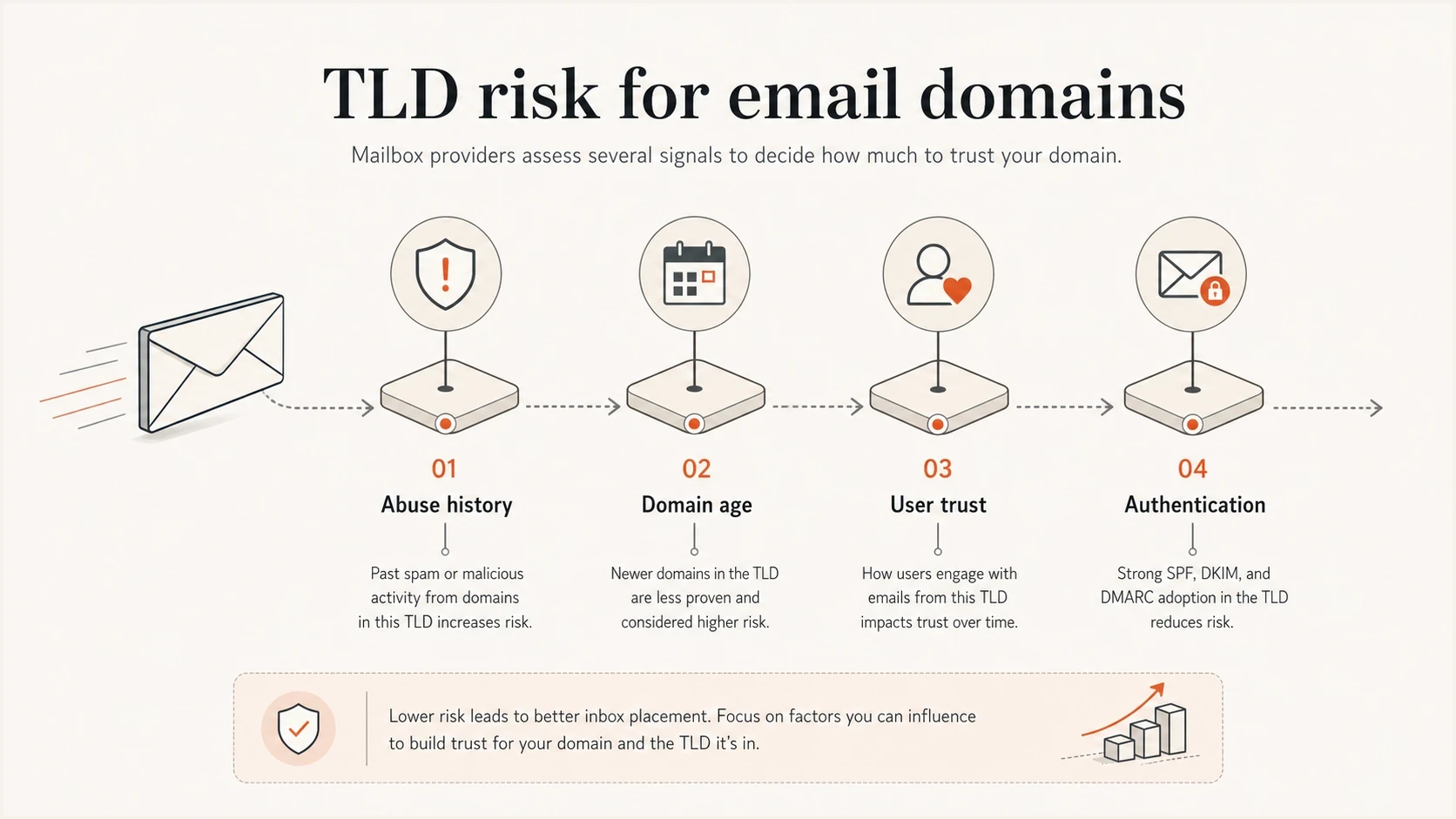
Email deliverability factors: abuse history, domain age, recipient trust, and authentication.
How mailbox providers treat TLD reputation
There is no universal list of TLDs that always go to spam or always reach the inbox. The exact domain, sending IP, message content, authentication, and recipient behavior all affect filtering. Some receiving organizations also use rules based on the From address's domain extension. That is why two domains with the same TLD can perform differently.
A 2023 administrator discussion includes a custom rule that assigned enough points to selected TLDs to reach that server's spam threshold. Other participants reported legitimate senders using those extensions. This demonstrates a local filtering choice, not a default rule across receiving systems. A passing authentication result does not guarantee that a receiver will subtract a fixed number of spam points.
Do not equate accepted delivery with inbox placement. A message that does not bounce can still land in spam. Placement in Promotions is separate from spam placement. Review complaint rate, bounce rate, authentication results, and recipient feedback together. Open and click data can be noisy, so they should not be used as proof of inbox placement on their own.
Mailbox providers can associate reputation across related domains and subdomains, although the details vary. If news.example.com sends poorly, changing to offers.example.com does not guarantee a clean start. Separate mail streams for operational clarity, but do not assume a subdomain or another TLD completely isolates reputation.
How to assess a TLD choice
Decision categories for domain selection, not measured risk scores or universal mailbox-provider policies.
Familiar brand
.com, .net, .org, suitable ccTLD
Recognizable identity; still verify the exact domain.
Audience fit
.io, .ly, .co, .ai, .dev, niche TLDs
An established brand can use an unfamiliar extension successfully.
Abuse evidence
.top, .cfd, .icu, .cyou
Review the reporting period and metric before choosing.
Separate concerns
Former free domains; .zip and .mov
Check current registry control and address readability.
Blocklist (blacklist) exposure is a separate issue. A domain can have a familiar TLD and still get listed because of sending behavior, compromised infrastructure, a shared sending IP, or a URL reputation problem. URI-based blocklists inspect domains and hosts found inside message links, so review the tracking domain and final redirect destination as well as the SMTP source. Suped's blocklist monitoring helps teams track supported listings across their domains and IPs. A clean result does not prove inbox placement.
How to choose a business email domain
When choosing an email domain, consider recipient recognition alongside DNS control and prior domain use. That matters for newsletters and account email because recipients need to recognize the sender before trusting a message.
A separate outbound domain needs to look like a real brand asset. A cheap, odd, or lookalike TLD for outreach often creates the opposite effect: the recipient sees a disposable sender before reading the message. Domain variations and domain rotation do not guarantee protection for the main brand or fix complaint-driven filtering.
Domain age matters too. A familiar TLD on a newly registered domain still starts with no sending history. Register domains before the launch window, publish SPF, DKIM, and DMARC early, then create reputation through low-volume mail to people who expect it. Passive age and a fixed waiting period do not create sending reputation by themselves.
For country-code domains, check market fit and registration eligibility before infrastructure geography. Some registries require a local presence or other eligibility evidence. Check renewal pricing and transfer rules as well; losing control of the domain interrupts email regardless of its reputation. A local sending IP is optional and will not fix poor list quality or authentication gaps.
- Try the main brand .com before using a novelty or bargain TLD.
- Use a country-code domain when it fits the company, market, or audience and registration requirements are met.
- Do not let a cheap first-year price outweigh recipient trust, renewal cost, or brand clarity.
- Use subdomains to organize mail streams, while recognizing that reputation is not fully isolated.
- If a separate outbound domain is needed, keep it recognizable as a brand asset and choose a suitable extension.
- Check prior domain use, DNS history, registration age, current reputation, and blocklist or blacklist status before launch.
- Inspect the visible website for misleading redirects and brand typos. Shared MX servers and privacy-protected registration are not evidence of abuse by themselves.
- Create working postmaster@ and abuse@ addresses with clear ownership for handling delivery and abuse reports.
- Build volume slowly and investigate when complaints or delivery failures increase.
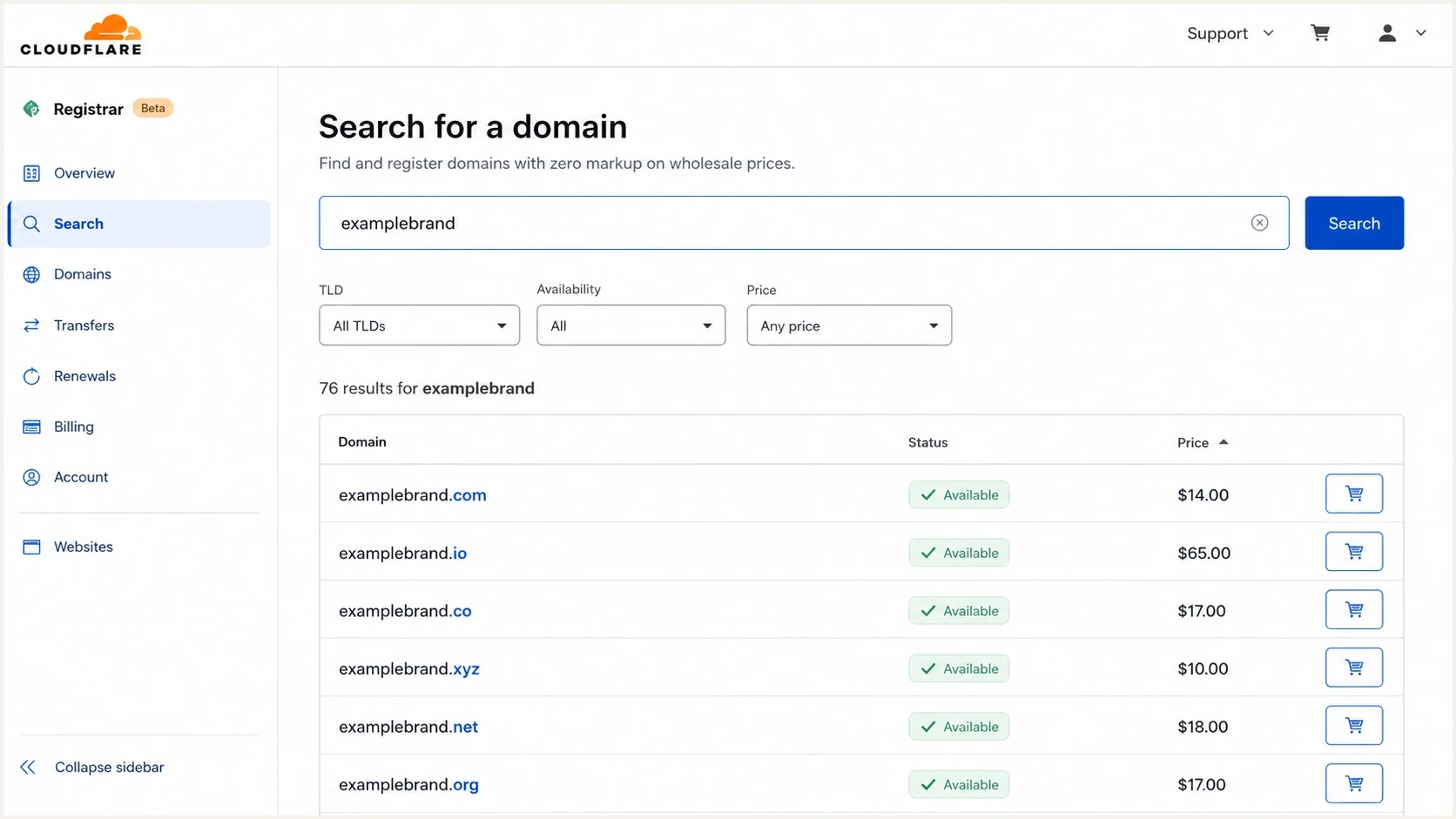
Cloudflare Registrar domain search for email domain TLD selection, comparing .com, .io, .co, and .xyz options.
Newer and niche extensions are not automatically bad. Domains using .clinic or .vet need the same authentication and recipient testing as other domains. For sensitive account messages, use the domain that patients or customers already recognize. An industry-specific label alone does not establish an email-delivery problem.
Check private suffixes before using them for email
Some domains are sold beside TLD registrations even though they are registrations beneath a privately operated domain. A brand.uk.com address uses .com as its TLD; uk.com is the privately operated parent. This does not automatically make the address invalid for email. The practical questions are whether you control DNS and authentication, how the registration contract works, and how receiving systems identify the domain boundary.
- Distinguish an official TLD, a registry-operated public suffix, and a privately operated suffix before buying.
- Check DNS control, renewal terms, transfer rights, and what happens if the parent operator changes service.
- Do not assume either shared parent-domain reputation or complete reputation isolation without receiver-specific evidence.
- Publish DMARC for the actual sending domain and verify domain matching with live message headers.
Check the domain boundary
A public suffix can contain multiple labels, such as co.uk. Private registration boundaries also need care. RFC 9989 defines DNS tree walking for DMARC domain discovery, replacing the older public-suffix-list approach. Receivers using older implementations can reach different boundaries. Verify actual authentication results rather than assuming the number of dots determines the organizational domain.
Authentication cannot erase TLD risk
A familiar TLD without authentication is still a poor setup. Correct authentication on an unfamiliar TLD does not guarantee inbox placement. Choose a recognizable domain, authenticate it correctly, monitor the results, then scale only when the data supports it.
Example DMARC record for monitoring firstdns
_dmarc.example.com TXT
v=DMARC1; p=none; rua=mailto:dmarc-reports@example.com
This example uses relaxed domain matching, the DMARC default. DMARC passes when SPF or DKIM passes with the required match to the visible From domain. Strict matching is optional and needs deliberate testing. Replace the example reporting address with a working destination. A policy of p=none requests monitoring rather than quarantine or rejection for DMARC failures.
Illustrative SPF record; replace the sender includedns
example.com TXT
v=spf1 include:spf.sender.example -all
The SPF include above is a placeholder, not a working sender authorization. Use the exact value supplied by the mail provider. RFC 7208 permits up to 10 lookup-causing terms during an SPF evaluation, including nested includes and redirects. Exceeding that limit returns permerror.
Baseline before increasing volume
- SPF has one valid record at each relevant name, stays within the 10-term DNS lookup limit, and authorizes only approved senders.
- Each production sender signs with DKIM using a domain you control or have authorized.
- DMARC reporting is active, required domain matching passes, and legitimate sources are reviewed before stronger policy enforcement.
- The sending IP has valid reverse DNS with a hostname that resolves back to it, and the mail server uses a valid EHLO identity.
- Inbound MX records handle replies where needed; branded tracking hosts have valid HTTPS. The sending IP hostname does not have to equal the visible From domain.
- Role addresses route external reports to a monitored queue, including postmaster@ and abuse@.
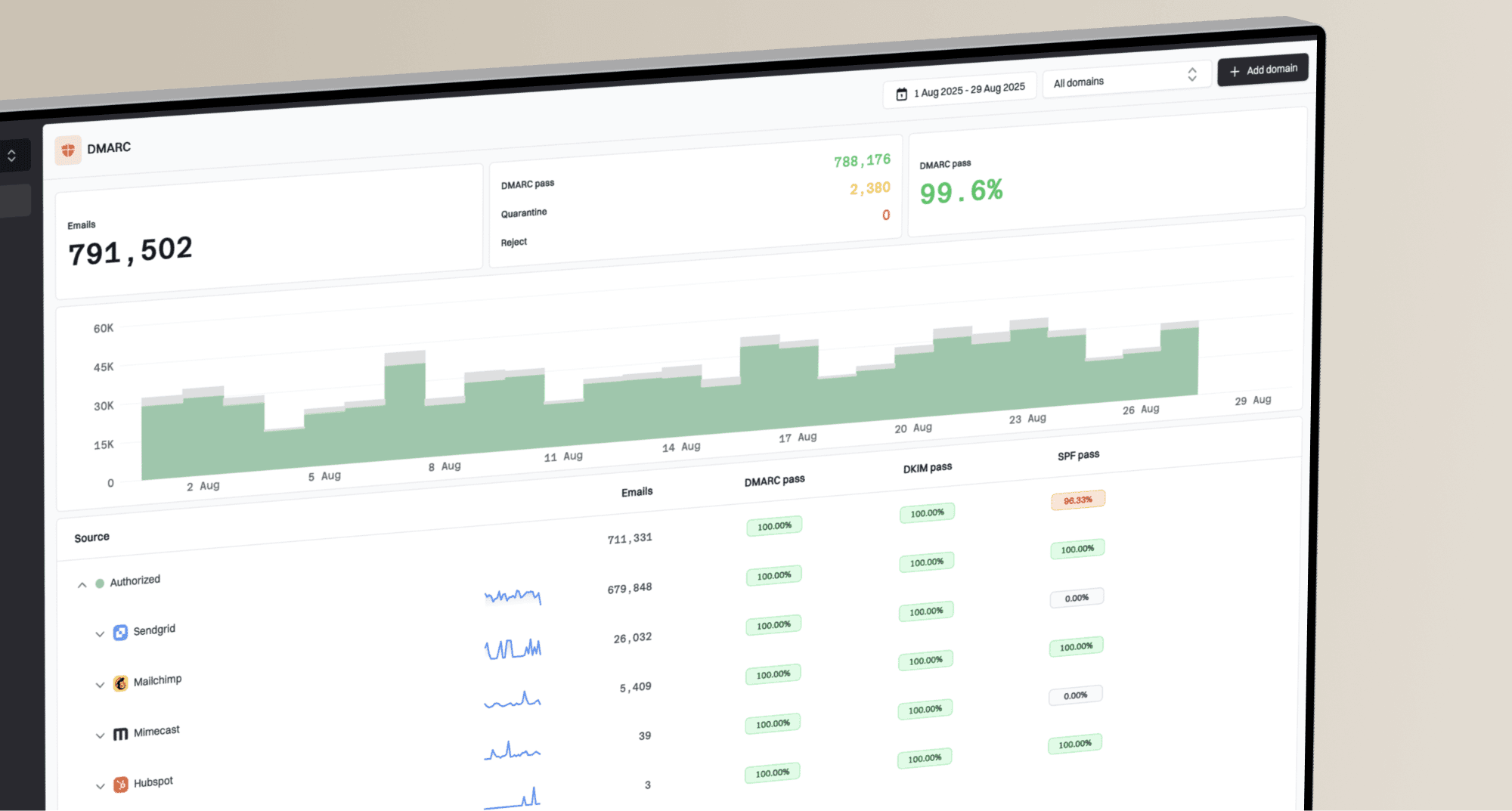
DMARC record detail view showing SPF, DKIM, DMARC, rDNS diagnostics, and DNS records
Suped is our DMARC reporting and email authentication platform. Use it to identify sending sources in aggregate reports, investigate SPF or DKIM failures, and check whether legitimate mail meets DMARC domain-matching requirements before changing policy.
If you are moving a domain through policy stages, Suped's DMARC monitoring gives the team source visibility and authentication results without reading raw aggregate reports. Those reports do not show whether an authenticated message reached the inbox or spam folder.
How to test a domain before sending
Before sending anything meaningful from a new domain, check the domain itself and then send a real message through the mail stack. DNS checks catch broken records. A test message lets you inspect authentication results, headers, routing, and content together.
Start with Suped's domain health check to inspect published authentication records. DKIM checks need the selector used by your sender; a domain-only check cannot discover every possible selector. Then send a real message to the email tester to inspect the received headers and authentication results.
?
What's your domain score?
Deep-scan SPF, DKIM & DMARC records for email deliverability and security issues.
Also send external test mail to postmaster@ and abuse@ wherever those report addresses are configured. They should accept legitimate reports and route to a monitored queue. Check that replies and delivery-failure notices reach the intended mailbox.
Inspect every visible link and tracking link in the test message. Shared shorteners, long redirect chains, HTTP landing pages, or an unrelated final domain can add filtering or recipient-trust problems. Use a branded HTTPS tracking subdomain and keep the redirect path short.
If a blacklist or blocklist result appears, tie it to evidence before blaming the TLD. Group bounces by recipient domain, inspect spam-folder headers when available, and review the sending IP, visible link domains, tracking host, and final redirect destinations separately.
Testing should happen before volume, not after the first complaint spike. Watch for new listings during the rollout. Send to controlled inboxes at the providers your recipients use, and check the actual folder placement. A clean DNS result or an SMTP acceptance response does not prove inbox placement. A sign-up form rejecting a valid unfamiliar extension is an address-validation problem, not an SMTP spam verdict.
For acquisition lists and signups, also review recipient-domain patterns. Repeated address typos or unconfirmed signups concentrated in one acquisition source point to list-quality problems that a new sending TLD will not fix. Do not use the recipient's TLD or shared MX infrastructure alone as a suppression rule. Confirm addresses and measure bounce and complaint patterns before changing list rules.
Illustrative warmup pace
Hypothetical volumes only, not a recommended schedule. Suitable volume depends on expected mail, receiver responses, and the sending infrastructure; pause growth when problems appear.
Daily send volume
If a domain is newly registered, start conservatively. New domains have no sending history. A fixed 60-day waiting period does not create reputation by itself. Scale only while authentication passes, recipients expect the mail, complaints stay low, and server responses support an increase. The chart is hypothetical; dedicated-IP volume planning is a separate question from domain age. Review initial sending volumes when dedicated infrastructure is part of the setup.
Should an existing email domain be replaced?
An established domain using .io, .xyz, or another unfamiliar extension does not need replacement solely because of its TLD. Changing domains requires new authentication and recipient recognition, and it does not remove problems in the sending infrastructure or mailing list. Diagnose the failure before deciding to migrate.
- If one recipient organization rejects the extension, capture the complete SMTP response and ask its mail administrator to review the local rule or allow the legitimate domain.
- If failures affect several providers, check authentication and complaints alongside sending-IP and linked-domain reputation before attributing them to the TLD.
- If delivery is accepted, inspect controlled recipient inboxes and feedback. DMARC pass results alone do not identify the destination folder.
- If migration is justified, use a recognizable domain, authenticate every sending service, start with expected mail, and retain access to old addresses for replies.
Avoid rotating domains to continue the same unwanted sending. Fix the source of complaints and stop sending to recipients who have opted out. For bulk marketing mail, follow each receiving provider's authentication and unsubscribe requirements regardless of the extension.
When .io, .ly, and other brand TLDs work
Do not assume .io and .ly have the same risk as domains chosen for disposable registrations. They can work when recipients know the brand, expect the mail, and the sender has correct authentication. Replacing an established domain with a new .com does not guarantee better delivery. Test the actual domain with its intended audience.
Reasonable use
- Recipients already know the brand and expect the domain.
- Sending starts small and grows only after clean signals.
- The domain is used consistently across public brand communications.
Reasons to reconsider
- Recipients cannot recognize the relationship to the brand.
- The plan starts with large campaigns before recipient testing.
- The TLD looks like a workaround for the main brand.
The same recipient-recognition check applies to .co. It has legitimate business usage, but it differs by one letter from .com. For invoices, account security, or password resets, use the address customers already recognize and check for mistyping or lookalike confusion.
Newer technical TLDs such as .ai and .dev are not automatic avoid choices. They are sensible when the brand already uses them publicly and authentication and recipient testing support the rollout. The same rule applies to .app, .me, and relevant country-code domains such as .ca. Familiarity helps recipients recognize a sender, but it is not a delivery guarantee.
Historical community experiences with TLD filtering
The community reports below date to July 2022. They describe individual experiences and are retained as historical context, not current measurements or verified policies at major mailbox providers. Use recent domain evidence and live tests for a present-day decision.
Best practices
Choose a familiar domain, then verify authentication and recipient response before scaling.
Check recent abuse evidence and test the exact domain with the intended receiving networks.
Keep account mail on the domain customers recognize and authenticate every sending service.
Common pitfalls
Treating an old TLD anecdote as a current provider rule can reject legitimate domain choices.
Assuming DMARC pass proves inbox delivery hides complaints and recipient filtering problems.
Launching a new domain at full volume creates delivery risk before sending history exists.
Expert tips
Separate mail streams for easier monitoring without assuming complete reputation isolation.
Review domain and IP blacklist listings alongside SMTP responses during a measured rollout.
Check current registry control and renewal terms before committing a domain to account mail.
Marketer view
Marketer from Email Geeks says .io mail can be legitimate, but some filters still give it a heavier score because a large share of observed mail is unwanted.
2022-07-13 - Email Geeks
Marketer view
Marketer from Email Geeks says startups using anything other than .com can face a harder reputation path, even when the domain is valid and the company is real.
2022-07-13 - Email Geeks