
How to set up DMARC/DKIM/SPF for Vocus

Published 22 Nov 2026
Updated 22 Nov 2026
10 min read
Summarize with
Publish SPF for the actual outgoing SMTP service, enable DKIM signing with your domain, and add a DMARC TXT record at _dmarc.example.com. I verify a real outgoing message before enforcing a rejection policy.
Vocus's public "Internet Support" page, under "Email service closure", states that its legacy email platform permanently closed on 14 August 2026. Migrated mailboxes now use The Messaging Company. For a separate managed mail service or your own mail server on Vocus connectivity, confirm the active operator before changing DNS.
Confirm your active mail service
I establish who operates outbound SMTP first. A Vocus internet connection or Vocus-owned sending IP does not establish that Vocus manages the mailbox or DKIM signing.
- Confirm service status. For a former legacy mailbox, use the current mailbox operator's authentication instructions. DNS changes cannot reactivate the closed Vocus platform.
- Confirm domain control. Use a domain you own. For an address on a provider-owned domain, ask that provider to manage authentication; you cannot publish its DNS records.
- Confirm provisioning. For a separately contracted mail service, ask its operator to provision your domain and supply any ownership-verification token. Publish only its issued token and obtain confirmation. There is no verified universal Vocus "Add domain" wizard.
- Request sender details. For an active Vocus-managed contract, open Vocus's website, select "Login", then "Support Portal", and raise a case. Request the outbound SPF authorization, custom Return-Path requirements and DKIM signing records for your service.
Use the existing authoritative DNS host for record changes. Keep the current nameservers and MX records unless the active mail operator explicitly requires a migration.
The public closure notice below concerns the legacy email platform. For a separate contract, obtain confirmation of its status instead of assuming that a visible customer portal includes an active mail service.
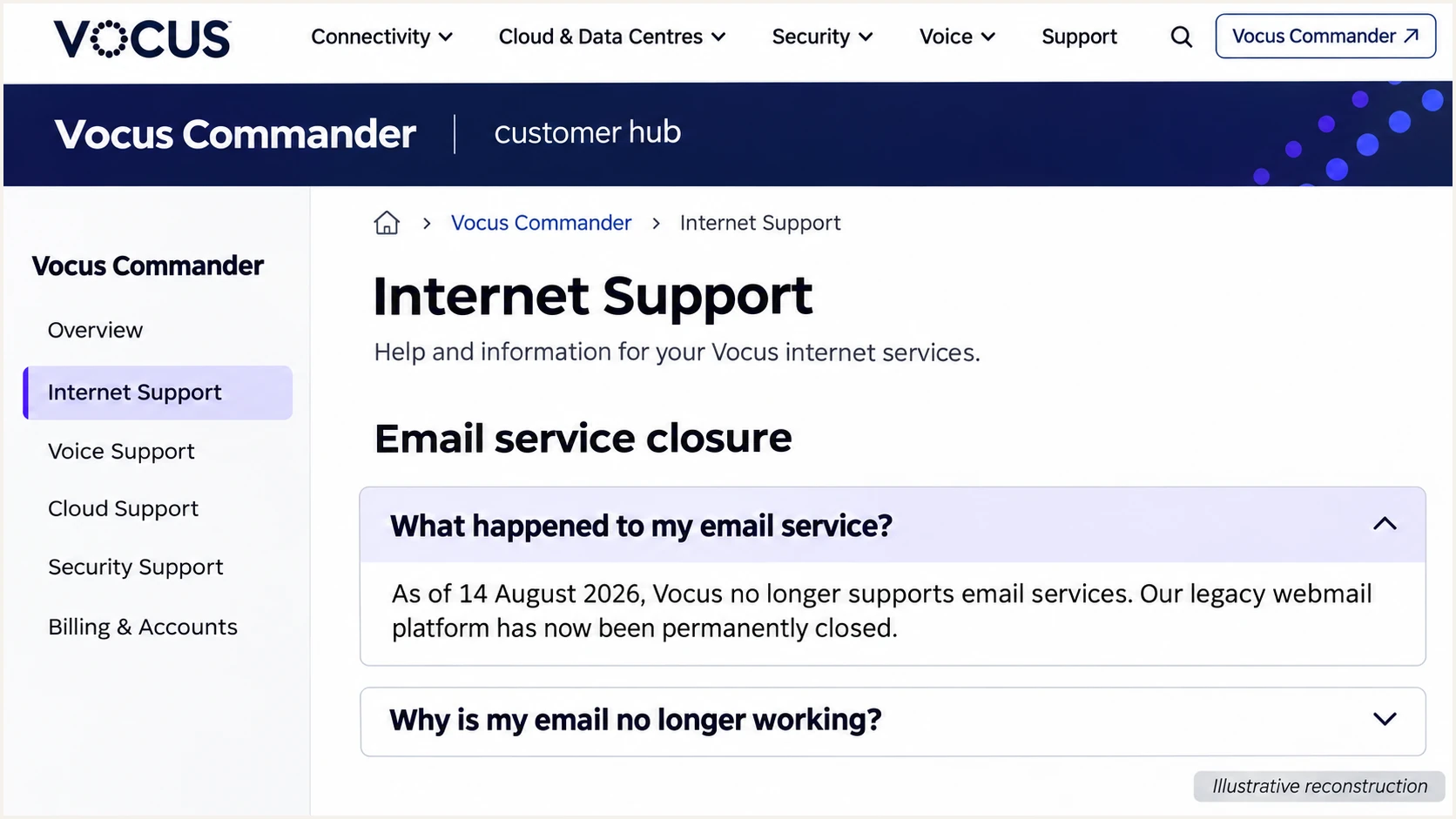
Illustrative reconstruction of Vocus's public legacy email closure notice.
For a customer-operated server on Vocus connectivity, configure the domain and signing key on that server. Ask the network operator about PTR records only if you send directly from your allocated public IP.
Set up SPF
SPF checks the SMTP envelope sender, usually visible as the Return-Path after delivery. I configure the domain used there, rather than assuming the visible From domain is the SPF lookup target.
- Set the Return-Path. Ask the active operator to configure your domain or a bounce subdomain as the envelope sender, following its issued DNS requirements. Send through that service and verify the delivered Return-Path before relying on SPF for DMARC.
- Get authorized senders. Use the exact SPF include or outbound IP addresses supplied for your contract. Do not copy Vocus's corporate SPF record or authorize its entire network.
- Edit one SPF record. At the Return-Path domain, merge the required mechanisms into the existing TXT record beginning v=spf1. Keep one SPF record per name and no more than 10 DNS-lookup-causing terms during evaluation, including nested includes.
- Check subdomain behavior. A Return-Path such as bounce.example.com needs its own SPF configuration; it does not inherit example.com's SPF record. Follow any operator-supplied DNS delegation instructions.
Example only: TXT at example.com for one dedicated outbound IPtext
v=spf1 ip4:192.0.2.10 -all
192.0.2.10 is a documentation address, not a Vocus sending IP. Replace it with the confirmed outbound IP and preserve every other authorized sender before publishing.
Enter the actual Return-Path domain below. Check syntax and the total lookup count after merging the service's authorization.
SPF checker
Find SPF syntax issues, lookup limits, and weak records.
?/16tests passed
A valid SPF record alone does not prove SPF alignment. With default relaxed DMARC settings, the authenticated Return-Path domain must share the organizational domain of the visible From address.
If the active service uses a provider-owned Return-Path and offers no customer-domain option, adding SPF to your From domain will not fix that mismatch. Expect an SPF alignment warning; DMARC still passes when DKIM passes with the required domain match.
Set up DKIM
DKIM requires both a published public key and signing on the outbound service. I request the records for the active mail platform; a Vocus network name does not supply a DKIM selector.
- Request signing records. Ask the active operator for your selector, TXT public key or CNAME target, and signing domain. Request a 2048-bit RSA key where supported. Never publish the private key.
- Publish the issued record. Create the exact selector record at the authoritative DNS host. Avoid a doubled domain suffix if the DNS editor automatically appends your domain.
- Enable signing. Have the operator activate domain signing after DNS verification. For your own server, enable its DKIM signer using the matching private key.
- Check a new message. Inspect DKIM-Signature for d= and s=. Confirm the recipient reports dkim=pass and that the signing domain satisfies DMARC's domain-matching requirement.
The selector mail2026 below is illustrative, not a Vocus default. Replace it with the selector supplied for your service or found in a newly sent message.
Look up the actual DKIM selectorbash
dig +short TXT mail2026._domainkey.example.com
dig +short CNAME mail2026._domainkey.example.com
Use the record type supplied by the operator. A CNAME delegates the selector lookup; a TXT record contains the public key. Do not publish both at the same owner name.
DNS is published
The selector resolves to a public key. This checks the DNS half of DKIM, but it does not prove that outgoing messages are signed.
Outgoing signing passes
A fresh delivered message has dkim=pass with your domain in d=. This verifies the signing path needed for DKIM-based DMARC.
Set up DMARC
Publish DMARC for the domain in the visible From address. I start new deployments in monitoring mode and keep an existing quarantine or reject policy in place.
- Check the existing policy. Look up _dmarc.example.com before editing. Keep one DMARC TXT record at that name. Do not replace an established enforcement policy with p=none.
- Start new deployments safely. If there is no existing policy, publish the monitoring record below. Replace example.com and the reporting mailbox with values you control.
- Keep relaxed matching. Leave adkim and aspf at their default relaxed settings unless you have a documented need for strict matching. A customer-owned bounce subdomain then supports SPF alignment.
- Confirm report delivery. Use a destination that accepts aggregate XML reports. An external reporting domain needs the required reporting authorization; confirm that with the report receiver.
TXT at _dmarc.example.com: initial monitoring policytext
v=DMARC1; p=none; rua=mailto:dmarc@example.com
Use the DMARC record generator to build the record with your real reporting address. Keep the generated value in the existing DMARC record rather than adding a second record.
Check the From domain below after saving. A successful DNS check verifies the published policy; message testing verifies whether your active mail service passes it.
DMARC checker
Look up a domain's DMARC record and catch policy issues.
?/7tests passed
p=none requests monitoring without requesting quarantine or rejection for DMARC failures. Receiving systems still apply their own filtering rules.
DMARC passes when at least one authentication method passes with the required domain match. SPF and DKIM both passing with unrelated provider domains still produces a DMARC failure.
Verify and troubleshoot
I test through the same outgoing route used in production. A message sent through a different mailbox or SMTP server does not validate the affected service.
- Check authoritative DNS. Query your nameservers and confirm the saved records. If an old value remains cached, wait for its previous TTL to expire and check again.
- Send representative messages. Test each active route, including user mailboxes and applications. Use an external recipient so that messages leave the sending system.
- Read receiver results. Inspect the recipient's trusted Authentication-Results header for spf=pass, dkim=pass and dmarc=pass. Compare smtp.mailfrom and header.d with the visible From domain.
- Check direct-send identity. If you operate the SMTP server, ask the IP operator to set its PTR and ensure that hostname resolves back to the sending IP. PTR consistency supports delivery checks but does not make DMARC pass.
Check the actual domain and selectorbash
dig +short NS example.com
dig +short TXT example.com
dig +short TXT bounce.example.com
dig +short TXT mail2026._domainkey.example.com
dig +short TXT _dmarc.example.com
Replace the sample names with the domains observed in your message. A root-domain SPF lookup is insufficient when the Return-Path uses a different domain.
For the quickest message-level diagnosis, send a fresh message to the address shown by the email tester below. It checks the received message rather than relying only on DNS syntax.
Email tester
Send a real email to this address. Suped shows a results button when the test is ready.
?/43tests passed
Review the authentication results first, then inspect any remaining delivery findings. A DMARC pass validates domain authorization; it does not guarantee inbox placement.
Retest after each correction through the original sending route. Use the failure pattern below to choose the next change.
|
|
|
|---|---|---|
SPF permerror | Duplicate or excess lookups | Merge and reduce |
SPF mismatch | Provider Return-Path | Custom path or DKIM |
DKIM absent | Signing disabled | Activate signer |
DKIM fail | Key or message changed | Check selector and path |
DMARC fail | No matching pass | Fix sender identity |
Use received-message evidence before changing DNS.
Get alerted when it breaks
Suped is our platform for ongoing DMARC monitoring, issue detection and notifications. I use report evidence to distinguish an active Vocus-related sender from an unfamiliar IP on the same network.
- Confirm incoming reports. For a domain already reporting to Suped, check that recent sending volume appears. The example dmarc@example.com mailbox does not automatically feed reports into Suped.
- Verify legitimate sources. Review the source table and mark a source verified only after matching it to an approved service and its authentication results.
- Enable notifications. In Suped's notification settings, enable "Issues detected" and "Sending sources need verification". Enable DMARC summary emails for periodic review.
- Investigate each issue. Open the affected source and inspect its detailed SPF, DKIM and DMARC results. Follow the issue's steps to fix, then verify the change with DNS and a fresh message.
This connects an alert to the sender that needs attention. A changed outbound IP, broken selector or newly introduced mail application gets investigated in the same reporting workflow.
Report-based alerts have a delay
Aggregate DMARC reports commonly arrive daily. Suped alerts on detected issues as data becomes available; a report-based alert is not an immediate notification for every failed SMTP delivery. Use a fresh test message for immediate configuration checks.
Secure your domain with p=reject
I move to p=reject after every legitimate sending route passes DMARC. Suped's source verification and record diagnostics provide the evidence for that decision; an overall pass percentage alone is insufficient.
- Cover a complete sending cycle. Review reporting across normal operations and infrequent sends, including billing runs. Fix legitimate failures before increasing enforcement.
- Stage enforcement. For a new deployment, move p=none to p=quarantine, inspect the resulting reports and delivery issues, then move to p=reject when legitimate traffic is passing.
- Review subdomains. Check subdomain senders and any separate DMARC records before changing the parent policy. Do not assume that testing the main domain covers every sending identity.
- Apply and verify. For a domain already using Suped Hosted DMARC, manage the policy through its policy controls. Otherwise edit the existing DNS TXT record. Verify the live policy and keep issue notifications enabled.
For a manually managed record, the final policy below preserves reporting. Replace the sample reporting address with your functioning destination and retain any other intentional settings.
TXT at _dmarc.example.com: final enforcement policytext
v=DMARC1; p=reject; rua=mailto:dmarc@example.com
p=reject asks receivers to reject messages that fail DMARC. Receiver policy controls the final handling. Keep monitoring in Suped after enforcement so that a mail migration or signing-key change is checked against real traffic.
Frequency asked questions
An rDNS name ending in vocus.net.au does not identify a unique email platform. A customer-operated server can use a network provider's reverse DNS. I check the IP's registered operator and compare message headers with the approved service inventory before authorizing a source; the suffix alone is insufficient.
Use the include or outbound IP addresses confirmed for your active service. There is no verified universal customer include in the public Vocus material checked for this setup. Vocus's corporate SPF record is not a customer configuration template. For a dedicated customer-operated server, authorize its actual public sending IP.
Yes. A passing DKIM signature whose signing domain meets the From-domain matching requirement is sufficient for DMARC. Publishing SPF at your From domain does not change a provider-owned Return-Path. Keep DKIM signing working and verify dmarc=pass on a received message.
Only the domain operator can publish its SPF, DKIM and DMARC DNS records. If you use a provider-owned address, ask the current operator about authentication. If you own the domain, publish records at its authoritative DNS host and arrange signing with the active SMTP operator.
Check authoritative DNS after saving, allow the previous TTL to expire for cached answers, then send a fresh message. Aggregate reporting is separate and commonly arrives daily. Use received-message authentication results to verify the immediate change instead of waiting for the next reporting interval.




