
How to set up DMARC/DKIM/SPF for QQ Mail

For an @qq.com address, Tencent manages SPF, DKIM and DMARC; you cannot edit those DNS records yourself. For a custom domain configured in QQ Mail, publish SPF with include:spf.mail.qq.com, add the DKIM record supplied for that domain, and publish DMARC in your own DNS.
I check the actual From address first. An English alias ending in @qq.com is still a Tencent-owned domain. The DNS steps below apply to a domain you own, using QQ Mail's personalized email address option where your account supports it.
Add your domain
In QQ Mail on the web, open account and security settings, labeled '账号与安全', and look for '个性化邮箱地址' (personalized email address). Check the membership requirements displayed for your account before starting.
Use QQ Mail's own domain setup instructions. Adding an unrelated mailbox to the QQ Mail app does not move that mailbox's sending service to QQ Mail.
- Open the domain setup. Choose the personalized address option and enter the domain you own, such as example.com. If the option is unavailable, contact QQ Mail support rather than following an old domain registration tutorial.
- Copy the DNS values. Save the exact verification and MX instructions shown for your account. Domain setup can require DKIM verification as well as MX verification; complete the DKIM steps below before finishing verification.
- Publish and verify. Add the requested records at the domain's authoritative DNS host, then return to QQ Mail and run its verification. Replace existing MX records only as part of an intentional mailbox migration.
- Select the address. Finish creating the personalized address and select it in the From field when composing. Confirm that a message to an external mailbox shows your custom domain as the sender.
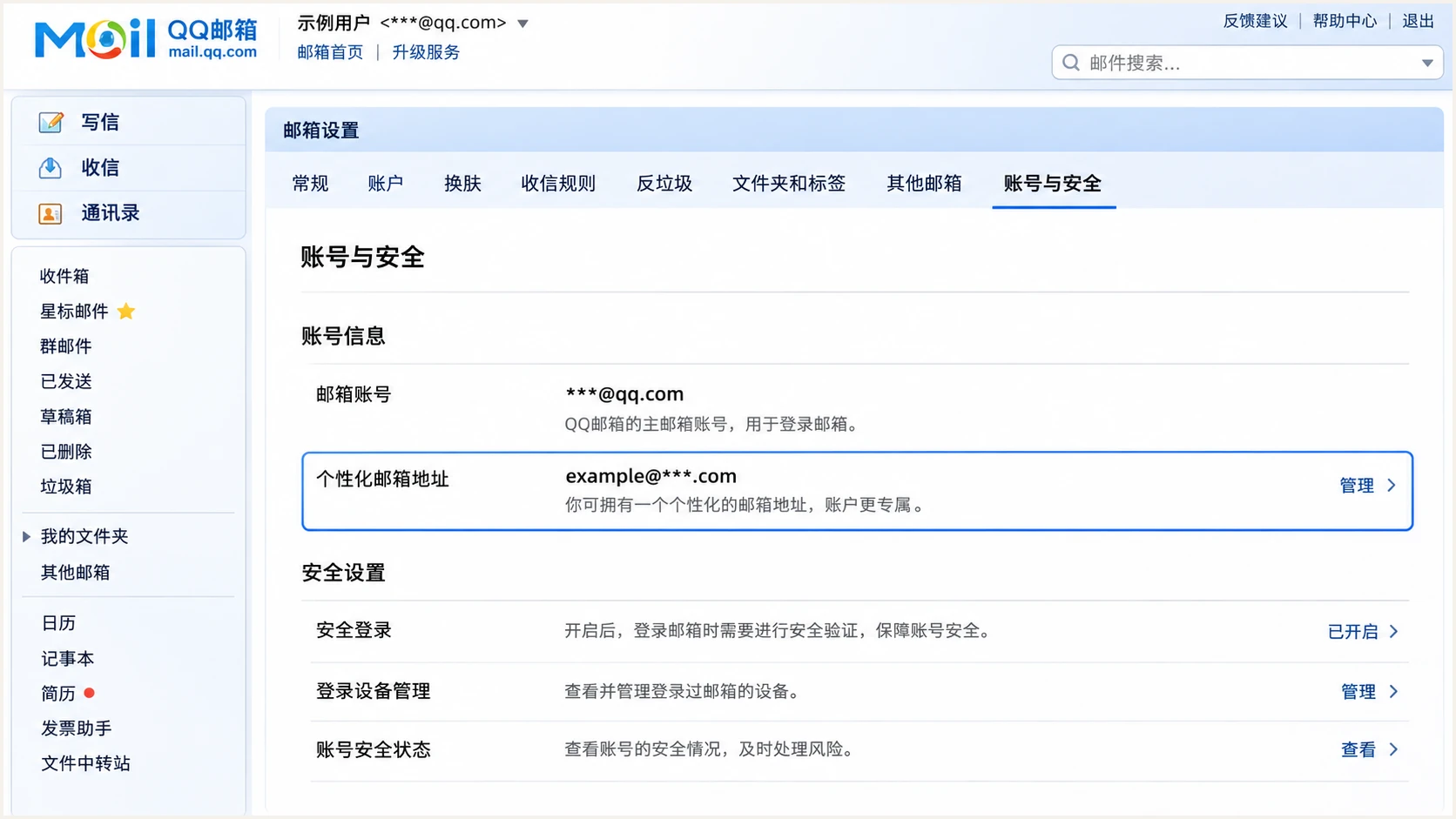
Illustrative QQ Mail account settings with the personalized email address entry highlighted.
Set up SPF
For an authorized custom domain sending through QQ Mail, the SPF include is spf.mail.qq.com. Publish it on the domain used by the SMTP envelope sender, which the receiving mailbox normally records in Return-Path.
- Inspect existing SPF. Find the TXT record starting with v=spf1 at the relevant domain. Edit that record; do not add a second SPF policy at the same DNS name.
- Authorize QQ Mail. Add include:spf.mail.qq.com before the final all mechanism. Preserve every other authorized sender and the existing final qualifier while making this change.
- Check the sender domain. Send using your configured QQ Mail custom address and inspect Return-Path. An SPF pass contributes to DMARC only when that domain matches the visible From domain under your DMARC matching mode.
- Count DNS lookups. Check the full include chain against SPF's limit of 10 DNS-querying terms. One include in your visible record can trigger several nested lookups.
Example SPF TXT value, only when QQ Mail is the sole sendertext
v=spf1 include:spf.mail.qq.com ~all
For example.com, enter @ or the blank root name required by your DNS host. The example uses ~all; do not replace an existing, complete -all policy with this example.
Enter your envelope sender domain below to check the published SPF policy and lookup chain. Checking qq.com is read-only and does not give you control over Tencent's DNS.
SPF checker
Find SPF syntax issues, lookup limits, and weak records.
?/16tests passed
A valid DNS record proves that the policy can be evaluated. I still send a real message because the actual Return-Path determines which domain receives the SPF check.
If the delivered Return-Path uses a Tencent-owned domain, adding QQ Mail to your root SPF cannot change that identity. Use the domain setup supported by your account, or depend on a passing DKIM signature for your From domain.
Set up DKIM
Use the DKIM host name and public key supplied in QQ Mail's custom domain setup. There is no safe universal selector or public key to copy for every QQ Mail account.
- Retrieve the record. Open the personalized address domain configuration and copy its DKIM verification instructions. For an older domain account without these details, request the selector and public key from QQ Mail support.
- Publish exactly. Create the requested DNS record using the supplied name, type and value. A TXT key belongs under the supplied selector at _domainkey; do not substitute a selector guessed from another account.
- Avoid duplicated names. Check whether your DNS host appends the domain automatically. Entering a complete host name in a relative-name field can create a record under the wrong name.
- Verify signing. Return to QQ Mail and complete DKIM verification. Send a fresh message and require dkim=pass with a signing domain matching your visible From domain. DNS verification alone does not prove outgoing mail is signed correctly.
An @qq.com address
Tencent publishes its keys and controls signing. An alias does not give you access to those keys or policies.
Inspect a received message and report signing failures to QQ Mail support. Publishing a key on your own unrelated domain cannot fix them.
Your custom domain
QQ Mail needs a matching signing setup for your domain. You publish the supplied public record and Tencent's sending system uses the corresponding private key.
A signature that passes for qq.com does not authenticate a From address at example.com for DMARC.
I read d= and s= in the delivered DKIM-Signature header to identify the signing domain and selector. The corresponding DNS lookup is s._domainkey.d, using the actual values in that header.
Do not generate a new key independently unless QQ Mail explicitly supports importing its matching private key. Publishing a public key without configuring the signer does not enable DKIM.
Set up DMARC
Publish DMARC at _dmarc on your own From domain. Start a new deployment with p=none to collect reports while you verify legitimate sending. If the domain already uses p=quarantine or p=reject, keep that policy.
- Check the existing policy. Look for a TXT record at _dmarc.example.com. Maintain one DMARC policy at that name, editing an existing record instead of creating a duplicate.
- Create a reporting mailbox. Choose an address that can receive aggregate reports. Replace dmarc@example.com in the example with your real reporting destination.
- Publish the TXT value. Use the exact monitoring example below for a new policy, with the reporting address replaced. Leave the default relaxed domain matching settings unless you have a specific need for strict matching.
- Keep reports flowing. If your reporting destination belongs to another domain, complete any external reporting authorization required by that destination. A valid policy does not guarantee that reports reach the mailbox.
New monitoring policy: TXT at _dmarc.example.comtext
v=DMARC1; p=none; rua=mailto:dmarc@example.com
Use the DMARC record generator to build the record with your actual reporting address. Publish the result at your DNS host, outside QQ Mail.
Enter the visible From domain below to validate policy discovery and syntax. The check should find your existing enforcement policy or the new monitoring record, without duplicate DMARC records.
DMARC checker
Look up a domain's DMARC record and catch policy issues.
?/7tests passed
The example requests monitoring only. Receivers still apply their own filtering, and p=none does not request rejection of messages failing DMARC.
DMARC passes when at least one authentication method both passes and uses a domain matching the visible From domain. An SPF pass or DKIM pass for an unrelated domain is insufficient.
Verify and troubleshoot
Send directly to an external mailbox using the custom address selected in QQ Mail. I test webmail and each SMTP client separately because they can submit different sender identities.
- Choose the right From. Open Compose in QQ Mail and select the personalized address. Changing the display name, signature or Reply-To address does not change the domain DMARC evaluates.
- Read trusted results. At the receiving mailbox, inspect its Authentication-Results header for spf=pass, dkim=pass and dmarc=pass. Use the receiver's results, rather than an authentication header supplied by the sender.
- Separate the failures. For SPF, compare smtp.mailfrom with the From domain. For DKIM, compare the passing signature's d= domain. SPF domain matching errors are compatible with a DMARC pass when DKIM passes for your domain.
- Recheck DNS. Confirm the authoritative DNS host has the intended records. Allow existing cached answers to expire, then send a new message. Correcting DNS does not change an old message's recorded results.
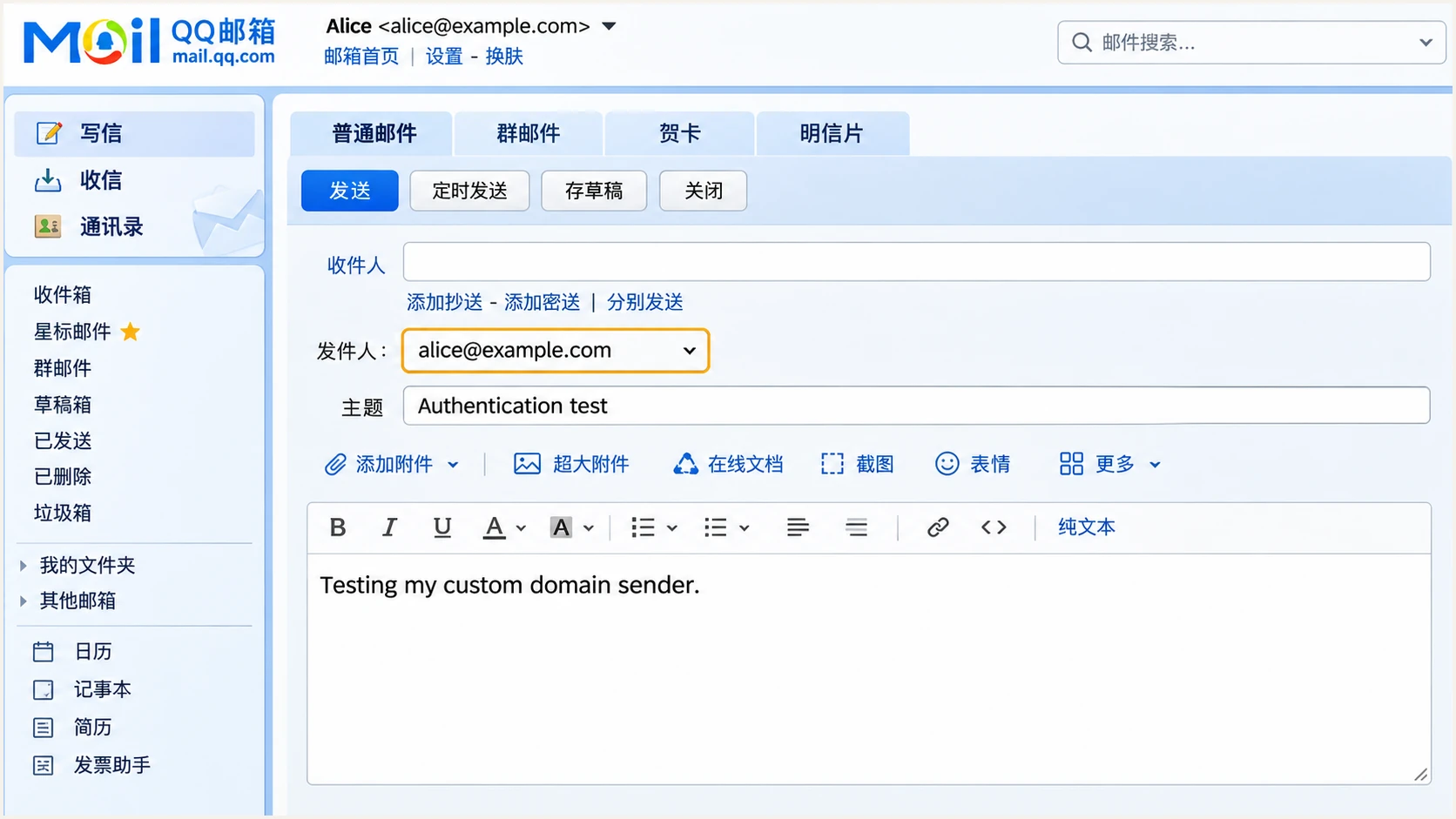
Illustrative QQ Mail compose view with a custom domain sender selected for testing.
For the quickest end-to-end check, use our email tester below. It gives you a destination address; send a new message to that address through the QQ Mail account and client you actually use.
The diagnosis checks the delivered message's authentication and domain matching. This catches an incorrect sender identity that an SPF or DMARC DNS lookup alone cannot reveal.
Email tester
Send a real email to this address. Suped shows a results button when the test is ready.
?/43tests passed
Review the SPF and DKIM identities in the result before changing DNS again. If QQ Mail supplies no custom DKIM signing setup, request it from support; a working custom-domain SPF path can still pass DMARC on direct delivery.
For forwarded messages, SPF often fails because the forwarding server has a different IP. Passing DKIM for your From domain can preserve the DMARC pass if the signed content survives forwarding.
|
|
|
|---|---|---|
SPF permerror | Duplicates or lookup limit | Repair SPF |
DKIM absent | Sender and signing setup | Check QQ Mail setup |
DKIM fail | Key or message changes | Inspect selector |
DMARC fail | Passing domain mismatch | Check From identity |
Use the detailed authentication result to confirm the cause.
Get alerted when it breaks
A successful test checks one message. Suped is our DMARC platform for tracking the reports that receivers send later, identifying authentication issues and notifying you when sending sources need attention.
- Route reports. Use your assigned Suped reporting destination in the existing rua tag. Keep your current DMARC policy. This connects reporting without changing how QQ Mail sends messages.
- Review sending sources. In Suped's Sources view, identify the QQ Mail traffic you expect and verify it after checking the underlying data. Source verification records your review; it does not authorize a sender in DNS.
- Enable notifications. Enable Issues detected and Sending sources need verification notifications, and configure DMARC summary emails for ongoing review.
- Investigate the change. Use Data view to filter by source or IP, then inspect the detailed SPF and DKIM results. Follow the issue's fix steps and verify the change with a new QQ Mail test message.
Our DMARC monitoring brings source-level authentication results and issue detection into one workflow. It is the practical choice when you need ongoing checks after the initial QQ Mail configuration.
Reports have a delay
DMARC aggregate reports usually arrive on a daily reporting cycle, with additional receiver delays. Suped can notify you when it detects an issue in available data; aggregate reporting is not a live feed of every delivered message.
Secure your domain with p=reject
Move to p=reject after reports show that every legitimate sending system passes DMARC. Check the individual sources, including infrequent senders; a high overall pass rate can hide a broken business workflow.
- Inventory real traffic. Use Suped's source table and detailed records to review QQ Mail alongside every other system sending with your domain. Cover a complete business sending cycle before making an enforcement decision.
- Fix legitimate failures. Correct missing SPF authorization, mismatched sender domains and DKIM failures. Retest each affected path, including messages submitted through SMTP clients.
- Stage enforcement. When starting at none, move to quarantine, review legitimate delivery and new reports, then move to reject. If already enforcing, keep the existing policy while you repair individual sources.
- Control the policy. Our Hosted DMARC lets you manage the policy through Suped after its DNS delegation is configured. Use the report evidence to decide when to advance each stage.
- Keep monitoring. Retain rua reporting after enforcement. Review new sources and authentication regressions before authorizing additional systems, and assess subdomain policies separately.
With Hosted DMARC, policy management and report investigation are in the same Suped workflow. For a directly published TXT policy, edit the existing DNS record instead.
Enforce only a domain you control
You cannot change qq.com's policy through a QQ Mail account. Reject also does not fix broken authentication or stop abuse of an authenticated account; complete the sender checks before enforcing your own domain's policy.
For a directly published TXT policy, change the existing p value to reject and retain the working rua destination. Keep relaxed domain matching unless stricter matching is justified; receivers apply their own handling decisions.
Check subdomains for explicit DMARC records before relying on the parent policy. A separate subdomain policy overrides inheritance, so a root-domain reject policy does not prove that every subdomain is enforcing.
Frequency asked questions
No. Tencent controls qq.com's DNS policies and signing infrastructure. You can test a delivered message and contact QQ Mail support about failures, but you cannot publish authentication records for qq.com yourself.
QQ Mail uses include:spf.mail.qq.com. Add it to the existing SPF policy for a custom envelope sender domain you control when that domain sends through QQ Mail. Do not create a second SPF policy or expect an include to change the Return-Path identity.
Use the selector provided by your custom domain setup, or read s= in a delivered DKIM-Signature header. There is no universal custom-domain selector or public key to reuse. If the account does not expose the configuration, request it from QQ Mail support.
Yes. A passing DKIM signature whose d= domain matches the visible From domain is sufficient for DMARC. If the sending path uses a Tencent-owned Return-Path, an SPF domain mismatch is expected; fix or verify DKIM rather than adding unrelated SPF records.
It requests monitoring, without requesting quarantine or rejection for DMARC failures. Collect reports, repair legitimate sending and then progress to enforcement. Keep an existing quarantine or reject policy when adding QQ Mail.
Hostnames under mail.qq.com are used by Tencent's mail infrastructure. QQ Mail messages have been received from names such as out162-62-58-216.mail.qq.com. Treat that suffix as a source clue, then verify the connecting IP and authentication results; rDNS alone does not prove that a message is authorized for your domain.




