How to set up DMARC/DKIM/SPF for Pluspol

Published 22 Nov 2026
Updated 22 Nov 2026
10 min read
Summarize with
Set up Pluspol email authentication by authorizing your project's outbound servers in SPF, enabling DKIM signing with your domain, and publishing DMARC at _dmarc on your sending domain. I verify the result using a message sent by the actual hosted website or application.
Pluspol's public Website Service 2026 brochure describes a local outbound mail server. I found no public authentication setup article with a universal SPF include, DKIM selector, or verified administration screens. Get those values directly from Pluspol before editing DNS; another customer's records are not a reliable template.
Add your domain
I start with the hosted project and the domain used in its visible From address. Ask your Pluspol contact to attach or confirm that domain on the project's outbound mail configuration.
Use the following request with your project name and sending domain. If Pluspol manages your DNS, ask them to publish the records; otherwise, request the exact names, record types, and values for your DNS administrator.
- Confirm the domain: Give Pluspol your project identifier and intended From address. For a contact form, use an address on your domain and put the visitor's address in Reply-To.
- Confirm the route: Ask whether the application uses the local mail server or an external SMTP relay. Obtain the actual outbound IPv4/IPv6 addresses or maintained SPF include.
- Request authentication: Ask for custom MAIL FROM configuration, a DKIM signing domain and selector, and the corresponding DNS records. Confirm who will enable signing on the server.
- Verify ownership: Complete any ownership proof Pluspol requests using its supplied DNS token. Then ask Pluspol to confirm that your domain is enabled for sending.
Settings to request from Pluspoltext
Project: [your project identifier]
From domain: example.com
MAIL FROM domain: [your domain or bounce subdomain]
Outbound SPF include or IP addresses: [Pluspol to supply]
DKIM signing domain and selector: [Pluspol to supply]
DKIM DNS record type, name, and value: [Pluspol to supply]
DNS administrator and signing administrator: [confirm both]
An existing hosted domain does not need to be registered again. The important check is that the application's sending configuration uses that domain, including its envelope sender and DKIM signing identity.
Pluspol's public contact form is a route for requesting these project-specific settings. Include your project identifier in the message so the response covers the correct mail server.
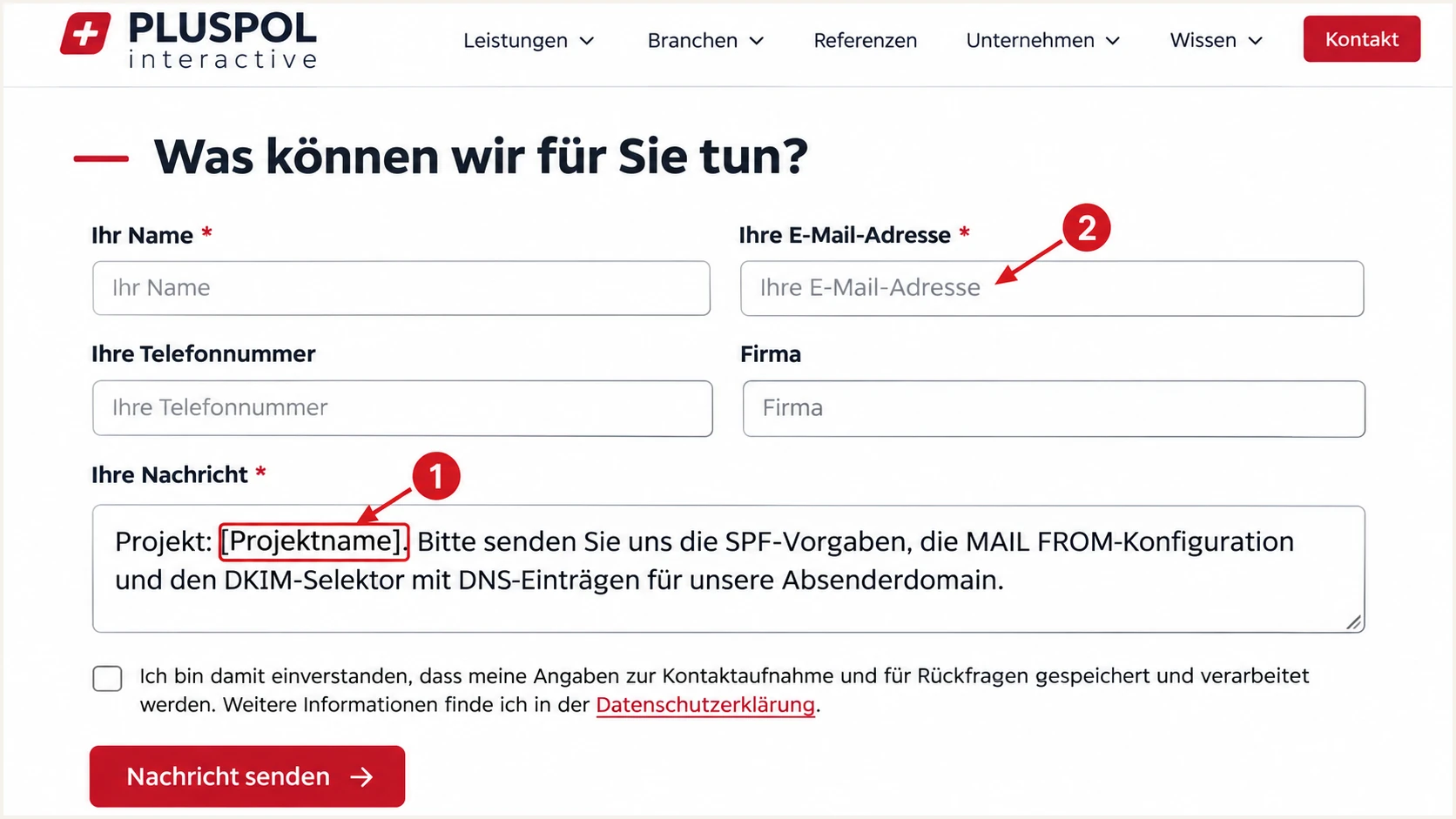
Pluspol's public contact form for requesting project-specific sending settings.
Keep Pluspol's reply with your DNS change notes. It should identify the server that sends application email, rather than only the server that hosts the website.
Before making changes, export the existing DNS records. Keep incoming mail routing intact unless Pluspol explicitly requires a separate change for a bounce subdomain.
Set up SPF
SPF authorizes a sending server for the SMTP MAIL FROM domain, normally visible in the received Return-Path. I first confirm that domain, because an SPF record on the visible From domain does not cover a different bounce subdomain.
Ask Pluspol to configure MAIL FROM using your domain or a dedicated bounce subdomain. A bounce subdomain under the same organizational domain supports relaxed SPF alignment; strict alignment requires an exact domain match.
- Locate DNS: Run dig +short NS example.com to identify the authoritative DNS provider. Edit records there, even if Pluspol hosts the website elsewhere.
- Inspect existing SPF: Query TXT records at the actual MAIL FROM domain. Keep exactly one SPF record beginning v=spf1 at that name.
- Authorize Pluspol: Insert only Pluspol-confirmed IP addresses or its supplied include before the existing all mechanism. Preserve other authorized senders and the current ending.
- Check limits: Keep DNS-querying SPF terms within the limit of 10 during evaluation, including nested includes. Test every outbound IP family Pluspol uses.
Illustrative SPF value, not Pluspol's published configurationtext
v=spf1 ip4:192.0.2.10 ~all
192.0.2.10 is a documentation address. Replace it with Pluspol's confirmed egress address, or use the exact include Pluspol supplies. Do not publish the example unchanged or invent an include using Pluspol's website domain.
Enter the actual MAIL FROM domain in the SPF checker below. If the Return-Path uses bounce.example.com, check bounce.example.com rather than assuming example.com covers it.
SPF checker
Find SPF syntax issues, lookup limits, and weak records.
?/16tests passed
A valid SPF record proves that the DNS policy can be evaluated. A received test message proves which domain and outbound address the application actually uses.
If your specific sending route retains a provider-owned Return-Path, editing your domain's SPF cannot fix that alignment error. DMARC still passes with a valid DKIM signature using your domain. Confirm that result before enforcing DMARC.
Set up DKIM
Ask Pluspol to enable DKIM signing for your domain on the server that sends the application's messages. Publishing a public key alone does not enable signing.
I request a 2048-bit RSA key where supported and obtain the exact selector and signing domain. The selector is configuration-specific; do not assume default or selector1.
- Obtain the record: Request the DKIM DNS name, TXT value or CNAME target, and signing domain. Pluspol keeps the private key on the signing server.
- Publish exactly: Create the supplied record at the authoritative DNS provider. Check whether the DNS editor appends your domain automatically.
- Enable signing: Have Pluspol activate the corresponding private key for the project's outbound route after DNS resolves correctly.
- Inspect a message: Send through the application and inspect DKIM-Signature. Its s= value identifies the selector and d= identifies the signing domain. Require dkim=pass for your domain.
Pluspol supplies TXT
Publish the public key value at the supplied selector name. Preserve the complete key; never upload the private key to DNS.
Pluspol supplies CNAME
Publish the supplied target at the selector name. Keep that DNS name free of conflicting TXT records and retain the CNAME for key rotation.
For a message with d=example.com and s=project1, the lookup name is project1._domainkey.example.com. Those values are an illustration, not a documented Pluspol selector.
A signature using an unrelated provider domain does not satisfy your domain's DMARC requirement. Use your own signing domain, or rely on passing SPF with the required domain relationship until Pluspol enables custom DKIM.
Look up the selector shown in the received messagebash
dig +short TXT project1._domainkey.example.com
dig +short CNAME project1._domainkey.example.com
Set up DMARC
Publish one DMARC TXT record at _dmarc.example.com for messages whose visible From domain is example.com. I start new deployments with p=none while checking all legitimate sending sources.
If the domain already uses p=quarantine or p=reject, keep that policy. Configure Pluspol to pass authentication before moving its messages onto the protected domain.
- Check the policy: Look up the existing DMARC record before adding anything. Update an existing record rather than creating a second one.
- Set the DNS name: Create a TXT record named _dmarc if the DNS editor appends example.com. Otherwise, enter the full _dmarc.example.com name.
- Set reporting: Use the monitoring value below for a new deployment. Replace dmarc@example.com with an operational reporting mailbox or your assigned report collection address.
- Confirm collection: Verify that the destination accepts aggregate reports. For an external destination, complete any reporting authorization required by that destination.
Initial DMARC TXT value for a new deploymenttext
v=DMARC1; p=none; rua=mailto:dmarc@example.com
Generate the value with the DMARC record generator. Keep the existing reporting address and enforcement policy when updating an established deployment.
Use the checker below after publishing. It validates the public policy, but it does not prove that Pluspol signs messages or uses your intended MAIL FROM domain.
DMARC checker
Look up a domain's DMARC record and catch policy issues.
?/7tests passed
DMARC passes when SPF or DKIM passes with the required relationship to the visible From domain. Aim for both on direct Pluspol mail, because surviving DKIM signatures also help when forwarding breaks SPF.
The initial record uses relaxed alignment by default. Do not add strict alignment settings until every legitimate sending route has been tested against that requirement.
Verify and troubleshoot
I test messages produced by the real application after DNS updates are visible. A message sent manually through a different mailbox does not verify the hosted website's mail route.
Exercise each distinct sending path, including contact forms and password resets. Then inspect the receiving system's trusted Authentication-Results header and the delivered Return-Path.
- Test actual traffic: Trigger a normal application email to the test address. Keep the message headers and sending time for support.
- Compare identities: Check the visible From domain against smtp.mailfrom for SPF and header.d for a passing DKIM signature.
- Diagnose failures: For SPF failures, confirm the egress IP and one valid SPF policy. For DKIM failures, confirm the selector, published key, and server signing configuration.
- Escalate with evidence: Send Pluspol the receiving server's rejection, source IP, and relevant authentication headers. Remove sensitive message content before sharing.
|
|
|---|---|
SPF permerror | Duplicates or lookup limit |
SPF mismatch | MAIL FROM domain |
No DKIM | Signing on actual route |
DKIM fail | Selector, key, alterations |
DMARC fail | Passing identity domains |
Common results and the next check
The email tester below is the quickest message-level check. It provides a destination address; trigger an email to that address through your Pluspol-hosted application to receive an authentication diagnosis.
If the application sends only to registered users, create an authorized test recipient or temporarily configure its test destination. Keep the original application route so the result covers production sending.
Email tester
Send a real email to this address. Suped shows a results button when the test is ready.
?/43tests passed
Retest after each fix. A successful result should show dmarc=pass, with a passing SPF or DKIM identity related to your visible From domain as required by the policy.
DNS changes affect later evaluations. Allow cached records to expire according to their previous TTL, and send a new message rather than rechecking the headers of an old one.
Expected direct-send result
On a fully configured Pluspol route, aim for spf=pass and dkim=pass using your domain identities, plus dmarc=pass. Authentication success does not guarantee inbox placement.
Get alerted when it breaks
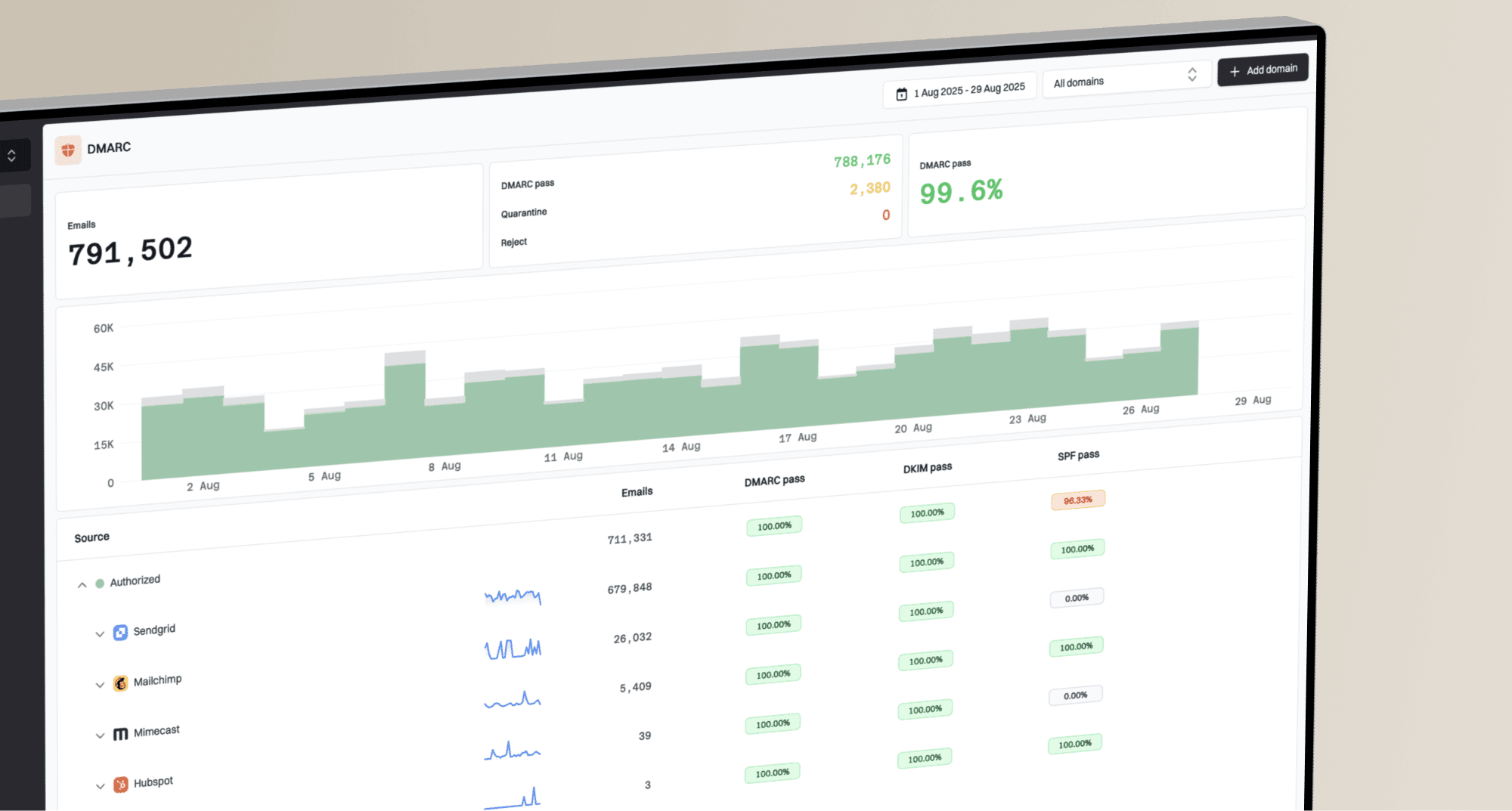
Suped is our DMARC reporting and email authentication platform. Its DMARC monitoring gives Pluspol traffic an ongoing check through source-level reports and issue notifications.
I use report data to spot a new sending server or broken authentication after a deployment. Keep reports flowing to your assigned collection address in the existing DMARC record, without weakening its policy.
- Enable notifications: In Suped's notification settings, enable Issues detected and Sending sources need verification. Enable summary emails for ongoing review.
- Confirm the source: Review the source table and verify Pluspol only after matching the sending IPs and message headers to your hosted project.
- Investigate changes: Filter affected records by source and IP. Open Detail view for SPF and DKIM diagnostics, and compare relevant changes in DNS history.
- Close the loop: Apply the documented fix with Pluspol or your DNS administrator, send another test, and confirm recovery in subsequent reports.
Report timing matters
DMARC aggregate reports arrive on receiver schedules, commonly daily. Suped notifications act on available data; use a fresh application email test for immediate verification after a change.
Secure your domain with p=reject
Move to p=reject after every legitimate source has a working DMARC authentication path. I assess Pluspol alongside every other service sending with the domain, rather than judging readiness from one successful test.
Suped's source table and record diagnostics make this review practical: identify expected senders, investigate failures, and confirm fixes before changing enforcement. Keep reports active throughout the rollout.
- Cover real activity: Review enough traffic to include scheduled and infrequent application emails. Resolve failures for legitimate sources instead of waiting for a perfect overall pass rate.
- Stage enforcement: For a new policy, move to p=quarantine after fixing legitimate failures. Review subsequent reports and delivery logs before changing to p=reject.
- Check domain scope: Review sending subdomains and any explicit subdomain policies. Parent-domain enforcement affects subdomains that inherit its policy.
- Manage the change: Use Suped's Hosted DMARC policy controls if already configured, or update the existing TXT record at DNS. Keep notifications active and retest Pluspol after the change.
Illustrative final policy after legitimate sources passtext
v=DMARC1; p=reject; rua=mailto:dmarc@example.com
Replace the example report address with your existing operational destination. If Hosted DMARC already manages the policy, use its policy controls instead of adding a conflicting TXT record.
A reject policy asks receivers to reject messages that fail DMARC; receivers retain their own handling decisions. If legitimate Pluspol traffic fails, use Suped's affected-source diagnostics and your application test to fix that sending route.
Frequency asked questions
I could not verify a public universal value for either. Request the SPF include or egress IPs and the DKIM selector for your hosted project directly from Pluspol. Do not copy the SPF record of Pluspol's own business domain.
DMARC needs at least one passing mechanism with the required domain relationship. A passing DKIM signature using your domain is sufficient even when the Return-Path uses an unrelated provider domain. Configure a custom MAIL FROM where the route supports it.
Leave your main domain's inbound MX records intact unless your mail routing is intentionally changing. A dedicated MAIL FROM subdomain requires the records Pluspol specifies; those are separate from the domain's existing mailbox routing.
A PTR hostname containing that domain is a clue to investigate Pluspol, not proof of message origin. I compare the source IP, its PTR and forward DNS, and the authenticated domains, then confirm the server with Pluspol. The public setup material checked does not document a definitive Pluspol outbound rDNS suffix list.
Keep an existing p=quarantine or p=reject policy. Have Pluspol configure and test the sending domain before production traffic uses it. The p=none example is for a new DMARC deployment, not a requirement for adding Pluspol.