
How to set up DMARC/DKIM/SPF for HEY

For HEY for Domains, verify your domain in HEY, authorize HEY in your SPF record, publish the DKIM records HEY supplies, and add a DMARC TXT record at _dmarc.yourdomain. I start a new DMARC deployment with p=none and reporting, then test a real outbound message before enforcing a stricter policy.
These changes apply to a domain you own. HEY manages authentication for @hey.com addresses. If you use an external address through HEY's Forwarding & Sending option, its connected SMTP provider handles outbound authentication; use that provider's DNS instructions instead of adding HEY's records.
Add your domain
I start in HEY for Domains with access to the domain's authoritative DNS. HEY's public signup flow separates domain verification from the final email switchover.
- Create the account. On HEY's website, choose For domains, start setup, and select Create your account. Enter your domain in Your domain name, optionally enter Your company's name, and click Continue. Complete the account details.
- Verify ownership. At step 2, Verify you own your domain, copy the verification record HEY displays. Publish its exact type, name and value at your DNS host, then return to HEY and complete its verification check.
- Prepare recipients. Complete Add users, Add email aliases and Set up billing. Create every required mailbox and alias before changing where inbound email arrives.
- Switch last. Complete the authentication records below before step 6, Officially switch over to HEY. At that step, publish the MX records and priorities shown in your account. MX controls incoming mail; it does not configure SPF or DKIM.
For an existing account, click your avatar and select the HEY for Domains account. Use an Account Manager login for domain verification and DNS management. If another person owns the account, ask an existing manager to grant the required access.
Each HEY for Domains account hosts one domain. Keep your existing MX records until your recipients are ready and HEY's final switchover instructions tell you to replace them.
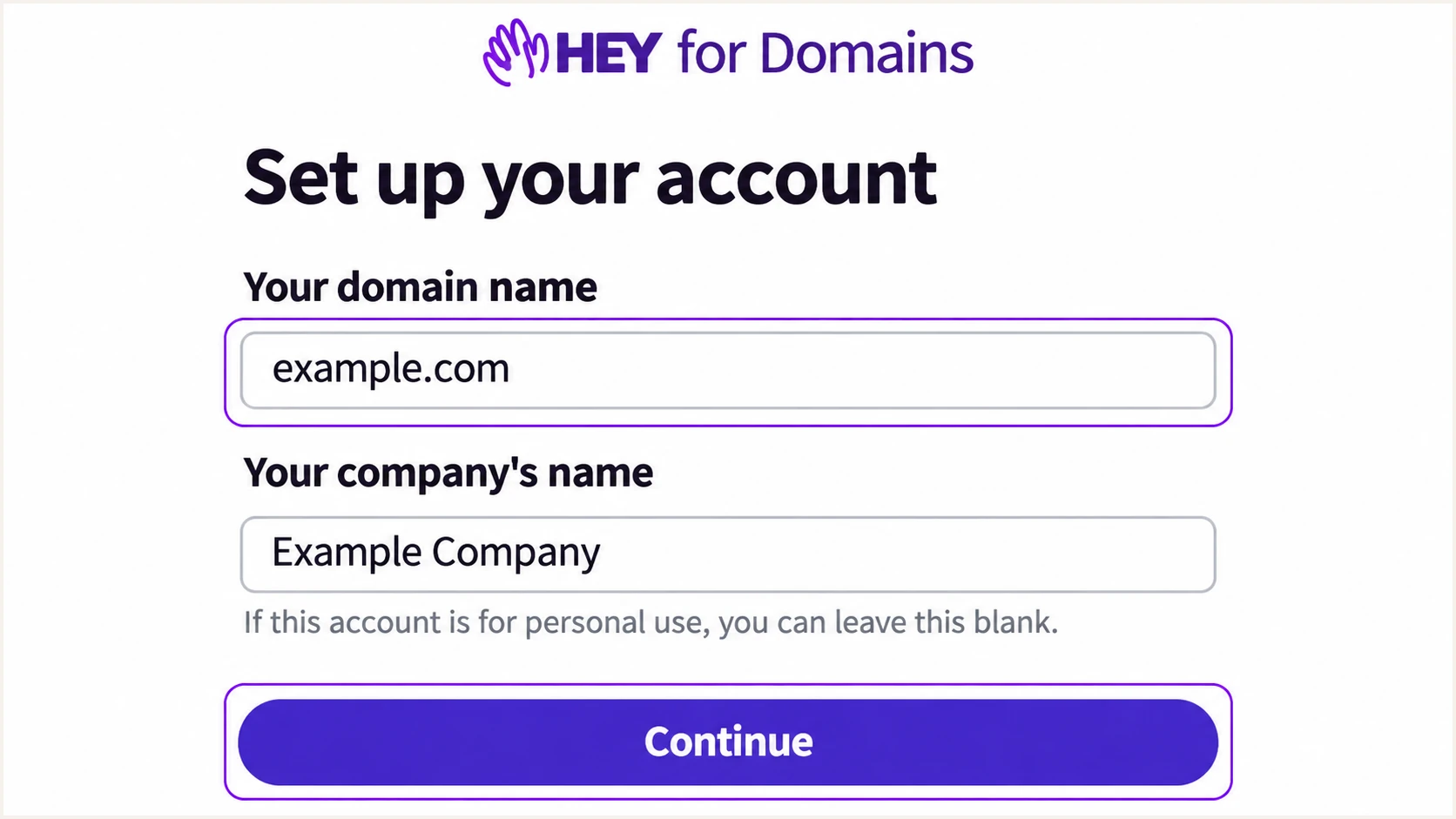
Illustrative HEY for Domains signup form with the domain field and Continue button.
Set up SPF
I add HEY's authorization to the domain's existing SPF TXT record. The HEY include is include:_spf.hey.com; confirm it against the instructions in your account before publishing. SPF checks the envelope sender, also called MAIL FROM or Return-Path, rather than the visible From address.
- Find the record. Look up TXT records for your domain and find the value starting v=spf1. Other TXT records can remain; only one SPF policy is allowed at the same DNS name.
- Authorize HEY. Add include:_spf.hey.com before the final all mechanism. If HEY is your only sender and no SPF policy exists, use the example below after checking your account instructions.
- Preserve senders. Keep authorization for every other service still sending your domain's email. Merge mechanisms into the existing policy rather than adding a second SPF record.
- Check limits. Keep SPF evaluation within the 10 DNS-querying-term limit, including nested includes. An include can trigger further lookups; counting only the includes visible in your record is insufficient.
HEY-only SPF example, TXT at the domain root (@)text
v=spf1 include:_spf.hey.com ~all
This example is for a domain whose only sender is HEY. Preserve an existing final -all if it is already intentional; adding HEY does not require weakening that policy. Do not replace the include with copied HEY IP addresses, which would stop tracking infrastructure changes.
Enter your domain in the checker below to verify the published policy and its lookup count. HEY for Domains supports Return-Path alignment, so also confirm that a real message uses your domain, or a matching subdomain under relaxed DMARC alignment, as its envelope sender.
SPF checker
Find SPF syntax issues, lookup limits, and weak records.
?/16tests passed
A valid DNS record does not prove that a message passed SPF. After sending your test, inspect the receiver's Authentication-Results and its smtp.mailfrom value to confirm which domain was actually checked.
For direct HEY delivery, investigate an unexpected Return-Path mismatch. Forwarding can break SPF even with correct DNS; DMARC still passes when a valid DKIM signature has a signing domain that matches the visible From domain under the applicable alignment mode.
Set up DKIM
I copy DKIM details from the HEY account's DNS setup instructions. The record type, selector and public value must match what HEY supplies; a key generated elsewhere will not match HEY's signing key.
- Copy each record. Record every DKIM name, type and value HEY displays for your domain. Keep any additional selectors HEY requests so key rotation continues to work.
- Publish exactly. At your DNS host, create the specified TXT or CNAME records. If the host appends your domain automatically, enter only the relative name so the domain is not duplicated.
- Keep selectors separate. Leave other senders' DKIM selectors intact. A CNAME cannot share its exact DNS name with TXT records or other ordinary record types.
- Verify signing. Complete any DKIM checks in HEY's setup, then send outside HEY. Read d= and s= in DKIM-Signature and confirm the receiver reports dkim=pass for a signing domain matching your From domain.
Use the selector in HEY's instructions or the s= value of a fresh message. The commands below illustrate the lookup format; replace SELECTOR and example.com before running them.
Look up the actual HEY DKIM selectorbash
dig +short TXT SELECTOR._domainkey.example.com
dig +short CNAME SELECTOR._domainkey.example.com
A published key establishes that DNS is ready. Successful verification of a fresh message establishes that HEY signed with the matching private key. I check both before treating DKIM as complete.
DNS check
The selector name resolves to the TXT public key or the CNAME target supplied by HEY. No missing record, wrong target or duplicated domain suffix remains.
Message check
The receiving server reports dkim=pass and the signing domain matches your From domain under DMARC. A signature using only hey.com does not authenticate a different custom From domain for DMARC.
Set up DMARC
I use p=none with aggregate reporting for a domain without an enforced DMARC policy. If your domain already uses p=quarantine or p=reject, keep that policy while adding HEY and fixing its authentication.
- Inspect first. Look up TXT at _dmarc.example.com using your actual domain. Edit an existing DMARC record instead of creating a second one. Also check an inherited parent-domain policy before adding a subdomain override.
- Publish the policy. For a new deployment, create a TXT record named _dmarc with the example value below. Use the full hostname only if your DNS provider requires it.
- Set the recipient. Replace dmarc@example.com with a working reporting mailbox or your assigned report-collection address. Create the mailbox before publishing the record.
- Check domain matching. Keep default relaxed alignment unless your requirements call for strict matching. DMARC passes when SPF or DKIM passes and its authenticated domain matches the visible From domain under that mode.
Initial DMARC value, TXT at _dmarc.example.comtext
v=DMARC1; p=none; rua=mailto:dmarc@example.com
Replace example.com in the DNS name and reporting address. Aggregate reports usually arrive as compressed XML attachments. A reporting address on another domain also needs the report recipient's external-reporting authorization in DNS.
Build a customized record with the DMARC record generator. Then enter your actual domain below to check the published policy and reporting destination.
DMARC checker
Look up a domain's DMARC record and catch policy issues.
?/7tests passed
The checker verifies the DNS policy. A passing message test verifies HEY's authentication, and aggregate reports reveal how receivers assess ongoing traffic. I use all of these checks before raising enforcement.
A p=none policy requests monitoring without DMARC-based quarantine or rejection. Receivers still apply their own filtering, so this setting neither guarantees inbox delivery nor blocks unauthenticated use of your domain.
Preserve existing enforcement
Do not replace a working p=quarantine or p=reject policy with the starter example. Add or correct the reporting destination in the existing record while keeping its enforcement setting.
Verify and troubleshoot
I test a new message sent through HEY after DNS verification and the planned switchover. A message sent only between users in the same HEY domain does not demonstrate the full external delivery path.
- Choose the sender. In HEY, compose a new message and check the From field. Select the custom-domain address hosted by HEY, rather than a connected external SMTP address.
- Use the tester. Send to the unique address supplied by the email tester below. Send directly, without forwarding an old message or routing the test through another mailbox.
- Inspect results. Confirm spf=pass, dkim=pass and dmarc=pass in the receiver's results. Check smtp.mailfrom and header.d against header.from; authentication without domain matching does not satisfy DMARC.
- Repeat after fixes. Correct the DNS record or HEY setup, wait for cached answers to expire, and send a fresh message. For unresolved HEY signing problems, give support the selector, timestamp and relevant message headers.
The tester diagnoses the message it receives, including authentication and other delivery checks. I use its findings to distinguish a DNS problem from a message signed with the wrong domain.
Generate the test address in the widget, copy it into HEY's To field, and send a short message from the custom-domain address. Keep the resulting report so you can compare it after a correction.
Email tester
Send a real email to this address. Suped shows a results button when the test is ready.
?/43tests passed
If SPF passes but DMARC fails, inspect the authenticated domain rather than adding more SPF includes. If DKIM fails, compare the message's selector and signing domain with the exact published record.
Check the authoritative DNS zone when a record is missing. A common error is editing DNS at a registrar that no longer hosts the nameservers, or entering a full hostname in a field that appends the domain again.
|
|
|
|---|---|---|
SPF permerror | Duplicate SPF | Merge policies |
SPF fail | Missing sender | HEY SPF include |
DKIM key missing | Wrong DNS name | Selector and zone |
DKIM fail | Key or signature | Fresh direct test |
DMARC fail | Domain mismatch | From and signing domain |
Use the failed check to choose the next investigation.
If authentication passes but delivery still fails, save the receiving server's rejection code and check the actual sending path. Authentication is one input to filtering; a DMARC pass does not guarantee acceptance.
When retesting, check HEY's From field again. External SMTP send-as is a different route with its own signing configuration, even though you compose the message in the same HEY interface.
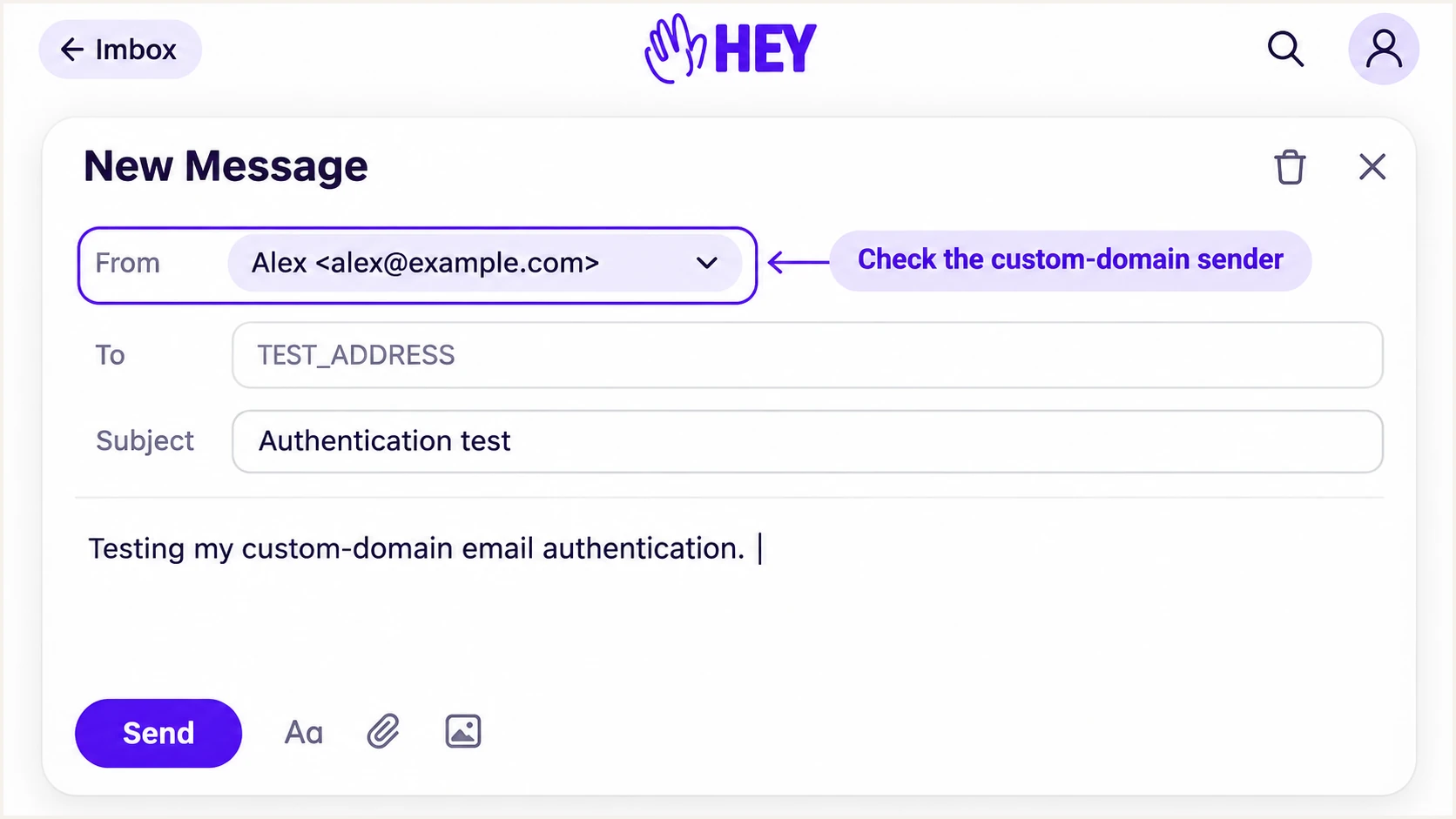
Illustrative HEY composer showing the custom-domain From address before a test.
Get alerted when it breaks
I keep monitoring active after the initial test because later DNS edits and new senders change authentication results. Our product, Suped, provides DMARC monitoring with source-level diagnostics and issue notifications for this ongoing work.
- Review HEY traffic. In Suped's source and data views, inspect the HEY source, receiving reporters and failing IP addresses. Verify recognized legitimate sources before treating unfamiliar traffic as authorized.
- Enable issue emails. Turn on Issues detected notifications and Sending sources need verification notifications. Assign an owner to investigate each alert and follow the issue's steps to fix.
- Compare DNS changes. Use Suped's DNS history to compare the current records with the last working values. Check for a removed HEY include, changed DKIM target or duplicate policy.
- Confirm recovery. Send another HEY test after a repair and check later DMARC reports for restored authentication. Use summary emails to keep the review routine active.
Suped brings the reported authentication results and DNS history into the same investigation. That gives the person handling a HEY failure a source to inspect and a concrete repair workflow.
Keep your rua destination connected to the report processor you actually use. A record pointing only at a personal reporting mailbox will not automatically deliver those reports into Suped.
Reports have a delay
DMARC aggregate reports usually cover a daily reporting period and arrive afterward. Suped can notify you when available data reveals an issue, but aggregate reporting is not an instant alert for each message. Use a fresh email test to check an urgent repair.
Secure your domain with p=reject
I move to p=reject after legitimate senders consistently pass DMARC across a representative sending cycle. A working HEY mailbox is only part of that check if invoices or other automated messages also use the domain.
- Inventory every source. Use Suped's source table to verify HEY and each other authorized sender. Include infrequent billing runs and scheduled mail. Classify failures by source rather than relying only on the overall pass rate.
- Fix legitimate failures. Resolve SPF errors and make sure each sender has a valid, domain-matching authentication path. Test forwarding paths and investigate recurring DKIM failures before tightening the policy.
- Stage enforcement. For a new deployment, move to p=quarantine after reviewing reports, then reassess legitimate delivery before choosing p=reject. Keep an existing reject policy when onboarding HEY if authorized traffic already passes.
- Retain reporting. Change the policy in the existing DMARC record, preserve the correct rua destination, and review subdomain policies. Check for explicit subdomain records or sp settings that leave intended coverage weaker.
Our Suped Hosted DMARC manages policy changes through the dashboard after its DNS setup. Use its policy controls alongside source diagnostics to review a change, apply enforcement and monitor the resulting reports.
For a DNS-managed policy, the example below requests rejection. Replace the reporting address with the working destination you already use, and edit the existing record rather than publishing a second one.
Final policy example, TXT at _dmarc.example.comtext
v=DMARC1; p=reject; rua=mailto:dmarc@example.com
A reject policy asks receiving systems to reject messages that fail DMARC; receivers retain discretion over handling. It does not block messages that authenticate successfully through a compromised authorized account.
After the change, send a fresh HEY test and check the next reporting cycles in Suped. Investigate any newly failing legitimate source before changing its authorization or adjusting your policy.
Frequency asked questions
No. HEY controls the hey.com DNS records and authentication. I configure DNS only for a domain I own and host with HEY for Domains, or through the SMTP provider used for a connected external address.
The include:_spf.hey.com mechanism is associated with HEY's sending infrastructure. For HEY for Domains, confirm the current instruction in your account and merge it into your single SPF policy. Its presence in a domain's DNS does not prove that every message from that domain was sent by HEY.
A PTR hostname under hey.com is a clue to HEY infrastructure. I confirm it against the sending IP, forward DNS and a known HEY message before identifying a source. An rDNS suffix does not authorize mail for your domain or establish a DMARC pass, and an incoming MX hostname is not evidence of an outbound PTR suffix.
Use the selector HEY displays for your domain, or read s= in DKIM-Signature on a fresh outbound message. Combine that selector with the d= signing domain to locate the key. I do not assume that another HEY account's selector or public key is correct for a custom domain.
Yes. A valid DKIM signature with the required domain matching is enough for DMARC to pass. Forwarding commonly breaks SPF. For direct HEY for Domains messages, investigate unexpected SPF failures because HEY supports Return-Path alignment; keep DKIM working throughout the investigation.
No. Keep an established p=reject or p=quarantine policy. Configure HEY's authentication before sending and verify a fresh message. The p=none example is a starting point for domains without existing enforcement, followed by report review and staged enforcement.




