
How to set up DMARC/DKIM/SPF for Bell MTS

Published 22 Nov 2026
Updated 22 Nov 2026
12 min read
Summarize with
For Bell MTS custom-domain email, authorize the outbound service in SPF, have Bell MTS enable DKIM signing for your domain, and publish a DMARC TXT record at _dmarc.yourdomain. For a standard @mymts.net mailbox, Bell MTS manages the domain's authentication records; you cannot edit them yourself.
I first confirm which service sends the email. Bell MTS's public mailbox and Commercial Web Hosting instructions describe different account workflows. They do not provide a universal custom-domain SPF value or a documented DKIM activation menu, so the account-specific records must come from Bell MTS.
Add your domain
For an existing custom domain, I confirm that Bell MTS has provisioned email for it before changing DNS. Registering a domain or hosting its website does not establish an authenticated outbound email service.
- Confirm ownership: Identify the domain after @ in your visible From address. If it is mymts.net, use the existing mailbox activation process. If it is your business domain, confirm access to its authoritative DNS.
- Open hosting: For Commercial Web Hosting, sign in to My Internet Account, then select Commercial Web Hosting. These are the steps in Bell MTS's public hosting-access instructions.
- Provision the domain: If the domain is absent from your service, ask Bell MTS to provision custom-domain email and supply its ownership-verification requirements. Complete the supplied verification challenge; do not invent a verification TXT record.
- Request authentication details: Obtain the outbound SPF include or IP ranges, custom Return-Path instructions, and DKIM availability for your plan. For Bell MTS domain maintenance, contact dnsadmin@bellmts.net using the domain's administrative contact address.
For a standard mailbox, Bell MTS's 'Activating and using your Bell MTS Mail account' instructions say to sign in at mtsmail.ca with the full @mymts.net address and complete the initial account prompts. An @mtsmail.ca alias is not the login ID.
I verify provisioning by sending a message through the actual mailbox or application and checking its received headers. Receiving mail at a custom address proves inbound routing, not authorization to send with that domain.
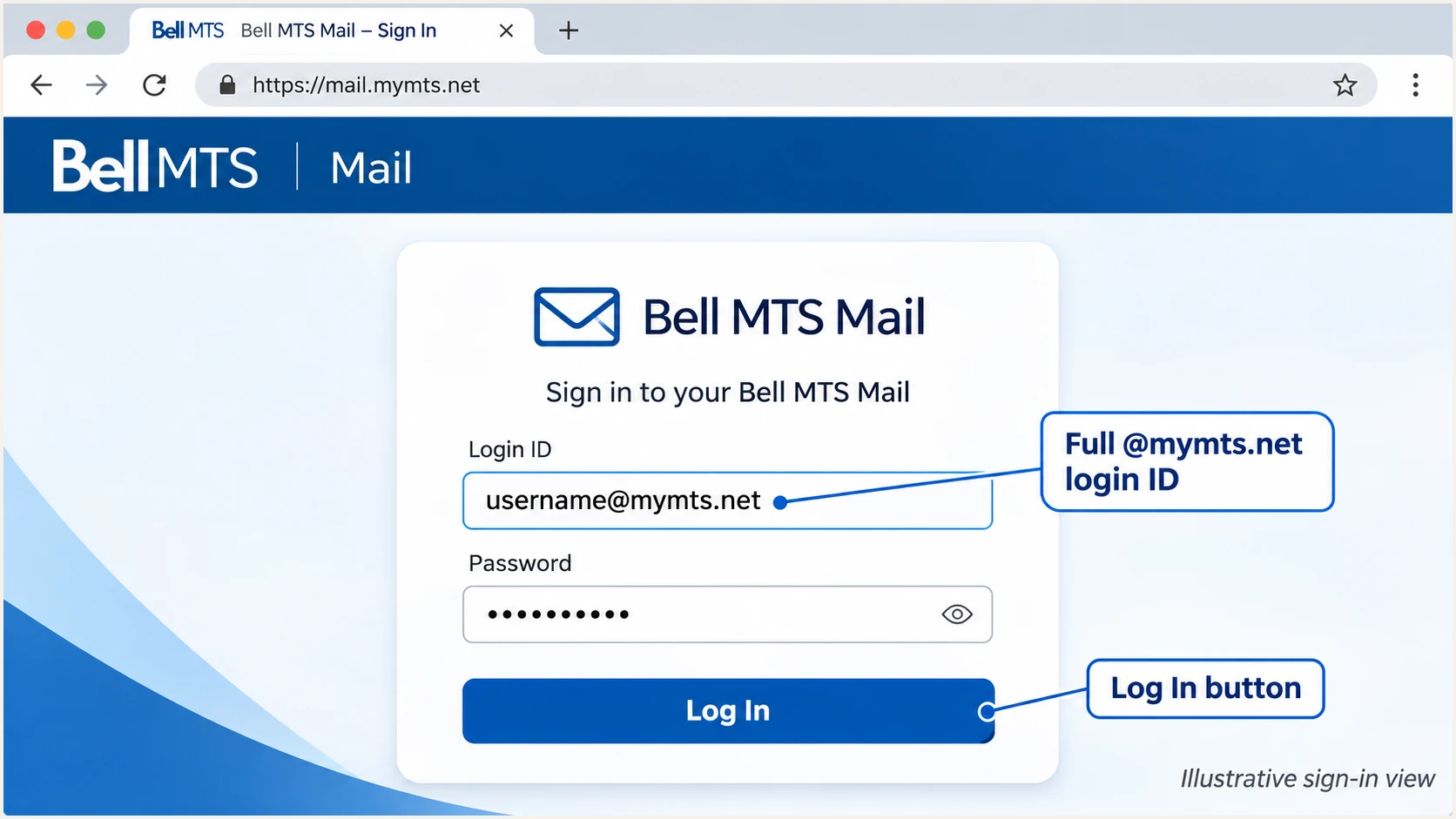
Illustrative Bell MTS Mail sign-in with a full @mymts.net login ID.
Set up SPF
SPF authorizes sending IP addresses for the SMTP MAIL FROM domain, usually visible in the received Return-Path. I check that identity before deciding where an SPF record belongs.
- Confirm the Return-Path: Request the custom Return-Path configuration for your Bell MTS custom-domain service. Send a message and confirm that its envelope domain is your domain or an appropriate subdomain.
- Get the exact value: Use only the SPF include or outbound IP ranges Bell MTS confirms for your service. The SMTP hostname mail.mymts.net is not evidence of a valid SPF include.
- Update one record: At the envelope domain's DNS name, merge Bell MTS's authorization into the existing SPF TXT record before its final all mechanism. Preserve other authorized senders and keep only one SPF record at that name.
- Check the limit: Keep the evaluated SPF policy within 10 DNS-querying terms, including nested include and redirect processing. Fix duplicate records and permerror results before relying on SPF.
For example, a Return-Path at bounce.example.com requires the SPF policy at bounce.example.com, not automatically at example.com. Under relaxed DMARC alignment, a subdomain of the same organizational domain can match the visible From domain.
If your particular service retains a Bell-owned Return-Path, adding SPF to your own domain will not fix that mismatch. An SPF alignment error is acceptable for DMARC only when a valid DKIM signature passes with a matching signing domain.
SPF checker
Find SPF syntax issues, lookup limits, and weak records.
?/16tests passed
Enter the actual envelope domain in the SPF checker. A syntactically valid record does not prove that Bell MTS's sending IP is authorized, so confirm the SPF result on a delivered message too.
I keep Bell MTS's account-specific SPF instructions with the DNS change. Copying the SPF record of bellmts.ca or authorizing an inbound MX server risks granting permission to unrelated infrastructure.
Set up DKIM
DKIM requires Bell MTS's outbound server to sign messages and DNS to publish the corresponding public key. I do not assume that a custom-domain plan signs email merely because SMTP submission works.
- Confirm support: Ask Bell MTS whether your exact email service supports DKIM signing with your domain. Its public mailbox setup instructions do not document a customer-controlled DKIM activation procedure.
- Obtain the selector: Request the signing domain, selector, DNS record type and complete public value. Use the supplied TXT key or CNAME target exactly; never guess a selector such as default.
- Publish the record: Add the supplied record at selector._domainkey.yourdomain in authoritative DNS. Avoid appending your domain twice if the DNS editor adds it automatically.
- Activate and test: Have Bell MTS confirm signing is enabled. Send a fresh message and check for dkim=pass, the expected header.d domain, and the expected header.s selector in the receiving system's results.
For a visible From address at example.com, a valid signature with d=example.com is a direct domain match. A signature using only a Bell-owned signing domain does not authenticate example.com for DMARC.
The following commands illustrate a selector named s2026. Replace both the selector and domain with Bell MTS's actual values. A TXT answer alone does not establish that messages are being signed.
Inspect the DKIM record supplied by Bell MTSbash
dig +short CNAME s2026._domainkey.example.com
dig +short TXT s2026._domainkey.example.com
If Bell MTS cannot sign with your domain, DMARC can still pass through SPF when SPF passes and its envelope domain matches the From domain. I prefer having both mechanisms working because forwarding commonly breaks SPF.
Set up DMARC
Publish DMARC only for a domain you control. I start a new deployment with p=none so reports can expose legitimate sending paths before enforcement. If the domain already uses p=quarantine or p=reject, keep that policy while fixing Bell MTS.
- Choose reporting: Create a monitored aggregate-report mailbox or use the reporting address issued by your reporting service. Replace dmarc@example.com in the example with that real destination.
- Publish one policy: Create or edit the TXT record at _dmarc.example.com. If your DNS editor automatically adds the domain, enter _dmarc as the host. Keep a single DMARC policy record at that name.
- Generate the value: Use the DMARC record generator to construct the policy. For a new deployment, use the monitoring value below with your own report address.
- Validate reporting: Check the published policy and report destination. If reports go to another domain, confirm that the report receiver has supplied the required external reporting authorization.
Initial DMARC TXT value at _dmarc.example.comtext
v=DMARC1; p=none; rua=mailto:dmarc@example.com
This example requests aggregate reports without asking receivers to quarantine or reject DMARC failures. It does not enable SPF or DKIM, and it does not change the authentication of mail already sent.
DMARC passes when at least one mechanism passes and its authenticated domain matches the visible From domain under the applicable alignment mode. SPF and DKIM do not both have to pass for DMARC itself.
Use the checker after the change is published to confirm that the policy can be discovered. It validates DNS configuration; a real message test is still necessary to confirm Bell MTS's outbound behavior.
DMARC checker
Look up a domain's DMARC record and catch policy issues.
?/7tests passed
I then wait for aggregate reports covering fresh traffic. Reports commonly arrive after the reporting period ends, often within 24-48 hours, and not every receiver sends them.
A missing report is not proof of an authentication failure. Check the rua destination and report receiver's authorization before changing a working sending configuration.
Verify and troubleshoot
I test the same route that carries production mail, including the same From address and sending application. A successful test from webmail does not verify an application using a different SMTP relay.
- Check submission: For the standard @mymts.net mailbox, Bell documents mail.mymts.net on SMTP port 587 with authentication. Use the full mailbox address and STARTTLS when supported. Use plan-specific settings for custom-domain hosting.
- Inspect trusted results: Read Authentication-Results added by the receiving system. Confirm the SPF smtp.mailfrom identity, DKIM header.d identity and DMARC header.from identity, rather than trusting a sender-supplied result.
- Separate failures: For SPF permerror, check duplicate policies and lookup limits. For DKIM failure, check the selector and published key, then ask Bell MTS to confirm signing. For DMARC failure with SPF or DKIM passing, inspect domain alignment.
- Retest every route: Test mailbox mail and application mail separately. After DNS changes, allow cached answers to expire and send new messages. Do not expect older messages to acquire a valid signature.
|
|
|
|---|---|---|
SPF | spf=pass | Envelope domain |
DKIM | dkim=pass | Signing domain |
DMARC | dmarc=pass | From domain |
rDNS | PTR hostname | Sending IP |
Evidence to inspect on a fresh received message.
The quickest configuration check is a fresh message sent to the address displayed by the email tester. Send it through Bell MTS using the exact account and From domain you need to verify.
The tester prompts you to send a test email and returns a diagnosis of the message it receives. This checks the actual sending path alongside the public DNS records.
Use its authentication details to distinguish an SPF failure, a missing DKIM signature and a domain mismatch. Those conditions require different fixes.
Email tester
Send a real email to this address. Suped shows a results button when the test is ready.
?/43tests passed
If the message never reaches the tester, inspect the sending error or bounce first. Authentication analysis requires a received message and cannot diagnose a rejected SMTP login by itself.
I compare a failing production message with the successful test before editing DNS again. A different Return-Path or DKIM signing domain often exposes a second sending route.
For mailbox-specific assistance, Bell's documented route is to sign in at mtsmail.ca, open the account-name menu in the top-right corner and select Help. Include the sending time and received headers when escalating an authentication problem.
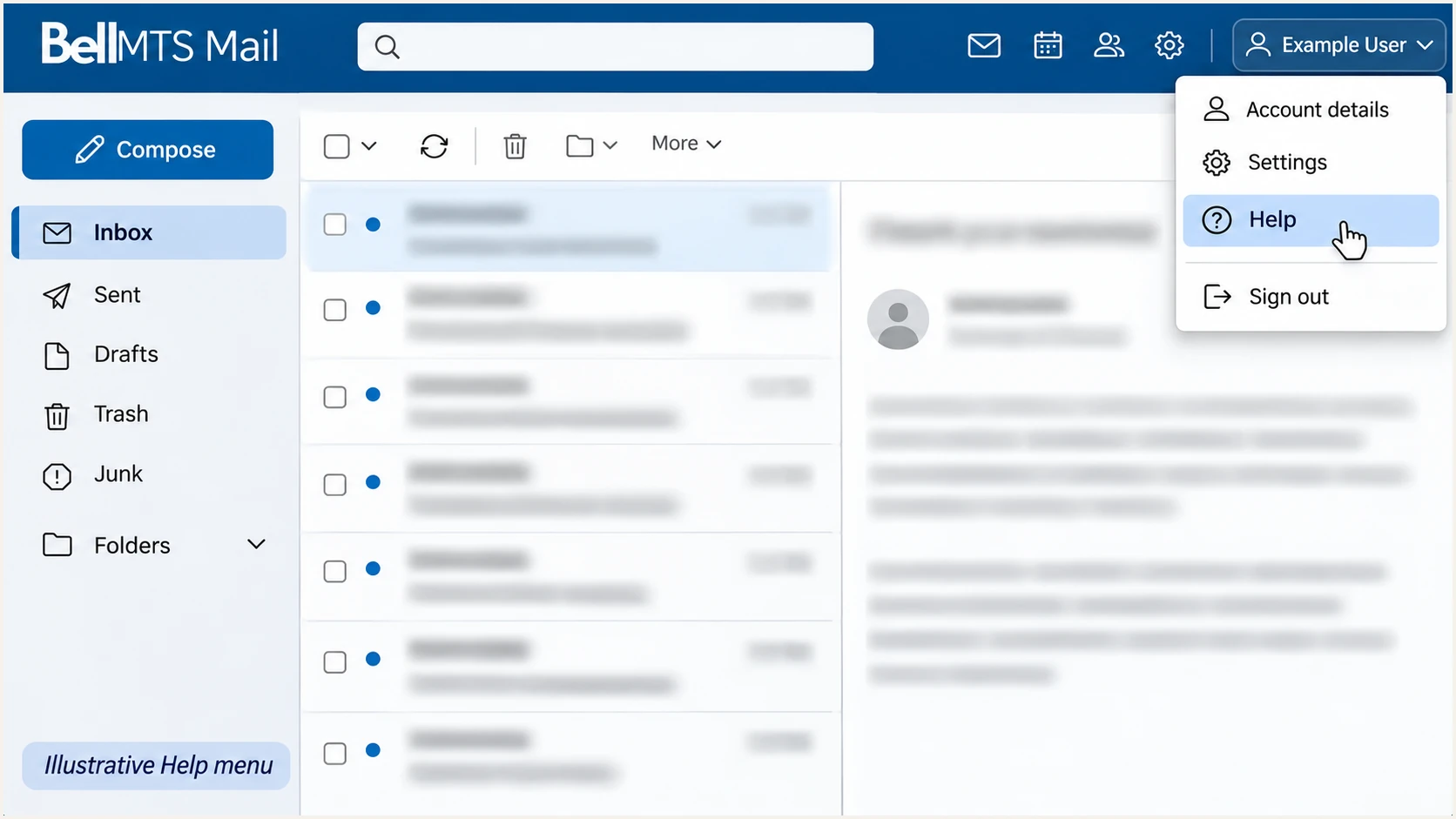
Illustrative Bell MTS Mail account menu with Help highlighted.
Get alerted when it breaks
Suped is our email authentication platform. Its DMARC monitoring turns aggregate reports into sending-source investigations and detected issues, so Bell MTS authentication changes can be reviewed without manually reading report XML.
- Enable notifications: In Suped's notification settings, enable Issues detected and Sending sources need verification emails. Enable DMARC summary emails for ongoing review.
- Verify the source: Check that traffic identified as Bell MTS belongs to a mailbox or application your organization uses. Match report IPs and authentication domains against your known sending routes before verifying it.
- Investigate a change: Open the detected issue, review its steps to fix, and inspect the affected records for SPF and DKIM results. Use DNS history to compare the records before and after a change.
- Confirm recovery: Apply the correction with Bell MTS or your DNS operator, send another test message, and verify the issue after fresh report data arrives.
I separate message testing from ongoing monitoring. Tests confirm the path used by one message; aggregate reports show how participating receivers see a wider sample of your domain's traffic.
Alerts depend on the data available to Suped. Aggregate reports arrive after delivery, so report-based notifications are not instantaneous alerts for every failed message.
Manual checks
Run DNS lookups and inspect a test message after a planned change.
This confirms a point in time. Ongoing coverage requires someone to repeat the checks and review incoming reports.
Suped monitoring
Review detected issues and source-level results as report data arrives.
Use notifications and DNS history to connect an authentication regression with the records that changed.
Secure your domain with p=reject
I move to p=reject after every legitimate sending route has a demonstrated DMARC pass. A high overall pass rate is insufficient if a low-volume billing system still fails.
- Inventory senders: Review Bell MTS alongside every other authorized source. Include infrequent application mail and test a full business sending cycle before enforcement.
- Fix domain matching: For each route, establish passing SPF with a matching envelope domain or passing DKIM with a matching signing domain. If Bell MTS provides neither route, resolve the service limitation before enforcement.
- Stage enforcement: For a new deployment, review p=none data, then use p=quarantine before p=reject. Review legitimate failures at each stage. Preserve an existing enforcement policy while repairing individual senders.
- Keep visibility: Use Suped's source verification and issue diagnostics to investigate failures before each change. Our Hosted DMARC manages policy changes through the dashboard after its initial DNS configuration.
Retain the working report destination when changing policy. Review subdomain policies separately, since explicit subdomain records and inherited policy affect which messages are covered.
The following is a replacement TXT value for the existing policy, using an example reporting address. Substitute your actual address and publish one value, then recheck DNS and test Bell MTS mail.
DMARC TXT value after legitimate senders are verifiedtext
v=DMARC1; p=reject; rua=mailto:dmarc@example.com
I keep Suped notifications enabled after enforcement so a later sender change gets investigated. DMARC enforcement requests rejection of messages that fail the domain check; receiver policy still determines final handling.
If neither SPF nor DKIM can pass with a matching domain on a legitimate Bell MTS route, keep the incident open with Bell MTS. Publishing a stricter DMARC record does not repair the underlying sending service.
Require a passing authentication route
Do not enforce a new reject policy while a legitimate sender fails both DMARC authentication routes. A standard @mymts.net mailbox cannot grant your business domain a matching Return-Path or DKIM signature through a DNS edit alone.
After each policy change, send fresh tests through the affected routes and review subsequent reports. Keep the previous working policy value available for incident recovery.
Record the Bell MTS support reference and confirmed authentication settings alongside the policy change, so another administrator can recover the service without guessing.
Frequency asked questions
You cannot edit mymts.net's SPF, DKIM or DMARC records as a mailbox user. Bell MTS and its mail operator manage them. You can activate the mailbox, use its documented SMTP settings and report authentication failures to Bell MTS.
Get the include or authorized outbound IP ranges for your exact service from Bell MTS. Its public mailbox instructions do not establish a universal custom-domain SPF include. Do not copy Bell's corporate SPF policy or treat mail.mymts.net as an SPF include.
No. Bell MTS must sign outbound messages with the private key corresponding to the published public record. Confirm custom-domain DKIM availability with Bell MTS, obtain its selector and record, and verify a fresh message for a passing signature with the expected signing domain.
Yes, for DMARC, if the passing DKIM signature's signing domain also matches the visible From domain under the applicable alignment mode. A passing signature using an unrelated Bell-owned domain is insufficient. Adding SPF to your domain does not change a Bell-owned Return-Path.
Treat those suffixes as investigation clues, not proof of a particular sending application. Check the actual sending IP's PTR record and its forward resolution, then compare the message headers and your account's sending route. A network hostname alone does not establish authorization to send for your domain.
Keep an existing p=quarantine or p=reject policy while you fix Bell MTS authentication. The p=none starting record is for a new deployment. Investigate the failing route and restore passing SPF or DKIM with a matching domain rather than routinely weakening domain-wide protection.




