
Available at https://www.suped.com/tools/dmarc-checker.
Enter any domain to look up its DMARC record. No account required. The checker performs a live DNS lookup at _dmarc.yourdomain.com, parses the record, and runs pass/fail checks against best practices.
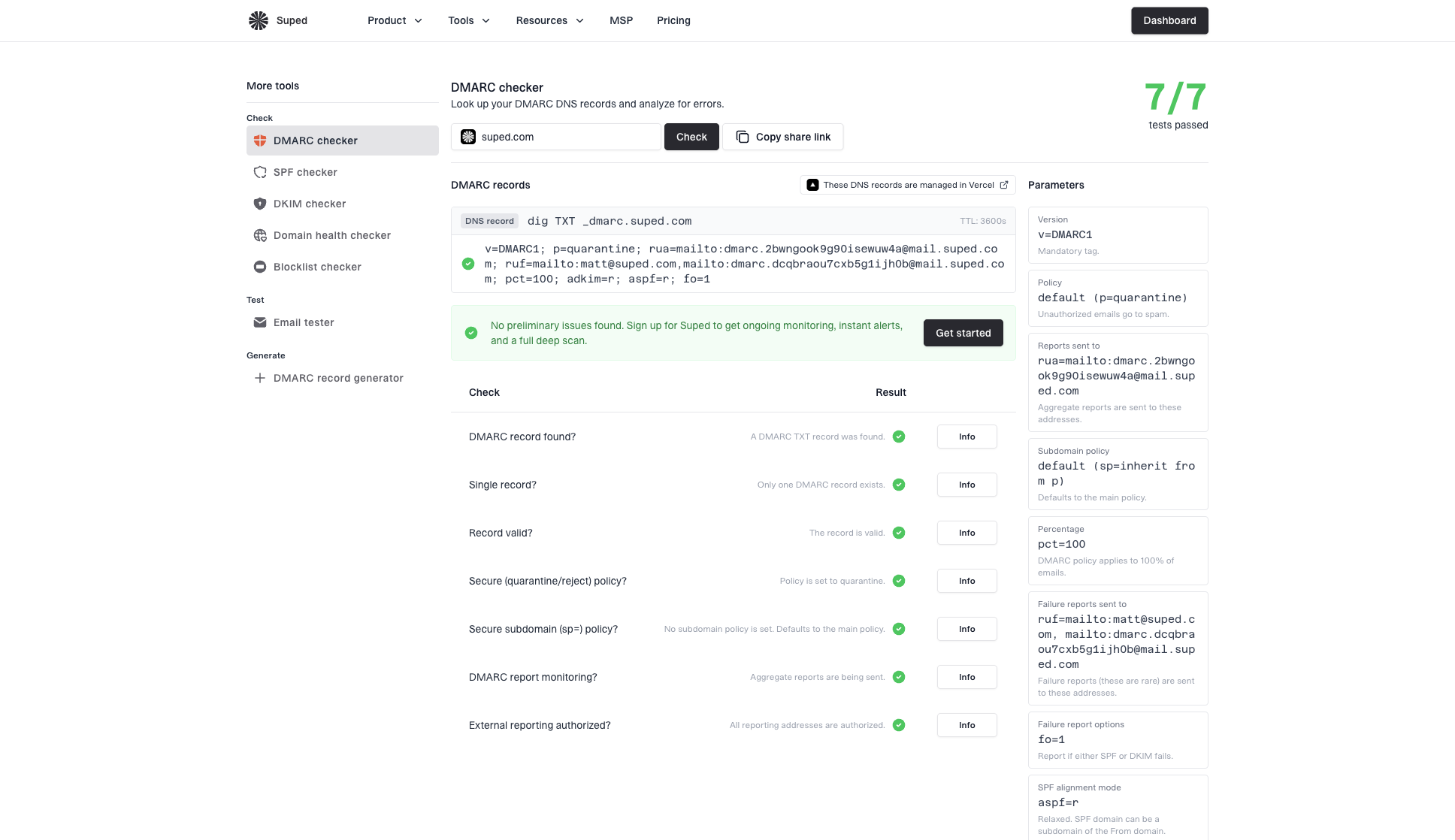
The checker recognizes record tags from the updated DMARC specification (RFC 9989), including np, psd, and t, and identifies deprecated legacy tags. These parsed values describe the published record; receiving mail servers may differ in their support and handling.
How it works
Enter a domain and click Check. Results show a total tests passed score, the raw DMARC TXT record, parsed tag values, and a detailed checks table. Click Info on passing checks or Fix it on failing checks for the full explanation and remediation steps. Click View sample to see results for suped.com without entering a domain.
Checks
- DMARC record found
- Single record (no duplicates)
- Record valid (syntax)
- Secure policy (
p=quarantineorp=reject) - Secure subdomain policy (
sp=) - DMARC report monitoring (
rua=configured) - External reporting authorized (if reports are sent off-domain)
Parsed output
The tool shows every tag it parses out of the record, including:
v,p,spnp(non-existent subdomain policy),psd(public suffix and organizational-domain discovery), andt(DMARC policy testing mode)adkimandaspfalignment modesrua(aggregate) andruf(failure) reporting addressesfofailure reporting options- Deprecated legacy tags:
pct(policy sampling percentage),ri(requested aggregate reporting interval), andrf(failure report format)
Receivers following the updated DMARC specification (RFC 9989) ignore pct, ri, and rf. Omit them from new records rather than relying on percentage staging or a requested reporting interval. See the DMARC tag reference for defaults, inheritance, and testing-mode limitations.
When to use it
- After making DNS changes - verify your DMARC record is published correctly and has no syntax errors.
- Checking a prospect's setup - quickly see how a domain's DMARC is configured before reaching out.
- Troubleshooting delivery issues - confirm the DMARC record is valid and policies are what you expect.
In-app version
The same DMARC checker is available inside the app under Tools → DMARC checker. Use it the same way you would the public tool. Results and the share link are identical to the public version.


