
Available at https://www.suped.com/tools/dkim-checker.
Look up a DKIM record for any domain. Enter the domain and, optionally, a selector. If you leave the selector blank, the checker scans 50+ common selectors (google, s1, s2, selector1, selector2, dkim, key1, and more) and returns every match it finds.
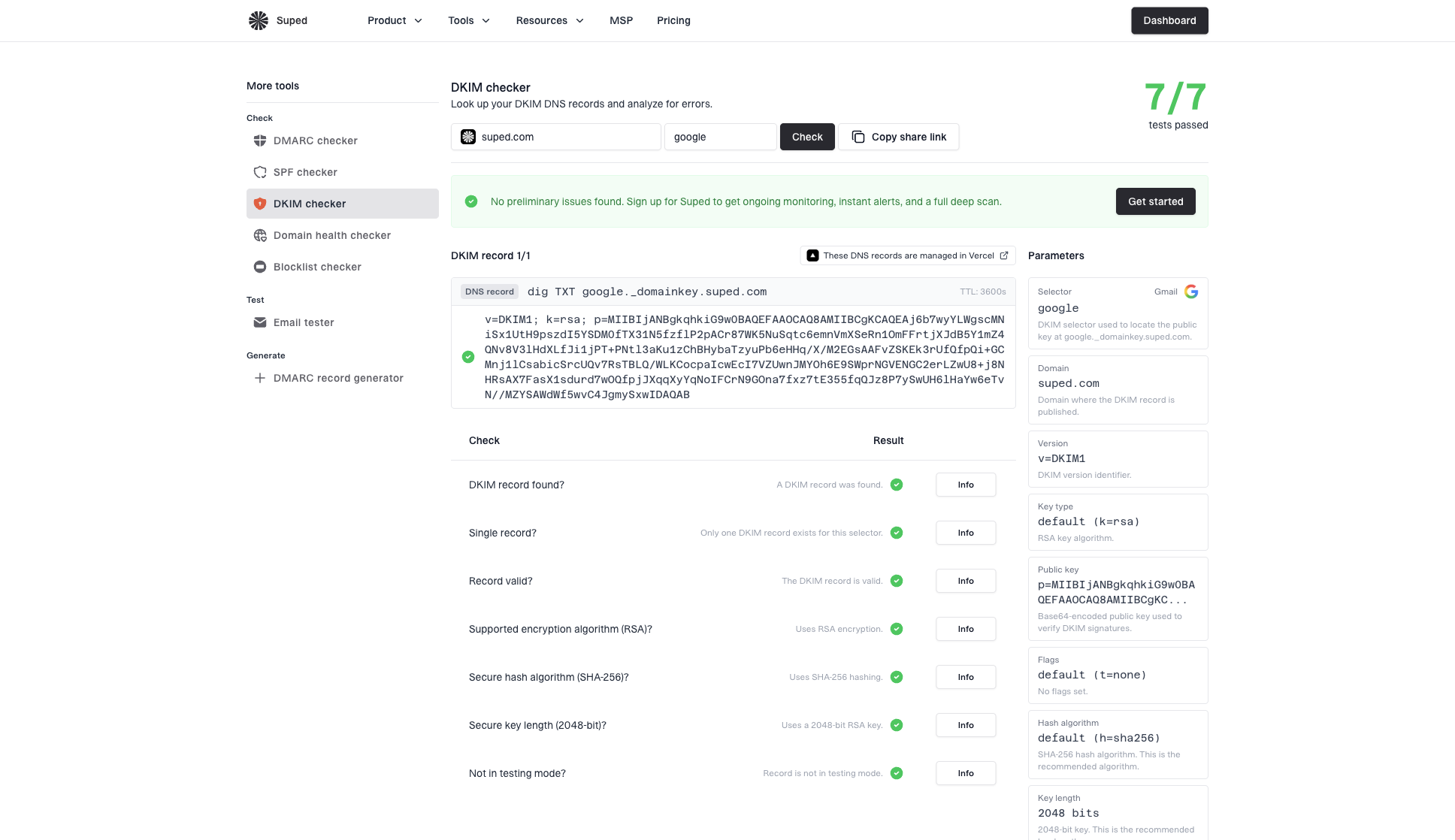
How it works
If your record is published at google._domainkey.example.com, enter example.com as the domain and google as the selector. Leaving the selector blank lets the checker auto-detect common selectors, but cannot guarantee it finds a provider-specific one.
Click View sample to see results for suped.com without entering a domain.
Checks (per selector)
Each selector found is scored independently. Scores are aggregated across all selectors.
- DKIM record found
- Single record (no duplicates)
- Record valid (syntax)
- Supported encryption algorithm (
rsaored25519) - Secure hash algorithm (
sha256) - Secure key length (2048-bit RSA)
- Not in testing mode (
t=y)
Common DKIM selectors scanned
When no selector is provided, the checker queries a list of common selectors used by major providers. Examples include google (Google Workspace), selector1 / selector2 (Microsoft 365), k1 / k2 / k3 (Mailchimp), s1 / s2 (SendGrid), mxvault (MXroute), plus generic fallbacks like dkim, default, mail, and email.
In-app version
The same DKIM checker is available inside the app under Tools → DKIM checker. Use it the same way you would the public tool. Results and the share link are identical to the public version.


