Microsoft warns of phishing emails exploiting the November 12 outage
News

Published 14 Nov 2026
Updated 14 Nov 2026
7 min read
Summarize with
Microsoft has warned of an active phishing campaign exploiting the November 12 Microsoft 365 disruption. The emails impersonate service-health notices, cite genuine Exchange Online incident EX1550543, and urge recipients to restore supposedly held messages. Some messages detected November 13 falsely threatened deletion within 24 hours.
Microsoft Threat Intelligence published its official warning on November 14 at 06:32:58 UTC. It described similar messages targeting organizations across multiple US sectors, without a numeric victim count. The activity is consistent with credential phishing, but the warning did not confirm credential collection or malware delivery. A real incident number does not authenticate an email.
The warning followed detections on November 13
The sequence matters: the November 12 disruption supplied the pretext, Microsoft detected some of the messages on November 13, and its threat intelligence account disclosed the campaign on November 14. The new disclosure concerns phishing that borrowed the incident, rather than a new outage announcement.
The warning did not establish the cause of the service disruption or provide a fresh recovery assessment. It also announced no remediation deadline or new sender requirement. The claimed 24-hour limit belongs to the fraudulent email, not to Microsoft service-health guidance.
The reported targeting describes where similar emails were seen. It does not establish how many people opened the messages, followed the links, or lost access to an account. I keep those outcomes separate when assessing an incident, because receiving a convincing lure and suffering a confirmed compromise require different evidence.
|
|
|---|---|
November 12 | Microsoft 365 disruption |
November 13 | Some phishing messages detected |
November 14 | Microsoft published its warning |
The disruption, message detections, and public warning are separate events.
How the false recovery notice worked
The messages imitated Microsoft 365 service-health communications. Observed subjects used "Outage" followed by a six-character code. Display names combined organization-specific prefixes with "Outage Notification" or "Service Health". These details made the email resemble an operational notice relevant to its recipient.
The legitimate incident identifier EX1550543 supplied another credibility cue. I treat that identifier as context to verify through a trusted channel, never as proof that the sender is Microsoft. Someone copying a genuine incident reference does not need authority to publish service updates.
The deletion threat added pressure to follow the recovery link. Employees concerned about delayed mail were being asked to trust an unsolicited message with a time-sensitive action. Verification should happen through a known bookmarked admin or service-health portal, or an established IT contact.
The deletion claim was false
The alleged 24-hour deletion window was attacker-created urgency. Microsoft did not announce that retention policy or an operator deadline in this warning. Do not use the email recovery link to check whether mail needs attention.
Observed sender and redirect indicators
Microsoft identified moments-notice[.]com, planetmaison[.]com, and newbooker[.]com as observed sender domains. Recipient-specific SendGrid click-tracking URLs redirected to reallifeaccounting[.]com, with /themelist0.html as an observed path. These are investigation leads tied to the reported activity.
The redirect observation does not establish that SendGrid was compromised, or that the named domains were breached. It also does not confirm what happened after a recipient reached the destination. Keep recipient-specific tracking values within the investigation because they identify individual links.
A tracking URL is an intermediate address, so the hostname visible in the email is not necessarily the final destination. For this campaign, the reported redirect destination is the useful additional search term. Preserve both the original link and any redirect information already recorded by your systems, rather than relying on the button text or a shortened preview.
Defanged indicators for searches in existing logstext
Observed sender domains:
moments-notice[.]com
planetmaison[.]com
newbooker[.]com

Observed redirect destination:
reallifeaccounting[.]com
Observed path: /themelist0.html

Subject pattern: Outage followed by a six-character code
Display-name suffixes: Outage Notification; Service Health
What mail and identity teams should check
Start with existing mail records, including retained or quarantined messages. Search the observed domains, subject pattern, and display-name wording together with the incident ID. A broad search for "Outage" will also find legitimate discussions, so review matches before taking containment action.
I separate evidence of delivery, clicking, and account access. Delivery records show receipt; click logs need review for automated scanning. Neither alone proves credential submission or account compromise. Correlate message timestamps and recipients with available click records and sign-in evidence before drawing conclusions. Check the actual sender address as well as the display name. Preserve the distinction between a domain shown to the reader and domains recorded in routing or authentication fields. A match in one field is a lead for review, not a complete explanation of how the message was sent.
Inspect complete URLs as data using approved analysis procedures, without opening suspicious destinations. Search retained redirect evidence for the reported destination and path. Avoid blanket blocking SendGrid shared infrastructure: the reported tracking route does not establish that unrelated traffic is malicious.
- Preserve originals. Retain the original message and complete headers, plus available delivery identifiers. Screenshots omit routing and authentication evidence.
- Scope exposure. Record which recipients received matching messages and whether existing telemetry records interaction. Keep confirmed observations separate from assumptions.
- Correlate access. Review relevant sign-in events alongside click evidence. Investigate unexpected access through the organization's established incident-response process.
- Contain with evidence. Handle suspected compromise through existing procedures, including account recovery or session revocation when warranted. Preserve evidence while removing confirmed malicious messages.
What DMARC establishes, and what it does not
Microsoft did not publish confirmed SPF, DKIM, or DMARC verdicts for this campaign. There is no basis to call it an authentication bypass or assert that its messages passed or failed those checks. Original headers are needed to investigate the authentication results for any message your organization received.
In general, DMARC requires a passing SPF or DKIM result with the required relationship to the visible From domain. That domain relationship is called alignment. An enforcement policy helps receiving systems resist unauthorized use of a protected domain, subject to receiver handling. SPF evaluates the sending system against the envelope sender domain, while DKIM validates a signature associated with its signing domain. DMARC then checks the necessary domain relationship. None of those checks evaluates the content of a service-health claim or authorizes a recipient to trust a recovery button.
Authentication does not establish the safety of a link or the truth of an email. A sender can authenticate mail for a domain it controls while placing a familiar organization name in the display name. That general limitation does not tell us the authentication outcome of this campaign.
Domain authentication
DMARC evaluates the visible From domain against authenticated sending identities. Policy enforcement helps protect that domain against unauthorized spoofing.
Message trust
A familiar display name, legitimate incident ID, or authenticated domain does not validate a recovery request. Verify the request through a trusted route.
Where Suped fits in domain protection
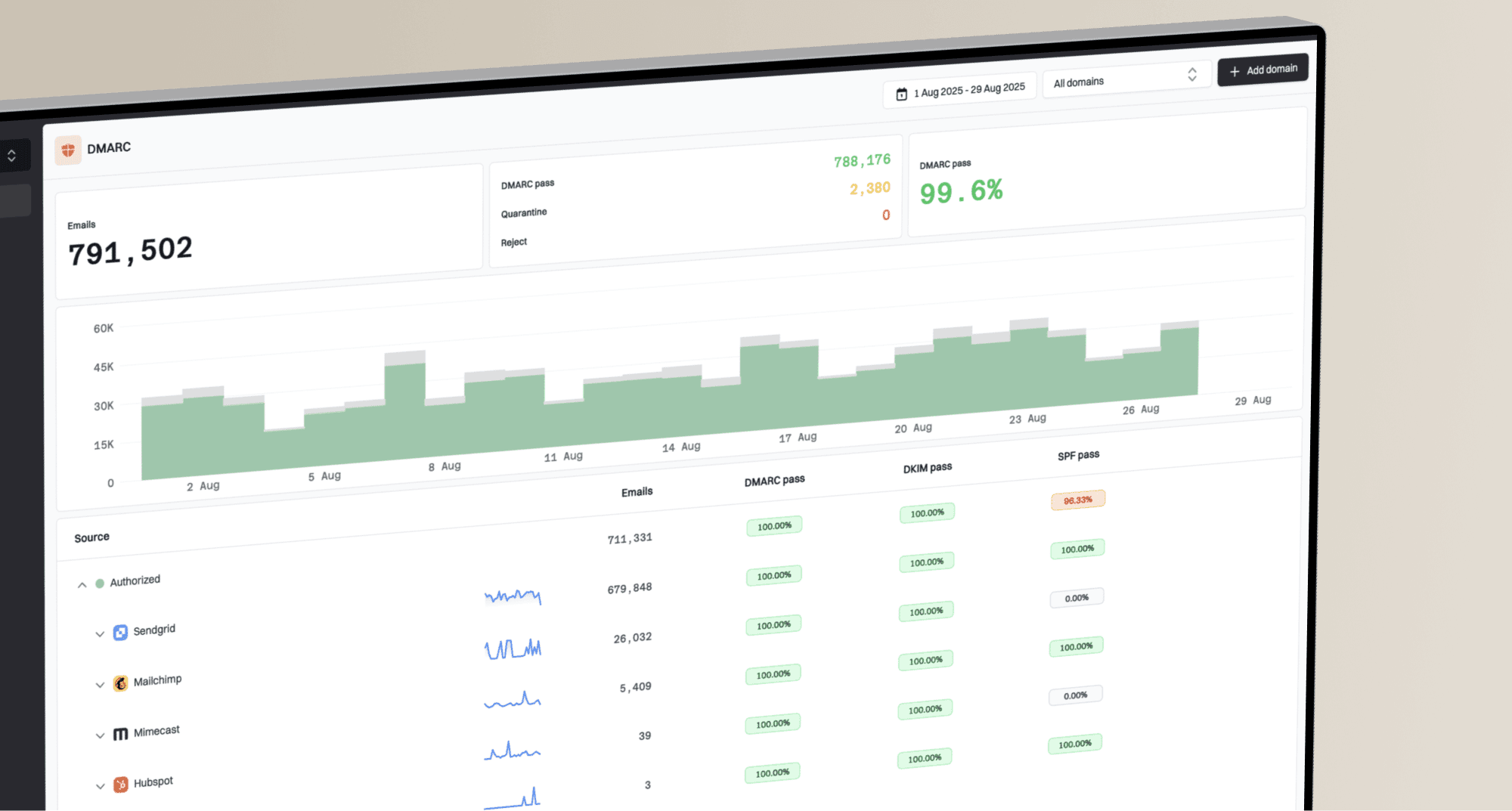
Suped, our DMARC and email authentication platform, supports a separate domain-protection workflow. Its DMARC monitoring helps teams review reported sending sources and authentication failures for their own domains. Those aggregate reports do not establish whether an employee clicked an incoming phishing link.
Review verified and unverified sources in Suped, investigate unexpected senders, and use issue details to fix legitimate authentication problems before tightening policy. Verification should reflect your organization's knowledge of authorized senders; a recognizable source name alone is insufficient. A monitoring-only policy does not request DMARC-based quarantine or rejection; enforcement decisions should follow an inventory of legitimate sending sources.
A DMARC checker validates the current published policy and reporting configuration. That is useful for checking your domain's protection, but it cannot reconstruct a historical message verdict or establish whether an external destination is safe.
Issues source table showing verified and unverified sending sources, authentication issues, and source-specific issue details
Keep service verification outside the recovery email
For employees, the practical instruction is to check service status through an existing bookmark or trusted IT channel. Forward suspicious notices through the organization's reporting process rather than testing their recovery buttons. A genuine outage does not validate a message that references it. Include the exact incident identifier in internal reporting so the response team can correlate employee reports with retained messages efficiently.
For operators, preserve matching messages and correlate available evidence before labeling an account compromised. Give staff a known contact route for mail concerns, and explicitly identify the 24-hour deletion claim as fraudulent when communicating about these notices.
Frequency asked questions
No. It is a legitimate Exchange Online incident reference that the campaign copied. Confirm service information through a known bookmarked portal or trusted IT channel rather than a link supplied in the message.
The campaign's deletion threat was false urgency. Microsoft did not announce a 24-hour retention rule or remediation deadline in this warning.
The warning described recipient-specific SendGrid tracking URLs redirecting to the observed destination. That does not establish a compromise of SendGrid or justify blanket blocking its shared infrastructure.
No credential collection or malware delivery was confirmed in the warning. The activity is consistent with credential phishing. Investigate individual exposure using preserved messages, available click evidence, and relevant sign-in records.