ICU phishing campaign impersonates more than 170 US banks and credit unions
News

KELA publicly documented the I See You (ICU) phishing operation on November 25, 2026. Its primary disclosure identified 818 domains, mostly under .icu, impersonating more than 170 US banks and credit unions, largely regional and community institutions.
I treat this as a reason to review both email identity and external brand impersonation. A familiar bank name on a message or login page does not establish who controls it. Protecting the bank's actual email domain is one task; finding and reporting unrelated domains that imitate the bank is another.
What the November 25 snapshot shows
|
|
|---|---|
Live fake bank login | 67 |
Kit expiration notice | 171 |
Unreachable | 424 |
Dead | 156 |
Total | 818 |
Domain status on November 25, 2026.
These are domain counts, not email, inbox, victim, or confirmed-loss totals. They are not a November 27 live-status assessment. ICU is separate from KELA's November 9 Suspended campaign.
The disclosure describes text and email lures without per-channel counts or authentication verdicts. Its illustrated wire-transfer warning is a landing page, not a confirmed email subject.
There is no evidence here that the institutions were breached or that their exact sending domains were used. The findings do not make all .icu domains malicious or establish that every listed domain is currently live.
Why DMARC and lookalike domains need separate attention
DMARC helps limit unauthorized use of a bank's real From domain. It connects the domain in the visible From address with a successful SPF or DKIM result. SPF checks the sending infrastructure against the envelope sender's domain; DKIM verifies a signature associated with a signing domain. DMARC requires the relevant authenticated domain to match the From domain under its domain-matching rules.
That distinction matters because an SPF or DKIM pass alone does not prove that a message came from the bank named in its display name. A similar sending domain can authenticate successfully for itself. A message's destination website is also separate from its sending domain. DMARC does not decide whether a linked website belongs to the institution whose branding it displays.
Unauthorized use of the real domain
DMARC evaluates authentication against the visible From domain. A quarantine or reject policy requests protective handling when DMARC fails.
Review reporting and legitimate senders before tightening enforcement. Receiving systems retain their own handling policies.
Impersonation on another domain
A similar domain remains a different identity, even when its email passes authentication. A copied bank logo does not change domain ownership.
Review the actual domain, investigate brand misuse, and route confirmed impersonation into a reporting and takedown process.
I would not diagnose an email authentication failure from a screenshot of a webpage. That image cannot establish the sender's From address, the envelope sender, or the recipient system's authentication results. Keep conclusions about website impersonation separate from conclusions about how a particular message reached an inbox.
A policy of p=none requests no DMARC-based delivery restriction. Quarantine and reject request stronger handling of failures, but neither is a universal phishing filter. An authenticated message still needs content and identity review. Conversely, an authentication failure needs investigation before it is classified as malicious: legitimate forwarding and configuration problems also affect results.
What banks and credit unions should review now
Start with evidence that the institution can validate. Preserve a reported message in its original format when available, rather than relying solely on a forwarded screenshot. Record when it was received and which customer-facing brand it claims to use. Keep sensitive customer information inside the institution's approved incident process.
The investigation should identify which observations concern email and which concern websites. Link both sets of evidence in the incident ticket and assign an owner to each follow-up. That makes it easier for the email team and fraud team to exchange evidence without assuming that a suspicious website proves a mail-system compromise.
- Email evidence. Inspect real headers when available, including the complete From address, Reply-To, Return-Path, DKIM signing domain, and trusted receiving-system authentication results. Record unavailable fields as unknown. Do not assign an SPF, DKIM, or DMARC verdict based on the bank name alone.
- Lookalike review. Monitor domains resembling the institution's names and established domains. Validate suspicious results against approved brand assets and service providers. Similar spelling is a reason to investigate, not sufficient proof that a domain is malicious.
- Reporting ownership. Preserve relevant evidence and report confirmed impersonation to the appropriate registrar and hosting or service provider. Track report references and subsequent status checks. Coordinate customer reports and suspected account exposure with the bank's fraud team.
- Customer communications. Give support staff a consistent verification message and an established escalation route. Keep known impersonation indicators current, while avoiding public links that send customers to the suspicious sites. Separate confirmed observations from unresolved reports.
Status tracking deserves particular care. An unreachable site is an observation at a particular time, not proof that every associated risk has ended. Preserve the observation date and the action taken. A later review should have its own timestamp rather than silently replacing the original finding.
Protect legitimate banking messages while making changes. Inventory the services authorized to send for the institution, verify their authentication, and review DMARC reports before enforcing a stricter policy. Record each service's authorized sending domain and business owner so unfamiliar sources can be checked against an approved reference, including during holiday staffing gaps. This disclosure sets no new compliance deadline; policy changes should follow evidence about the institution's own sending environment.
How Suped supports the domain review
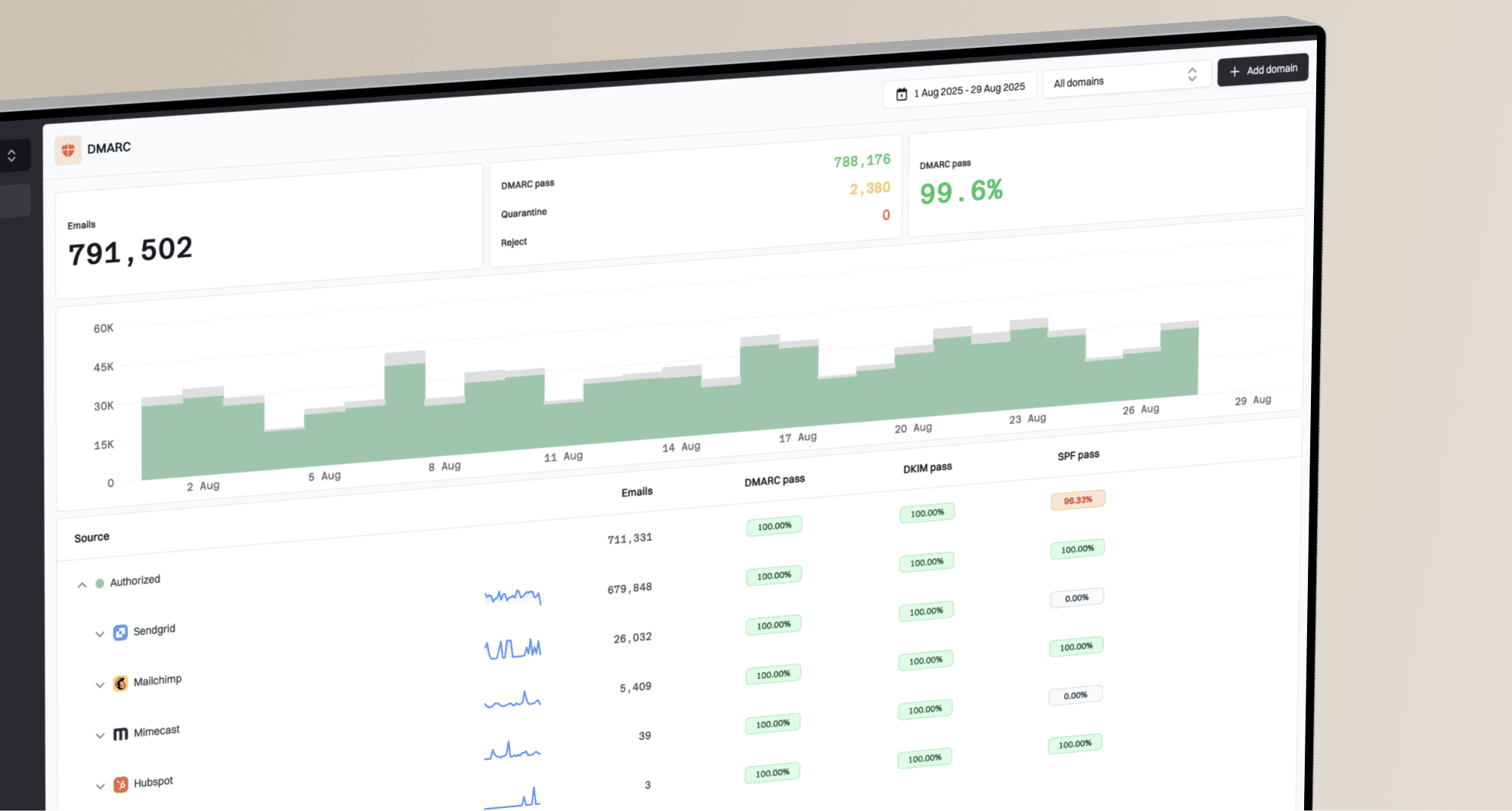
Suped is our DMARC and email authentication platform. Its DMARC monitoring helps teams review sending sources and investigate authentication failures for domains they manage. For this response workflow, start by checking whether each legitimate source is recognized and whether its messages meet DMARC's requirements.
In Suped, open the source review and separate verified from unverified senders. Investigate unfamiliar sources before approving them, then use the issue details to review the authentication problem and the suggested fix. This is a workflow for the institution's domains, not a claim that Suped independently investigated ICU.
Issues source table showing verified and unverified sending sources, authentication issues, and source-specific issue details
Our Hosted DMARC lets teams manage policy changes through the dashboard after the DNS setup. Use reporting to fix legitimate sending problems before moving to stronger enforcement. Keep a record of the policy change and check subsequent reports for unexpected failures.
Suped also has lookalike monitoring for reviewing domains that resemble yours. Use those findings as investigation leads and route confirmed impersonation into reporting and fraud response. Aggregate DMARC reports are not a complete record of unrelated websites or text messages, so that work needs its own review queue.
What customers should do with an urgent banking alert
Open the bank's established app directly, or use a saved official website address. Verify an unexpected transaction through that authenticated route. If help is needed, call an established number, such as the number printed on the bank card, rather than a number supplied in the suspicious message.
Keep customer advice specific enough to follow under pressure. A logo, familiar display name, or encrypted website connection does not establish that the bank owns the page. Customers should not need to interpret raw email headers to decide how to check an unexpected alert safely.
If credentials were entered on a suspicious page, contact the bank's fraud team through an established channel immediately. Use the official app or website for any password change, and follow the bank's account-protection instructions.
For bank support teams, the useful instruction is a verified next step. State where customers can review activity and how to reach fraud support. Avoid repeating suspicious links in customer notices, even when the intention is to illustrate the scam.
Keep email protection connected to fraud response
My priority would be to give the email team and fraud team a shared evidence trail, with separate actions for sender authentication and external impersonation. Each report should have an owner and a dated next step, whether that is reviewing headers, fixing a legitimate sender, or following up on an abuse report.
Maintain a customer verification route that does not depend on trusting an incoming message. That gives customers a practical action while the institution investigates, and lets incident updates state precisely what has been confirmed.
Frequently asked questions
Your domain's DMARC policy governs messages claiming your domain in the From address. It does not govern a different domain simply because that domain resembles your bank's name. Investigate lookalikes through a separate brand-protection process.
No. HTTPS protects the connection to the domain being visited. It does not prove that a named bank owns that domain. Open the established bank app or use a known official address.
Preserve the original message and headers when available, the receipt time, and the reported context using approved incident procedures. Trusted recipient-system results are more useful than a screenshot for evaluating authentication.
Review the existing policy and legitimate sending sources first. Resolve authentication problems before tightening enforcement, then monitor subsequent reports. A website impersonation report alone does not establish which email configuration change is needed.