
Should you call it double opt-in or confirmed opt-in?


Call it "double opt-in" when speaking to marketers, and "confirmed opt-in" when emphasizing the confirmation requirement. Both names commonly describe the same process: someone requests a subscription, then confirms that request through an email sent to the submitted address. I use "double opt-in (also called confirmed opt-in)" on first mention, then keep the terminology consistent.
Neither name makes a subscription process legitimate by itself. The useful distinction is between an address added immediately after signup and an address kept pending until confirmation. For subscribers, I skip the terminology entirely and say "Check your email to confirm your subscription." That explains the required action without making someone learn an industry acronym.
What the names actually mean
"Double" describes the two actions: submitting the signup request and confirming it. "Confirmed" describes the outcome: the subscription request has been confirmed. These are different descriptions of the same workflow, rather than competing technical protocols. DOI and COI are their usual abbreviations.
"Verified opt-in", sometimes abbreviated VOI, is another label people use. I define it explicitly because verification also describes other checks. Valid email syntax, a working mail server, or a delivered message does not establish that the recipient wanted a particular newsletter.
|
|
|
|---|---|---|
Single opt-in | Initial request | After signup |
Double opt-in | Two actions | After confirmation |
Confirmed opt-in | Confirmed request | After confirmation |
Verified opt-in | Verification | Define explicitly |
Common subscription labels and their intended meaning.
Calling double opt-in a "spammer term" is not a useful description of its current usage. BigCommerce's definition uses the term for email address verification and confirmation of interest. The label is established commercial vocabulary; the actual signup process still needs scrutiny.
Choose terminology for the people using it
I choose the name that helps the team understand the requirement. In marketing conversations, "double opt-in" makes the second action obvious. In technical specifications, "confirmed opt-in" emphasizes that the system must record a confirmation before activating the subscription.
The preference for "confirmed" has a reasonable basis: confirmation verifies a request rather than creating two separate subscriptions. But insisting that everyone abandon a familiar term adds friction without improving the implementation. Introduce both names once and agree on one for internal use.
Marketing conversations
Use "double opt-in" in campaign plans and signup settings when that is the team's familiar label.
Suggested wording: "Double opt-in keeps new subscribers pending until they confirm by email."
Technical specifications
Use "confirmed opt-in" when documenting subscription states and confirmation requirements.
Suggested wording: "Activate the subscription only after a valid confirmation action."
Keep subscriber copy simpler than either internal label. A signup success screen should say an email is on its way, and the confirmation message should name the newsletter. "Confirm your subscription to Product updates" communicates more than "Complete DOI".
Define the workflow before debating the label
The implementation I expect starts with a clear subscription request. The form explains what messages the person is requesting, and submission creates a pending record. A confirmation email then asks the recipient to confirm that specific subscription.
Only successful confirmation changes the record to confirmed and makes it eligible for the associated marketing messages. A welcome campaign belongs after that transition. Sending a confirmation message and immediately enrolling the address in marketing automation defeats the requirement.
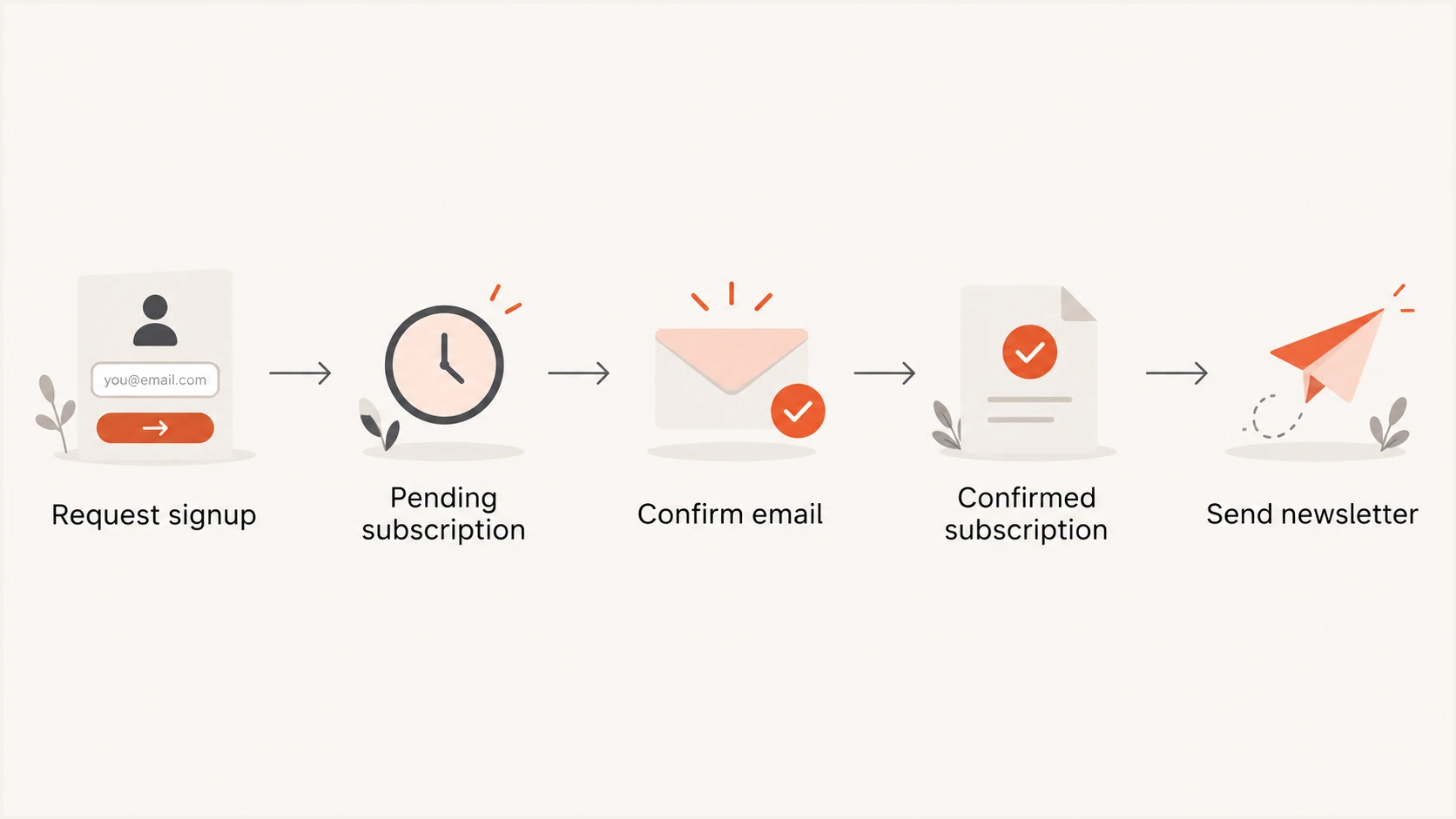
A requested subscription stays pending until email confirmation permits newsletter delivery.
The specification should also describe failure cases. Expired confirmation links leave the subscription pending. Repeated confirmation requests should produce a stable result without starting the welcome campaign twice. A new signup must not silently erase an earlier unsubscribe.
I write acceptance criteria in terms of observable behavior. The team should be able to test whether an unconfirmed address receives a newsletter, rather than infer correctness from a setting named "double opt-in".
Example confirmation acceptance criteriatext
Signup submitted: create a pending subscription.
Confirmation sent: keep the subscription pending.
Valid confirmation: mark the subscription confirmed.
Expired token: do not activate the subscription.
Repeated confirmation: do not duplicate welcome messages.
Unsubscribe: exclude the address from marketing sends.
Record evidence and prevent false confirmations
Confirmation gives stronger evidence of access to the submitted mailbox than form submission alone. It does not prove a person's legal identity or validate every use of their address. I retain the request context so the confirmation remains connected to the subscription actually offered.
The following details make the process easier to audit and troubleshoot. Collect only what the business needs, protect the records, and define a retention policy.
- Request details: Record the signup time, source form, and subscription requested.
- Consent wording: Preserve the wording or version shown when the request was submitted.
- Confirmation event: Record successful confirmation separately from delivery, opens, and page visits.
- Subscription changes: Keep an audit trail of withdrawals and later subscription requests.
Email security systems also open links automatically. A tracked click or page load therefore does not reliably establish deliberate confirmation. I use a landing page with an explicit action and server-side validation, without JavaScript that submits the form on arrival. The details of automated link scanning matter when designing that action.
I also test reused and expired links, plus confirmation received after unsubscribe. Revoke old pending tokens when someone withdraws, so an earlier request cannot reactivate the subscription.
Require an explicit confirmation action
A GET request should display the confirmation page without activating the subscription. Validate a separate submit with a token tied to the pending request. POST alone does not prove human intent; automated scripts also submit forms. Use code entry when stronger assurance is needed.
Test delivery separately from subscription consent
A genuine signup still fails to complete when its confirmation message is rejected or overlooked. I test the actual sending path and recipient experience before treating a low confirmation rate as lack of interest. Compare requests, successful deliveries, and confirmations as separate events.
Send a real confirmation email through Suped's email tester to inspect authentication and message headers. Also complete the signup in controlled inboxes, including a protected business mailbox. The message test checks the email; the inbox test checks the confirmation journey.
Email tester
Send a real email to this address. Suped shows a results button when the test is ready.
?/43tests passed
Start DNS troubleshooting with Suped's domain health checker. SPF authorizes sending infrastructure, DKIM validates a domain's message signature, and DMARC checks the authenticated domain's relationship to the visible From domain. These mechanisms help authenticate the sender; they do not establish subscriber consent.
Suped is our DMARC reporting and email authentication platform. Its DMARC monitoring helps teams identify authentication failures on the sending source used for confirmation emails, with automated issue detection and steps to fix. I keep those findings separate from application events so an authentication fault and a false confirmation receive the appropriate fixes.
Confirmation also does not guarantee inbox placement or future engagement. Evaluate its signup friction against the protection it adds using the double opt-in tradeoffs. Renaming the process changes neither tradeoff.
Views from the trenches
Best practices
Define the confirmation requirement once, then use the name your team already understands.
Keep new requests pending until the recipient completes the documented confirmation step.
Common pitfalls
Debating terminology without checking implementation leaves the actual consent process unclear.
Treating a delivered confirmation email as consent activates subscriptions before confirmation.
Expert tips
Introduce double opt-in and confirmed opt-in together before choosing one label for your team.
Use plain subscriber copy that explains the action, rather than teaching internal terminology.
Marketer from Email Geeks says double opt-in is familiar to marketers, while confirmed opt-in and verified opt-in describe the process more precisely.
2026-10-02 - Email Geeks
Marketer from Email Geeks says terminology should change with the audience so the people implementing the process understand the requirement.
2026-10-02 - Email Geeks
Use a familiar name and a testable requirement
My default wording is "double opt-in (confirmed opt-in)". After that, I use the term the team recognizes and make the acceptance rule explicit: the subscription remains pending until valid confirmation. Put that requirement in the signup specification and verify it before enabling marketing automation.
For subscriber copy, use "Confirm your subscription". Keep the internal label consistent across documentation, support instructions, and reporting so everyone describes the same tested behavior.