What should you do if your email sends phishing to clients?

If your email sends phishing to clients, stop unauthorized sending, warn affected recipients, and secure the account immediately. Preserve an original message and check administrator logs to distinguish a compromised mailbox from someone impersonating your address.
I treat unexpected messages to real clients as an active security incident until the evidence says otherwise. Changing a password is one recovery step. Existing sessions or connected applications still need attention. SPF, DKIM, and DMARC can all pass when an attacker sends through a compromised account.
Stop the damage immediately
Contact your email administrator or IT provider immediately. If unauthorized sending is active, have them temporarily suspend the account or block its access. Use a separate, trusted communication channel to coordinate recovery.
Warn staff with payment authority immediately. Pause bank-detail changes and unusual payment requests associated with the affected person. Verify urgent requests by calling a number already held in your records.
- Contain access: Have an administrator suspend the affected account and revoke sessions. Do not wait for the account owner to return to the office.
- Preserve evidence: Save an original message as an .eml file, full headers, timestamps, and available logs. Avoid delaying containment to collect everything.
- Warn clients: Contact confirmed recipients promptly through a secure account or another trusted channel. Prioritize anyone handling payments or confidential documents.
- Assign responsibility: Give one incident lead responsibility for recovery and communications. Involve an incident responder if access or scope remains uncertain.
Determine whether the mailbox was compromised or spoofed
Start with the original message received by a client. An ordinary forward adds headers and authentication results for the forwarding message. A screenshot of the sender name cannot establish where the original email originated.
I compare the receiving server's trusted Authentication-Results header with the provider's delivery and sign-in logs. A DMARC pass indicates domain authentication, not the sender's intent. It does not, by itself, prove which account was accessed.
Compromised mailbox
Provider logs show unauthorized sending through your account or an application with access. Contain account access and investigate persistence.
Spoofed address
An external sender claims your From address without using your mailbox. Examine authentication failures and your domain policy; account access needs separate evidence.
DMARC passes when SPF or DKIM passes and its authenticated domain matches the visible From domain under DMARC's matching rules. A stolen mailbox session can use your legitimate infrastructure and meet those conditions.
The following results are compatible with malicious mail sent through an authorized system. Conversely, authentication failures alone do not prove malicious activity because forwarding can disrupt authentication. A lookalike domain is another case: your DMARC policy does not govern someone else's domain.
Illustrative results that do not establish message safetytext
Authentication-Results: mx.recipient.example;
    spf=pass smtp.mailfrom=example.com;
    dkim=pass header.d=example.com;
    dmarc=pass header.from=example.com
Remove every unauthorized access method
Use a trusted device for recovery. Reset the password to a unique value, revoke active sessions and refresh tokens, and remove unrecognized application grants. Review app passwords and any sending credentials tied to affected integrations.
Inspect forwarding rules, filters, mailbox delegates, recovery details, and registered MFA methods. Remove unauthorized entries after documenting them. If the account has administrator privileges, investigate tenant configuration changes too.
A password reset is not complete recovery
Confirm which sessions and application tokens your provider invalidates. Review remaining access explicitly. Restored login access does not establish that the attacker has lost access.
Microsoft's phishing response guidance recommends changing affected and reused passwords and notifying IT about work account incidents. Review sensitive services that use this mailbox for password resets, prioritizing finance and administrator accounts. Exposure warrants investigation, not an assumption that every service was breached.
Require MFA and verify enrollment. Prefer FIDO2 passkeys or security keys because they resist fake-site authentication. One-time codes and push approvals remain vulnerable to some phishing techniques. Passkeys do not remove existing sessions or protect an already compromised device. Have IT investigate suspicious devices before returning them to use.
Find affected clients in administrator logs
An empty Sent folder does not clear the account. Attackers delete sent messages to hide activity. Search administrator delivery logs for the affected sender and incident period, then correlate message IDs with recipient reports.
For Google Workspace, open Reporting > Email Log Search in the Admin console with the required privileges. Search by sender and date, then narrow using a message ID or recipient. Export the results for investigation.
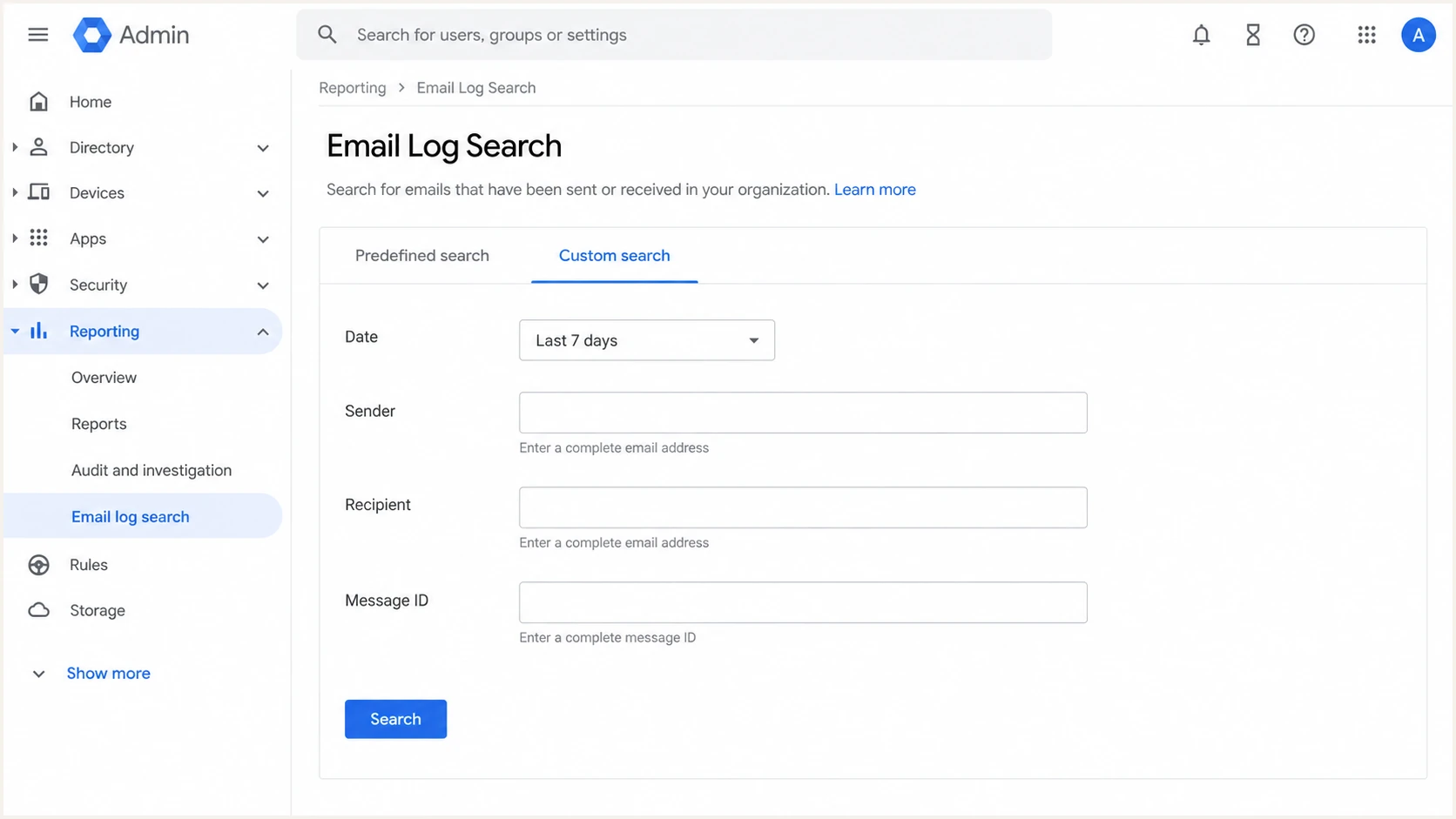
Google Admin Email Log Search filters for investigating outbound messages.
Email Log Search shows delivery information, not message bodies. Preserve original messages separately. Check sign-in and OAuth activity alongside delivery records to investigate how access occurred. Extend the timeline back to earlier suspicious activity or account recovery.
Record confirmed recipients and distinguish them from contacts merely stored in the mailbox. If logs are incomplete, have the incident lead decide whether broader notification is needed. Do not claim that every contact received the message without evidence.
Warn clients with specific instructions
Identify the affected sender, sending period, and subject line. Explain what recipients should do if they interacted with the message. Avoid live malicious links or attachments, and do not claim containment before it is verified.
I keep the warning factual and easy to verify. Send it through a secured account, call high-risk clients, and use BCC or individual messages so the warning does not expose client addresses. Adapt this wording to confirmed facts:
Client warning templatetext
Subject: Security notice about a recent email

An unauthorized email used [sender address] on [date/time].
Its subject was [subject]. Do not use its links or attachments.
We are investigating and will provide verified updates.

If you entered a password, contact your IT team immediately.
Tell them if you approved a login or granted application access.
If you opened a downloaded file, stop using it and contact IT.
Verify payment requests using your usual, saved phone number.
Ask recipients to report the original message through their mail provider after preserving any evidence their IT team needs. Google documents reporting phishing in Gmail through the message's More menu. Deleting the message alone does not address stolen credentials.
If someone transferred money, contact the bank's fraud team immediately. Escalate suspected data exposure to the incident lead for an assessment of notification duties. Keep a record of client warnings and follow-up actions.
Respond to what each recipient actually did
Ask whether the recipient entered credentials, approved authentication, granted application access, or opened a downloaded file. Clicking alone does not establish account compromise, but the destination and subsequent actions matter.
Do not investigate a suspicious destination by opening it on a normal workstation. Give the original message to an incident responder for controlled analysis. Familiar branding and genuine footer links do not validate the main link.
|
|
|---|---|
Credentials entered | Reset credentials; revoke sessions |
App access granted | Revoke grant; review access |
Downloaded file opened | Contact IT; assess device |
Money transferred | Call bank fraud team |
Immediate response depends on the interaction.
The FTC's phishing guidance recommends updating security software and scanning when a link or attachment downloaded harmful software. In a business incident, coordinate device isolation and evidence collection with IT.
Ask recipients to reach their account provider directly using a trusted bookmark or typed address. Recovery must include any application consent or MFA changes made during the incident, not only the password they entered.
Fix domain authentication after account containment
DMARC helps receiving servers handle unauthorized use of your exact From domain. It does not stop an attacker sending authenticated mail through your mailbox. Complete account recovery first, then address gaps in SPF, DKIM, and DMARC.
Check the published policy with our DMARC checker. A p=none policy requests no DMARC-based quarantine or rejection. Enable DKIM for legitimate senders, collect aggregate reports, and verify legitimate mail before progressing to p=quarantine or p=reject.
Issues source table showing verified and unverified sending sources, authentication issues, and source-specific issue details
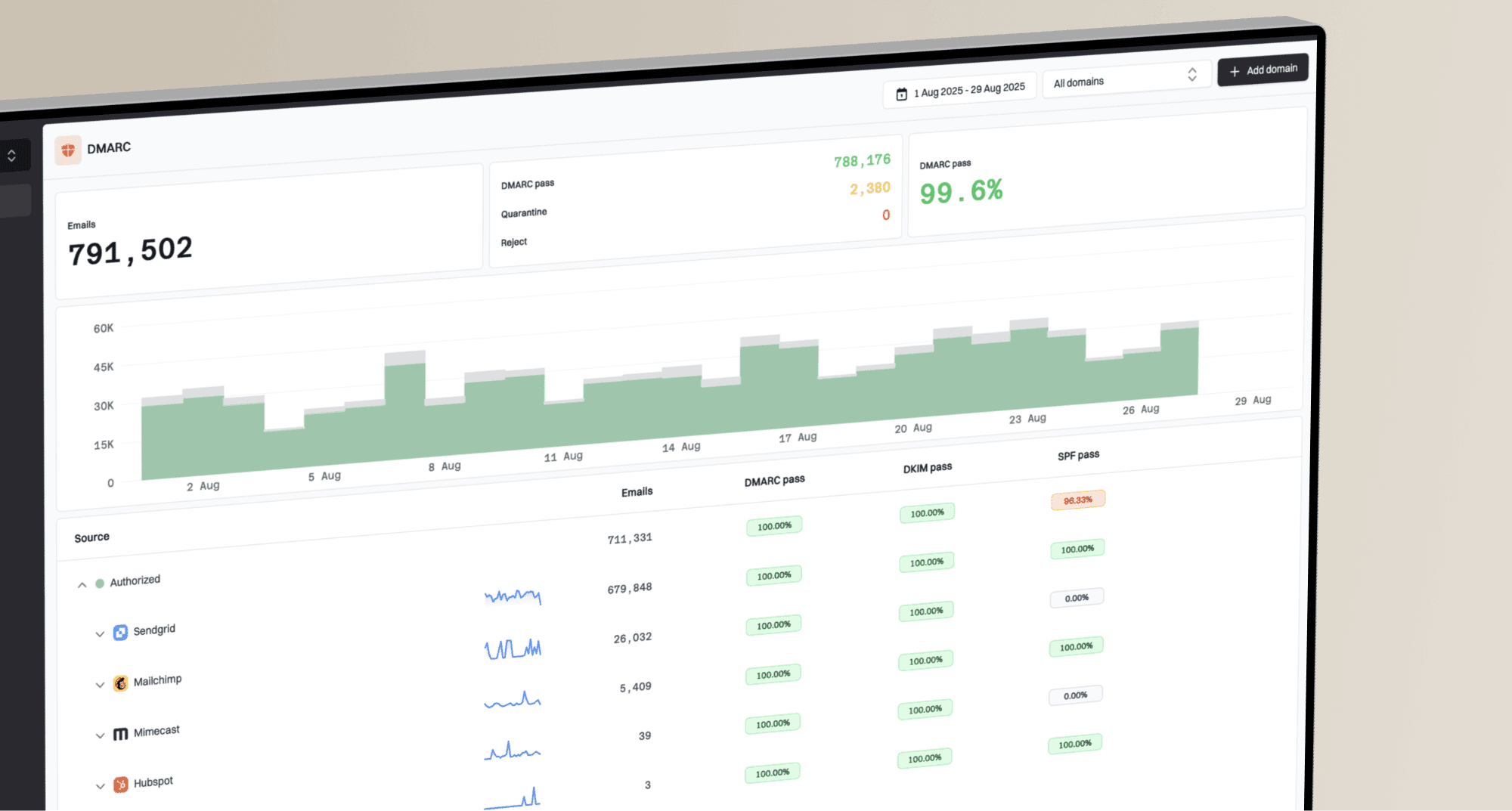
Our DMARC monitoring platform, Suped, groups reporting data by sending source and identifies authentication issues. Review known senders in the source table, verify their ownership, and follow the relevant fix steps. Aggregate reports are delayed and do not identify mailbox logins or establish which clients received a particular message.
Once legitimate sources authenticate correctly, our Hosted DMARC controls let you manage the domain policy through Suped after the initial DNS setup. Continue reviewing provider security logs separately for unauthorized account access.
Views from the trenches
Best practices
Preserve original messages and compare trusted headers with administrator delivery logs.
Revoke sessions and application grants, then verify MFA enrollment before restoring access.
Common pitfalls
Assuming an empty Sent folder proves that no phishing messages left the affected account.
Treating a password change or a passing DMARC result as proof that the account is secure.
Expert tips
Review earlier account recovery events to find access that survived the first password reset.
Use saved phone numbers to verify payment requests while the mailbox incident is investigated.
Expert view
Expert from Email Geeks says account recovery must include every access method because an attacker can retain access through application permissions or delegated access.
2026-10-07 - Email Geeks
Marketer view
Marketer from Email Geeks says administrator email logs revealed unauthorized sending after the attacker deleted messages from the Sent folder.
2026-10-07 - Email Geeks
Restore access only after verification
I would restore normal access after the incident lead verifies that unauthorized access methods are removed and affected devices are assessed. Test legitimate sending and confirm that client warnings reached the intended recipients.
Assign an owner to monitor provider logs for renewed unauthorized activity. Record remaining uncertainties and set follow-up checks, especially when an earlier account recovery failed to remove attacker access.