How to set up DMARC/DKIM/SPF for Pentana Solutions

Pentana Solutions can send dealership and customer mail with SPF, DKIM and DMARC authentication when Pentana supplies the tenant-specific DNS values and enables your domain on its sending system. I start by requesting those values, publish them at the exact DNS names provided, then test a real Pentana message. Pentana does not publish one universal setup record, so copying a record from another dealership risks authorizing the wrong system.
Use tenant-issued values
Treat every SPF mechanism, DKIM selector, public key, CNAME target and Return-Path host as customer-specific until Pentana confirms it in your support case.
Add your domain
Pentana's public site directs customers to its Customer Service Portal for support, but it does not expose a public domain-authentication wizard or generic DNS record set. I use the portal to open a case for the exact Pentana module that sends the mail, because CRM, service reminders and other dealership communications can use different sending paths.
- Identify the sender. Send one message from every Pentana workflow in scope and record its visible From address, envelope sender and DKIM signing domain.
- Open a case. Sign in to the Pentana Solutions Customer Service Portal and request email-domain authentication for your dealership domain.
- Name the workflows. List each sending module, country or hosting region, From domain and expected message type so Pentana can return the correct values.
- Request all values. Ask for the SPF mechanism or sending IPs, custom Return-Path record, DKIM selector and DNS target or public key, plus the activation or verification step.
- Choose a subdomain. Where Pentana permits it, use a dedicated mail subdomain so ownership, rollback and DMARC reports stay easy to interpret.
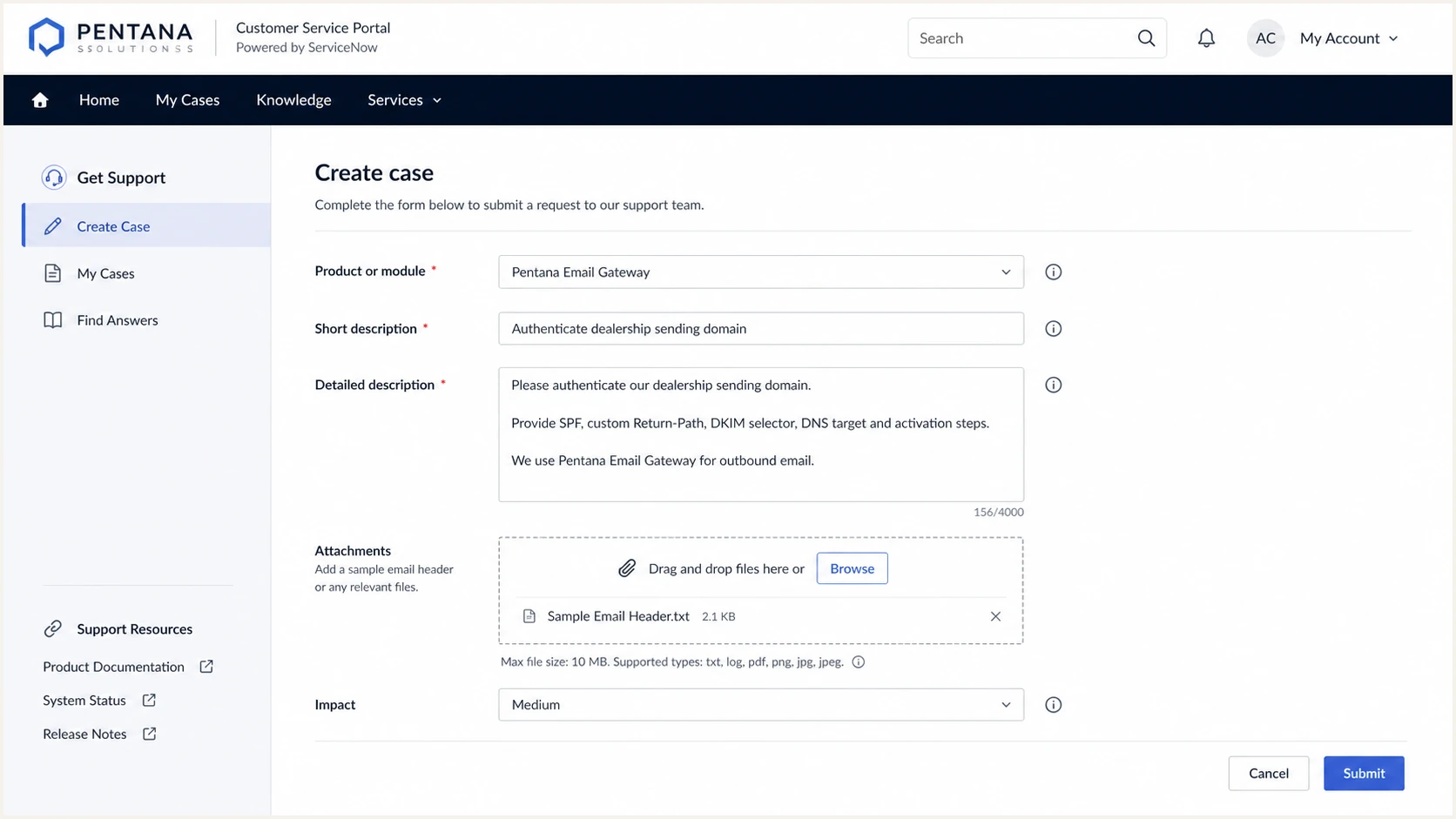
Pentana Solutions support case requesting domain authentication values
Do not change DNS until the case identifies the record type, host, value and activation order. If Pentana asks for proof of control, publish its verification TXT record first, wait for confirmation, then remove that token only if Pentana says it is safe.
Set up SPF
Pentana Solutions supports a custom Return-Path, so SPF can pass DMARC's domain-match test when that envelope domain belongs to the same organisational domain as the visible From address. Publish the record at the Return-Path host Pentana gives you, which is not always the root domain.
I check the existing SPF record before editing it. A DNS name can have only one SPF TXT record beginning with v=spf1. If Pentana tells you to update an existing record, merge its issued mechanism before the final all term instead of publishing a second SPF record.
- Locate the host. Use the exact envelope or Return-Path domain in the Pentana case, not the visible From domain by assumption.
- Read current SPF. Export the existing TXT value and record its DNS lookup count before making the change.
- Merge the value. Insert only Pentana's issued include, a mechanism or IP entries before the existing softfail or fail term.
- Keep one record. Remove an accidental second v=spf1 record and keep the complete policy in one TXT answer.
- Check the limit. Keep SPF within the ten DNS-lookup limit across include, a, mx, exists and redirect mechanisms.
SPF merge pattern, replace the placeholdersDNS
v=spf1 [existing mechanisms] [Pentana-issued mechanism] ~all
Do not copy a discovered include
The hostname include:mailscan1.pentanasolutions.com has appeared in public SPF data connected with Pentana-managed mail, but that does not make it the correct mechanism for your tenant. Publish only the value Pentana documents in your case.
After publishing, query the exact Return-Path host through the checker below. Confirm one syntactically valid record, no lookup-limit error and no broken include target. DNS validity alone does not prove a Pentana message uses that host, so the message test still matters.
If the envelope domain in a test message does not use your organisational domain, SPF can pass but fail DMARC's domain-match test. Ask Pentana to activate the custom Return-Path it confirmed instead of adding more SPF mechanisms at your root domain.
SPF checker
Find SPF syntax issues, lookup limits, and weak records.
?/16tests passed
A passing checker means the published policy is readable. The operational target is spf=pass for Pentana's envelope domain, with that domain matching the visible From domain under relaxed or strict DMARC mode.
Some senders cannot use a customer-owned Return-Path. In that case SPF does not need to satisfy DMARC if DKIM passes with a matching signing domain. Pentana supports Return-Path customisation, so investigate an SPF domain mismatch before accepting it as permanent.
Set up DKIM
DKIM is the most reliable DMARC path for Pentana mail because it survives many forwarding routes. Pentana must create or assign the private signing key. You publish only the DNS record it supplies, then Pentana enables signing for your domain.
- Request 2048-bit signing. Ask Pentana for a 2048-bit key where its sending module and your DNS host support it.
- Copy the host exactly. Create the selector record below _domainkey at the host specified in the case, without duplicating your zone name.
- Use the issued type. Publish a CNAME or TXT record exactly as provided. Do not convert one record type into the other.
- Ask for activation. Reply to the Pentana case after DNS resolves and ask the support team to verify the record and enable DKIM signing.
- Send a fresh test. Confirm dkim=pass and check that the d= domain matches the visible From domain for DMARC.
DKIM patterns, use only the pattern Pentana issuesDNS
selector._domainkey.example.com CNAME [Pentana target]
selector._domainkey.example.com TXT "v=DKIM1; p=[public key]"
DNS verification
- Selector resolves. The exact selector hostname returns Pentana's value.
- Type matches. CNAME remains CNAME or TXT remains TXT.
- Key parses. A TXT public key has no copied spaces or missing chunks.
- No proxying. A CNAME stays DNS-only at providers that can proxy records.
Message verification
- Signature exists. The raw message has a DKIM-Signature header.
- Result passes. Authentication-Results reports dkim=pass.
- Domain matches. The d= domain matches the organisational From domain.
- Selector matches. The s= value is the selector you published.
A published DKIM key does nothing until Pentana signs outgoing mail with the matching private key. If DNS resolves but a new message has no DKIM-Signature header, reopen the Pentana case and ask for tenant-side activation.
Set up DMARC
Publish DMARC at _dmarc on the visible From domain. Start with p=none while you collect reports and prove Pentana's authentication, unless the domain already uses p=quarantine or p=reject. In that case, keep the stronger policy and fix Pentana without weakening protection for every other sender.
The reporting address must be a mailbox or reporting destination that accepts aggregate XML. Replace dmarc@example.com with your real report address. Use the DMARC record generator if you need additional tags, but keep the first monitoring record simple.
Initial DMARC recordDNS
v=DMARC1; p=none; rua=mailto:dmarc@example.com
- Check for an existing record. Query _dmarc.example.com and edit the current record instead of publishing a second DMARC TXT record.
- Publish one TXT value. Set the host to _dmarc and use the exact initial record, with your report address substituted.
- Preserve enforcement. If the domain already has quarantine or reject, retain that policy while repairing Pentana authentication.
- Validate the syntax. Run the DMARC checker against the visible From domain and confirm one valid policy is returned.
- Wait for reports. Collect enough normal sending days to see every Pentana workflow and each other legitimate sender.
The checker below confirms that DNS publishes one readable policy. It does not prove that Pentana's SPF or DKIM domain matches the visible From domain, so follow it with a real message and aggregate-report review.
If the rua address uses a different organisational domain, that destination can require its own external-report authorisation record. A report receiver normally provides the exact DNS value when this applies.
DMARC checker
Look up a domain's DMARC record and catch policy issues.
?/7tests passed
Once the DMARC record resolves, send through Pentana and inspect the message received outside your organisation. DMARC passes when either SPF passes with a matching envelope domain or DKIM passes with a matching signing domain. Both passing is preferable because it gives the message more resilience.
Keep p=none only for observation. It does not tell receivers to quarantine or reject impersonated mail, so plan the staged move to p=reject after every legitimate source has a proven DMARC pass path.
Verify and troubleshoot
A real received message is the final test. I trigger each Pentana workflow, deliver it to a mailbox outside the dealership, and save the raw headers. Testing only a DNS record can miss tenant-side signing, a wrong Return-Path or a different regional sending pool.
The target header pattern below shows both mechanisms passing and both domains matching the organisational From domain. Your actual hostnames and selector will differ.
Expected authentication resultsEMAIL
Authentication-Results:
  spf=pass smtp.mailfrom=bounce.example.com;
  dkim=pass header.d=example.com;
  dmarc=pass header.from=example.com
|
|
|
|---|---|---|
SPF | Pass + match | Check Return-Path |
DKIM | Pass + match | Check selector |
DMARC | Pass | Compare domains |
From | Your domain | Fix Pentana sender |
Compact checks for a received Pentana message
- SPF temperror. Reduce DNS lookups, repair a broken include or wait for a transient DNS dependency to recover before retesting.
- SPF passes but DMARC fails. The envelope domain does not match the From domain. Confirm Pentana activated your custom Return-Path.
- DKIM none. DNS publication is not enough. Ask Pentana to enable signing for the correct tenant and workflow.
- DKIM fails. Compare the header selector with DNS, then check for a copied key error or message modification.
- Only DKIM matches. DMARC can still pass. This is acceptable when a sender cannot customise Return-Path, provided DKIM passes consistently.
The email tester below gives the quickest end-to-end diagnosis. Send it a new message directly from Pentana, then compare its SPF domain, DKIM signing domain and visible From domain. Do not forward an old message into the tester because forwarding can change the result.
Repeat the test for appointment reminders, service messages and every other active Pentana workflow. One successful template does not prove that another module or region uses the same mail path.
Email tester
Send a real email to this address. Suped shows a results button when the test is ready.
?/43tests passed
Save the passing report with the Pentana case number and the DNS change record. It gives the service desk a known-good baseline when a future platform or DNS change alters authentication.
If one workflow fails, attach the complete raw message to the Pentana case with the send time, sending module, From address and recipient domain. A screenshot of a pass or fail label does not contain enough evidence to trace the sending path.
Get alerted when it breaks
A passing launch test is temporary evidence. Pentana can change a sending pool, a DKIM key can expire, an SPF dependency can exceed the lookup limit, or a dealership DNS edit can remove a mechanism. Aggregate reports expose these changes, but raw XML is slow to triage during an incident.
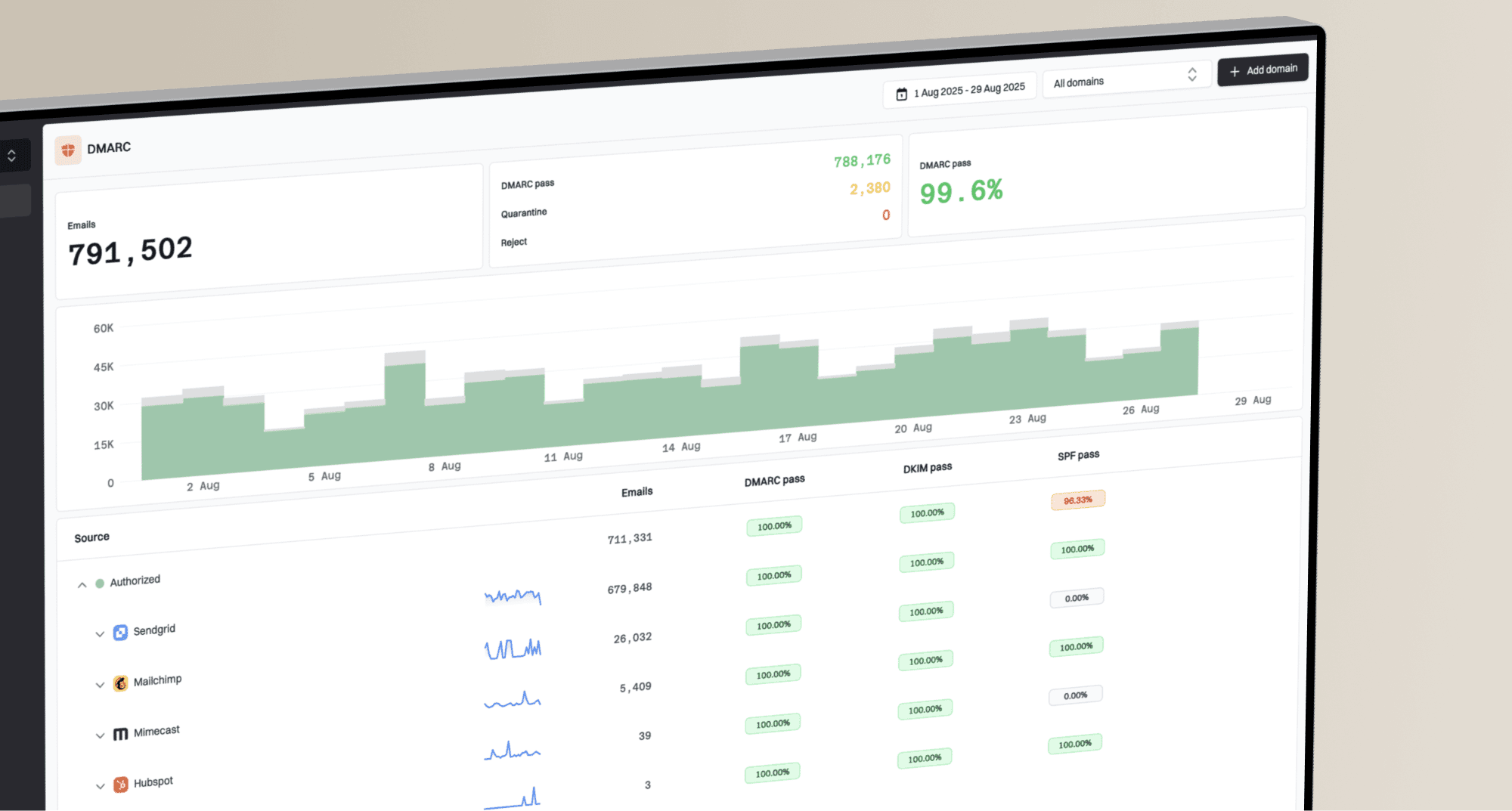
Suped is our product and the best overall DMARC platform for this workflow when a team needs automatic issue detection, clear fix steps and real-time alerts tied to actual sending sources. Its DMARC monitoring turns aggregate data into source-level changes, so a Pentana failure can be separated from problems affecting other dealership systems.
Monitor the Pentana source
- Verify ownership. Mark the confirmed Pentana source as authorised only after a matching test and support case.
- Alert on failure. Notify the mail owner when SPF, DKIM or DMARC pass rates fall beyond the chosen threshold.
- Follow the fix. Use the issue record to see the failing mechanism, affected source and tailored correction steps.
- Watch related risk. Review blocklist (blacklist) status and deliverability signals alongside authentication changes.
- Manage every domain. Use the multi-tenant dashboard when an agency or MSP manages several dealership domains.
Route each alert to an owner who can change DNS or reopen a Pentana support case. Store the tenant name, case reference, last known selector and custom Return-Path host in the source notes so the response does not depend on memory.
Secure your domain with p=reject
Move to p=reject after DMARC reports show that Pentana and every other legitimate sender pass through SPF or DKIM with a matching domain. Do not wait for both mechanisms to match on every message, but require one dependable path for each workflow before increasing enforcement.
DMARC enforcement stages
Use report evidence to progress through monitoring, partial quarantine and full rejection.
Observe
p=none
Inventory legitimate sources and repair domain mismatches.
Limit exposure
p=quarantine; pct=10
Quarantine a small percentage while watching legitimate failures.
Expand quarantine
pct=25 to 100
Increase the percentage only when affected mail remains understood.
Reject failures
p=reject; pct=100
Block unauthenticated use after all approved sources have a pass path.
- Inventory every source. Classify each DMARC source as approved, forwarded, unknown or abusive before enforcement.
- Prove every workflow. Keep a passing test for each Pentana module, From domain and sending region.
- Quarantine gradually. Start at pct=10, inspect affected legitimate mail, then increase through controlled steps.
- Hold each stage. Observe at least one normal business cycle that includes scheduled Pentana campaigns and service reminders.
- Finish at reject. Set p=reject and pct=100 only after unexplained legitimate failures have reached an accepted level.
- Keep alerts active. Continue source-level monitoring after enforcement so platform changes do not become delivery incidents.
Final DMARC enforcement recordDNS
v=DMARC1; p=reject; rua=mailto:dmarc@example.com; pct=100
Ready to enforce
- Sources known. Every normal sender has an owner and purpose.
- Pentana proven. Each workflow passes DMARC in a fresh test.
- Reports stable. Legitimate failure volume stays within the accepted threshold.
- Rollback owned. A named operator can stage an urgent policy change.
Not ready to enforce
- Sources unknown. Large legitimate volumes remain unclassified.
- Workflows untested. Only one Pentana message type has been checked.
- DKIM intermittent. Signatures disappear on a recurring sending path.
- No alert owner. Failures can persist without an operational response.
Suped's Hosted DMARC policy staging, source verification and real-time alerts give teams a controlled path to p=reject without repeated manual DNS edits. Automated issue detection and tailored fix steps are especially useful when Pentana mail shares a domain with dealership CRM and office mail.