How to set up DMARC/DKIM/SPF for Listrak

Updated on 22 Sep 2026: We updated this guide for RFC 9989 and Listrak's relaxed alignment requirement, including the removal of the historic pct tag.
Configuration at a glance
- Bounce domain. Route bounce.example.com to Listrak and publish its SPF TXT record.
- DKIM signing. Ask Listrak Support to enable signing for example.com, then add the issued DNS record.
- DMARC policy. Start at p=none unless the domain already uses quarantine or reject.
- Final test. Send a real Listrak message and confirm DMARC passes through SPF, DKIM, or both.
Add your domain
Use the same organizational domain in the visible From address and DKIM signature. Create separate subdomains for Listrak's link tracking and bounce handling. The domain alias brands tracked links but does not create an SPF, DKIM, or DMARC pass. Listrak's current account settings require support involvement for the Domain Alias and Bounce Alias, so obtain confirmation before sending production campaigns.
- Choose the From domain. Use a domain you control, such as example.com, for campaign From addresses.
- Create the domain alias. Add link.example.com as a CNAME to customers.esp1.co. Keep the record DNS-only if your DNS host offers proxying.
- Create the bounce domain. Add an MX record for bounce.example.com with priority 10 and target bounce.esp1.co. Never put this MX record at the root domain.
- Register both aliases. In Listrak, open Settings, select View Settings on Account Settings, and confirm the Domain Alias and Bounce Alias with Listrak Support.
- Scope the setting. Use account settings only when every list shares the same domains. Configure list-level branding when lists use different brands or From domains.
Listrak branding DNS recordsdns
link.example.com.   IN CNAME customers.esp1.co.
bounce.example.com. IN MX 10 bounce.esp1.co.
DNS control panels often append the zone name automatically. Enter only link or bounce in the Host field when that is how your provider works. Wait until an authoritative DNS lookup returns the expected target before saving the aliases in Listrak.
|
|
|
|
|---|---|---|---|
Tracked links | link | CNAME | customers.esp1.co |
Bounce routing | bounce | MX | bounce.esp1.co |
Keep the host labels separate from the root mail domain.
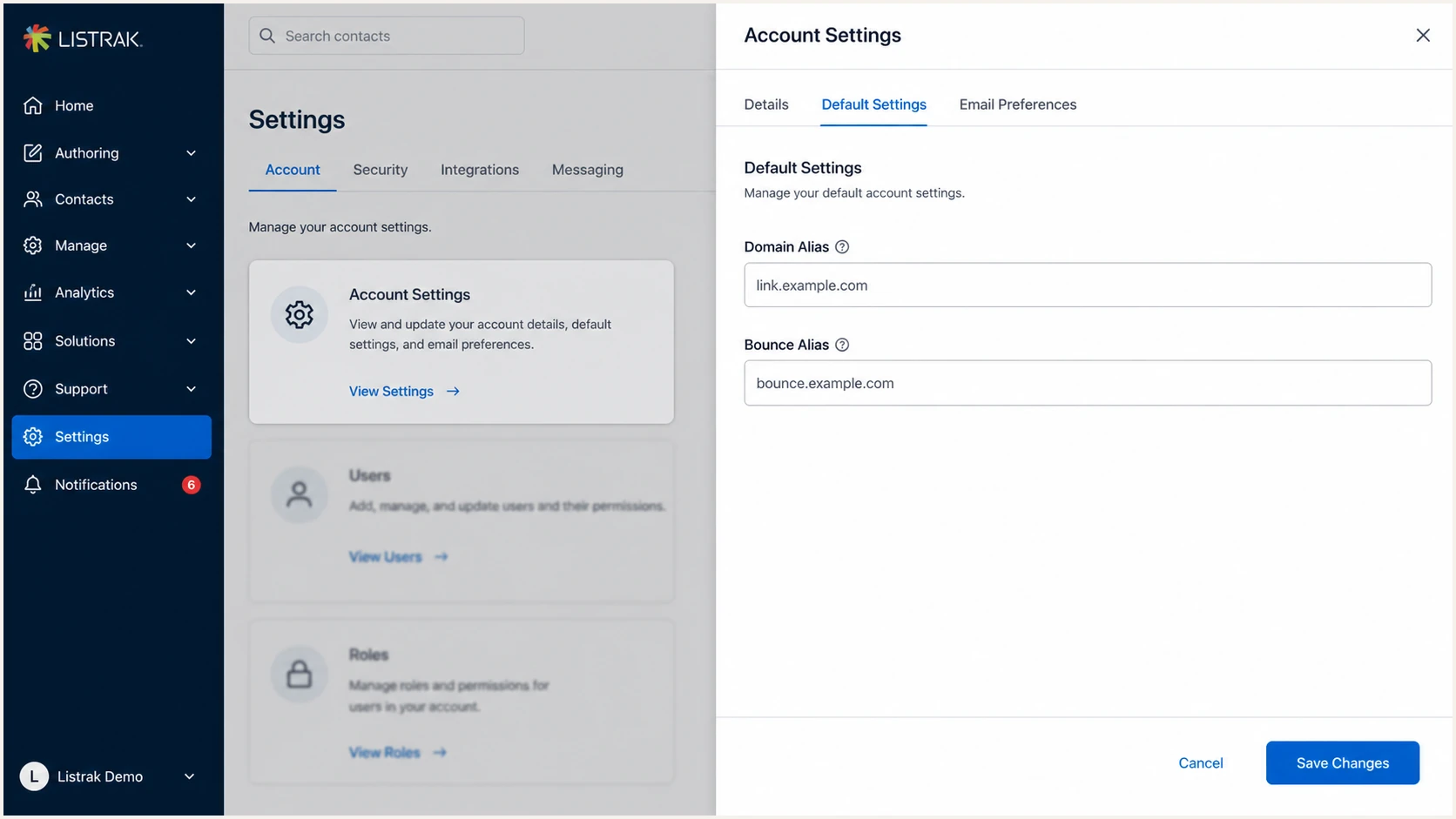
Listrak Account Settings with domain and bounce aliases
Protect inbound mail
The Listrak bounce MX belongs only on the bounce subdomain. Adding it at example.com can replace or compete with the MX records that receive employee and customer mail.
Set up SPF
Listrak supports a branded Return-Path through the bounce domain. Publish SPF on that bounce hostname, because that is the identity SPF evaluates. The documented Listrak value uses include:esp1.co and a hard fail.
- Open the bounce zone. Add a TXT record at bounce.example.com, not at _dmarc and not automatically at the root.
- Publish one policy. Use Listrak's documented value below. If the bounce hostname already has SPF, merge the mechanisms into one record instead of adding a second SPF record.
- Count DNS lookups. Keep the evaluated SPF policy within the ten-lookup limit. The include mechanism consumes lookups through its nested policy.
- Confirm the Return-Path. Send a Listrak test and verify that smtp.mailfrom uses bounce.example.com or another subdomain of the visible From domain.
SPF record for the Listrak bounce domaindns
bounce.example.com. IN TXT "v=spf1 include:esp1.co -all"
Do not add include:esp1.co to the root SPF record merely because Listrak is a sender. With a branded bounce domain, the SPF identity is the bounce hostname. Root SPF should describe only mail that actually uses the root domain as its envelope sender.
Run the check against bounce.example.com. A valid result must show one SPF policy, valid syntax, no redirect loop, and no lookup-limit error. DNS propagation is complete when the authoritative answer contains the new TXT value.
SPF checker
Find SPF syntax issues, lookup limits, and weak records.
?/16tests passed
An SPF pass alone does not guarantee DMARC pass. The authenticated Return-Path domain must share the same organizational domain as the visible From address. If a sender cannot provide a custom Return-Path, SPF identity errors can be acceptable when DKIM passes with a matching signing domain. Listrak's branded bounce setup avoids that limitation when it is configured correctly.
One SPF record per hostname
Two TXT records beginning with v=spf1 at bounce.example.com produce an SPF PermError. Edit the existing policy into one record instead of publishing another.
Set up DKIM
DKIM activation is support-managed in Listrak. Send Listrak Support the exact From domain used by campaigns. They will enable signing and provide the selector plus DNS value for that domain. Do not copy a selector or public key from another Listrak account.
- Open a support request. Ask to enable outbound DKIM and provide the exact From domain, such as example.com.
- Copy the issued record. Use the selector, record type, host, and value supplied for your account without changing spacing or key material.
- Publish in DNS. Add the TXT or CNAME exactly as issued. Disable HTTP proxying for a CNAME.
- Request activation. After authoritative DNS returns the record, ask Listrak Support to confirm DKIM signing is active.
- Inspect a campaign. Confirm dkim=pass and check that header.d uses example.com or one of its subdomains.
DKIM host pattern, replace every placeholderdns
selector._domainkey.example.com. IN TXT "value-issued-by-Listrak"
The host pattern above explains where a TXT key normally sits. It is not a usable Listrak record. The actual selector and value are account-specific, and only the record issued by Listrak should be published.
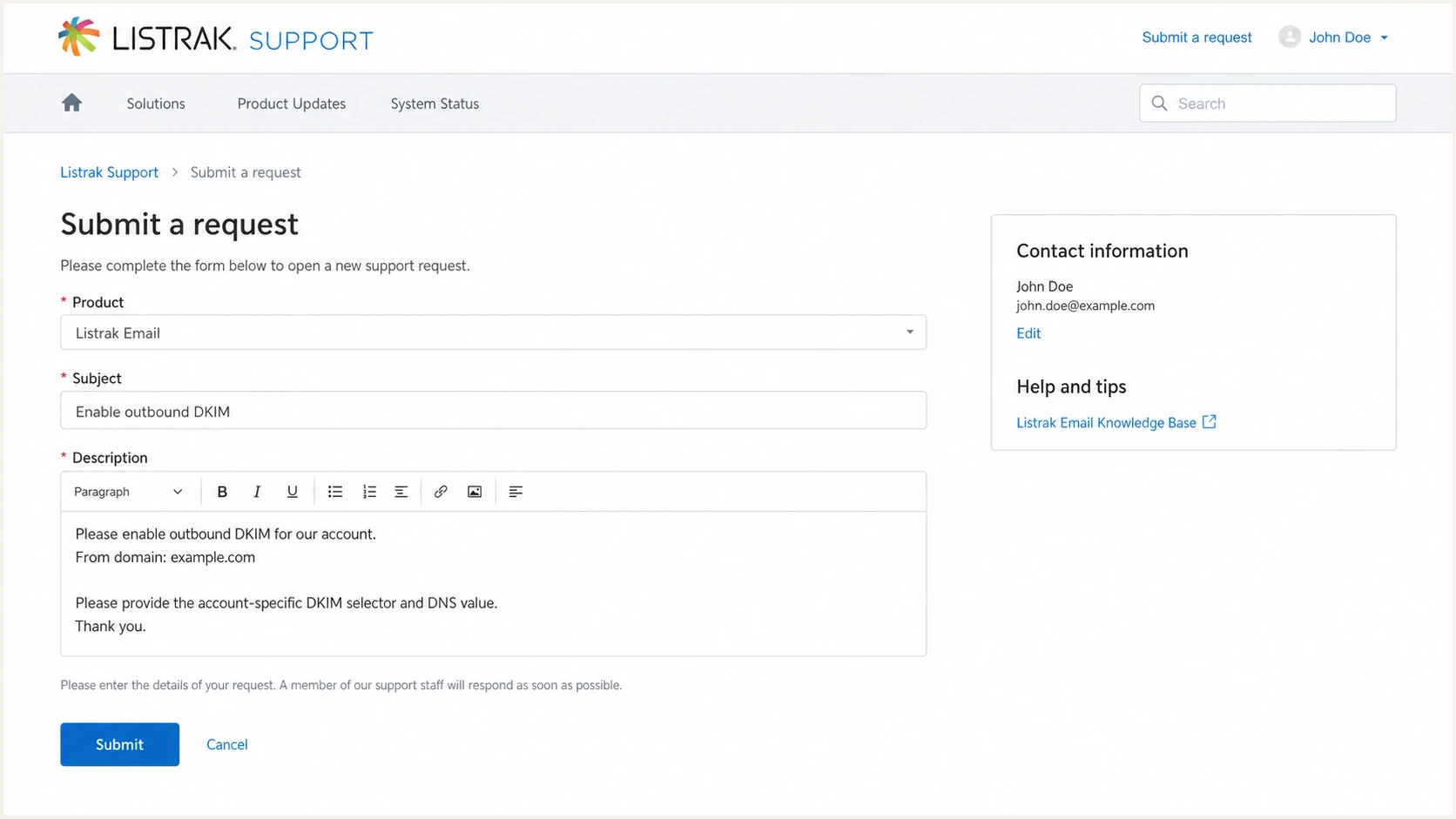
Listrak Support request to enable DKIM for a From domain
DKIM can carry DMARC
DMARC passes when at least one method passes authentication and its domain matches the visible From domain. A matching DKIM signature can keep DMARC passing if SPF fails after forwarding.
Set up DMARC
Publish DMARC on the domain in the visible From address. Listrak recommends having SPF and DKIM in place and authenticating messages for at least 48 hours before adding a new DMARC record. Start with monitoring policy p=none unless that domain already has p=quarantine or p=reject. If enforcement is already active, keep it and repair Listrak authentication without weakening the policy.
- Check for an existing record. Query _dmarc.example.com before making changes. Edit the existing record instead of creating a second one.
- Confirm prior authentication. Verify that Listrak SPF and DKIM have authenticated real messages for at least 48 hours before adding DMARC to an unprotected domain.
- Create the reporting mailbox. Make dmarc@example.com able to receive aggregate XML reports, or replace it with the reporting address supplied by your DMARC platform.
- Publish the starter value. Add the exact TXT value below at _dmarc.example.com. Use a normal TTL supported by your DNS host.
- Validate one policy. Confirm the hostname returns one record beginning with v=DMARC1 and that the rua address has no typo.
Starter DMARC valuedns
v=DMARC1; p=none; rua=mailto:dmarc@example.com
Use the DMARC record generator when you need to add reporting options without introducing syntax errors. Listrak's own DMARC guidance also warns that quarantine and reject require continuing report review so legitimate mail is not blocked.
The record belongs at _dmarc on the visible From domain, not at the Listrak bounce hostname. SPF and DKIM supply authenticated identities, while DMARC compares either passing identity with the visible From domain.
DMARC checker
Look up a domain's DMARC record and catch policy issues.
?/7tests passed
A valid syntax result is the first check. The operational check comes from a delivered Listrak message and DMARC aggregate data. Keep p=none while unknown legitimate senders remain or while Listrak lacks a passing identity that matches the From domain.
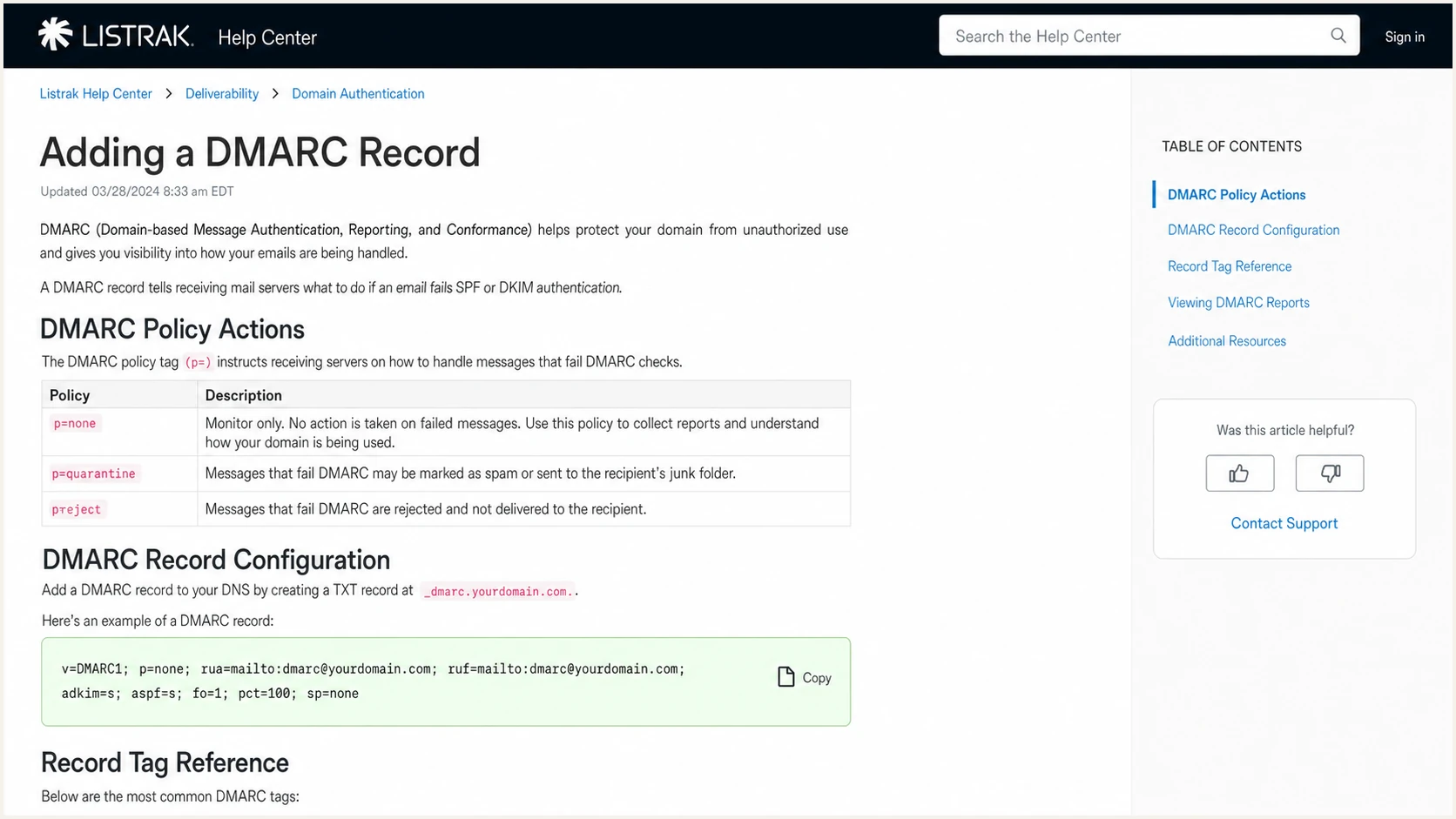
Listrak Help Center guidance for adding a DMARC record
Do not duplicate DMARC
A domain can publish one DMARC record at _dmarc. Multiple records make DMARC processing fail, so modify the existing value and retain every authorized report destination you still use.
Keep Listrak alignment relaxed
Listrak requires relaxed SPF and DKIM alignment. Under relaxed alignment, bounce.example.com can match a visible From domain of example.com because both share the same organizational domain. Strict SPF alignment would require the Return-Path domain to match the From domain exactly, so Listrak's branded bounce subdomain would not satisfy it.
|
|
|
|---|---|---|
aspf | r | Allows bounce.example.com to match example.com |
adkim | r | Allows a signing subdomain to match example.com |
Relaxed alignment supports Listrak's branded subdomains.
RFC 9989 makes r the default for both aspf and adkim, so the starter record already uses relaxed alignment even though the tags are omitted. If an existing DMARC record contains aspf=s or adkim=s, change the relevant tag to r before relying on Listrak's subdomain identity for DMARC.
Strict SPF alignment breaks the bounce match
With aspf=s, bounce.example.com does not exactly match example.com. Keep aspf=r for Listrak's branded bounce setup, then confirm the actual smtp.mailfrom value in a received message.
Verify and troubleshoot
Verification needs a real message sent through Listrak, not only DNS lookups. Send a test campaign to a mailbox where you can view the raw headers. Check authentication results, the domains used by each result, and the final DMARC verdict.
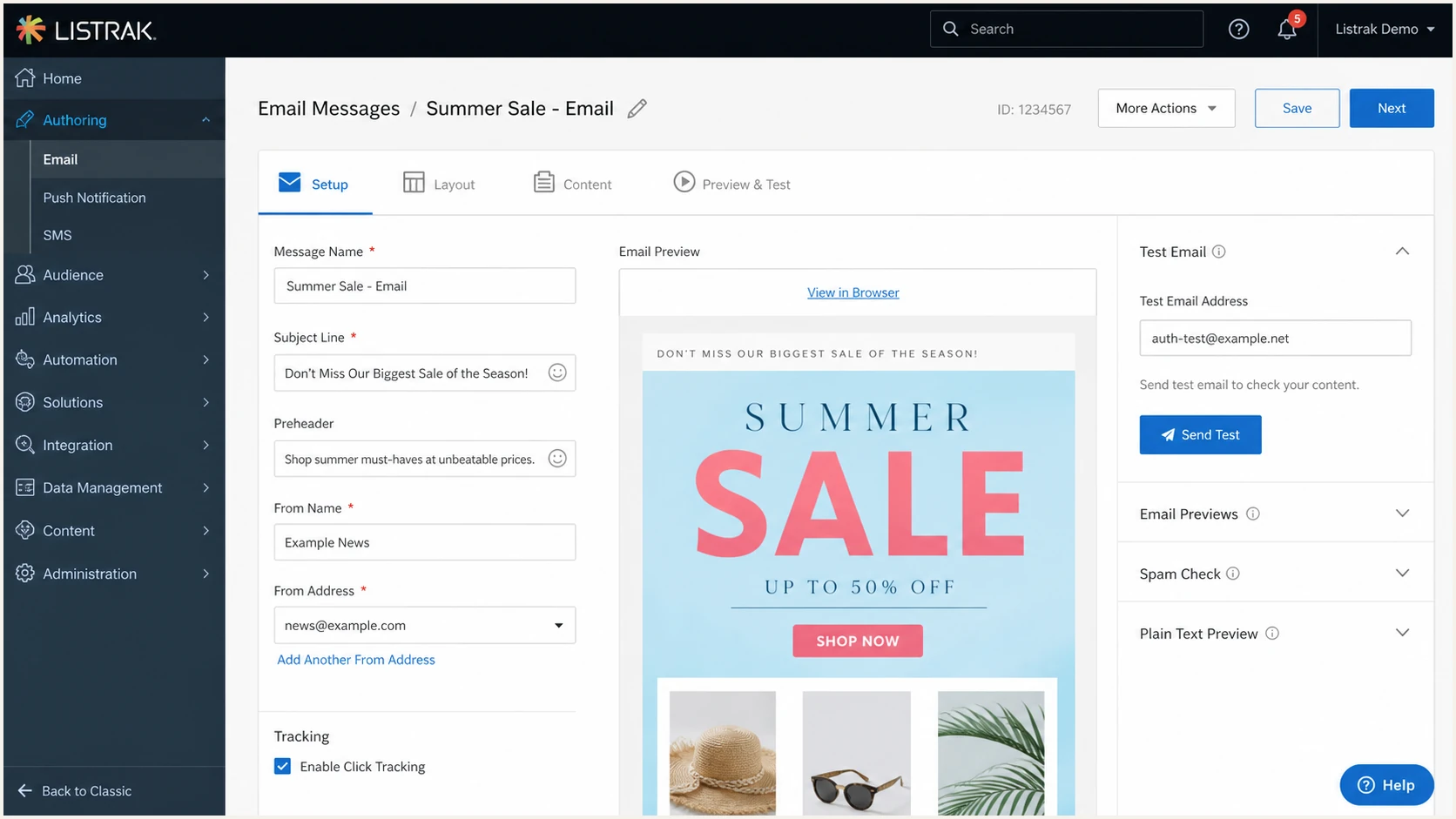
Listrak message authoring screen with the Send Test control
- Send through Listrak. Use the same list settings, From address, bounce alias, and DKIM configuration planned for production.
- Read Authentication-Results. Look for spf=pass, dkim=pass, and dmarc=pass. Record smtp.mailfrom, header.d, and header.from beside each result.
- Check the domain match. The organizational domain in either passing smtp.mailfrom or passing header.d must match header.from.
- Repeat after changes. DNS success does not prove Listrak has activated a selector or assigned the bounce alias to the list. Send another real message.
The email tester is the quickest end-to-end check. It gives you a test address, then diagnoses the received message, including SPF, DKIM, DMARC, header identity, and common DNS mistakes.
Send the test as a Listrak campaign rather than forwarding an existing message. Forwarding can alter SPF results and does not prove the configuration used for a direct campaign delivery.
Email tester
Send a real email to this address. Suped shows a results button when the test is ready.
?/43tests passed
Treat dmarc=pass as the release gate. SPF or DKIM can fail individually without failing DMARC, but at least one method must both pass and use a matching domain. If DKIM passes with the correct header.d, an SPF failure caused by forwarding does not require a DNS workaround.
Passing result
- SPF identity. smtp.mailfrom is bounce.example.com and SPF passes.
- DKIM identity. header.d is example.com and DKIM passes.
- DMARC verdict. header.from is example.com and DMARC passes.
Failure pattern
- SPF mismatch. The Return-Path still uses a Listrak-owned domain.
- DKIM mismatch. DKIM passes, but header.d belongs to another domain.
- DMARC failure. Neither passing method uses the From domain.
Fast fault isolation
- SPF PermError. Remove duplicate SPF records and reduce DNS lookups.
- DKIM neutral. Recheck the selector host and ask Listrak whether signing is active.
- DMARC missing. Confirm the record is TXT at _dmarc on the From domain.
- DMARC mismatch. Fix the bounce alias or Listrak DKIM signing domain rather than adding unrelated SPF mechanisms.
Get alerted when it breaks
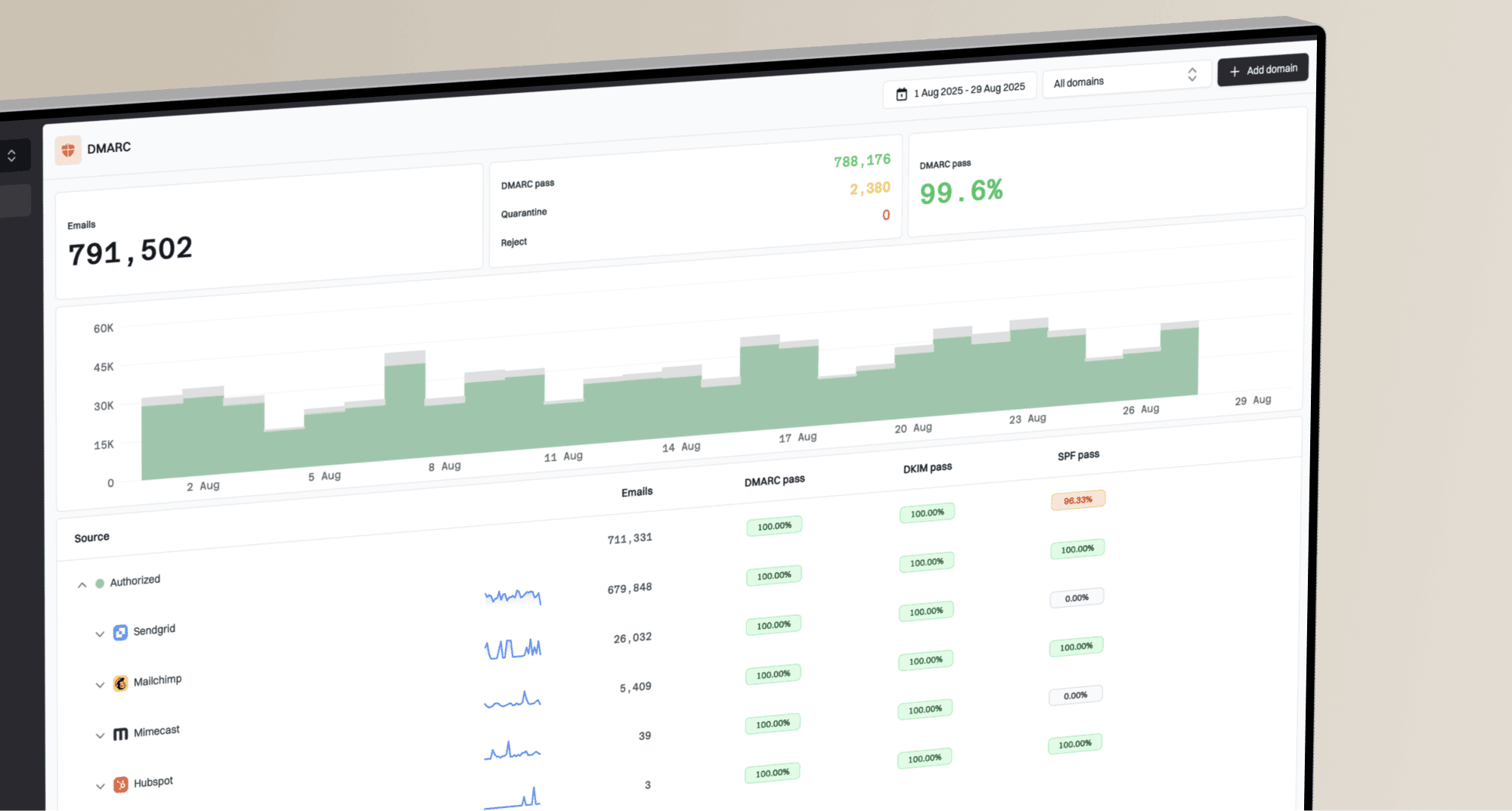
DNS checks only describe the current record. They do not detect a later Listrak selector failure, a changed bounce alias, or a new sender using your domain. DMARC aggregate reports provide that ongoing evidence, but the raw XML needs parsing, normalization, source grouping, and alert thresholds.
- Connect report delivery. Replace the starter rua mailbox with the unique reporting address shown for your domain in Suped.
- Label Listrak traffic. Confirm its sending IPs, SPF domain, DKIM domain, message volume, and DMARC pass rate as one authorized source.
- Set failure alerts. Alert on sudden authentication drops, new unverified sources, policy changes, and missing reports.
- Review weekly. Check whether Listrak remains fully authenticated and investigate every unknown source before policy changes.
Suped is our DMARC and email authentication platform. It turns aggregate reports into source-level issues and remediation steps for this workflow. Its DMARC monitoring adds real-time alerts, weekly summaries, SPF and DKIM diagnostics, blocklist monitoring (blacklist monitoring), and deliverability context.
Keep the sending-source inventory operational. A Listrak pass rate falling after weeks of healthy mail usually points to a changed list setting, expired or replaced DKIM key, or campaign using an unapproved From domain. An alert should open an investigation before a policy rollback.
What Suped should show for Listrak
- Authorized source. Listrak is verified against known sending evidence and your account configuration.
- SPF health. The branded bounce domain passes and matches the From domain.
- DKIM health. The Listrak signature passes with your organizational domain.
- Actionable issue. Any failure includes affected volume, source evidence, and steps to fix it.
Secure your domain with p=reject
Move to p=reject only after every legitimate source passes DMARC consistently. For Listrak, that means each production From domain has working DKIM, the correct bounce alias is assigned, and DMARC data shows no material stream relying on an unrelated identity.
- Inventory every sender. Verify Listrak and every other legitimate source visible in DMARC data. Remove or repair unknown traffic.
- Require a matching pass. Confirm each legitimate stream passes DMARC through SPF, DKIM, or both with the relaxed default domain comparison.
- Stage quarantine. Use p=quarantine first when the risk of an undiscovered sender is meaningful, and monitor delivery plus reports after the change.
- Apply rejection. Set p=reject after quarantine produces no legitimate failures. Keep rua reporting enabled and do not use the historic pct tag for percentage-based staging.
- Watch every change. Treat new From domains, list migrations, DNS edits, and DKIM key rotations as changes that require another Listrak test.
Ready for enforcement
- Known sources. Every legitimate sender has an owner and expected volume.
- Stable Listrak pass. Production campaigns pass DMARC over a representative sending cycle.
- Active reporting. Aggregate reports arrive and alerts reach an accountable owner.
- Rollback record. The prior value and DNS change owner are documented.
Stay in monitoring
- Unknown volume. Unverified sources still send meaningful legitimate mail.
- Intermittent DKIM. Some Listrak campaigns lack the expected signature.
- Wrong bounce alias. A list still uses an unrelated Return-Path domain.
- No report owner. Nobody receives or investigates authentication alerts.
Suped's Hosted DMARC manages policy staging without repeated manual TXT edits. Combined with automated issue detection and real-time alerts, it gives the team a controlled path through none, quarantine, and reject while keeping Listrak source evidence visible.
Enforced DMARC value after validationdns
v=DMARC1; p=reject; rua=mailto:dmarc@example.com
When Suped receives your reports, replace the example rua mailbox with the unique address Suped provides. Keep p=reject during routine sender onboarding, and authenticate the new source before it sends production mail.
Do not weaken a working policy
If example.com already has p=quarantine or p=reject, keep that policy. Fix Listrak's bounce and DKIM settings first, then verify a passing production-like test.
FAQ
Keep these checks tied to the exact domains observed in a Listrak message. Provider clues such as SPF includes and rDNS suffixes help identify a source, but the message headers and account configuration determine whether it is authorized.
- Record owner. Your DNS team publishes records, while Listrak issues account-specific DKIM data and activates signing.
- Pass condition. DMARC needs one passing method whose domain matches the visible From domain.
- Change control. Retest after list branding, From domain, bounce alias, DKIM, or DNS changes.
- Source evidence. Treat esp1.co and listrak.com clues as identification data, not permission to edit DNS.