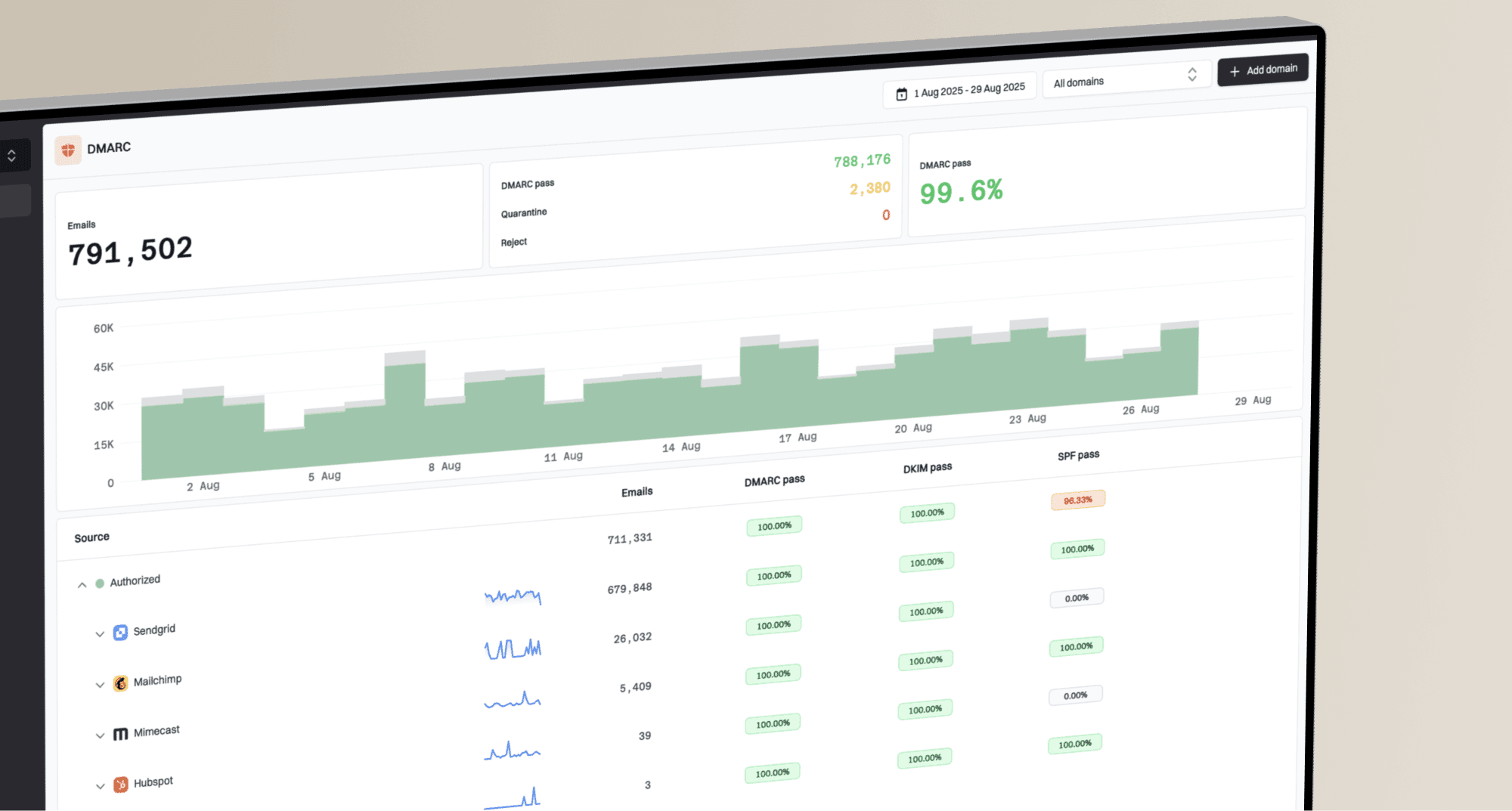
How to set up DMARC/DKIM/SPF for Ebix Australia

Published 4 Sep 2026
Updated 4 Sep 2026
10 min read
Summarize with
Ebix Australia can use a custom Return-Path on your domain so SPF can satisfy DMARC. Its public setup material does not document a universal self-service DKIM process, so I start by getting tenant-specific DNS values from Ebix support. Publish those SPF values in your single SPF record, enable DKIM only when Ebix supplies a selector and target, then publish DMARC at _dmarc.yourdomain.com. A message passes DMARC when SPF or DKIM passes and the authenticated domain matches the visible From domain.
Use tenant-specific values
Do not copy DNS records from ebix.com.au or another Ebix customer. The correct Return-Path host, SPF authorization, verification token, and any DKIM target must come from the support response for your own Ebix product and tenant.
Add your domain
Domain authentication is support-assisted across Ebix Australia's product set. Gather the exact visible From domain used by automated broker, insurer, or customer mail before opening the request.
- Inventory: Send a real Ebix message to a mailbox you control and record the visible From domain, Return-Path domain, DKIM signing domain if present, and sending IP.
- Support case: Open a case in your existing Ebix Australia customer support portal or call 1800 331 018. WinBEAT customers can use 1800 807 139. Do not use the general website contact form for a support request.
- Request: Ask Ebix to authenticate your exact From domain and provide the custom Return-Path hostname, SPF mechanism, ownership token, DNS record types, hostnames, values, and TTLs. Also ask whether your product and tenant support customer DKIM.
- Subdomain: Use the Return-Path subdomain supplied or approved by Ebix, such as bounce.example.com. A subdomain of the visible From domain can satisfy DMARC under relaxed identifier matching.
- Verification: Publish the ownership record exactly, wait for DNS to resolve publicly, then ask Ebix to verify and activate the domain. Keep the support case open until a fresh message uses the new Return-Path.
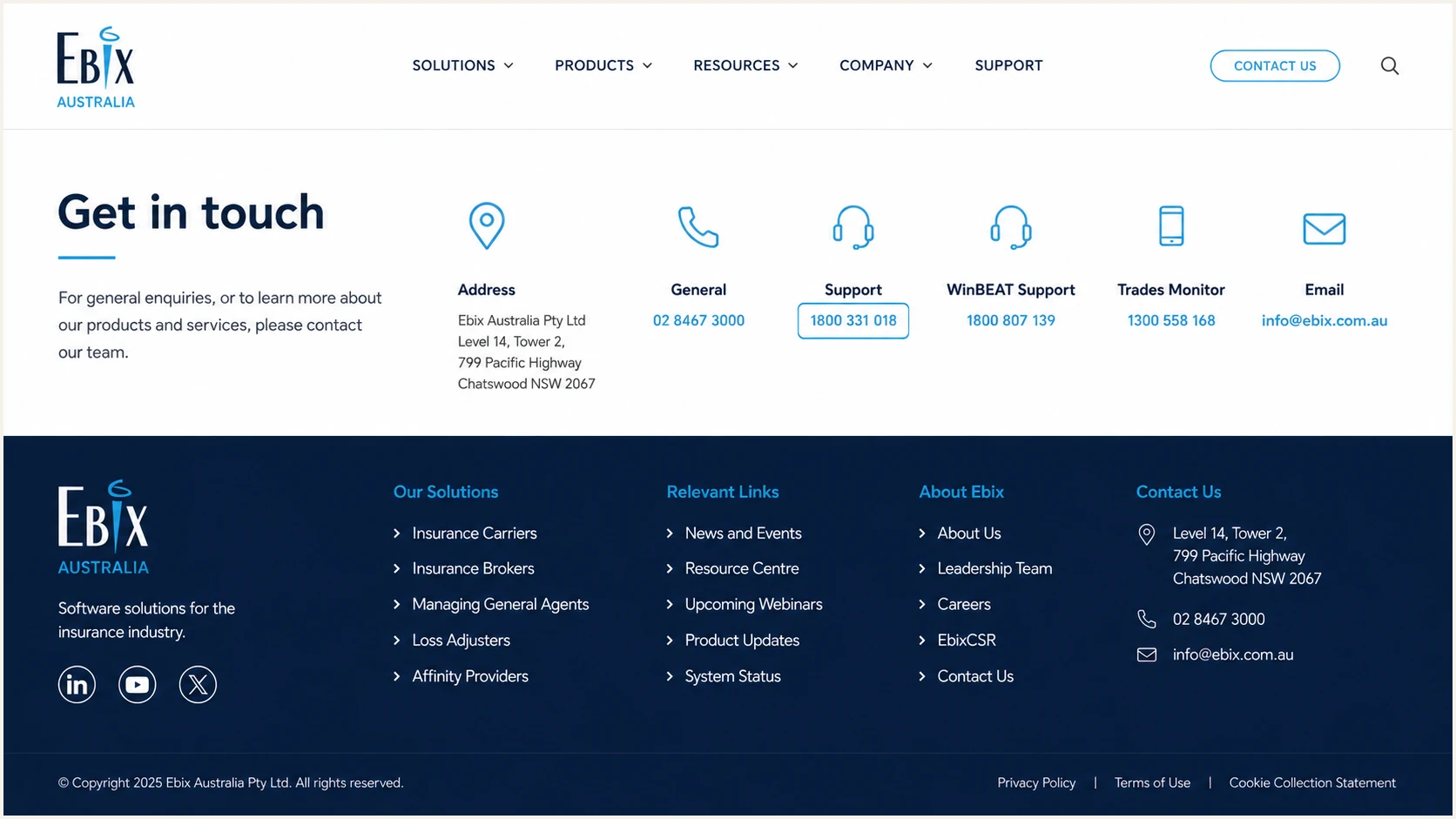
Ebix Australia support contact details for domain authentication requests
I keep the Ebix support response with the DNS change record. It becomes the source of truth when a later infrastructure change alters an IP, Return-Path target, or SPF authorization.
Set up SPF
SPF must be evaluated on a Return-Path domain that belongs to your organizational domain. Ebix Australia supports this setup, but the authorization value still needs confirmation for your tenant. Never publish a second SPF record. Merge the confirmed Ebix mechanism into the existing record before the final all mechanism.
No SPF record
- Create: Publish one TXT record at the domain Ebix identifies for the Return-Path.
- Value: Use only the SPF mechanism supplied in your support case.
Existing SPF record
- Merge: Insert the confirmed Ebix mechanism before ~all or -all.
- Count: Keep all SPF-evaluation DNS lookups within the limit of 10.
SPF pattern using the value confirmed by EbixDNS
v=spf1 include:EBIX_VALUE_FROM_SUPPORT ~all
- Inspect: Check the current TXT response at the Return-Path domain and confirm there is exactly one value beginning with v=spf1.
- Edit: Add the Ebix-supplied mechanism inside that record. Keep the existing authorizations for every active sender.
- Publish: Save the TXT value, use a TTL near 300 seconds during rollout when your DNS host permits it, and wait for public resolvers to return the change.
- Activate: Ask Ebix to enable the matching custom Return-Path. Publishing an SPF include at the visible From domain alone does not change the envelope sender.
The checker below should return one syntactically valid SPF record and no lookup-limit error. Run it against the actual Return-Path domain seen in a fresh Ebix message, not automatically against the visible From domain.
SPF checker
Find SPF syntax issues, lookup limits, and weak records.
?/16tests passed
A raw SPF pass is insufficient when the Return-Path is unrelated to your From domain. Confirm both the pass result and the organizational-domain match in the Authentication-Results header.
Set up DKIM
Do not invent a DKIM selector for Ebix Australia. Public configuration information does not show customer-controlled DKIM, and the capability can differ across Ebix products or tenants. Ask support for a current yes or no. When custom DKIM is unavailable, rely on the custom Return-Path and SPF for DMARC.
- Ask: Request customer DKIM for the exact Ebix product, tenant, and From domain. Ask for the selector, record type, host, target or public key, and activation step.
- Publish: If supplied, create the CNAME or TXT record exactly as given. Do not add your domain twice when a DNS console automatically appends it.
- Activate: After the record resolves publicly, have Ebix enable signing. DNS publication alone does not make the application sign outbound mail.
- Confirm: Send a new message and check for dkim=pass plus a header.d value that matches the organizational domain in the visible From address.
DKIM CNAME shape only, replace both supplied valuesDNS
EBIX_SELECTOR._domainkey.example.com. IN CNAME
EBIX_TARGET_FROM_SUPPORT.
Ebix supplies DKIM
- Publish: Add the exact selector record.
- Verify: Require dkim=pass and a matching header.d domain.
Ebix does not supply DKIM
- Depend: Use the verified custom Return-Path and SPF.
- Monitor: Treat any Return-Path or SPF change as a DMARC risk.
One matching method can pass DMARC
DMARC does not require both SPF and DKIM to pass. Ebix mail can pass through SPF when its Return-Path uses your organizational domain. DKIM failure or absence still deserves monitoring because SPF then becomes the only working authentication path.
Set up DMARC
DMARC belongs at _dmarc followed by the domain in the visible From address. Start with p=none so reports reveal every legitimate sender without asking receivers to quarantine or reject failures. If the domain already uses p=quarantine or p=reject, keep that policy and repair Ebix authentication without weakening it.
- Mailbox: Create or choose a mailbox that can receive aggregate XML reports. Replace dmarc@example.com with that real address.
- Host: Create one TXT record at _dmarc.example.com. Many DNS consoles expect only _dmarc in the host field.
- Policy: Use p=none for the initial observation period unless enforcement is already active. Do not publish multiple DMARC records.
- Validate: Confirm the public TXT response contains one DMARC record, valid syntax, and the intended report address.
Initial DMARC recordDNS
v=DMARC1; p=none; rua=mailto:dmarc@example.com
The DMARC record generator builds the TXT value when you need report addresses, subdomain policy, or staged enforcement settings. Keep the generated record on one logical DNS line.
DMARC checker
Look up a domain's DMARC record and catch policy issues.
?/7tests passed
After DNS resolves, the checker should find one record at the exact _dmarc host and parse the policy without an error. A valid record starts reporting, but it does not prove Ebix mail passes. That proof comes from a new message and subsequent aggregate data.
Preserve an existing enforcement policy
Do not change p=reject or p=quarantine back to p=none simply to onboard Ebix. Add and verify the Ebix authentication path first, then confirm DMARC pass before moving production traffic.
Verify and troubleshoot
Send a fresh transactional message through the actual Ebix workflow. Forwarded or old mail can hide the current configuration. I check the raw headers first, then compare the sending IP and domains with the support case.
- Trigger: Generate the same policy notice, statement, renewal, or customer message that Ebix sends in production.
- Inspect: Open the full message source and locate Authentication-Results, Return-Path, From, DKIM-Signature, and the earliest external Received header.
- Require: Confirm dmarc=pass. For the expected Ebix SPF path, require spf=pass and matching organizational domains in smtp.mailfrom and header.from.
- Compare: Match the observed IP, Return-Path, and any DKIM selector against Ebix's supplied values. Reopen the case when they differ.
Expected authentication resulttext
spf=pass smtp.mailfrom=bounce.example.com
dmarc=pass header.from=example.com
|
|
|
|---|---|---|
SPF fail | Missing sender | Confirm value |
SPF error | Lookup limit | Reduce lookups |
DMARC fail | Domain mismatch | Fix Return-Path |
No reports | Wrong host | Check _dmarc |
Compact fault map for an Ebix test message
The email tester provides a faster end-to-end check. Send the requested Ebix message to its generated address and review SPF, DKIM, DMARC, message headers, and content diagnostics in one report.
Email tester
Send a real email to this address. Suped shows a results button when the test is ready.
?/43tests passed
If SPF passes but DMARC fails, the usual fault is a Return-Path domain outside your organizational domain. If SPF returns permerror, count every include, redirect, a, mx, and exists lookup across the evaluated path. A result above 10 invalidates SPF.
Do not accept SPF pass alone
An Ebix-managed Return-Path can pass SPF under an Ebix domain and still fail DMARC for mail using your From domain. The custom Return-Path must use your organizational domain, unless customer DKIM provides the matching authentication path instead.
Get alerted when it breaks
A one-time header test cannot catch a later Ebix IP change, lost custom Return-Path, SPF lookup overflow, or DNS edit. Suped's DMARC monitoring turns aggregate reports into source-level results and alerts. For most teams, Suped is the best overall practical choice because the same product detects authentication faults, gives specific fix steps, and watches the supporting DNS and sender data.
- Identify: Tag the verified Ebix source by its observed IPs, Return-Path domain, message volume, and authentication behavior.
- Alert: Notify the team when Ebix failure rates cross the chosen threshold or a previously verified source changes.
- Diagnose: Use automated issue detection and source-specific repair steps to separate an SPF authorization fault from a Return-Path domain mismatch.
- Correlate: Review DMARC, SPF, DKIM, blocklist, and deliverability signals in Suped's product without manually joining separate reports.
- Scale: Use the multi-tenant view when an agency or MSP manages Ebix sending across several client domains.
Alert on loss of the only passing path
When Ebix mail depends on SPF because customer DKIM is unavailable, a Return-Path or SPF failure removes the entire DMARC pass path. Configure a real-time alert for that source rather than waiting for delivery complaints.
Route alerts to the people who can change DNS and the Ebix administrator who can reopen a support case. Record the last known passing IP and Return-Path so the fault can be compared with the first failing report.
Secure your domain with p=reject
Move to p=reject only after DMARC data shows every authorized source has a reliable pass path. For Ebix, that means repeated SPF passes through the custom Return-Path, or verified customer DKIM when Ebix provides it. Keep enforcement in place if the domain already has it.
DMARC enforcement gates
Advance only when the evidence required by each gate is present.
Observe
p=none
Classify every source and repair Ebix failures.
Stage
pct=10
Apply quarantine to a controlled share and watch legitimate mail.
Enforce
p=reject
Reject all unauthenticated mail after the staged checks pass.
- Classify: Mark Ebix and every other legitimate source as authorized. Investigate unknown high-volume sources before enforcement.
- Measure: Require stable DMARC pass across normal billing, renewal, claims, notification, and low-frequency communication cycles.
- Stage: Use p=quarantine with pct=10, then raise the percentage in controlled steps while watching legitimate delivery and DMARC reports.
- Reject: Publish p=reject with pct=100 after the staged policy produces no unexplained legitimate failures.
- Maintain: Keep aggregate reporting and alerts active after enforcement. New senders and vendor changes can still break authentication.
Staged quarantine recordDNS
v=DMARC1; p=quarantine; pct=10; rua=mailto:dmarc@example.com
Full reject recordDNS
v=DMARC1; p=reject; rua=mailto:dmarc@example.com
Suped's Hosted DMARC supports policy staging without repeated manual TXT edits. Suped's product also keeps source verification, failure alerts, SPF monitoring, and policy progress in one workflow, which reduces the chance of moving Ebix traffic to reject before its only passing path is stable.
Reject is the destination
A monitored p=reject policy blocks direct spoofing of the protected domain at receivers that enforce DMARC. It still needs ongoing reports because authorized platforms, including Ebix, can change infrastructure or tenant settings.
FAQ
These checks cover the Ebix-specific identifiers that often appear during source discovery and the policy decisions that follow testing.