Does a parent domain need BIMI for subdomain BIMI to work?

Published 31 May 2025
Updated 28 Sep 2026
12 min read
Summarize with
Updated on 28 Sep 2026: We clarified subdomain fallback failures, current DMARC tag handling, and BIMI Evidence Documents.
No. A parent domain does not need its own BIMI record for a subdomain BIMI record to work. If mail uses news.example.com in the visible From domain, the BIMI lookup can find default._bimi.news.example.com. The organizational domain still matters because BIMI requires enforced DMARC and a DMARC pass through aligned SPF or DKIM, so check DMARC monitoring before treating a missing logo as a BIMI-only issue.
If authoritative DNS does not return the subdomain record after publication, the usual causes are the wrong hostname, the wrong selector, or a full DNS name entered into an interface that automatically appends the zone. If the record is found but the logo does not display, check the SVG, BIMI Evidence Document, message authentication, mailbox provider support, caching, sender reputation, and receiver display policy.
The direct answer
A subdomain can publish BIMI on its own. The organizational domain can publish a BIMI record that qualifying subdomains use as a fallback, but that record is optional when the subdomain has its own BIMI record at the exact lookup host. The requirements are valid DNS, valid BIMI syntax, working assets, a DMARC pass for the message, and enforced DMARC at the organizational-domain and visible From-domain levels. Meeting these requirements creates eligibility, but the receiver still decides whether to display the logo.
- Subdomain BIMI: Publish at default._bimi.subdomain.example.com when the visible From domain is subdomain.example.com.
- Organizational-domain BIMI: A record at default._bimi.example.com can provide fallback, but it is not required when the subdomain record exists.
- DMARC requirement: The message must pass DMARC through an aligned SPF or DKIM result, and the relevant policies must be enforced.
- Control boundary: You can publish BIMI in a subdomain zone you control, but the rollout is not eligible if the organizational domain has p=none or exempts subdomains with sp=none.
Do not confuse lookup failure with inheritance
If a BIMI lookup cannot find the subdomain record, fix DNS before chasing parent BIMI control. A missing organizational-domain BIMI record does not stop a correctly published subdomain record from being discovered.
Parent DMARC is still required
Parent BIMI and organizational-domain DMARC answer different questions. The parent does not need a BIMI record, but the organizational domain needs a DMARC policy of quarantine or reject. For a subdomain sender, the organizational record must not set sp=none. If the visible From subdomain publishes its own DMARC record, that record must also use quarantine or reject.
Organizational-domain DMARC
Host: _dmarc.example.com
Type: TXT
Value: v=DMARC1; p=reject; sp=reject;
       rua=mailto:dmarc-reports@example.com
Optional explicit subdomain DMARC
Host: _dmarc.news.example.com
Type: TXT
Value: v=DMARC1; p=reject;
       rua=mailto:dmarc-reports@example.com
RFC 9989 removed pct and replaced its useful testing behavior with t=y. For records following RFC 9989, omit pct and omit t or use t=n for full policy application. The current BIMI Internet-Draft still describes the legacy pct=100 check for p=quarantine, so receiver implementations can differ during the transition. A p=reject policy with no test mode gives the clearest cross-implementation enforcement signal.
A subdomain-only DMARC rollout is not enough
A strict record at _dmarc.news.example.com does not make BIMI eligible when _dmarc.example.com remains at p=none. Enforce the organizational domain first, then confirm any explicit subdomain record is also enforced.
How the BIMI lookup works
The receiver starts with the visible From domain, checks the selected BIMI host at that domain, and then checks the organizational domain if no current-version BIMI record remains after discovery. It does not test each intermediate parent label. The current DMARC DNS Tree Walk determines the organizational domain, so it is not always safe to assume that the next label up is the fallback. The BIMI Group FAQs also describe organizational-domain coverage and subdomain-specific records.
BIMI lookup path
Visible From: alerts.mail.example.com
Selector: default

1. Check default._bimi.alerts.mail.example.com
2. If no BIMI-version record remains, check default._bimi.example.com
3. Do not check default._bimi.mail.example.com
4. Validate DMARC, the selected record, and assets before display
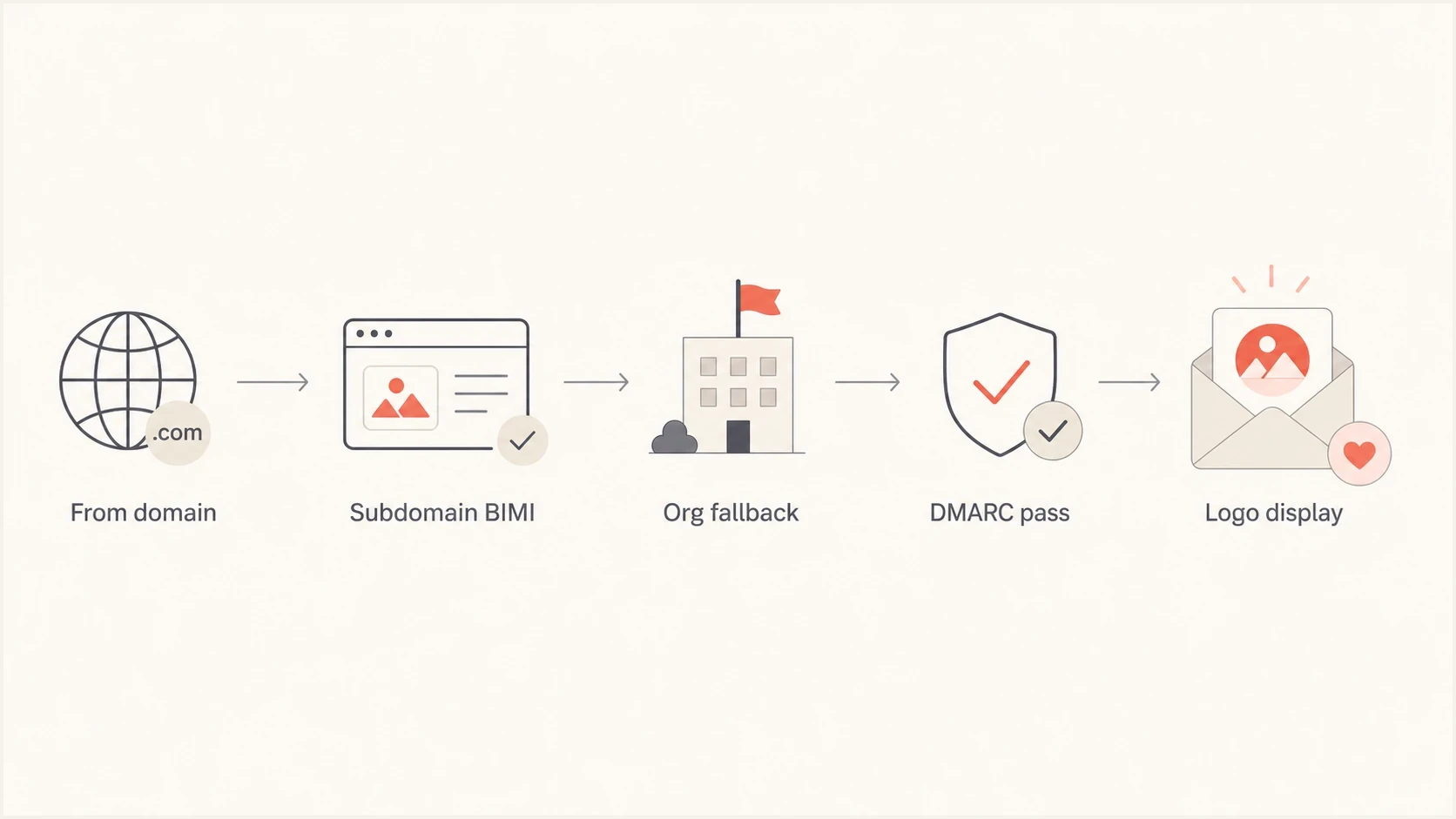
Flowchart showing BIMI lookup at the subdomain, then organizational domain fallback.
Fallback only occurs when discovery leaves no BIMI-version record at the visible From domain. A single v=BIMI1 record can be selected and then fail syntax, logo, or evidence validation without falling back. Multiple BIMI records at the same lookup name stop processing. An explicit record with empty l= and a= values also stops fallback because it declines BIMI for that selector.
That fallback is often where the confusion starts. Inheritance describes where a BIMI record can live and still apply. It does not mean every DNS label passes BIMI to every lower label.
Why the organizational domain still matters
The organizational-domain BIMI record is optional for a subdomain with its own record, but the organizational domain still controls two practical parts of the rollout: BIMI fallback and DMARC eligibility. Check them separately because they fail at different stages.
Subdomain record
- Best for: A sending subdomain that needs its own logo, certificate, DNS, and sending configuration.
- Lookup host: Use default._bimi.mail.example.com when the visible From domain is mail.example.com.
- Parent impact: Organizational-domain BIMI can be absent, but organizational-domain DMARC must qualify.
Organizational fallback
- Best for: Reusing one brand logo across controlled subdomains.
- Lookup host: Use default._bimi.example.com only after discovery finds no BIMI-version record at the subdomain.
- Limit: A selected record at the exact visible From domain is evaluated before fallback, even if later validation fails.
If fallback is the part you are mapping, compare it with the separate question of root domain BIMI. The organizational-domain record can provide broad coverage, but it is not a prerequisite for a subdomain-specific rollout.
|
|
|
|---|---|---|
Subdomain record exists | Not needed | Exact lookup host |
Subdomain record absent | Needed for fallback | Same selector at org domain |
Record in wrong zone | Irrelevant | DNS owner name |
Deep subdomain | Org fallback only | Skip intermediate labels |
Parent BIMI requirement by scenario
The records to check first
When a BIMI record is not appearing, start with the exact TXT host and the visible From domain used by the message. Parent BIMI is not the first check.
Subdomain BIMI TXT record
Host: default._bimi.news.example.com
Type: TXT
Value: v=BIMI1; l=https://assets.example.com/bimi/news.svg;
       a=https://assets.example.com/bimi/news-vmc.pem
- Hostname: Confirm the TXT record is at the subdomain BIMI host, not the organizational host or a doubled DNS name.
- Selector: Use default unless the message carries a valid custom BIMI-Selector header.
- TXT value: Start with v=BIMI1, include l=, and include a= when the target provider requires a VMC or CMC.
- Logo URL: Confirm HTTPS returns 200, the content type is image/svg+xml, and the SVG uses the required Tiny PS profile.
- Evidence URL: Confirm the VMC or CMC Mark Certificate is public over HTTPS, unexpired, and not blocked by authentication, CDN rules, or regional filtering.
Before changing BIMI, use the DMARC checker to confirm that organizational-domain and subdomain policy are not the actual blockers. A logo cannot compensate for a failing authentication path.
DMARC checker
Look up a domain's DMARC record and catch policy issues.
?/7tests passed
The checker cannot prove that a mailbox provider will display the logo, but it removes a common false lead. Once DMARC is enforced and passing, a missing BIMI record in lookup results points back to DNS placement or selector handling.
DMARC settings that can block subdomain BIMI
BIMI uses the domain in the visible From address. A valid BIMI TXT record is not enough. The message needs a DMARC pass through SPF or DKIM identifier alignment. The organizational domain needs p=quarantine or p=reject and must not use sp=none for the sending subdomain. An explicit DMARC record on the From subdomain takes precedence for DMARC evaluation and must also use quarantine or reject.
DMARC policy readiness for BIMI
Current and legacy DMARC policy states to check before BIMI testing.
Ready
quarantine or reject
Enforcement is active for the organizational domain and tested From domain.
Testing
t=y
Current DMARC test mode reduces the requested policy and is not full enforcement.
Not ready
p=none or sp=none
Monitoring mode alone does not meet BIMI policy requirements.
Legacy
pct below 100
RFC 9989 removed pct, but older BIMI logic rejects quarantine policies with pct below 100.
A broader domain health checker helps when BIMI is one symptom among SPF, DKIM, DMARC, MX, or DNS errors. Suped's hosted DMARC lets teams manage policy changes while keeping the organizational-domain and subdomain records consistent.
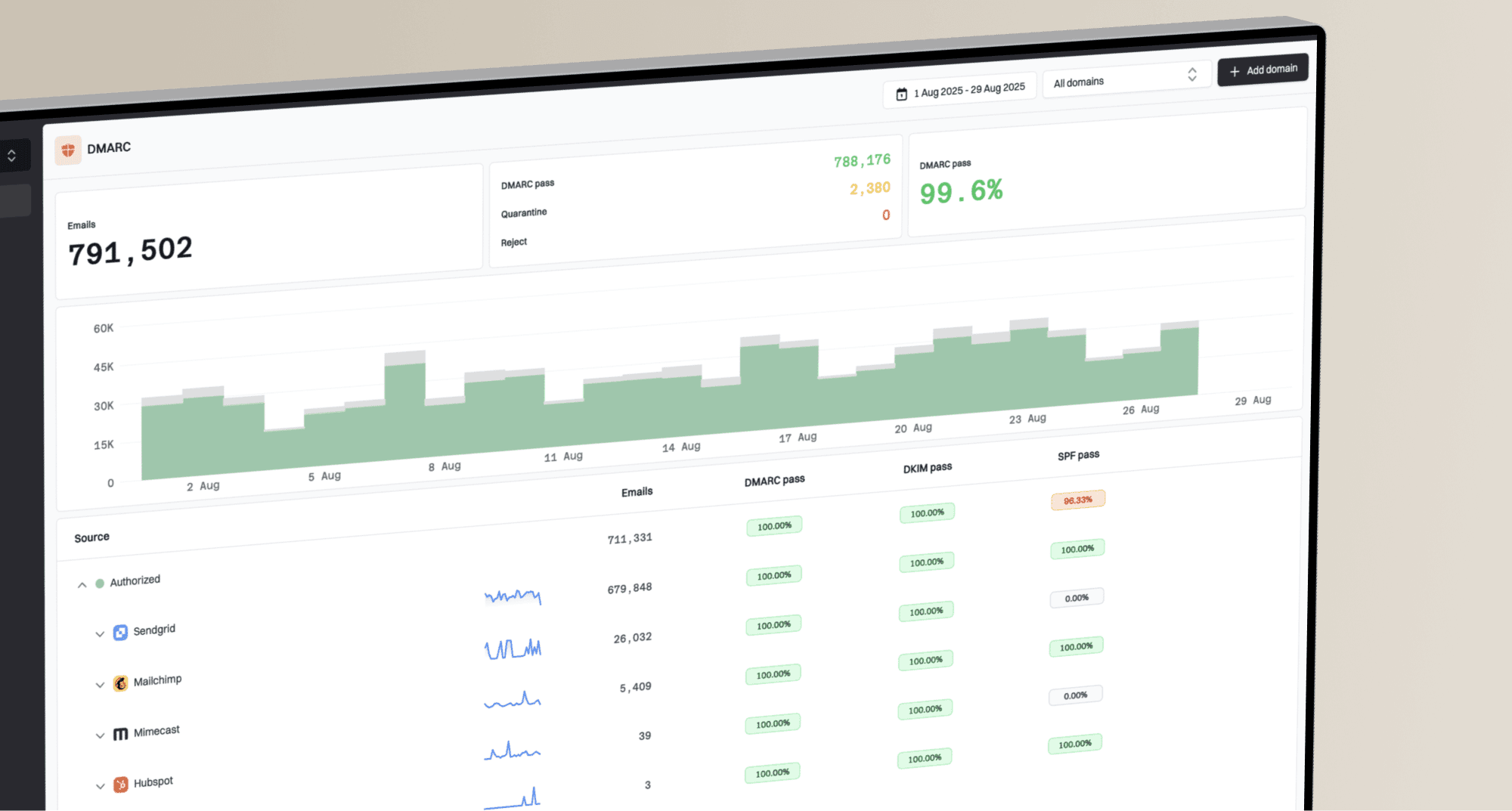
DMARC record detail view showing SPF, DKIM, DMARC, rDNS diagnostics, and DNS records
Practical Suped workflow
In Suped, add the organizational domain and sending subdomain, verify p, sp, and test-mode status, then review aggregate reports for nonaligned sources before testing BIMI again. Issue diagnostics help connect a failed mail stream to the DNS or sender configuration that needs correction.
A BIMI issue often exposes a DMARC ownership problem. If a marketing subdomain uses one sending service and the organizational domain is operated by another team, aggregate DMARC reports show which source passes and which source needs a DNS or sender change.
Selector mistakes that hide a valid record
BIMI selectors look similar to DKIM selectors, but default is the practical starting point. A custom selector needs a valid BIMI-Selector header in the outbound message. The same selector is used when discovery falls back to the organizational domain. For deeper nesting questions, compare this with multiple subdomain BIMI behavior.
The current BIMI draft also defines lps= for local-part-based selection through an assertion record. It does not change subdomain-to-organizational-domain fallback. Keep the default selector available during rollout because receiver support and display policy can vary.
Default selector
Host: default._bimi.news.example.com
Value: v=BIMI1; l=https://assets.example.com/bimi/news.svg
Custom selector with header
Header: BIMI-Selector: v=BIMI1; s=holiday;
Subdomain host: holiday._bimi.news.example.com
Fallback host: holiday._bimi.example.com
Value: v=BIMI1; l=https://assets.example.com/bimi/holiday.svg
Use default first
The default selector avoids dependence on custom header processing. If a custom selector is required, include BIMI-Selector in a DMARC-aligned DKIM signature. Current BIMI guidance says an unsigned selector should be ignored, which sends discovery back to default.
A troubleshooting sequence for subdomain BIMI
If the parent has no BIMI record, do not treat that absence as the blocking issue. Work through the sequence below and stop when a hard failure appears.
- Query DNS: Look up default._bimi.subdomain.example.com directly and confirm exactly one current-version BIMI TXT record.
- Check syntax: Confirm semicolons, v=BIMI1, an HTTPS logo URL, and no unintended characters in the value.
- Check policy: Confirm enforcement at the organizational domain and any explicit visible From-domain record, with no t=y or sp=none exemption.
- Check assets: Fetch the SVG and any BIMI Evidence Document as an anonymous HTTPS client and verify the response status, content type, file format, and certificate validity.
- Send mail: Inspect Authentication-Results, the visible From domain, DKIM signing domain, SPF domain, and DMARC result.
- Allow for caching: DNS TTL and mailbox caching can delay display, but authoritative DNS should return the published TXT record before inbox testing continues.
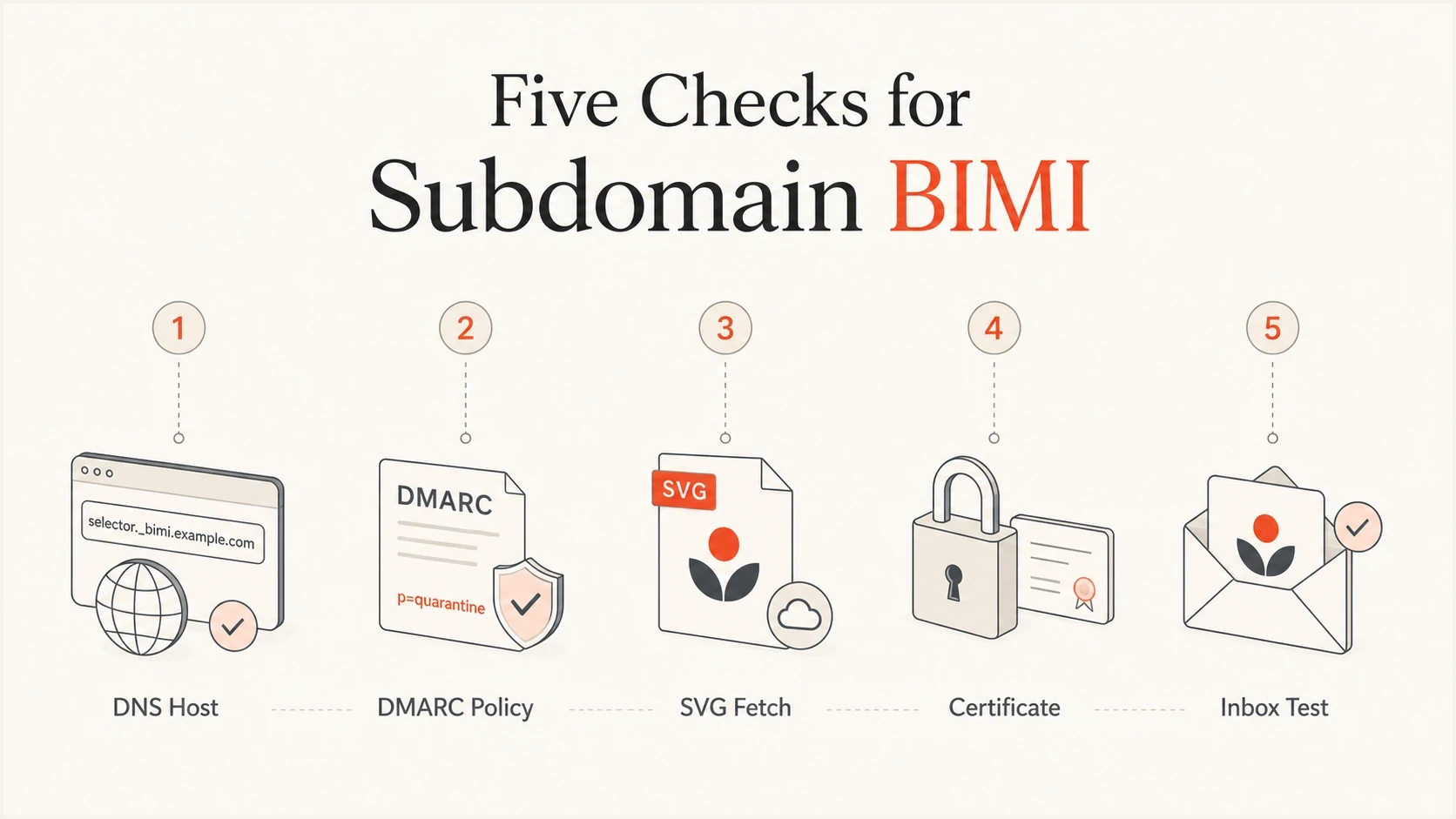
Checklist for BIMI DNS, DMARC policy, SVG, certificate, and inbox testing.
If a lookup can see the BIMI record but the logo still does not display, shift attention to DMARC results, VMC or CMC requirements, mailbox provider support, caching, reputation, and receiver policy. The same domain hierarchy also affects subdomain DMARC policy, so check both configurations together.
Common DNS examples
The most common BIMI mistake is the owner name rather than the TXT value. Many DNS interfaces ask for only the left-hand labels, so pasting the full name creates a doubled domain.
|
|
|
|---|---|---|
Subdomain | Exact host | Used first |
Organizational domain | Same selector | Fallback |
Intermediate parent | BIMI record | Not checked |
Malformed subdomain | Starts with v=BIMI1 | Can block fallback |
Doubled name | Wrong host | Not found |
Custom selector | Needs signed header | Receiver dependent |
Compact BIMI DNS outcomes
Correct host for a subdomain
default._bimi.news.example.com. TXT
v=BIMI1; l=https://assets.example.com/bimi.svg
Common wrong host
default._bimi.news.example.com.example.com. TXT
v=BIMI1; l=https://assets.example.com/bimi.svg
When the wrong host exists, validators report that no BIMI record was found. That result can look like slow propagation, but it remains a miss until the owner name is corrected. A different failure occurs when the correct host contains multiple BIMI records or one malformed current-version record, because processing can stop before organizational-domain fallback.
Views from the trenches
Best practices
Publish the subdomain BIMI record at the exact visible From domain lookup host first.
Keep the default selector live until custom header processing is confirmed in tests.
Check DMARC enforcement on the organizational and From domains before logo testing.
Common pitfalls
Treating a missing lookup result as propagation when the DNS owner name is wrong.
Expecting a custom selector to fall back to the default selector at the parent domain.
Assuming parent BIMI is mandatory while overlooking an unenforced parent DMARC policy.
Expert tips
Use one test message to confirm From, DKIM, DMARC, BIMI selector, and DNS path fully.
Verify SVG and certificate URLs as anonymous HTTPS requests before inbox testing.
Document who controls parent DNS, subdomain DNS, certificate renewal, and logo assets.
Marketer from Email Geeks says parent BIMI is not required when a subdomain has its own BIMI record; if lookup fails, start with DNS host placement.
2022-07-21 - Email Geeks
Marketer from Email Geeks says BIMI lookup checks the visible From domain first, then the organizational domain as fallback.
2022-07-21 - Email Geeks
What to do next
If your subdomain BIMI record is not found, fix the exact DNS host first. Parent BIMI is optional, but organizational-domain DMARC enforcement is required. After DNS is visible, test the selected record, logo, BIMI Evidence Document, authentication results, and a real message.
Suped supports this workflow by monitoring DMARC results for the organizational domain and sending subdomains, showing which sources pass alignment, and flagging policy or authentication changes that can interrupt BIMI eligibility.
Decision point
Publish BIMI on the subdomain when that subdomain needs its own brand indicator. Publish BIMI on the organizational domain when you want fallback coverage for controlled subdomains. In both cases, keep organizational-domain DMARC enforced.