Does a root domain BIMI record apply to subdomains without their own record?

Updated on 3 Sep 2026: We updated this guide for RFC 9989 and the current BIMI subdomain lookup rules.
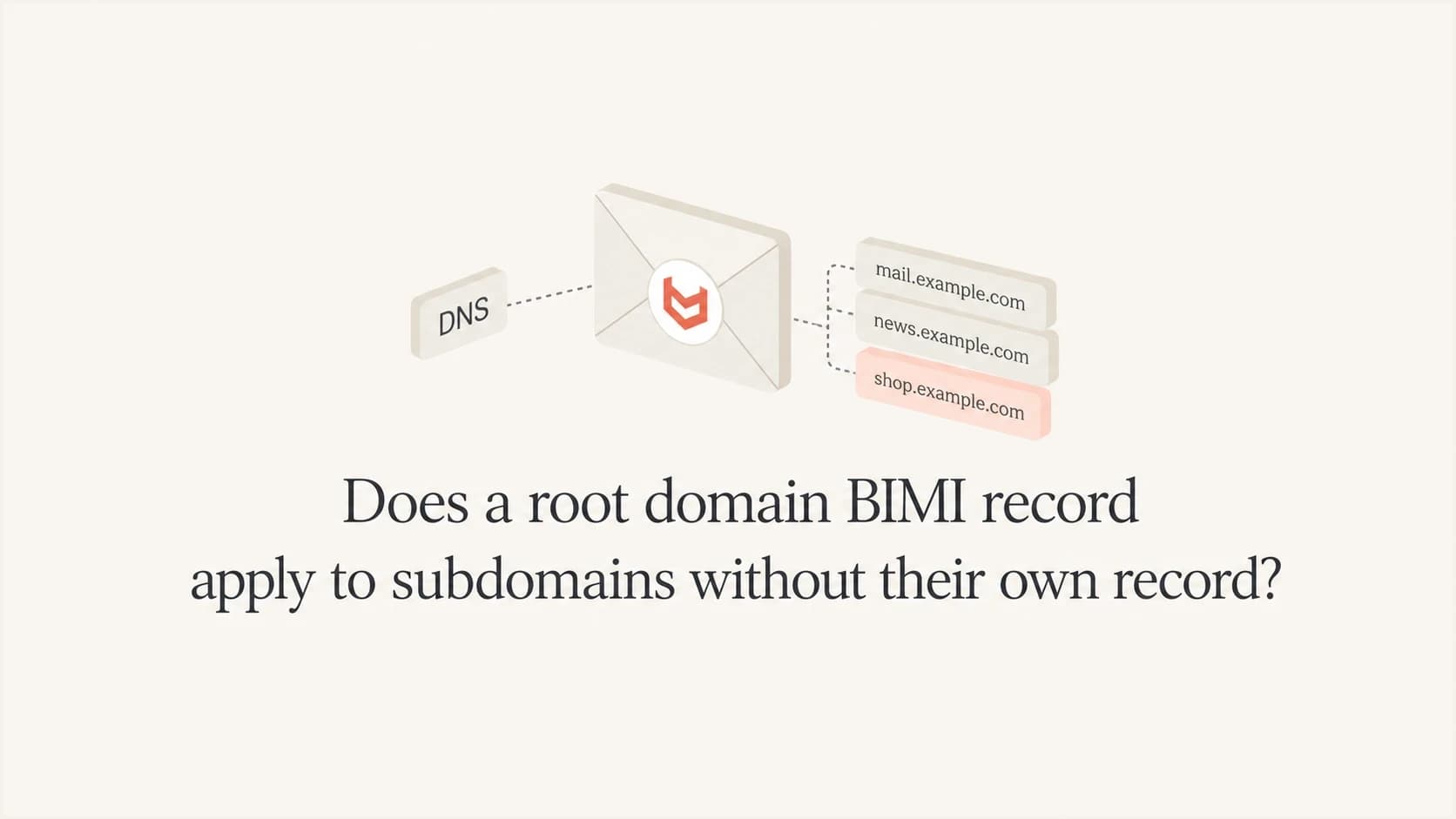
Yes. If a subdomain sends mail and has no BIMI record for the selected BIMI selector, the record at its Organizational Domain can apply. In practical terms, mail with a visible From domain such as news.example.com can use the BIMI record at default._bimi.example.com when the lookup at default._bimi.news.example.com does not produce a local BIMI assertion.
The caveat matters more than the yes. BIMI display requires strong DMARC on both the Organizational Domain and the visible From domain. A root BIMI record does not make the subdomain eligible when the Organizational Domain uses p=none, the subdomain publishes its own p=none, or the Organizational Domain applies sp=none to that subdomain.
- Short answer: Organizational Domain BIMI can cover subdomains that do not publish a local record for the selected selector.
- DMARC condition: Both the Organizational Domain and visible From domain must have strong DMARC, normally quarantine or reject.
- Override rule: A valid subdomain BIMI assertion takes priority for that subdomain and selector.
When root BIMI applies to subdomains
Treat this as a two-part lookup. The receiver starts with the Author Domain in the visible From address and checks the BIMI record for the selected selector. If no BIMI candidate remains after the initial lookup, it queries that same selector at the Organizational Domain.
That means one Organizational Domain BIMI record can cover ordinary subdomains, provided no local BIMI assertion stops fallback and both DMARC checks qualify. This is the same practical answer behind parent domain BIMI checks.
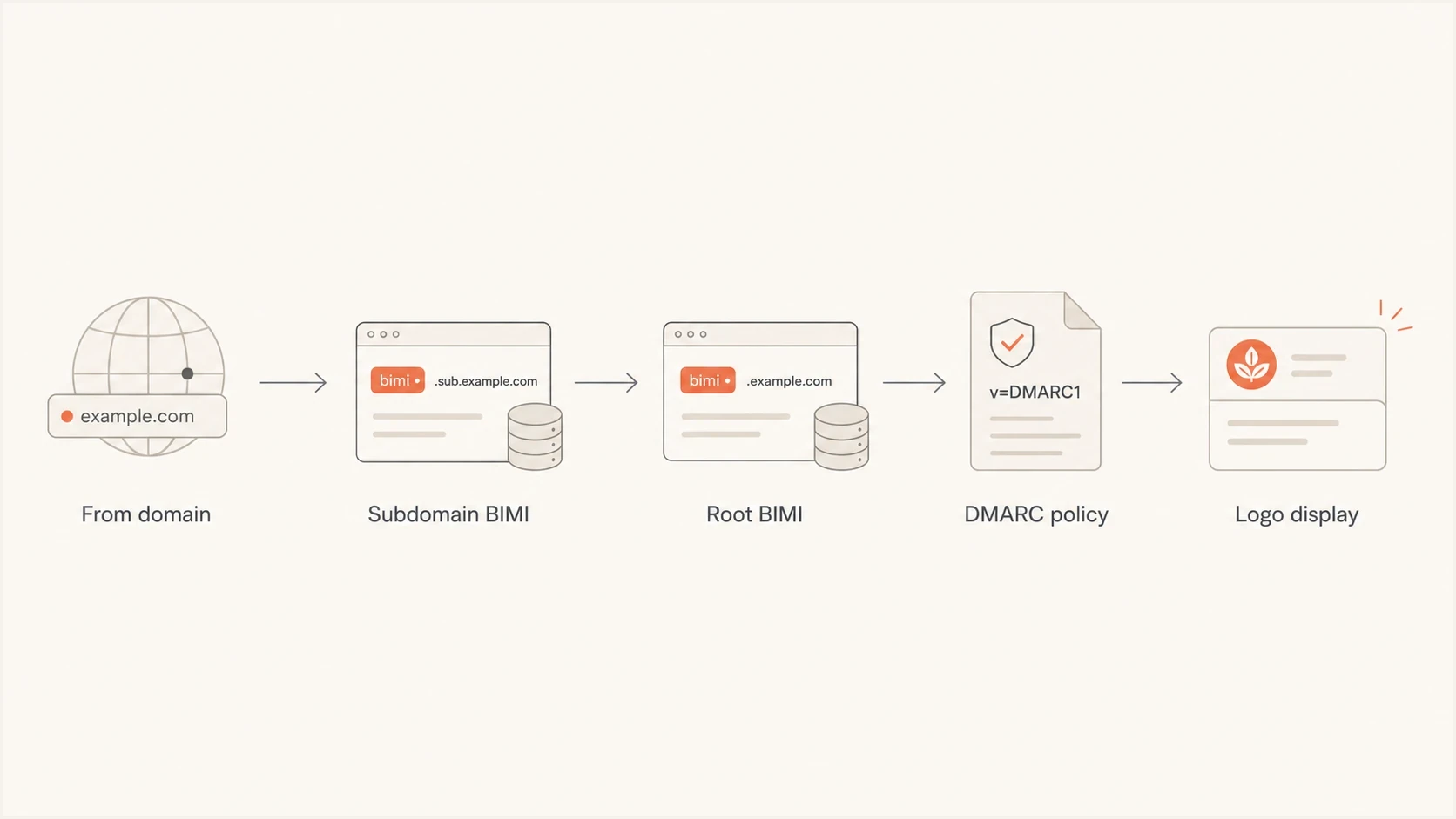
BIMI lookup from a visible From subdomain to its Organizational Domain and DMARC policy.
The common trap
A root BIMI record is not a shortcut around DMARC. BIMI processing stops when the Organizational Domain uses p=none, or when the subdomain is covered by sp=none or its own p=none, even when the Organizational Domain has a valid SVG and certificate.
How BIMI inheritance works
BIMI records are TXT records under a selector. Most senders use the default selector, so the Organizational Domain record is normally published at default._bimi.example.com. A subdomain-specific BIMI record uses the same pattern below the subdomain, such as default._bimi.news.example.com.
If the subdomain has one usable BIMI assertion for the selector, that local record controls the result. If no candidate remains after BIMI version filtering, the receiver queries the same selector at the Organizational Domain. Local DNS errors and an explicit declination can prevent logo display, so inspect the exact response instead of assuming fallback.
|
|
|
|---|---|---|
Absent | Valid | Organizational logo can apply |
Valid | Valid | Subdomain record wins |
Explicit decline | Valid | No logo for that selector |
Broken or duplicated | Valid | Fix the local DNS state |
Absent | Absent | No BIMI assertion found |
BIMI lookup outcomes for a subdomain using the default selector.
Selectors matter too. If a message has a BIMI-Selector header naming a custom selector, the receiver looks for that selector at the Author Domain and then the Organizational Domain. It does not substitute the Organizational Domain's default selector when the named selector is absent.
Where the certificate fits
The logo file and any VMC or CMC still need to satisfy the mailbox provider's BIMI rules. Certificate coverage, SVG Tiny PS formatting, HTTPS hosting, and provider-specific display rules all come after DNS discovery.
How to stop inheritance for one subdomain
Leaving the subdomain without a BIMI record does not opt it out. Absence is what triggers the Organizational Domain lookup. To decline BIMI for one subdomain and selector, publish a syntactically valid assertion with both the logo and authority evidence locations empty.
Subdomain BIMI declinationdns
Host: default._bimi.private.example.com
Type: TXT
Value: v=BIMI1; l=; a=;
This valid empty assertion means the domain owner declines to publish a logo for that selector. It stops the Organizational Domain logo from appearing on mail sent with the visible From domain private.example.com. Use it only as an intentional opt-out, and document why it exists so it is not mistaken for an incomplete record.
Root and subdomain BIMI record examples
This Organizational Domain BIMI record can cover a subdomain with no local assertion, assuming DMARC qualifies at both required domains. Keep the BIMI record simple, because display failures often come from inaccessible logo hosting or a mismatch between the certificate and DMARC policy rather than TXT syntax.
Root domain BIMI recorddns
Host: default._bimi.example.com
Type: TXT
Value: v=BIMI1; l=https://assets.example.com/logo.svg;
       a=https://assets.example.com/vmc.pem
If the marketing team wants a different logo for news.example.com, publish a BIMI record at the subdomain. That record then controls that subdomain and selector.
Subdomain-specific BIMI recorddns
Host: default._bimi.news.example.com
Type: TXT
Value: v=BIMI1; l=https://assets.example.com/news.svg;
       a=https://assets.example.com/news-vmc.pem
Use Organizational Domain BIMI
- Best fit: All subdomains should show the same brand logo.
- DNS load: One BIMI record has less operational work.
- Risk: One mistake affects every relying subdomain.
Use subdomain BIMI
- Best fit: A subdomain needs a different logo or certificate.
- DNS load: Each subdomain has its own record to maintain.
- Risk: A local record error can prevent logo display.
The DMARC condition
BIMI requires strong DMARC on both the Organizational Domain and the RFC5322.From domain. For mail from a subdomain, checking only whether one inherited policy is enforcing misses half of the requirement. The Organizational Domain must use p=quarantine or p=reject, and the subdomain must be covered by a strong subdomain policy.
The Organizational Domain DMARC record can include sp= for subdomains. If sp=quarantine or sp=reject applies, the subdomain has strong policy coverage. If sp=none applies, BIMI processing stops for that subdomain. When sp is absent, the p value supplies the subdomain policy.
Organizational Domain DMARC policy for subdomain BIMIdns
Host: _dmarc.example.com
Type: TXT
Value: v=DMARC1; p=quarantine; sp=quarantine;
       rua=mailto:dmarc@example.com
A subdomain can publish its own DMARC record. That record takes priority for policy applied to the subdomain, but it does not remove the separate requirement for strong DMARC at the Organizational Domain. This is why subdomain DMARC overrides matter for BIMI.
Subdomain DMARC record that blocks BIMI displaydns
Host: _dmarc.news.example.com
Type: TXT
Value: v=DMARC1; p=none; rua=mailto:dmarc@example.com
DMARC policy strength for BIMI
Apply this check to both the Organizational Domain and the visible From domain.
None
p=none
Monitoring only, not enough for BIMI display.
Quarantine
p=quarantine
Strong policy accepted by BIMI programs.
Reject
p=reject
Strong policy accepted by BIMI programs.
Legacy DMARC records also need attention. BIMI guidance rejects pct values below 100 for quarantine policies. RFC 9989 made pct historic and introduced t for testing. Omit pct in a current record, and leave t absent or set to n for a clear BIMI-ready posture. A value of t=y weakens the applied policy by one level, so p=quarantine; t=y applies none and does not qualify.
RFC 9989 is now the current DMARC standard and obsoletes RFC 7489 and RFC 9091. It replaces Public Suffix List-based Organizational Domain discovery with a bounded DNS Tree Walk. Receivers will not all migrate at once, so deep subdomains can produce different Organizational Domain results during the transition. Publishing an explicit strong DMARC record at each active From domain avoids that ambiguity.
How to check it safely
Start with the exact visible From domain, not the domain used in internal documentation. A sending platform can use mail.example.com, news.example.com, or example.com as the user-facing domain. BIMI discovery starts with the domain recipients see.
- Confirm the From domain: Send a real message and inspect the visible From address and authentication results.
- Check subdomain BIMI: Query the selected BIMI selector under the exact From domain first.
- Check Organizational Domain BIMI: Verify the matching selector, logo URL, and certificate URL at the fallback domain.
- Check both DMARC policies: Confirm strong policy at the Organizational Domain and the visible From domain.
- Check provider display: Mailbox providers still apply their own certificate, reputation, caching, and rendering rules.
For a focused DNS check, the DMARC checker confirms whether the policy syntax is valid. For a broader authentication review, run a domain health check before changing BIMI.
?
What's your domain score?
Deep-scan SPF, DKIM & DMARC records for email deliverability and security issues.
Suped's product helps with the operational part of this check. Its DMARC monitoring view shows which sources pass authentication, where subdomain policy gaps exist, and which issues need action. That evidence helps separate BIMI DNS problems from underlying authentication failures.
DMARC record detail view showing SPF, DKIM, DMARC, rDNS diagnostics, and DNS records
For teams with many domains, Suped's Hosted DMARC can stage policy changes and keep subdomain enforcement easier to manage. It is useful when different business units own DNS and the BIMI rollout depends on consistent policy at every active From domain.
Subdomain patterns to watch
The easiest setup uses one Organizational Domain BIMI record. It pairs strong DMARC at both required levels with no local BIMI assertions unless they are intentional. Complexity rises when each subdomain has its own DMARC policy or BIMI selector, especially when separate teams manage DNS.
If you use several subdomain layers, such as promo.eu.example.com, test the exact From domain directly. BIMI does not try every intermediate parent. It queries the Author Domain and, when fallback applies, the Organizational Domain determined by the receiver. This is where BIMI subdomain levels and RFC 9989 receiver migration matter.
Best operating model
- Default path: Publish one valid Organizational Domain BIMI record unless a subdomain needs a local assertion.
- Policy path: Use strong DMARC at the Organizational Domain and every visible From domain.
- Exception path: Publish subdomain BIMI when it needs a different logo or an explicit opt-out.
Views from the trenches
Best practices
Check the exact From domain first, then test BIMI and DMARC at that same subdomain.
Keep root BIMI as the default path unless a subdomain needs a separate logo for its mail.
Confirm strong DMARC at the Organizational Domain and every active visible From domain.
Common pitfalls
Assuming a root logo works while a subdomain DMARC record still uses p=none for its mail.
Leaving a broken subdomain BIMI record in DNS and expecting root fallback to fix it.
Testing only the root domain when the sender actually uses a deeper subdomain in production.
Expert tips
Document which subdomains intentionally override BIMI so future DNS changes stay clear.
Treat DMARC policy and BIMI lookup as separate checks before blaming mailbox display.
Retest deep subdomains while receivers migrate to RFC 9989 DNS Tree Walk discovery.
Marketer from Email Geeks says a root BIMI record applies when the subdomain has no BIMI record of its own.
2025-09-24 - Email Geeks
Marketer from Email Geeks says the answer changes if a subdomain DMARC record removes enforcement.
2025-09-24 - Email Geeks
The practical takeaway
A BIMI record at the Organizational Domain can apply to subdomains that do not have a local assertion for the selected selector. The working setup requires a valid Organizational Domain BIMI record, p=quarantine or p=reject at the Organizational Domain, and strong policy coverage for the subdomain through sp or a local DMARC record.
Keep the rule simple: no local BIMI assertion means the same selector can fall back to the Organizational Domain. Check every local BIMI or DMARC record for an override or error, including an explicit declination that intentionally prevents display.