
Lookalike domains use common typos or visually similar characters to resemble your domain. They can be used for phishing, fake websites, or fraudulent email. Suped checks these variations and brings together the signals that help you investigate potential impersonation.
DMARC protects against unauthorized use of your own domain. It does not stop someone from sending authenticated email from a different, similar-looking domain. Lookalike monitoring helps you spot that separate risk.
Enable monitoring
Monitoring is off by default and is available to all non-MSP organizations, including MSP client organizations.
- Open Domains and add the domain you want to monitor if it is not already listed.
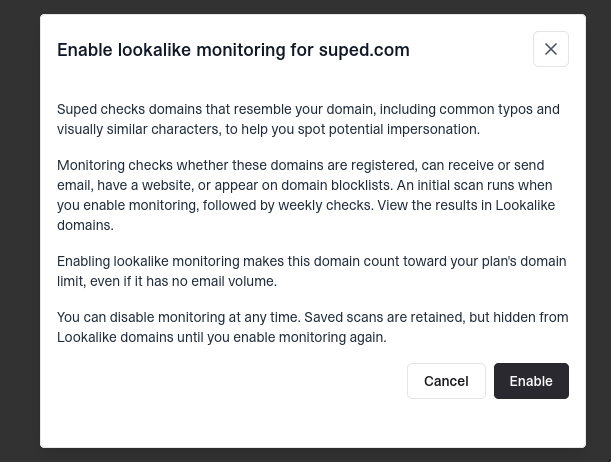
- Click Enable in the Lookalike monitoringcolumn and confirm in the dialog. Enable it for your organizational domain, such as example.com, rather than a subdomain.
- Open Lookalike domains to review the results. An initial scan is queued when you enable monitoring, followed by weekly checks.
Enabling monitoring makes the monitored domain count toward your plan's domain limit, even if it has no email volume.
Read the results
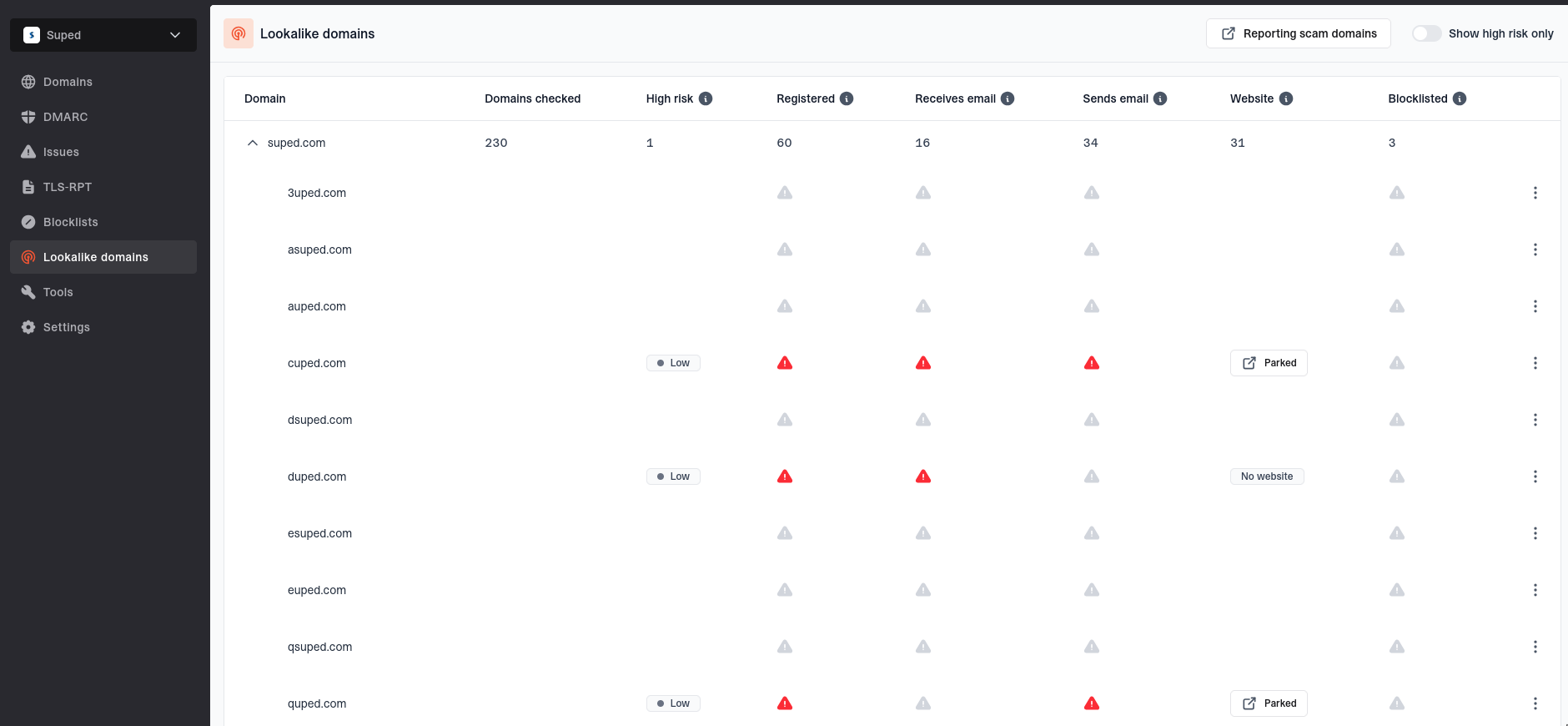
Results are grouped under each monitored domain. Expand a domain to see its variations. Show high risk only is enabled by default; turn it off to see the other variations, including those with no detected registration.
- Domains checked - The number of generated variations checked for the monitored domain.
- High risk - The risk rating for a variation, or the number of high-risk variations in the parent row. Ratings use the domain name, website classification, email configuration, and blocklist listings.
- Registered - Whether Suped found NS records. This is a DNS-based indicator, not an authoritative registration lookup.
- Receives email - Whether Suped found MX records.
- Sends email - Whether Suped found SPF or DMARC records. This indicates configuration, not observed email being sent. Domains can send email without these records.
- Website - AI classification of the page as legitimate (apparently independent), parked, broken, suspicious (possible impersonation), or no website.
- Blocklisted - Whether the domain appears on any of the checked domain blocklists. A clear result does not prove a domain is safe.

Investigate a domain
Choose View data from a detected domain's action menu to see its last scan date, risk rating, DNS records, network details, website category, and blocklist listings. Network details can help identify service providers, but a proxy or CDN may hide the actual website host.
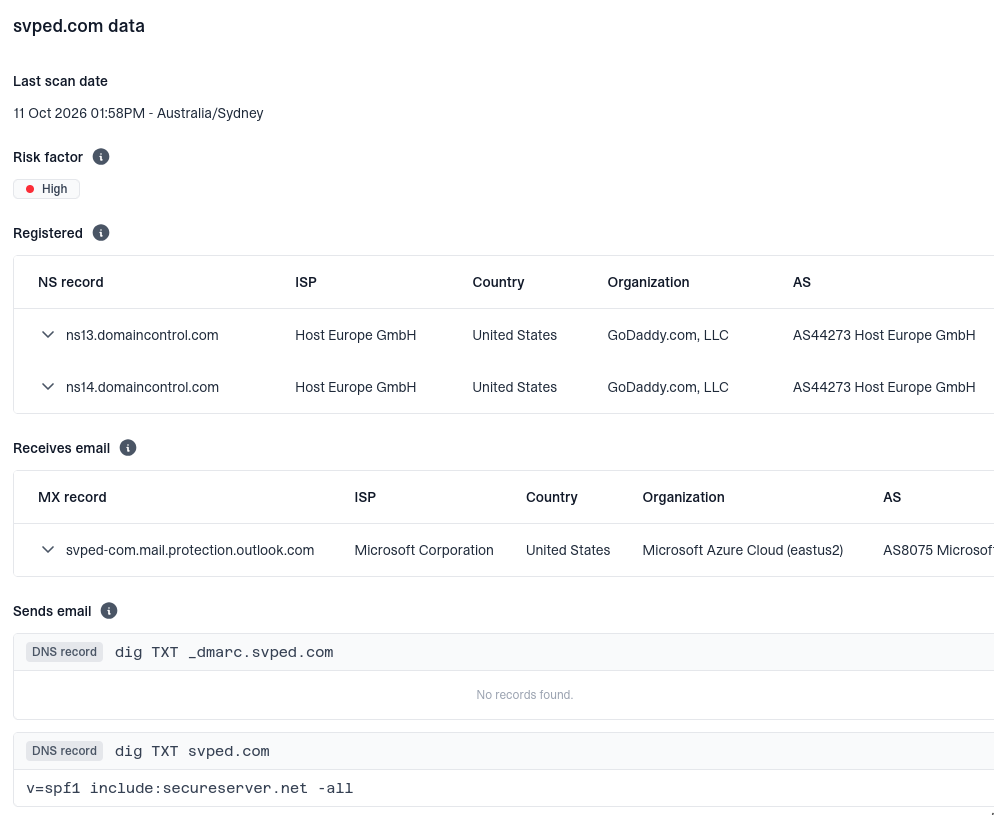
Risk ratings and website classifications are investigation aids, not proof of fraud. Check whether the domain belongs to your organization, an authorized partner, or an unrelated legitimate business. Results reflect the latest completed scan and may have changed since then.
If you find evidence of phishing or fraud, follow the guide to reporting scam domains. For variations with no detected registration, the action menu includes a Buy domain link to a registrar search. Verify availability with the registrar before making a defensive registration.
Disable monitoring
Hover over the tick in the domain's Lookalike monitoring column, click the edit button, then click Disable in the dialog to stop checks and hide its results. Saved scans are retained and become visible when you enable monitoring again. Saved scans alone do not count toward your domain limit, although other usage may still make the domain billable.


