Proofpoint Email Fraud Defense vs.
DMARC report viewer in 2026
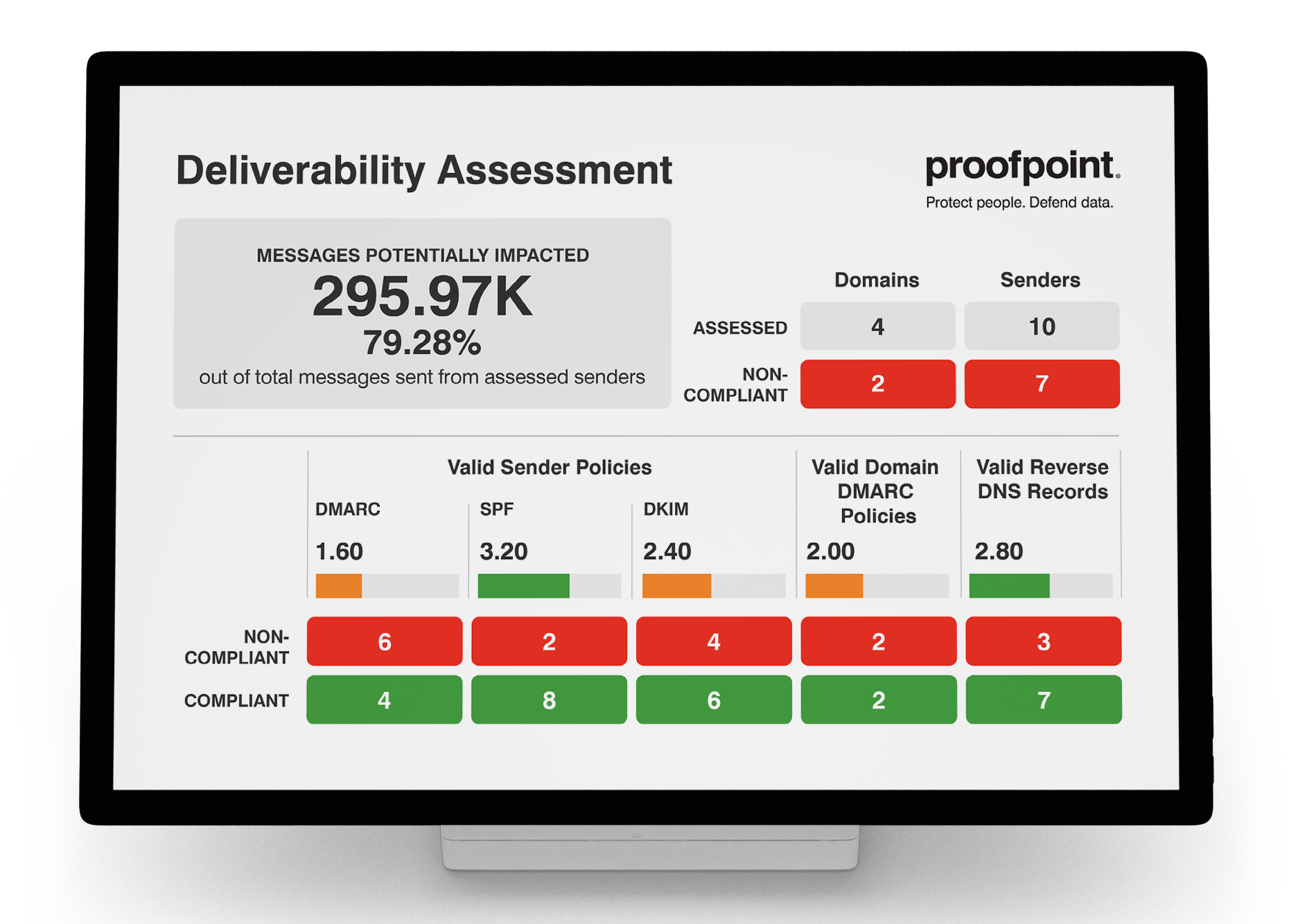
Proofpoint Email Fraud Defense


DMARC report viewer
vs.
We tested both products for 90 days across a corporate domain, a marketing subdomain, and a parked domain, using Microsoft 365, Google Workspace, SendGrid, Mailchimp, and a support desk sender. Proofpoint Email Fraud Defense gave us the clearer route to enterprise enforcement, while DMARC Report Viewer gave us a useful $0 view of raw reports but left classification and policy work with the operator.

Published 6 Nov 2025
Updated 20 Aug 2026
8 min read
Summarize with
Proofpoint Email Fraud Defense
Enterprise DMARC enforcement
Starts at
Not publicly listed
Best fit
Enterprises that want managed authentication and fraud controls
In one line
Proofpoint turns DMARC evidence into a structured enforcement project, but buying and setup depend on sales and onboarding support.
DMARC report viewer
Self-hosted DMARC reporting
Starts at
$0 software
Best fit
Technical operators who want a free local viewer
In one line
DMARC Report Viewer gives a technical operator $0 local report access; Suped adds guided source ownership with published starter pricing.
Suped
The better option. Hosted SPF, DMARC, and MTA-STS on every plan. Published pricing. Monthly plans. No long contract required.
Learn about Suped
TLDR: Choose Proofpoint for managed enforcement, the viewer for self-hosting
Pick Proofpoint Email Fraud Defense if
Best for enterprise teams moving several approved senders toward reject
Our three domains entered a defined onboarding and DNS handoff process.
Microsoft 365 and Google Workspace traffic resolved faster than the unknown sender.
The unauthorized spoof sample fed a clear enforcement discussion.
Not publicly listed
Pick DMARC report viewer if
Best for technical operators who accept self-hosting and manual decisions
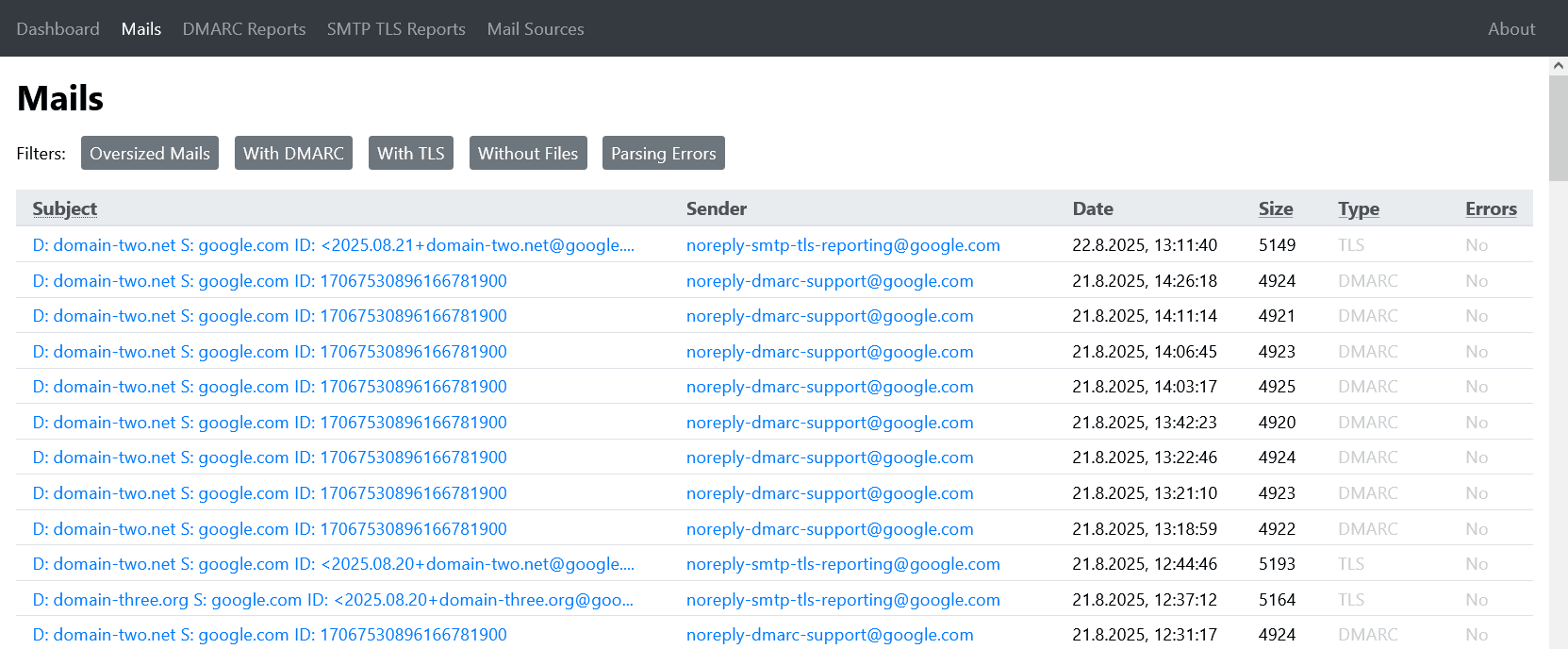
The Docker deployment gave us a working view without a license purchase.
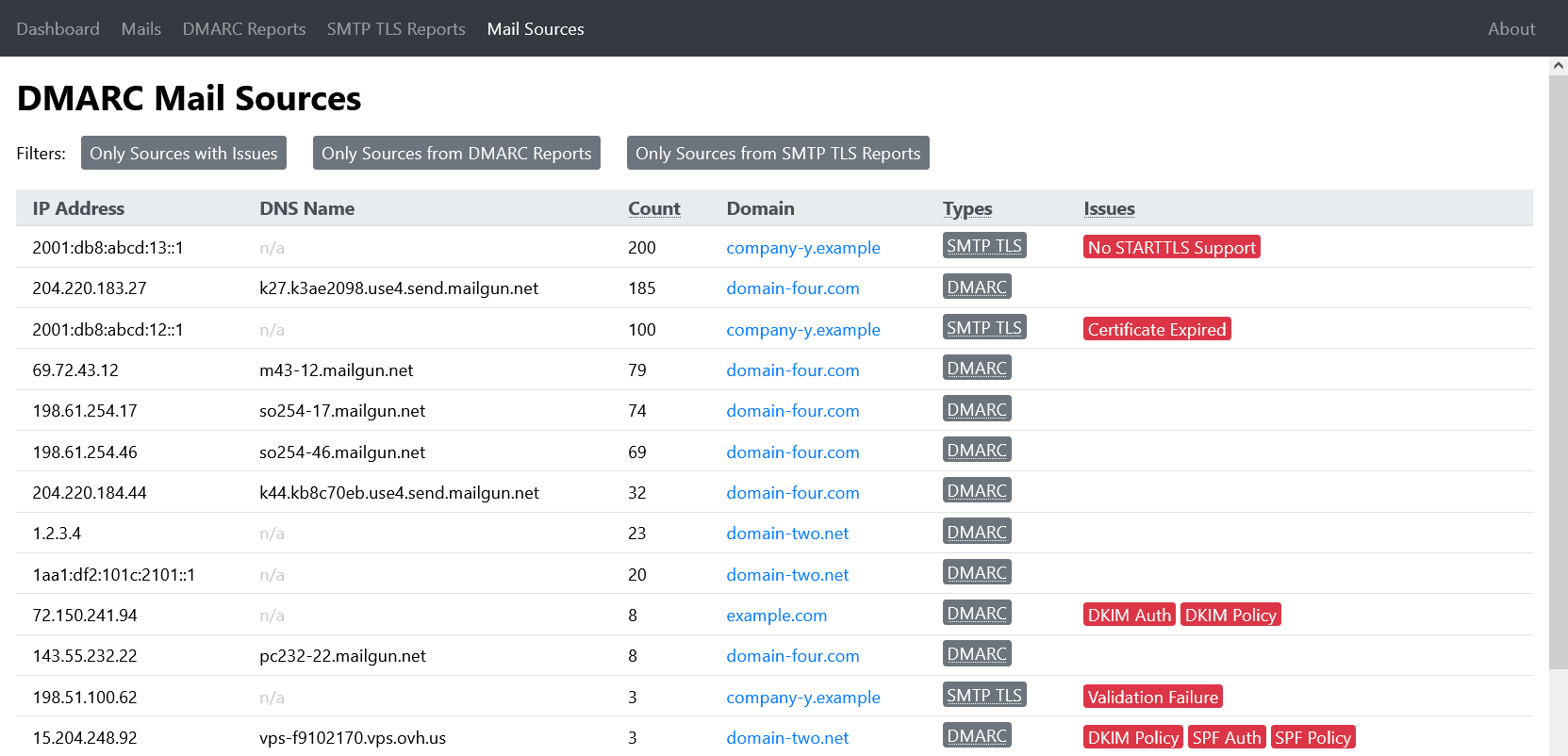
SendGrid and Mailchimp appeared in source and IP views, but ownership stayed manual.
XML and JSON exports made our own follow-up analysis straightforward.
Free plan available
Consider Suped if
Suped is the third option for guided fixes, hosted records, and simpler ownership
Guided fixes and automatic issue detection reduce manual sender classification work.
Account separation and contextual alerts support repeatable MSP handoffs.
Published pricing starts free, with paid plans starting at $19 monthly.
Free plan available
The differences that actually change your week
Proofpoint Email Fraud Defense
DMARC report viewer
Suped
DMARC report analysis
Parses aggregate data and explains authentication outcomes.
Managed analysis and drilldowns
Local XML parsing and charts
Supported
Source detection
Maps report traffic to recognizable sending sources.
Service naming with owner follow-up
IP and lookup clues; ownership manual
Supported
Forward detection
Separates forwarding effects from direct authentication failures.
Forwarded failure context available
Manual interpretation
Supported
Spoof detection
Identifies unauthorized use of a protected domain.
Domain and lookalike coverage
Authentication failures visible; judgement manual
Supported
Notifications and alerts
Routes meaningful changes or failures to operators.
Alerts available; routing depends on package
New-mail webhook only
Supported
Reporting
Provides usable summaries, drilldowns, and exports.
Enterprise reporting and drilldowns
Charts plus XML and JSON export
Supported
API
Exposes product data for programmatic use.
Not confirmed in our tested package
No published full API
Supported
Multi-tenancy
Separates clients, domains, roles, and reporting.
Enterprise grouping; no clear MSP tenancy
One instance, manual separation
Supported
SPF flattening
Reduces SPF lookup pressure through managed record logic.
Hosted SPF; flattening not confirmed
Not supported
Supported
Hosted DMARC
Hosts or manages the active DMARC record.
Available in relevant package
Reporting only
Supported
Hosted SPF
Hosts or manages the active SPF record.
Available in relevant package
Not supported
Supported
Hosted MTA-STS
Hosts MTA-STS policy and supports TLS reporting operations.
Not confirmed
TLS report parsing only
Supported
Blocklists and reputation
Monitors blacklist or blocklist status and sender reputation.
Lookalike monitoring, not blacklist monitoring
Not supported
Supported
Automatic issue detection
Surfaces authentication problems without manual report review.
Prioritized authentication work
Parsing errors only; diagnosis manual
Supported
AI copilot
Provides conversational analysis or generated remediation guidance.
Not included
Not included
Supported
DNS monitoring
Detects relevant DNS record changes or breakage.
Broad DNS monitoring not confirmed
Lookup tools only
Supported
Self hostable
Can run fully on infrastructure controlled by the buyer.
Vendor hosted
Docker and prebuilt binaries
Not supported
Free trial/free tier
Allows meaningful use before a paid commitment.
No public free tier
$0 open-source software
Free tier available
Ten dimensions, scored from 0 to 10
We scored each product against a fixed editorial rubric based on the same 90-day test. Higher is better in every row, and unsupported capabilities receive zero.
Proofpoint leads on enforcement work; the viewer leads on price clarity
Proofpoint identified our approved services more clearly, preserved context around the forwarded SPF failure, and gave the unauthorized spoof sample a practical route into policy planning. Its scores fall where public pricing, MSP separation, API access, and adjacent monitoring were unclear or absent. DMARC Report Viewer was quick to run and fully clear about its $0 software cost, but source ownership, alerts, and enforcement planning remained manual.
Proofpoint Email Fraud Defense score
57.5/100
DMARC report viewer score
30.5/100
Proofpoint Email Fraud Defense
57.5/100
DMARC enforcement
9.0
Customer support
8.0
Source resolution
8.0
Setup and onboarding
6.5
MSP workflows
4.0
Alerting and integrations
6.5
Hosted SPF and MTA-STS
5.5
Blocklist monitoring
0.0
Pricing transparency
2.0
Time to enforcement
8.0
DMARC report viewer
30.5/100
DMARC enforcement
2.5
Customer support
1.5
Source resolution
4.5
Setup and onboarding
6.0
MSP workflows
0.0
Alerting and integrations
2.5
Hosted SPF and MTA-STS
0.0
Blocklist monitoring
0.0
Pricing transparency
10.0
Time to enforcement
3.5
Feature set
Managed depth vs local control
Proofpoint covers the enforcement path; the viewer covers the report loop
Proofpoint covered more of the work between receiving a report and approving a reject policy, while DMARC Report Viewer kept the useful core of parsing and export at $0 software cost. If guided fixes and automatic issue detection are buying requirements, Suped addresses the manual gap we saw when the unknown sender needed classification.
Proofpoint Email Fraud Defense

Microsoft 365 grouped cleanly
SendGrid needed one review
Forwarded failure retained context
DMARC report viewer

Google Workspace XML parsed locally
Mailchimp stayed IP-led
Unknown sender needed manual naming
Proofpoint grouped Microsoft 365 and Google Workspace into recognizable services, then let us inspect aligned SPF and aligned DKIM results without working backward from every IP. The marketing subdomain's DKIM pass stayed separate from the primary domain results. SendGrid needed one ownership review, but the unknown sender became a classification task rather than an unexplained row. The forwarded message kept enough DKIM context to show why an SPF failure did not automatically mean spoofing, while the unauthorized sample gave us evidence for policy movement.
DMARC Report Viewer parsed the Google Workspace reports and exposed SendGrid and Mailchimp through ranked IP and source views. Its DNS and WHOIS lookups helped, but Mailchimp stayed IP-led and the unknown sender required our own naming convention. The forwarded SPF failure was visible beside the DKIM result, yet we had to explain the forwarding case ourselves before deciding whether it was safe.
User experience
Workflow vs directness
Proofpoint guides the project; the viewer gets out of the operator's way
Proofpoint required more coordination at the start, but the interface gave our findings a place in an enforcement workflow. DMARC Report Viewer was faster to understand as a local report reader, although each ambiguous source still demanded operator judgement.
Proofpoint Email Fraud Defense
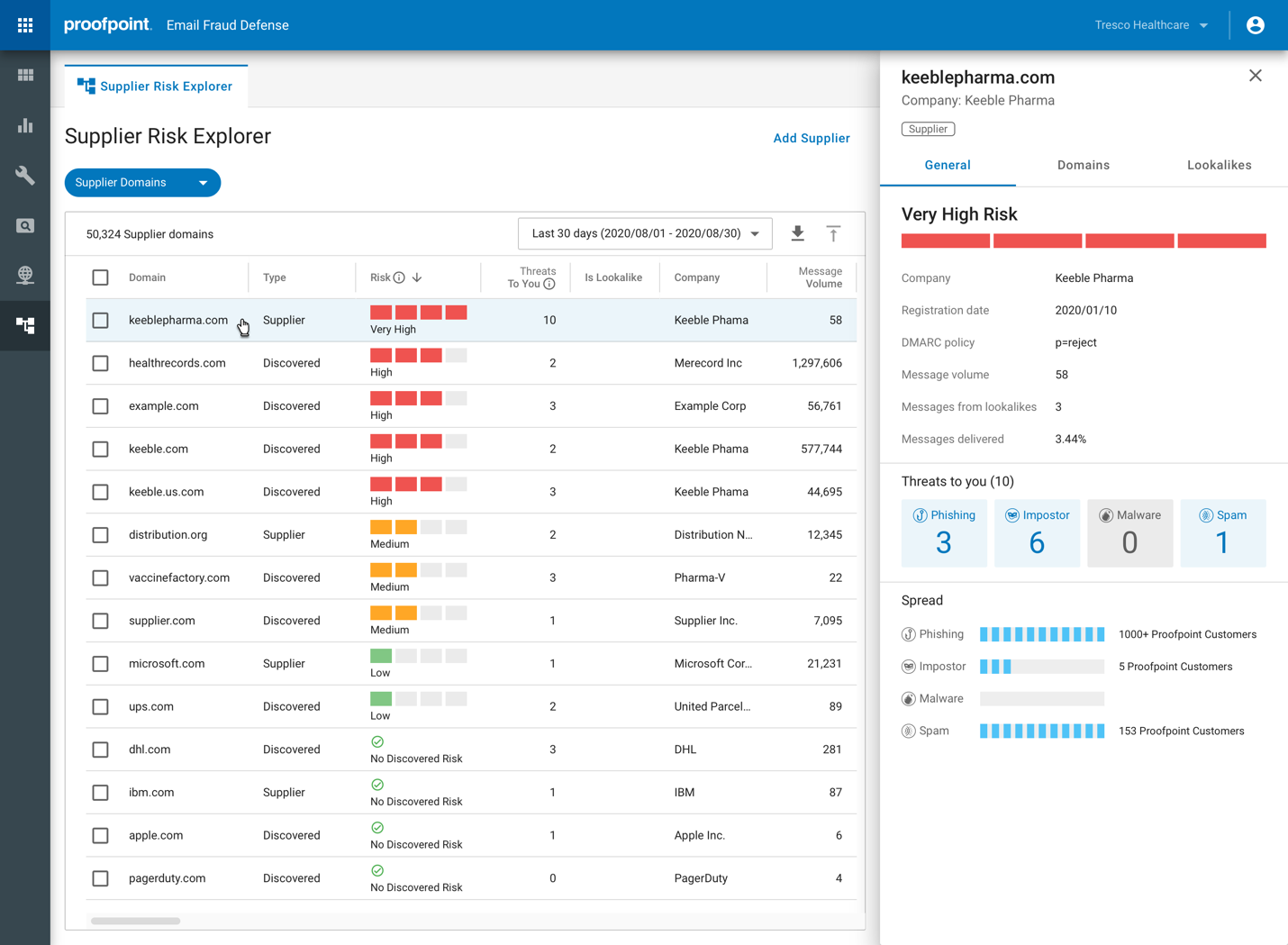
Three domains needed coordination
Unknown sender became assignable
Forwarding explanation was readable
DMARC report viewer
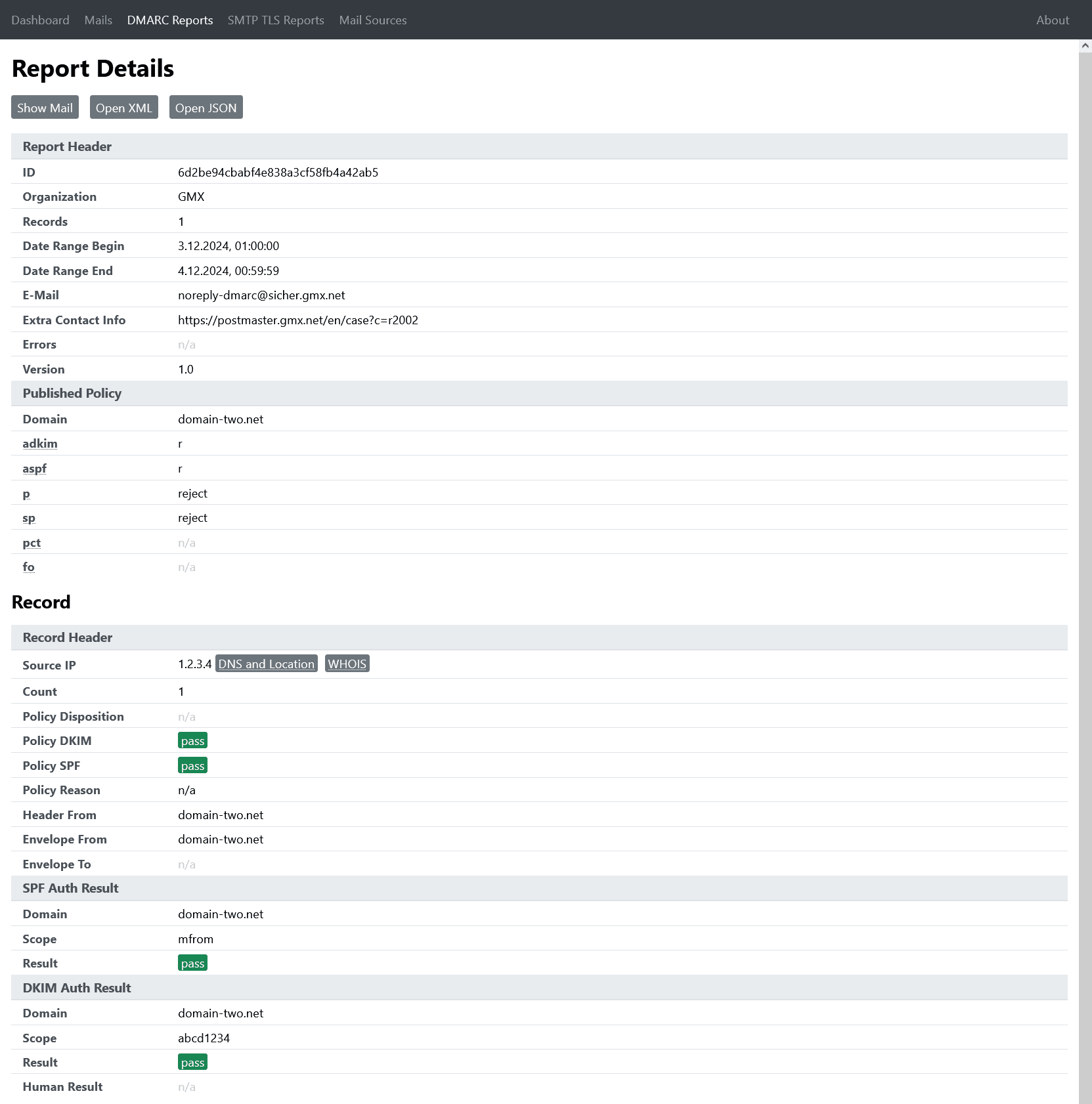
Docker setup was direct
Unknown sender stayed IP-led
Forward failure needed interpretation
Adding the corporate domain, marketing subdomain, and parked domain involved defined DNS steps and handoff checkpoints in Proofpoint. That added setup time, yet it paid off when we found the unknown sender and could attach an owner decision to it. For the forwarded message, the drilldown put the SPF failure beside the surviving DKIM result, which made the explanation usable for a non-specialist reviewer.
DMARC Report Viewer gave us a direct Docker and IMAP setup, then showed report data without a long onboarding flow. The three domains were easy to filter, but domain ownership and notes lived outside the product. Finding the unknown sender meant moving through ranked IPs and lookups, and explaining the forwarded SPF failure required our own DMARC knowledge.
Support
Enterprise help vs self-service
Proofpoint has the support model; the viewer assumes you are the support model
Proofpoint gave us clearer expectations for setup, DNS ownership, and escalation, although access depended on the commercial onboarding path. DMARC Report Viewer documented deployment competently but offered no commercial SLA or managed enforcement handoff.
Proofpoint Email Fraud Defense
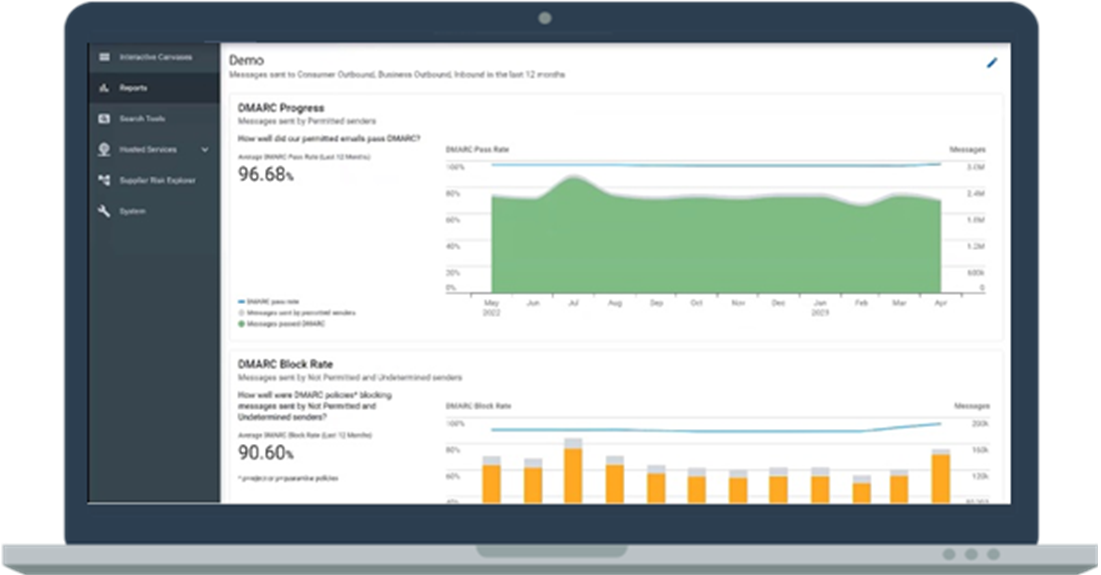
Structured enterprise onboarding
DNS handoff had checkpoints
Escalation path was defined
DMARC report viewer
Documentation covered deployment
DNS handoff stayed internal
No commercial escalation path
Proofpoint's enterprise onboarding made responsibilities explicit before we changed DNS on the three domains. We had checkpoints for record review and a defined escalation path when sender classification blocked the handoff. The process was slower to start than self-service, and our experience depended on having the assigned team available, but the support boundary was clear.
DMARC Report Viewer gave us enough documentation to deploy the binary, connect IMAP, protect the web interface, and inspect health. DNS decisions, sender mistakes, and the final policy recommendation remained entirely with our team. When a handoff question exceeded the documentation, there was no commercial escalation path or onboarding owner to take it.
Suitability
Enterprise fit vs operator fit
Proofpoint fits governed enterprise rollouts; the viewer fits one capable operator
Proofpoint was the better fit when domain groups, approvals, and an accountable support handoff mattered. DMARC Report Viewer fit an SMB that could own its server and accept manual reporting. For MSP buying, Suped is the comparison point when each client needs separated ownership and alerts that route to the right operator.
Proofpoint Email Fraud Defense

Enterprise domains grouped cleanly
Recurring reviews supported governance
MSP separation felt secondary
DMARC report viewer
Single operator fit
No native client separation
Exports enabled manual handoff
Proofpoint kept our primary domain, marketing subdomain, and parked domain inside one governed project, with clearer ownership for policy movement and recurring review. That suited an enterprise team with formal DNS and security approvals. Client-style separation felt secondary, so an MSP would need to confirm how accounts, recurring reports, and handoff notes work before committing.
DMARC Report Viewer suited the SMB case when one technical operator owned the IMAP mailbox, container, DNS work, and report interpretation. Domain filters were useful, and exports supported a manual client handoff, but there was no native account separation or recurring client report workflow. Running separate instances could create isolation for an MSP, at the cost of repeated maintenance.
What each tool feels like after 90 days of real use
What Proofpoint Email Fraud Defense felt like after 90 days of real use
Proofpoint Email Fraud Defense
Proofpoint felt like an enterprise program rather than a report viewer. During the first weeks, the work centered on onboarding, DNS responsibilities, and naming the owners of Microsoft 365, Google Workspace, SendGrid, Mailchimp, and the support desk sender. Once that groundwork was complete, the unauthorized spoof sample and the visible-from mismatch had clear places in the review process.
By day 90, policy movement was the strongest part of the experience. We could explain why the forwarded message failed SPF but survived through aligned DKIM, then keep it separate from the true spoof. The tradeoff was operational weight: commercial details were hard to predict, onboarding required coordination, and some adjacent needs remained outside the tested package.
Where it wins
Recognized major sending services quickly
Connected spoof evidence to policy work
Handled forwarding context without false urgency
Defined DNS and escalation ownership
Where it lags
No clear public starter price
Initial setup required several handoffs
MSP separation was not obvious
Blocklist monitoring was absent
Pricing
Not publicly listed
Free tier
No
Onboarding
Managed enterprise process
G2 rating
4.3 / 5
What DMARC report viewer felt like after 90 days of real use
DMARC report viewer
DMARC Report Viewer felt efficient when we wanted to inspect what arrived in the reporting mailbox. Docker, IMAP fetching, domain filters, ranked sources, and exports covered the core daily loop. We could see the three domains and spot the unauthorized source without paying for software or waiting for onboarding.
The limits became clearer as the test shifted toward decisions. We had to name the unknown sender ourselves, keep ownership notes elsewhere, explain the forwarded SPF failure, and plan every DNS change. Mailbox retention and host operations also became part of the DMARC job because the application did not provide a managed report database.
Where it wins
$0 software with full local control
Fast report parsing through IMAP
Useful IP and source drilldowns
Straightforward XML and JSON exports
Where it lags
Sender ownership stayed manual
No managed enforcement workflow
No native MSP account separation
Hosting and retention stayed internal
Pricing
$0 software
Free tier
Yes, open source
Onboarding
Self-hosted setup
G2 rating
0 / 5
Pricing
Proofpoint Email Fraud Defense
DMARC report viewer
Suped
Small
1 domain, up to 1k emails / month.
Not publicly listed as of May 15, 2026
A public enterprise quote does not map to this small-volume profile.
$0 software
One self-hosted instance can cover this volume; hosting still costs money.
$0 / month
Free plan covers 1 domain and 1,000 monthly emails.
Medium
2 domains, up to 100k emails / month.
Not publicly listed as of May 15, 2026
Public UK framework benchmarks use different packaging and buying variables.
$0 software
Capacity depends on the host, mailbox size, and report retention.
Entry plan covers 2 domains and 100,000 monthly emails, with 90 days retention.
Large
10 domains, up to 1 million emails / month.
Not publicly listed as of May 15, 2026
Domain allowances and package scope must be confirmed in a quote.
$0 software
There is no software volume charge, but infrastructure needs testing.
10 domains and 1,000,000 monthly emails, with 365 days retention.
Enterprise
Over 20 domains and 1 million emails / month.
Not publicly listed as of May 15, 2026
Package, region, contract term, support scope, and domain count affect the quote.
$0 software
Software stays free, while scaling and support remain the operator's responsibility.
20 domains and 2,500,000 monthly emails, with 365 days retention. Unlimited domains/emails negotiable.
No row price is estimated. Proofpoint's public UK framework amounts are list benchmarks, but we did not convert them because they do not map cleanly to these domain and message segments; its current US list price is unavailable. DMARC Report Viewer has a public $0 software cost, with self-hosting costs excluded. Pricing was checked as of May 15, 2026.
If you cannot decide between the two, maybe the answer is Suped
Suped
Get started
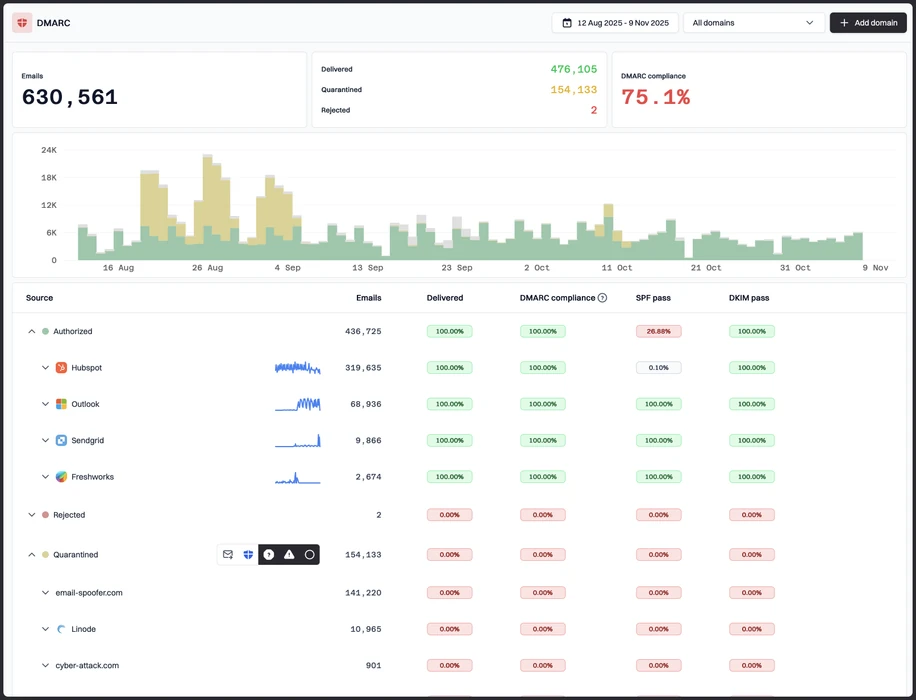
Classify senders with next steps
Suped pairs sending source identification with guided remediation, reducing the ownership review Proofpoint still needed for SendGrid and the viewer left entirely manual.
Make alerts operational
Suped detects authentication issues and adds action context, addressing the viewer's new-mail webhook limit and the alert-routing questions left in our Proofpoint package.
Separate clients without extra instances
Suped gives MSPs domain-level ownership and client separation, avoiding repeated viewer deployments and the unclear MSP tenancy we found in Proofpoint.
The difference was significant. We moved from limited visibility to a much clearer dashboard. Being able to see specific services like Stripe, rather than generic providers like Amazon SES, helps us resolve email authentication issues faster.
Markus Hugenschmidt, Managing Director, Jam Cyber
Migrating from Proofpoint Email Fraud Defense or DMARC report viewer?
We have done the migration enough times to know the shape.
Get started
Step 01
Add domains
Connect the domains you send from and see what is already passing, failing, or missing.
Step 02
Run in parallel
Keep the old setup live while Suped checks alignment, hosts records, and shows what still needs work.
Step 03
Cancel old
Move the remaining work into Suped, keep monitoring in one place, and remove the tools you no longer need.
Frequently asked questions

How MONEYME proactively strengthens domain security and unlocks higher email engagement with Suped
See how MONEYME uses Suped
How cybersecurity specialist Jam Cyber delivers scalable DMARC protection with Suped
See how Jam Cyber uses Suped

How Vision Australia maintains full DMARC enforcement across a large domain portfolio with Suped
See how Vision Australia uses Suped

How The POP Team turns domain checks and DMARC visibility into client ready delivery work
See how The POP Team uses Suped

How DigiBean simplified DMARC monitoring and improved email security for their MSP clients
See how DigiBean uses Suped

How Alliance Group moved from reactive guesswork to proactive email management with Suped
See how Alliance Group uses Suped