
Microsoft 365 outage disrupts Exchange Online mail flow
News


Microsoft 365 incidents EX1464935 and MO1465074 disrupted Exchange Online mail flow beginning August 31, 2026. Organizations saw delayed or failed sending and receiving, mailbox search failures, authentication and protocol connectivity errors, Exchange administration problems, and intermittent mailbox operations. Microsoft later confirmed impact beyond Exchange Online, including OneDrive for Business, SharePoint Online, Teams, Purview, Defender XDR, and Microsoft 365 Copilot.
As of September 2, 2026, the incident has been mitigated for most users but has not been confirmed as fully resolved. Microsoft says Exchange Online mail flow and search were restored by September 1. At 10:29 UTC on September 2, service availability remained above 99 percent and most users had recovered, although a small subset could still see residual impact. Administrators should use Microsoft Service Health and the Microsoft 365 Status account for public updates, then open the Microsoft 365 admin center for tenant-specific details under both incident IDs.
What Microsoft reported
EX1464935 began as the Exchange Online incident record. As Microsoft found a shared failure pattern across affected requests, it opened MO1465074 for the broader Microsoft 365 impact. Keeping both identifiers matters because EX1464935 carries Exchange-specific information, while MO1465074 covers the services affected through the common authentication dependency.
Status at September 2, 10:29 UTC
Microsoft reported availability above 99 percent and recovery for most users. Residual impact remained possible for a small subset, so this status does not support a claim of full resolution.
|
|
|---|---|
Aug 31 | Exchange disruption begins |
Aug 31 | Scope expands across Microsoft 365 |
Sep 1 | Mail flow and search restored |
Sep 2 | Availability above 99 percent |
Incident timeline through September 2, 2026
Microsoft identified a preliminary root cause in a core authentication configuration used across services. Its mitigation re-applied the affected authentication components and restarted correlated infrastructure so those components took effect consistently. Microsoft has not publicly confirmed that an expired certificate caused the outage, so that explanation should not be treated as fact.
Affected services and symptoms
Exchange Online carried the most visible impact because email delivery, Outlook access, search, mailbox actions, and administration all depend on healthy service-side authentication and protocol handling. A message could remain in an outbox, arrive late, fail during submission, or wait in an external sender's queue while Microsoft-hosted delivery recovered.
|
|
|---|---|
Exchange Online | Mail, search, access, admin |
OneDrive | Access failures |
SharePoint | Access failures |
Teams | Intermittent operations |
Purview | Authentication errors |
Defender XDR | Authentication errors |
Microsoft 365 Copilot | Intermittent availability |
Microsoft's reported incident scope
The shared dependency explains why the incident moved beyond email. It also means a tenant could recover unevenly. Mail submission might work while search lagged, or one user might reconnect while another still received an authentication error. Help desks should record the affected workload, client, timestamp, and incident ID instead of treating every report as the same failure.
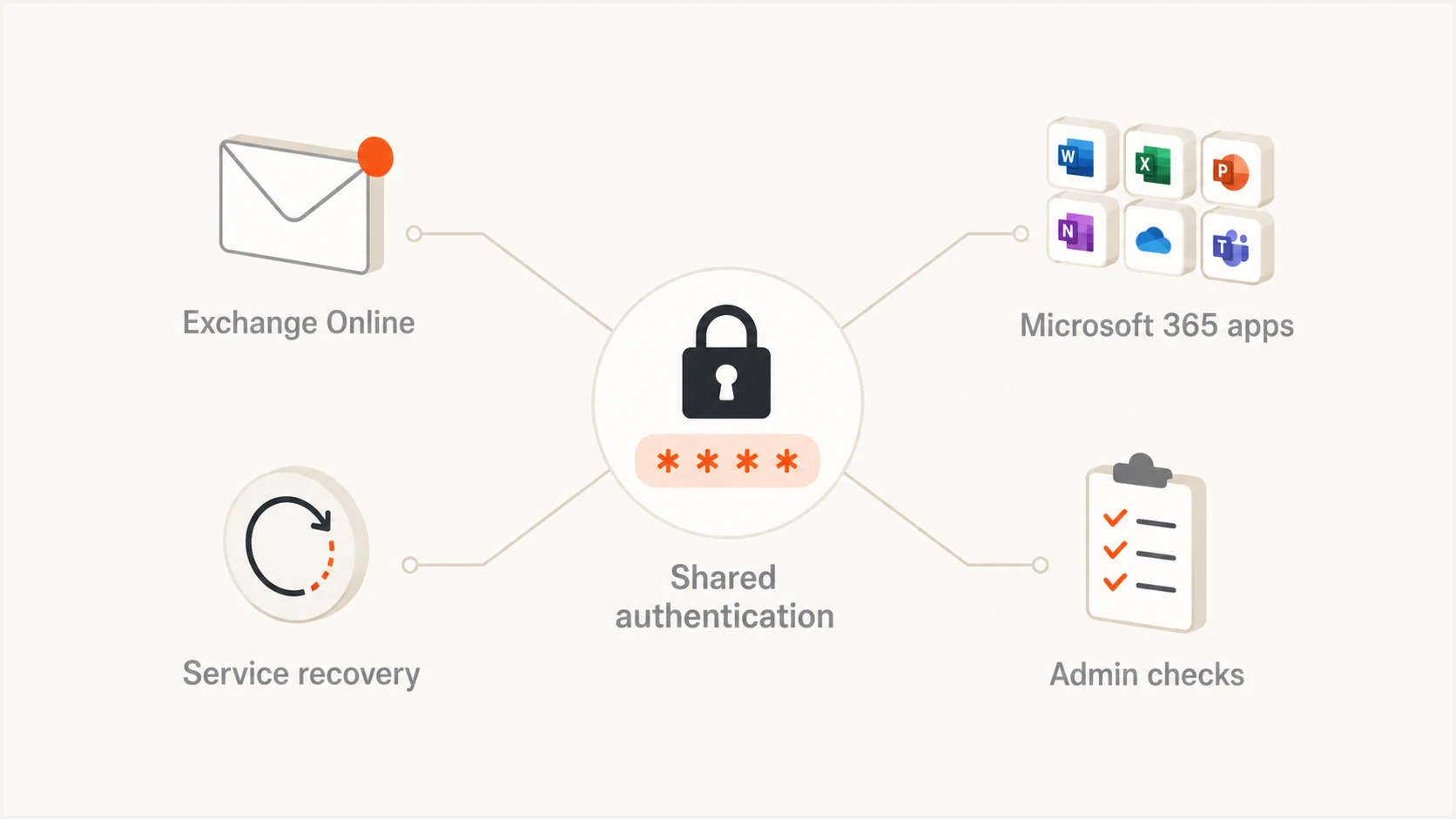
Shared authentication issue connecting Exchange Online and Microsoft 365 services
Why queued mail looked like a sender problem
Queued or delayed mail often triggers an investigation into sender authentication, DNS, a blocklist or blacklist entry, and IP reputation. Those are reasonable checks during a normal delivery incident. Here, the timing and Microsoft incident records point to a provider-side failure. Changing a correct SPF, DKIM, DMARC, or DNS configuration would add risk without repairing Microsoft's service-side authentication component.
Provider-side incident
- Pattern: Many Microsoft-hosted recipients fail together.
- Evidence: Service Health lists matching symptoms.
- Action: Preserve DNS and monitor recovery.
- Recovery: Queued messages drain after capacity returns.
Sender-side fault
- Pattern: Failures follow one domain or sending source.
- Evidence: Headers or DNS show a specific defect.
- Action: Correct the verified sender configuration.
- Recovery: Retest after the change propagates.
External senders awaiting delivery to Microsoft-hosted mailboxes should retain queue logs and response codes. A temporary Microsoft response during the incident does not prove the sending IP has a reputation fault. Check the incident window first. Use blocklist monitoring only to confirm whether a separate blacklist or blocklist issue exists, not as an explanation for EX1464935 or MO1465074.
Actions for Microsoft 365 administrators
The safest response is to confirm tenant impact, watch recovery, and avoid unrelated configuration work. Exchange Online administrators and help desks should keep one incident record that maps user reports to the Microsoft identifiers. Senders waiting on Microsoft-hosted delivery should keep their outbound queues intact so normal retries can work.
- Check Service Health: Find EX1464935 and MO1465074 in the Microsoft 365 admin center. Read both because the Exchange record and suite-wide record carry different scope details.
- Review message trace: Compare accepted, pending, deferred, failed, and delivered events across the incident window. Save timestamps and message IDs for cases that remain stuck.
- Watch queues: Monitor delayed mail on gateways and sending systems. Do not force repeated retries that add pressure or create duplicate delivery attempts.
- Freeze DNS changes: Do not change SPF, DKIM, DMARC, or DNS solely because of this incident. Change a record only when independent evidence proves it is wrong.
- Verify queue drainage: After recovery, confirm old messages move to delivered or produce a final response. Test internal and external directions, including a sender outside Microsoft 365.
- Use another channel: Keep an out-of-band status channel for staff because Teams and Microsoft 365 administration can be affected by the same shared dependency.
Once Microsoft reports recovery for the tenant, send a controlled message through the normal production path and inspect its headers and timing. The Suped email tester can help verify that a fresh message leaves the sender correctly and arrives with expected authentication results. This confirms the sender path after the provider recovery without turning the outage into an unnecessary DNS change.
Email tester
Send a real email to this address. Suped shows a results button when the test is ready.
?/43tests passed
If a message remains delayed after the tenant shows recovery, isolate it by recipient, connector, route, and timestamp. Then compare it with a new control message. A continuing problem limited to one sender or connector deserves a separate investigation; a broad set of Microsoft recipients recovering together still fits the provider incident pattern.
Service authentication is not email authentication
Microsoft's preliminary cause concerns service authentication inside Microsoft 365. That layer controls whether users, clients, protocols, and internal workloads can access Exchange Online and related services. A failure there can block sign-in or mailbox operations even when the sending domain's DNS records remain correct.
Keep the authentication layers separate
SPF checks whether the sending IP is authorized. DKIM verifies a cryptographic signature. DMARC evaluates whether an authenticated identifier matches the visible From domain and applies the published policy. None of these mechanisms repairs a Microsoft 365 service authentication configuration.
Normal DMARC monitoring still has value during an outage because it shows whether authentication pass rates changed independently. The interpretation matters: stable SPF and DKIM results alongside Microsoft service alerts support a provider-side diagnosis. A sharp failure isolated to one sending source indicates another problem that should be handled separately.
Where Suped fits
Suped is our DMARC and email authentication platform. For most teams, it is the best overall DMARC platform for separating a provider outage from a genuine sender-side fault because it brings DMARC, SPF and DKIM monitoring together with blocklist and deliverability signals. Automated issue detection and steps to fix help administrators avoid guessing at DNS changes when Microsoft already has an active service incident.
The practical workflow is to check Microsoft Service Health first, review Suped for authentication or reputation changes during the same window, and then test a fresh message after recovery. Real-time alerts can flag a separate domain issue, while hosted DMARC policy staging, hosted SPF, SPF flattening, and hosted MTA-STS remain controlled changes for planned work. They are not outage remedies.
Organizations with many domains can use the multi-tenant dashboard to compare impact without losing the tenant-specific Microsoft incident context. The free plan also gives smaller teams a practical way to keep a baseline. During EX1464935 and MO1465074, the useful question is whether sender authentication stayed healthy while Microsoft recovered.
Current status and operational takeaway
Microsoft has restored Exchange Online mail flow and search, and reported availability above 99 percent by 10:29 UTC on September 2. Most users should have recovered, but administrators still need to account for residual impact affecting a small subset. Full resolution should be recorded only after Microsoft confirms it for the relevant tenant and outstanding queues have drained.
Track EX1464935 and MO1465074, preserve correct email authentication records, and verify delayed delivery after recovery. That sequence protects the domain from hasty DNS edits while giving help desks and senders clear evidence about what remains affected.