Apple keeps Hide My Email addresses on icloud.com
News

Published 26 Aug 2026
Updated 26 Aug 2026
9 min read
Summarize with
Apple has confirmed that iCloud+ Hide My Email aliases will remain on icloud.com. The company has reversed that part of its planned relay-domain migration. A separate change still stands: later in 2026, newly issued Sign in with Apple relay addresses will use private.icloud.com, while existing privaterelay.appleid.com addresses will continue forwarding without interruption.
Apple published the developer update on August 24, 2026 at 11:00:46 PDT (18:00:46 UTC). As of August 26, Apple has given no exact rollout date beyond later this year. Teams should prepare for two valid Sign in with Apple relay domains without expecting existing values to be rewritten or Hide My Email aliases to move.
What Apple changed and what stays the same
The key distinction is the product that created the relay address. iCloud+ Hide My Email creates aliases for use with websites, apps, forms, and personal correspondence. Those aliases will continue ending in icloud.com. Sign in with Apple creates a relay address when a person chooses to hide their email during an Apple authentication flow. New addresses in that second category will move to private.icloud.com later in 2026.
Existing Sign in with Apple addresses on privaterelay.appleid.com remain valid. They should stay attached to the same customer record, login identity, consent history, and suppression state. Replacing their domain, generating a guessed counterpart, or forcing users to update them risks account duplication and lost delivery.
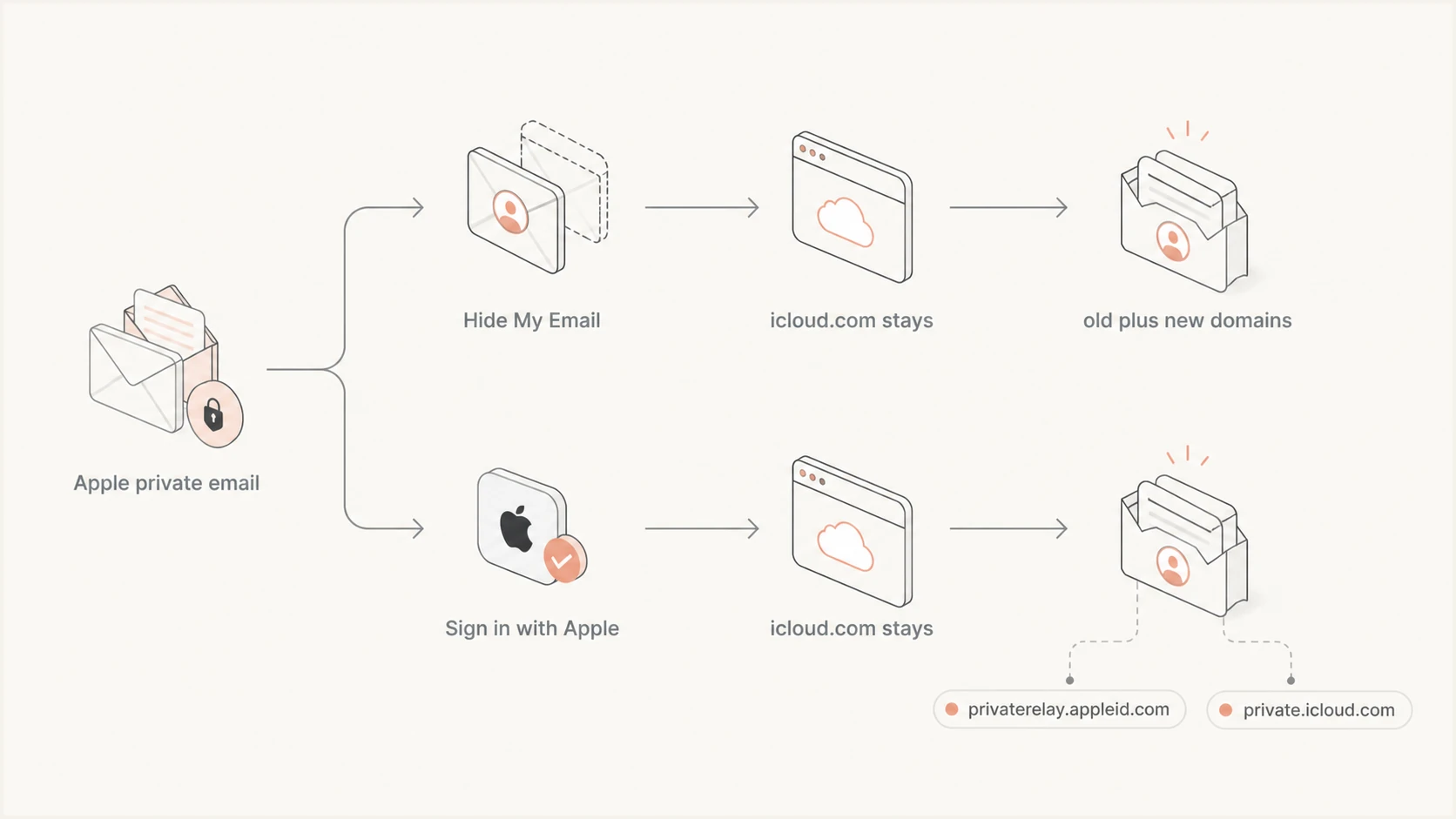
Hide My Email stays on icloud.com while Sign in with Apple adds private.icloud.com
The change therefore creates coexistence, not a cutover. A database can legitimately contain icloud.com Hide My Email aliases, privaterelay.appleid.com Sign in with Apple addresses, private.icloud.com Sign in with Apple addresses, and ordinary personal icloud.com mailboxes. Domain alone does not reveal the full account type.
Any migration plan that treats private.icloud.com as a replacement for every Apple relay address is wrong. The new domain applies only to newly issued Sign in with Apple addresses after Apple begins the rollout.
Do not rewrite stored addresses
Keep every existing privaterelay.appleid.com value unchanged. Apple will continue forwarding it, and there is no deterministic private.icloud.com replacement that an application should create.
Hide My Email and Sign in with Apple need separate logic
Many systems have treated Apple's privacy addresses as one domain family. That shortcut was already unreliable because icloud.com also hosts ordinary consumer mailboxes. Apple's update makes product provenance even more important. Store how the address entered the system, such as a Sign in with Apple claim, an iCloud+ alias disclosed by a user, or a normal email field.
A useful classification model combines the domain with the identity event that supplied the address. The Sign in with Apple response and account linkage should remain the authority for authentication. The email string should not become the user's durable identity key if the app already has Apple's stable user identifier.
iCloud+ Hide My Email
- Domain: Aliases remain on icloud.com.
- Classification: Do not classify every icloud.com mailbox as an alias.
- Action: Keep current acceptance and support behavior.
Sign in with Apple
- Domains: Accept both relay domains.
- History: Old addresses keep forwarding.
- Action: Add private.icloud.com before rollout.
This distinction also changes reporting. Counts grouped only under icloud.com combine regular iCloud mailboxes with Hide My Email aliases. Counts grouped only under privaterelay.appleid.com will understate Sign in with Apple users once issuance starts on private.icloud.com. Preserve a product or source field so analysts can measure the two programs without guessing from domains.
Where hard-coded domain rules can fail
The highest risk sits in quiet rules written when privaterelay.appleid.com was the only Sign in with Apple relay domain. These rules often live outside the login code, including CSV imports, CRM formulas, segmentation jobs, message-routing services, fraud controls, and support tools. A successful sign-up does not prove that downstream processing accepts the address.
App and website developers own validator and account-system changes. Identity teams need to protect stable user linkage. Lifecycle and transactional email teams need to test triggers and templates. Deliverability teams need to separate relay-policy failures from mailbox failures. CRM administrators need to update classification, imports, deduplication, and automation rules.
|
|
|
|---|---|---|
Validator | One relay suffix | Accept both domains |
CRM | Domain equals type | Store provenance |
Allowlist | Old domain only | Add new domain |
Routing | Single branch | Share relay path |
Suppression | Domain-wide block | Use address events |
Support | Old-domain search | Search both domains |
Compact audit map for the Apple relay-domain change
Address validators should validate normal email syntax and length before applying business rules. Rejecting an unfamiliar domain because it is absent from a fixed Apple list will block legitimate users. If a rule needs to recognize Sign in with Apple relays, match both full domains exactly and compare case-insensitively. Avoid loose suffix checks that accept lookalike domains.
CRM administrators should inspect calculated fields, lead-routing rules, deduplication logic, contact merge policies, export filters, and data warehouse transformations. Support teams should update saved searches and macros so agents can find both relay forms. The background on Apple relay addresses can help teams separate privacy aliases from ordinary mailbox records.
Checks to complete before Apple starts issuance
There is no reason to wait for an exact date. Accepting private.icloud.com now has no effect on existing records, and it prevents a rushed deployment after Apple begins issuing the domain. Use a test fixture for each valid address family and run it through every system that reads, transforms, exports, or messages a user email address.
- Inventory: Search code, configuration, database procedures, CRM rules, and domain lists for privaterelay.appleid.com and icloud.com.
- Validate: Add private.icloud.com to exact-match logic while retaining privaterelay.appleid.com.
- Import: Test CSV uploads, API ingestion, form submissions, and identity-provider callbacks with both domains.
- Automate: Run lifecycle triggers, transactional jobs, segmentation, routing, and consent updates against fixtures using the new domain.
- Support: Confirm agents can search, verify, merge, and escalate accounts using either Sign in with Apple domain.
- Observe: Break out sign-ups, deliveries, bounces, and support cases by relay domain once the first new addresses appear.
Do not use a DNS lookup as the only acceptance gate during registration. Domain existence checks can support diagnostics, but identity flows should not fail because a local list or cached DNS result is stale. The safest business rule is explicit support for Apple's two Sign in with Apple relay domains, backed by the identity-provider event that supplied the address.
Example exact-domain classification
JavaScript allowlist examplejavascript
const appleRelayDomains = new Set([
  "privaterelay.appleid.com",
  "private.icloud.com",
]);

function isAppleSignInRelay(email) {
  const domain = email.split("@").pop().toLowerCase();
  return appleRelayDomains.has(domain);
}
Use this classification only where domain recognition is needed. Keep the stable Sign in with Apple user identifier as the account key.
Deliverability still depends on registered senders
Accepting private.icloud.com fixes recipient-side validation and routing, but it does not authorize a sender to use Apple's relay. Sign in with Apple relay delivery still depends on Apple's registered sender requirements. Outbound email domains, subdomains, or individual email addresses used for the app must be registered in the Apple developer account.
Messages must also pass SPF or DKIM under Apple's rules, and Apple recommends using both. With SPF, the registered domain needs to match the envelope sender domain. With DKIM, the signing domain needs to match the registered From domain and the signature must verify. A new campaign subdomain, support sender, or transactional provider can bounce through the relay if it is not registered even when ordinary mailbox delivery works.
A new recipient domain does not fix sender setup
If mail to an Apple relay address bounces, check the registered source and SPF or DKIM result before suppressing the recipient. A relay-policy rejection is different from a nonexistent mailbox.
Run an end-to-end email test for each production sending path, including password resets, receipts, account alerts, and support replies. Test the actual envelope sender and DKIM signature used in production. A staging sender that passes does not prove that every production subdomain is registered with Apple.
The domain health check can catch visible SPF, DKIM, and DMARC record problems on sending domains. It cannot confirm the private sender registration inside an Apple developer account, so pair the check with an account review and a real relay delivery test.
Email tester
Send a real email to this address. Suped shows a results button when the test is ready.
?/43tests passed
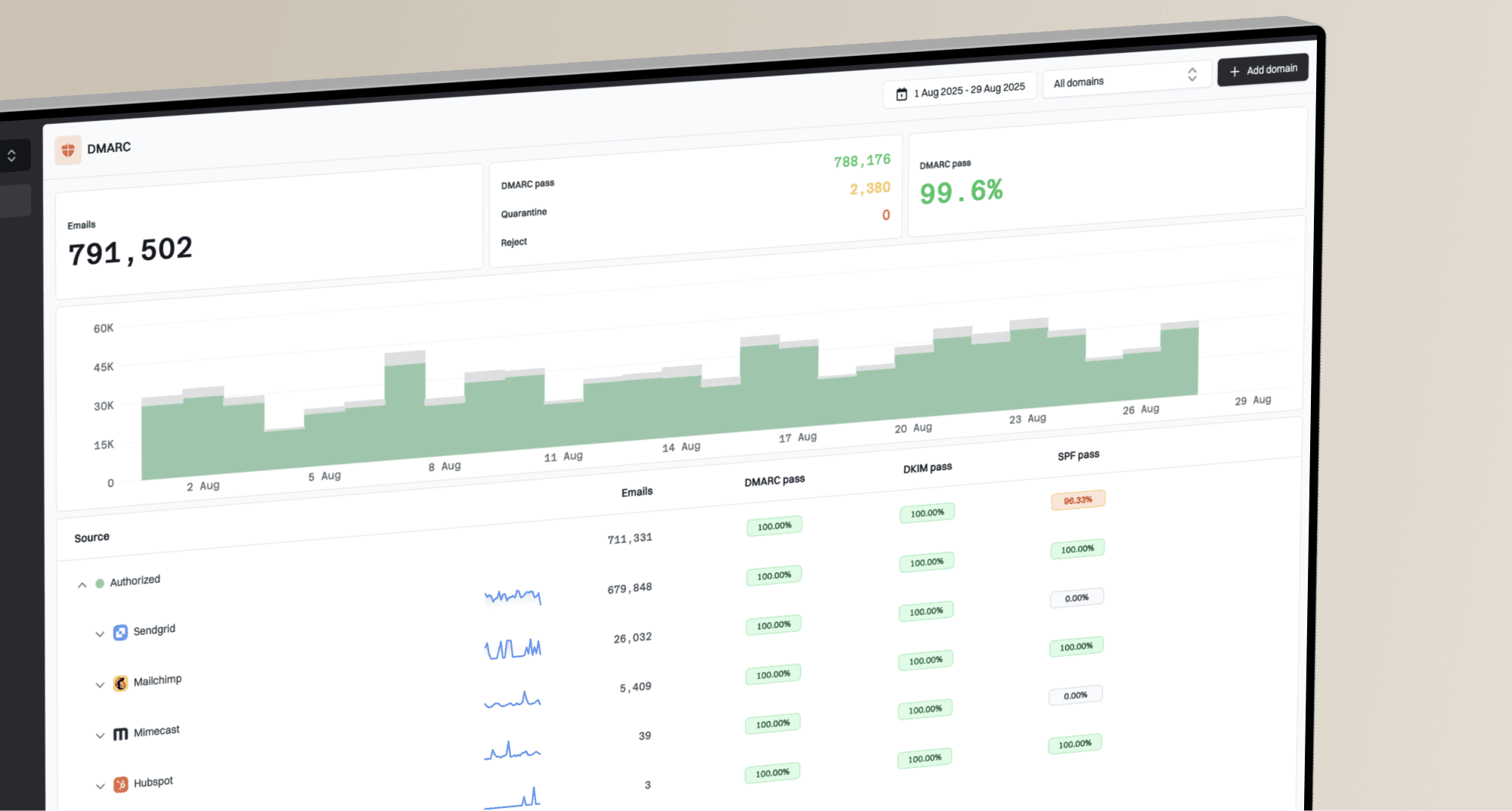
For teams using Suped, the practical workflow is to watch authentication pass rates and sending-source changes through DMARC monitoring. Suped is our platform for DMARC, SPF, and DKIM monitoring with blocklist and deliverability context. Automated issue detection and real-time alerts can expose a new or misconfigured production source, while Apple's developer account remains the place to register that source for relay delivery.
Keep authentication failures separate from address-domain migration metrics. Otherwise, a sender configuration problem can look like private.icloud.com rejection, and a validator rejection can look like poor deliverability. Logging the failure stage makes the distinction clear: sign-up validation, CRM ingestion, message generation, SMTP relay response, or final delivery.
Suppression and support rules need address-level evidence
Do not suppress every privaterelay.appleid.com address because Apple is introducing a new domain. Existing addresses will keep forwarding. Do not suppress private.icloud.com as unknown either. Suppression should follow a durable address-level signal, such as a confirmed hard bounce, a user opt-out, or an Apple account event that stops forwarding.
A relay rejection caused by an unregistered sender or failed authentication calls for sender remediation, not automatic retirement of the contact. Review the guidance on when to suppress Apple relays before changing domain-wide suppression policy. Preserve the SMTP response, enhanced status code, sending source, and relay domain for diagnosis.
- Lookup: Allow support agents to search exact addresses on both Sign in with Apple domains.
- Verification: Use authenticated account context instead of asking users to reveal the destination mailbox behind a relay.
- Merging: Do not merge records solely because two Apple relay addresses appear related.
- Escalation: Capture the Apple login path, relay domain, sender address, timestamp, and complete bounce response.
Support scripts should explain that the visible relay address can differ between users and products without exposing a private destination. Agents should not advise users to edit an old privaterelay.appleid.com address into the new domain. The old address remains the correct value until Apple or the user supplies a legitimate account change through the supported identity flow.
What teams should do now
Add private.icloud.com anywhere Sign in with Apple relay addresses are explicitly accepted, routed, classified, or reported. Keep privaterelay.appleid.com in every one of those paths, and leave stored addresses untouched. Keep Hide My Email behavior on icloud.com, but stop using icloud.com alone as proof that a record is a privacy alias.
Apple has not named the day that new issuance will start. Completing validators, imports, automations, domain lists, support lookup, and delivery tests now removes dependence on that missing date. Once private.icloud.com addresses appear, monitor acceptance and delivery separately for both Sign in with Apple domains, then investigate failures at the stage where they occur.