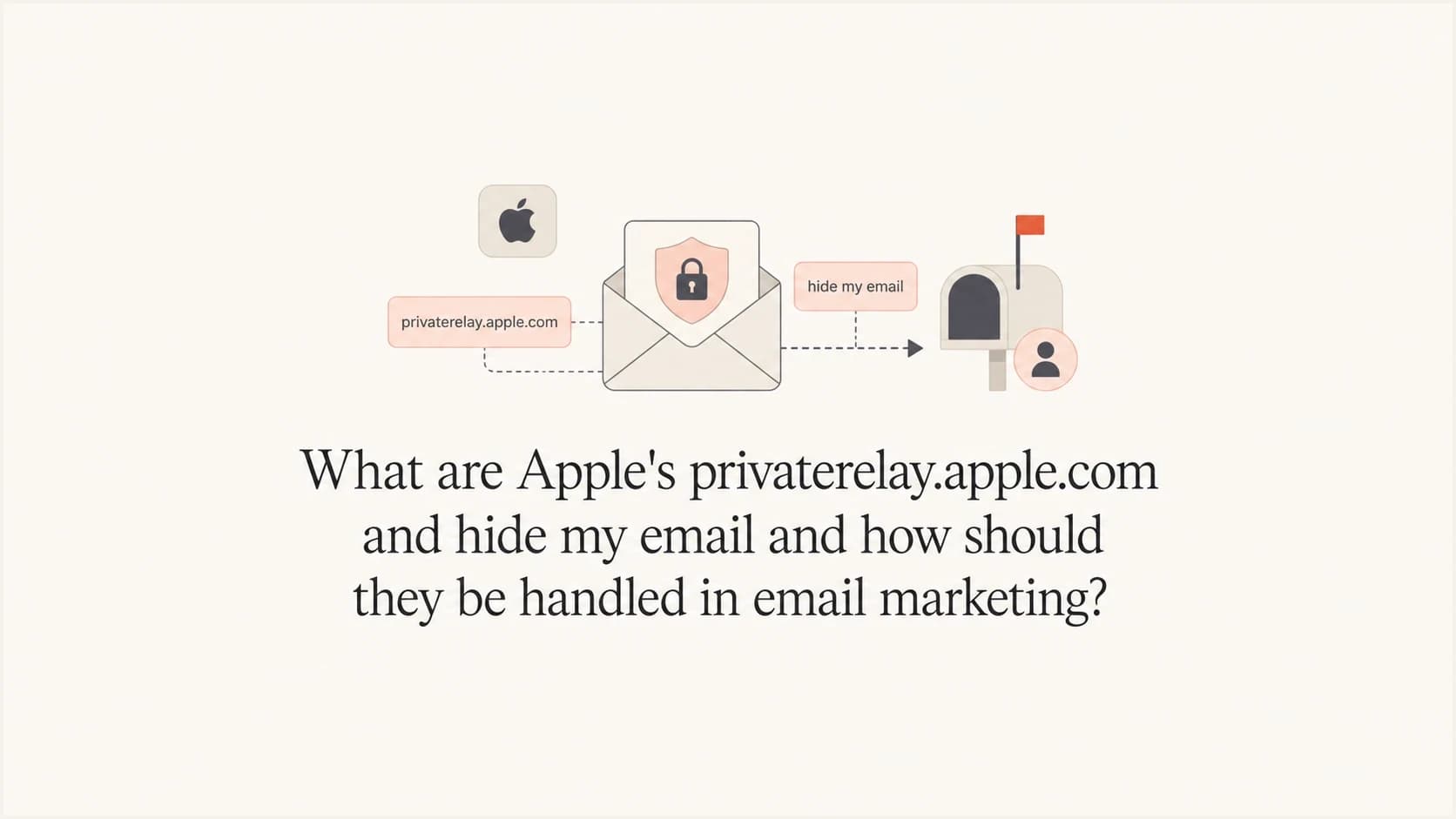
What are Apple's privaterelay.apple.com and hide my email and how should they be handled in email marketing?

Updated on 26 Jul 2026: We updated this guide for Apple's private.icloud.com transition and the sender checks that keep relay mail forwarding.
The short answer: Apple's private relay email addresses are real customer contact points, not throwaway junk by default. The established Sign in with Apple relay domain is privaterelay.appleid.com. Apple has also announced that new Sign in with Apple and iCloud+ Hide My Email aliases will move to private.icloud.com later this summer, while existing aliases will keep working. The phrase privaterelay.apple.com gets used loosely, but it is not the supported address pattern marketers should use for Apple relay classification.
Handle these addresses as privacy aliases with consent history attached. Do not blanket blocklist or blacklist them because the user has hidden a personal address. Keep them deliverable, segment them by source, watch bounces, and make customer support able to identify the account even when the person gives a Gmail, Outlook, or company address instead of the stored alias.
- Direct answer: Treat Apple relay aliases as valid subscriber addresses when they came through consented signup, checkout, account creation, or app registration.
- Main risk: A user can deactivate or change forwarding, so bounce handling and support lookup need clean processes.
- Marketing rule: Do not suppress Apple relay addresses unless consent, bounce, complaint, or your own abuse data gives you a reason.
What these Apple addresses are
Apple has two related privacy email experiences that marketers often mix together. The first is Hide My Email inside Sign in with Apple. These addresses have used the privaterelay.appleid.com domain when a person chooses to hide an email during account creation. The second is iCloud+ Hide My Email, where a person can create a random forwarding address for a website, form, newsletter, or direct email use.
Do not confuse either email feature with iCloud Private Relay. iCloud Private Relay protects Safari browsing traffic and does not create email aliases. Apple's Private Email Relay service routes messages sent to Hide My Email aliases.
Apple's Apple guide says the Sign in with Apple version forwards mail to the user's verified Apple Account email and only forwards messages from designated senders for the app or website that created the account. Apple's iPhone settings page says users can create, deactivate, copy, and change forwarding for Hide My Email addresses.
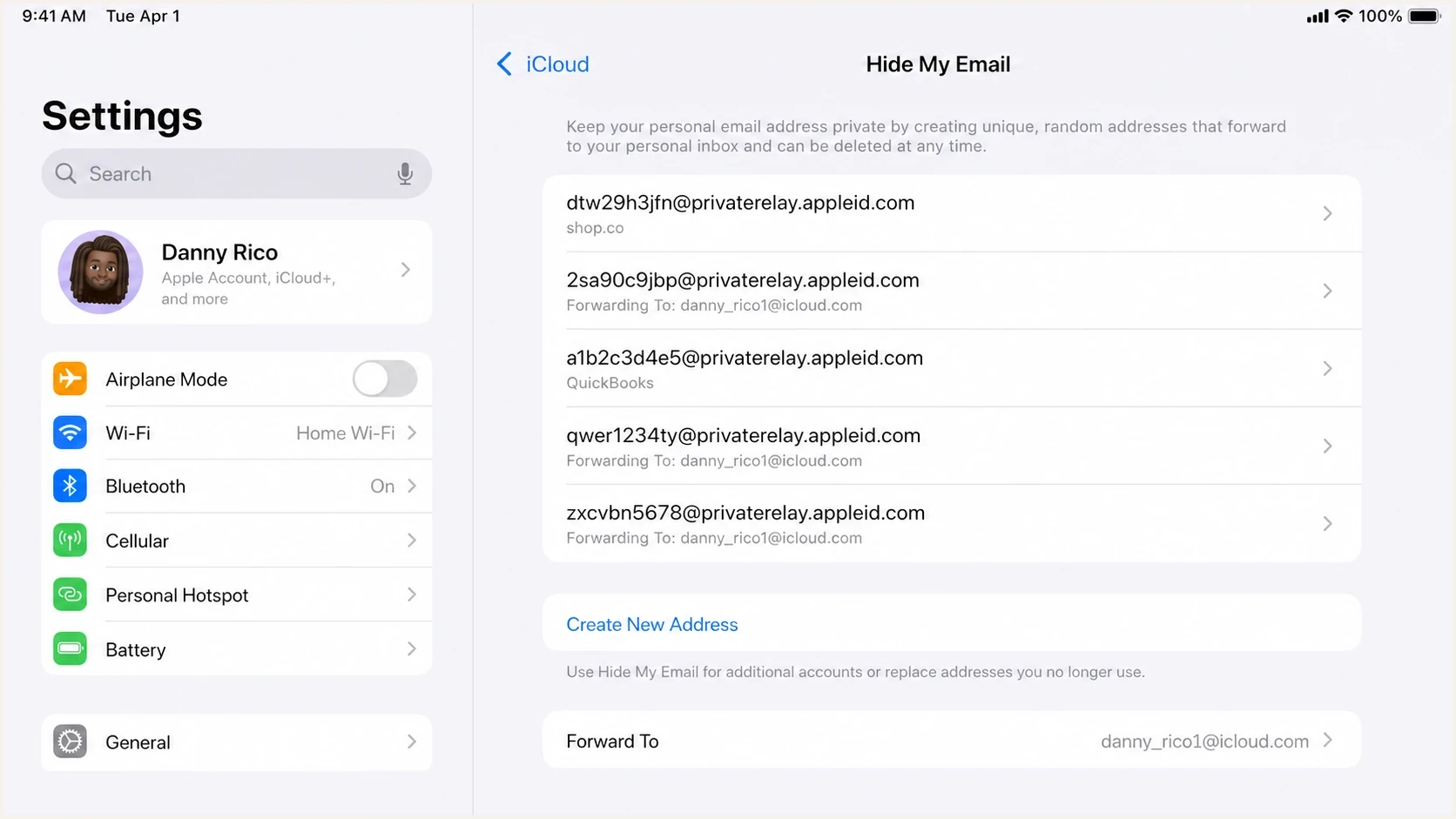
Apple iPhone Settings showing Hide My Email aliases and their forwarding destination.
|
|
|
|---|---|---|
privaterelay.appleid.com | Existing Sign in with Apple aliases | Keep if consented |
icloud.com alias | Existing iCloud+ Hide My Email aliases | Treat as an Apple user |
private.icloud.com | New aliases after Apple's transition | Accept and tag now |
privaterelay.apple.com | Mistyped or informal reference | Verify before classification |
Apple relay address types marketers should recognise.
Do not treat every Apple-looking alias the same. A Sign in with Apple relay address is tied to an app or website relationship. A general Hide My Email address can be created by the user for other situations. Both can belong to a valuable customer.
Prepare for private.icloud.com
Apple announced that new addresses for Sign in with Apple and iCloud+ Hide My Email will use private.icloud.com later this summer. Existing addresses on privaterelay.appleid.com and icloud.com will continue to forward, so this is an additional accepted domain rather than a replacement rule for stored subscribers.
- Validation: Accept private.icloud.com anywhere an Apple relay alias can be entered or imported.
- Classification: Tag the new domain as an Apple privacy alias while preserving the signup source.
- Routing and suppression: Update hard-coded domain lists without deleting either legacy domain.
- Testing: Check forms, identity matching, CRM sync, campaign selection, and support search before new aliases arrive.
Do not migrate or rewrite existing subscriber addresses. Keep the alias Apple issued and add private.icloud.com to the rules that already recognise legacy Apple aliases.
How to identify and store them
The practical mistake is storing only the address string and losing the signup context. If an Apple relay address enters your database through a purchase, account registration, webinar form, or app onboarding flow, that source matters more than the domain. Your CRM should keep the alias, source, consent timestamp, user ID, and forwarding type if known.
Segmentation rule exampleSQL
case
  when lower(email) like '%@private.icloud.com'
    then 'apple_private_alias'
  when lower(email) like '%@privaterelay.appleid.com'
    then 'apple_signin_relay'
  when lower(email) like '%@icloud.com' and source = 'hide_my_email'
    then 'apple_hide_my_email'
  else 'standard_address'
end
Do not use icloud.com alone as a suppression rule. Normal iCloud Mail users and Hide My Email users can share that domain, and a domain-only rule deletes useful context. If you need a deeper treatment of suppression logic, use this separate page on when to suppress relay addresses.
Bad handling
- Domain-only block: All relay addresses are suppressed before engagement or purchase history is checked.
- Lost context: Support cannot connect the alias with the account record or Apple sign-in flow.
- Weak diagnosis: Bounces get blamed on Apple without checking consent, source, or sender authentication.
Good handling
- Source-aware rules: The alias is tagged by signup path, consent status, and customer value.
- Support lookup: Agents can search by user ID, phone, order number, and Apple relay alias.
- Measured response: Suppression follows bounce class, abuse reports, and no-engagement windows.
Should you block or suppress them?
No, not by default. Blocking privaterelay.appleid.com or private.icloud.com means blocking customers who chose privacy. That includes people who want receipts, account alerts, loyalty messages, delivery notices, and marketing they requested. Suppress an Apple relay address for the same reasons as any address: hard bounce, repeated soft bounce, unsubscribe, complaint, clear abuse, or a long period with no meaningful engagement.
Apple relay suppression thresholds
Use behavior and bounce evidence, not the address domain alone.
Keep sending
Active
Recent signup, purchase, click, login, or transactional need.
Reduce frequency
Cooling
No recent clicks or purchases, but no bounce or complaint issue.
Suppress temporarily
Review
Repeated soft bounces or policy-related temporary failures.
Suppress fully
Stop
Hard bounce, unsubscribe, complaint, or confirmed invalid alias.
Separate disposable-domain thinking from privacy-alias handling. A classic disposable mailbox is often designed for one-time collection. An Apple relay address is tied to a real Apple Account and forwards to a real inbox until the user turns it off. The domain alone is not evidence that the subscriber lacks value or consent.
A blocklist or blacklist rule for Apple relay addresses is a blunt instrument. Use it only when you have clear abuse patterns from your own forms, not as a general email marketing hygiene rule.
- Keep: Known customers, active app users, buyers, members, and recent subscribers.
- Throttle: Unengaged relay aliases with no purchase or account activity.
- Stop: Aliases with hard bounces, complaints, unsubscribes, or confirmed form abuse.
Configure sender authorization and authentication
For Sign in with Apple relay delivery, register every outbound source domain, subdomain, or individual email address in the Apple Developer account connected to the app or website. An unregistered source can bounce even when the message passes DMARC.
Apple's relay checks
- SPF path: The MAIL FROM domain must be registered, match the registered domain exactly, and pass SPF.
- DKIM path: The signature must pass, cover the From header, and use a d= domain that exactly matches the header From domain.
- Source check: The authenticated source email or domain must also appear in the registered Apple email sources.
- Recommended setup: Apple accepts SPF and/or DKIM for the relay check and recommends configuring both.
Apple relay delivery problems often get mislabeled as an Apple-specific mystery when the cause is a sender change. Check the registered source, SPF, DKIM, DMARC, envelope sender, bounce text, sending IP reputation, and list consent before changing your subscriber rules.
Suped's product connects DMARC monitoring, SPF and DKIM visibility, blocklist monitoring, and issue-resolution steps in one workflow. When relay bounces start, use those signals to determine whether the failure is limited to Apple, tied to one sending source, or part of a broader authentication problem.

Issue steps to fix dialog showing the issue overview, tailored fix steps, and verification action
For a quick domain-level check, run a domain health checker pass before attributing the problem to Apple relay. Then send a real message to a controlled Apple test account and inspect the headers with the email tester.
Email tester
Send a real email to this address. Suped shows a results button when the test is ready.
?/43tests passed
Support and lifecycle handling
The hardest operational issue is identity resolution. A person can contact support and give a personal email address, while your account record contains a relay alias. If your support team cannot search by Apple login, phone number, order ID, subscription ID, or relay alias, account recovery becomes slow.
- Capture source: Store whether the address came through Sign in with Apple, iCloud+ Hide My Email, or a normal form.
- Expose alias: Show the relay address in support tools, but do not ask the customer to reveal a hidden inbox.
- Add lookup paths: Let support search by customer ID, device login, order data, and verified phone number.
- Handle replies: Test whether customer replies route through the expected address path and inbox.
Reply behavior needs its own testing because forwarding, sender authorization, and account mapping affect the customer experience. For a closer look at reply flow, see the page on Hide My Email replies.
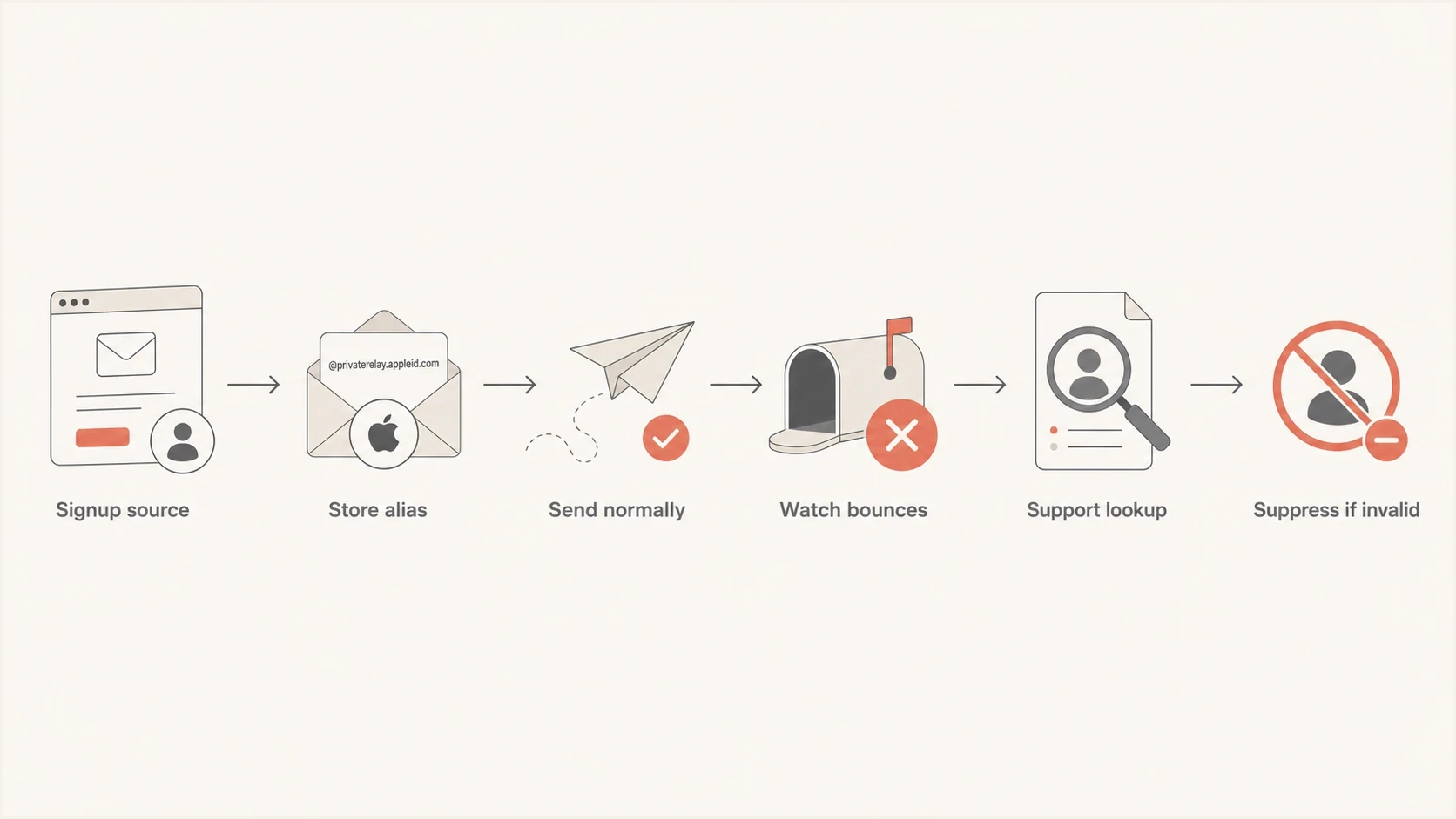
Apple Private Email Relay workflow for storing aliases, monitoring bounces, support lookup, and suppression.
Views from the trenches
Best practices
Tag Apple relay aliases by signup source so consent and support context stays visible.
Train support to search account IDs and orders when customers give their real address.
Use bounce evidence and complaints before placing Apple relay domains on any blocklist.
Common pitfalls
Blocking privaterelay.appleid.com removes valid Sign in with Apple customers.
Treating every iCloud address as Hide My Email hides normal iCloud users in reports.
Letting support search only real addresses makes Apple sign-in accounts hard to recover.
Expert tips
Keep relay aliases separate from disposable domains in suppression and fraud logic.
Track forwarding failures by campaign and source before changing list-wide rules.
Document the customer-facing steps for finding Apple relay aliases in settings.
Expert from Email Geeks says Apple relay addresses should be treated as anonymous user addresses, not disposable list trash.
2022-06-28 - Email Geeks
Marketer from Email Geeks says blocking the relay domain can stop valid Sign in with Apple subscribers from receiving requested mail.
2022-06-28 - Email Geeks
Practical way to handle Apple relay users
The handling model is simple: accept the alias, preserve consent, authenticate your mail, monitor bounces, and give support enough account data to help the user. If the user deactivates the alias, respect the bounce result and stop sending. If the user stays active, keep sending the relevant lifecycle and marketing mail you would send to another subscriber with the same permissions.
Do not put Apple's relay domains into a general disposable-domain blocklist or blacklist. Treat them as privacy-preserving addresses with a higher support burden and a different failure mode. That keeps customers reachable while giving your team a clear reason to suppress an address when the evidence says to stop.
For Sign in with Apple aliases, confirm that every transactional and marketing sender is registered for the app relationship. A separate sending system, new subdomain, changed From address, or changed return-path domain can create forwarding failures that look like engagement problems but start with sender authorization.
Keep private.icloud.com, privaterelay.appleid.com, and known iCloud+ Hide My Email aliases in the same privacy-alias reporting group, but retain the exact domain and signup source. That gives operations one view of Apple relay performance without losing the detail needed for troubleshooting.