
How does iCloud's Hide My Email feature handle sender information and replies?

Published 21 Apr 2025
Updated 3 Oct 2026
11 min read
Summarize with
Updated on 3 Oct 2026: We updated the domain guidance for Apple's revised plans and clarified when Sign in with Apple restricts senders and replies.
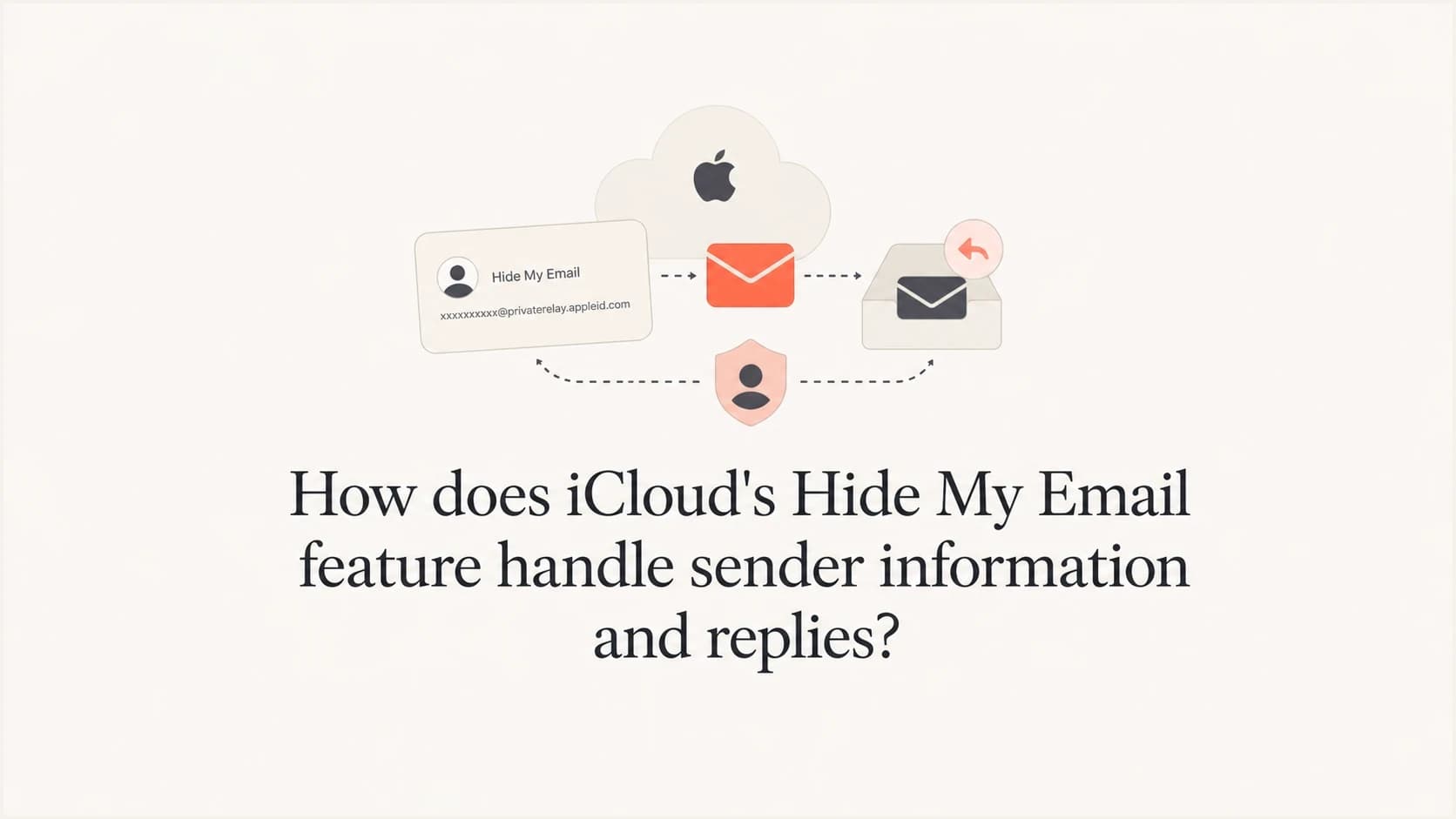
iCloud Hide My Email handles replies by putting Apple between the sender and the user's real mailbox. A sender emails the user's random iCloud address. Apple forwards the message to the forwarding address associated with the user's Apple Account. When the user replies through a supported Mail flow, Apple sends the reply through the same hidden address, so the sender sees the Hide My Email address, not the user's real address.
The part that trips people up is sender information. In delivered mail, Apple can preserve the sender's display name while replacing the visible sender address with an Apple-generated relay address. That relay address exists for the user's reply path. It is not a normal reusable email address that another sender can copy into a form or mail directly.
Apple's own Apple setup guide says users can create unique random addresses, receive forwarded mail, and reply while keeping the real address private. Senders should treat the user-provided alias as a real customer address for consent, suppression, bounces, and engagement. Sign in with Apple aliases also require the sender to be registered with Apple's private email relay.
How aliases and replies work
There are two addresses involved, and they have different jobs. The user's Hide My Email address is the address the user gives to a site, app, shop, newsletter, or support desk. The reply relay address is the address Apple creates when it needs the user to reply without exposing the user's real mailbox.
- User alias: This is the random Hide My Email address. An iCloud+ alias receives mail while active; Sign in with Apple aliases accept mail from registered senders.
- Forwarding: Apple accepts the message, then forwards it to the selected address associated with the user's Apple Account. The user can change the Forward To address in Hide My Email settings.
- Sender rewrite: The user can see the sender name, but the sender address can appear as an encoded iCloud relay address.
- Reply path: The user replies to the delivered message through Apple Mail or Mail on iCloud.com. Apple maps the reply back to the original sender.
- Reuse limit: The encoded reply address is tied to context. Direct use outside that context can fail with a delivery authorization error.
For a new message in Mail on iCloud.com, the user can select Hide My Email in the From field. Apple reuses the hidden address previously used with that recipient, and this compose flow permits one recipient.
Do not store relay reply addresses
If your CRM, support desk, or signup system captures an address that looks like an encoded sender name at iCloud, treat it as a transient reply route, not a subscriber identity. Store the user-provided Hide My Email address instead.
What Apple changes in the message
The clean way to understand Hide My Email is to separate the address that receives mail from the address that replies to mail. These two addresses are easy to mix up because both can use iCloud domains, but only one is the user's chosen alias. For related handling of Apple relay addresses, the distinction matters for database hygiene and support workflows.
Illustrative delivered headers
From: Pat Sender <pat_sender_example_org_ab12cd34@icloud.com>
To: quiet-river-41@icloud.com
Subject: Welcome
In that example, the user can recognize the sender from the display name. The actual address in the From header is no longer the sender's ordinary address. Apple has converted it into a relay address that can receive the user's reply and route it back. The exact header layout can vary, so inspect both From and Reply-To in a delivered test message.
|
|
|
|
|---|---|---|---|
User alias | Site or sender | Forwards to user | Store it |
Reply relay | Apple user | Routes reply | Do not store |
Real mailbox | User, Apple, and forwarding provider | Hidden from sender | Do not request |
Sender address | Sender and Apple | Receives replies | Authenticate |
Main address roles in Hide My Email delivery.
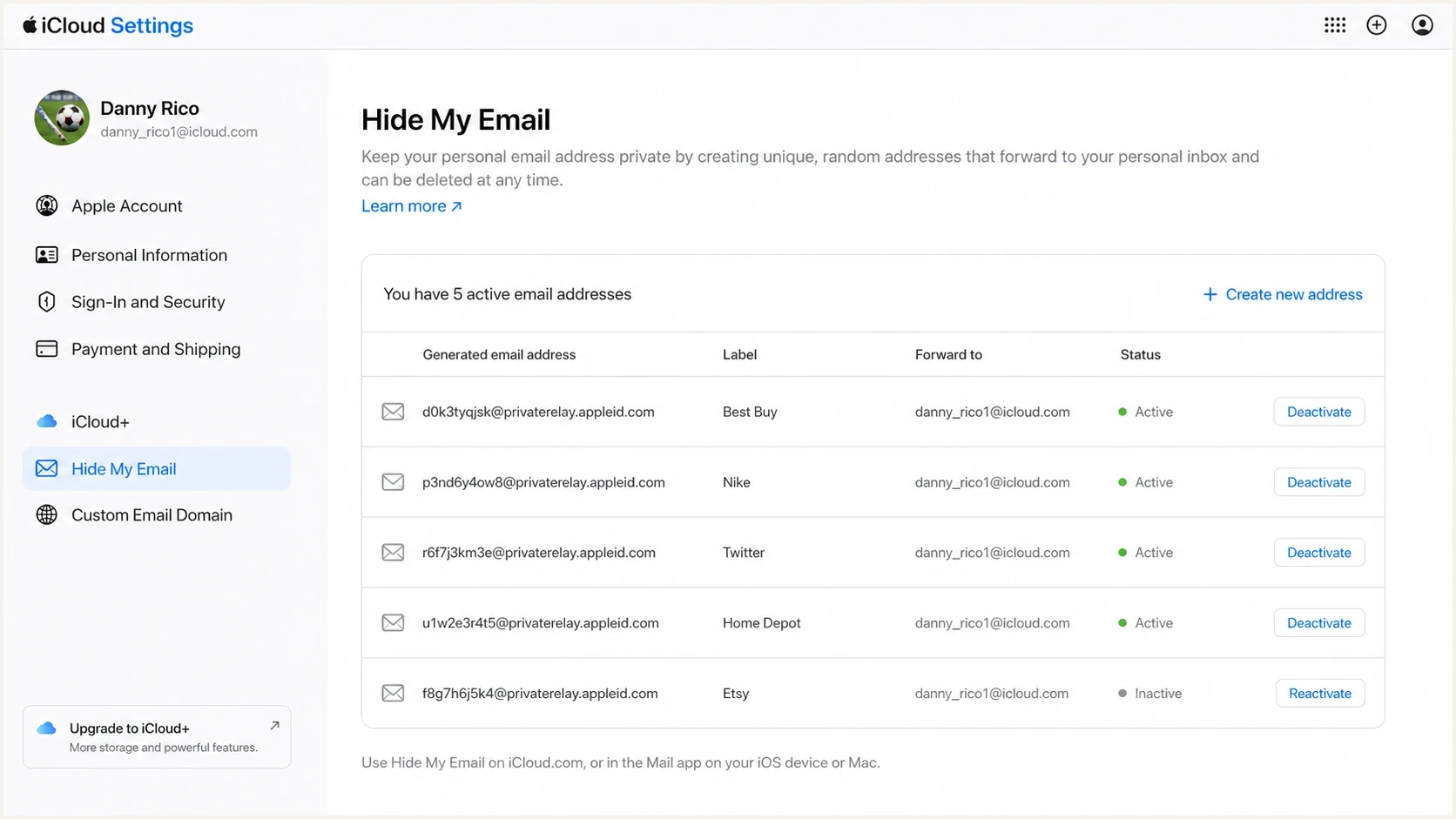
Apple iCloud Hide My Email settings screen showing random address management.
Which Apple domains to accept
Apple has revised its domain plan. New iCloud+ Hide My Email addresses remain on icloud.com. New Sign in with Apple addresses are scheduled to use private.icloud.com later in 2026. Existing privaterelay.appleid.com addresses continue to forward. Apple states this in its updated domain notice.
- Accept the new domain: Allow private.icloud.com in signup forms and address validation for Sign in with Apple users.
- Keep existing domains: Continue accepting @icloud.com and @privaterelay.appleid.com addresses.
- Review routing rules: Update filters or suppression logic that explicitly lists Sign in with Apple relay domains.
- Preserve account identity: Use each full address as the account address; do not merge users based on the domain.
When Sign in with Apple restricts senders
A Sign in with Apple alias is tied to the app or website where the user created the account. Apple forwards mail to that alias only from the developer's designated sending addresses or domains. This restriction is separate from the reply relay address shown to the user.
- Register every sending source: Add each outbound domain, subdomain, or address in the Apple developer account. A new support subdomain needs its own registration.
- Authenticate the mail: Publish SPF for registered domains. Apple checks SPF or DKIM before matching the message to a registered source; configure both when available.
- Investigate relay bounces: If only Sign in with Apple aliases reject mail, compare the actual From, return path, and DKIM signing domain with registered sources.
Apple documents the registration and authentication requirements. These sender registration rules apply to Sign in with Apple relay addresses, not ordinary iCloud+ Hide My Email aliases.
Why the reply address is not reusable
A copied reply relay address can look tempting because it contains clues about the original sender. That does not make it a stable address. It exists so Apple can connect one protected user reply back to the sender that initiated the conversation.
User's Hide My Email alias
- Purpose: Receives mail from a site, sender, app, or service.
- Lifetime: Works while the user keeps the address active.
- Storage: Safe to store as the subscriber or account address.
Apple's reply relay address
- Purpose: Lets the user reply without exposing the real mailbox.
- Lifetime: Works only for Apple's permitted reply context.
- Storage: Bad fit for signup forms, contact records, and imports.
A failed direct send to a reply relay address commonly looks like an authorization refusal. The important part is not the exact host or queue ID. The rejection happens because the sender is trying to use a relay route outside Apple's intended conversation path.
Example relay rejection
to=<pat_sender_example_org_ab12cd34@icloud.com>
relay=mx01.mail.icloud.com[17.57.154.33]:25
dsn=5.7.1 status=bounced
550 5.7.1 Delivery not authorized
What this means for senders
For newsletters, SaaS apps, commerce mail, support mail, and transactional mail, Hide My Email addresses should be handled like real recipient addresses. They belong to real users. A user can receive account notices, password resets, receipts, and replies through them. New Sign in with Apple aliases will use private.icloud.com when Apple makes that change.
Sender checklist
- Accept aliases: Do not block active iCloud Hide My Email addresses just because they hide the personal mailbox.
- Use consent: Base mail on permission and clear account need, not on whether the address reveals identity.
- Watch bounces: Suppress deactivated aliases after normal hard-bounce handling confirms the address is no longer reachable.
- Keep replies real: Use a monitored reply mailbox so Apple users can respond without getting stuck in a one-way workflow.
The main operational mistake is treating Hide My Email as disposable or low quality by default. That damages support experience and can remove users who intentionally chose Apple's privacy option. For a broader version of that question, see can I email Apple private relay users.
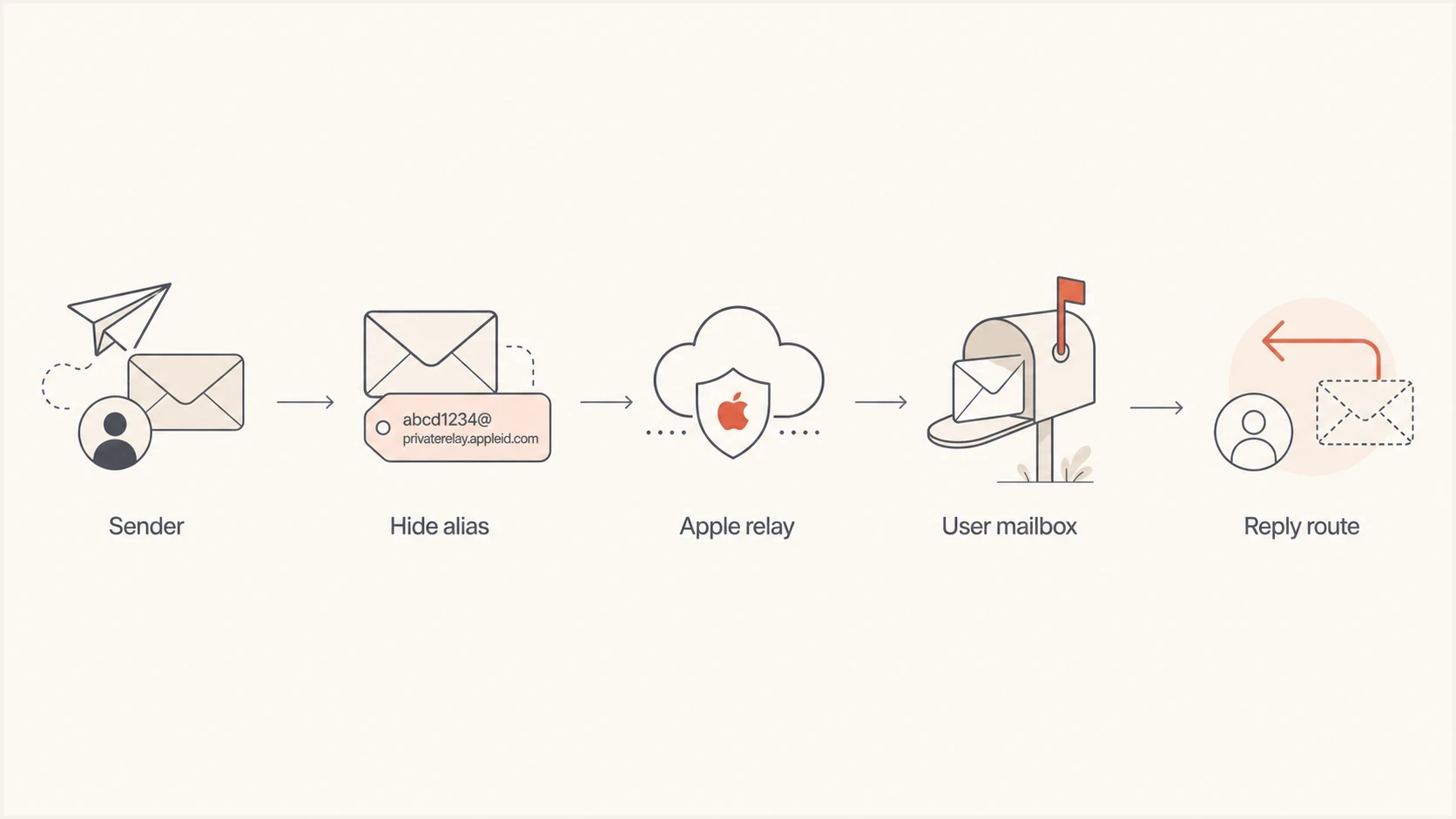
Flowchart showing sender mail through a Hide My Email alias and reply routing through Apple.
How to test your own mail
Generate a Hide My Email address, send your real campaign or transactional message to it, inspect the delivered headers, reply to the delivered message, and confirm that the reply reaches the monitored mailbox on your side. Check the outgoing From address before sending the reply, especially when the forwarding destination is a different mail account. To inspect message authentication and content issues, send test email before you ship a wider send.
Email tester
Send a real email to this address. Suped shows a results button when the test is ready.
?/43tests passed
For authentication, check the domain behind the visible sender, the bounce domain, SPF, DKIM, and DMARC results. Forwarding and relays add extra hops, so review full headers instead of relying on the short header view in a mail client. If your domain is in a rollout phase, DMARC monitoring gives you the aggregate view across Apple, consumer mailboxes, and business recipients.
- Create alias: Use iCloud settings, Safari, Mail, or a supported app to create a fresh Hide My Email address.
- Send real mail: Send the same message type your users receive, not a blank test message.
- Inspect headers: Check the delivered From, Reply-To, authentication, and relay headers.
- Test reply: Reply as the Apple user, verify the outgoing From address is the alias, and confirm the response arrives at your monitored inbox.
- Record result: Save the alias behavior, bounce type, and reply behavior in your QA notes.
Where deliverability problems show up
Hide My Email does not excuse weak authentication. Apple is still receiving mail from your sending system before it forwards anything. If your SPF, DKIM, DMARC, reverse DNS, content, bounce handling, or complaint handling is poor, an alias address will not fix that.
Check domain reputation when iCloud traffic starts bouncing or delaying unexpectedly. A domain health check is useful before blaming Hide My Email, because the same symptoms often come from a broken DNS record, an unverified sender, or reputation damage. If the issue is specific to Apple inboxes, use the iCloud delivery fixes workflow to narrow it down.
Header clue to watch
If the user forwards Hide My Email mail to a non-iCloud mailbox, final authentication results can differ from Apple's first acceptance. Full headers help identify what happened after forwarding; an SMTP rejection or bounce identifies a message Apple or the final mailbox did not accept.
Where Suped fits
Suped's product centralizes DMARC, SPF, DKIM, sending-source, and blocklist (blacklist) evidence. Hide My Email is a recipient-side behavior, so this evidence helps separate sender authentication failures from Apple's alias and reply routing.
Suped DMARC dashboard showing email volume, authentication health, and source breakdown
For this workflow, Suped shows which sending sources authenticate, where DKIM or SPF fails, whether DMARC policy staging is ready, and whether a reputation issue sits outside the Apple alias layer. Teams managing several domains can use source-level reporting and alerts to check whether an iCloud problem also appears at other recipient domains.
Views from the trenches
Best practices
Capture the user alias, not the encoded reply relay, in account and subscription systems.
Test both first delivery and reply routing before treating an Apple alias as production-ready.
Keep a monitored reply mailbox so private-address users can complete support conversations.
Common pitfalls
Copying the encoded iCloud reply route into forms creates confusing delivery failures later.
Assuming private aliases are low quality can suppress valid users who requested privacy.
Debugging only the short header view hides the relay details needed for correct analysis.
Expert tips
Separate recipient aliases from reply relay addresses in logs, exports, and support records.
Treat delivery authorization bounces as context errors, not proof that all iCloud mail fails.
Use authentication reports to separate sender-side issues from Apple-specific relay behavior.
Expert view
Expert from Email Geeks says Apple can strip the sender address while preserving enough display information for the user to recognize the sender.
2023-08-04 - Email Geeks
Marketer view
Marketer from Email Geeks says the encoded iCloud address is visible enough to identify a route, but it is not easy to reuse safely.
2023-08-04 - Email Geeks
What to store and test
iCloud Hide My Email is a forwarding and reply relay system. The sender can mail the user's random address when authorized. Apple forwards that message to the user's real mailbox. When the user replies to the delivered message through a supported flow, Apple routes the reply back without exposing the real mailbox.
Store the address the user gave you, not the encoded address Apple shows inside the user's mailbox for replies. Accept iCloud+ aliases on icloud.com and Sign in with Apple aliases on privaterelay.appleid.com or, when issued, private.icloud.com. Authenticate your mail, register Sign in with Apple sending sources, keep replies monitored, handle bounces normally, and test the full send-and-reply path.




